-
-
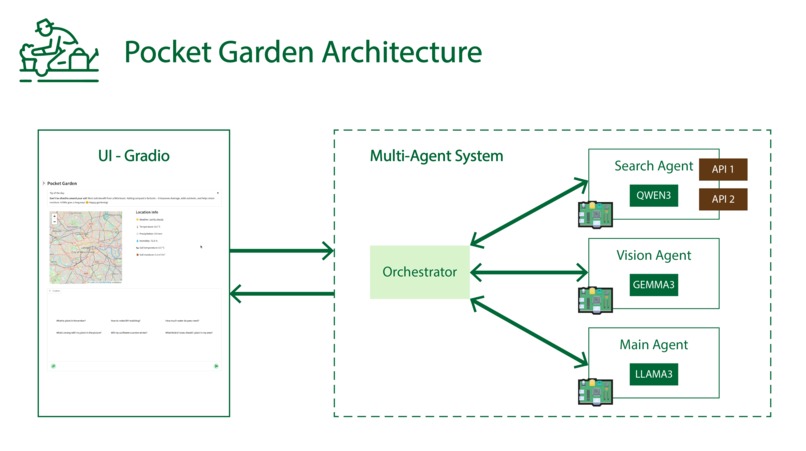
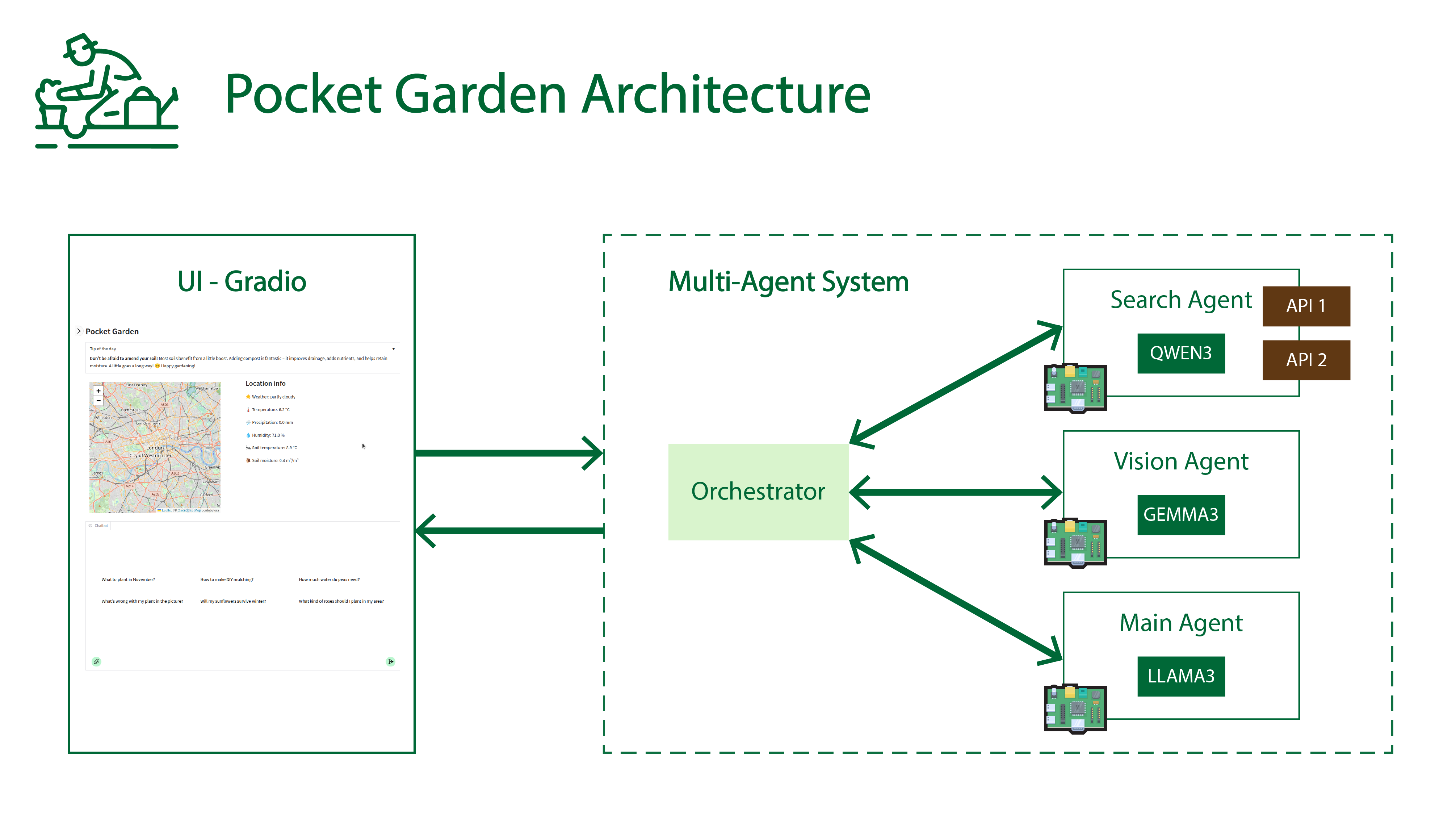
Pocket Garden Architecture
-
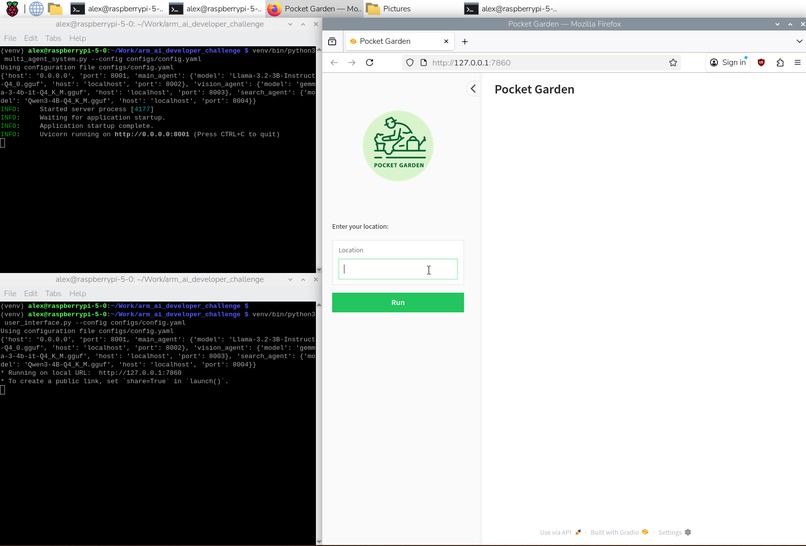
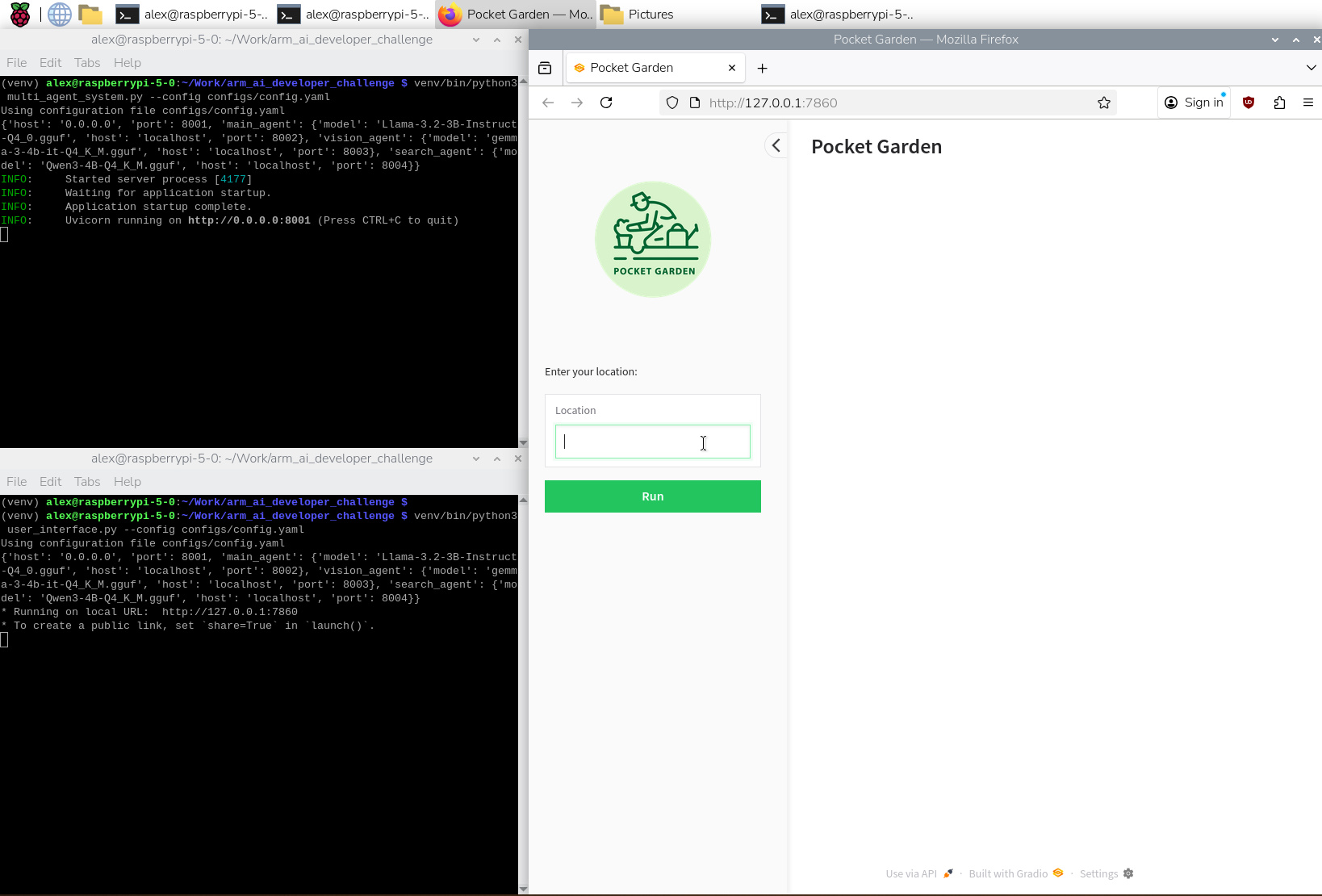
Pocket Garden multi-agent system and UI on Raspberry Pi OS
-
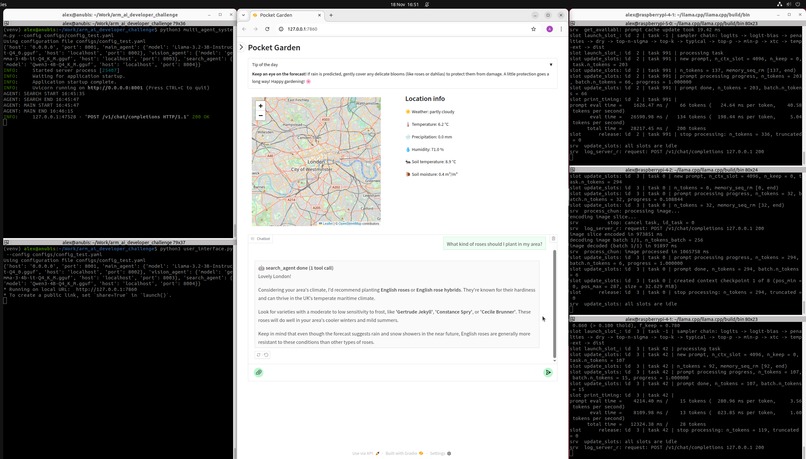
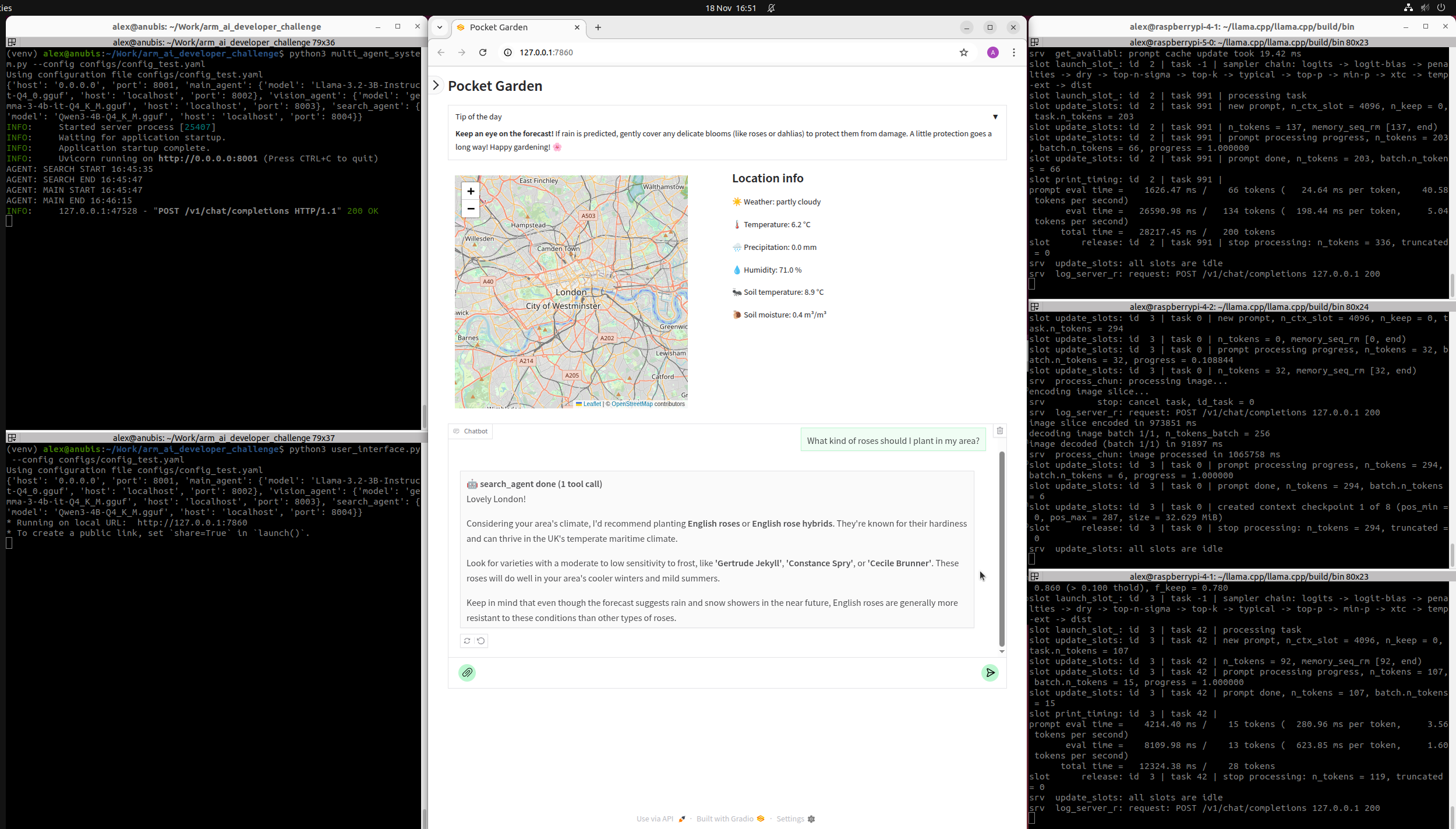
Pocket Garden multi-agent system and UI on Ubuntu + 3 llama.cpp llama-server on 3 Raspberry Pis
-
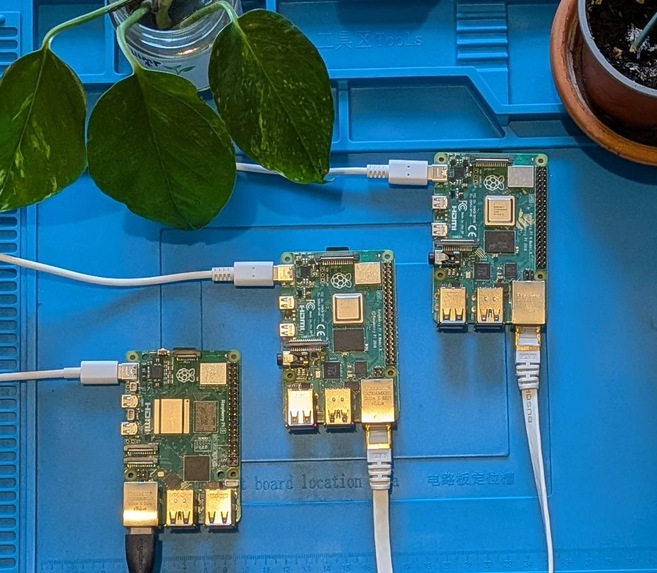
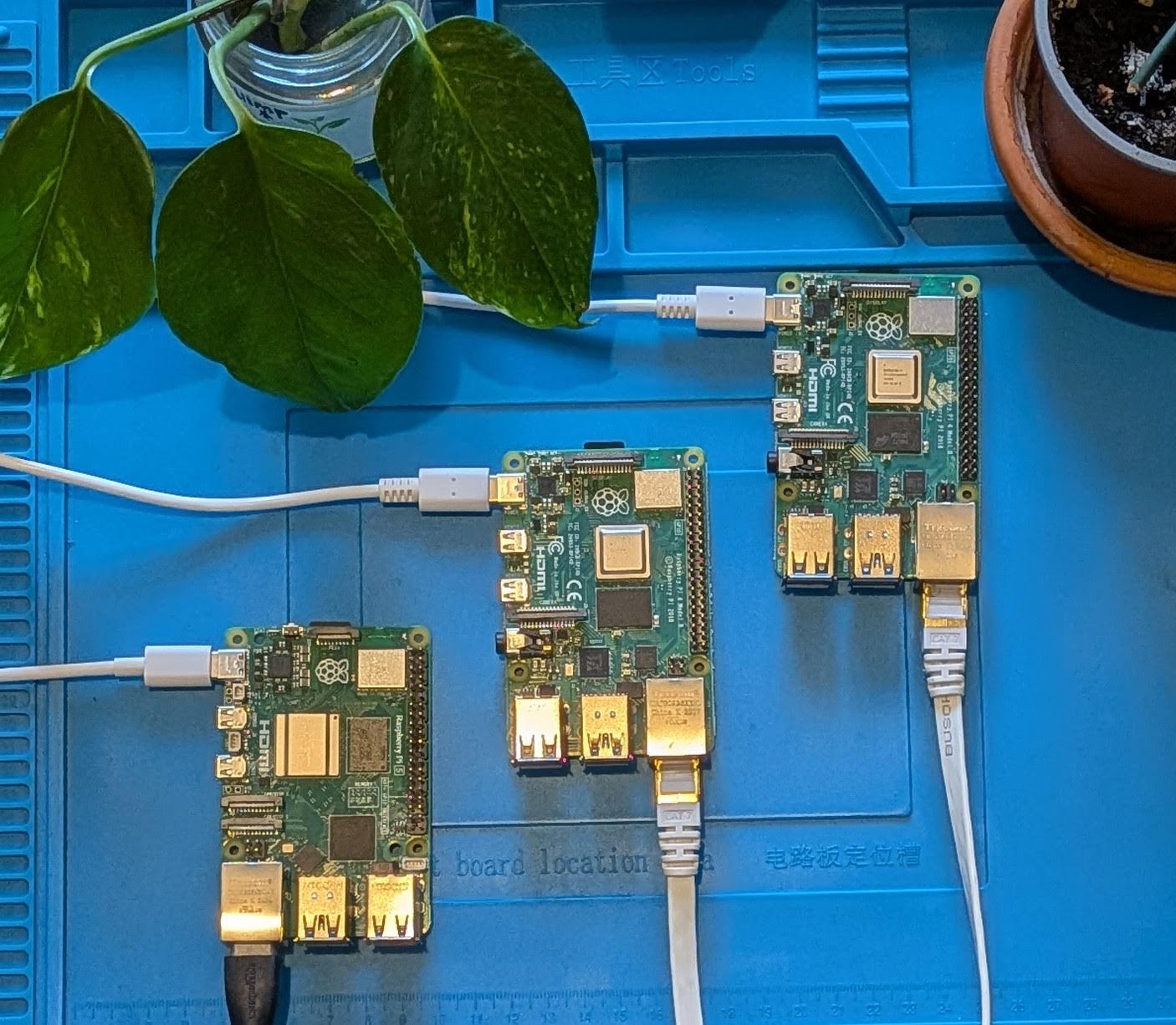
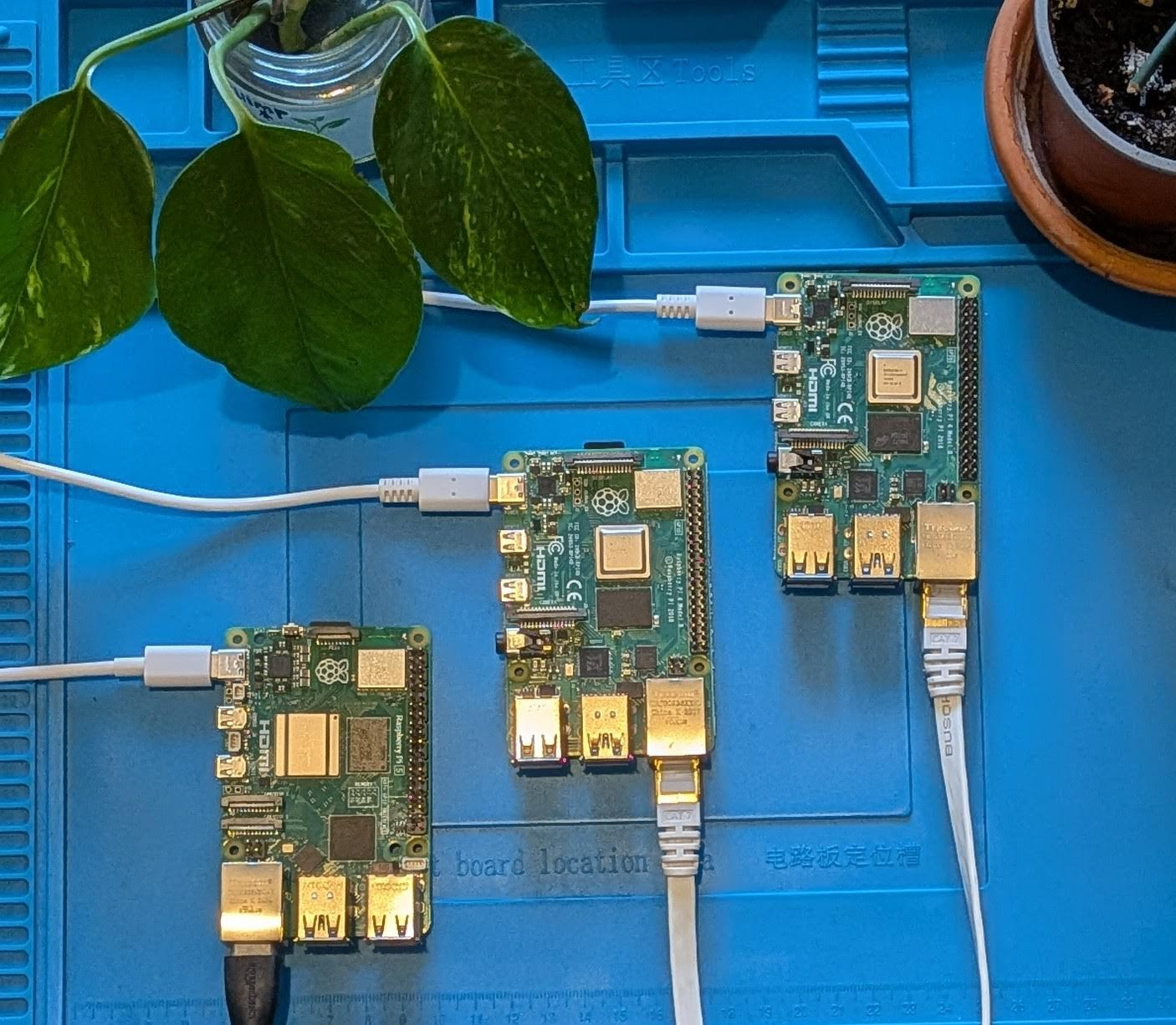
1 Raspberry Pi 5 8GB and 2 Raspberry Pi 4 4GB
-
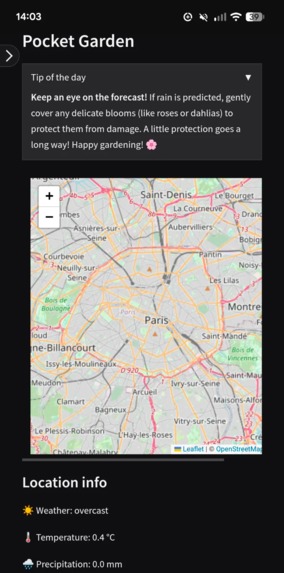
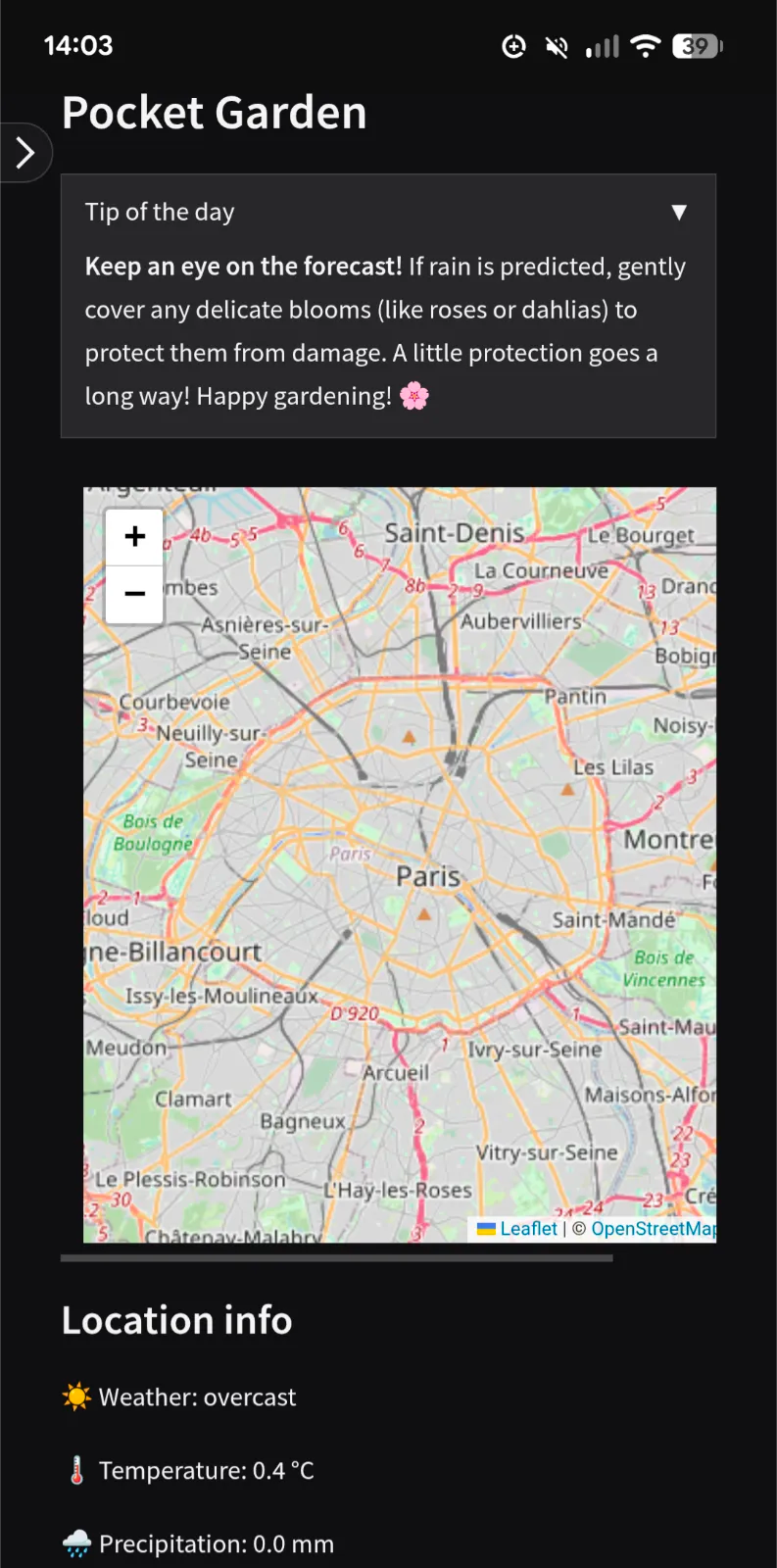
UI on Android (Google Pixel 6)
🌱 Inspiration
After the pandemic, over 20 million Americans started gardening for the first time. Crucial to feed the nation during WWII, Community Gardens, or Allotments as we call them in the UK, are in high demand with sometimes years-long waitlists to cultivate your small plot of land. Despite the strong community, 40% of new gardeners give up in the first year due to poor yields and feeling overwhelmed.
🌱 What it does
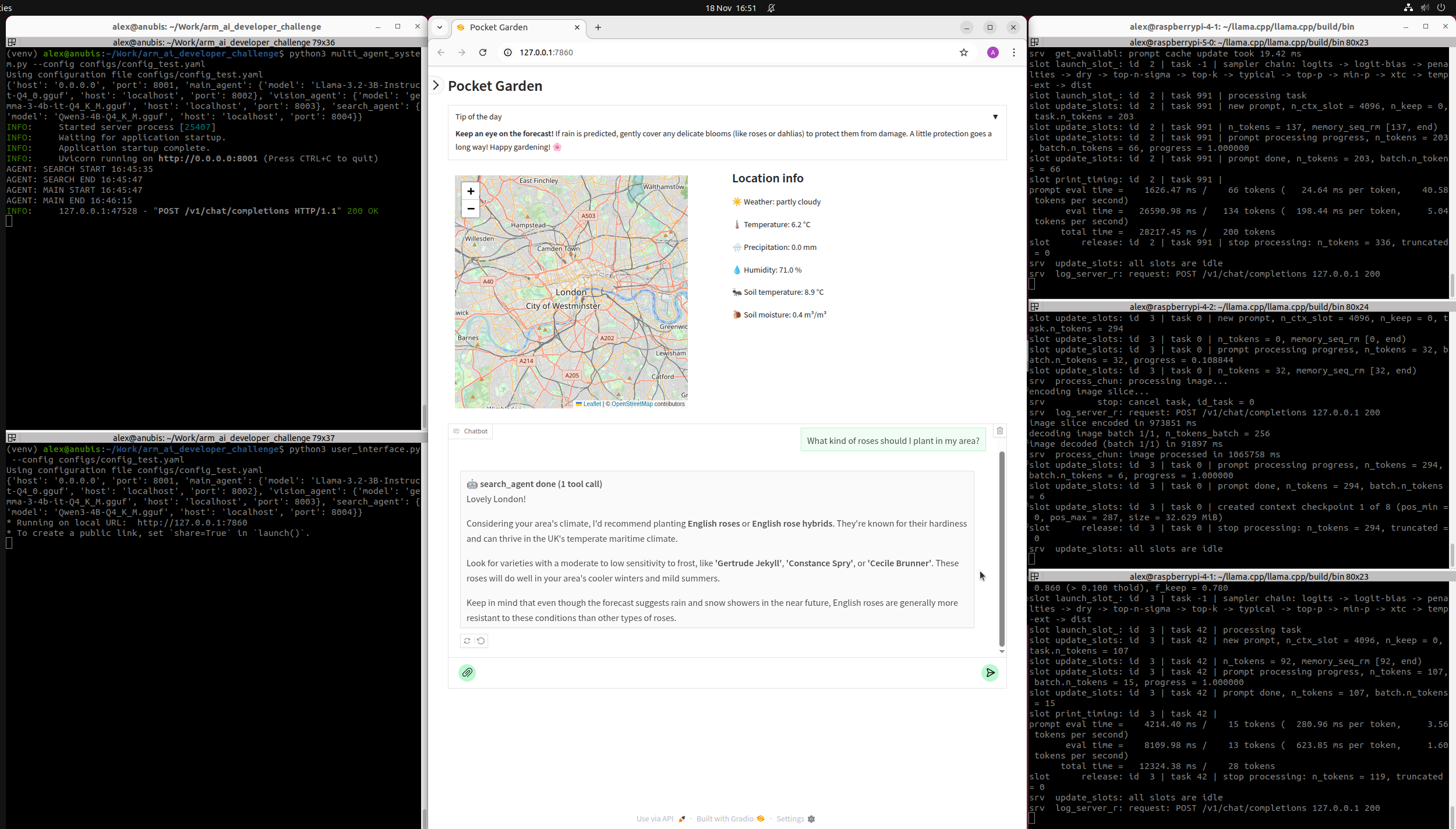
Pocket Garden is a gardening companion that helps new gardeners understand their plot of land and make the most of it all year round using realtime data and AI. Users simply enter their location and can then ask any gardening questions, upload pictures of their plants and get personalized advice based on their location thanks to OpenEPI and OpenMeteo APIs.
Pocket Garden relies on a multi-agent system we created which runs locally on multiple Arm-based Raspberry Pis.
🌱 How we built it
Our project is written in Python and is composed of 2 main components: a multi-agent system and a user interface. Our system is configurable via a YAML configuration file. We provide the configuration file we used to run the demonstration in our video as well as instructions to install and run the project entirely on Raspberry Pis on the project's GitHub.
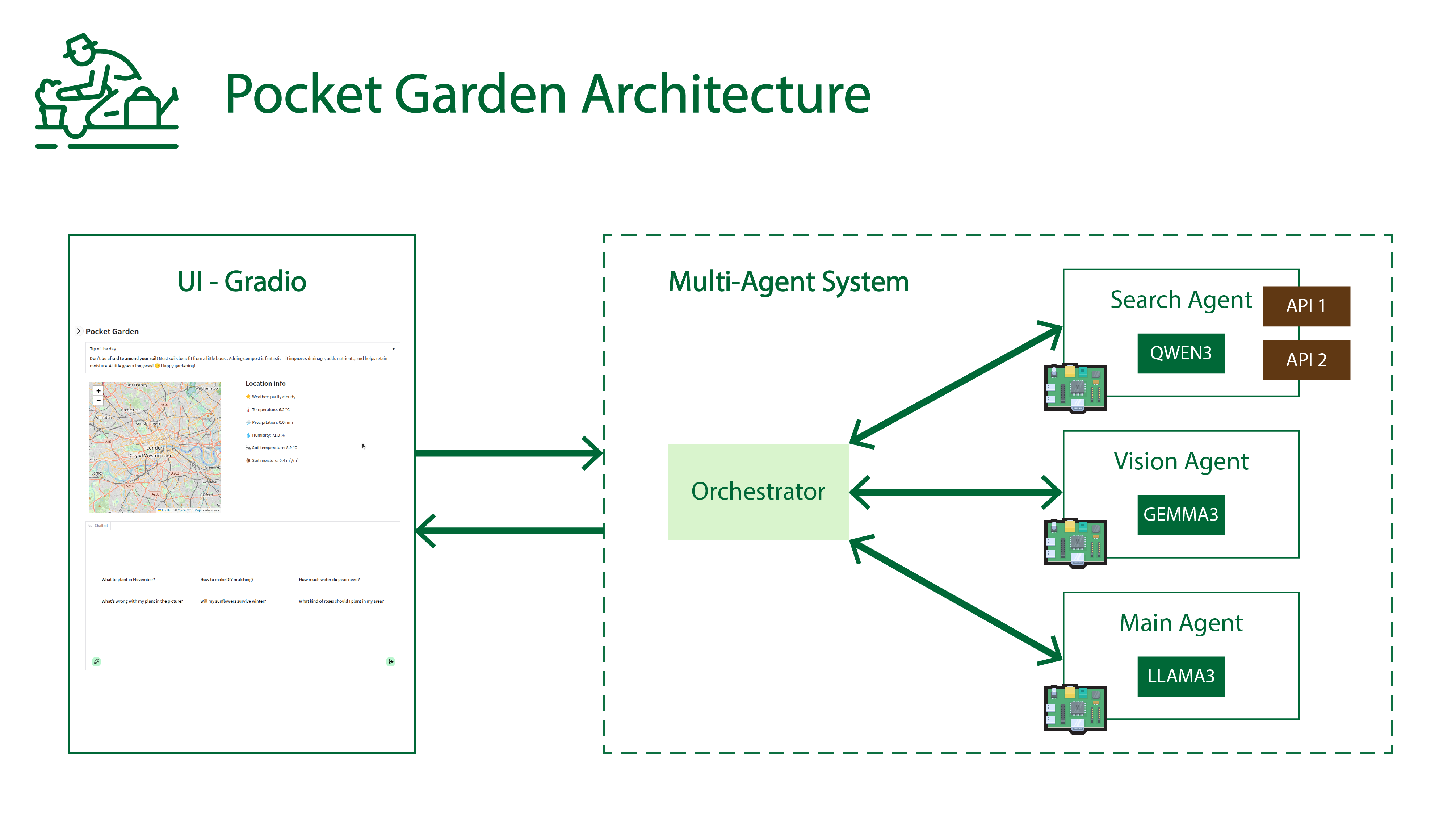
We implemented a multi-agent system behind a minimal OpenAI compatible multimodal (text/image) server using Pydantic/FastAPI/Uvicorn. The multi-agent system is built around 3 agents we created: search, vision and main agents. Each agent uses its own model and prompt:
- Search agent: generates tool calls to access realtime data via OpenEPI and OpenMeteo APIs, uses Qwen 3 4B.
- Vision agent: supports images in input, uses multimodal Gemma 3 4B.
- Main agent: handles multi-turn conversation with user, uses Llama 3.2 3B, a long-context (128K) text-only LLM.
Each model runs on a separate ARM device via llama.cpp llama-server; in our case 1 Raspberry Pi 5 8GB (quad-core Arm Cortex-A76) and 2 Raspberry Pi 4 4GB (quad-core ARM Cortex-A72). We use GGUF models quantized in 4 bits to balance model quality, inference speed and memory requirements.
We created the UI with Gradio. Maps are generated with Folium.
🌱 Challenges we ran into
Every model behaves differently. Their instruction following abilities are not always the best compared to large models from frontier labs. This is even more amplified by the fact that we use small models (up to 4 billion parameters) for local deployment on Raspberry Pis (4 and 5). This means carefully choosing the models as well as prompt engineering are mandatory to extract the best from the system.
There are many APIs available online; each of them provides different variables and an overwhelming amount of information. We selected 2 APIs (OpenMeteo and OpenEPI) to get a variety of localized historical and predicted data about soil and weather. We also chose them because they have a generous free plan, do not require authentication and support more than sufficient rate limits for our use case.
🌱 Accomplishments that we're proud of
We designed a multi-agent system running on multiple devices (3 Raspberry Pis) that functions well given the number of agents involved, the size of the models and the large variety of possible interactions with users. This required a lot of testing and tuning (models, prompts,...) because of the multi-agent nature of our system as well as the use of realtime APIs. Our system is also easy to configure and to extend, for example, if more APIs need to be supported.
🌱 What we learned
When creating agents, it is very important to spend time to select models depending on constraints and use cases. We determined which model to use for each agent depending on their quality, speed, context length and modalities they support. For example, the main agent needs to support long multi-turn conversations with the user, so we chose Llama 3.2 3B, a long-context text-only LLM. The vision and search agents only need short context lengths and the vision agent needs to support images in input, that’s why we use Gemma 3 4B and Qwen 3 4B, respectively.
🌱 What's next for Pocket Garden
As a next step, we would like to support local realtime data from sensors placed in the user's garden, directly linked to an embedded Arm-based device.
Built With
- arm
- folium
- gemma
- gradio
- llama
- openepi
- openmeteo
- python
- qwen
- raspberry-pi


Log in or sign up for Devpost to join the conversation.