-
-
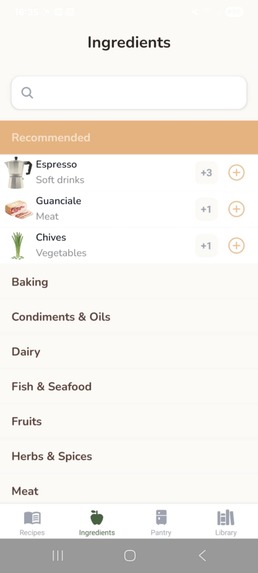
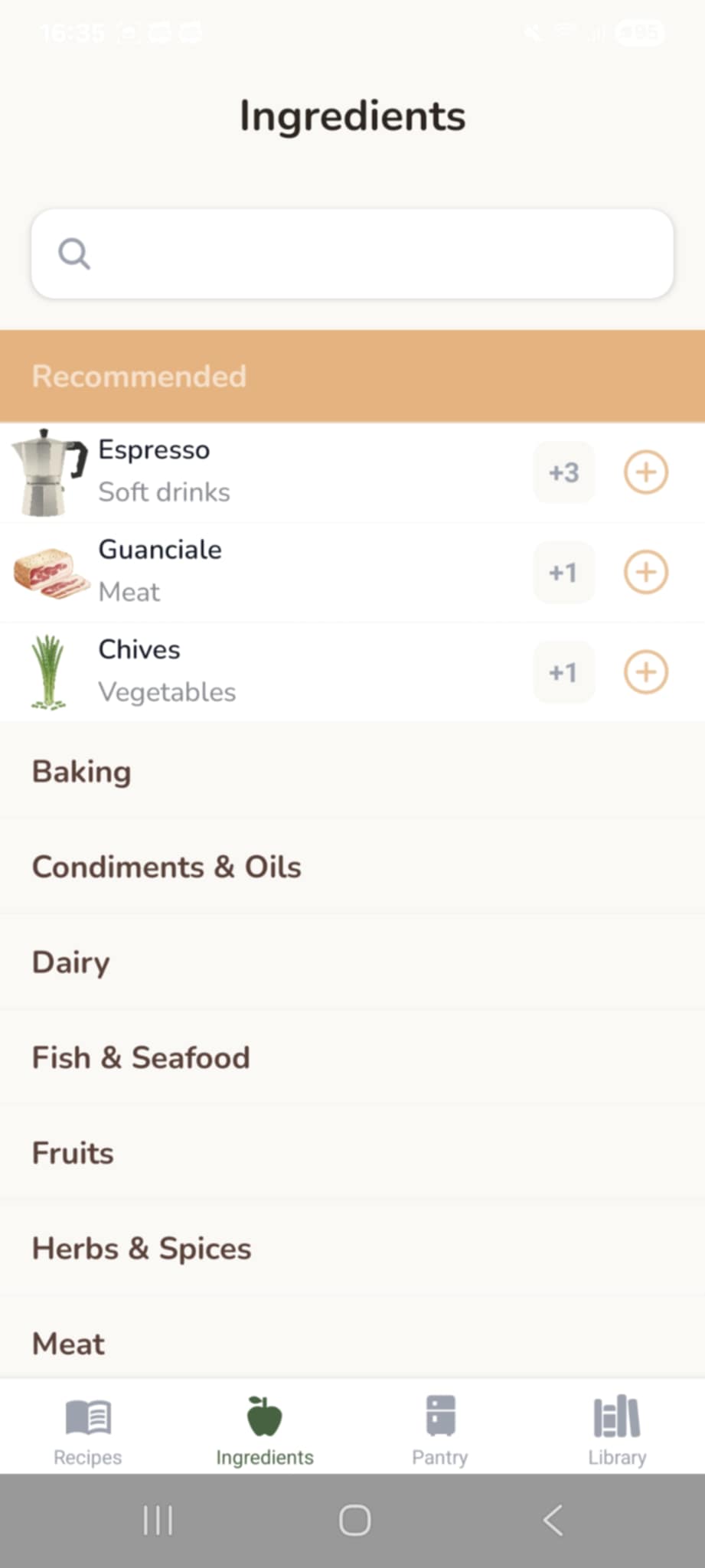
Ingredients screen with recommendation of ingredients missing for a recipe
-
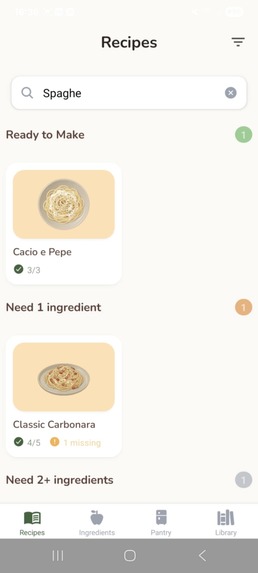
search recipes by ingredients or plate of recipe
-
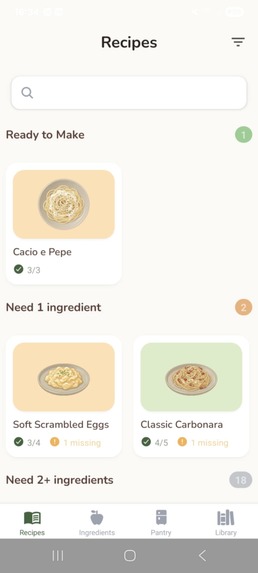
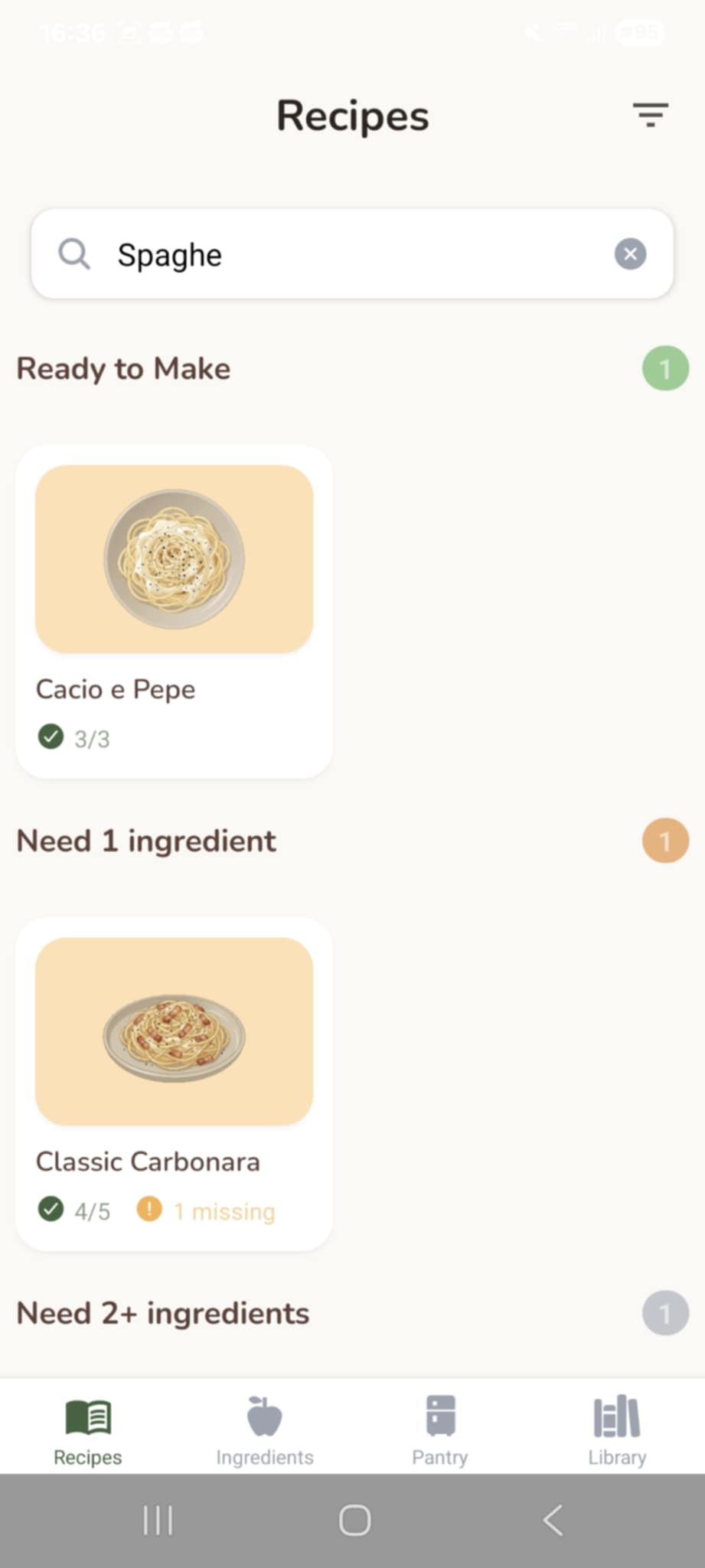
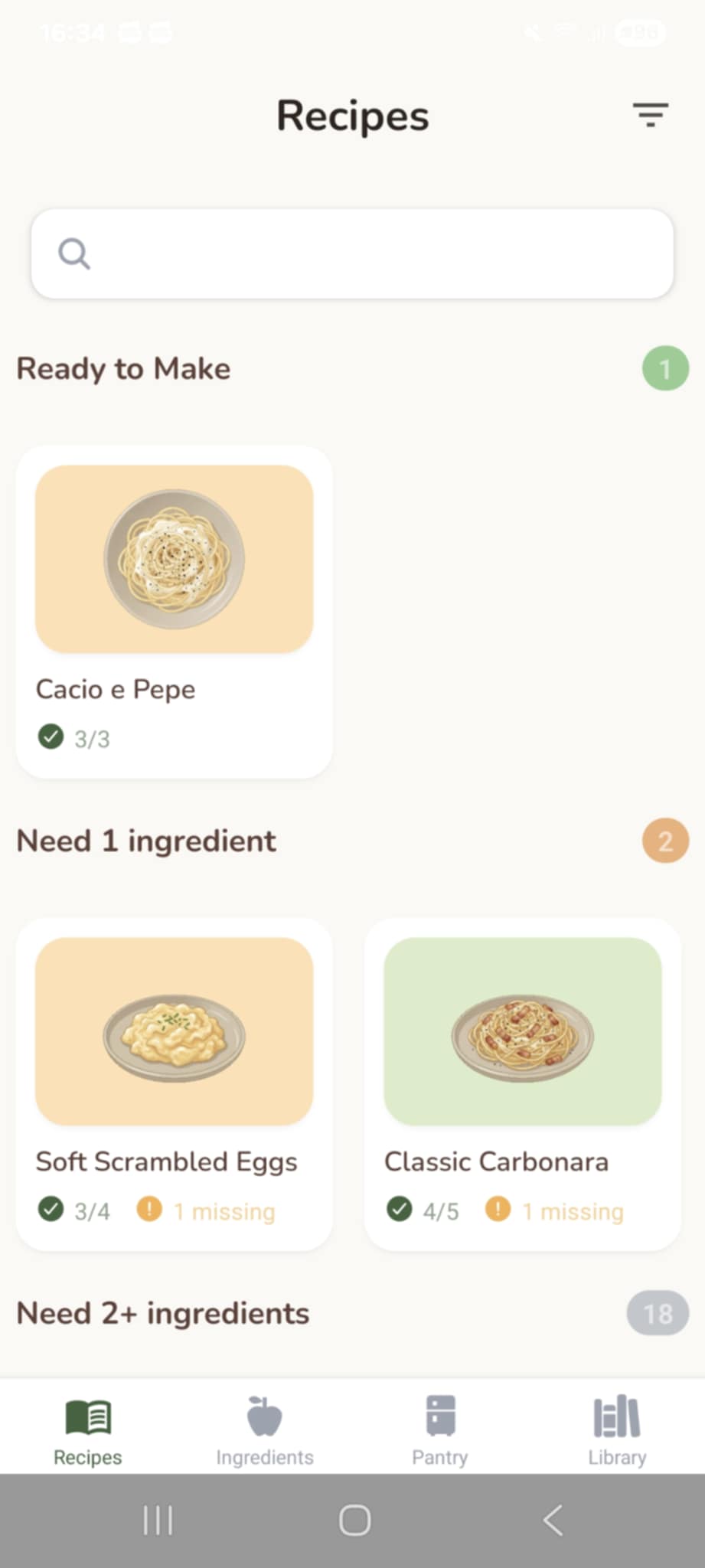
recipes screen ordered by how many ingredients are missing
-
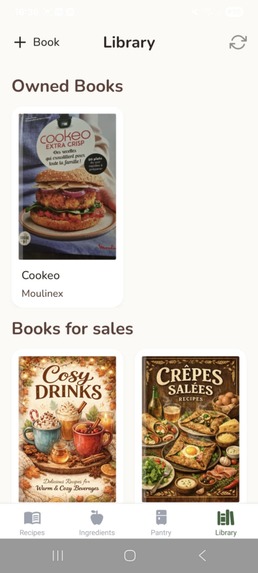
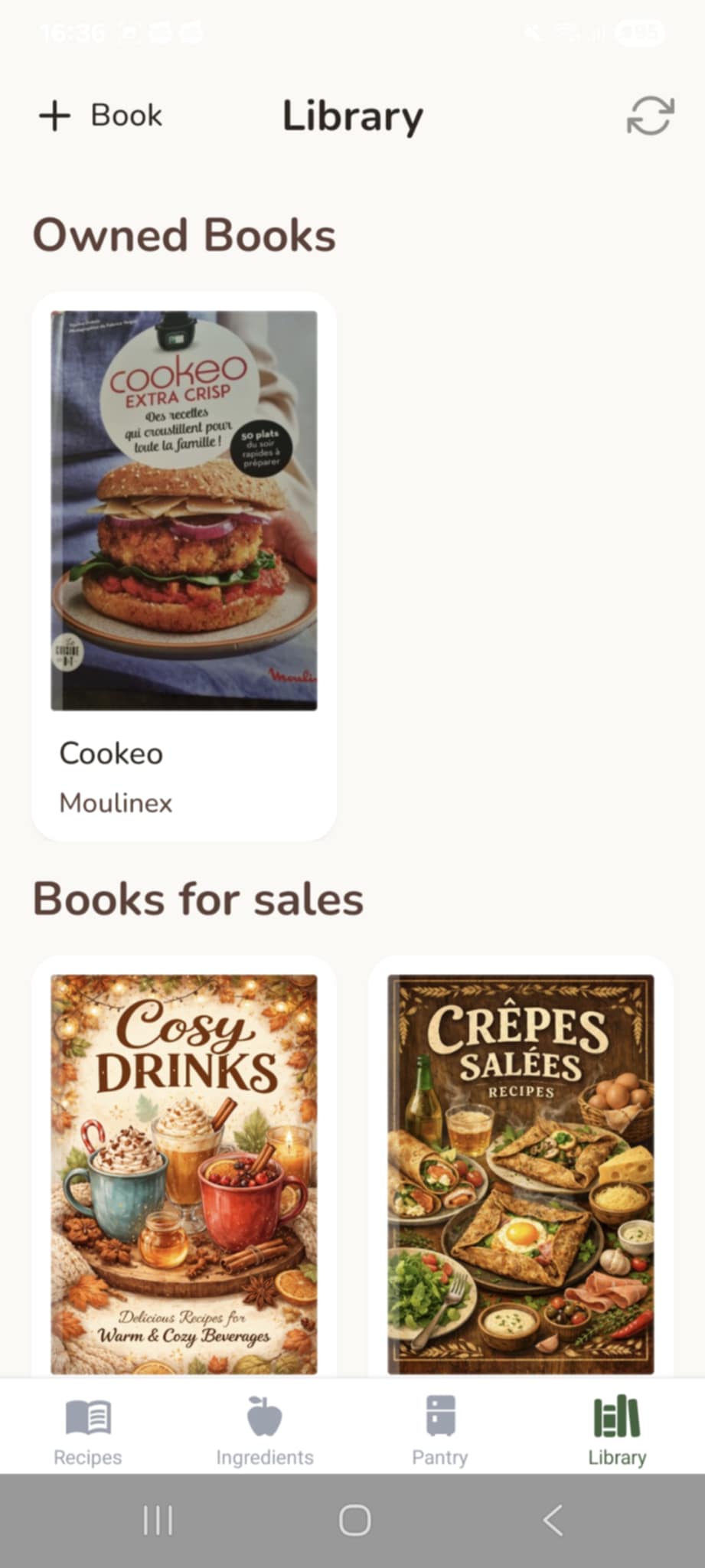
library screen, with the book you own (bought or digitalized) and book for sales
-
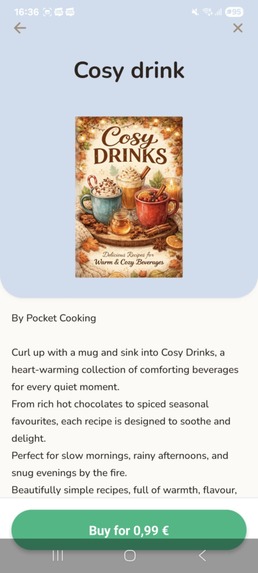
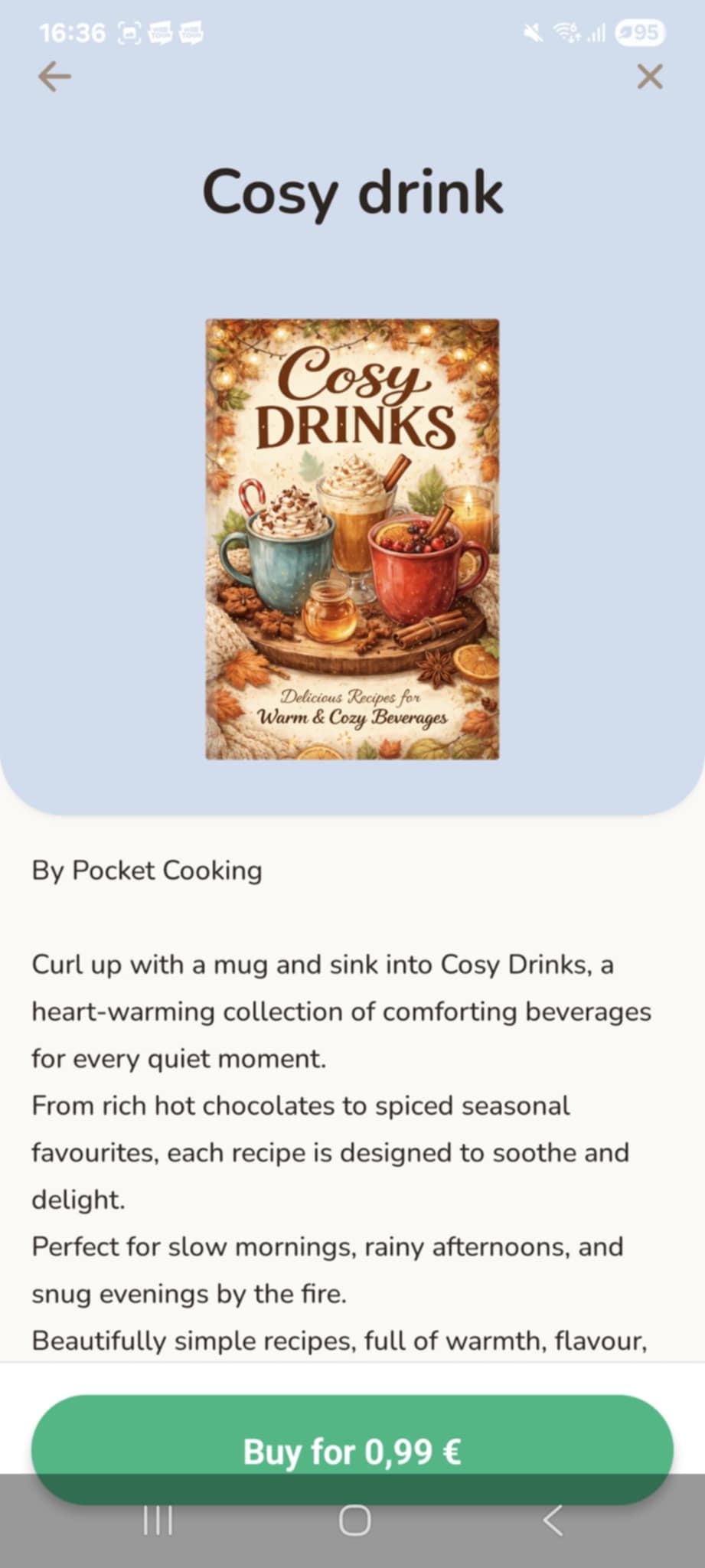
book screen to see the details of a book
-
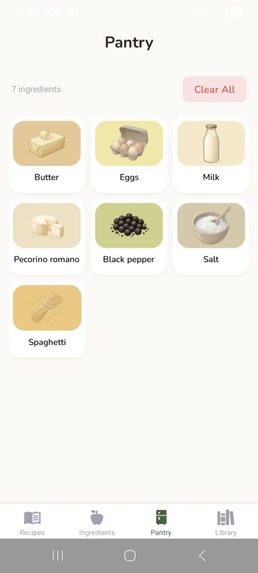
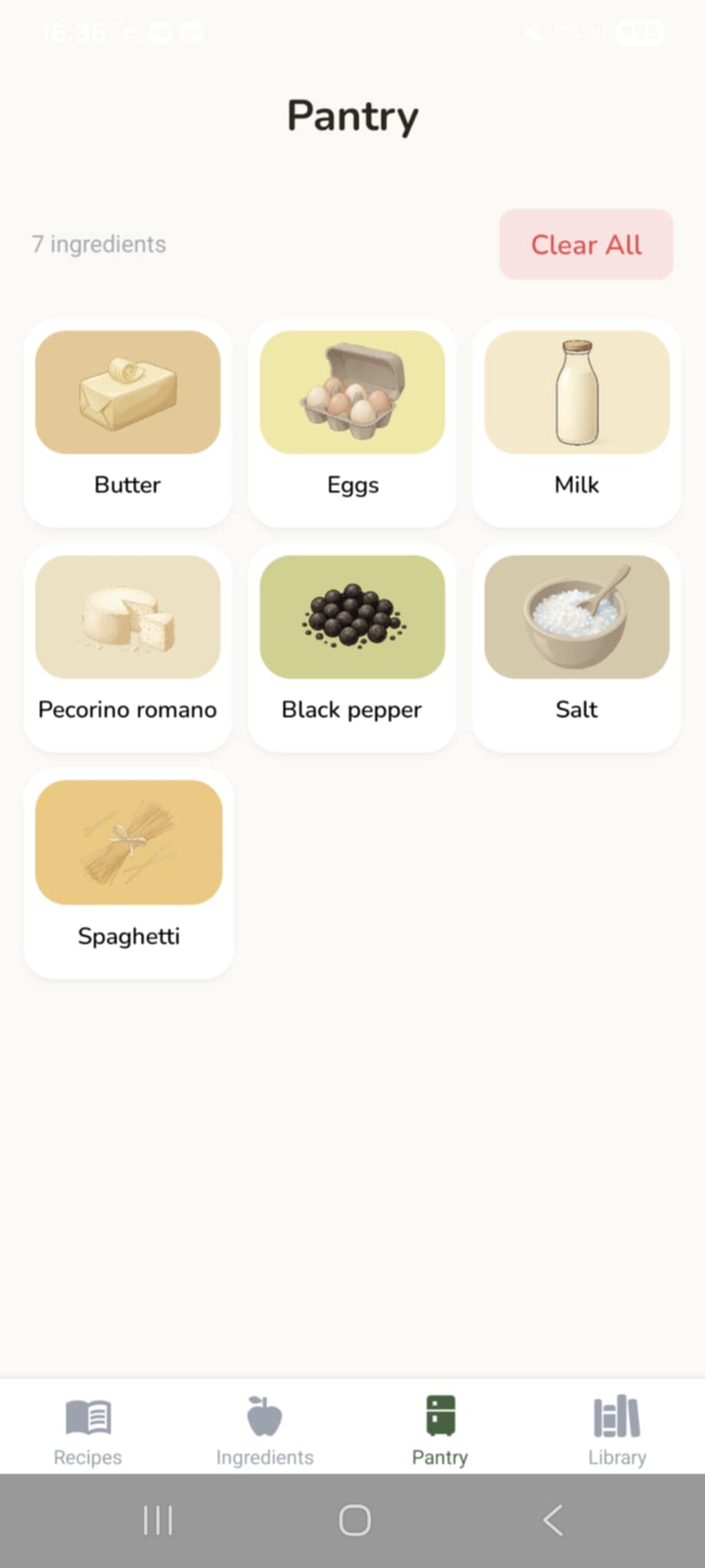
pantry screen to see what you added to your pantry
Inspiration
I got the idea last summer when I was just looking for a smoothie recipe. I opened my books, looked for something I could make right then, but it was really frustrating. Every time I found a recipe, I was missing ingredients. I spent 15 minutes flipping pages and didn't find anything I could drink.
I realized it was strange that despite all our technology, physical cookbooks are still not searchable or interactive. I checked the Play Store but only found generic cooking apps. They were all the same: overwhelming, loud, and full of features I didn't need. I didn't want another content feed. I wanted a tool for the books I already loved.
The design comes from a personal place. It is inspired by my dad's recipe notebook where he used to write his favorites and draw the plates himself. I wanted to recreate that cozy vibe. It feels personal and less aggressive than big photos of food.
The RevenueCat hackathon was the "kick" I needed to finally stop imagining it and start coding.
What it does
Pocket Cooking digitizes your physical recipe collection to make it useful again. It connects your real library to your digital pantry.
For Home Cooks:
Scan & Save: You take a photo of a recipe in your book, and the app uses OCR to turn it into a digital format on your phone.
Search your shelf: You can finally search your physical books by ingredient or title.
Cook with what you have: You add ingredients to your pantry, and the app tells you exactly which recipes you can make right now. No more guessing at the grocery store.
For Authors:
I see this as a new medium for cookbook authors. Instead of needing a big publisher, chefs can sell "Digital Mini-Books" directly to their community through the app. RevenueCat handles the payments, so creators can just focus on their recipes.
How we built it
I built this using the "Vibe Coding" method with Gemini and Antigravity.
Frontend: React Native and Expo.
AI: OpenAI handles the OCR to read the text, and Gemini generates the cozy illustrations.
Backend: I built a Ruby on Rails API to standardize ingredients and manage the bookstore data.
Payments: I used RevenueCat to handle the In-App Purchases for buying books and credits.
Monetization Strategy
I made a deliberate choice to move away from the traditional subscription model. In an era of "subscription fatigue," I believe a Pay-as-you-go model is more respectful to the user and more sustainable for this specific tool.
Smart Credits for OCR: Instead of an "unlimited" subscription that could become a liability with high AI API costs, users buy credit packs for their scans. This ensures that every digitalization is profitable for the app while letting users pay only for what they consume.
The Bookstore: I use a wide pricing range for digital books, from $0.99 for "Mini-Books" to $9.99 for larger collections. This low barrier to entry encourages impulse buys and allows authors to monetize even small sets of recipes.
Focus on Quality: Not being tied to a monthly subscription frees me from the pressure of adding "bloatware" or useless premium features just to justify a recurring cost. It allows Pocket Cooking to stay lean, fast, and focused on its core mission: making books interactive.
Accomplishments that we're proud of
I am proud of the UX. I really wanted something simple that doesn't scream for attention. I wanted an app I could use every day without feeling stressed by popups or clutter. I think I succeeded in making it feel calm.
Technically, I love the "Ready to Make" feature. It feels like magic to see the app filter hundreds of recipes instantly based on the few ingredients I have in my fridge.
What we learned
Vibe coding is amazing to get started fast, but it gets tricky when the project grows. Managing state and complex logic still needs a human brain. I also learned that integrating payments doesn't have to be a nightmare thanks to the RevenueCat SDK.
What's next for Pocket Cooking
Short term:
Fixing small bugs in the "Notes" feature.
Cleaning up the code.
Getting the Apple Developer license to release on iOS.
Long term:
Building a web dashboard for authors so they can see their sales and which recipes are popular.
Allowing users to generate their own "dad style" illustrations for their scanned recipes.
Making sure the books you buy are yours forever, even if the app closes one day.
Extra words
I made a choice not to include recipes from social media or blogs. Social feeds are temporary, but books are forever.
Also, privacy is a huge part of the philosophy. When you digitize a recipe, it stays on your phone. It isn't sent to a public server or shared with other users. It respects the "Private Copy" idea. It is your book, on your device, for your eyes only.
Built With
- antigravity
- expo.io
- gemini
- react-native

Log in or sign up for Devpost to join the conversation.