-
-
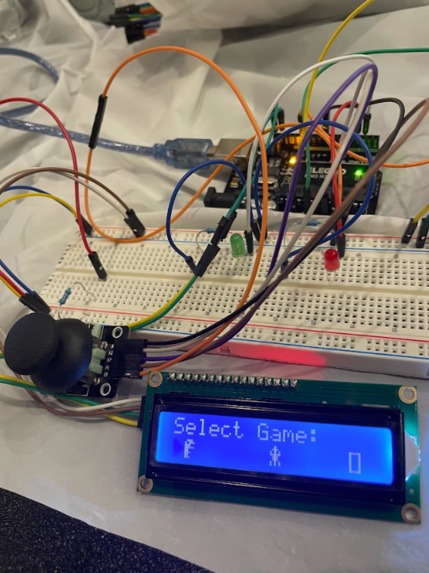
menu/home screen
Inspiration
Our inspiration for creating games was based on the parts we picked up from hardware. We picked at random leaving us with many random parts like PIR sensor, mini servo motor, and a joystick input. The joystick was an impulse purchase and because of how silly it was we decided to have our project revolve around its use.
What it does
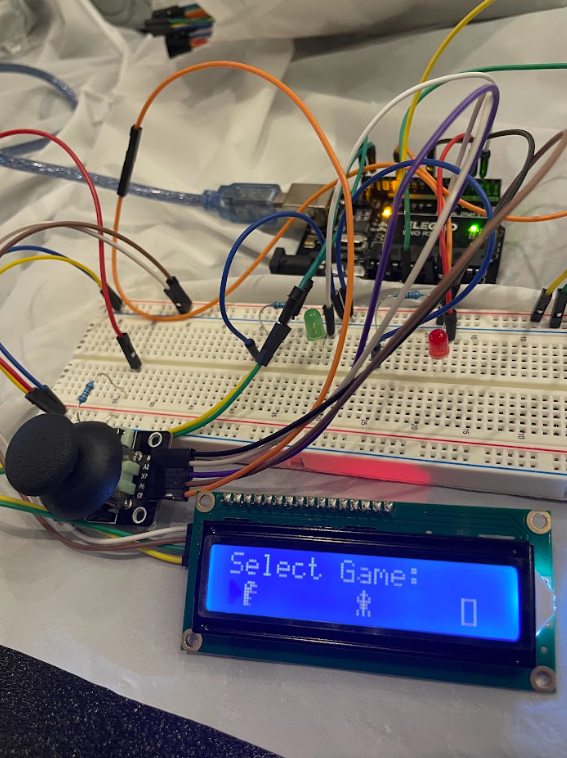
Our project is a simple arcade catalog that allows you to play 3 different games present on the LCD display using the joystick. You can play as many times as you want and can switch between the games in any order.
How we built it
We started off with trying to configure the LCD display to present custom characters, after configuring the display and connecting the joystick we ran several tests to understand the values required to make movement possible within our games. After that it was coding to work with the joystick and with additional LEDs, along with a game menu to select which game to play.
Challenges we ran into
Some challenges we ran into stemmed from our lack of knowledge, as none of us have used arduino before. So when integrating certain things like custom characters, cursor selection, and timing delay took much trial and error. The biggest problem was trying to integrate our separate games together into a menu screen that worked seamlessly.
Accomplishments that we're proud of
We were able to complete three fully functioning games, including dinosaur run, red light green light, and a memory matching game.
What we learned
We learned how to wire components such as LEDs and resistors onto a breadboard, and connect pins from the UNO R3 onto the breadboard/external components. We also learned the basics of how the arduino ide works, and the syntax it uses for coding.
What's next for Pocket Arcade
We want to expand by adding more games, or using CAD to design housing for the LCD. Maybe using a bigger display and attaching the joystick to the case.
Built With
- arduino
- breadboard
- joystick
- leds
- microcontroller


Log in or sign up for Devpost to join the conversation.