-
-
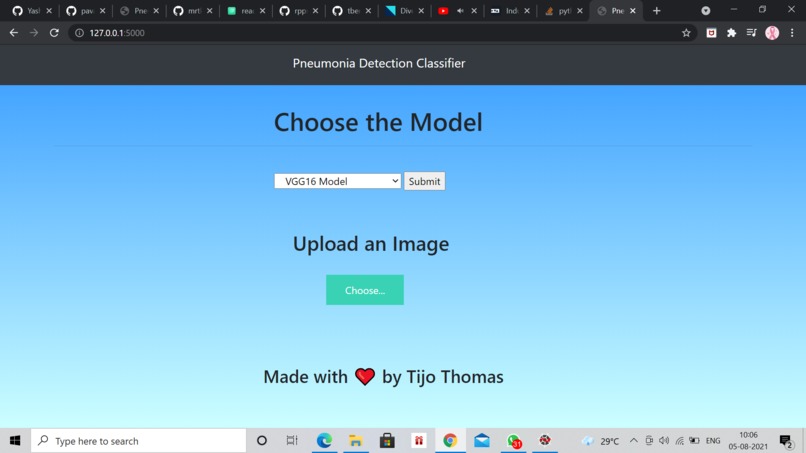
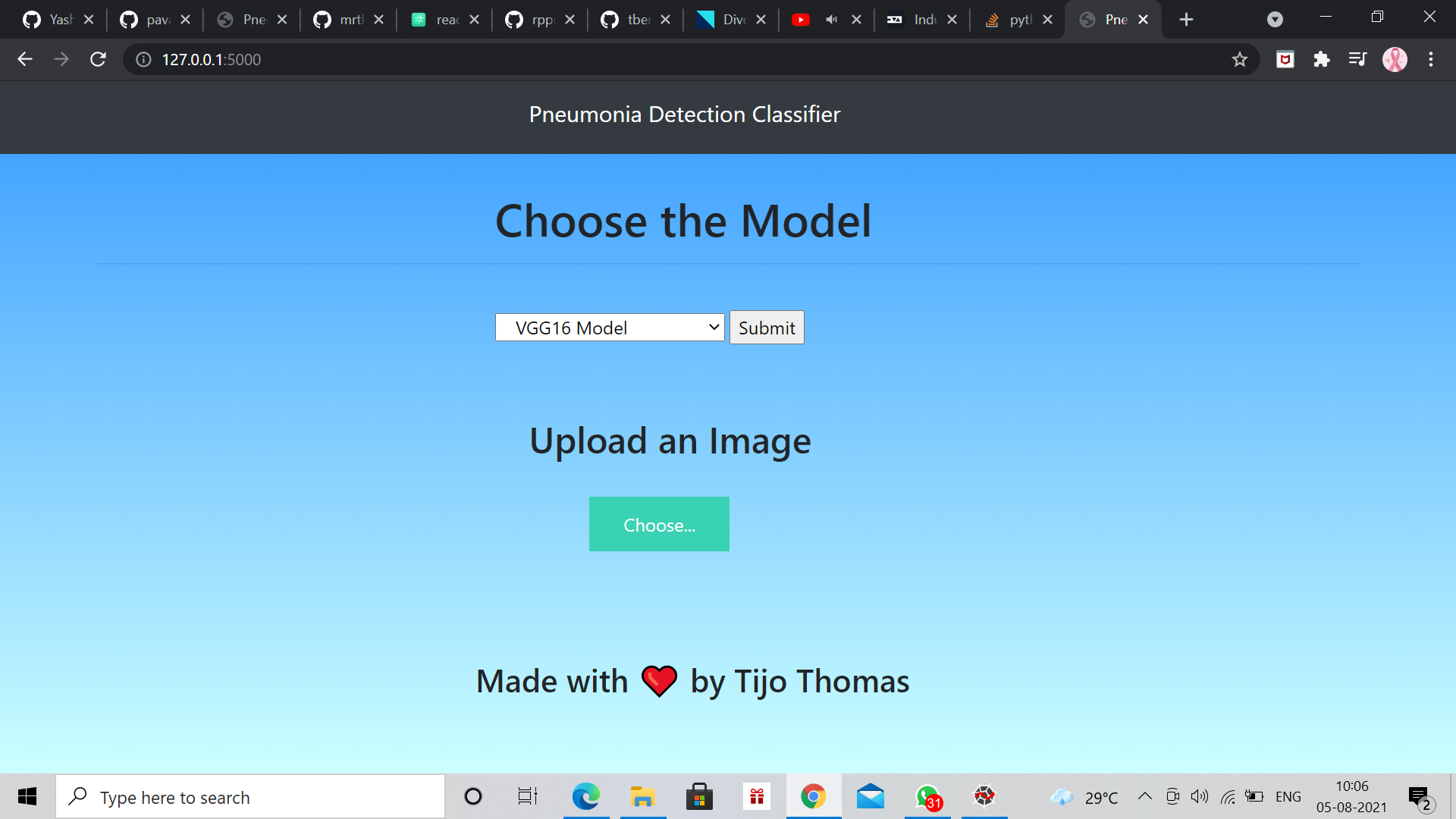
front end
-
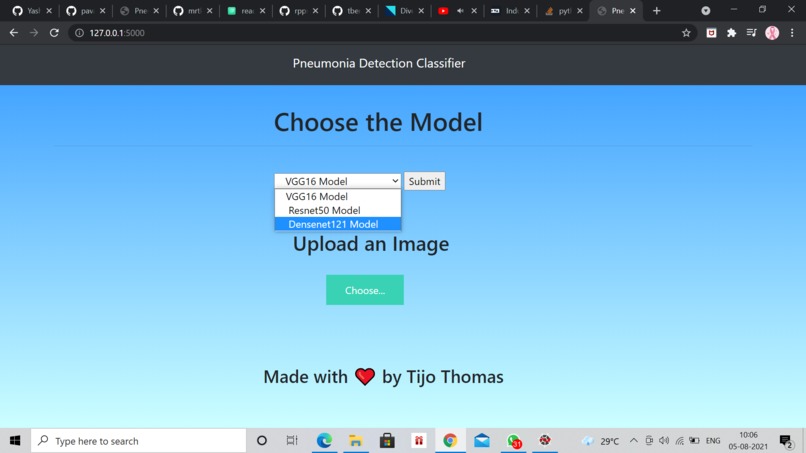
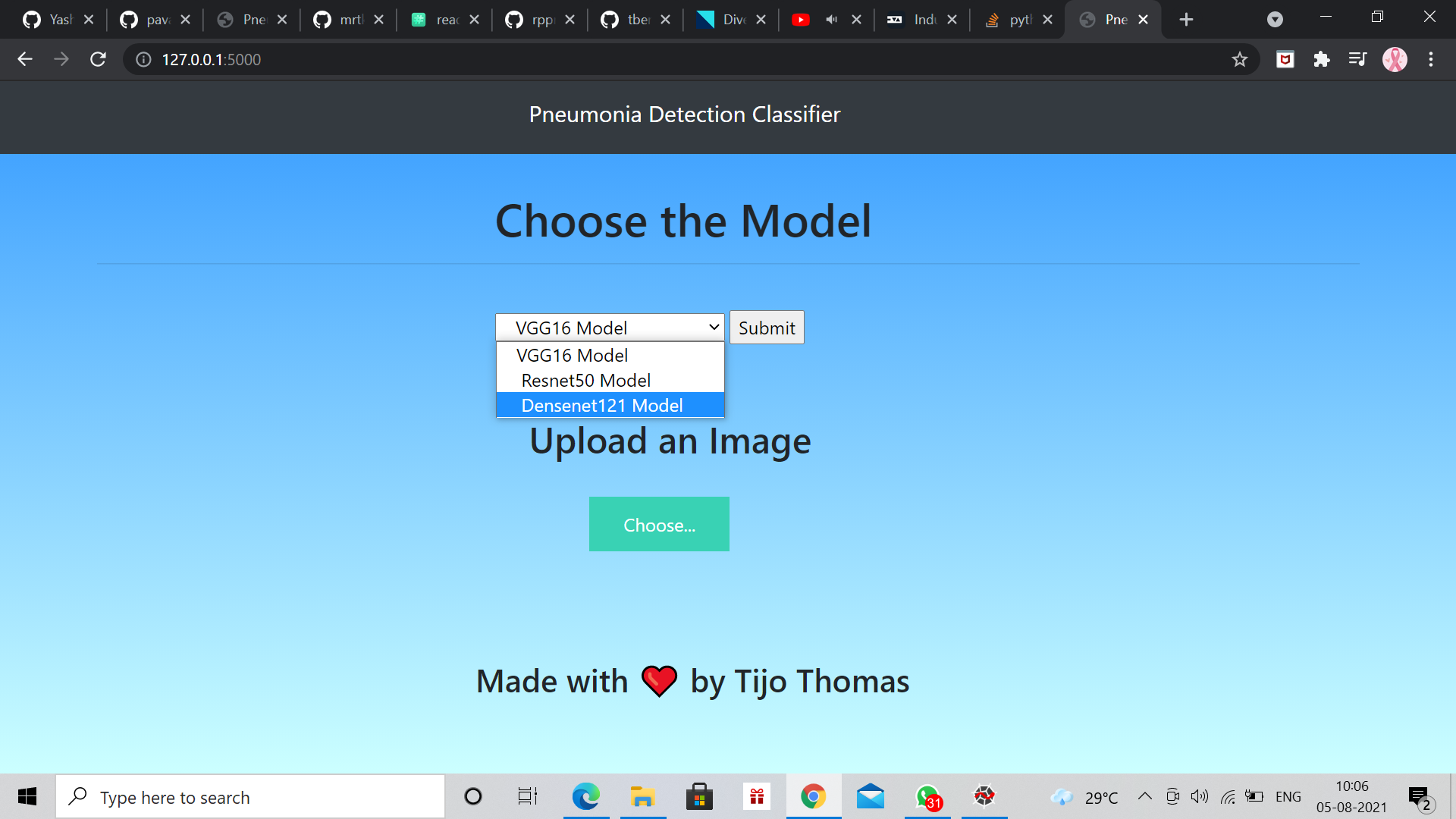
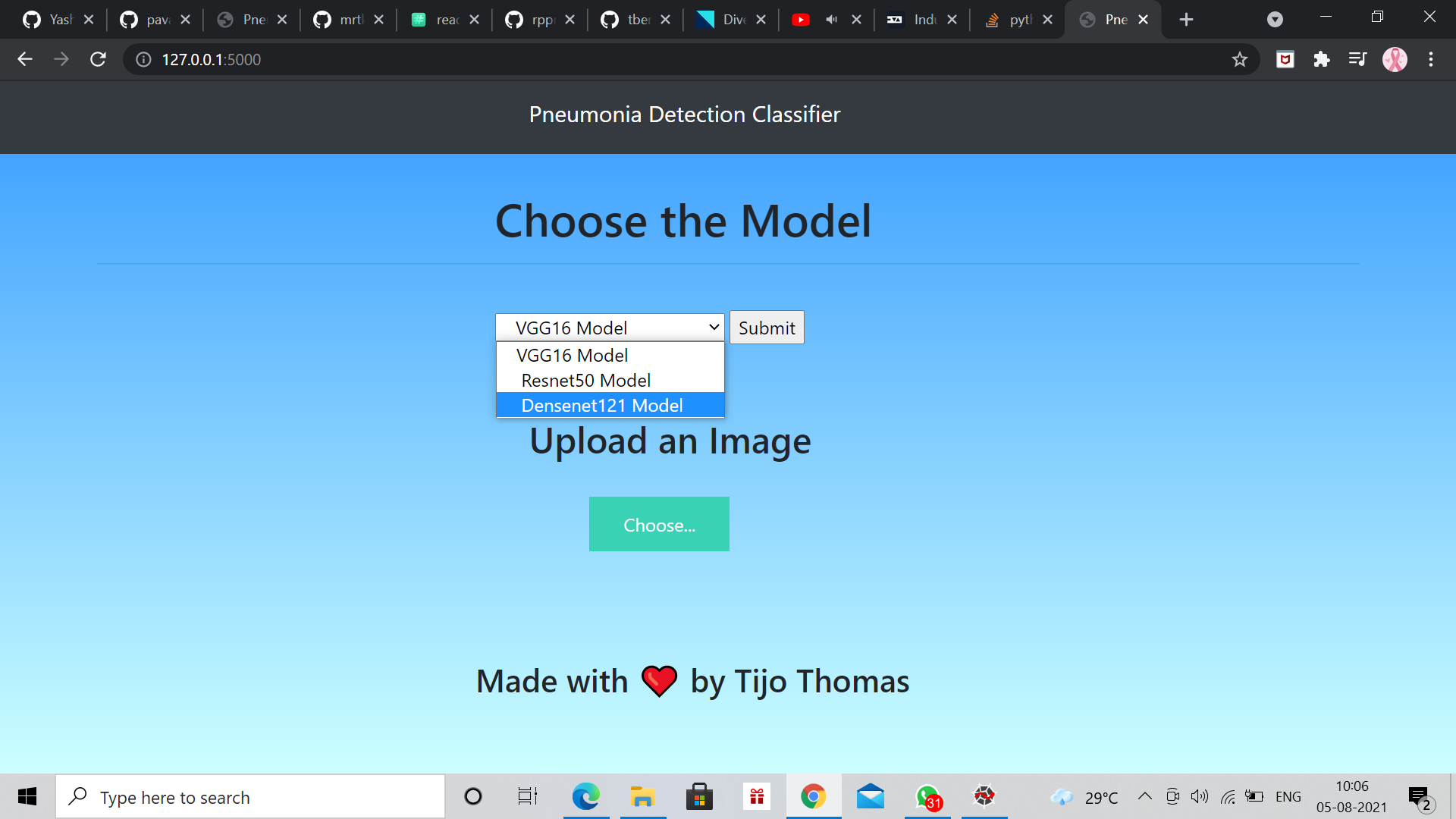
choosing the algorithm
-
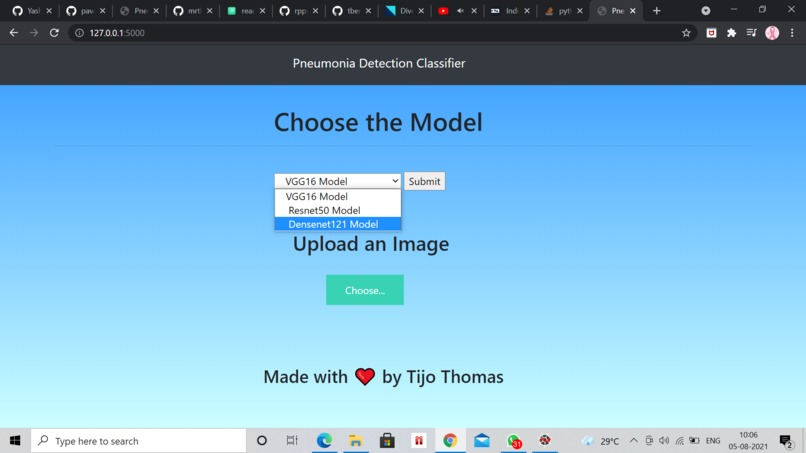
choosing between three algorithms from the drop down list vgg16 , densenet121 , resnet121
-
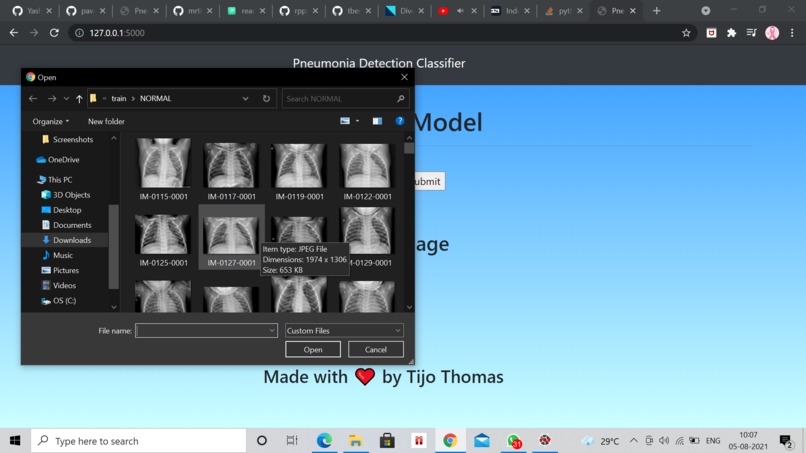
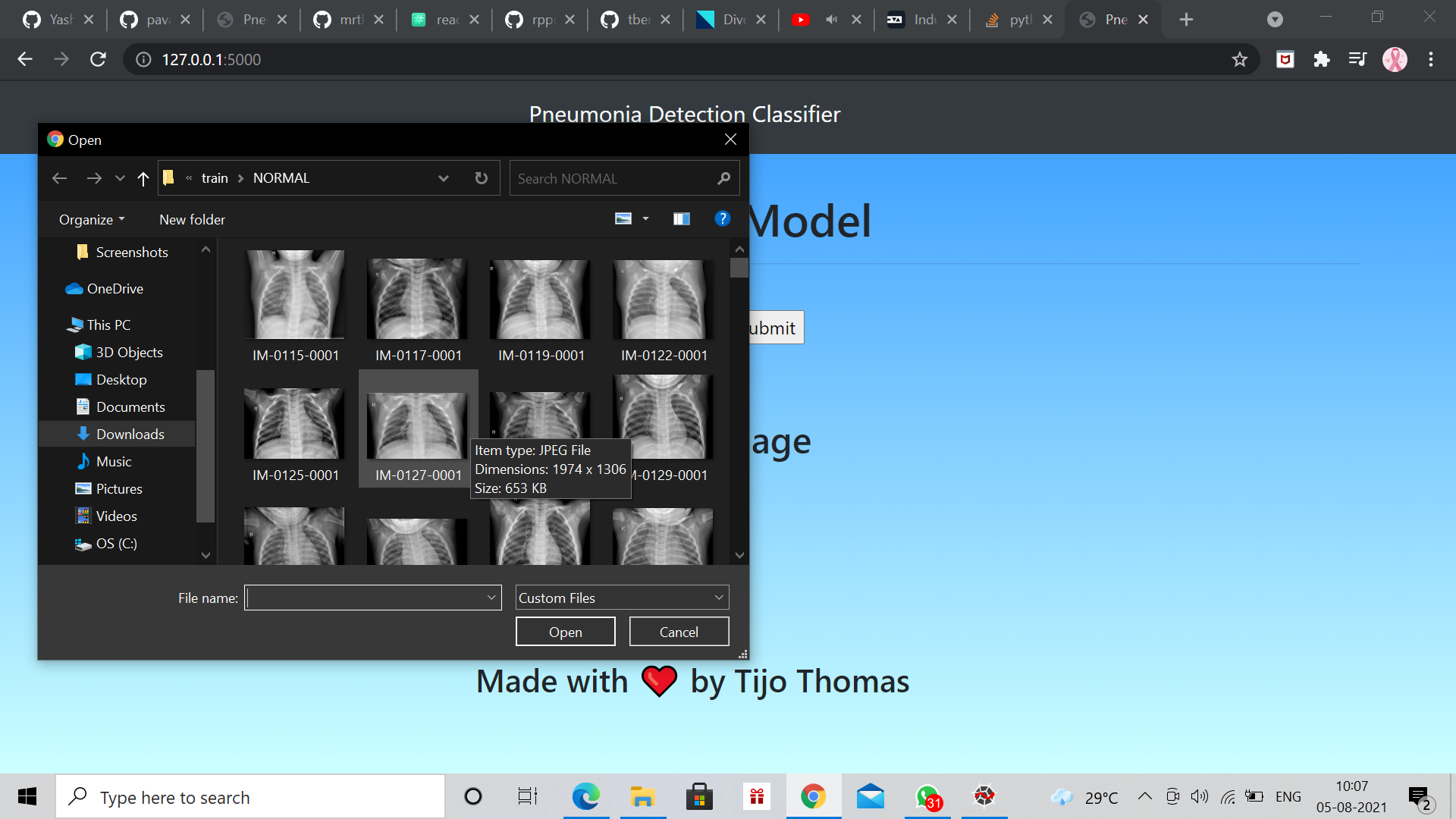
choosing the test chest x ray image from the folder and clicking on predict
-
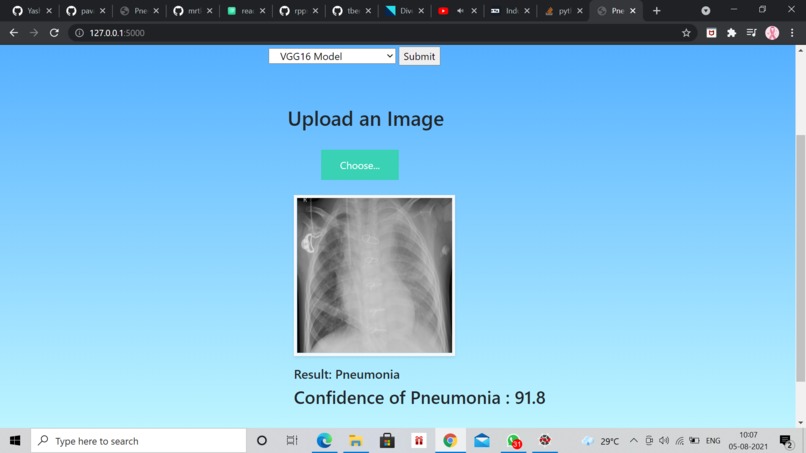
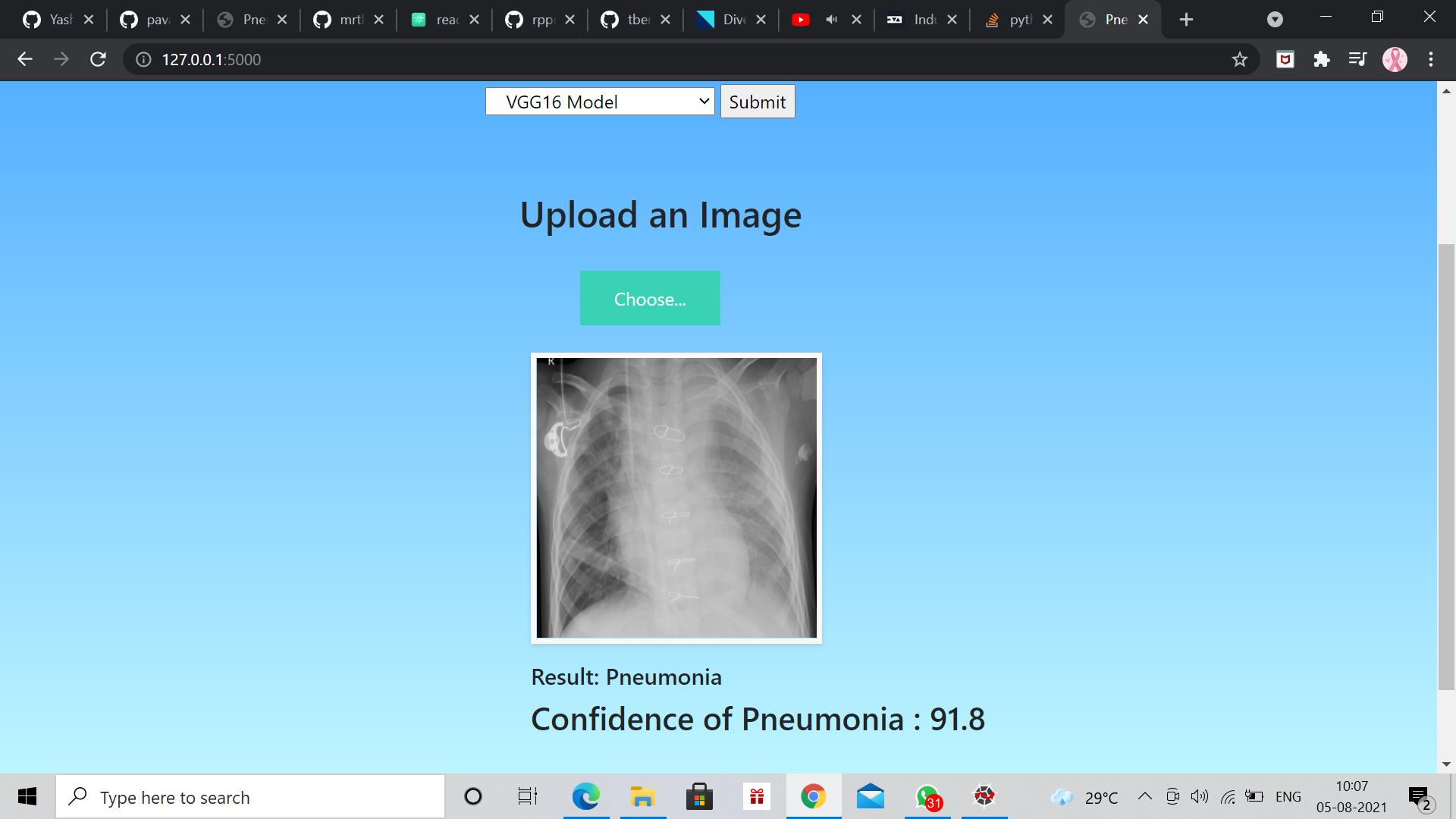
the model correctly classifies the pneumonia image as pneumonia
-
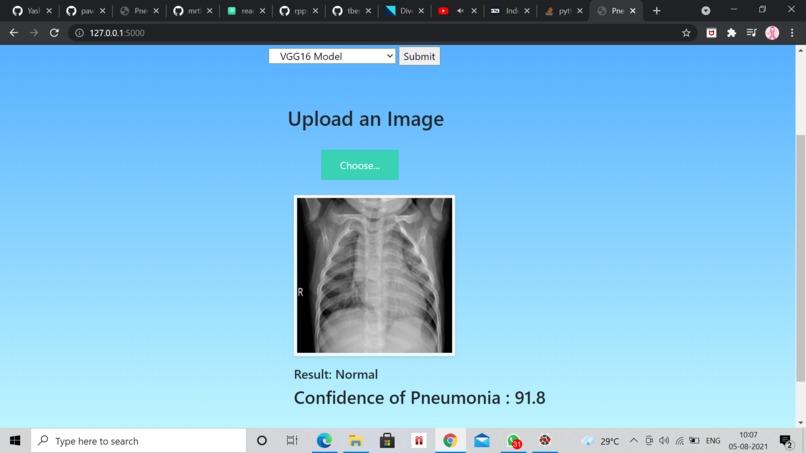
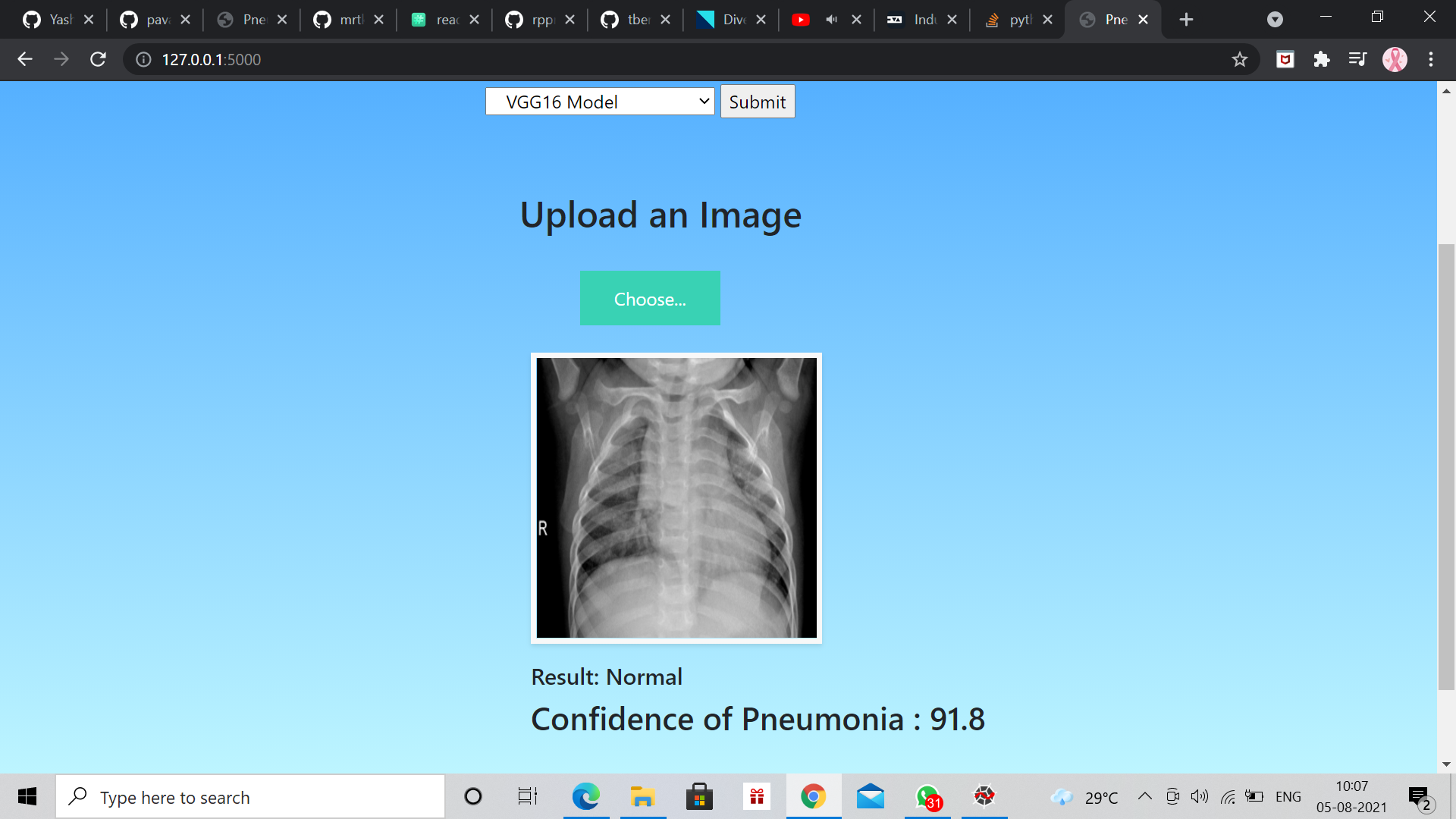
the model correctly classifies the normal image as normal
Inspiration
Here are some articles and news which were inspiration for this project. An advisor to the Maharashtra govt's Covid-19 task force said the new strain of the virus is causing pneumonia in patients in the early stages of the disease. https://www.indiatoday.in/coronavirus-outbreak/story/new-variant-of-covid-19-virus-is-causing-pneumonia-in-early-stages-of-disease-maharashtra-official-1771055-2021-02-19
Doctors, who said they are seeing a rise in COVID-19 pneumonia cases, pointed out that the pandemic is likely to increase all-cause pneumonia deaths by more than 75%. https://www.thehindu.com/news/national/karnataka/nearly-80-increase-in-covid-19-pneumonia-cases-say-doctors/article33135824.ece
Many city hospitals report rise in post-Covid pneumonia case .. https://timesofindia.indiatimes.com/city/patna/many-city-hospitals-report-rise-in-post-covid-pneumonia-cases/articleshow/79844319.cms
Divergences on expected pneumonia cases during the COVID-19 epidemic in Catalonia: a time-series analysis of primary care electronic health records covering about 6 million people https://bmcinfectdis.biomedcentral.com/articles/10.1186/s12879-021-05985-0
Thus , diagnoses of pneumonia with the help of this web app could be used as an early and low cost surveillance system to monitor the spread of COVID-19 pneumonia.
Diagnosis manifests as an area(s) of increased opacity on a chest radiograph (CXR) which needs to be reviewed by highly trained specialists.
Although very common and curable, accurately diagnosing pneumonia is difficult
Challenges faced in diagnosis using CXR are-
Lung conditions : fluid overload (pulmonary edema), bleeding, volume loss (atelectasis/collapse), lung cancer, or post-radiation. Outside of the lungs, fluid in the pleural space (pleural effusion) also appears as increased opacity on CXR. Positioning of the patient and depth of inspiration High workload on radiologist. Thus, there is a requirement for a faster method to predict pneumonia using a CXR.
So this project will be very useful to automatically locate lung opacities on chest radiographs and predict if the patient is suffering from pneumonia through a user friendly web app.
What it does
User may upload the images of chest x ray and simply submit them. The model will accurately predict pneumonia and return the result in 5 seconds The suitability of this deep learning model for clinical use has not been validated! The neural network achieved accuracy exceeding 90% on the relevant test set of more than 5000 x-rays. Please note that the predictive accuracy of the model, depends on the quality and quantity of the training data. Therefore, the model has limitations and cannot be used for definite clinical predictions! Instead, it can be used for research purposes and for comparison with other similar model.
How we built it
Used pretrained transfer learning models like VGG16 , Resnet50 , Densenet121 , Inceptionv3 from Keras applications. html css javascript flask Task 1 — Model Training and Validation Training and model validation are performed in Integrated Development Environment (IDE) or Notebook either on your local machine or on cloud. In our project we used Jupyter Notebook to develop our deep learning pretrained models. In our case, we have performed four model evaluations. The first model i.e VGG16 performed well with 92 % accuracy . The second model ie. Resnet also performed well with 91 % accuracy and our denset model with 93 % accuracy . Our inception v3 model performed average with 77 % After finishing our first task of training and selecting a model for deployment. The final model is now saved as a file in the local drive under the location defined in the save_model() function in .h5 format
Task 2 — Building Web Application After loading our model we started building a web application that can connect to them and generate predictions on new data in real-time. There are two parts of this application:
Front-end (designed using HTML) Back-end (developed using Flask in Python) The front-end of web applications is built using HTML . CSS (also known as Cascading Style Sheets) describes how HTML elements are displayed on a screen.
Challenges we ran into
Choosing which model to work on and executing the connection of web application and machine learning . Also faced deployment issues.
Accomplishments that we're proud of
Although the UI is very simple , I'm proud that the code actually works and executes well. The model can classify well between pneumonia and normal chest X ray images.
What we learned
I learnt learning new skills like flask and gained more knowledge in machine learning and deep learning. I'm really lucky to use my knowledge to work on a real life problem in healthcare sector
What's next for Pneumonia detection web app
The UI needs a little more work . In future , facilities like storing patient information , patient user profile and login etc. can be worked on . Although this project is not approved for clinical trials , but I'm sure this can work wonders in future if researched more upon.
Built With
- css3
- flask
- gunicorn
- heroku
- html
- javascript
- machine-learning
- numpy
- pillow
- python
- scikit-learn
- tensorflow


Log in or sign up for Devpost to join the conversation.