-
-
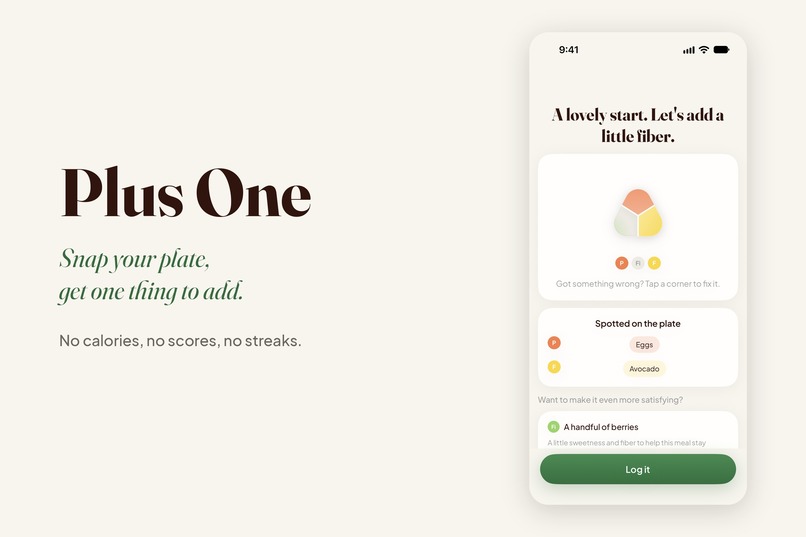
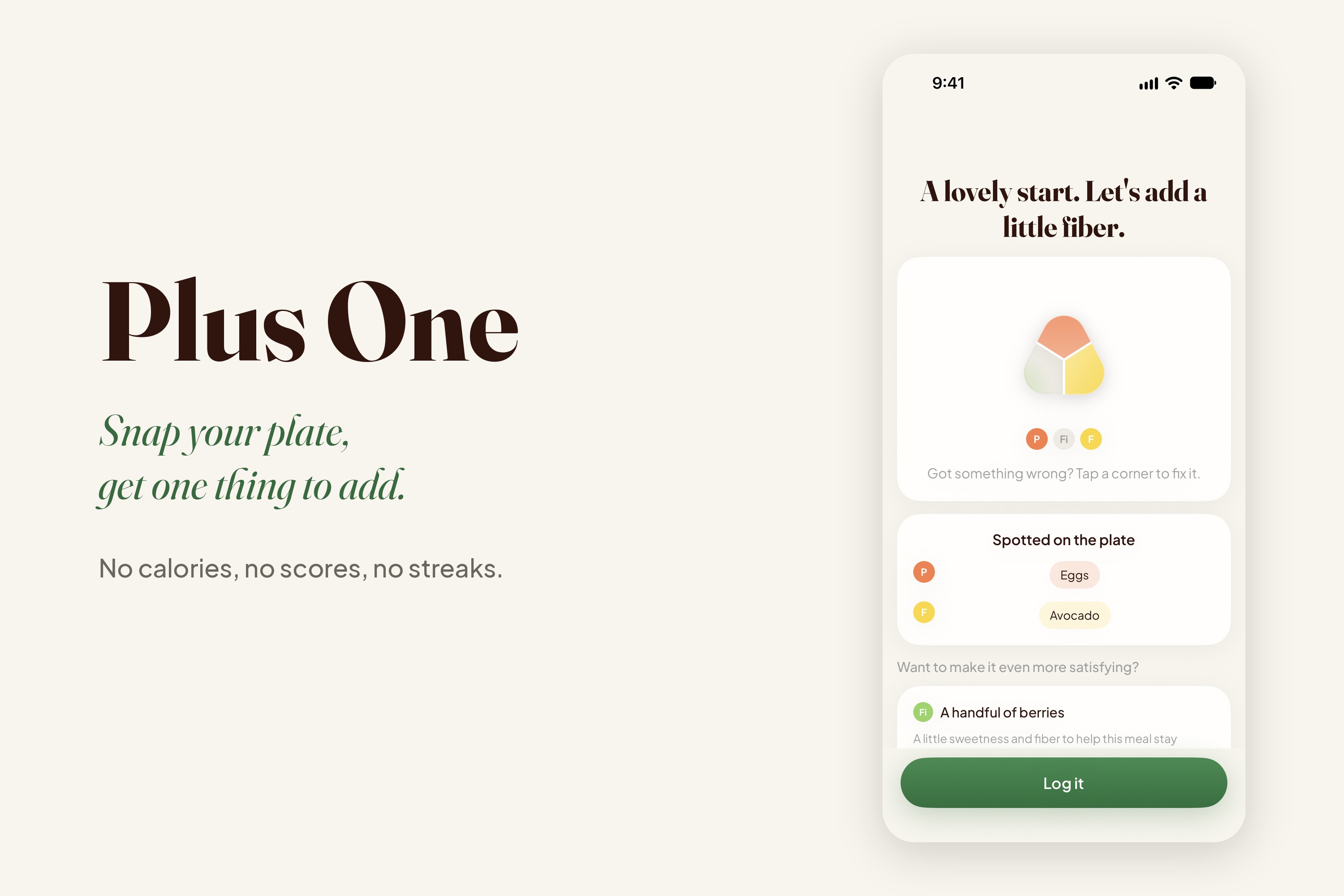
Plus One. One thing to add to the meal already in front of you.
-
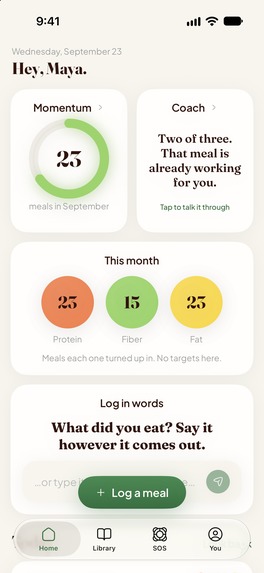
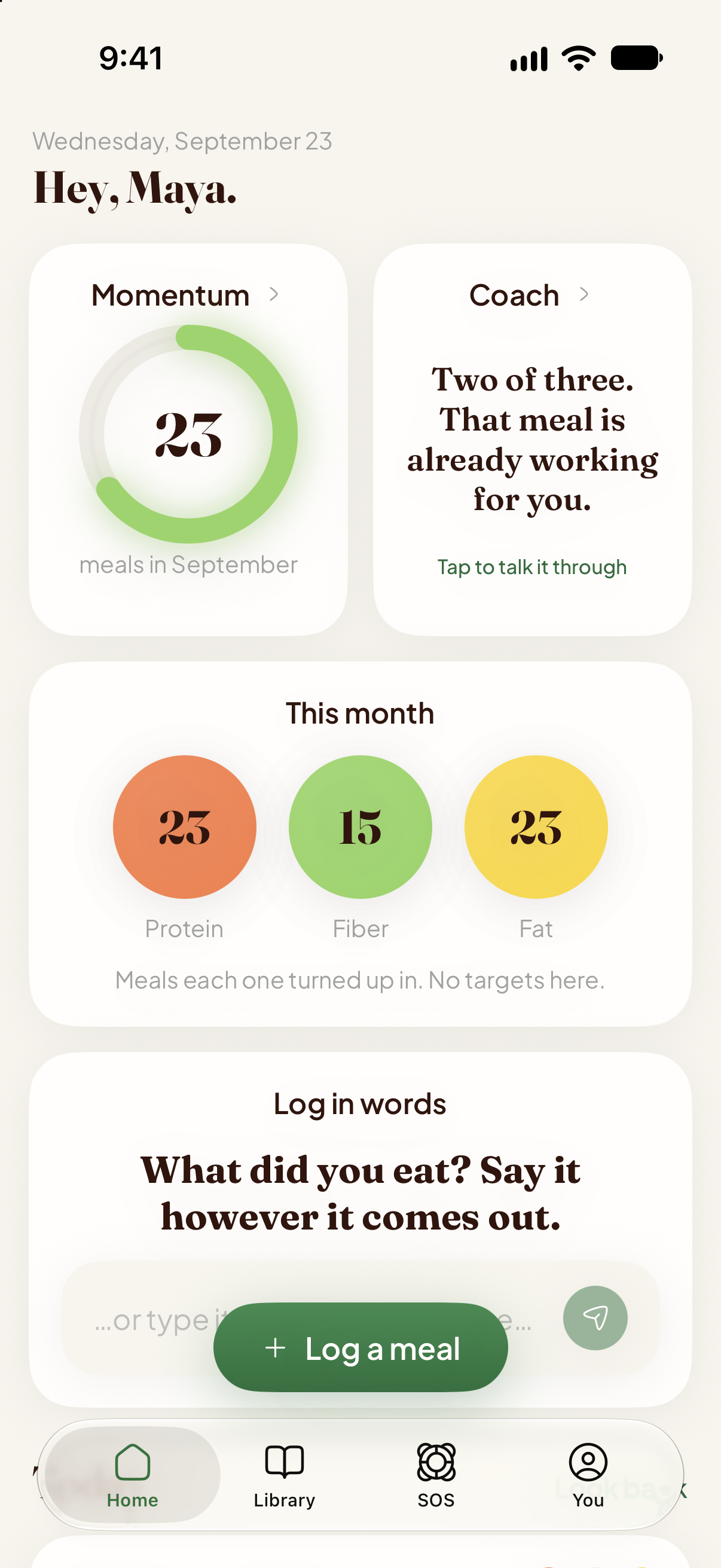
This month's meals, counted rather than scored. Miss a day and nothing resets.
-
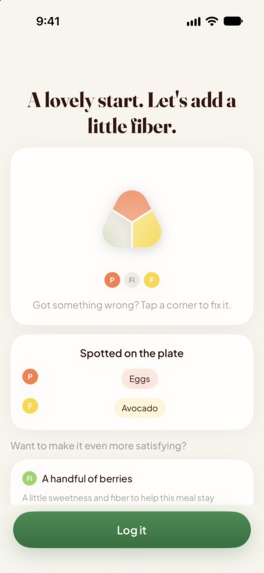
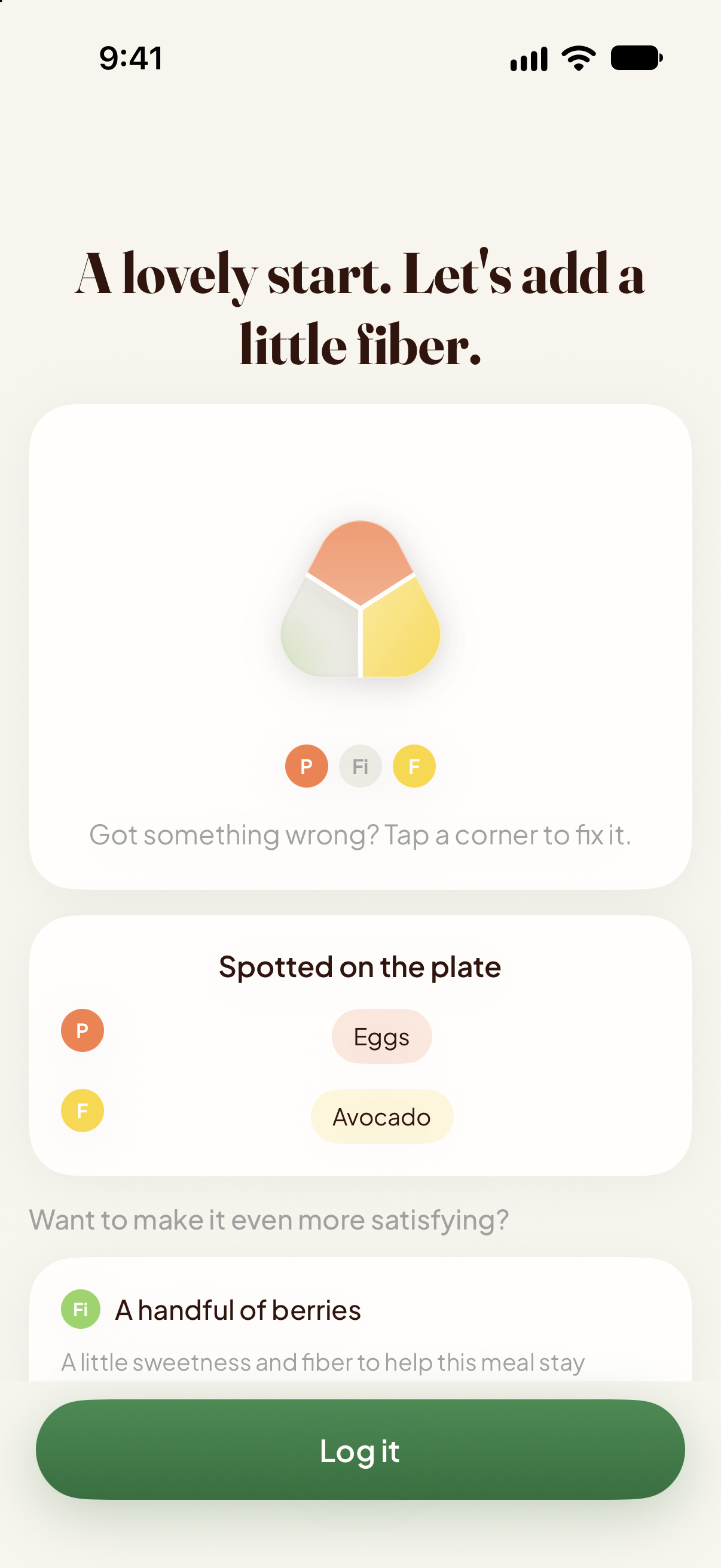
A real breakfast, photographed. Protein and fat are already there, so the app suggests a handful of berries for fiber.
-
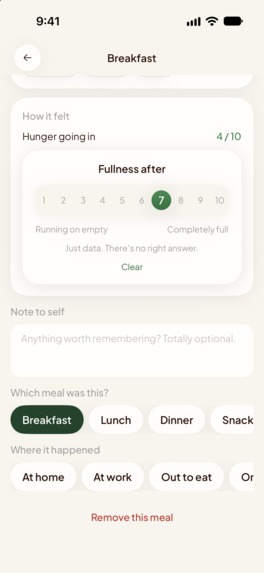
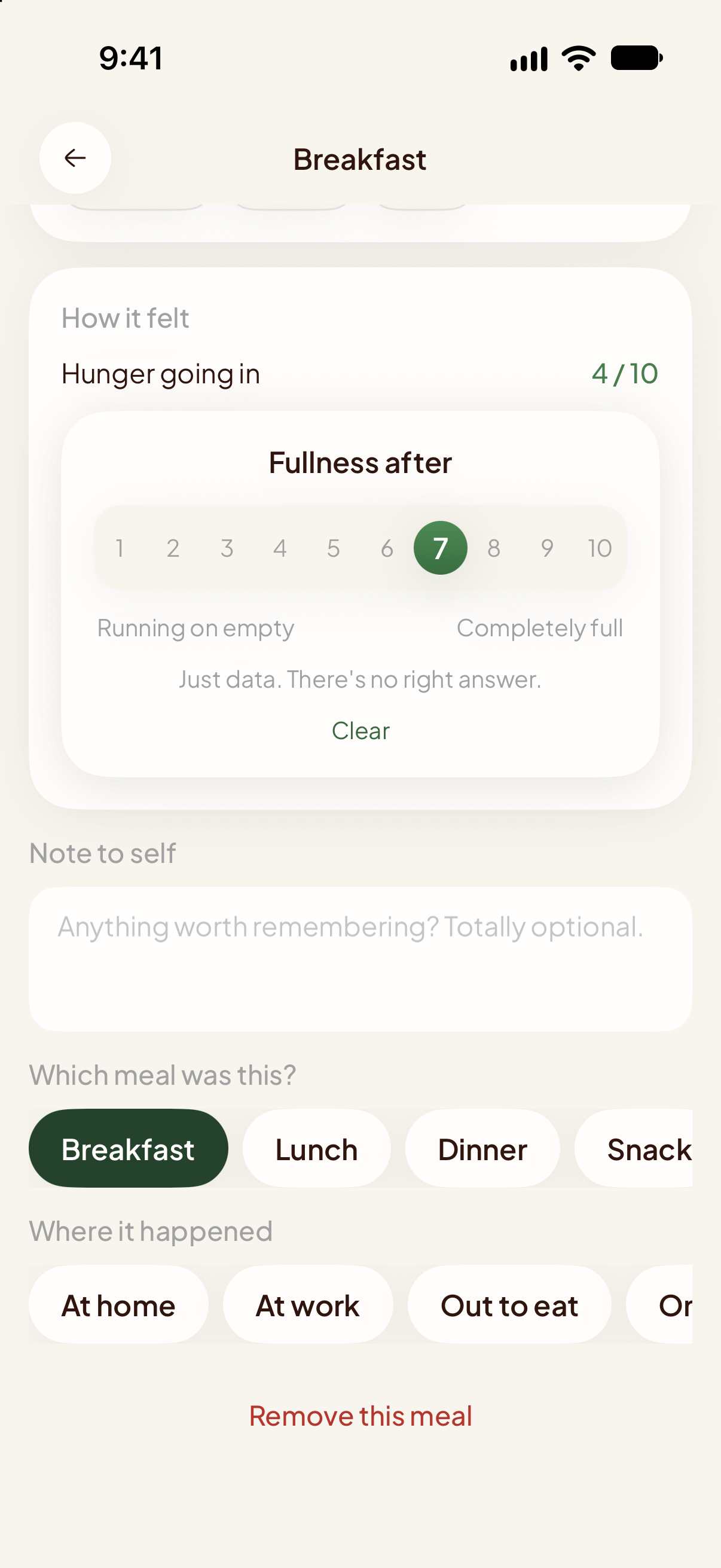
Hunger going in and fullness after, on a 1 to 10 scale. Nothing is scored.
-
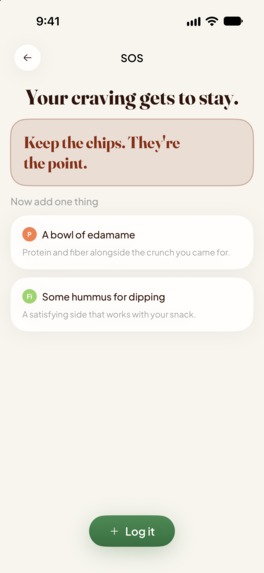
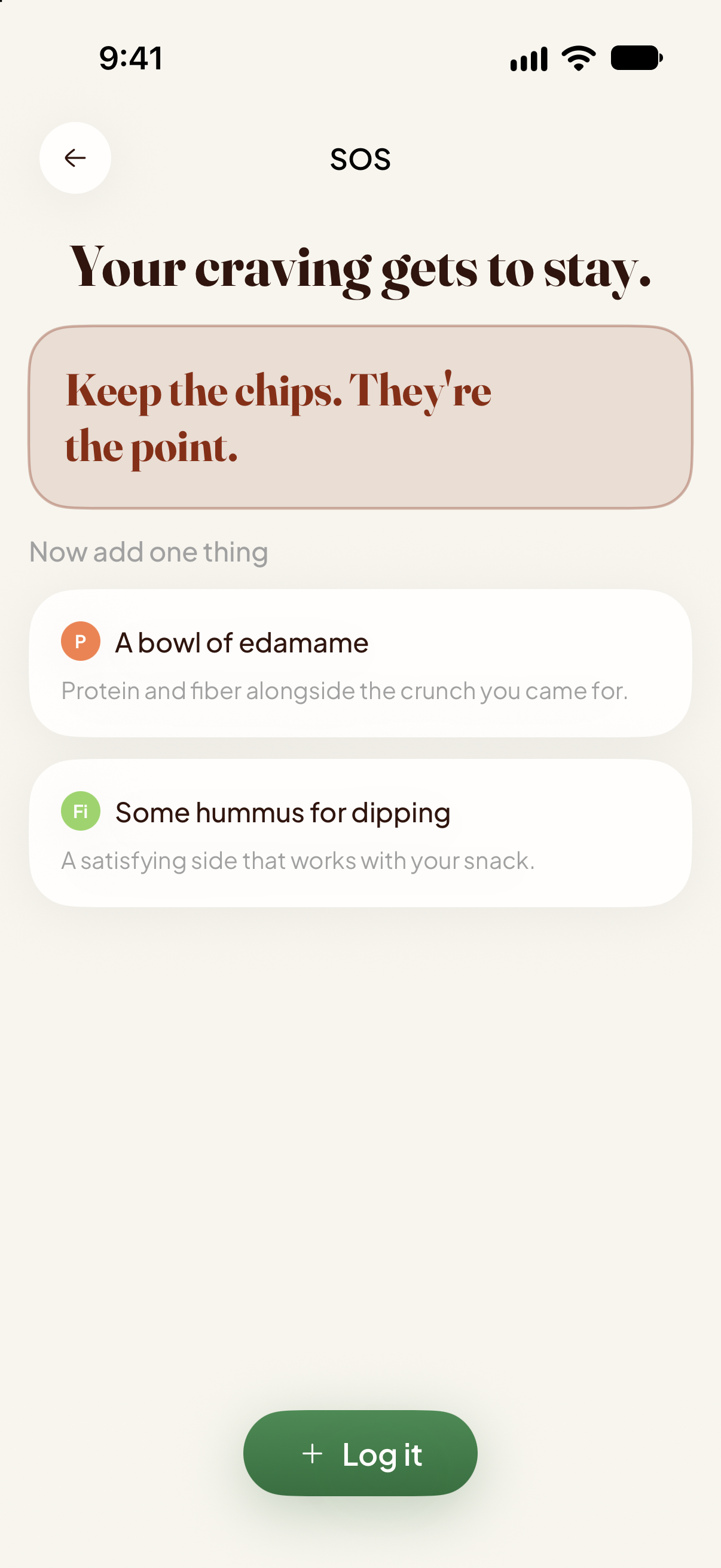
SOS for a craving. The chips stay, and the app adds one thing to have alongside them.
-
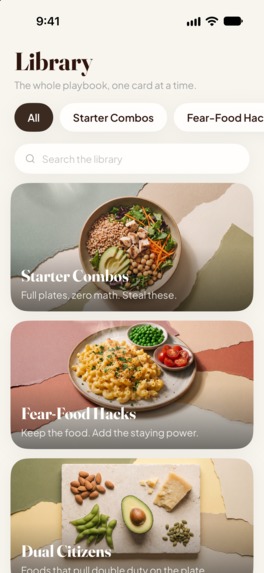
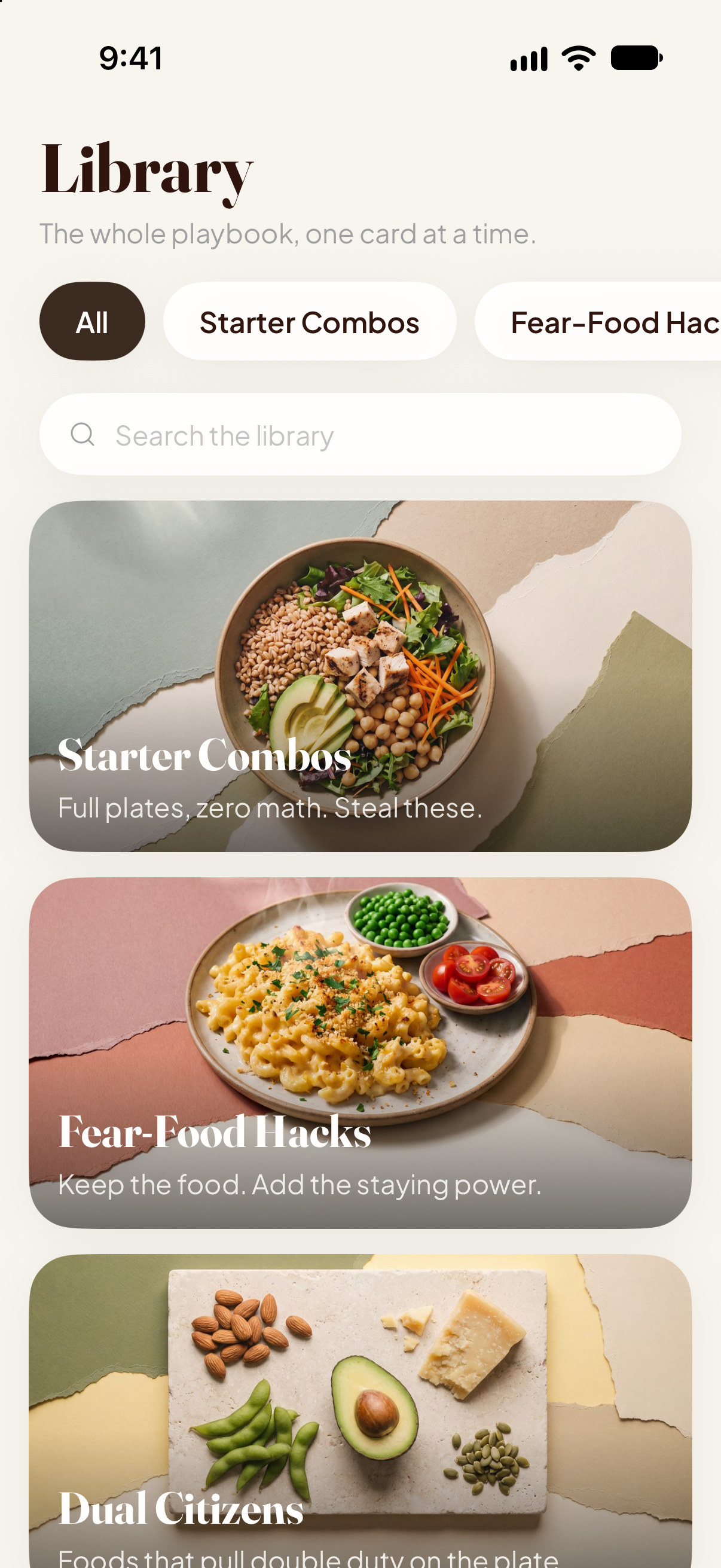
The Library: five decks of ideas, no rules.
-
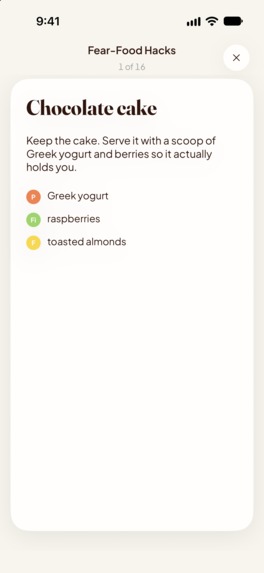
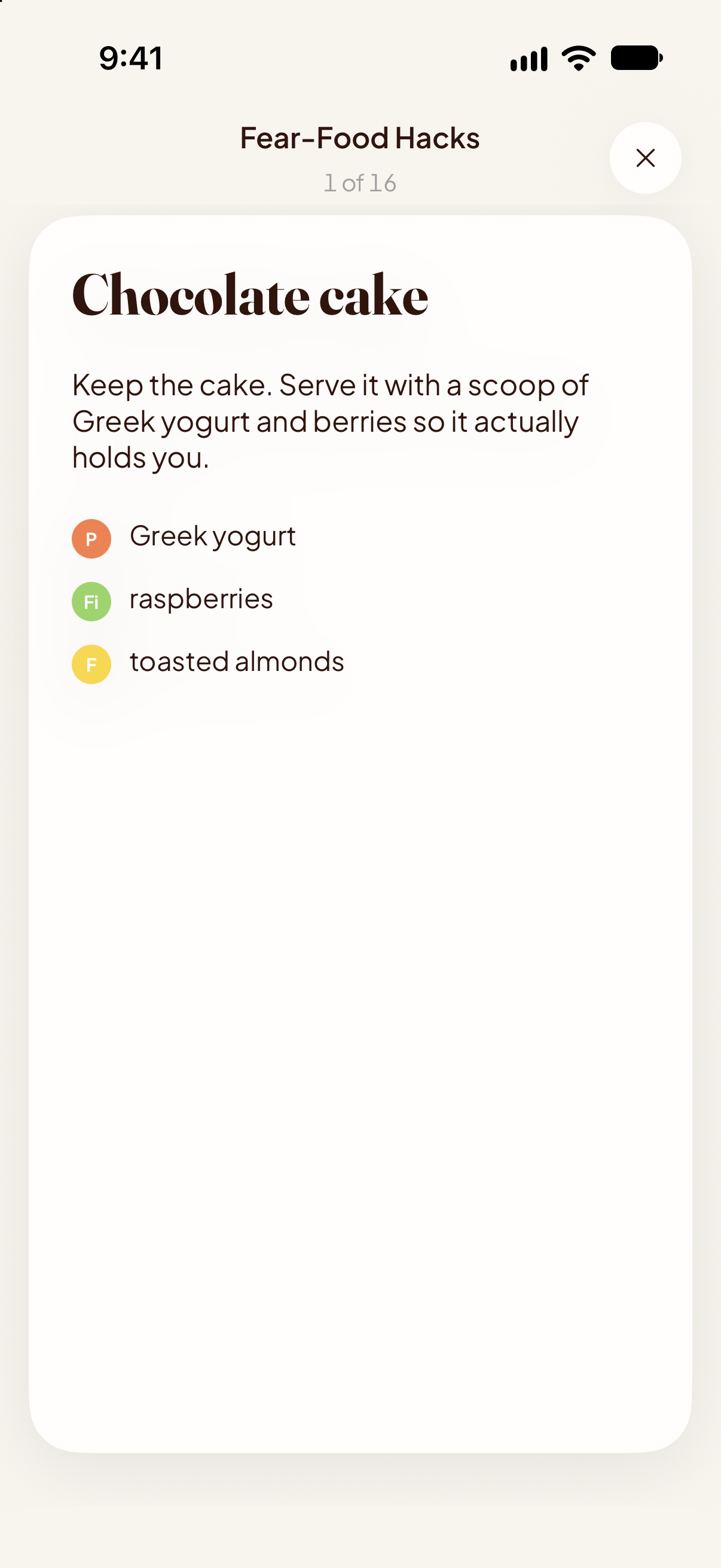
The Fear-Food Hacks deck. Keep the cake, add what makes it hold you.
-
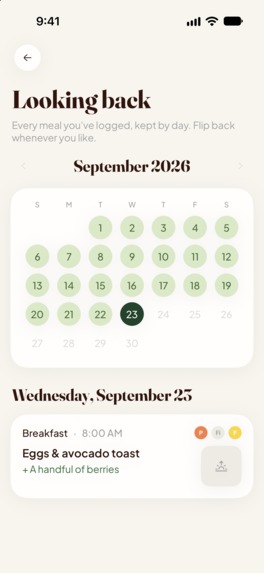
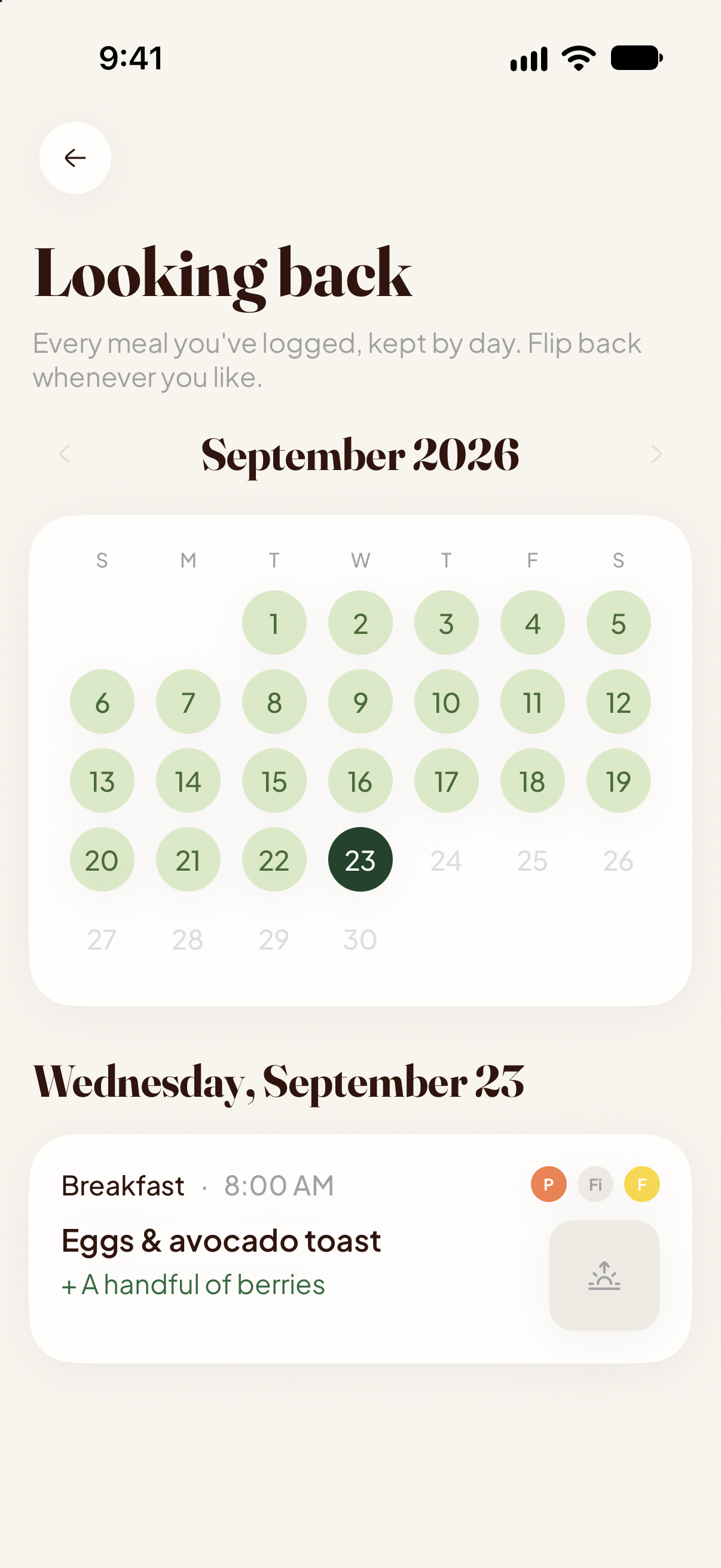
Every meal by day, with protein, fiber and fat noted beside each one.
-
App Icon
Inspiration
This app started with the Nutrition & Healthy Eating award brief. The question in it, what can we add to make this meal more satisfying, was almost word for word a conversation already running in my family. My sister feeds kids every night, my mom is in perimenopause, and every food app I could point them to answers a meal with a number. So I built the brief's answer for the two of them first, and they tested the TestFlight builds through September.
Photograph the meal in front of you, or describe it in a few words, and Plus One shows which of protein, fiber and fat are already there, then names one thing to add so the meal holds you until the next one. It never says what to take away. There is no calorie count, no macro target, no score and no streak, and none of them is waiting behind a setting. The database has no column for them.
What it does
Log a meal. A photo, a picture from your library, or a few words. The answer is a small triangle with protein, fiber and fat marked present or missing, a list of what the app spotted, and one addition with a one-line reason. Tap a corner if it got one wrong. If you want the meal exactly as it is, one tap logs it without the addition.
SOS. For the meals that do not go to plan. Pick the moment you are in, a craving, a restaurant, a drive-thru, a gas station, kids' leftovers night or a snack attack. Whatever you came for stays, and you get one thing to have alongside it. With no signal, or with the AI switched off, 63 ideas bundled in the app answer instead.
Check-in. Right after you log, Home asks how full you are on a 1 to 10 scale. Answer it or don't. Nothing pings you about it, nothing judges the answer, and the card leaves on its own four hours later.
Coach. A chat that knows your goal track, your dietary preferences and which of the three marks your recent meals kept missing. Ask it about tonight's dinner or the menu you are staring at. The conversation is gone when you close it.
Journal and Momentum. The Journal is every meal by day, with a note to self if you want one. Momentum is a count of the meals you logged this month. Skip a day and the count stays where it was. There is no chain, so there is nothing to break.
Weekly patterns. After a few days of meals, a short note on when you tend to eat and which mark keeps going missing. It is written from meal times, the three marks and your check-ins. No photo or note is sent for it.
Library. Starter Combos, Fear-Food Hacks, Dual Citizens for the foods that count for two of the three marks, Portion Cues in fists and palms rather than grams, and The Why. The Fear-Food deck keeps the cake and puts a scoop of Greek yogurt and berries next to it.
Tracks and preferences. Twelve goal tracks, including Food peace, Weight without dieting, Perimenopause, GLP-1 support, Feeding a family and Cycle support. Twelve dietary preferences, vegan, low-FODMAP, halal and kosher among them, plus the common allergies. Both shape every answer the app gives.
Around the app. A Home Screen widget that opens a new log in one tap, a Siri shortcut, and a Live Activity that holds a half-logged meal until you get back to it.
Against the brief's own checklist:
- Flexible rather than prescriptive: one addition to the meal you already have, and keeping it as it is stays a normal choice.
- Messy, everyday situations: SOS covers six of them, with additions you can get where you are standing.
- Additive: the app reports what is present and what to add, with no grade and no swap.
- No counting: calories, macros, grams, points, scores and streaks are absent from every screen, every setting and the data model.
- Compassionate and easy to return to: check-ins are optional, a missed day resets nothing, and notifications, if you allow them, come at most once a day and cannot see whether you logged.
How I built it
I started with a written spec and a 30-task plan, and one rule that shaped everything after it: the data model would have no field for calories, macros or scores, so the app could never drift into counting later. The plan was built around a single loop, a photo in, protein, fiber and fat marked present or missing, one addition out, because if that did not feel useful within ten seconds nothing else would matter. SOS, the check-in, the coach and the Library came after it, each one for a different moment the brief describes.
It is a native iPhone app. The AI runs behind my own server rather than on the phone, so a photo never reaches the model before you have agreed to it on the consent sheet, and the membership runs on RevenueCat, annual or monthly with a 7-day trial.
Most of my time went into how the app feels rather than how much it does. I built it with Claude Code one pull request at a time, but no screen merged until I had looked at it in the simulator, and the copy went through the same edit passes as the content cards. The result screen is a soft three-cornered plate that fills where a nutrient is present, with no number anywhere on it. There are no decorative icons; icons appear only where they are controls, and words on color do the rest. Headlines and food names are set in a serif, the interface in a plain sans, and the only character in the app is a pea with googly eyes on the icon. It went through App Review in the last week of the month and was live on September 29.
Challenges I ran into
The vocabulary. An app with no numbers can still leak diet culture through its words, so every content card that ships runs through a script that fails the release if it finds calories, kcal, macros, grams, points, score, deficit, burn, or a number followed by a g. That last pattern went in after a gram target slipped through in a portion card. Every portion cue is now a fist or a palm.
The ring. The Home screen shows this month's meal count inside a ring. A ring around a number normally means progress toward a goal, and a goal is exactly what this app cannot have, because the moment a ring can be filled it can also be missed. So the ring has no target. Each meal you log adds a slightly smaller slice than the last, so it keeps growing all month and never quite closes. A month with no meals is an empty ring with a zero in it, and nothing on that card can say you fell short.
When the AI is not sure. Photo AI misses things, and a confident wrong mark is worse than no mark. So the marks are the only thing the AI decides, present or absent and never an amount, and each one is a tap away from being fixed. When the model is unsure, the result is labelled a best guess. When it cannot finish at all, you mark the plate yourself and log the meal anyway.
App Review. The first submission came back asking for more information about the AI features and the subscription. I answered and resubmitted soon after, asked for an expedited review, and phoned Apple. Finally, the approval landed, 34 hours before the Shipaton cutoff.
Accomplishments that I'm proud of
- Tested before launch by the two people it was built for, who are the audience the brief describes.
- Not one calorie, gram, point or score in the app, its content or its schema, and a script that keeps it that way.
- Photo to plus-one to logged in under a minute. SOS in three taps.
- The copy. "Keep the chips. They're the point." took more drafts than any feature.
What I learned
- Photo AI is bad at grams and good at presence. Asking whether there is protein on the plate instead of how many calories are on it made the answer honest enough to trust, and simple enough to fix with one tap.
- Every review of the app ended with something removed: a streak, a score, a daily target, a reminder that nagged. What is left is easier to come back to.
- A hard paywall with a trial is a fair deal only if the screen says what is billed and when. Ours says it in one line, and that screen was in the recording I sent App Review.
What's next for Plus One
- Open the listing beyond the United States and Canada, to the UK and Australia.
- Sharper weekly patterns as real meal history builds up.
- Listen to the first members through the feedback and ship improvements moving forward.
Note
Hi! If Sign in with Apple fails on a phone (it can when the phone isn't signed into an Apple Account in Settings), this Google account gets straight in with full access:
Email: [email protected] Password: Appletester@123
On the welcome screen, tap "I've used Plus One before", then "Sign in with Google". Thanks for running this!
Built With
- app-intents
- claude
- deno
- gemini
- ios
- nano-banana-pro
- postgresql
- revenuecat
- supabase
- swift
- swiftdata
- swiftui
- typescript
- widgetkit
- xcodegen
- zod


Log in or sign up for Devpost to join the conversation.