
Inspiration
My grandmother got a text that said "Hi mum, this is my new number." She almost transferred the money. She is not naive; the message was simply good.
That is the part people get wrong about scams. We tell older adults to "be careful", as if the problem is a lack of attention. It is not. The problem is that a convincing message arrives at a moment when there is nobody to ask.
The numbers in the Netherlands are blunt about who this hits. With bank impersonation fraud, more than half of all victims are over 70, and nearly 80% are over 60 (Dutch National Police, Fenomeenbeeld 2024). In 2025, 15,116 people reported €68.5 million in losses, an average of €4,531 each (Fraudehelpdesk, 2025). And 65-plussers are the age group most often hit by phishing (CBS, Veiligheidsmonitor 2025).
So I did not build a scam detector. I built the person you ask.
What it does
Pluis has two users, and that is the whole design.
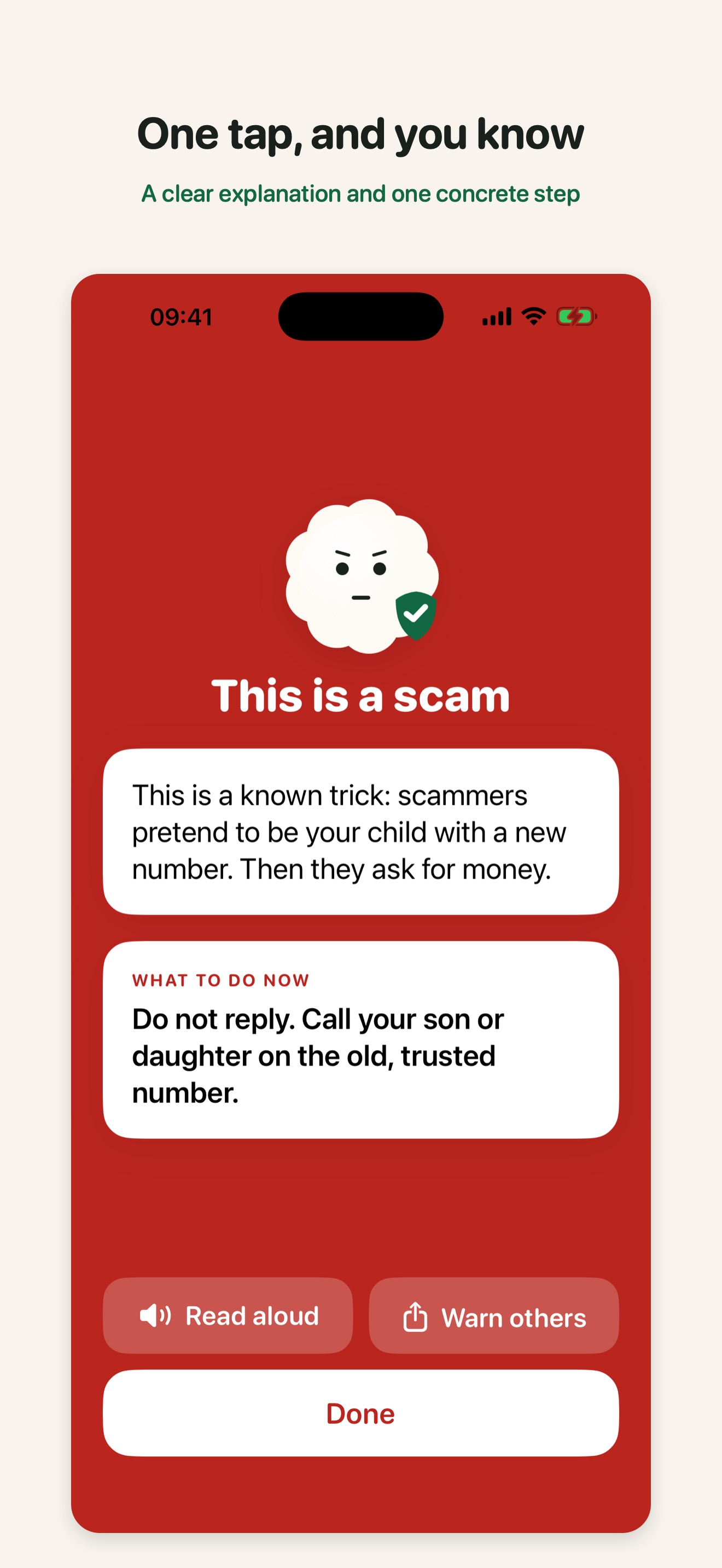
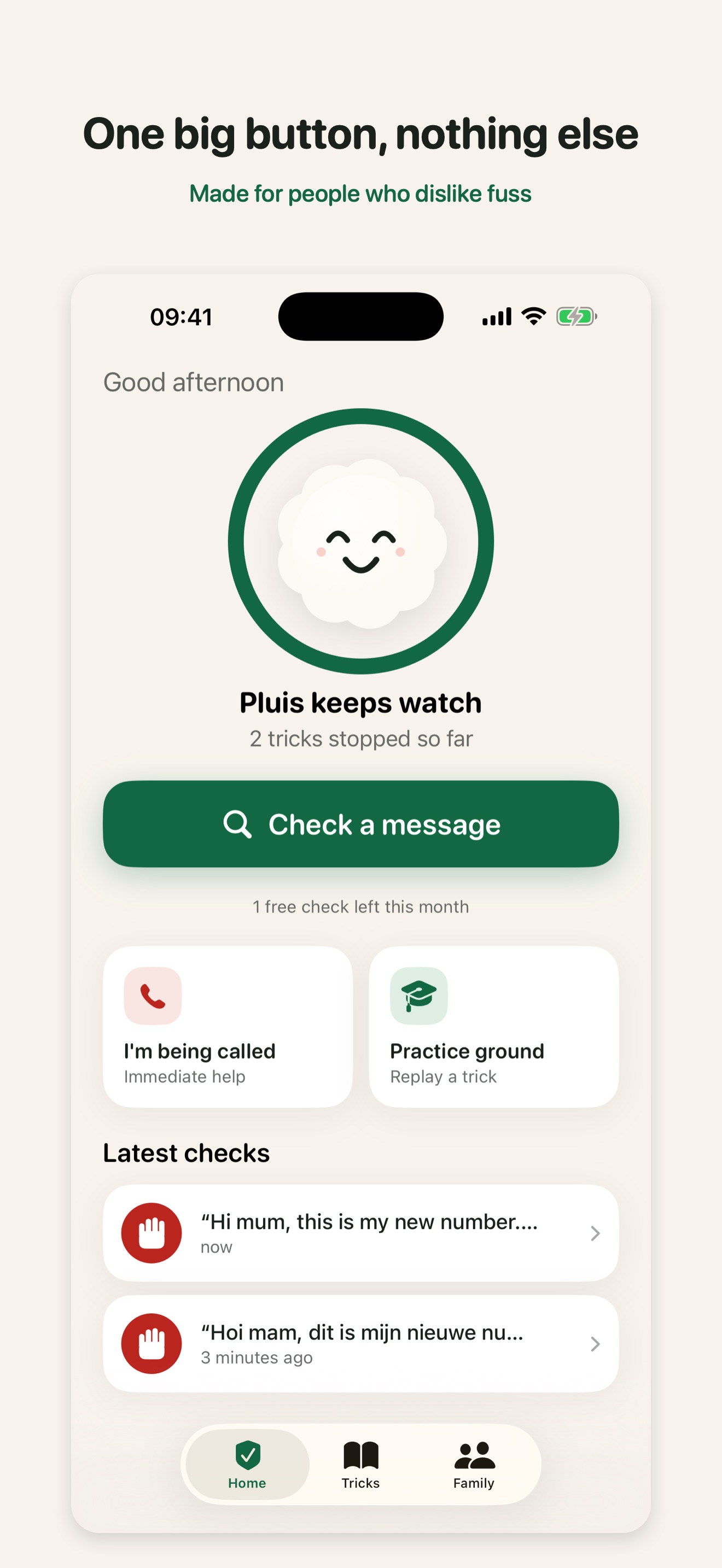
The protected person (65+) opens the app and sees one big green button. They paste a message, share a screenshot from WhatsApp, or say "Hey Siri, check this message". Within seconds they get one of three answers in plain language: danger, doubt, or no known tricks found. Plus one concrete action: "Do not reply. Call your son on the old, trusted number." Everything can be read aloud.
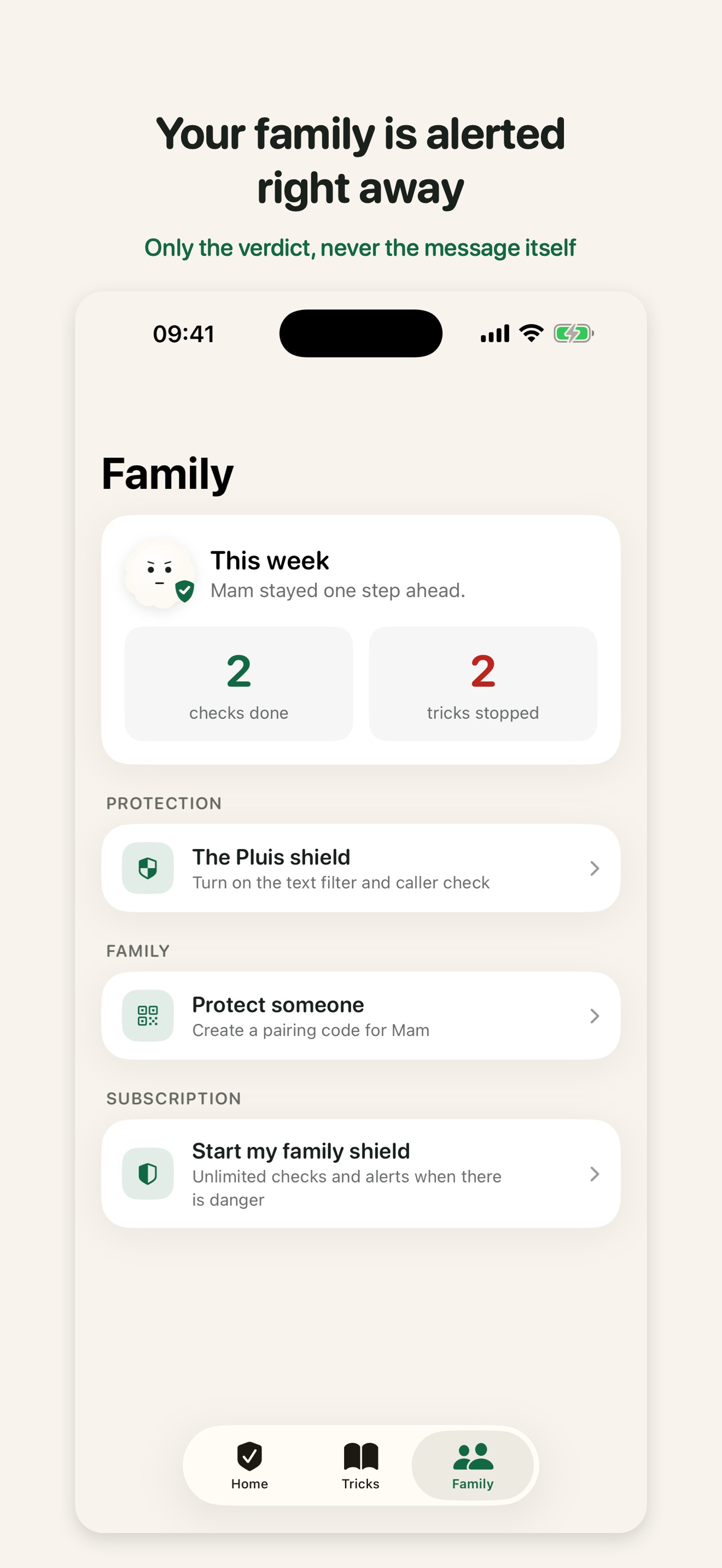
The protector (their adult child) installs it with them, links the two phones with a code or QR, and gets a push notification the moment a dangerous message is checked. Never the content of the message, only the verdict. Plus a weekly summary.
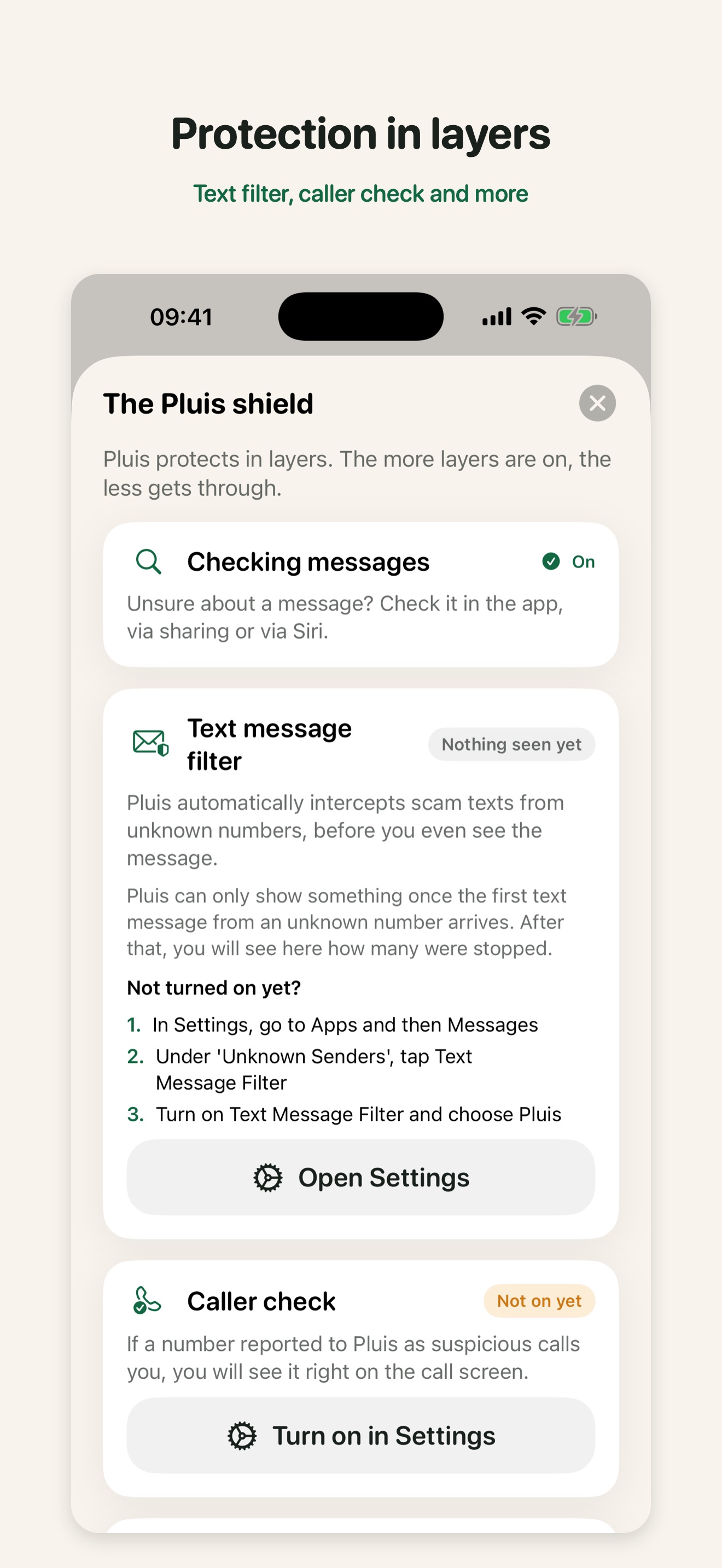
Around that core sit four proactive layers, because an app that only works when you open it is not much of a shield:
- SMS filter: an iOS message filter extension catches scam texts from unknown numbers before they are ever seen. Fully on-device.
- Caller ID: numbers reported as scams get labelled on the call screen. Labelled, never blocked, so one false report cannot cut anyone off.
- Panic button and first aid: "I am being called right now" and "I think I fell for it", with a one-tap "let my family know" that removes the shame step.
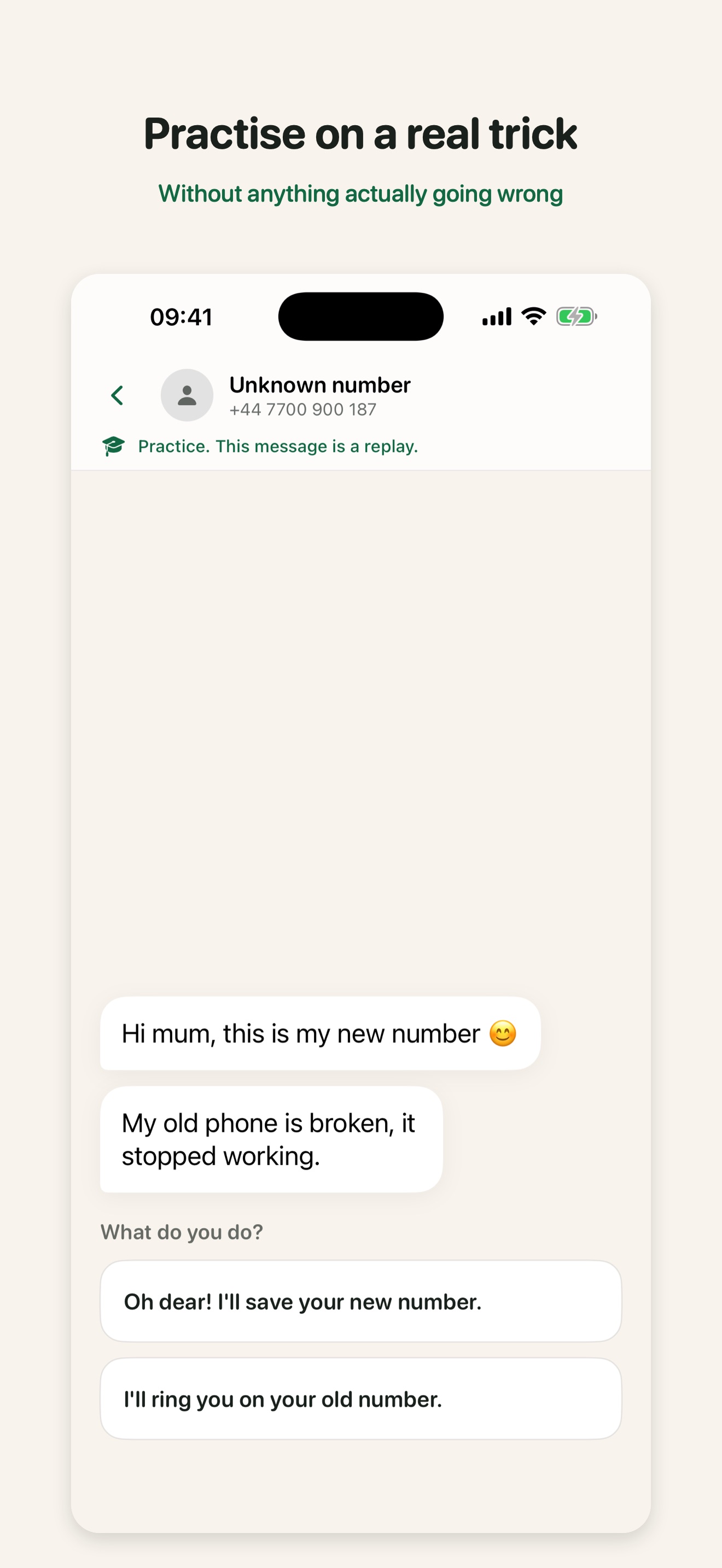
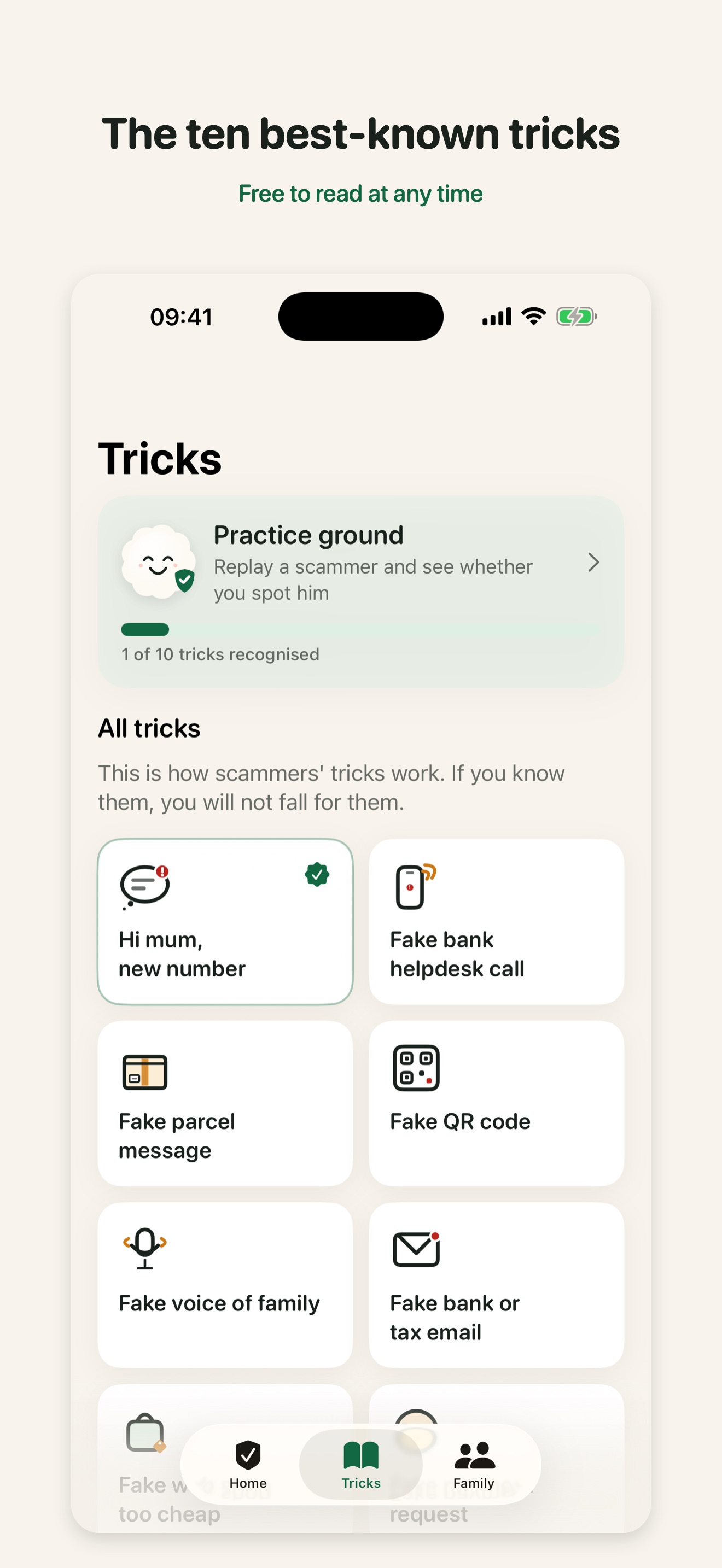
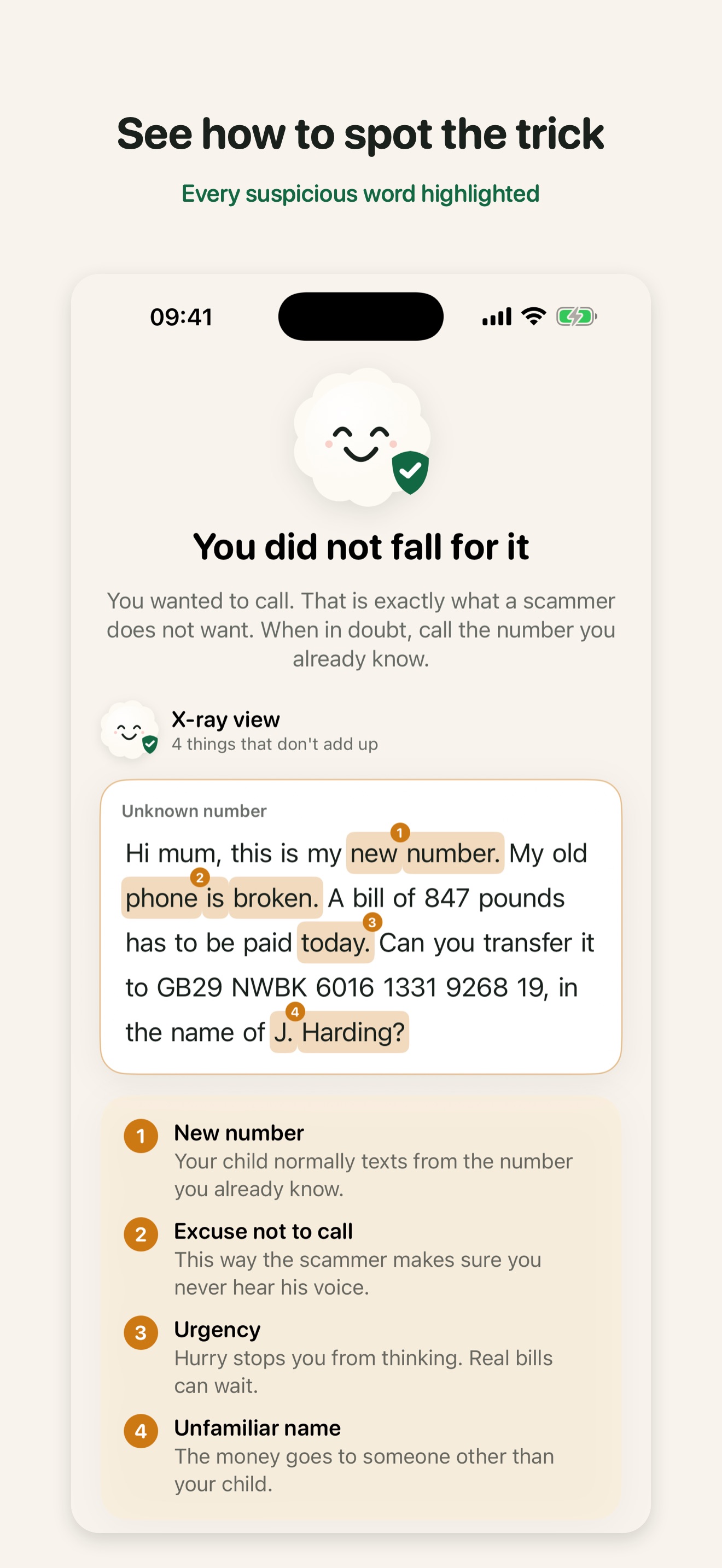
- Practice ground: known scams replayed as a real conversation or phone call. You choose what you would answer, and afterwards an X-ray view highlights word by word what should have given it away. Reading about a trick does not stick. Falling for it once, safely, does.
How I built it
SwiftUI, iOS 17+, one app plus four extensions (share sheet, App Intent, SMS filter, call directory). The project is generated with XcodeGen so the whole thing is reproducible from a single project.yml.
The check pipeline has three layers, in order:
- Vision OCR, fully on device. Images never leave the phone. Only the recognised text moves on. This is not a marketing line, it is a design constraint that shaped the architecture.
- Heuristics. Known scam patterns in Dutch and English. A hard pattern match returns a verdict immediately, with no network call at all. Offline, free, instant.
- Claude, via a Convex backend. Structured output: verdict, explanation, action, confidence. The app never talks to the Claude API directly; the key lives only in Convex environment variables, behind a per-device secret, a daily quota and a global cap.
Three safety rules are non-negotiable and are enforced in code: never claim "100% safe" (the safe verdict reads "no known tricks found"), never a hard danger verdict without a pattern match (protecting real banks from false positives), and any confidence below 0.85 degrades to doubt rather than guessing.
RevenueCat handles the paywall, the subscriptions and the gift flow. Convex holds families, verdicts and push. Nothing in the database is message content: the schema stores a verdict and a category, and that is it.
Challenges I ran into
Latency almost killed the experience. Claude with adaptive thinking took minutes on some checks, and 37% of calls blew through the app's 60-second timeout. Fixed with a low effort hint plus a per-attempt abort ladder: Opus 20s, then Sonnet 15s, then Sonnet 15s. Re-measured: legitimate messages now come back in 7 to 15 seconds, scams stay at 0.97 confidence.
Waiting is a feature, not a gap. The first analysis screen ticked off all its steps in 2.5 seconds and then sat frozen for the remaining 10. That reads as broken. I rebuilt it around the labour illusion: Pluis breathes and searches, the last step stays honestly "busy" until the real verdict arrives, and after 6.6 seconds a line appears saying that looking carefully sometimes takes a few moments. Same wait, completely different feeling.
SwiftUI text reflows during transitions. The verdict headline visibly rewrapped mid-animation, so "This is a scam" briefly read as broken hyphenation. The fix is unintuitive: give text in an entrance transition an explicit width plus geometryGroup(), otherwise the layout recomputes every frame.
Testing an SMS filter is genuinely hard. iOS only hands the filter messages from true strangers: not iMessage, not contacts, and not anyone you have replied to three times. My sister kept coming through even after I deleted her contact card. Testing requires a number with no history at all.
I measured detection instead of trusting it. 27 messages through the real pipeline: 12 out of 12 scams flagged at 0.95 to 0.98, zero false alarms on legitimate bank messages, and all 3 ambiguous cases correctly landing on doubt.
Accomplishments that I am proud of
The X-ray view. After a practice scenario, the message you just fell for gets scanned word by word, and each red flag lights up with a numbered explanation: "new number", "excuse not to call", "urgency", "unfamiliar name". Building it meant writing a custom SwiftUI Layout where every word is its own view, because otherwise the whole paragraph relayouts the moment one highlight appears. It is the single feature testers remember.
Also: the app is fully usable at accessibility text sizes, every verdict reads correctly under VoiceOver as a Dutch or English sentence, and the contrast meets WCAG AA. For an app aimed at people over 65 that is not a nice-to-have, it is the product.
And as of today, Pluis 1.0 is live on the App Store.
What I learned
Privacy constraints make better architecture. Deciding early that images must never leave the phone forced on-device OCR, which made the app faster, cheaper to run and easier to explain to both App Review and the person buying it.
And the hardest problem was never technical. It was tone. Every string in this app had to work for someone who is frightened, possibly embarrassed, and does not want to be talked down to. Maximum three sentences, one concrete action, no jargon, and never blame.
What is next for Pluis
Voicemail analysis, live call screening, and an Android version so the protector does not need an iPhone. Fold and large-screen layouts for the iOS 27 moment. And a shared, anonymised feed of scam numbers, so one person reporting a number protects everyone else the same day.
