-
-
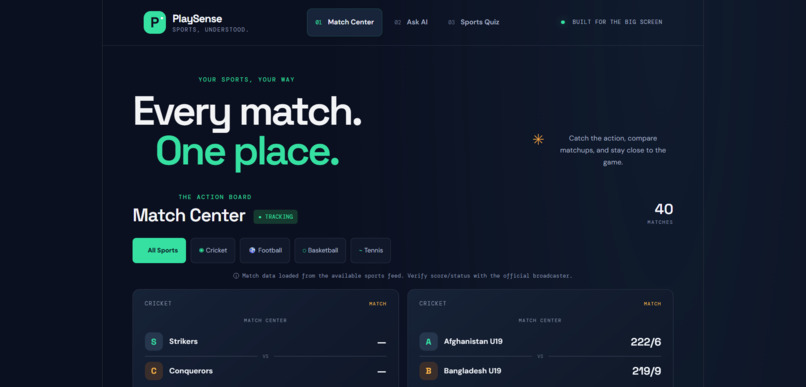
MATCHES
-
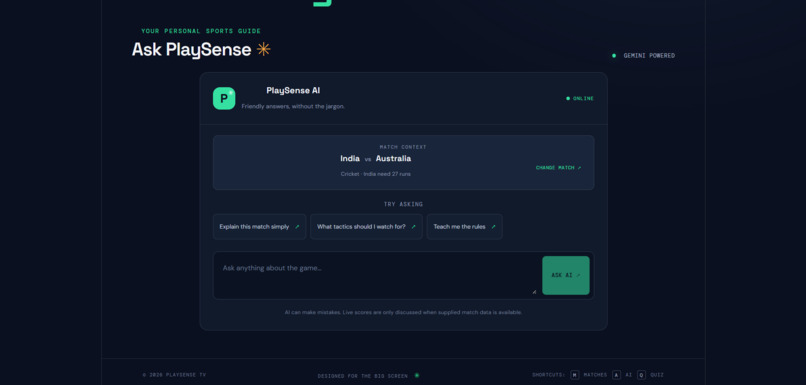
ASK AI
-
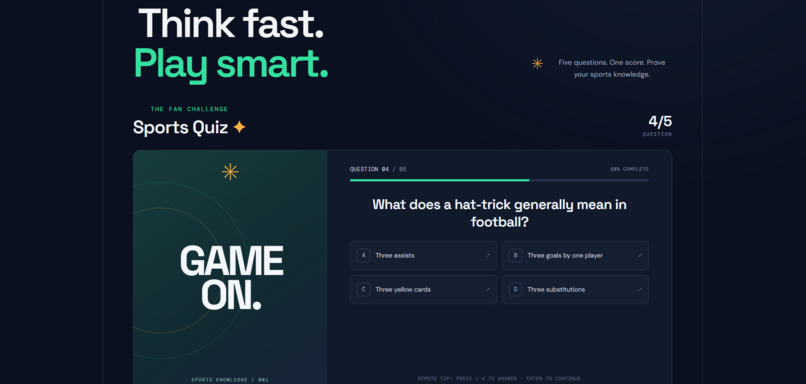
QUIZ PART
Inspiration
PlaySense TV 🏆
Your all-in-one sports companion for the big screen
Inspiration
Sports fans often switch between different apps to check match information, ask questions about the game, and test their sports knowledge. We wanted to bring these experiences together in one simple, interactive sports companion designed for a big-screen experience.
Our goal with PlaySense TV is to make following sports more engaging by combining match information, AI-powered answers, and interactive trivia in one place.
What It Does
PlaySense TV brings together three main features:
🏟️ Match Center
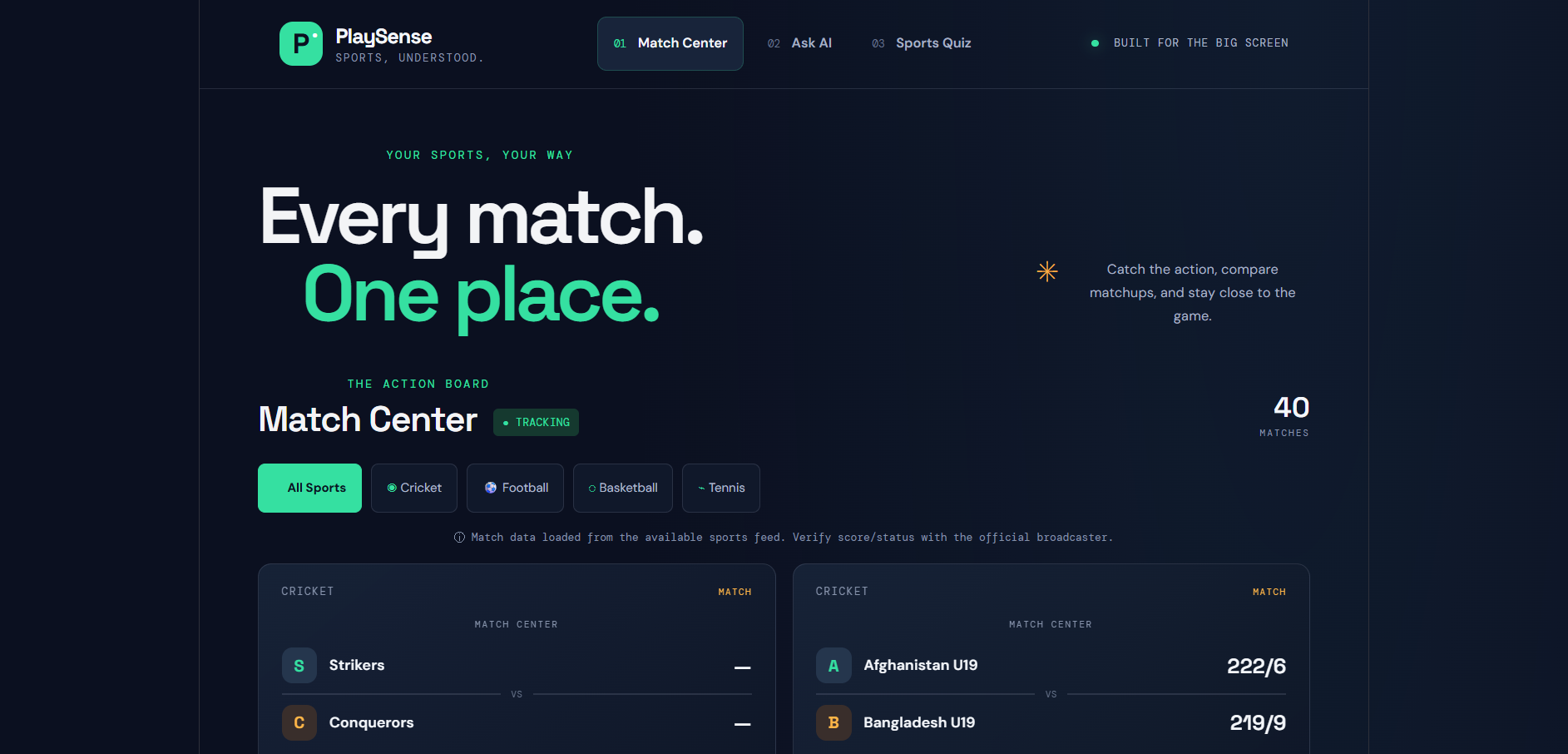
Users can explore match cards and browse available sports information through a dedicated Match Center interface.
🤖 Ask AI
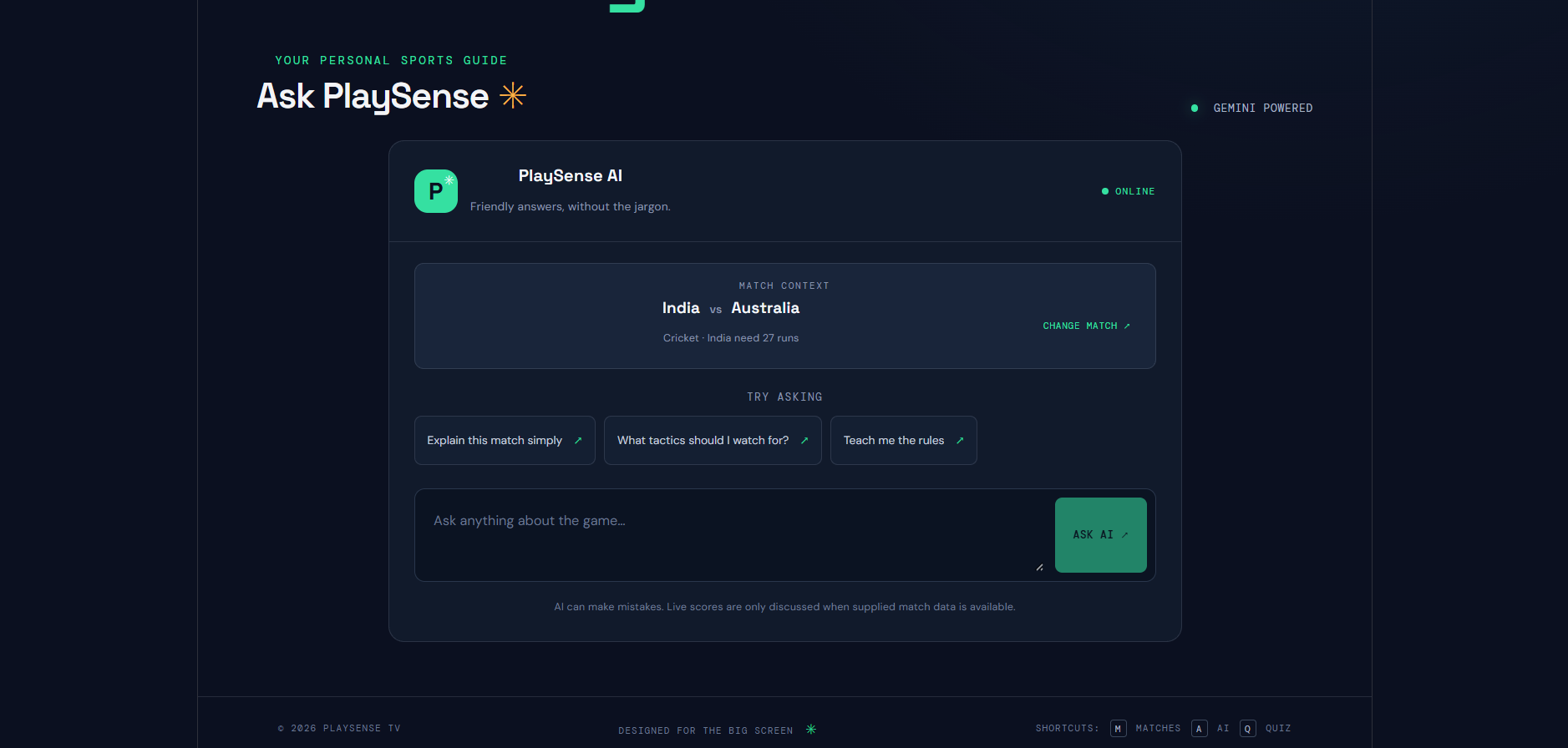
Users can ask sports-related questions and receive AI-generated answers powered by the Google Gemini API. The backend handles requests so the API key does not need to be exposed in frontend code.
🧠 Sports Quiz
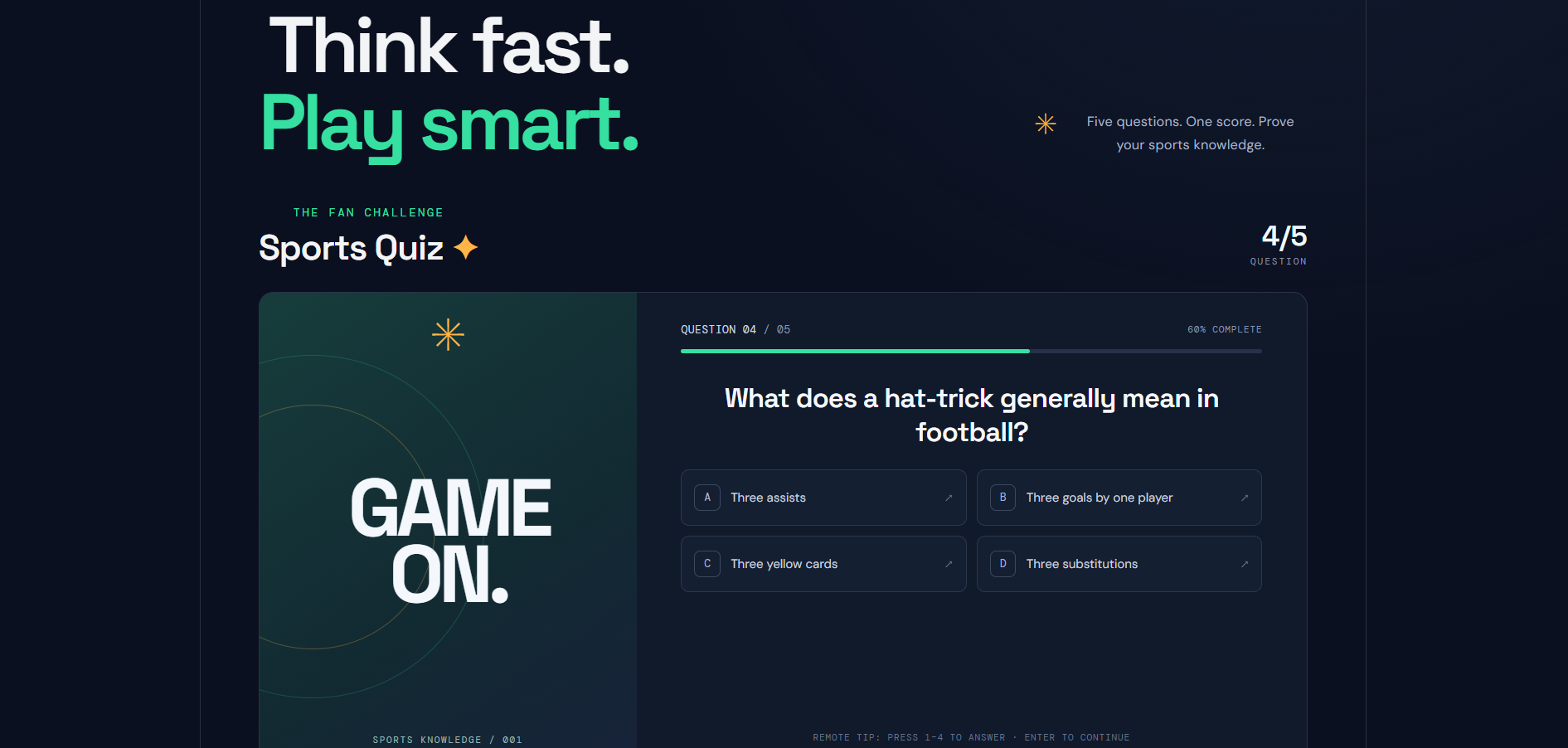
Users can test their sports knowledge through trivia questions, track their scores, and play again.
📺 Big-Screen Experience
The interface uses a dark visual theme, clear typography, colorful feature cards, and spacious layouts intended to make sports content comfortable to view on a TV screen.
How We Built It
We built the frontend using React, Vite, JavaScript, and CSS. The backend uses Node.js and Express to handle AI requests. We integrated Google's Gemini API through the @google/genai package and use environment variables to keep API credentials separate from frontend code.
We organized the application around the Match Center, Ask AI, and Sports Quiz experiences. We also designed the interface with a dark navy background, slate-blue surfaces, mint-green highlights, and amber accents.
Challenges We Faced
One challenge was connecting the frontend to the backend and configuring the Gemini API correctly. We encountered API availability and model-access issues during testing, which required troubleshooting the integration.
Another challenge was creating an interface suitable for a TV-oriented experience while developing and testing on a computer without a physical Fire TV device.
Sports data reliability is another area that needs attention because an unavailable data source or sample fixture should not be mistaken for a verified live score.
What We Learned
Through this project, we gained practical experience connecting a React frontend to an Express backend, integrating an AI API, managing environment variables, troubleshooting API errors, and organizing an interactive sports application.
We also learned that designing for a TV involves more than making a web page larger. Readability, navigation, focus states, and platform compatibility all need to be considered.
What's Next
Our next goals are to validate the application on the required Fire TV or Vega simulator, improve remote-control navigation, strengthen sports data reliability, and continue refining the AI and quiz experiences.
PlaySense TV represents our effort to make sports information and interactive entertainment feel more connected in a single big-screen experience.
What it does
How we built it
Challenges we ran into
Accomplishments that we're proud of
What we learned
What's next for PlaySense TV
Built With
- api
- artificial
- css
- express.js
- gemini
- intelligence
- javascript
- node.js
- react
- sports
- vite


Log in or sign up for Devpost to join the conversation.