PayGuard Agent — Product Requirements Document
OpenClaw Agenthon 2026 | 12-Hour Build Sprint
1. Project Overview
Product Name: PayGuard Agent
Tagline: An autonomous AI agent that thinks like a fraud analyst.
Track: Best Payment Use Case (DOKU bonus) + Core Agent Category
Build Time: 12 hours
Team Size: Solo or up to 4
What It Is
PayGuard Agent is an autonomous multi-step AI agent that analyzes payment transactions and financial messages for fraud risk. Unlike a simple chatbot wrapper, it uses real tool-calling — the agent autonomously decides which tools to invoke, in what order, to reach a verdict. It mimics how a real fraud analyst thinks: gather context, cross-check signals, reason under uncertainty, then produce a structured risk report.
Why It Can Win
- Directly targets the Best Payment Use Case bonus prize
- Demonstrates genuine agent autonomy (tool-calling, reasoning loops) — worth 30% of judging
- Solves a real, universal problem (payment fraud costs billions annually)
- Fully demoable in under 2 minutes
- Deployable on Vercel in one click
2. Core User Flow
User pastes suspicious payment message OR transaction details
           ↓
Agent activates — shows "thinking" state with live tool call log
           ↓
Tool 1: extract_entities()       → pulls merchant, amount, phone, URL
Tool 2: check_red_flags()        → matches against fraud pattern library
Tool 3: analyze_message_tone()   → detects urgency, pressure, threats
Tool 4: assess_payment_context() → checks if payment method/amount makes sense
Tool 5: generate_verdict()       → produces final structured risk report
           ↓
Result card: FRAUD / SUSPICIOUS / LEGITIMATE
+ confidence score + specific red flags + recommended action
The key UX differentiator: the user watches the agent think in real time — each tool call appears as a live log entry. This is the "judge moment."
3. Tech Stack
Frontend
- React + Vite — fast scaffold
- Tailwind CSS — styling
- Framer Motion — agent thinking animations
- Lucide React — icons
AI / Agent Layer
- Anthropic Claude API (
claude-sonnet-4-20250514) - Tool Use / Function Calling — this is what makes it a real agent, not a chatbot
- Model decides which tools to call, in what order, based on the input
Backend (minimal)
- No separate backend needed — all API calls from frontend
- API key entered by user in settings (stored in React state only, never hardcoded)
Deployment
- Vercel — drag and drop, live link in 2 minutes
4. Full Feature Specification
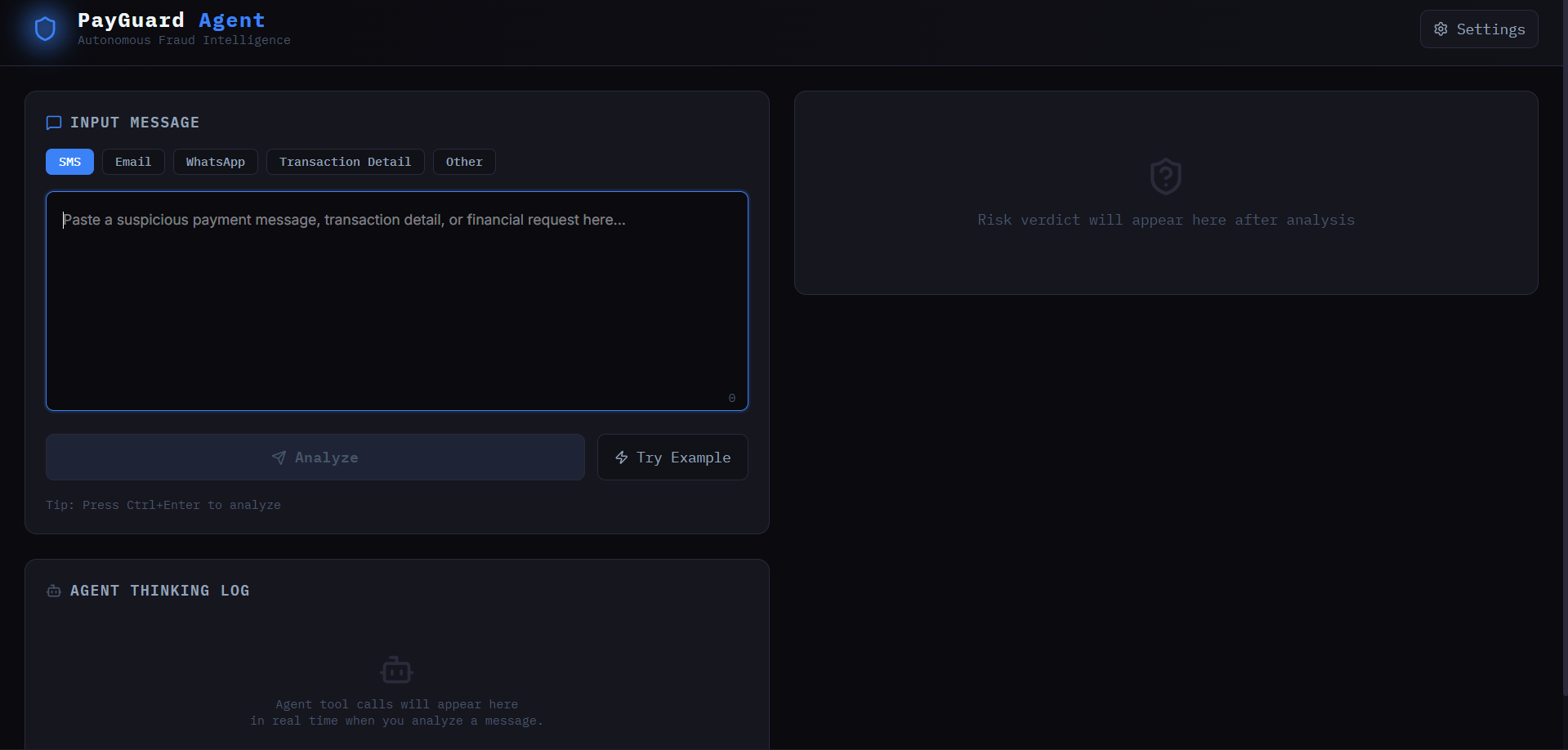
4.1 Input Panel
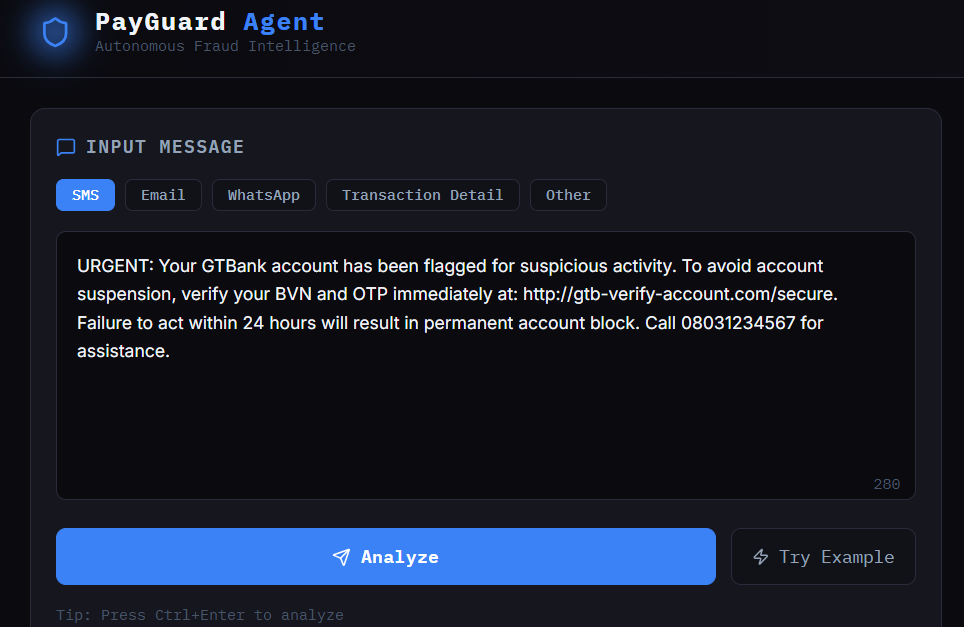
- Large textarea: "Paste a suspicious payment message, transaction detail, or financial request"
- Input type toggle: SMS / Email / WhatsApp / Transaction Detail / Other
- "Analyze" button — triggers agent
- "Try an Example" button — pre-fills with a sample scam (see examples section below)
- Character counter
4.2 Agent Thinking Panel (THE KEY FEATURE)
This panel appears immediately when Analyze is clicked and shows the agent's live reasoning:
🤖 PayGuard Agent activated...

[✓] Extracting entities...           → Found: Merchant "GTBank", Amount "₦50,000", URL "gtb-verify.com"
[✓] Checking fraud patterns...       → 3 pattern matches found
[✓] Analyzing message tone...        → Urgency detected: "within 24 hours"
[✓] Assessing payment context...     → Suspicious: bank asking for OTP via SMS is abnormal
[⟳] Generating risk verdict...
Each line animates in one by one with a subtle fade + slide. This makes judges lean forward.
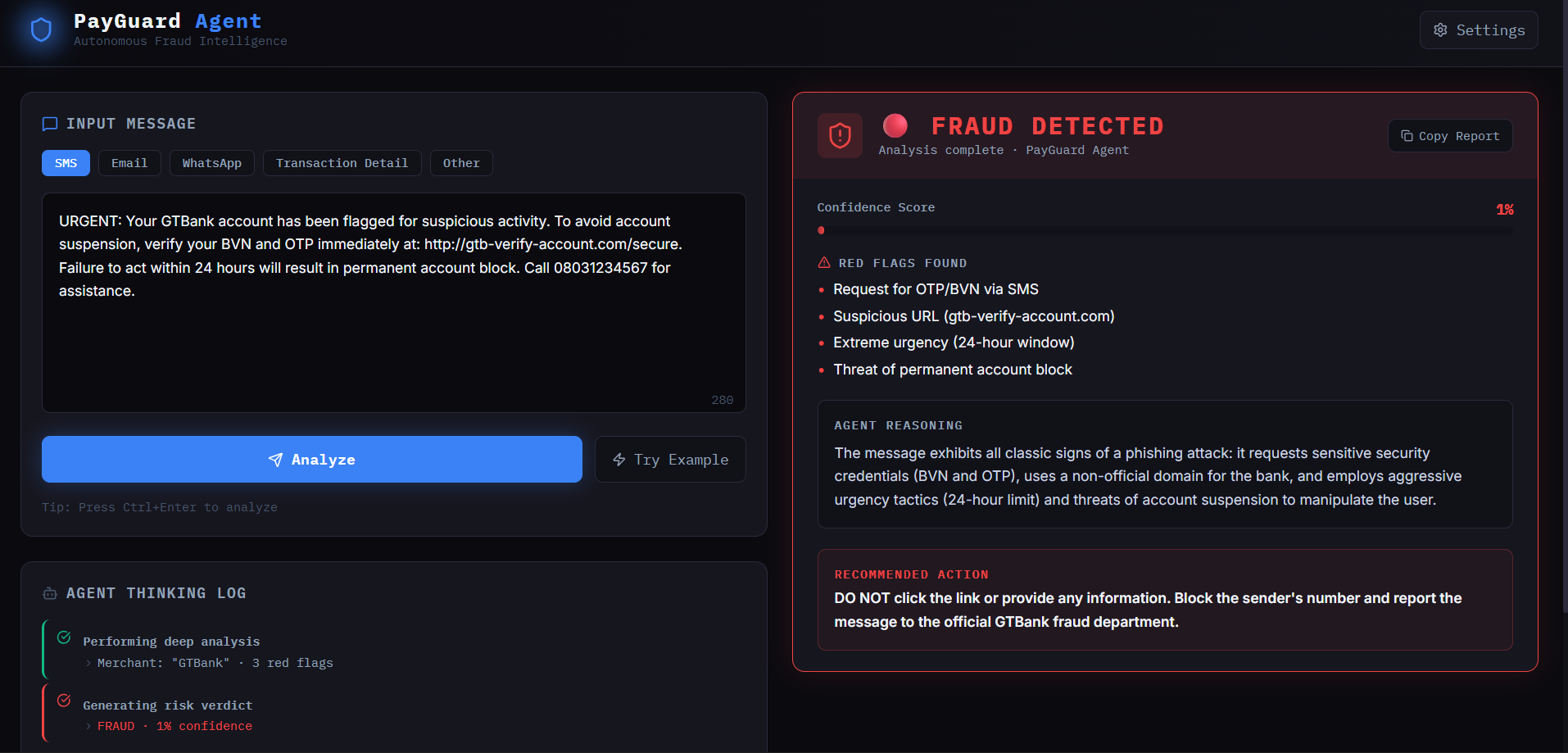
4.3 Result Card
Appears after agent completes. Contains:
Verdict Badge (full-width, color coded):
- 🔴 FRAUD — solid red background
- 🟡 SUSPICIOUS — amber background
- 🟢 LEGITIMATE — green background
Confidence Meter:
- Animated progress bar (e.g. "94% confidence this is fraud")
Red Flags Found / Why It's Safe:
- Bulleted list, 3–5 items
- Each flag references the actual words from the input (not generic)
Agent Reasoning Summary:
- 2–3 sentence explanation of how the agent reached its verdict
Recommended Action:
- One bold, clear instruction (e.g. "Do not click any links. Report this number to DOKU fraud team at 1500-128.")
Share / Copy Report button
4.4 History Sidebar
- Last 5 analyses stored in React state (not localStorage)
- Shows: timestamp, verdict badge, first 40 chars of input
- Click to reload any past result
4.5 Settings Panel (top right icon)
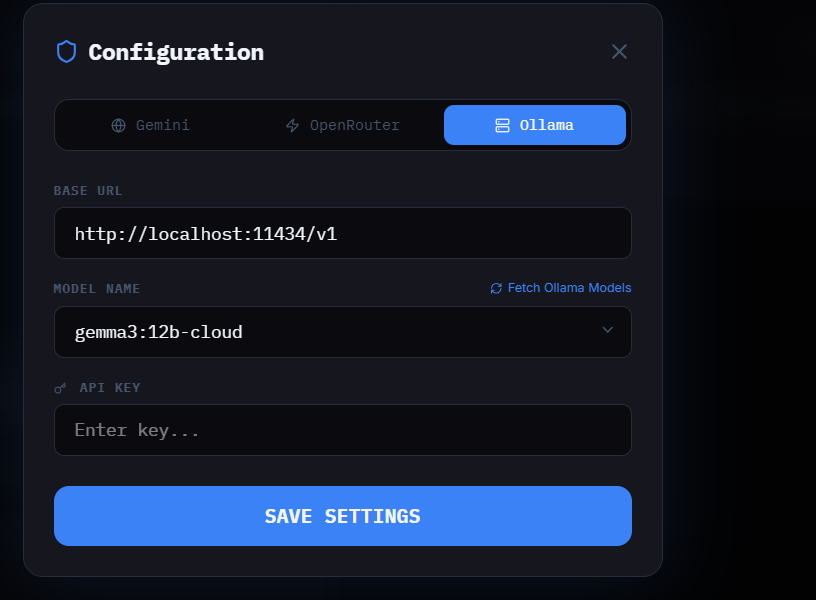
- API Key input field (masked, stored in useState only)
- Save button
- Small note: "Your API key is never sent to any server. It's used directly from your browser."
5. Claude Agent Implementation
5.1 The Tools (Function Definitions)
Pass these to the Claude API in the tools array:
const tools = [
  {
    name: "extract_entities",
    description: "Extract key entities from the message: merchant names, amounts, phone numbers, URLs, account numbers, person names, organizations",
    input_schema: {
      type: "object",
      properties: {
        merchants: { type: "array", items: { type: "string" } },
        amounts: { type: "array", items: { type: "string" } },
        phone_numbers: { type: "array", items: { type: "string" } },
        urls: { type: "array", items: { type: "string" } },
        organizations: { type: "array", items: { type: "string" } }
      },
      required: ["merchants", "amounts", "phone_numbers", "urls", "organizations"]
    }
  },
  {
    name: "check_red_flags",
    description: "Check the message against known fraud patterns and return matched patterns",
    input_schema: {
      type: "object",
      properties: {
        patterns_found: {
          type: "array",
          items: {
            type: "object",
            properties: {
              pattern_name: { type: "string" },
              severity: { type: "string", enum: ["low", "medium", "high", "critical"] },
              evidence: { type: "string", description: "Exact quote from message that triggered this pattern" }
            }
          }
        },
        total_risk_score: { type: "number", description: "0-100 raw risk score from patterns alone" }
      },
      required: ["patterns_found", "total_risk_score"]
    }
  },
  {
    name: "analyze_message_tone",
    description: "Analyze psychological manipulation tactics in the message",
    input_schema: {
      type: "object",
      properties: {
        urgency_detected: { type: "boolean" },
        threat_detected: { type: "boolean" },
        reward_lure_detected: { type: "boolean" },
        authority_impersonation: { type: "boolean" },
        tone_summary: { type: "string" },
        manipulation_tactics: { type: "array", items: { type: "string" } }
      },
      required: ["urgency_detected", "threat_detected", "reward_lure_detected", "authority_impersonation", "tone_summary", "manipulation_tactics"]
    }
  },
  {
    name: "assess_payment_context",
    description: "Assess whether the payment request or transaction context makes sense for a legitimate transaction",
    input_schema: {
      type: "object",
      properties: {
        context_makes_sense: { type: "boolean" },
        anomalies: { type: "array", items: { type: "string" } },
        payment_method_appropriate: { type: "boolean" },
        context_notes: { type: "string" }
      },
      required: ["context_makes_sense", "anomalies", "payment_method_appropriate", "context_notes"]
    }
  },
  {
    name: "generate_verdict",
    description: "Generate the final fraud verdict based on all previous analysis",
    input_schema: {
      type: "object",
      properties: {
        verdict: { type: "string", enum: ["FRAUD", "SUSPICIOUS", "LEGITIMATE"] },
        confidence: { type: "number", description: "0-100 confidence percentage" },
        red_flags: { type: "array", items: { type: "string" }, description: "3-5 specific red flags referencing actual message content" },
        reasoning: { type: "string", description: "2-3 sentence explanation of how the verdict was reached" },
        recommended_action: { type: "string", description: "One clear actionable instruction for the user" }
      },
      required: ["verdict", "confidence", "red_flags", "reasoning", "recommended_action"]
    }
  }
];
5.2 System Prompt
You are PayGuard, an expert autonomous fraud detection agent specializing in payment scams,
financial fraud, and social engineering attacks — with deep knowledge of fraud patterns in
Nigeria, Indonesia, and Southeast Asia.

You operate as a real agent: you MUST use your tools in sequence to analyze any message
given to you. Do not answer directly — always use tools.

Your analysis workflow:
1. ALWAYS call extract_entities first to identify key data points
2. ALWAYS call check_red_flags to match against fraud patterns
3. ALWAYS call analyze_message_tone to detect manipulation tactics
4. ALWAYS call assess_payment_context to evaluate whether the transaction makes sense
5. ALWAYS call generate_verdict last to produce the final report

Known fraud patterns to check for:
- OTP/PIN requests via SMS or message (legitimate banks NEVER ask for this)
- Urgency pressure ("within 24 hours", "act now", "immediate action required")
- Prize/lottery notifications requiring upfront payment
- Fake bank verification links (misspelled domains, non-official URLs)
- Job offers requiring payment or personal data upfront
- Crypto investment schemes with guaranteed returns
- WhatsApp impersonation of family members requesting money
- DOKU/GoPay/OVO impersonation for "account verification"
- Advance fee fraud ("you must pay to release your funds")

Be specific in every output — reference actual words and phrases from the user's message.
Never give generic advice. Every red flag must quote the exact evidence from the input.
5.3 Agentic Loop (React Implementation Pattern)
// Pseudo-code pattern for Cursor to implement
async function runAgent(userMessage) {
  const messages = [{ role: "user", content: userMessage }];
  const toolResults = {};

  // Agentic loop — runs until agent calls generate_verdict
  while (true) {
    const response = await callClaudeAPI(messages, tools, systemPrompt);

    if (response.stop_reason === "tool_use") {
      // Extract tool call from response
      const toolCall = response.content.find(b => b.type === "tool_use");

      // Update UI: show this tool being called
      addToThinkingLog(toolCall.name, "running");

      // Execute the tool (in this case, the tool output IS the input —
      // Claude decides what to put in it, we just pass it back)
      const toolResult = toolCall.input; // Claude fills in the result itself
      toolResults[toolCall.name] = toolResult;

      // Update UI: mark tool as complete
      addToThinkingLog(toolCall.name, "complete", toolResult);

      // Add to message history and continue loop
      messages.push({ role: "assistant", content: response.content });
      messages.push({
        role: "user",
        content: [{
          type: "tool_result",
          tool_use_id: toolCall.id,
          content: JSON.stringify(toolResult)
        }]
      });

      // If this was generate_verdict, we're done
      if (toolCall.name === "generate_verdict") {
        return toolResult; // This is the final result to display
      }

    } else {
      // stop_reason is "end_turn" — agent finished
      break;
    }
  }
}
6. UI Design Specification
Visual Direction
Theme: Dark, high-tech fraud intelligence terminal
Feel: Think Palantir meets DOKU — serious, trustworthy, powerful
NOT: Generic purple-gradient chatbot
Color Palette
--bg-primary: #0a0a0f
--bg-secondary: #111118
--bg-card: #16161f
--border: #2a2a3a
--accent-blue: #3b82f6
--accent-red: #ef4444
--accent-amber: #f59e0b
--accent-green: #10b981
--text-primary: #f1f5f9
--text-secondary: #94a3b8
--text-muted: #475569
Typography
- Display:
Space MonoorIBM Plex Mono— monospace for terminal feel - Body:
InterorDM Sans - Import from Google Fonts
Layout (Desktop)
┌─────────────────────────────────────────────────────┐
│  🛡 PayGuard Agent                    [Settings ⚙]  │
├─────────────────────┬───────────────────────────────┤
│                     │                               │
│   INPUT PANEL       │   AGENT THINKING LOG          │
│                     │                               │
│   [Textarea]        │   [Live tool call stream]     │
│   [Type toggle]     │                               │
│   [Analyze btn]     │                               │
│   [Try Example]     │                               │
│                     │                               │
├─────────────────────┴───────────────────────────────┤
│                  RESULT CARD                        │
│  [Verdict Badge] [Confidence Bar] [Red Flags]       │
│  [Reasoning] [Recommended Action] [Copy Report]     │
├─────────────────────────────────────────────────────┤
│  RECENT ANALYSES: [item1] [item2] [item3]           │
└─────────────────────────────────────────────────────┘
Animations
- Agent thinking log: each line fades + slides in with 300ms delay between items
- Verdict card: scale from 0.95 → 1.0 with fade, 400ms ease-out
- Confidence bar: animated fill from 0 to final value over 800ms
- Tool call items: left border pulses while running, turns solid green on complete
7. Sample Test Cases
Use these to verify the agent works correctly before demo:
Test 1 — Should return FRAUD
URGENT: Your GTBank account has been flagged for suspicious activity.
To avoid account suspension, verify your BVN and OTP immediately at:
http://gtb-verify-account.com/secure. Failure to act within 24 hours
will result in permanent account block. Call 08031234567 for assistance.
Expected: FRAUD, >90% confidence
Test 2 — Should return SUSPICIOUS
Hi, I'm from the HR department. We're updating employee bank details
for the new payment system. Please send your account number and the
last 4 digits of your ATM card to confirm your identity. This is urgent.
Expected: SUSPICIOUS, 65–80% confidence
Test 3 — Should return LEGITIMATE
Your DOKU wallet payment of Rp 150,000 to Grab Indonesia was successful.
Transaction ID: DK20260514-887234. If you did not make this transaction,
call DOKU at 1500-128.
Expected: LEGITIMATE, >85% confidence
Test 4 — Best Payment Use Case Demo (DOKU track)
Selamat! Anda terpilih sebagai pemenang undian DOKU Anniversary.
Hadiah Rp 50.000.000 menunggu Anda. Transfer biaya administrasi
sebesar Rp 500.000 ke rekening BCA 1234567890 a/n PT DOKU RESMI
untuk mencairkan hadiah Anda. Berlaku 12 jam saja!
Expected: FRAUD, >95% confidence (Indonesian scam targeting DOKU users)
8. Devpost Submission Checklist
- [ ] GitHub repo named:
OpenClaw2026_TeamName_PayGuardAgent(set to Public) - [ ] README.md with: setup steps, env variables needed, how to run locally
- [ ]
.env.examplefile withVITE_ANTHROPIC_API_KEY=your_key_here - [ ] Vercel deployment live link
- [ ] 2-minute demo video (YouTube or Google Drive, public)
- [ ] Pitch deck PDF (max 5 slides):
- Slide 1: Problem — payment fraud costs ($X billion, personal story hook)
- Slide 2: Solution — PayGuard Agent with architecture diagram
- Slide 3: Agent Architecture — tool-calling flow diagram
- Slide 4: Tech Stack + Demo Screenshot
- Slide 5: Future Impact — expand to real-time bank API integration, browser extension
- [ ] Select "Best Payment Use Case" label on Devpost submission form
- [ ] List of AI tools used: Claude API (tool use), Anthropic claude-sonnet-4-20250514

Log in or sign up for Devpost to join the conversation.