-
-
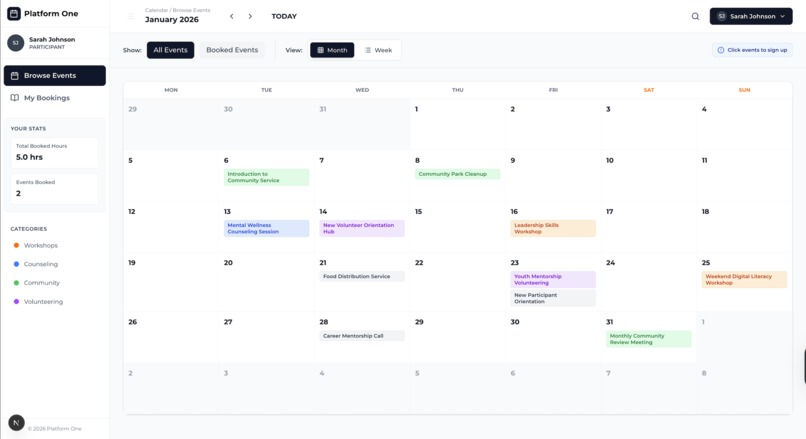
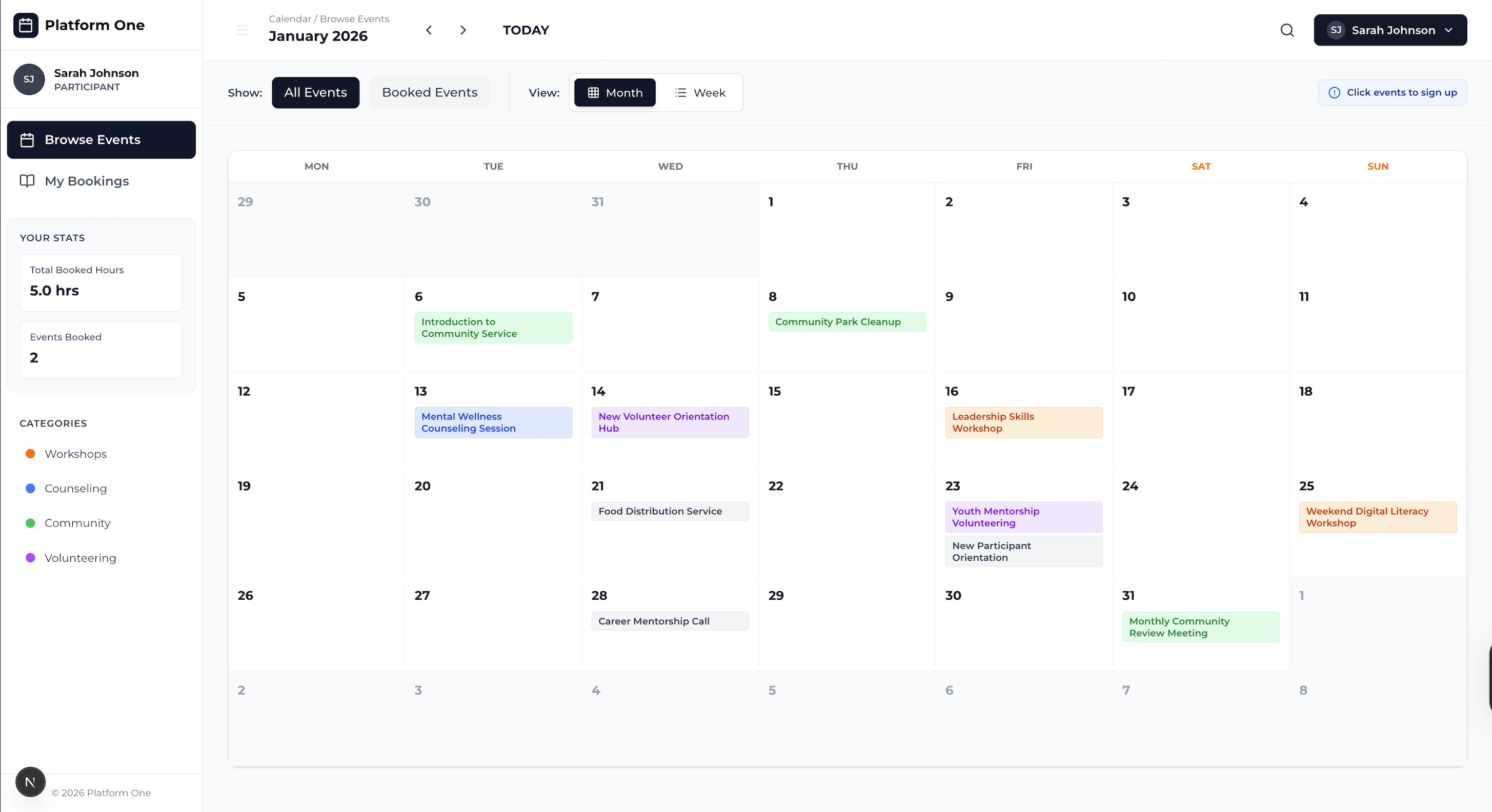
Calendar view of all events for participants and volunteers
-
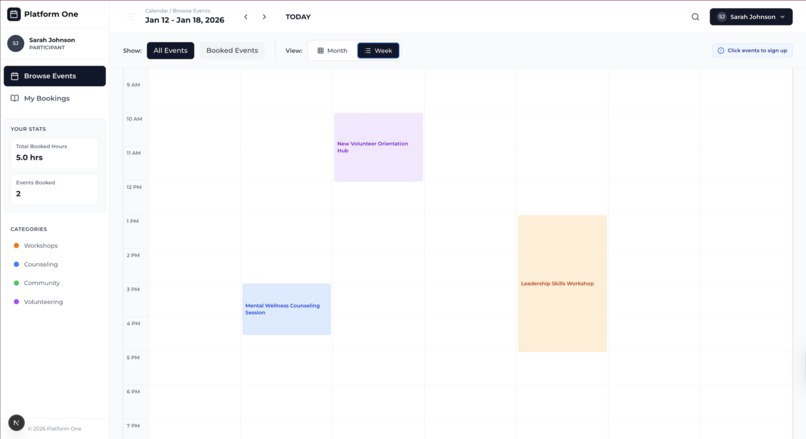
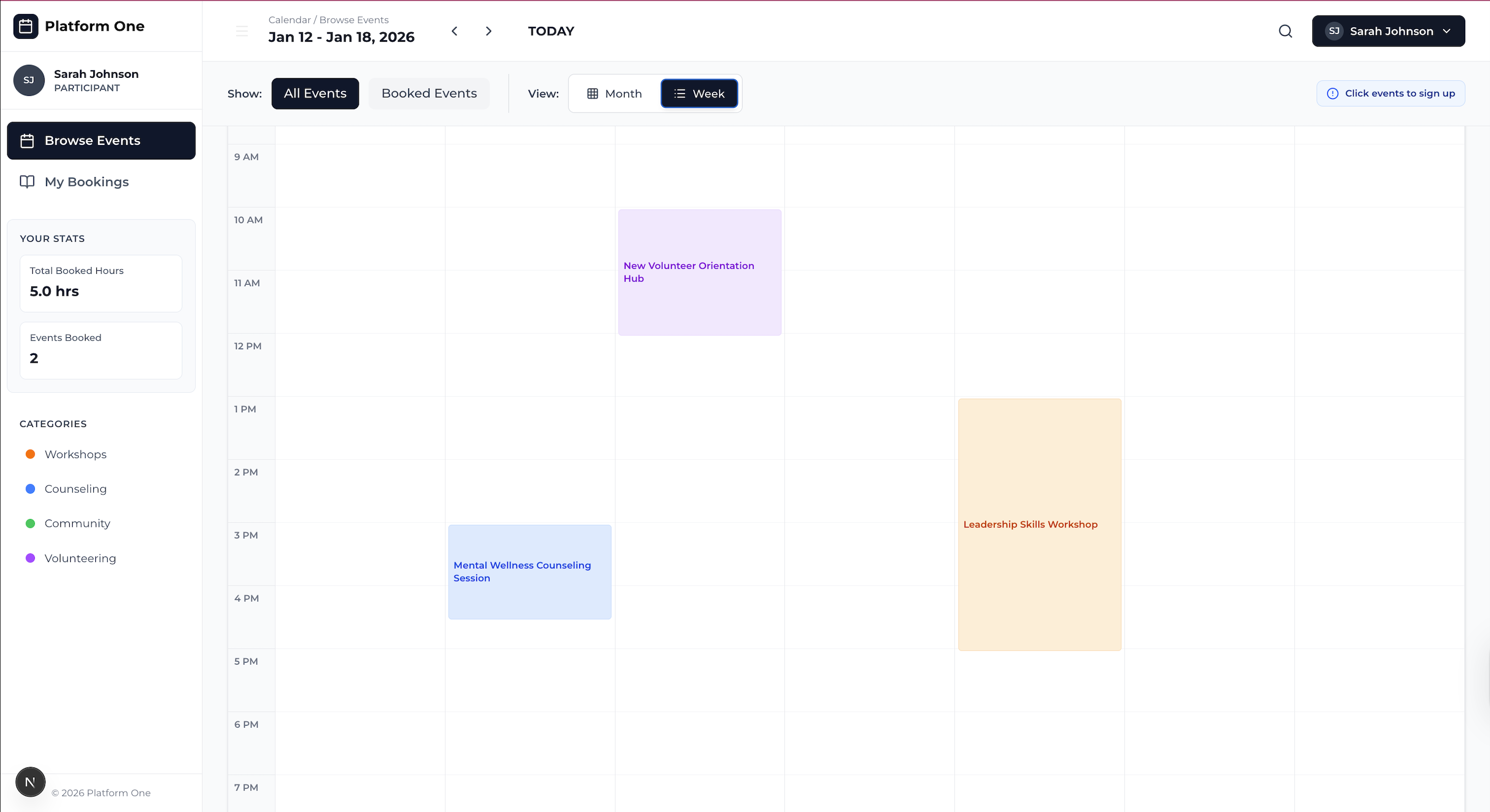
Weekly view of events in timetable format
-
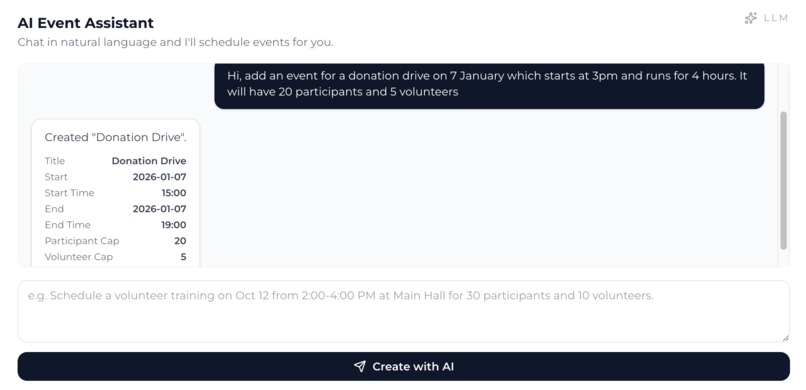
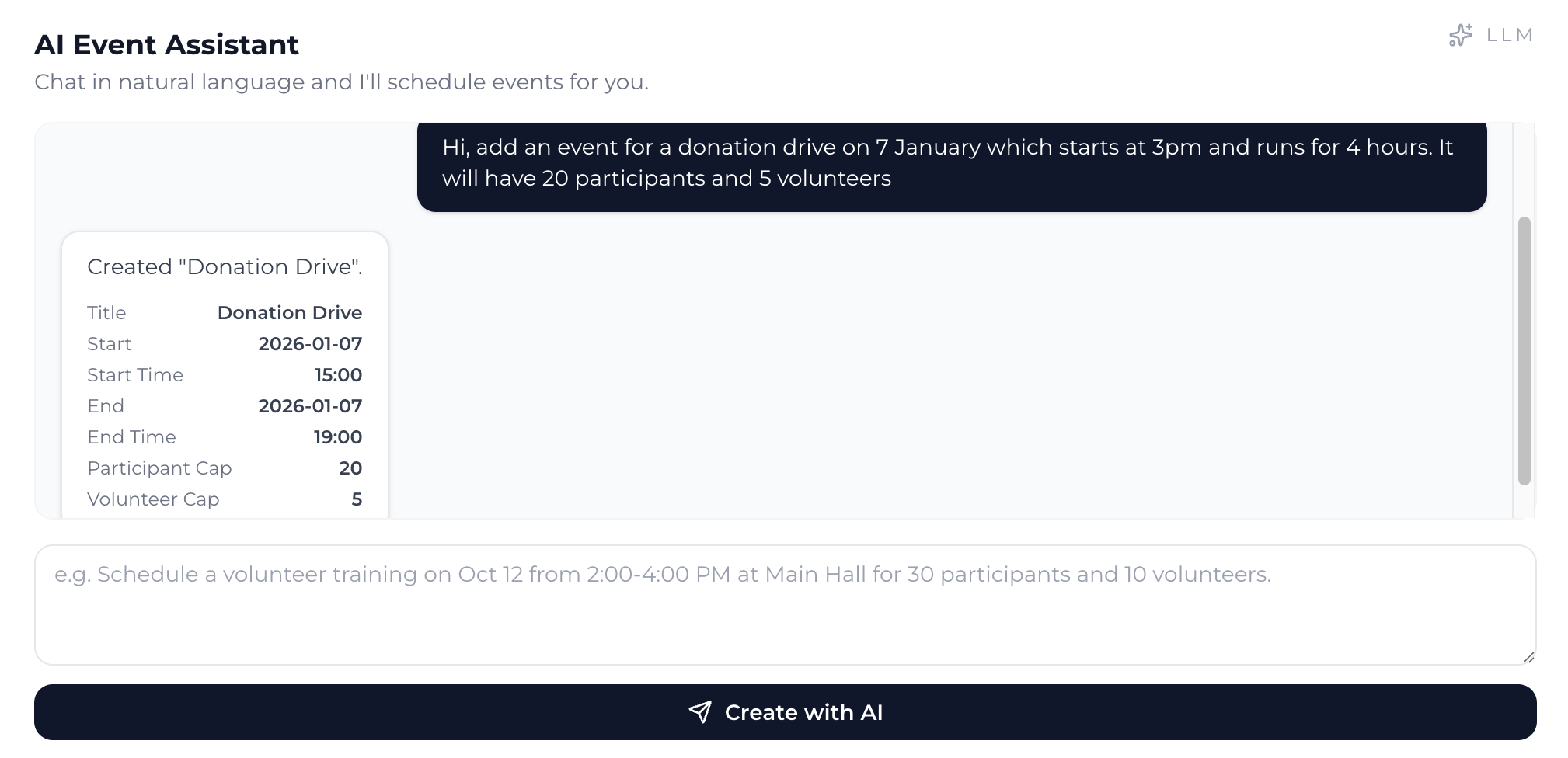
AI Assistant that can help with event management
-
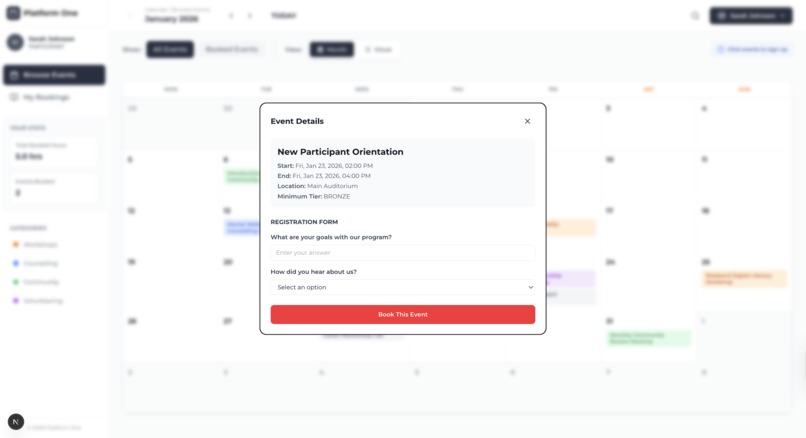
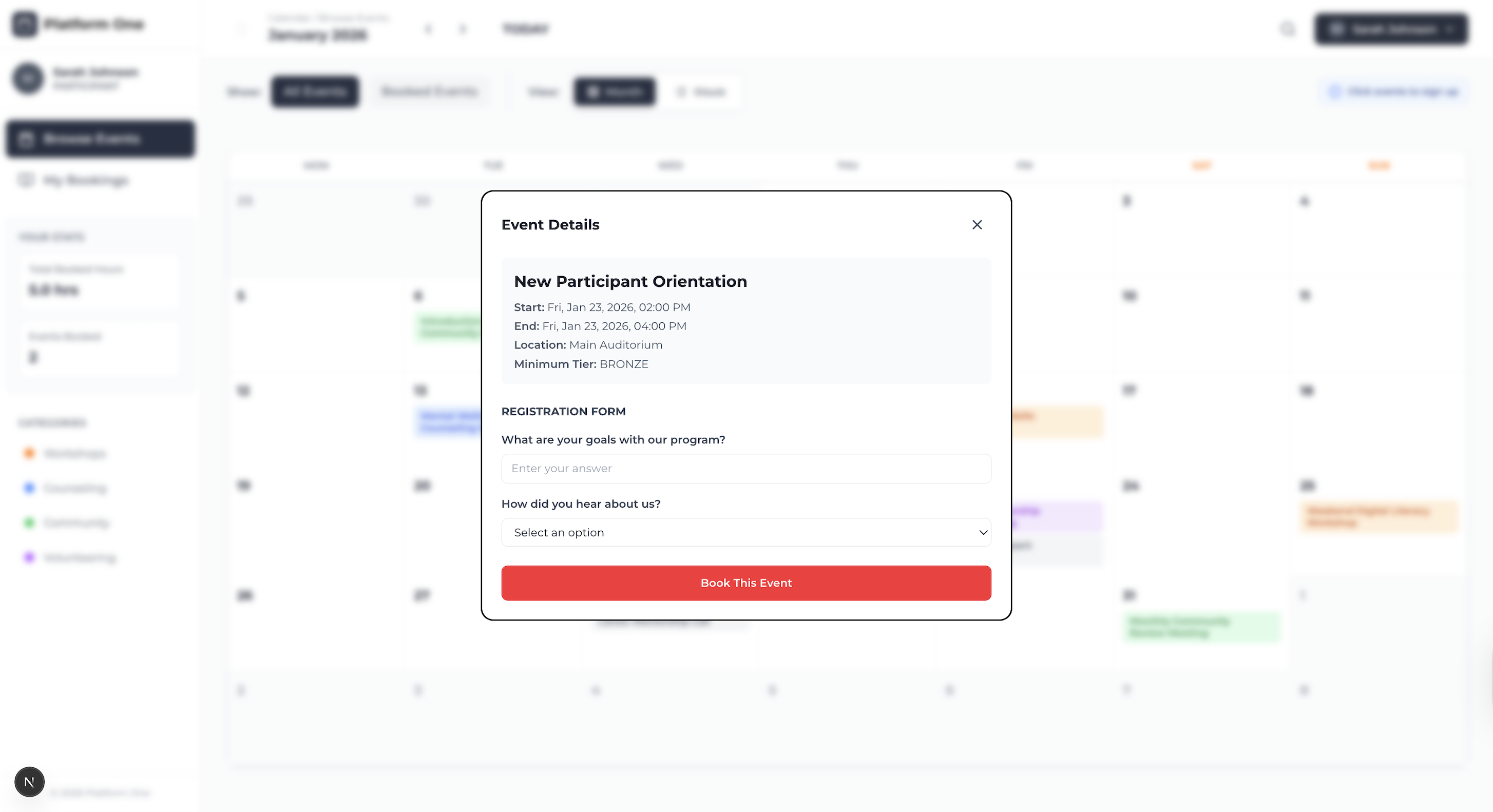
Users (Participants & Volunteers) can make bookings for an event by clicking in calendar view and answering attached questions
-
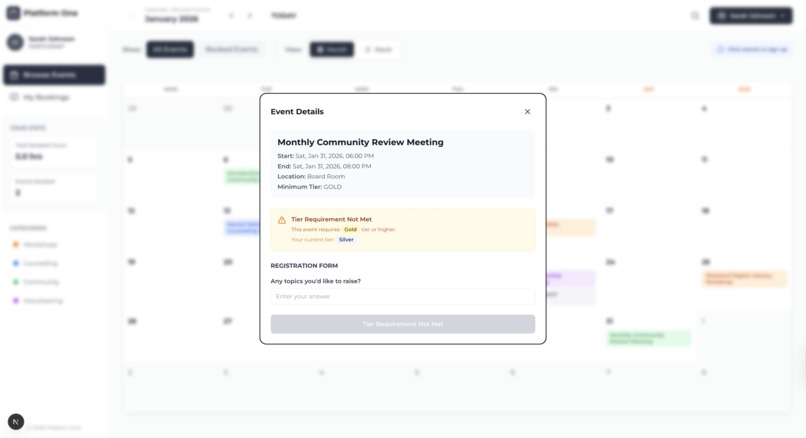
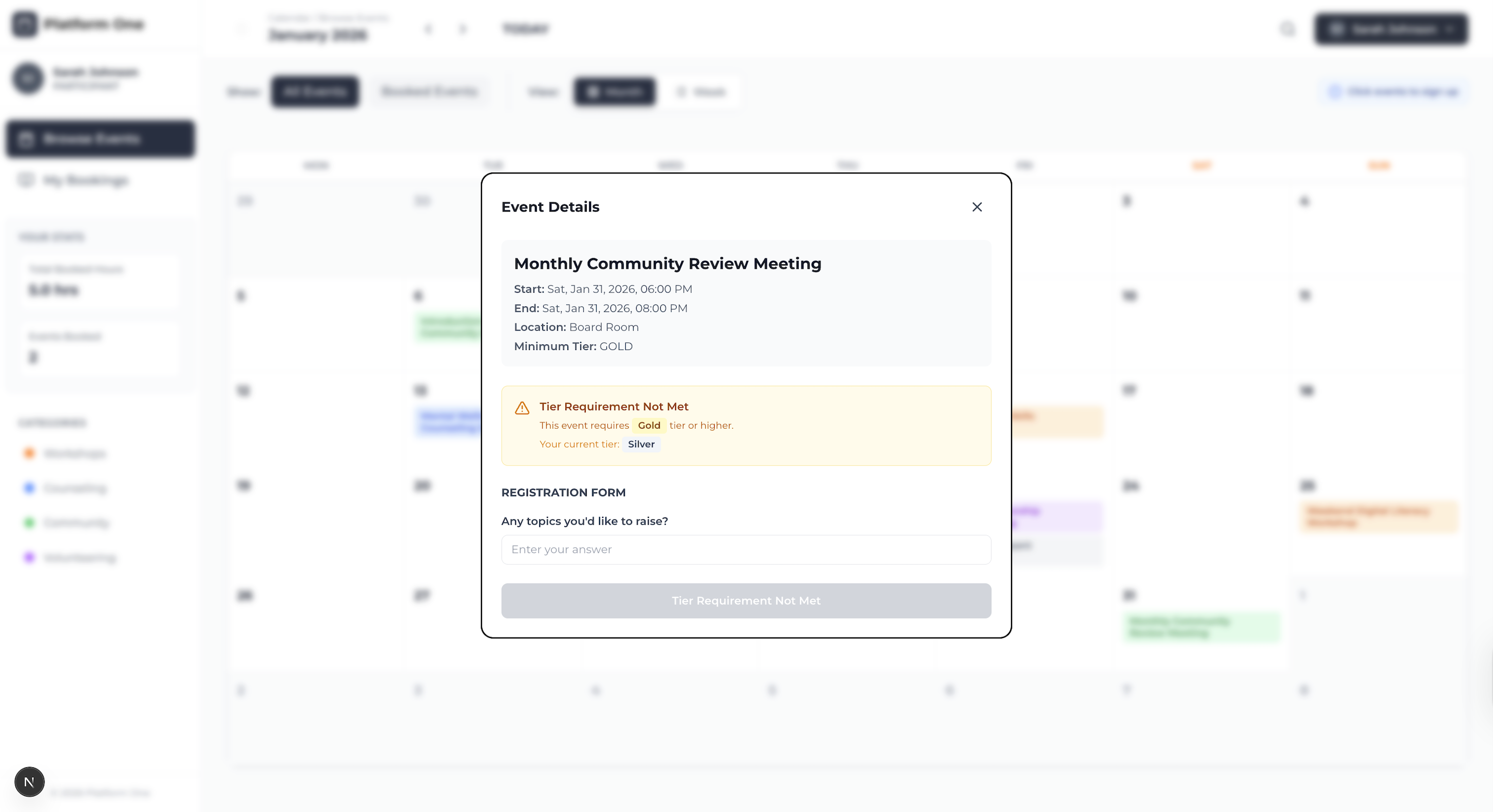
Some events have a minimum tier requirement, not all participants and/or volunteers will be able to join.
-
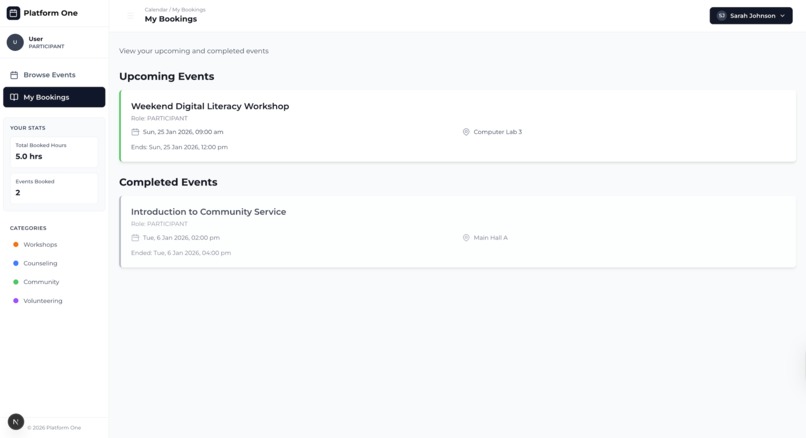
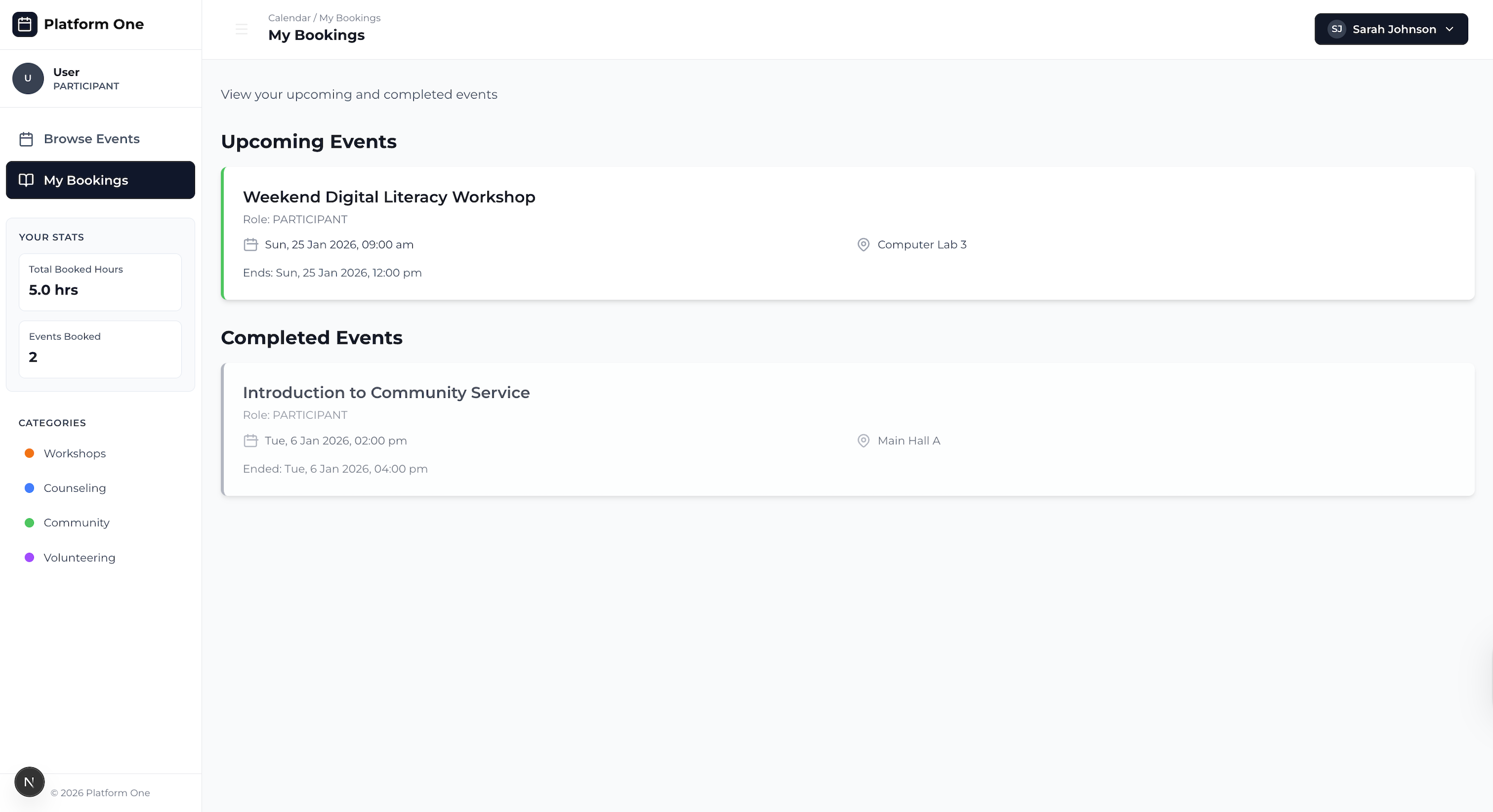
Participants and Volunteers can view their upcoming and completed bookings
-
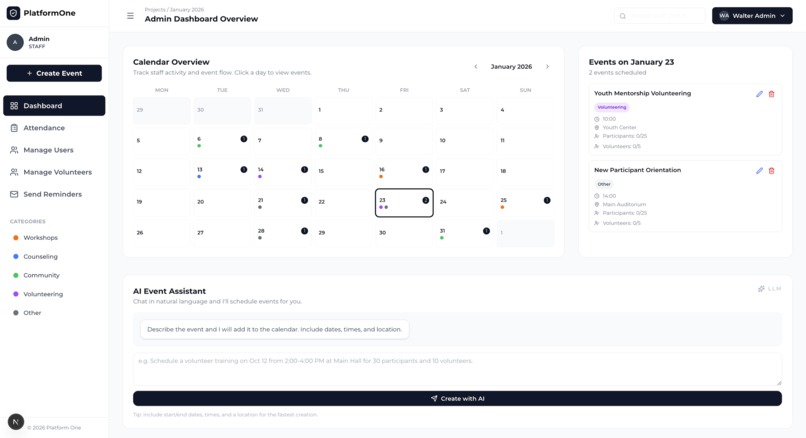
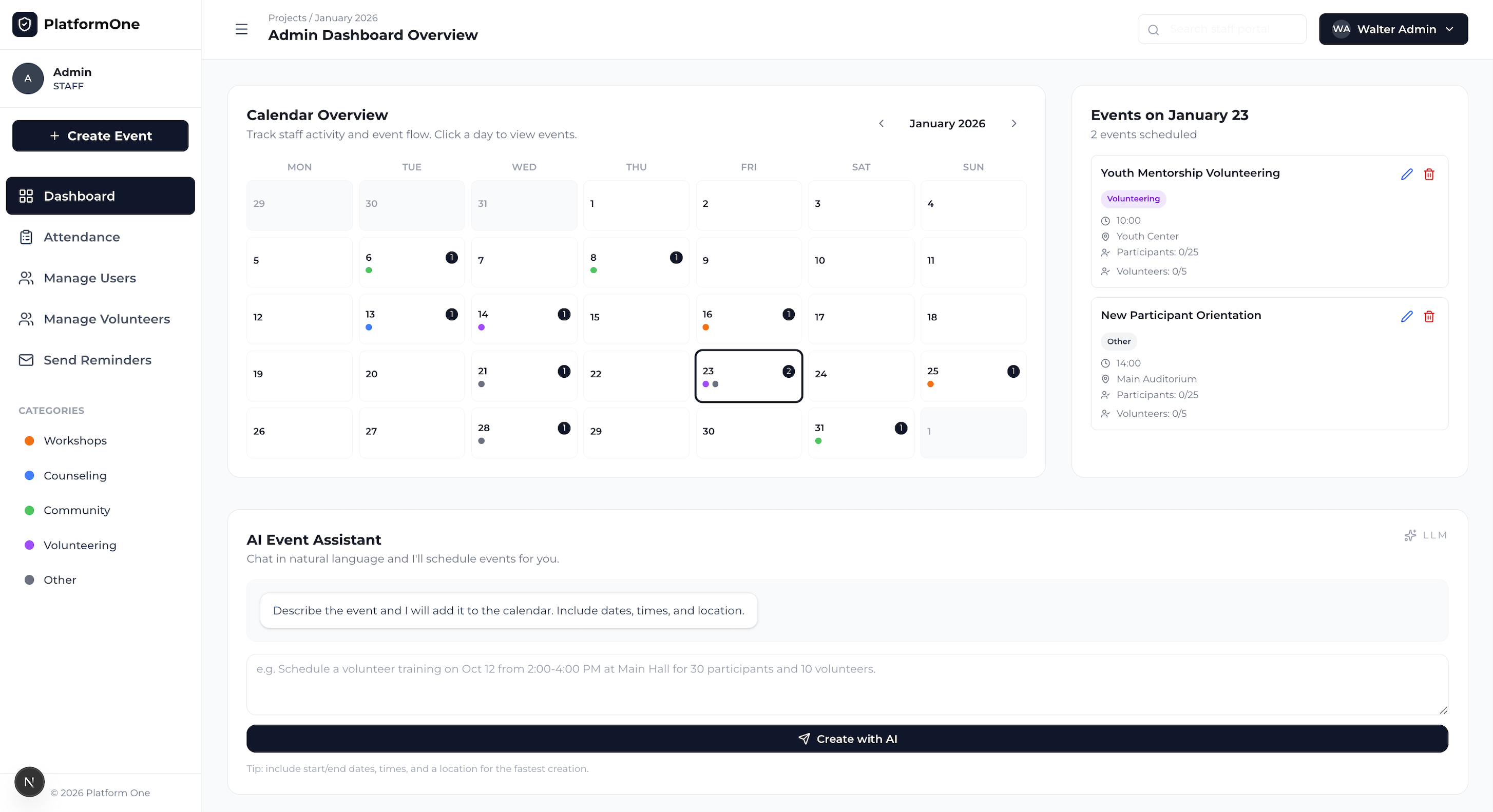
Calendar view of events for staff members, with event details displayed for the selected date
-
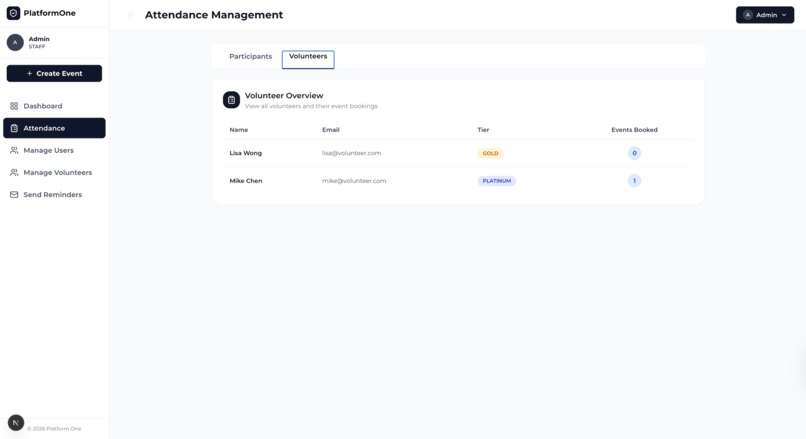
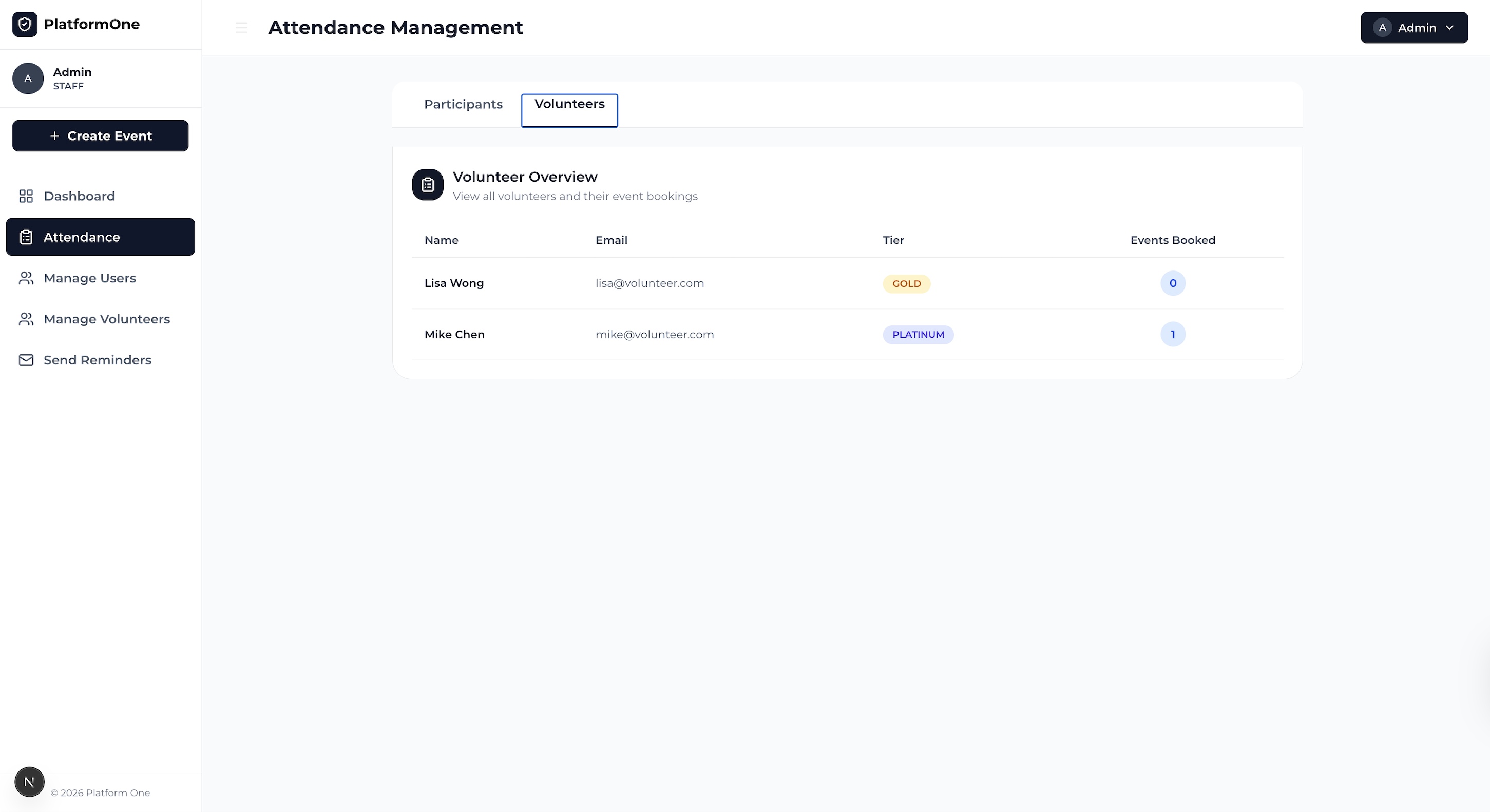
Staff have access to a consolidated view of volunteers, as well as participants
-
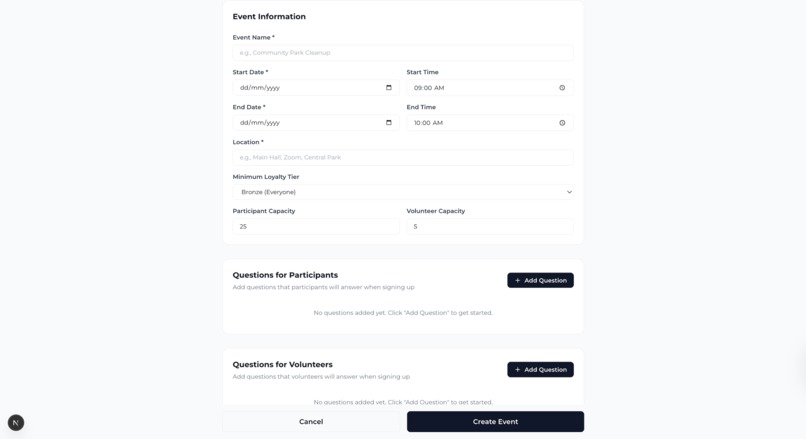
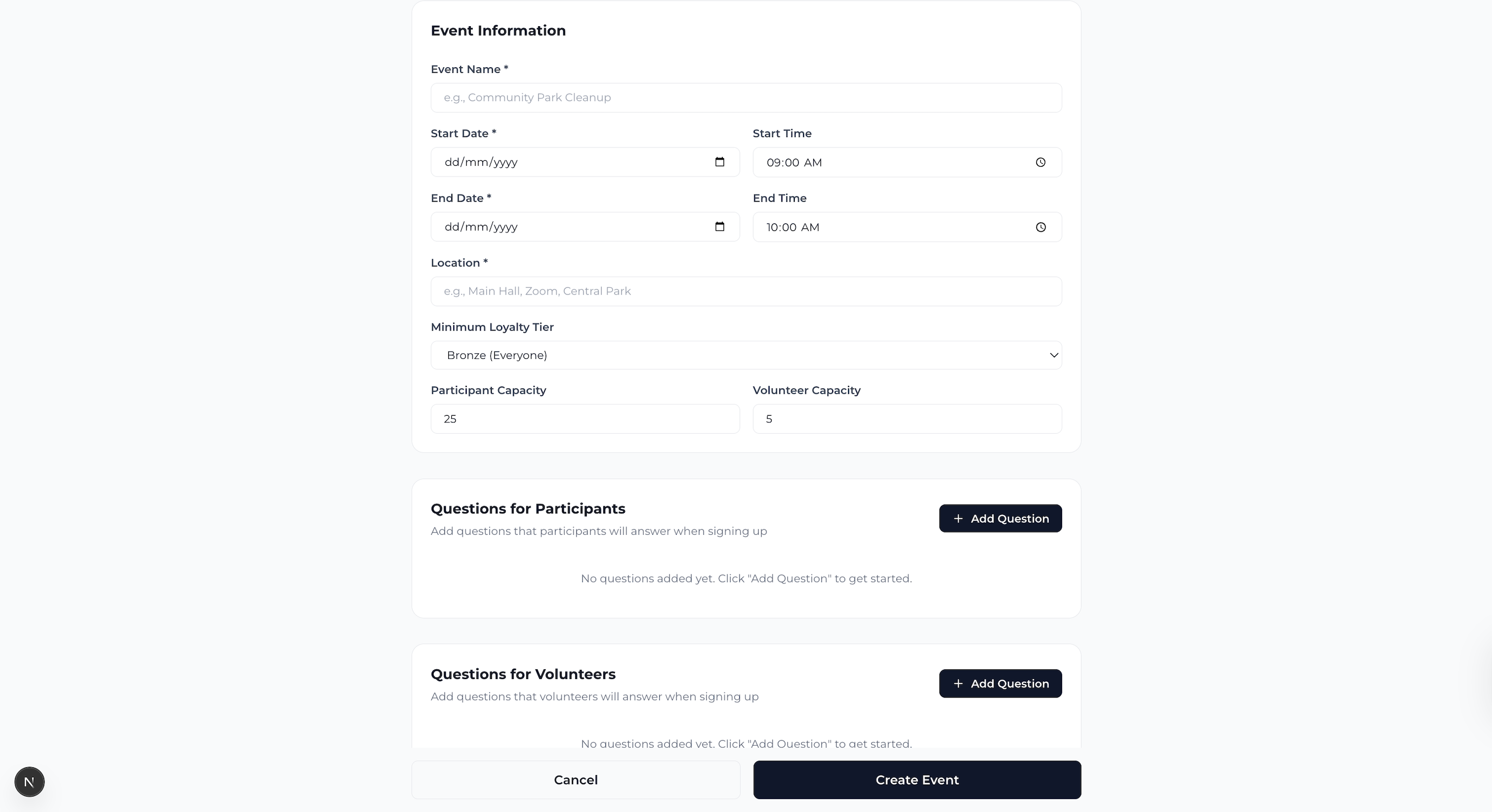
Staff can also create a new event with details and questions for participants/volunteers with ease
About PlatformOne
PlatformOne is an accessibility-focused platform designed to streamline the process of activity sign-ups. The idea was born out of the challenge that users often find themselves double-booking events due to inconsistent calendars. This project consolidates all available activities into a single calendar, providing a unified interface that helps participants, volunteers, and organisers easily view and sign up for events without the hassle of scheduling conflicts.
The platform serves multiple stakeholders:
- Participants/Volunteers: Can easily view and register for activities with a single click.
- Staff: Have access to a management dashboard for overseeing events and tracking registrations. Can quickly create and manage events, making it easier for them to coordinate activities.
Key Features:
Admin Dashboard
- Calendar Overview: A calendar with events color-coded by category (e.g., workshops, counseling, community, volunteering).
- Event Details: Clicking on a day shows detailed events with participant and volunteer counts.
- AI Event Assistant: A feature allowing users to add events through a conversational interface (e.g., by typing event details in natural language).
Attendance Management
- Volunteer Overview: Displays a list of volunteers with their booking information, including email, tier (e.g., GOLD, SILVER), and events booked.
- Participant Overview: Similar to the volunteer view, this shows participants' names, emails, tiers, and booked events.
Event Creation
- Event Information: A form to create new events with details like name, dates, times, location, and participant/volunteer capacities. There is also an option to add questions for participants and volunteers.
Participant and Volunteer Bookings
- My Bookings: Shows a participant’s upcoming and completed events, including details like event names, roles, dates, and locations.
- Event Registration: When clicking on an event, users can view details and fill out a registration form for that event.
Calendar and Event Sign-ups
- Browse Events: Allows participants to browse all events, with the ability to filter based on categories and view booked events. Users can also register for events directly from the calendar view.
These features provide a comprehensive event management system for both participants and organizers, combining scheduling, registration, and real-time data tracking to ensure smooth event execution and participation.
Built With
- next.js
- prisma
- supabase
- tailwind
- typescript


Log in or sign up for Devpost to join the conversation.