Inspiration
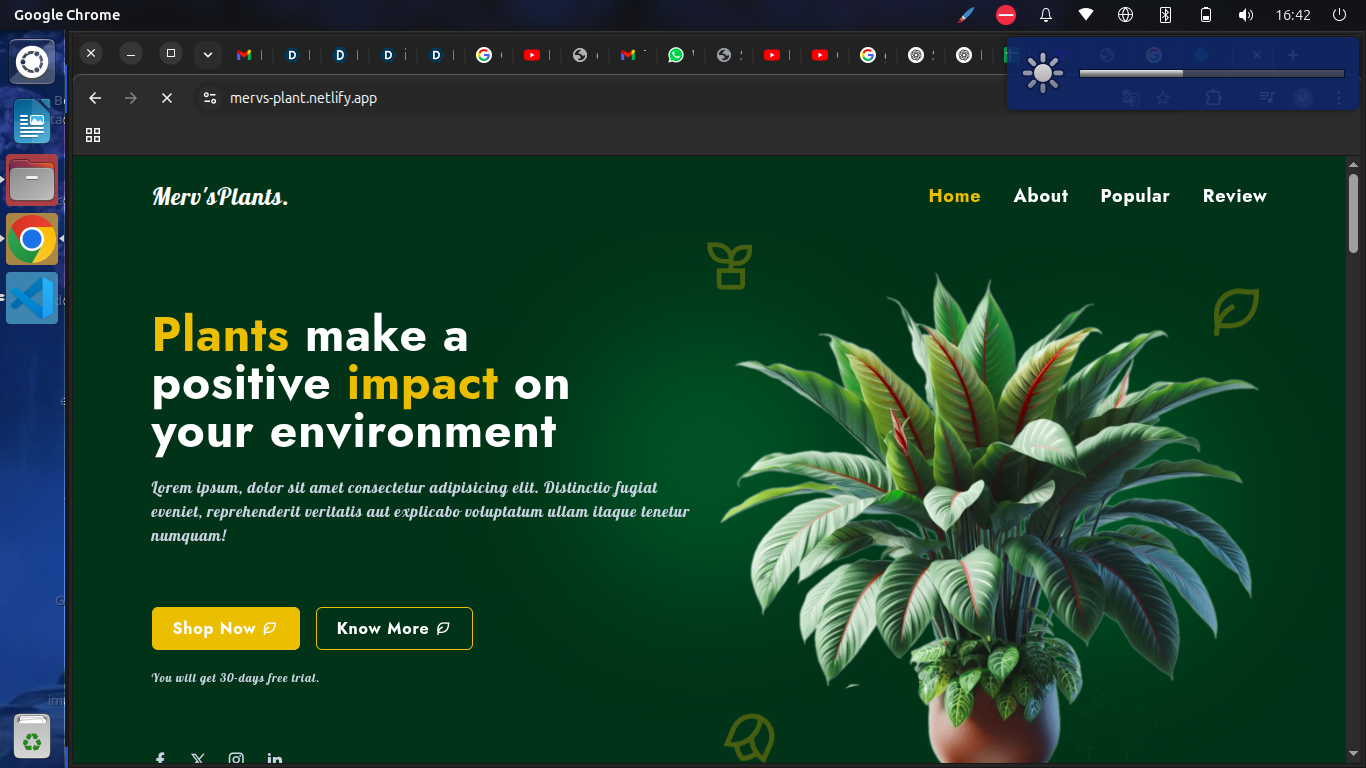
I’ve always enjoyed working with user interfaces, and I wanted a project that would help me improve my front-end development skills. I chose to create a plant-selling website because I love nature, and I thought an e-commerce layout would give me the chance to practice key UI components like product listings, filters, and a shopping cart.
What it does
The website allows users to browse a variety of indoor and outdoor plants, view details about each product, and add them to a shopping cart. It simulates a basic online shopping experience for plant lovers.
How I built it
I built the website using HTML, CSS, and JavaScript. I focused on responsive design to make sure it looks good on both mobile and desktop. I also used some CSS animations and transitions to enhance the user experience.
Challenges I ran into
One of the biggest challenges was making the layout fully responsive. It took some time to adjust the design for smaller screens. I also had trouble managing the cart logic with vanilla JavaScript, but I learned a lot through debugging.
Accomplishments that I'm proud of
I'm proud that I built the entire interface by myself and made it responsive. It’s the first complete project where I handled everything from layout to interactivity.
What I learned
I learned how to better structure HTML and CSS for scalability, how to write cleaner JavaScript, and how to debug more effectively. I also improved my understanding of responsive design and user experience principles.
What's next for PlantWebsite
Next, I plan to add a shopping cart, integrate payment functionality, and possibly connect it to a real backend. I’d also like to explore animations and improve the overall user interaction.


Log in or sign up for Devpost to join the conversation.