-
-
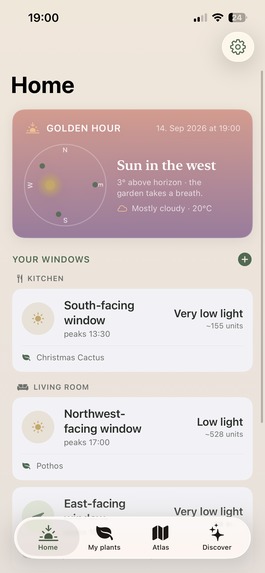
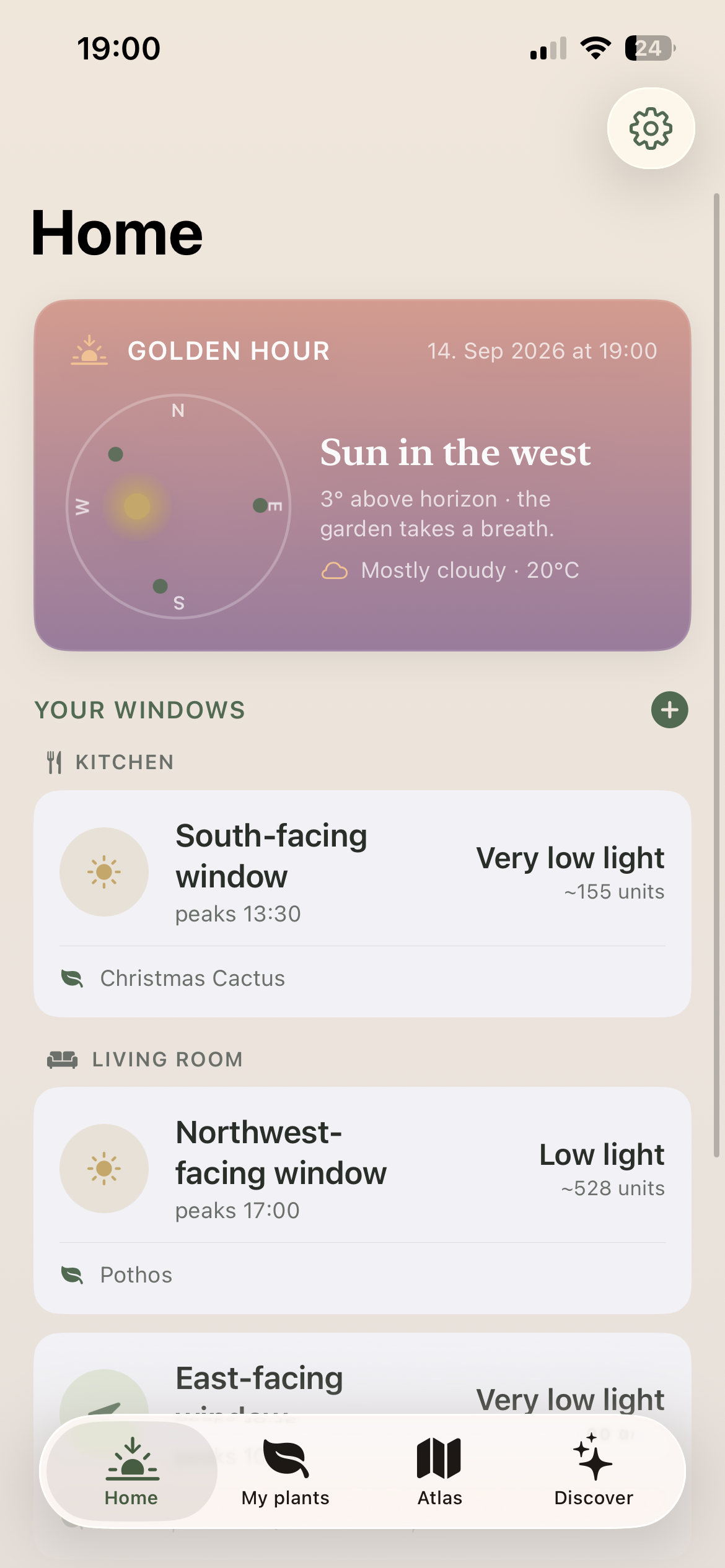
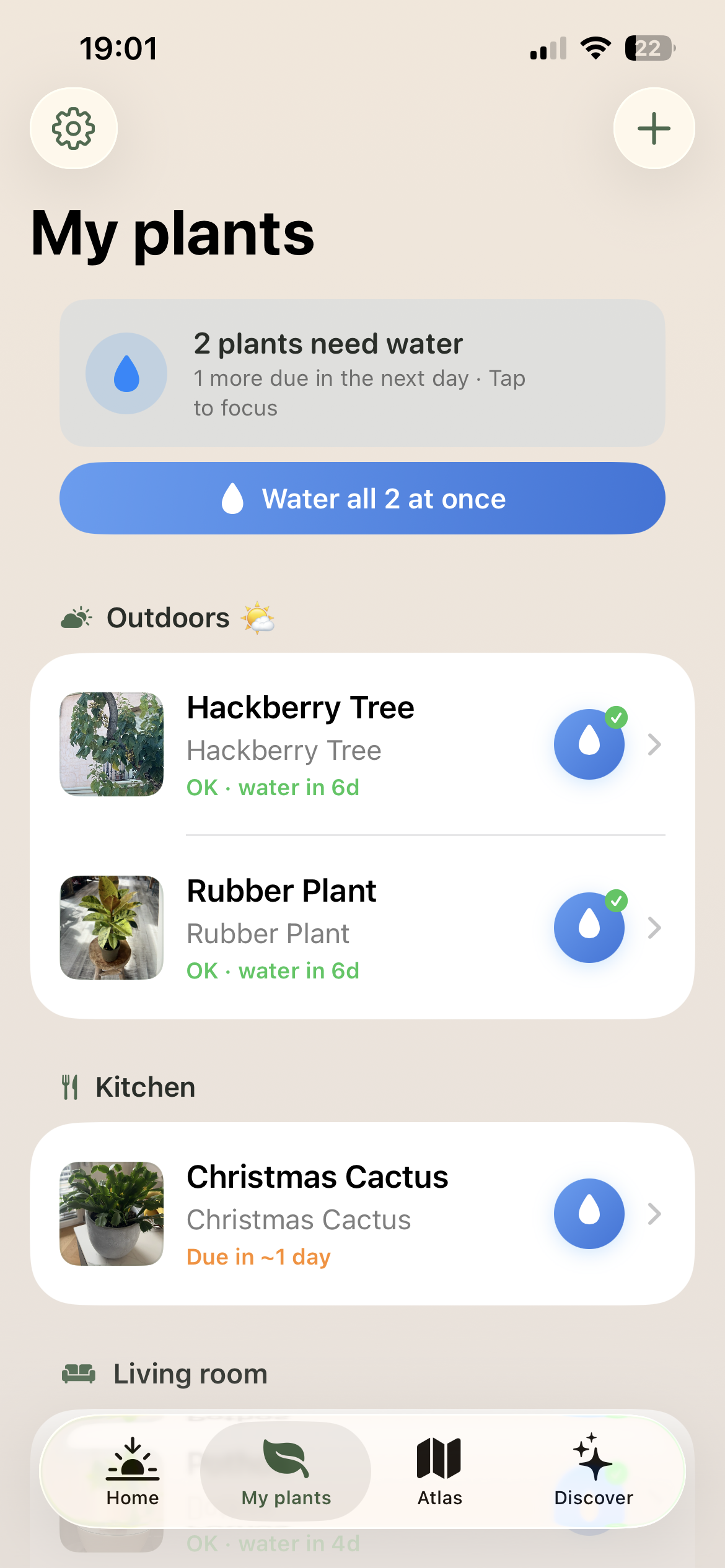
Home Screen, Weather Reminders & Rooms/Windows Overview
-
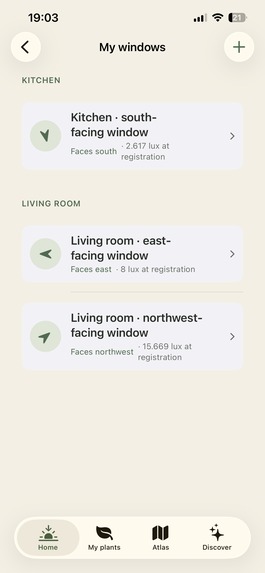
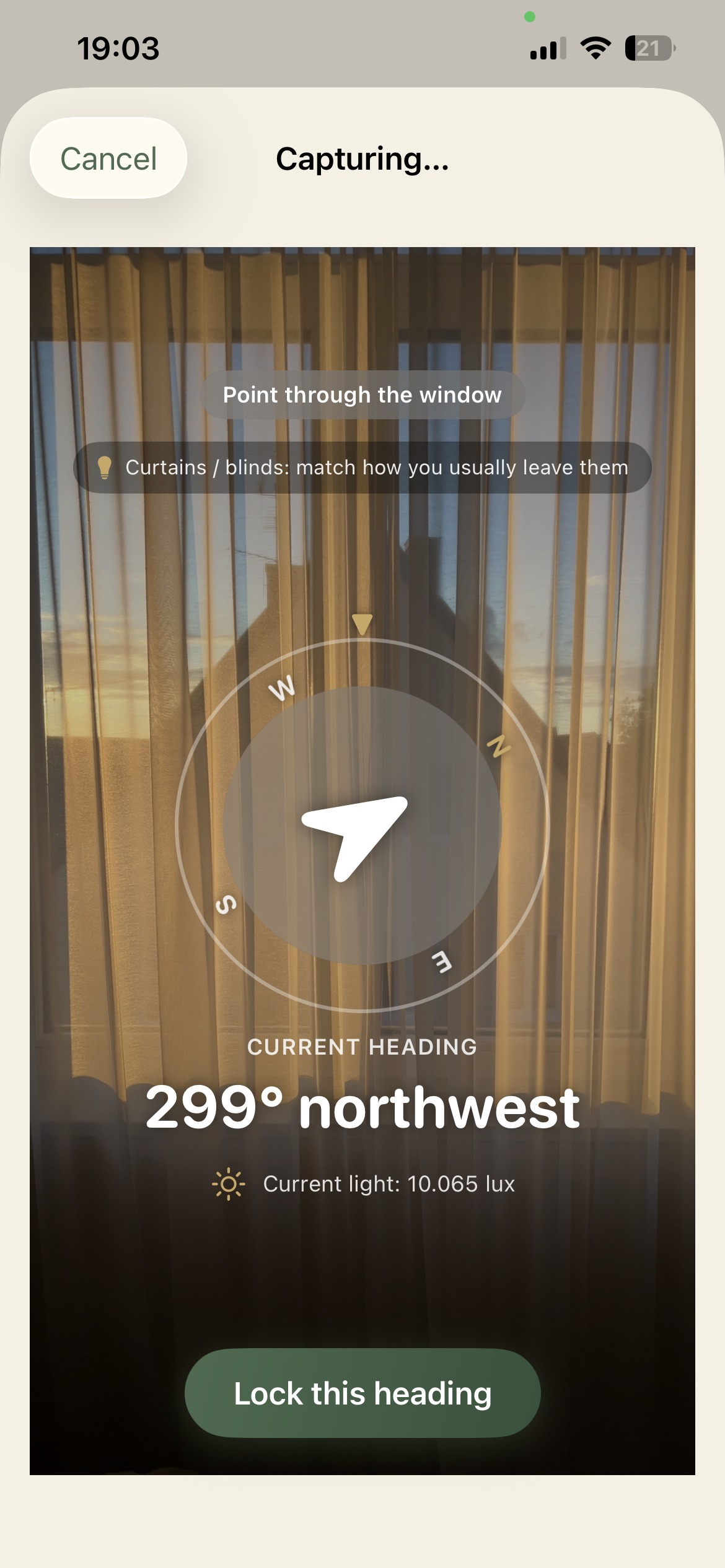
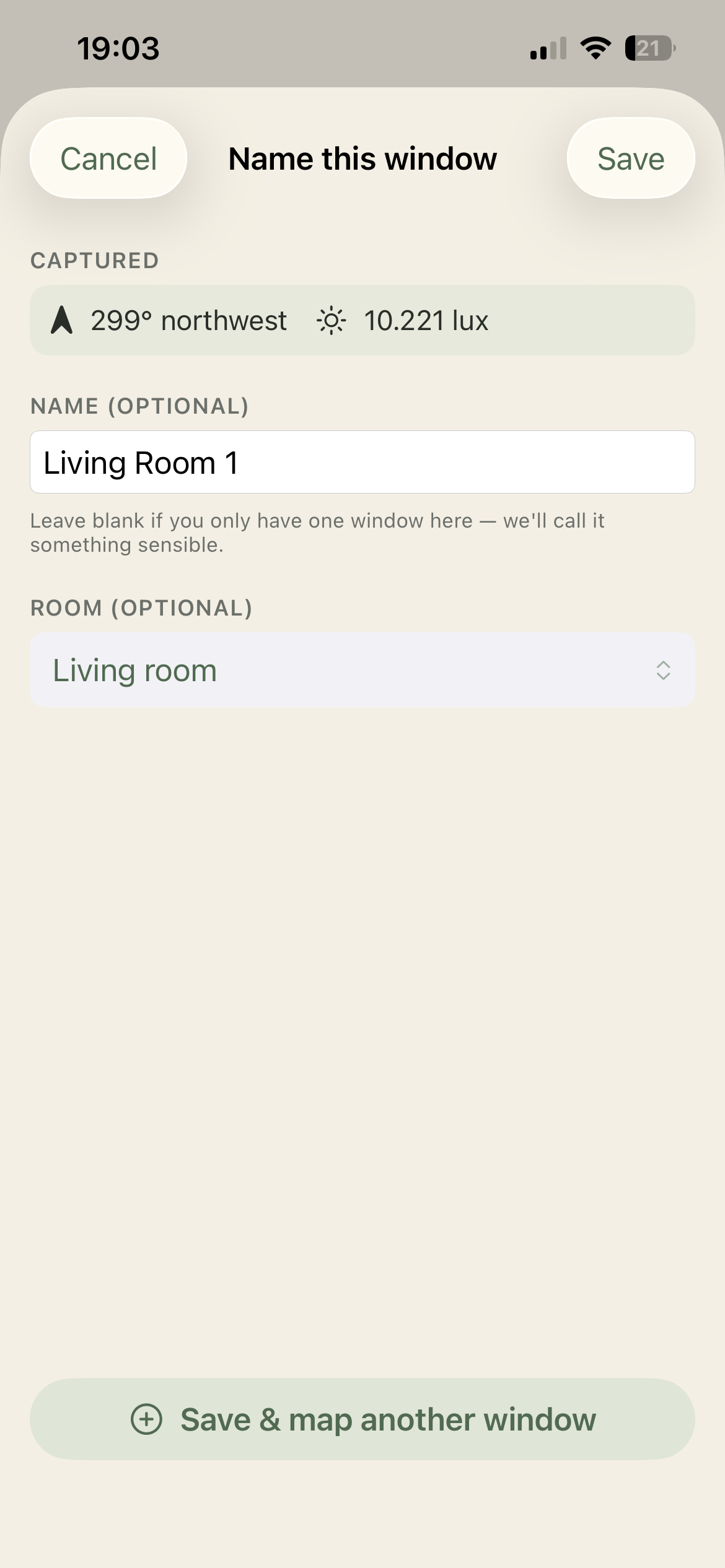
Map & Save a New Window
-
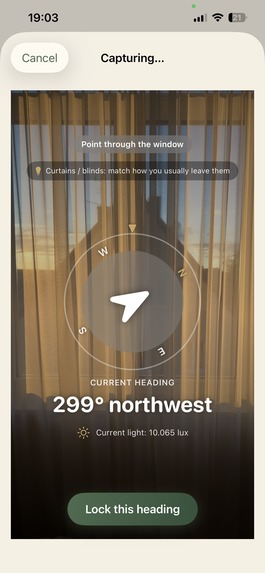
Map & Save a New Window
-
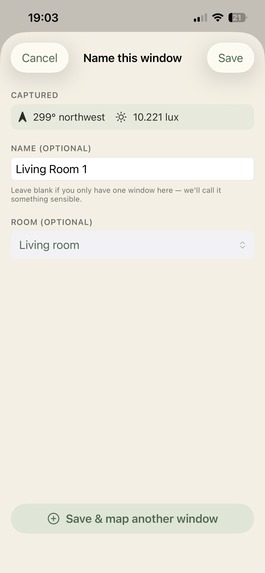
Map & Save a New Window
-
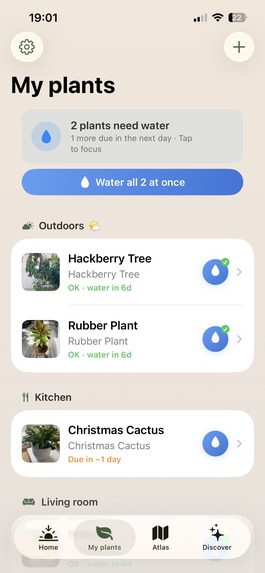
My Plants
-
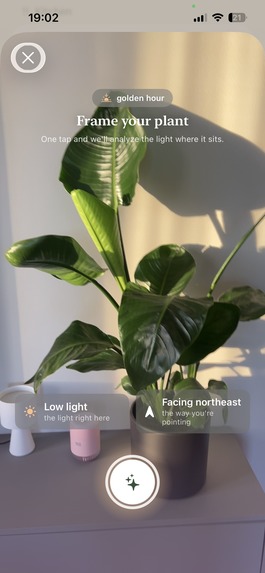
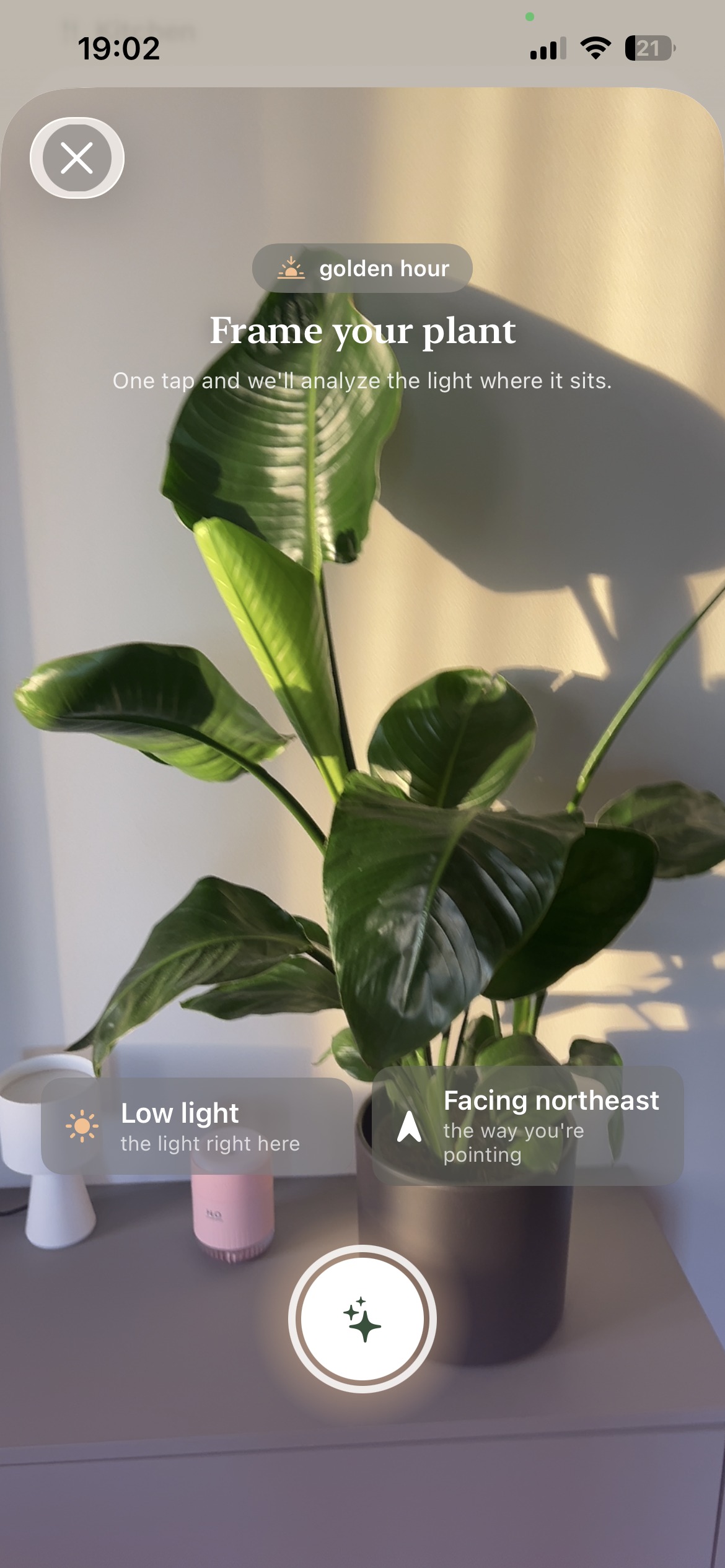
Adding a new plant & Light Identification
-
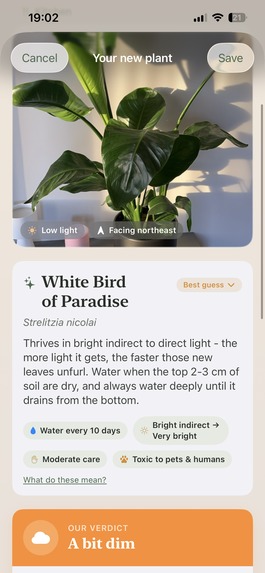
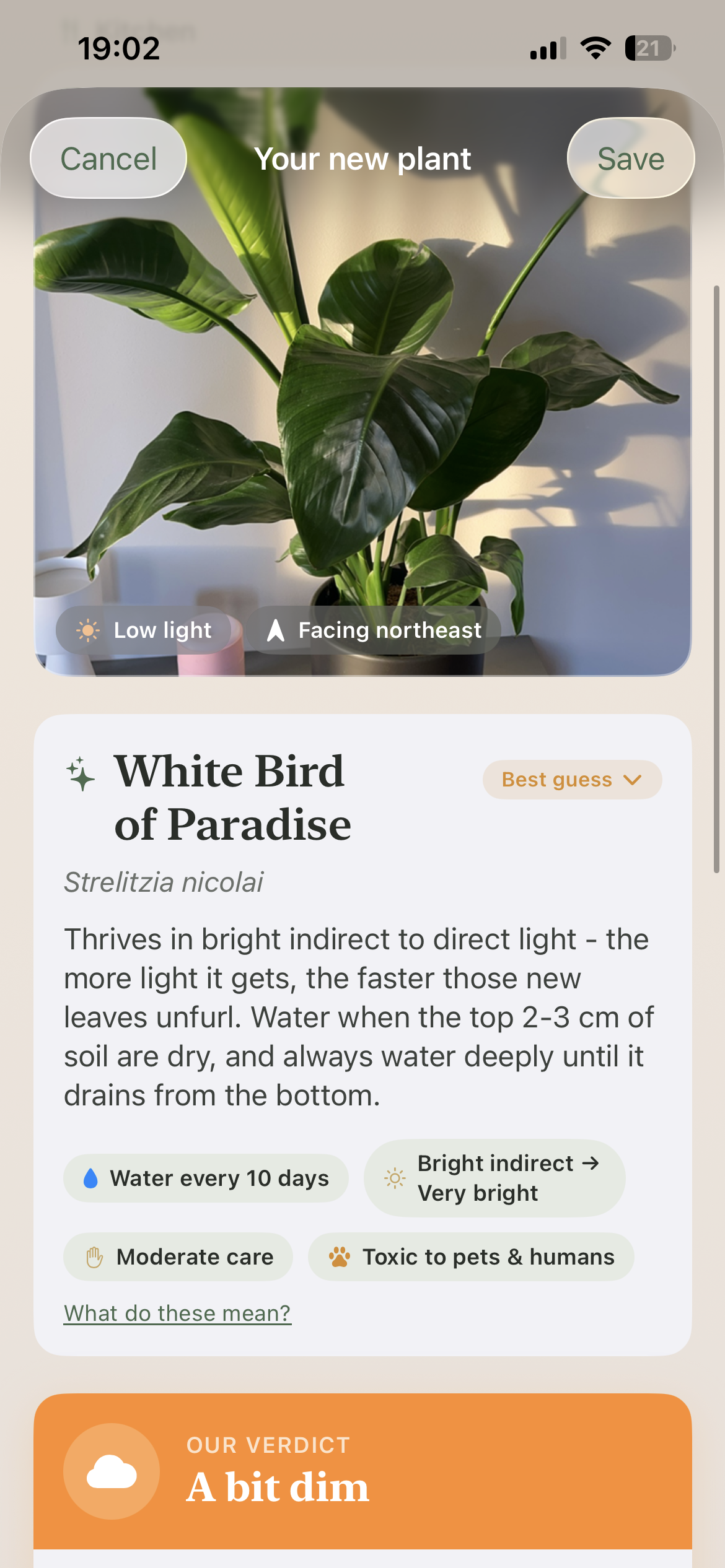
Plant Identification & Save
-
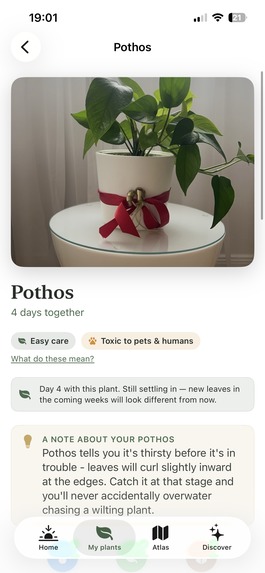
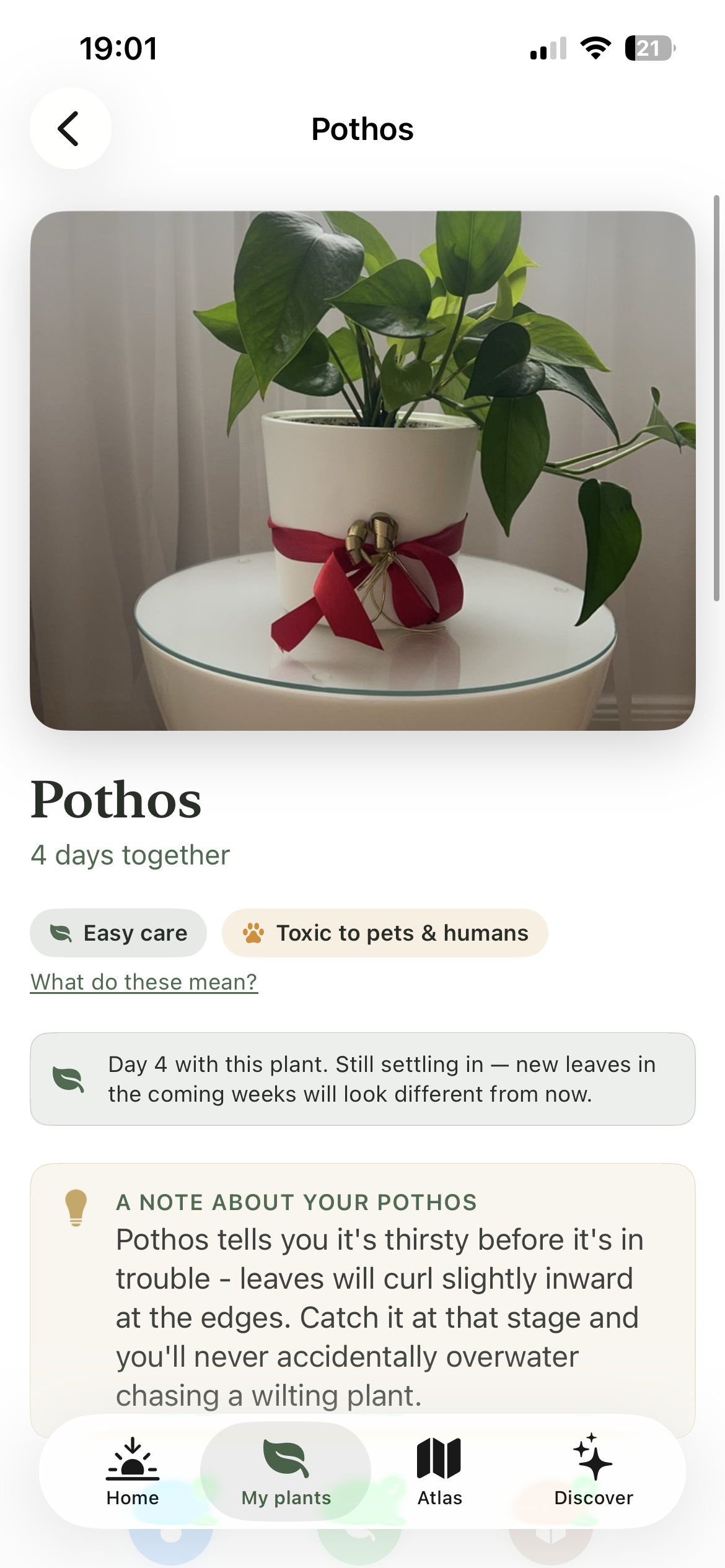
Plant Card - main
-
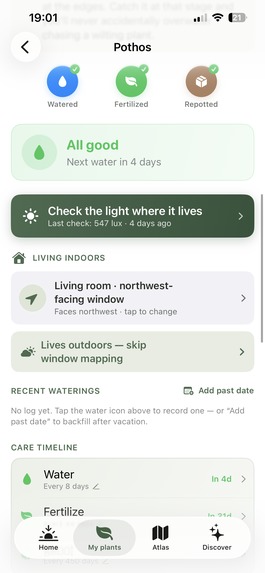
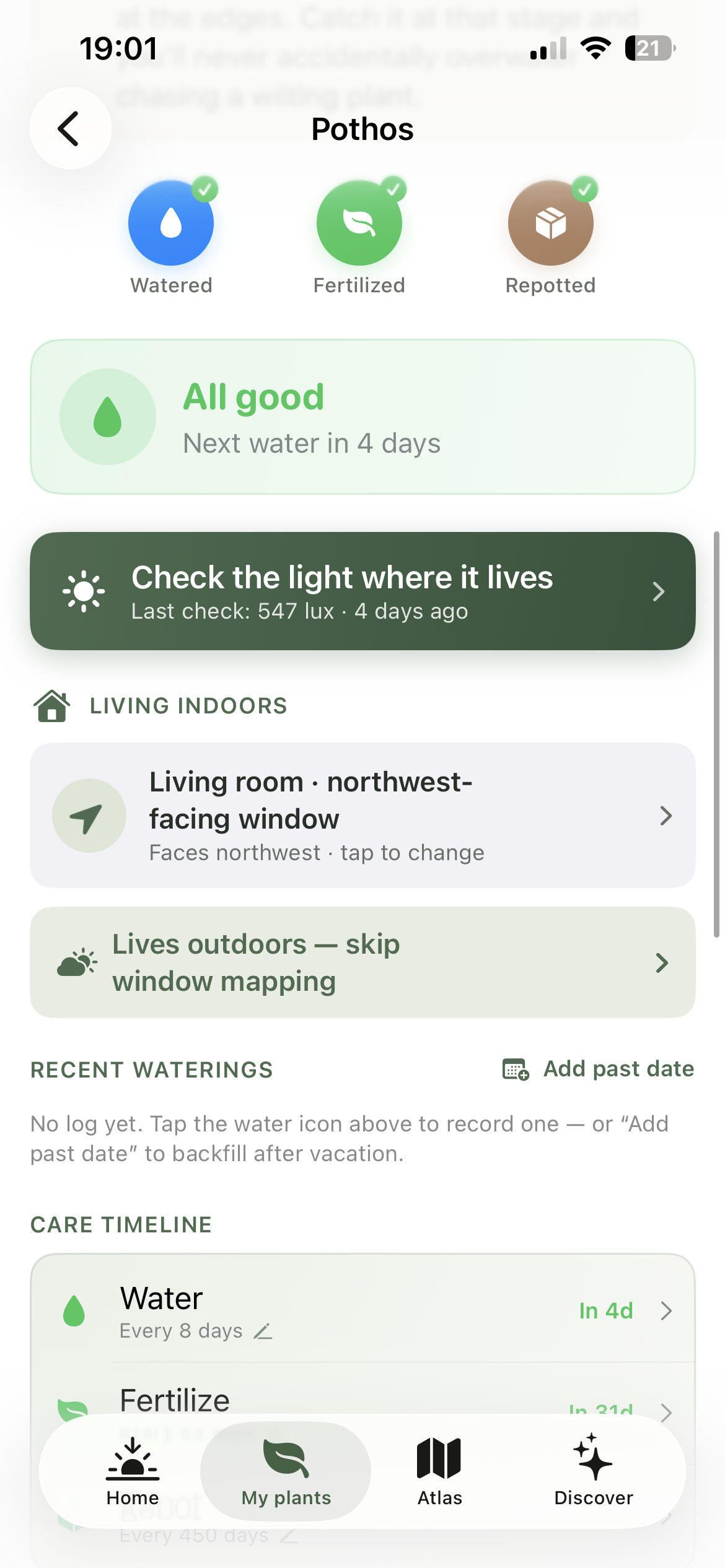
Plant Card - details
-
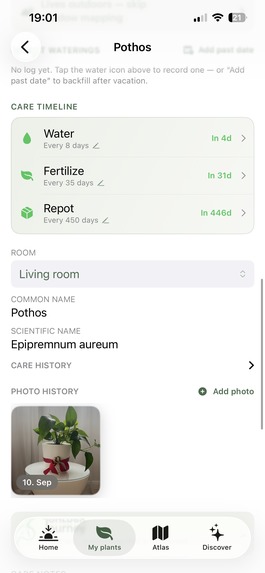
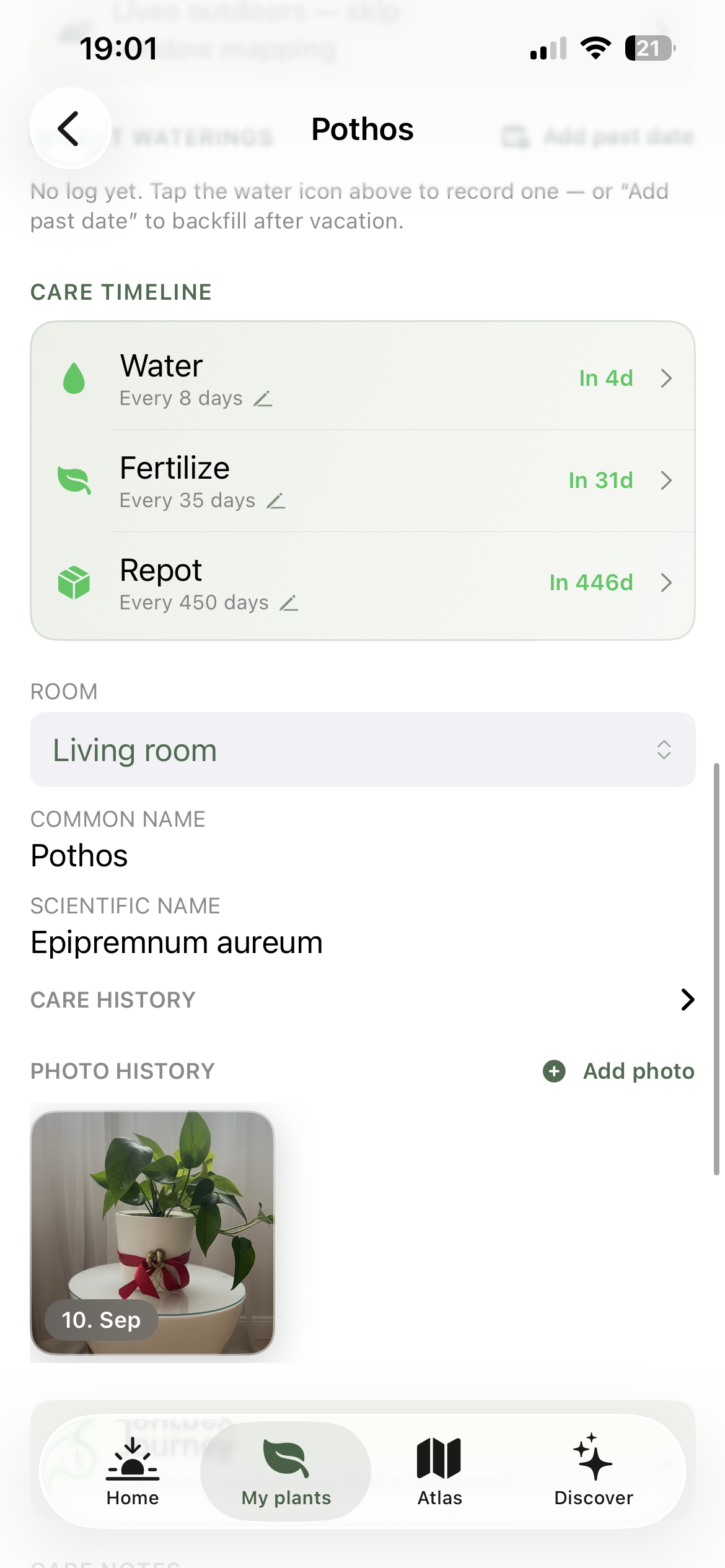
Plant Card - details
-
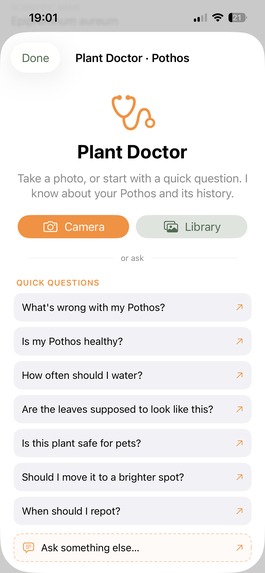
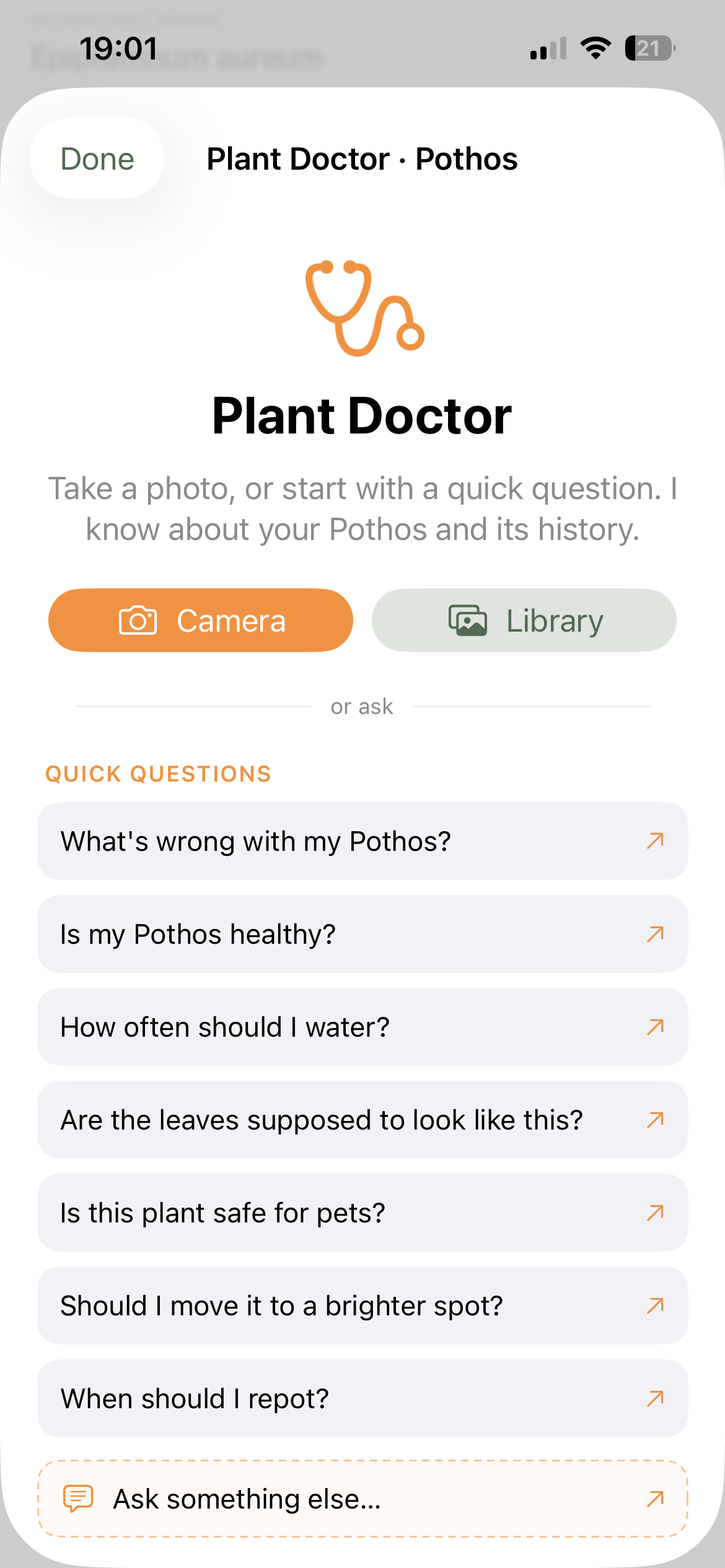
Plant Card - Ask the Doctor
-
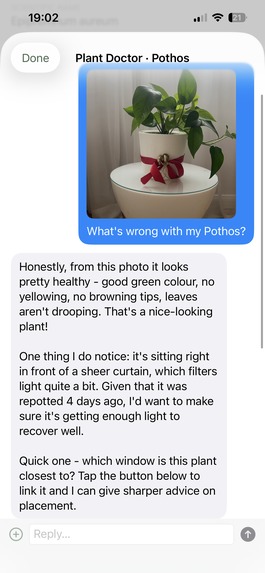
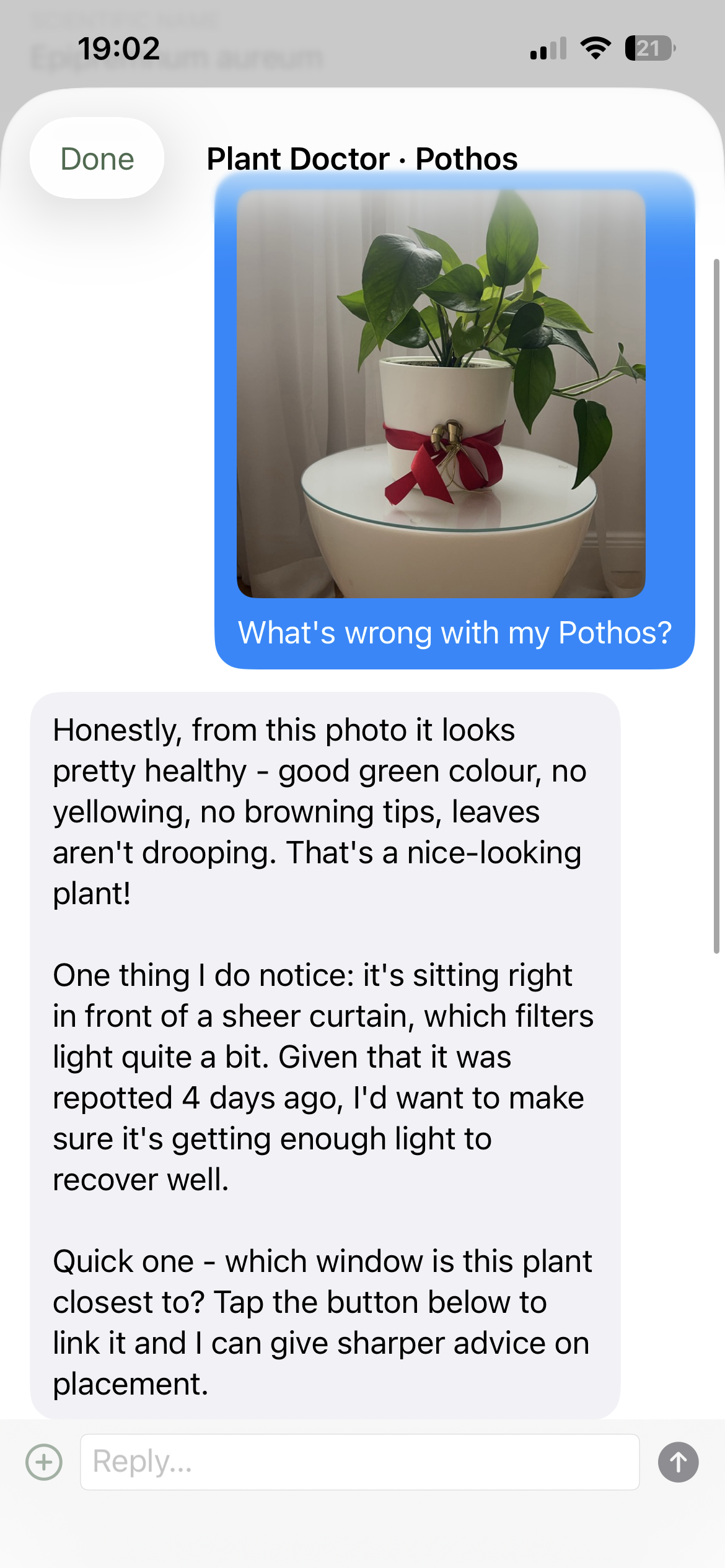
Plant Card - Ask the Doctor
-
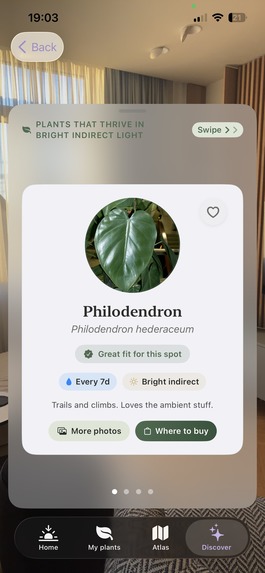
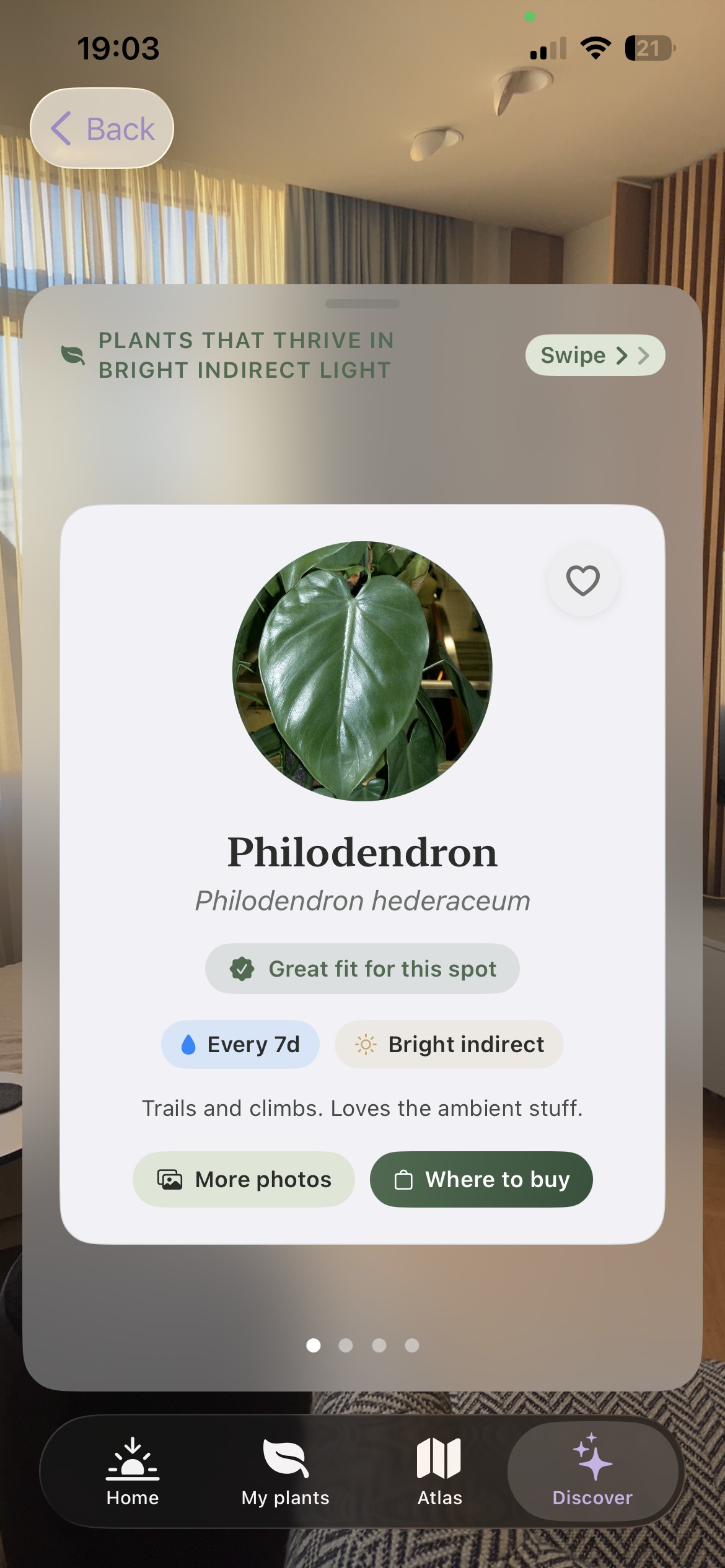
Discovery - Find a Perfect Plant for Your Room
-
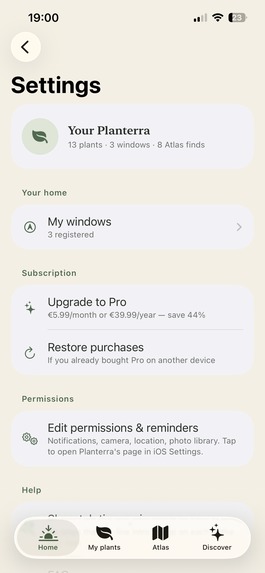
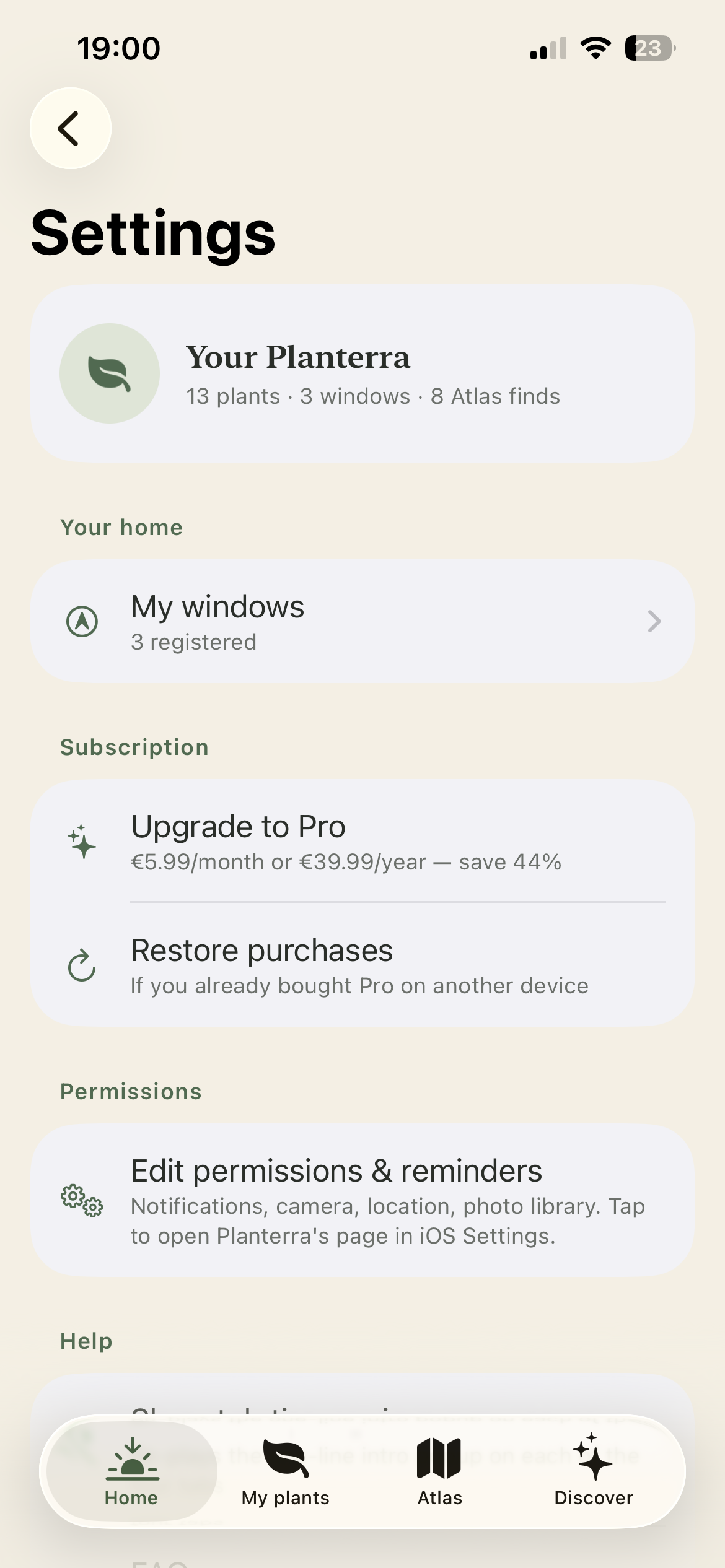
Settings Tab
Inspiration
I've killed more plants than I'd like to admit. I used PictureThis years ago: it identified my plant, told me "bright indirect light," and stopped there. My plant kept dying and I still didn't know why.
That "bright indirect" answer is everywhere in plant care apps, and it's basically useless: it means something completely different depending on which way your window actually faces and what time of year it is. Nobody was measuring it. And when something did go wrong, every diagnosis started from zero: no memory of what I'd already tried, no sense of my plant's actual history - just a one-shot guess based on a photo.
I wanted something that treated my plant less like a lab specimen I was running trial-and-error on, and more like something with an actual story.
This year it got specific. My Christmas cactus came back from a trip with weird spots on the leaves and I had no idea if that was serious or not. Around the same time I got a pothos as a gift and didn't even know where to put it. Those two became the actual test cases for what I built.
What it does
Planterra has two things I haven't seen anywhere else:
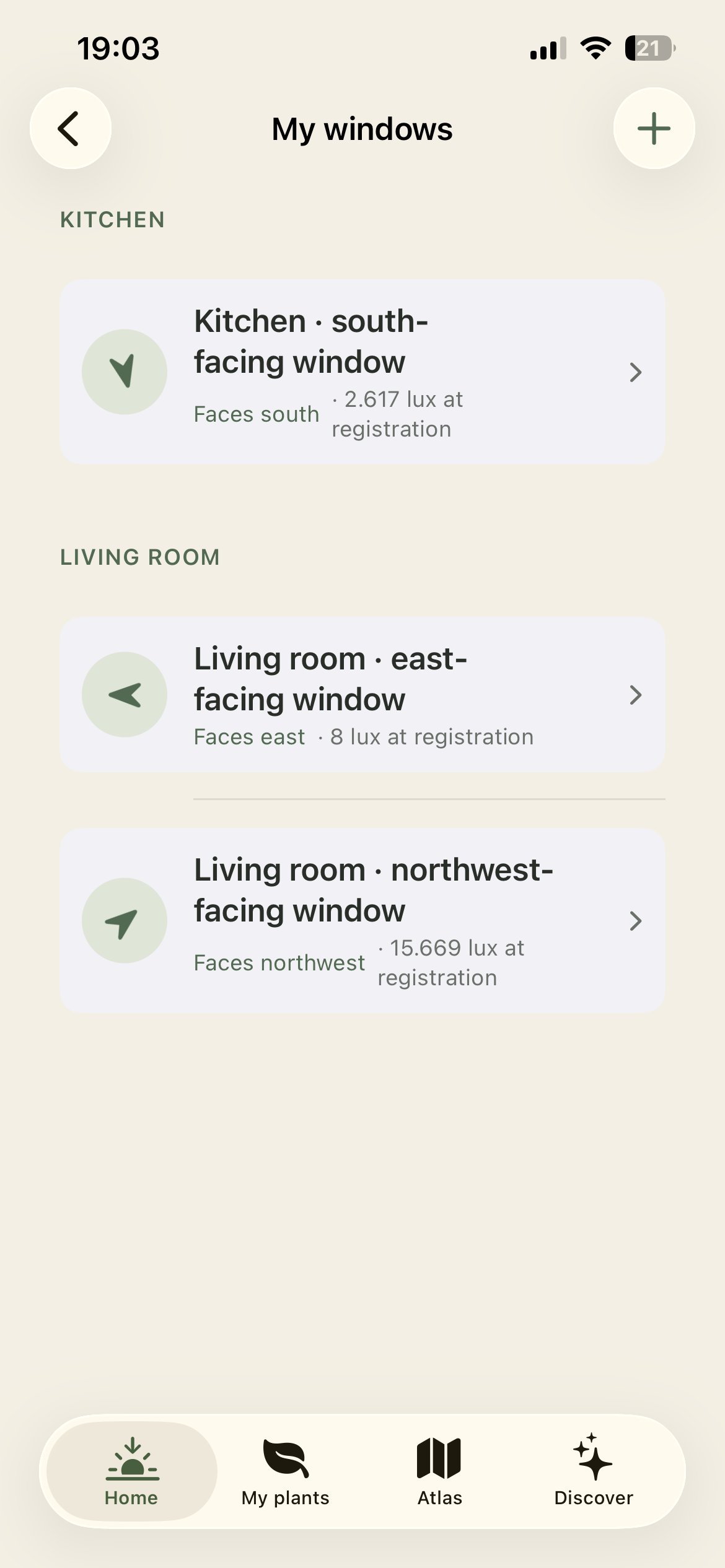
Sun-mapping: point your phone through each window once, and it captures the compass direction and calculates your real sun path, per room, per time of day and year. "Bright indirect" becomes an actual number, specific to your home.
A Doctor with memory: every plant has a running history: what was diagnosed, what was tried, what worked. The in-app chat reads that history before every consult, so advice builds on what's already happened instead of repeating something that already failed.
I didn't want an app that just sits there and hands you answers. I wanted it to feel like something's actually there with you while you figure it out.
How I built it
Planterra is a native SwiftUI app (iOS 18.6+), built solo, and a few early decisions shaped everything that came after.
The first was privacy. I didn't want plant photos or location data sitting on a server somewhere, so there's no backend for user data at all: everything is stored fully on-device, no accounts, nothing to log into.
The second came out of my own recurring complaint with plant apps: "bright indirect light" told me nothing useful. So sun-mapping works by having the user point their phone through each window once: the app captures compass direction via CoreLocation and computes the real sun path per room, using time-of-day and time-of-year data cross-referenced with Open-Meteo weather. A measurement instead of a guess.
The Doctor was the harder build. I wanted it to actually remember a plant's history instead of treating every question like the first one it had ever heard. It runs on Claude, called through a lightweight Deno Deploy proxy that keeps the API key server-side and rate-limits per device. Every plant has a running "patient card" of notes that the Doctor reads before each consultation, so advice builds on history instead of starting from zero every time.
Subscriptions run through RevenueCat, crash reporting through Firebase Crashlytics, the unglamorous plumbing every indie app needs.
I used Claude (via Claude Code and Cowork) throughout the build: not just as the product's own AI feature, but as a dev partner for the Swift codebase itself, debugging Apple Store review rejections, and drafting App Store metadata. As a solo founder, that made a genuinely one-person-built app feasible on a real timeline.
Challenges I ran into
The plainest challenge threaded through everything else: doing this entirely alone. Engineering, design, App Store compliance, legal setup, launch marketing - there was no one to hand any of it off to, and no one to sanity-check a decision with. Somewhere in the middle of it, I started looking for other builders in indie-dev and hackathon communities. Not for code, just for the reminder that other people were doing the same thing solo, at the same time.
Inside that, a few specific things stand out.
Apple rejected the app twice during review. First for a missing EULA link in the app description, that was a one-line fix, easy to miss. Second, and more involved, for onboarding permission screens that had "Skip" escape buttons on the location/notification requests: Apple's guidelines require a single "Continue" path straight into the system prompt, no soft-decline options baked into the UI. Rewriting that flow also meant re-testing every permission path (camera, location, photos) to make sure none of them regressed.
The sun-mapping feature was its own challenge: getting compass-direction capture accurate enough to be useful, then translating "this window faces southeast" into an actual light-quality estimate per room, per season, without it feeling like a gimmick.
Cost control on the Claude-powered Doctor was a real constraint as a solo indie dev, too - an unbounded AI feature is a real financial risk without a team monitoring it, so I built a proxy layer with per-device rate limiting and a manual kill switch.
Accomplishments that I'm proud of
Shipped solo to the App Store on August 7, 2026. Early organic App Store discovery signal within the first 24 hours, with zero paid traffic or shared links.
As a solo founder, I also didn't limit myself to one channel: Instagram, TikTok, app directories, Substack (completely new to me), Reddit, Product Hunt. Instagram has been the standout: real, organic follower growth in the first month with no paid amplification behind it. Testing across six different channels alone, in the same week as building and shipping the app itself, taught me more about what actually works than any single channel would have on its own.
What I learned
Apple's review guidelines are stricter and more literal than they look on paper: "Skip" buttons on permission screens seem harmless until you learn they violate 5.1.1(iv). Building a pre-Archive compliance checklist against Apple's actual guideline numbers (not just intuition) would have saved a review cycle.
Claude-assisted development changed what's realistic for a solo founder. Debugging Swift, drafting App Store metadata, and building the backend proxy all moved faster with an AI pair - genuinely the difference between shipping this alone in months versus not shipping it at all.
On the product side: the two features people respond to most: real sun-mapping instead of "bright indirect," and a plant doctor that remembers history instead of restarting from zero, - only became obvious as differentiators after watching testers actually use generic plant apps and get frustrated by amnesia and vague light advice. The insight came from user behavior, not a spec.
And the least glamorous lesson: launch is not a spike, it's the start of a slow compounding curve. Day 1-2 with near-zero organic traffic isn't failure signal, it's just Day 1-2.
What's next for Planterra
Right now, Planterra's memory works per-plant: the Doctor remembers one plant's history. The next layer is remembering you: tracking your growth as a plant parent across everything you own, not just each individual case.
That's the start of a bigger arc: Rookie to Plant Parent. Not a badge for opening the app, but a real, earned progression - one plant at a time, milestones that mark an actual shift from guessing to knowing what you're doing. Long-term, that means certification for people who've genuinely leveled up, a real community layer instead of an app used alone in silence, and enough of a game loop that checking on your plants becomes something people want to do, not something they forget to.
The technical foundation - sun-mapping, patient-card memory, on-device privacy - already exists. The next 90 days are about building the parts of that arc that are honest enough to earn it, not just announce it.
Built With
- anthropic-api
- appstoreconnect
- claude-api
- core-data
- core-location
- deno-deploy
- firebase
- firebase-crashlytics
- ios
- json
- open-meteo-api
- rest
- restapi
- revenuecat
- storekit
- swift
- swiftui
- testflight
- uikit
- xcode


Log in or sign up for Devpost to join the conversation.