Inspiration
I grow agaves and wanted somewhere to keep a growing log. I tried several existing apps and could not stick with any of them; one showed an ad every time I saved an entry. So I built my own. It started as a watering planner, but after using it for real it became clear that watering rarely goes to plan. The app turned into a journal first, with care as a supporting feature.
What it does
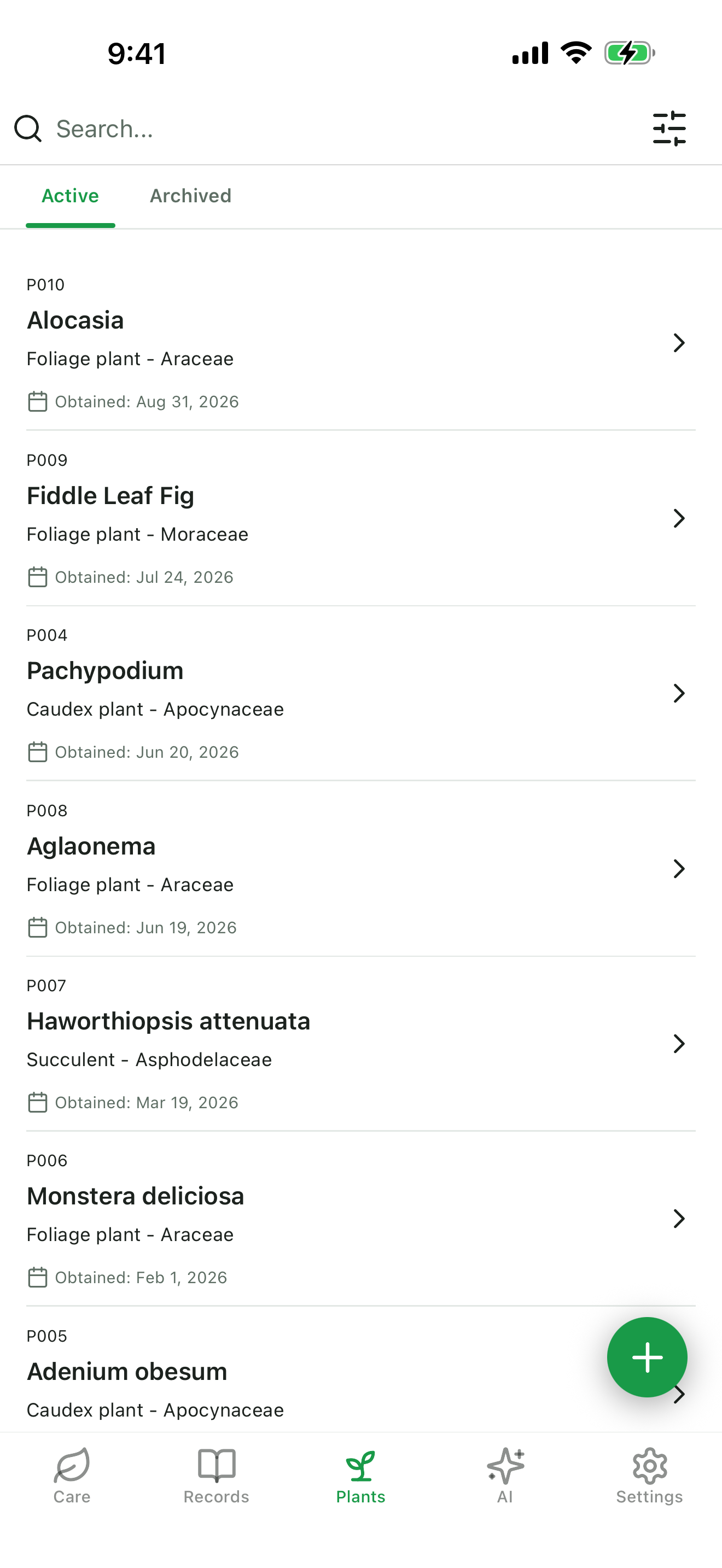
Plant Record is a journal-first app for people who grow more plants than they can remember the details of. You write down what changed today — in text, photos, kinds, and tags — and the app turns those entries into the two things you actually need later: which plant needs attention next, and what you did to it last year.
Watering management is a supporting feature, not the point. The point is the record.
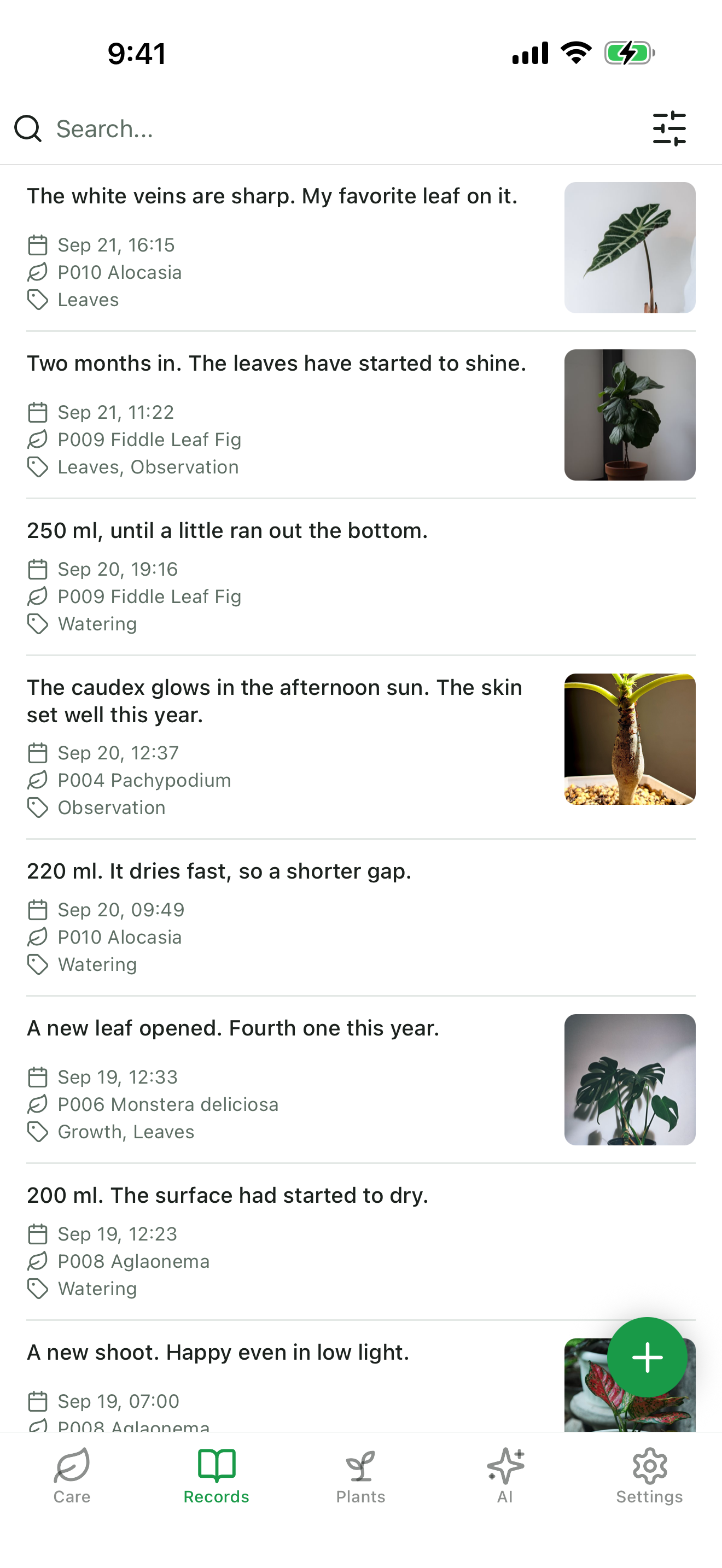
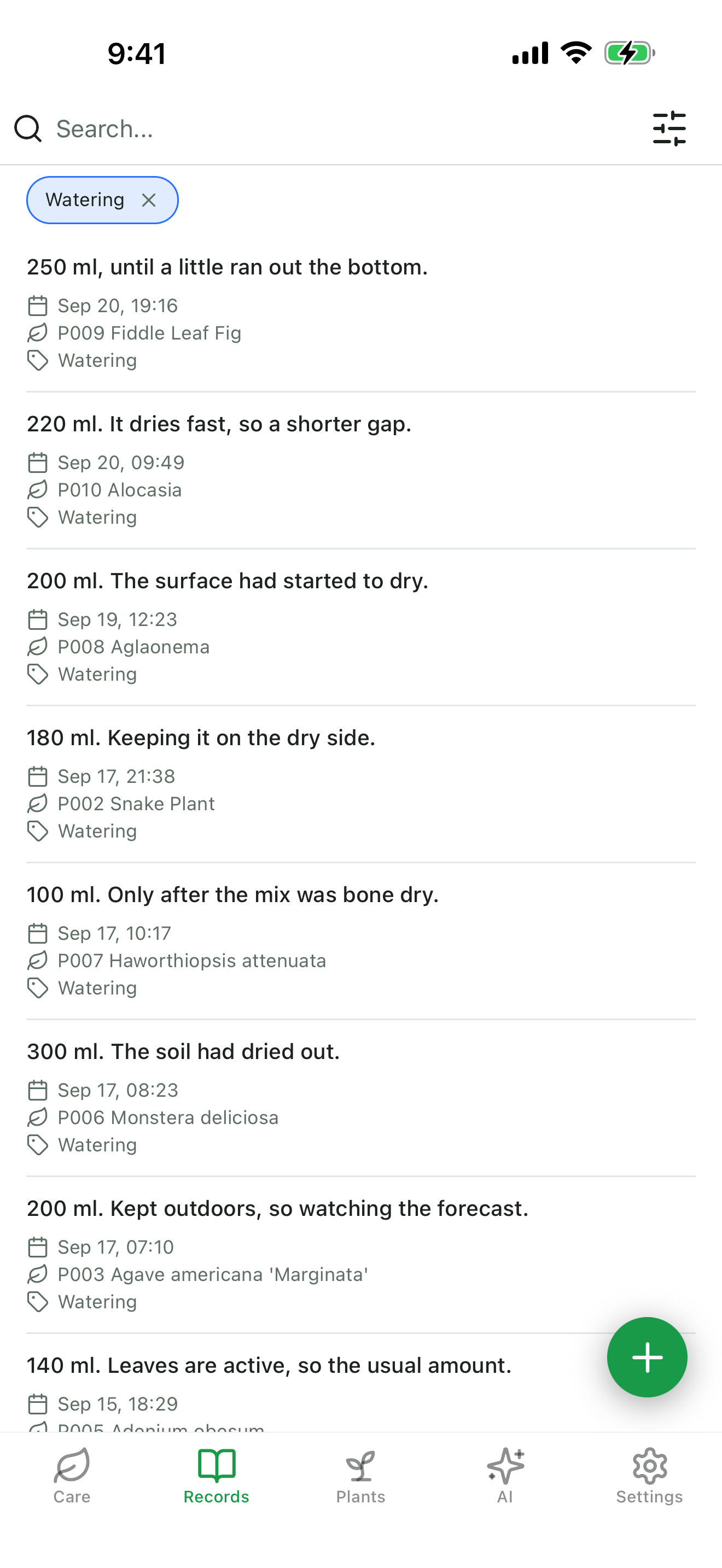
- Write a record. Text, photos, kinds, and tags. One entry can cover several plants at once, so "spring repotting, twelve pots" is a single write, not twelve.
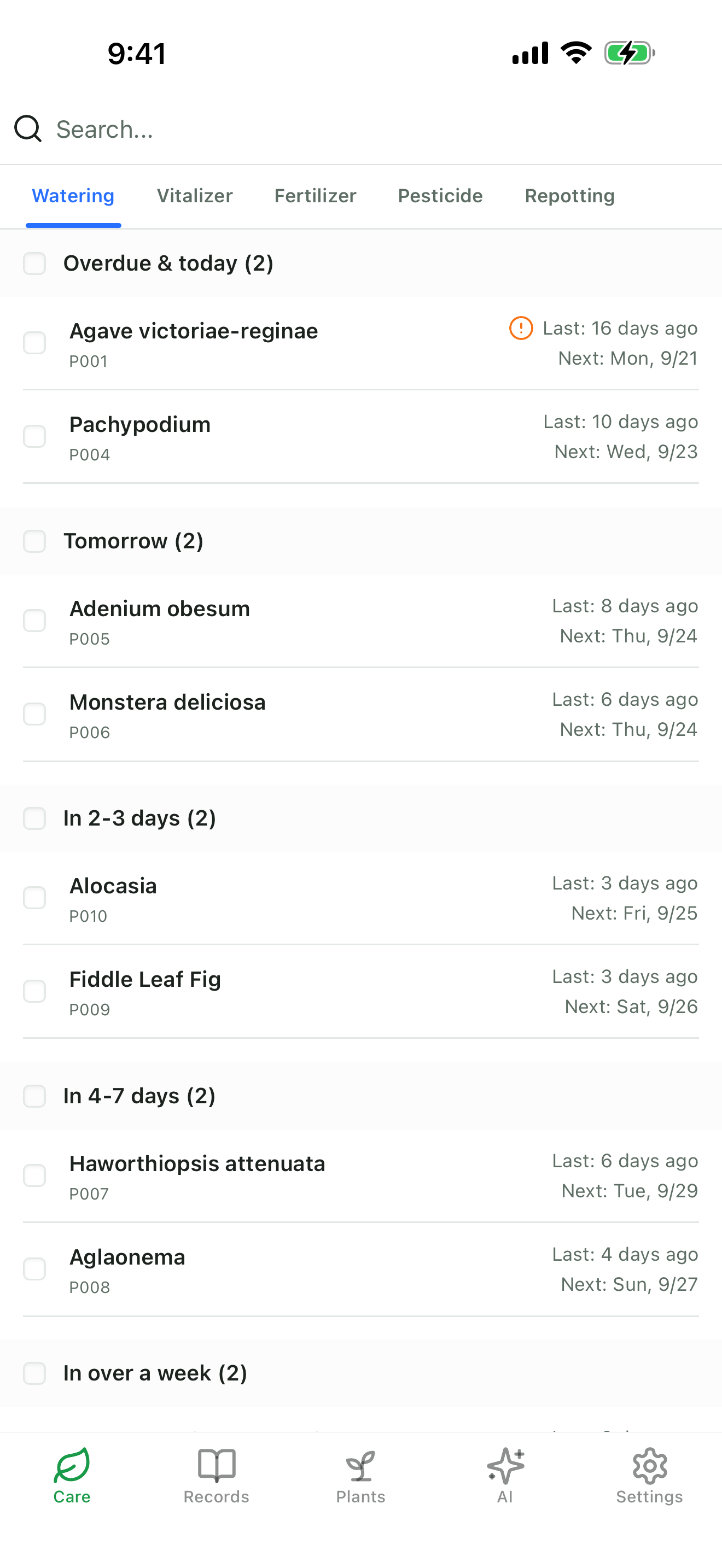
- See which plant is next. The Care tab has a view for each kind of care — watering, vitalizer, fertilizer, pesticide, repotting. Watering groups plants by an estimated next date; the others list plants by how long it has been, and repotting adds a next date too. The estimates come from that plant's own recent intervals, not a fixed schedule.
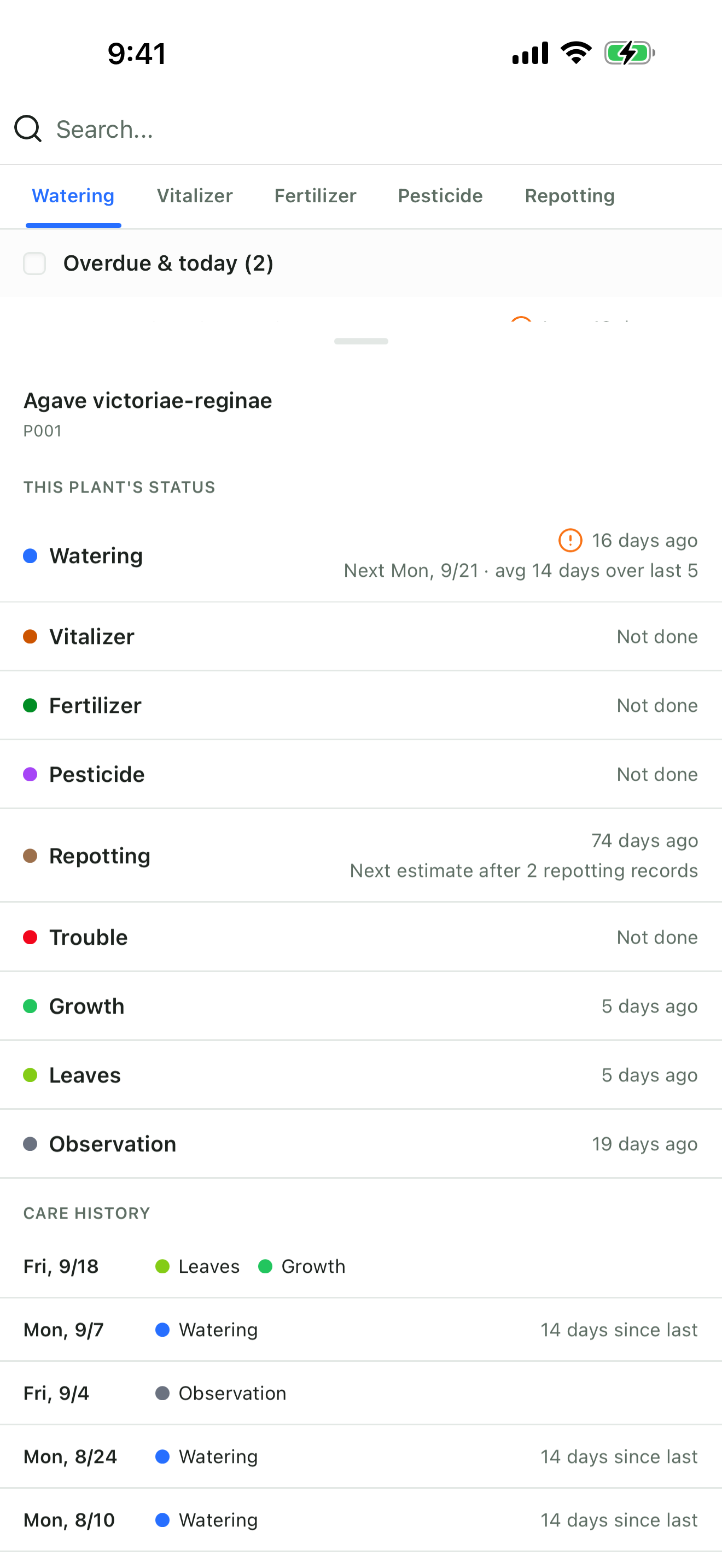
- Check one plant before you act. Each plant has a care sheet: its care intervals and latest records in one place, so "can I feed this one yet?" is answered on the spot. Long-press a plant in the Care tab or in the record form's plant picker to open it; the plant's own page shows it inline.
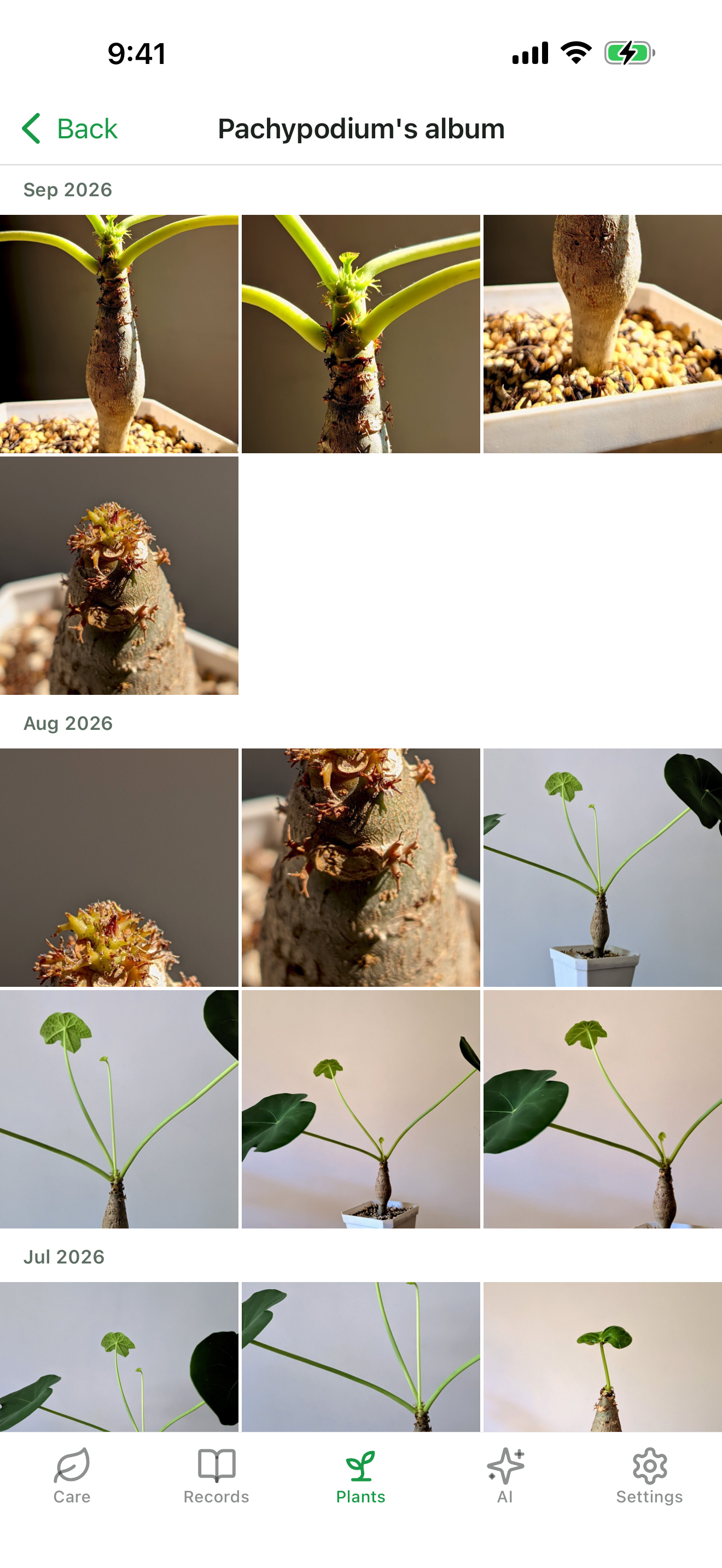
- Look back through photos. Every photo lands in that plant's album, in order, so new leaves and color shifts are easy to see across seasons.
- Follow a kind. Every record can carry any of six kinds — watering, vitalizer, fertilizer, pesticide, repotting, trouble — separate from the tags you create. Filter by one and the same care lines up across years.
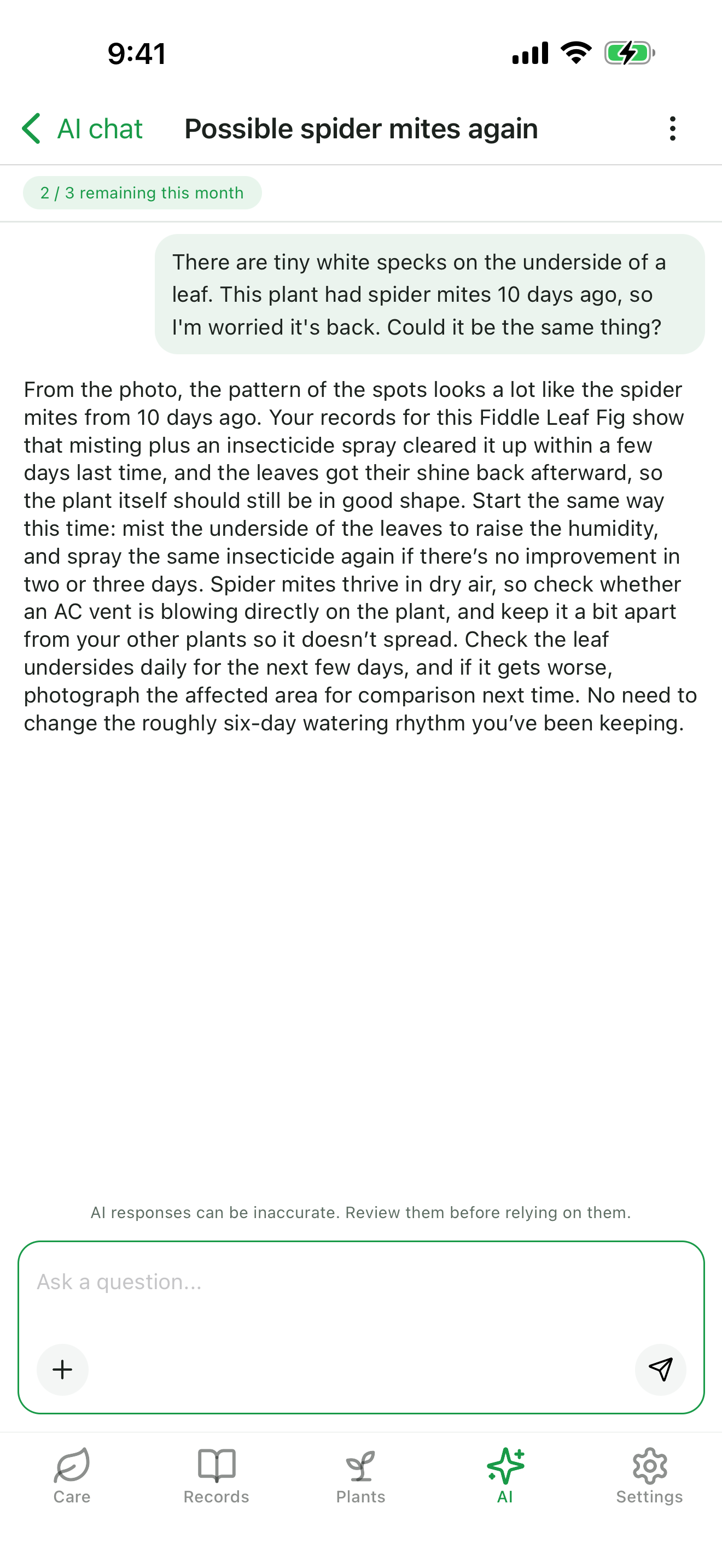
- Ask AI. Attach a photo and ask about a specific plant. The answer takes that plant's own record history into account, not just the image.
- No notifications. Watering rarely goes to plan, so the app never nags. Open it and the plants that need attention are already at the top.
- Start without an account. You can write from the moment you install it. Creating an account syncs across devices and survives a reinstall.
Subscriptions run through RevenueCat, with a Standard and a Pro tier, monthly and annual. The free tier keeps the core journal intact: records, photos, albums, the Care tab, care sheets, and all six kinds. What the paid tiers add is Ask AI volume, custom tags, more photos per entry (10 instead of 5 on a free account), no ads, and web search on Pro.
How we built it
- Mobile: Expo (React Native), Expo Router, TanStack Query, NativeWind
- API: Hono on Cloudflare Workers, D1 with Drizzle ORM, Better Auth for anonymous and social sign-in, R2 for photos
- Subscriptions: RevenueCat, with the API resolving each user's tier from RevenueCat and persisting it in its own tier table
- AI: Anthropic Claude, streamed over SSE, with per-tier monthly quotas enforced server-side
- Everything is a monorepo: pnpm workspaces, with the marketing site on Astro
Challenges we ran into
- Separating built-in kinds from tags while older versions were still in use. Kinds moved to their own table. During the transition every write went to both places, and a minimum-version check (HTTP 426) moved older app versions forward before reads switched over.
- An Apple-Photos-style zoom that React Native's Modal could not do. Modal is a separate native window, so the transition could not be synchronised with the page underneath. The photo viewer was rebuilt as a transparent route instead.
- A first App Store rejection. The first review failed on two points: the subscriptions had not been submitted alongside the build, and the reviewer asked about App Tracking Transparency. Both were resolved and the app was resubmitted the same day, then went live on September 6.
- Database round trips that add up. Each round trip to the production database takes a noticeable fraction of a second, and the app's startup made them one after another. Batching the queries cut startup from 18 sequential round trips to 2.
Accomplishments that we're proud of
- The first public version shipped on September 6, inside the Shipaton window, followed by four updates (1.0.1 to 1.3.0).
- The free tier is a complete journal: records, photos, albums, the Care tab, care sheets, and all six kinds.
- There are no push notifications, and no ads on the screens where you write.
- The judges' offer code was verified end to end in production, with RevenueCat and my own server agreeing on the same expiry, to the second.
- The app's interface is fully available in English and Japanese.
What we learned
- Only predict what can be predicted. Watering and repotting get a next date from each plant's own intervals; seasonal care does not pretend to.
- The server has to be the authority on what a tier allows. Quotas, photo limits, and web search are all enforced there, not in the client.
- A record is only useful if writing it is cheap. That is why one entry can cover several plants, and why the Care tab can start an entry for the plants you have selected.
What's next for Plant Record - For Collectors
- Android: the app is in internal testing on Google Play, and the public release comes after closed testing.
- Short video clips on records, starting from where to store them and what they cost.
- Data export, so the record belongs to the grower.
Built With
- admob
- anthropic
- astro
- better-auth
- claude
- cloudflare-d1
- cloudflare-r2
- cloudflare-workers
- drizzle-orm
- expo-router
- expo.io
- hono
- maestro
- nativewind
- pnpm
- react-native
- revenuecat
- tanstack-query
- typescript


Log in or sign up for Devpost to join the conversation.