
Inspiration
What it does
How we built it
Challenges we ran into
Accomplishments that we're proud of
What we learned
What's next for PlanSync Tasks & Parallel Timers
Inspiration
I have ADHD, and time is invisible to me. Every timer app I tried was built for someone else's brain: one timer at a time, hidden behind three taps, and gone the moment the phone locks. My real day looks like a tea steeping, a focus sprint and a meeting in 25 minutes, all at once. So I built the tool my brain needed: capture a task in a second, plan the day, and keep several countdowns visible where I actually look — the lock screen and the Dynamic Island.
What it does
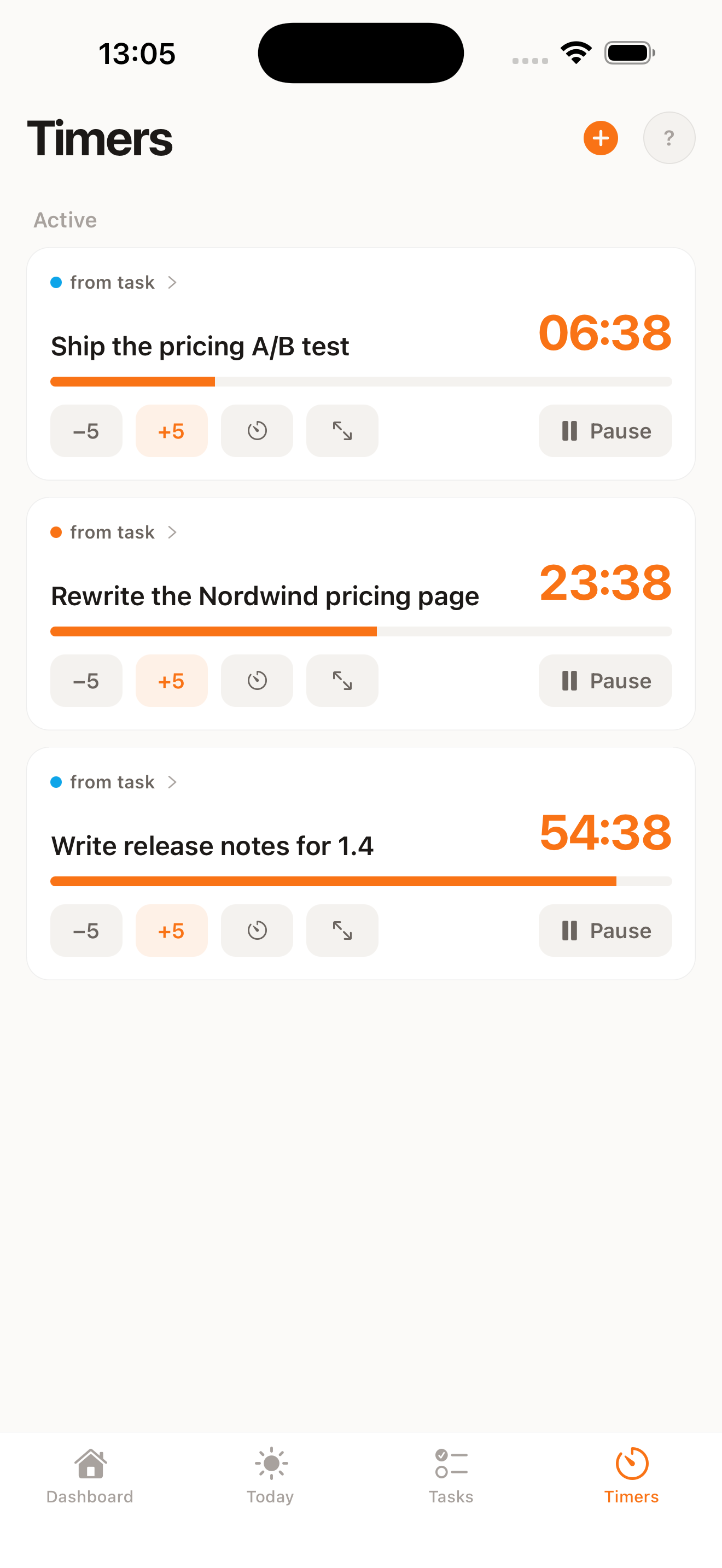
PlanSync is task capture plus parallel visual timers, built for ADHD brains.
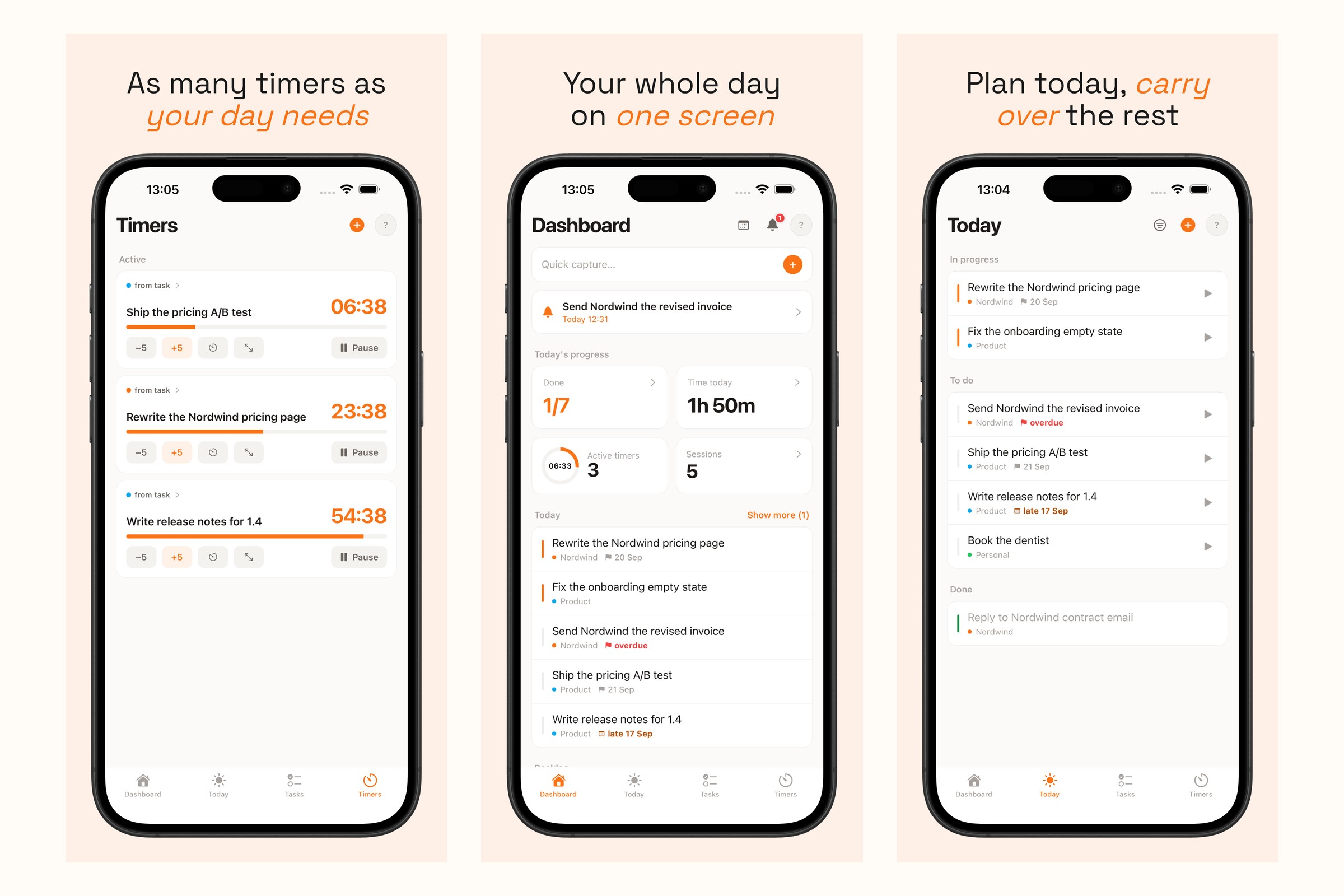
- Several timers at once, each a Live Activity on the lock screen and in the Dynamic Island, with a full-screen alarm (AlarmKit on iOS 26) when one ends — loud enough to actually notice.
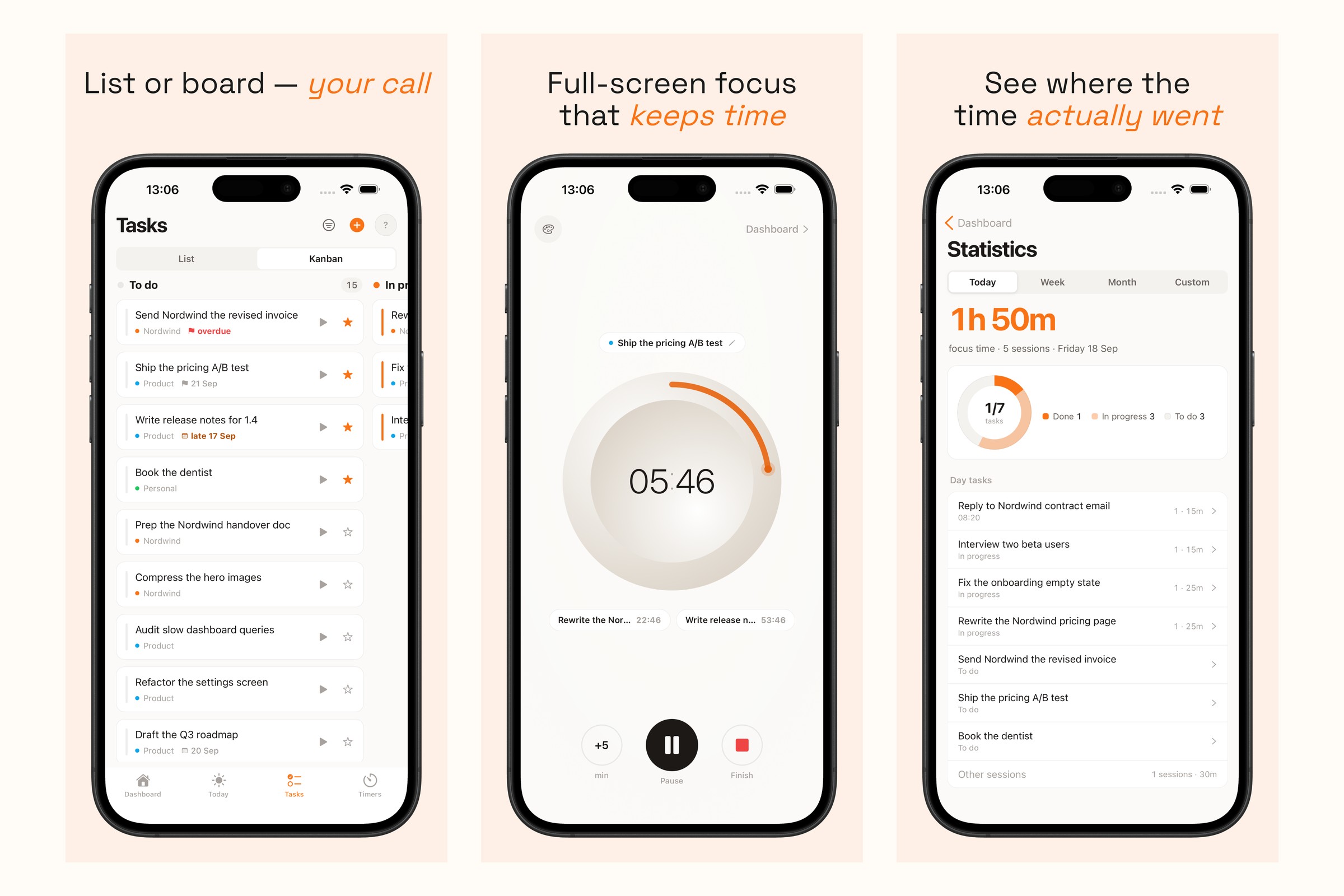
- Capture in one line, then plan: a Today list that carries unfinished tasks over, soft deadlines, reminders, list ⇄ kanban, projects.
- Focus mode and stats: sessions per task, time per day, week and month.
- Home-screen widgets in four skins, light and dark.
- Offline-first: everything works without a connection.
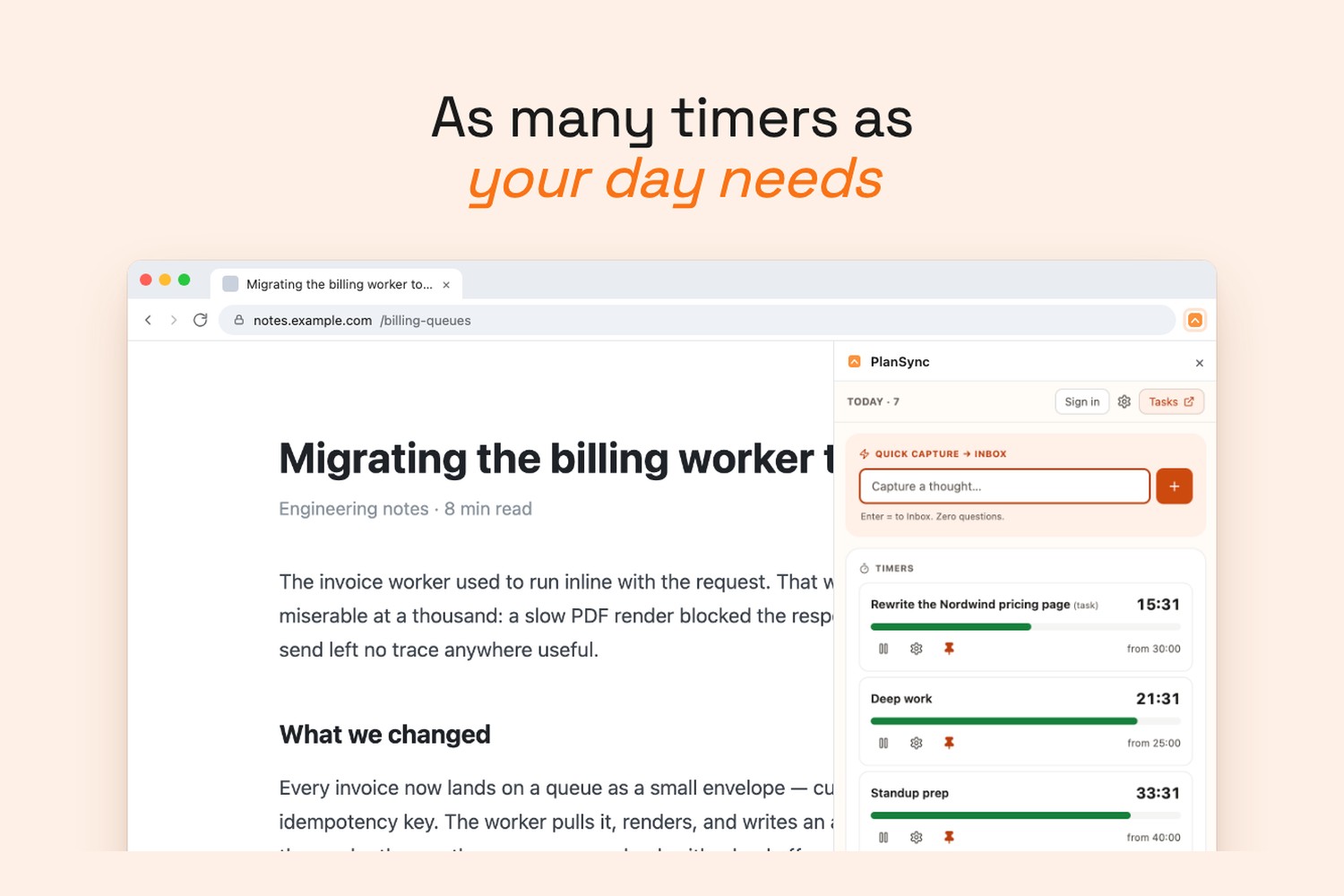
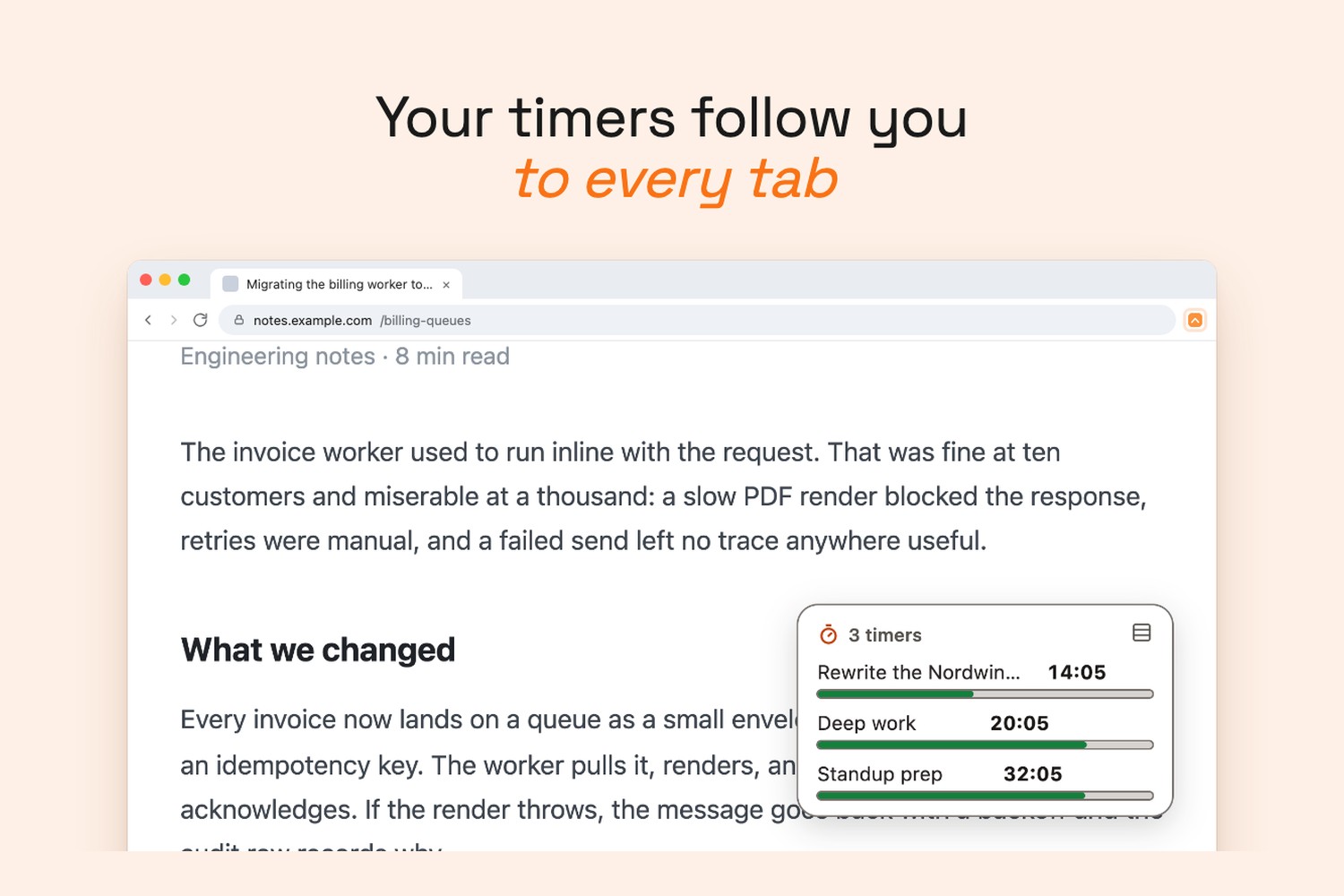
- A Chrome extension with the same timers in the browser and a floating timer widget on any page.
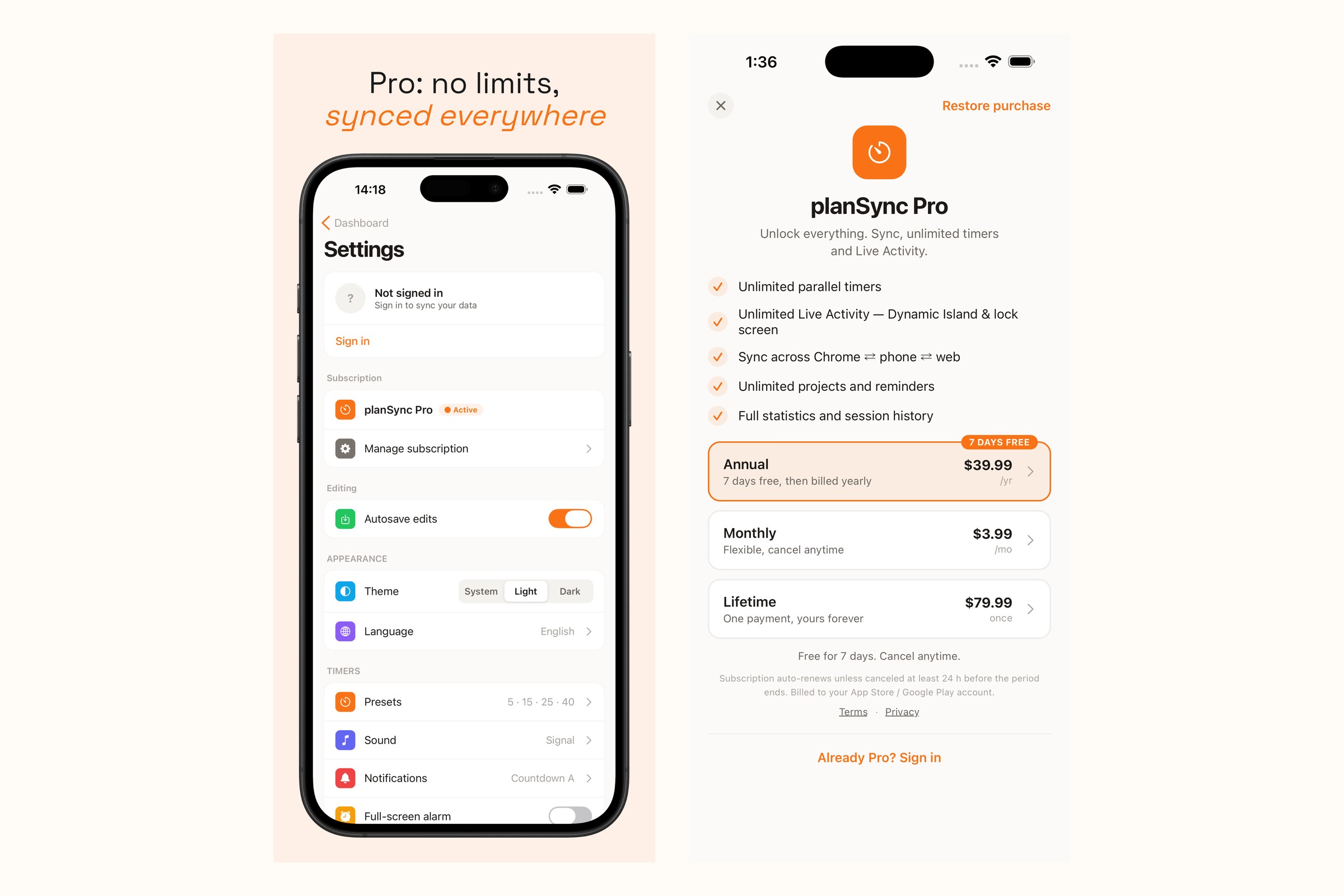
It's free to start. PlanSync Pro (monthly, annual with a 7-day free trial, or a one-time lifetime) unlocks unlimited timers and projects, full stats and sync across iPhone, iPad and Chrome.
How we built it
- App: React Native + Expo (TypeScript), one codebase, with native Swift for the parts that have to be native: ActivityKit Live Activities, an AlarmKit alarm module, and WidgetKit widgets with App Intents — all brought in through Expo config plugins.
- Backend: Firebase Auth (Sign in with Apple, Google), Firestore with offline persistence and last-write-wins sync by
updatedAt, and Cloud Functions. A shared TypeScript package holds the sync engine, used by both the iOS app and the Chrome extension. - Monetization with RevenueCat:
react-native-purchasesdrives the paywall from RevenueCat Offerings: monthly, annual with an introductory 7-day trial, and lifetime, all mapped to oneproentitlement.Purchases.logIn(firebaseUid)ties the entitlement to the account rather than to the store account, so Pro follows the user to every device.- A RevenueCat webhook Cloud Function mirrors the entitlement into Firestore and a Firebase Auth custom claim. The Chrome extension reads Pro with no RevenueCat SDK, and Firestore security rules gate cloud sync on
request.auth.token.pro. - The Chrome extension sells Pro through Stripe Checkout, and each sale is pushed to RevenueCat with Track External Purchases. App Store and web revenue land on the same RevenueCat customer, so MRR and churn are one picture.
- Chrome extension: Plasmo (MV3), React, Tailwind.
- Errors: Sentry, opt-out, with an on-device diagnostics log.
Challenges we ran into
- An empty Dynamic Island. AlarmKit alarms are Live Activities too. Every timer ended up holding two activities, and one of them had no view, so iOS fell back to the minimal presentation and the countdown disappeared. The fix was one activity per timer and a single shared card that both widget types render.
- Offline-first sync without a server of truth. Deletes can't travel through a "changed since" listener, so they became tombstones with a retention window. Timer time spent had to be counted exactly once across devices.
- One entitlement across two stores. Getting App Store IAP and Stripe to agree on one
prostate took account-based App User IDs, webhook ordering by event timestamp, and refunds that revoke access.
Accomplishments that we're proud of
- Shipped on the App Store (iPhone and iPad) and the Chrome Web Store, in five languages (English, Polish, German, French, Spanish).
- Live Activities, a real alarm, widgets and an offline-first sync engine, built solo.
- One Pro subscription that works everywhere, with RevenueCat as the single source of truth for both stores.
What we learned
- For ADHD users, visibility beats features. A countdown you can see without unlocking your phone does more than any reminder.
- Tying the RevenueCat App User ID to our own account ID early makes cross-platform subscriptions simple. Retrofitting it later would have been painful.
What's next for PlanSync Tasks & Parallel Timers
- Android, from the same Expo codebase.
- A web app on planSync.link.
- Shared workspaces for families and small teams.
- Pomodoro repeat cycles and smarter "start next" suggestions.
- Paywall experiments with RevenueCat.
Built With
- activitykit
- alarmkit
- app-store
- chrome
- cloud-firestore
- expo.io
- firebase
- firebase-authentication
- google-cloud-functions
- ios
- next.js
- node.js
- plasmo
- react
- react-native
- revenuecat
- sentry
- sign-in-with-apple
- stripe
- swift
- swiftui
- tailwindcss
- typescript
- vercel
- widgetkit

Log in or sign up for Devpost to join the conversation.