-
-
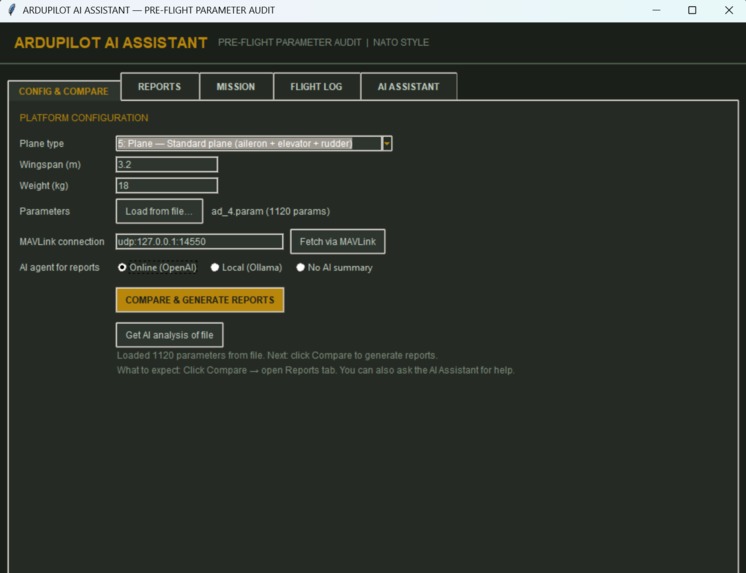
standalone application
-
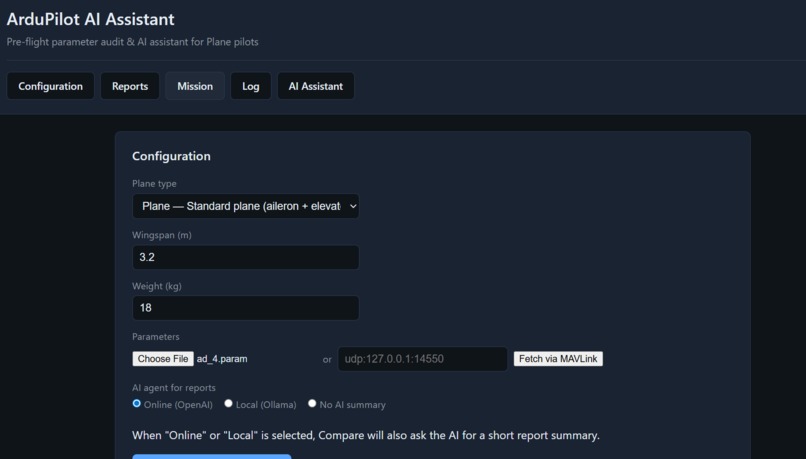
web application
-
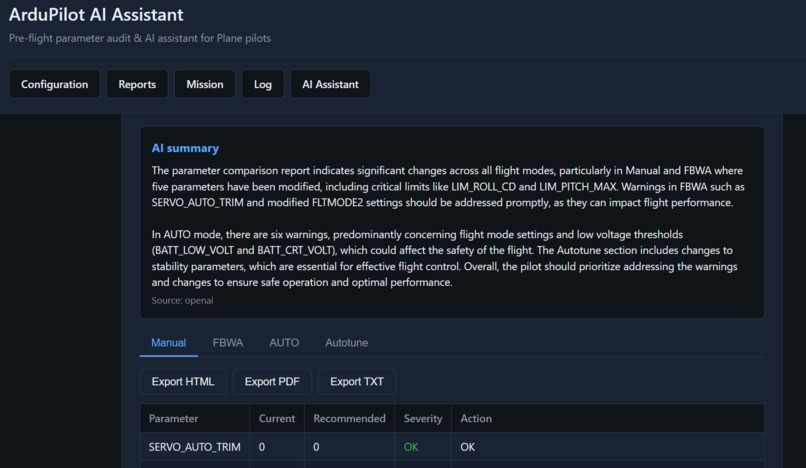
we application ai assistant
-
check mission
-
check parameters
-
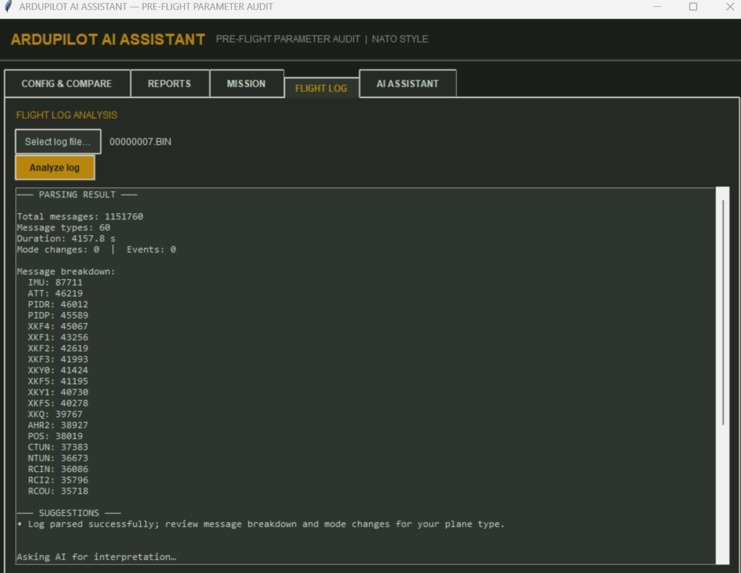
check logs
Inspiration
We were inspired by the need for safer, better-configured flights for ArduPilot Plane and drone pilots. Pre-flight parameter checks are often manual and error-prone, and pilots don’t always have internet for cloud-based assistants. We wanted an AI-powered copilot that could compare parameters against recommended sets, interpret mission and flight logs, and answer questions about Manual, FBWA, AUTO, and Autotune—online or offline. HACKHAZARDS '26’s focus on AI (LLM + knowledge base) and full-stack software aligned perfectly with building a single core that powers both a desktop app and a web app, so pilots can choose how they work.
What it does
Plane Drone AI Copilot is an AI assistant for ArduPilot Plane pilots that:
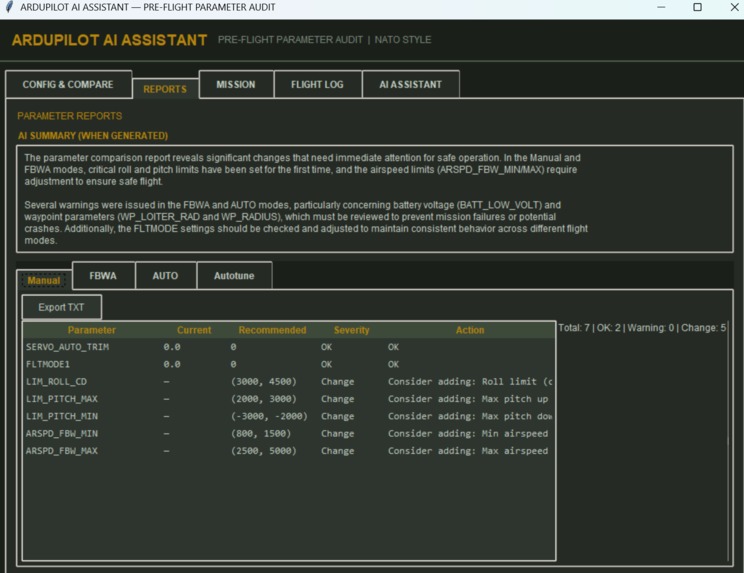
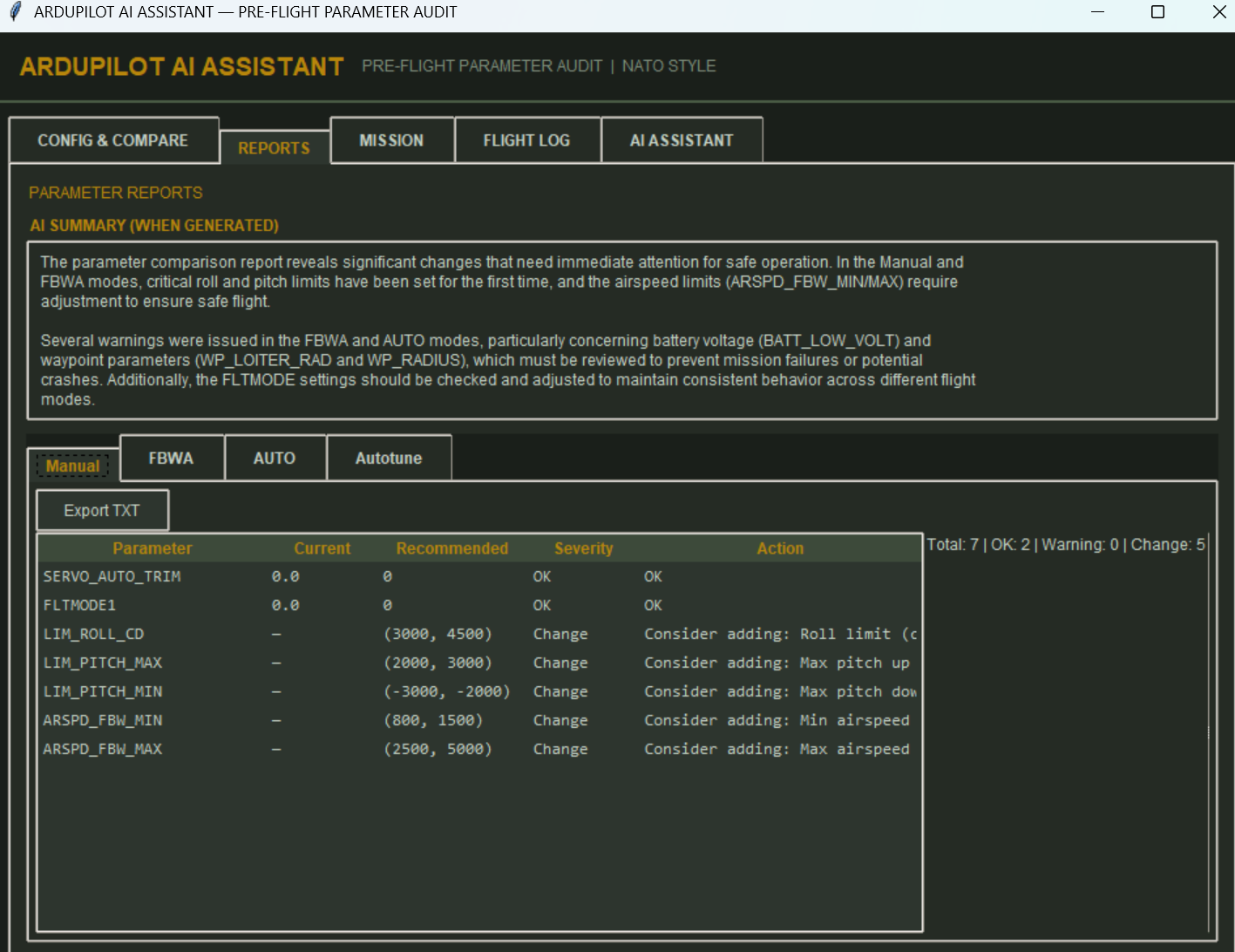
- Compares parameters against recommended sets for four flight contexts: Manual, FBWA, AUTO (waypoints), and Autotune (PID). Users load parameters from a file or via MAVLink; the app highlights mismatches and suggests actions.
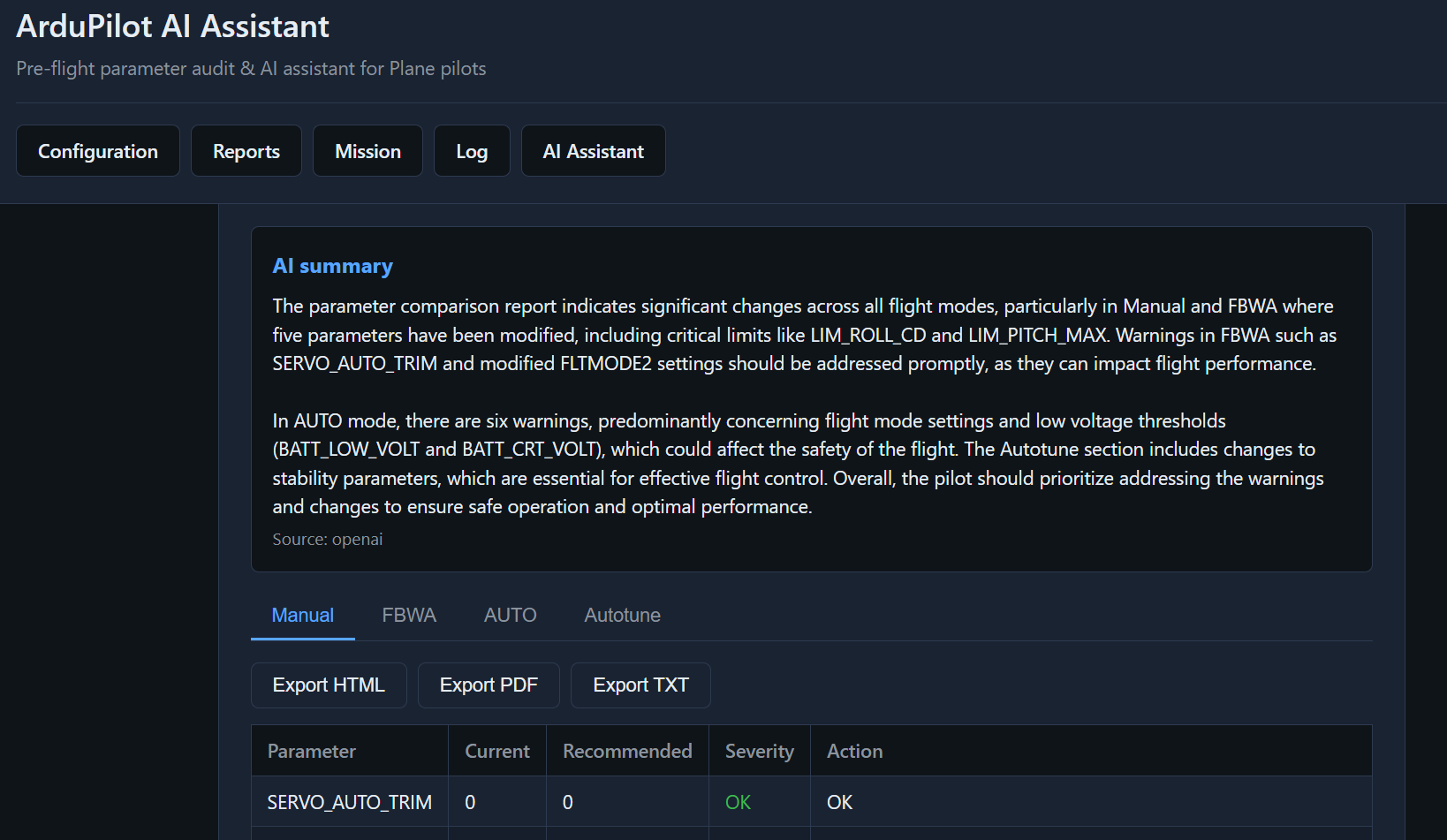
- Generates reports per flight mode (Parameter, Current, Recommended, Severity, Action) and supports export as TXT.
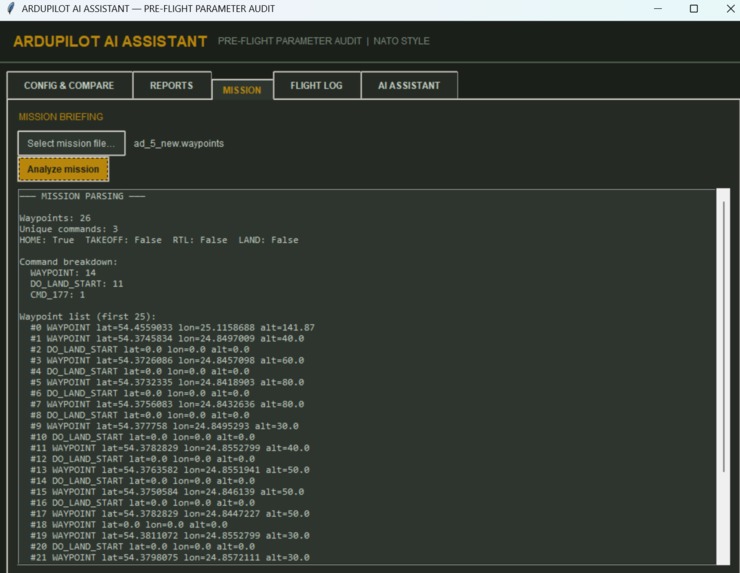
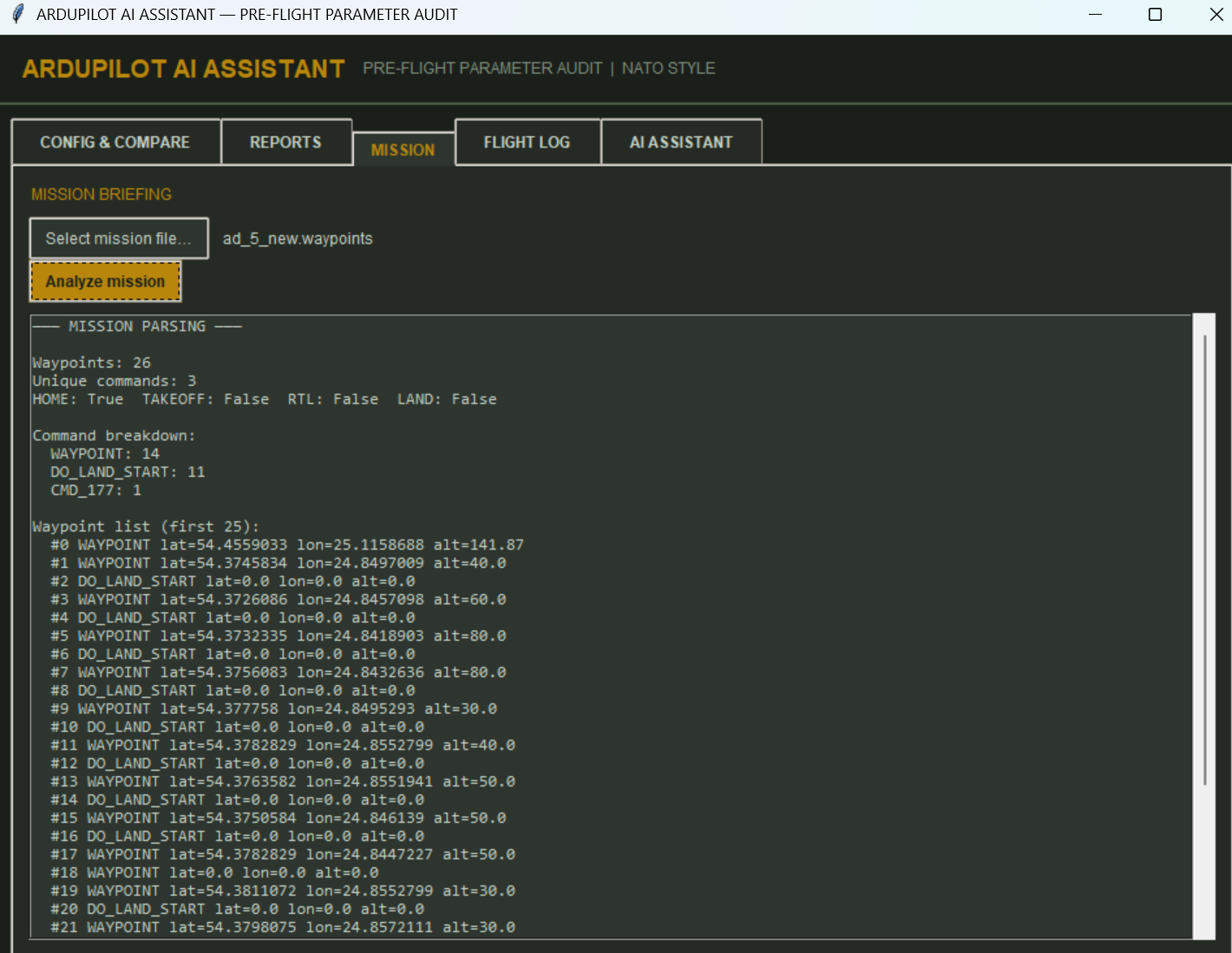
- Uses AI to summarize comparison results and to interpret mission files (waypoints, HOME/TAKEOFF/RTL/LAND) and flight logs (.bin), so pilots get plain-language explanations and suggestions.
- Runs the assistant online or offline: when OpenAI is available it uses that; otherwise it uses a local LLM (Ollama) with the same parameter knowledge base, plus a keyword fallback when no LLM is available.
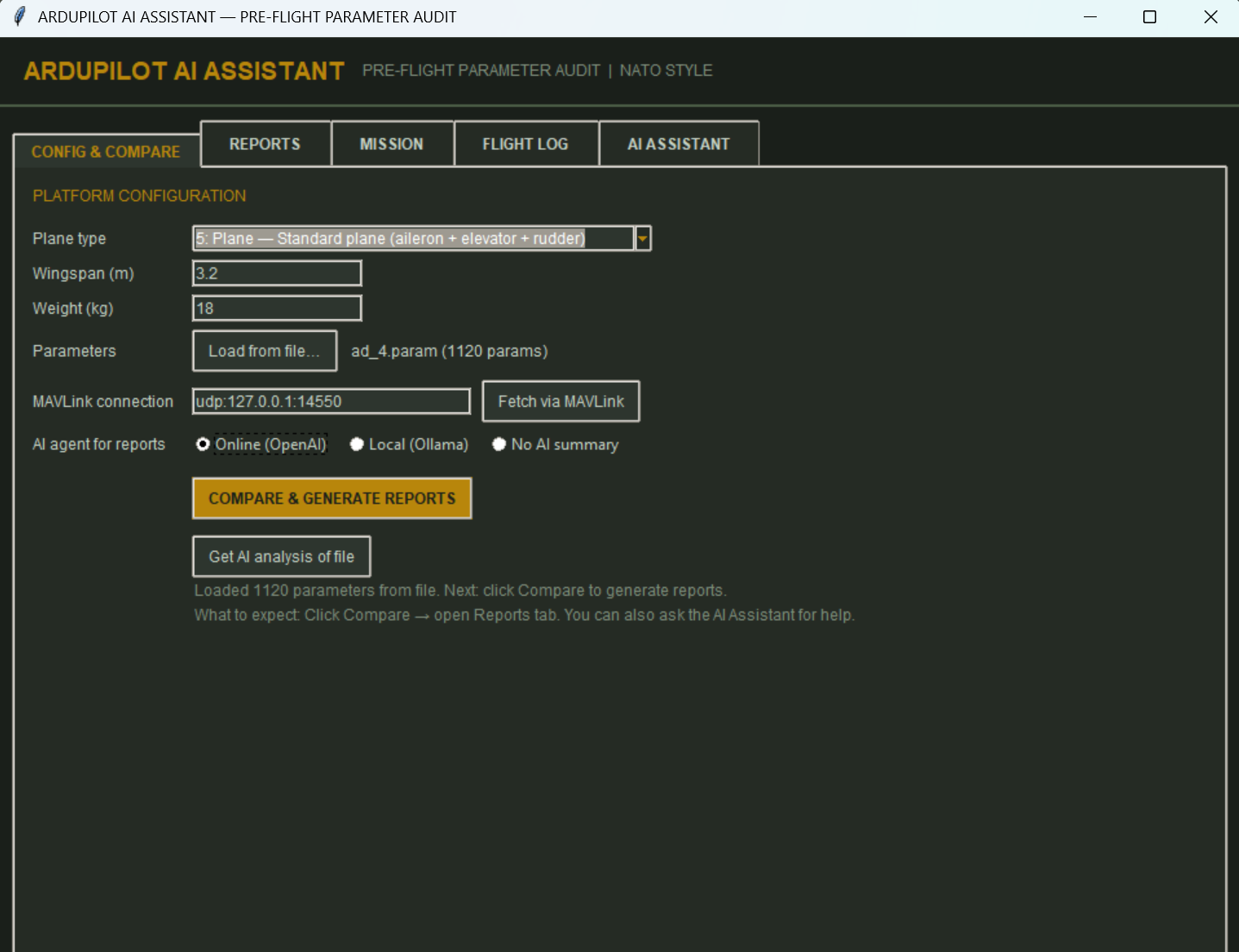
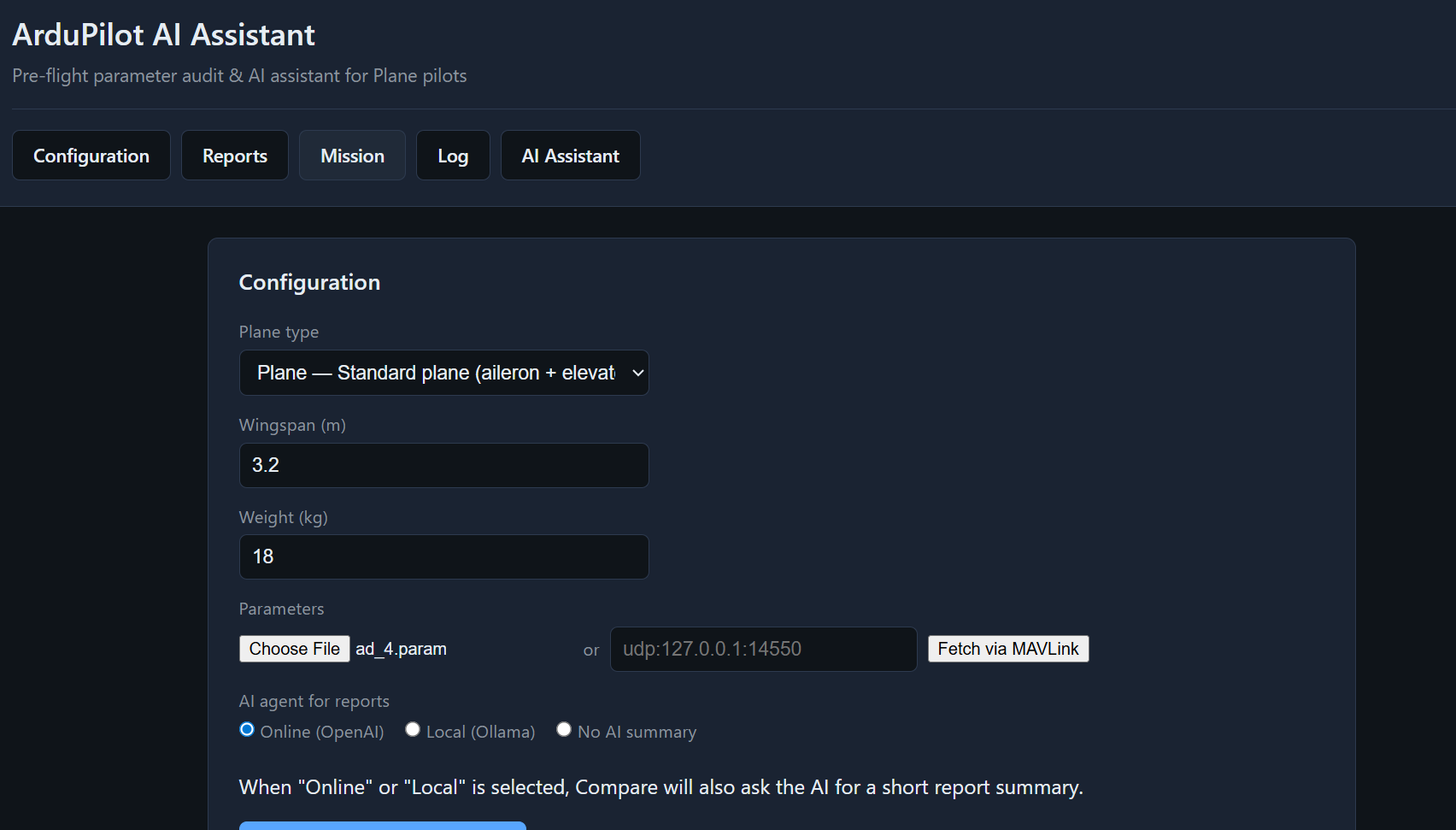
- Delivers two UIs: a standalone desktop app (Tkinter, NATO-style UI) and a Flask web app, both sharing the same core logic so users can run it on a field laptop or in the browser.
How we built it
We built a Python core used by both interfaces:
- Knowledge base: A scraper fetches ArduPilot Plane parameters from the official docs into
data/params.json(name, description, default, range). The AI gets this context injected into prompts—no separate training step. - Parameter handling: We support multiple param file formats (comma-, tab-, space-, and equals-separated) and optional pymavlink fetch from the autopilot. A comparator produces per-mode reports with severity and recommended actions.
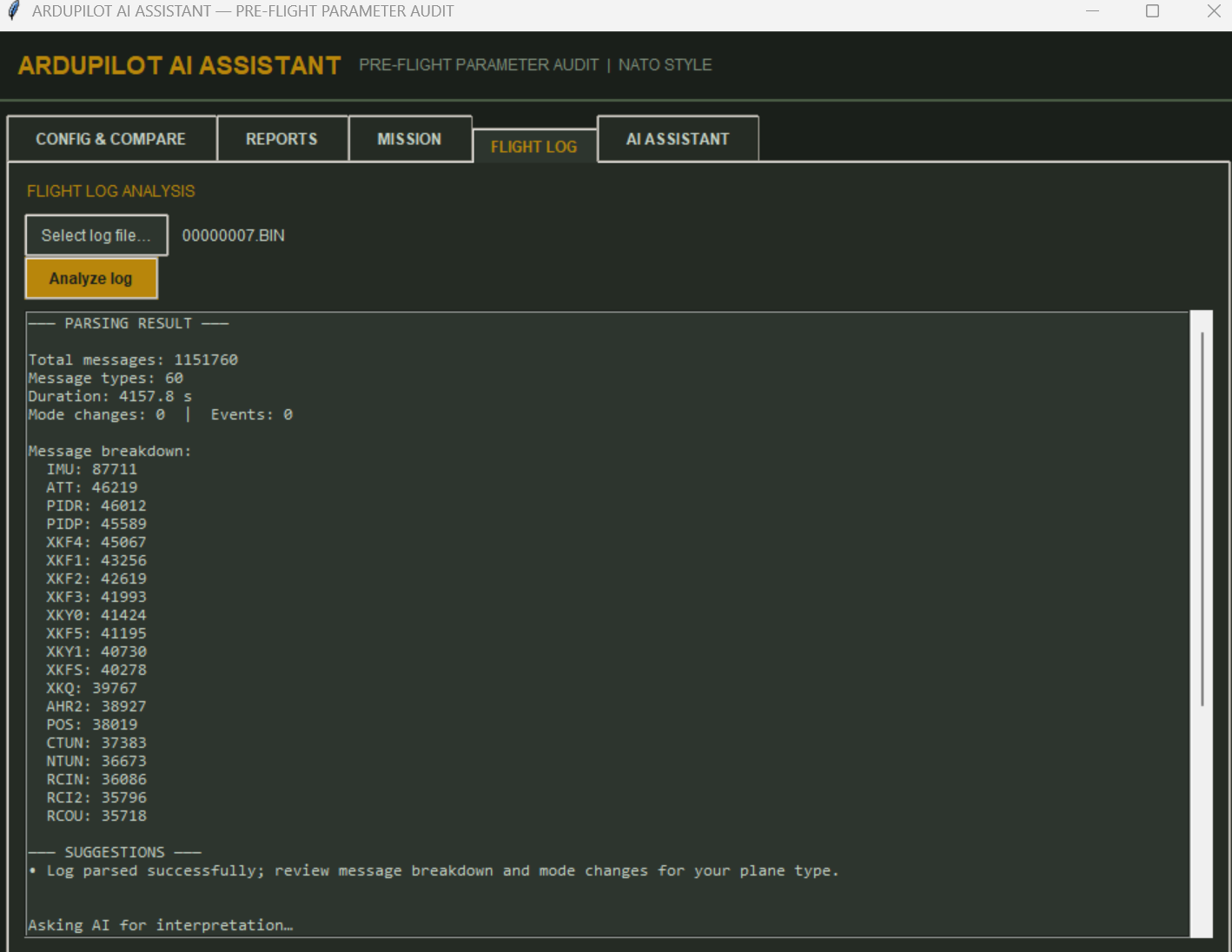
- Mission & log parsing: Mission files (QGC/Mission Planner style) are parsed for waypoints and MAV_CMD types; binary flight logs are parsed with pymavlink (and a Dataflash fallback) to extract message counts, duration, mode changes, and events.
- AI layer: We use OpenAI (when key and internet are available) and Ollama (local models like llama3.2, qwen2.5) with a single interface. The app passes parameter context, report summaries, and parsed mission/log data into prompts so the LLM can give relevant, concise answers.
- UIs: Tkinter for the standalone app (tabs: Config & Compare, Reports, Mission, Flight log, AI Assistant) with a military-style theme; Flask + Jinja2 + CSS for the web app with the same flows and an “Analyze with AI” option for mission and log.
Challenges we ran into
- Parameter file parsing: Some users’ param files (e.g. space- or CSV-style) were not recognized, so the app showed “0 parameters.” We extended the parser to support multiple delimiters and header detection so common export formats load correctly.
- Tkinter on Windows: Font names with spaces (e.g. “Segoe UI”) caused a TclError. We switched to system-friendly fonts (e.g. Arial, Consolas) so the standalone app runs reliably on Windows.
- Flight log format: Many ArduPilot .bin logs are Dataflash format, not raw MAVLink. The initial parser returned “events: 0.” We added a Dataflash fallback (pymavlink’s DFReader_binary) and richer extraction (message counts, duration, mode changes, events) so analysis and AI interpretation are useful.
- Export dialog: On some setups,
filedialog.asksaveasfilenamerejected the wrong option name (initialfilename). We fixed it to useinitialfileand simplified export to TXT only for the standalone app to avoid cross-platform issues.
Accomplishments that we're proud of
- Dual delivery: One codebase powers both a native desktop app and a web app with the same features (compare, reports, mission/log analysis, AI assistant).
- Offline-first AI: Pilots can use a local LLM (Ollama) with the same parameter knowledge base when there’s no internet; we documented recommended models and a step-by-step setup in LOCAL_LLM_GUIDE.md.
- Rich mission and log analysis: Parsing shows waypoint counts, command breakdown, HOME/TAKEOFF/RTL/LAND, and for logs: message types, duration, mode changes, and events—plus optional AI interpretation for both.
- Consistent UX: Progress hints for “Compare & Generate Reports,” agent choice (Online / Local / No AI), and a clear NATO-style desktop UI make the tool feel focused and professional for operational use.
What we learned
- Integrating multiple AI backends: Handling OpenAI, Ollama, and a keyword fallback behind one API taught us how to keep prompts and context consistent so the user experience doesn’t depend on which provider is active.
- ArduPilot data formats: Supporting various param file formats and both MAVLink and Dataflash log formats required reading ArduPilot/Mission Planner conventions and pymavlink’s APIs.
- Cross-platform UI: Tkinter behavior and font handling differ on Windows; we learned to stick to robust options (e.g.
initialfile, single-word font families) to avoid runtime errors. - Knowledge base without fine-tuning: We confirmed that injecting the parameter database into prompts (plus report/mission/log summaries) gives the LLM enough context to be helpful without training or hosting a separate RAG service.
What's next for Plane Drone AI Copilot
- RAG over the full param DB: Optionally embed the parameter list and retrieve only the most relevant params per question for longer knowledge bases and more precise answers.
- More plane types and presets: Expand plane-type options and optional preset recommendations (e.g. by wingspan/weight) for even more tailored comparisons.
- MAVLink live integration: Improve live parameter fetch and status (e.g. connection state, heartbeat) so the desktop app can be used as a real-time pre-flight dashboard.
- Optional HTML/PDF export in web: Re-enable or add HTML/PDF export in the web app so users can download the same report formats as in the desktop version.


Log in or sign up for Devpost to join the conversation.