-
-
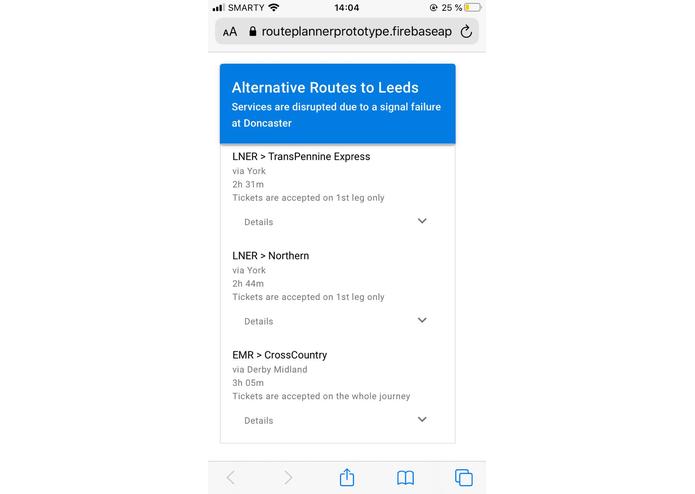
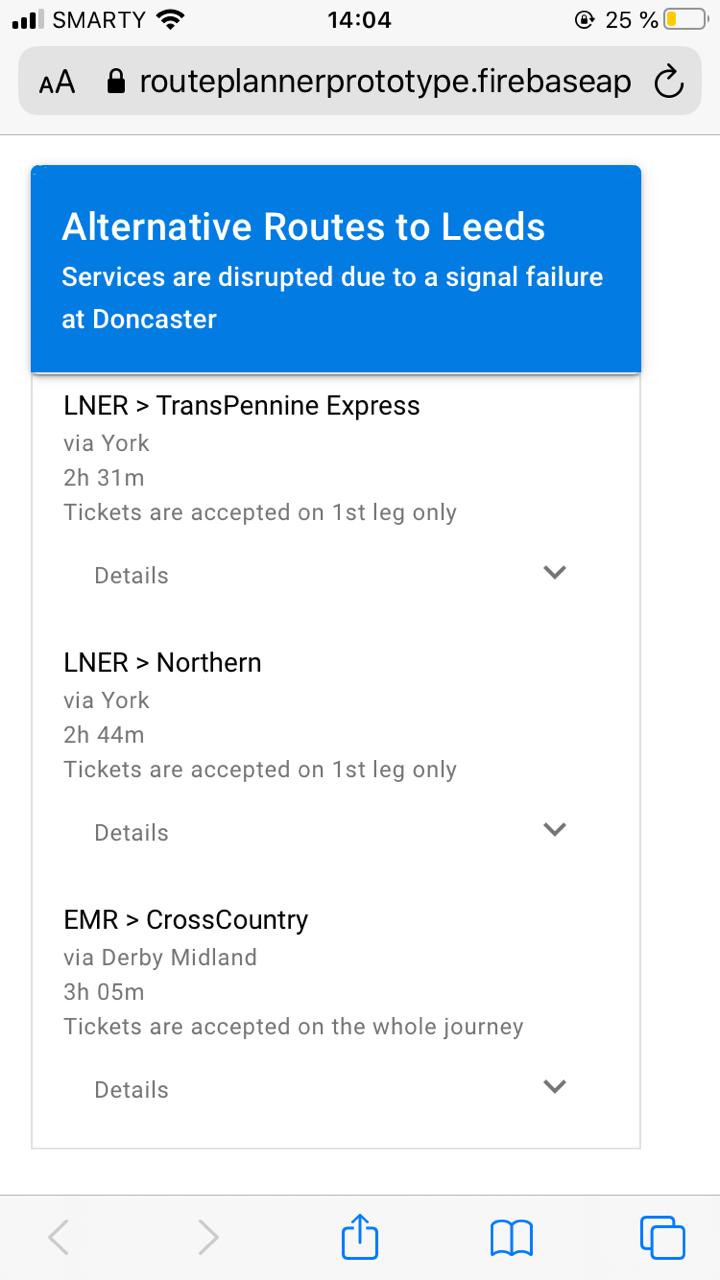
Mobile-friendly web-page that the use is taken to upon scanning the QR code showing alternative route options.
-
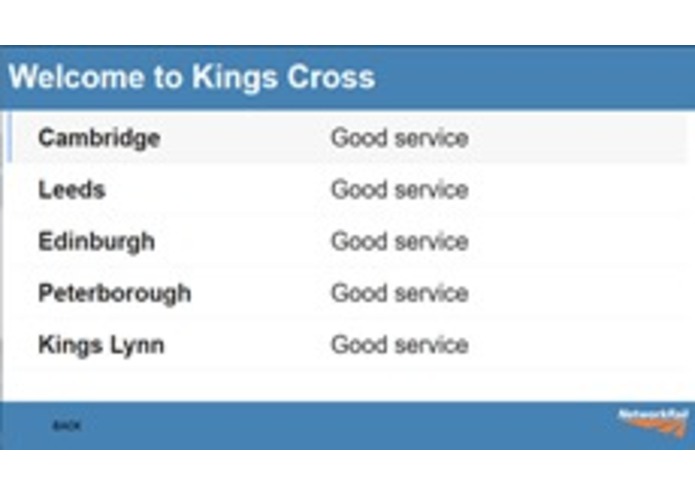
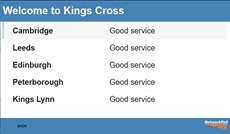
Smart display screen - what we hope to see!
-
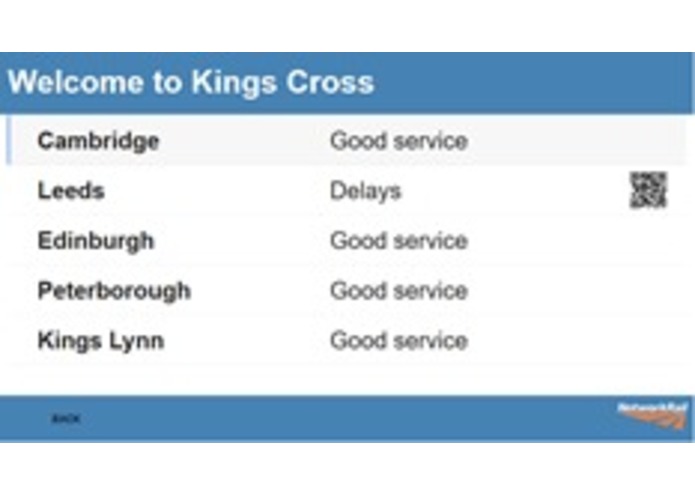
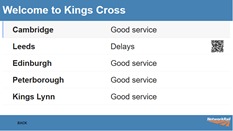
Smart display screen - here there are delays in getting to Leeds so a QR code has been generated
-
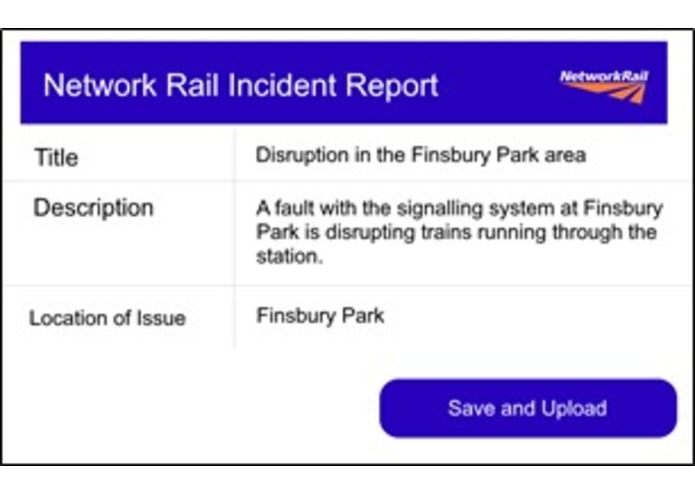
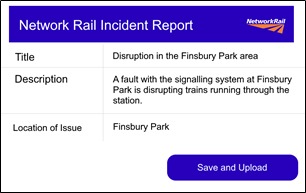
Mockup of the interface to report incidents. This data starts the process in retrieving alternate routes using journey planner APIs
Inspiration
Britain's lovely but sometimes frustrating rail system. Beautiful 19th century ironwork don't look nearly as nice after you've stared at them for half an hour wondering what's happened to your cancelled train and how you're gonna get home.
What it does
A system of railway station-based smart displays and a client app. The smart displays run a relatively simple web app - when delays are reported, the smart displays intercept this notification and show which destinations are affected, generating a QR code that leading to a lightweight mobile website that displays alternate routings and ticket acceptance for that particular destination. No need to download extra apps. Staff can also access this web app through tablets - such as those often issued for TfL staff - and advice passengers more easily.
How we built it
The app ran on the station display was prototyped using Google App Maker - this provided easy drag-and-drop UIs and the convenience of using a Google Sheets spreadsheet as the data model - half-decent for demonstrating a proof off concept. It ran successfully for the presentation!
The mobile planning app was built using Vue and Quasar, with 'mockup' route information grabbed off Google Maps and prettied-up using paint.net, and the entire thing was hosted on Firebase. We'd of course loved to have used live APIs but time was tight and we aren't the most experienced web developers!
Challenges we ran into
We orginially began building our three web-apps in Google app maker with the aim to link these all together with a single database. This allowed us to build a static prototype very quickly within the first 12 hours of the hack. Much to our chagrin, we found out quite a few hours down the line App Maker apps were only accessible to users within the enterprise domain the app is hosted on - in other words - if you scanned the QR code, you'd need to log in to our google domain to see the route information. This was a no-go. For demonstration purposes, however, it was sufficient to run the station display app off this platform.
Hence, we ended up having to learn the basics of Quasar and Vue to make our mobile web app. Just getting the toolchain set up and figuring out the right dependencies took up a good few hours, not to mention getting used to the strange syntax of Vue!
Accomplishments that I'm proud of
We developed a working proof of concept, and generally the mutual feeling that we've conceptualized something that is - in our humble opinions at least - quite feasable and practical.
What we learned
A good few things:
- Network Rail has a wealth of APIs to plan journeys and the set of tools they've made to developers are very powerful and comprehensive
- How to build simple web apps!
What's next for PlanB
Currently the client web app is static, and the train 'information' is really just still images. No API requests are made on the mobile web app. It'd be pretty great to get our hands on some feasible hardware to make a low-cost prototype for the station display. Looking to the future, we can see this becoming a fully-fledged website with search functions and even further down the line, this can even be expanded towards touchscreen kiosks where passengers can search for their destination and check the health of the journey, maybe even with a little paper map printer? Type a message...
Built With
- darwin
- firebase
- google-app-maker
- javascript
- quasar
- vscode
- vue

Log in or sign up for Devpost to join the conversation.