-
-
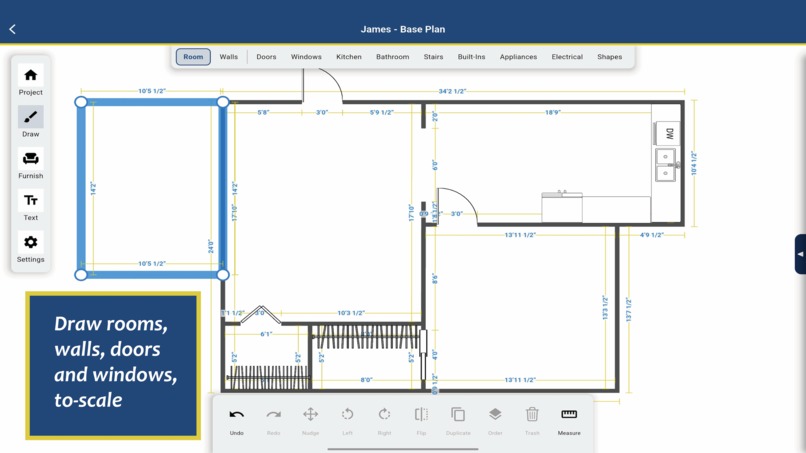
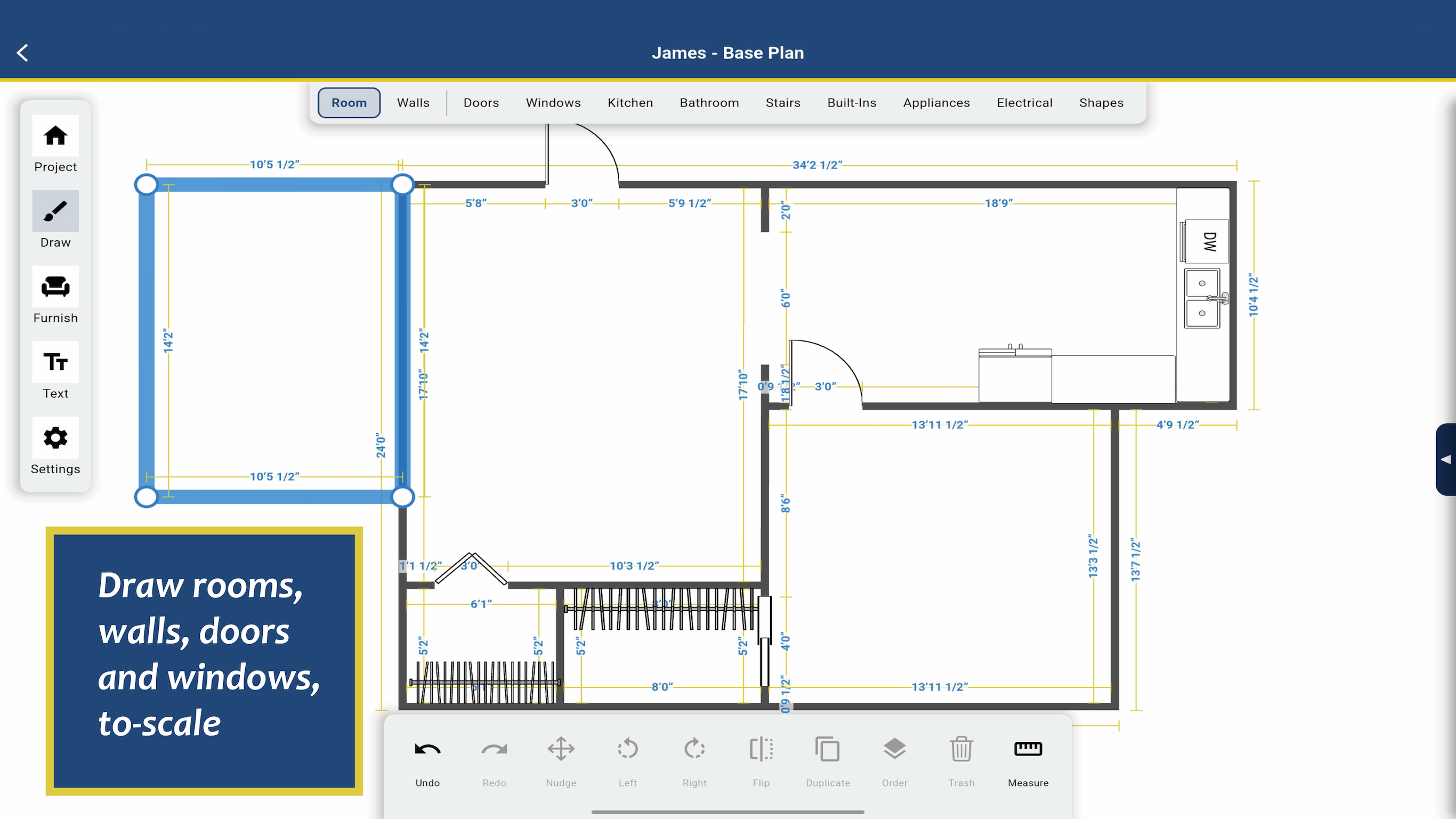
Drawing Rooms from Scratch from your physical measurements of the new home
-
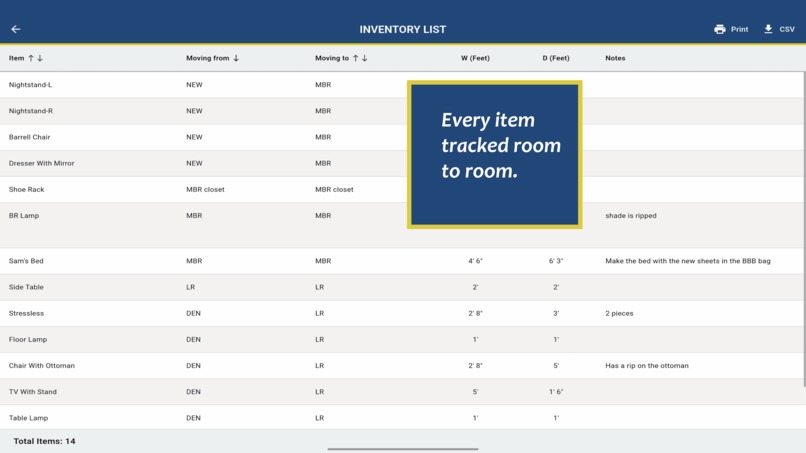
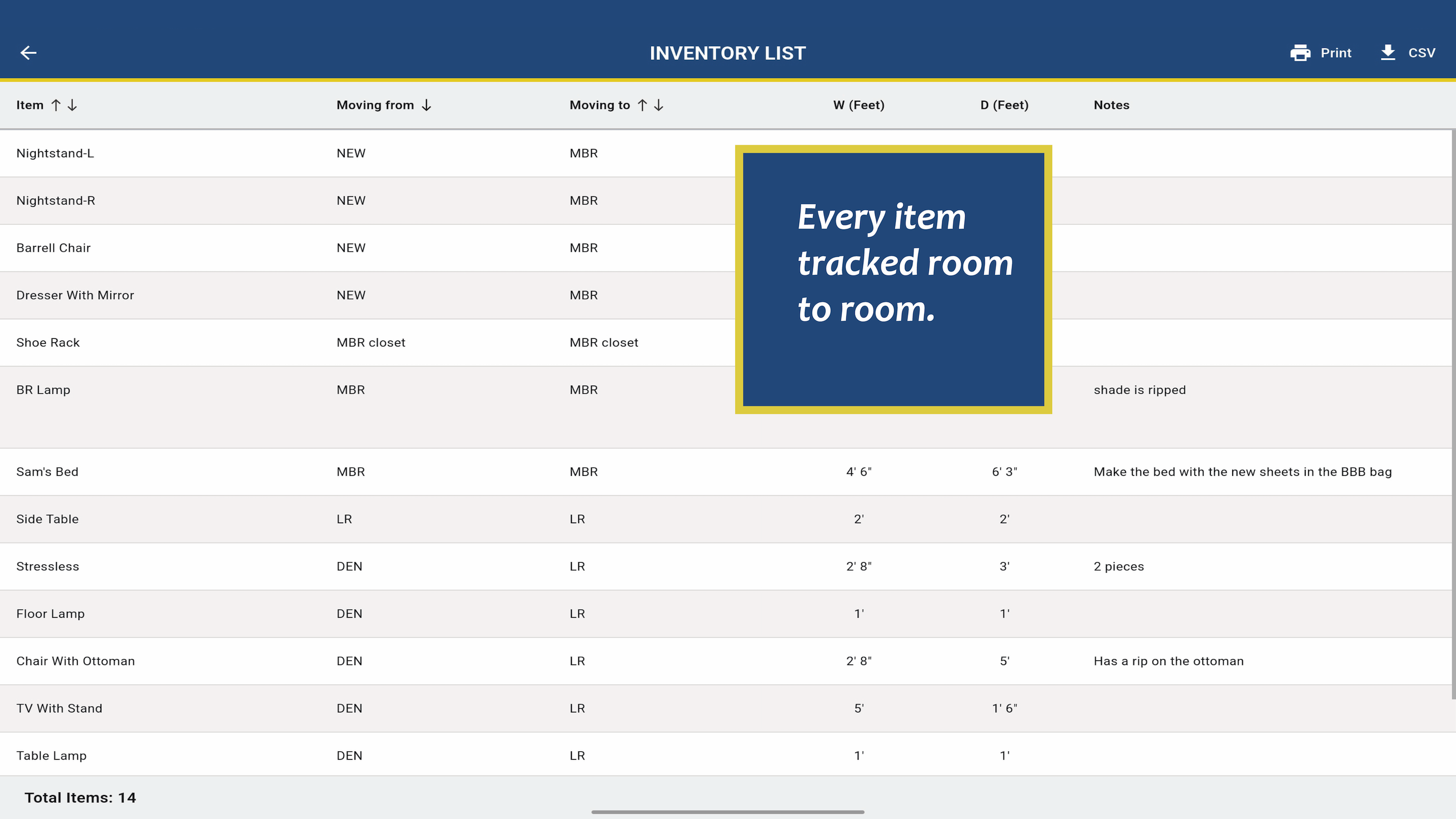
Furniture Inventory List - sorted by Name, Moving from or Moving to
-
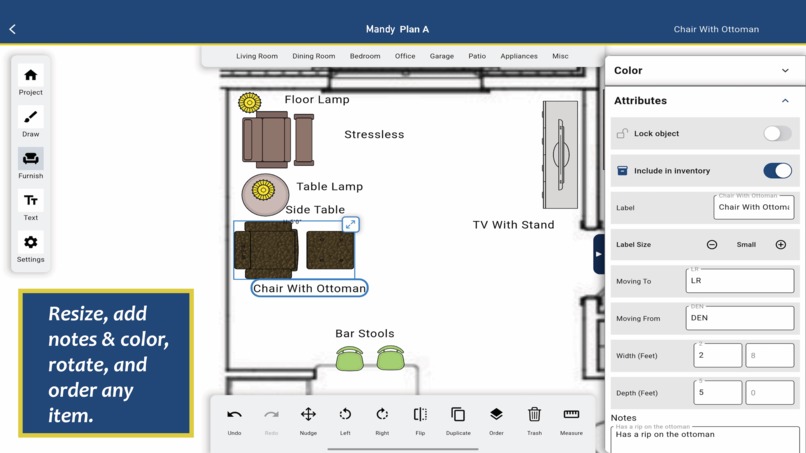
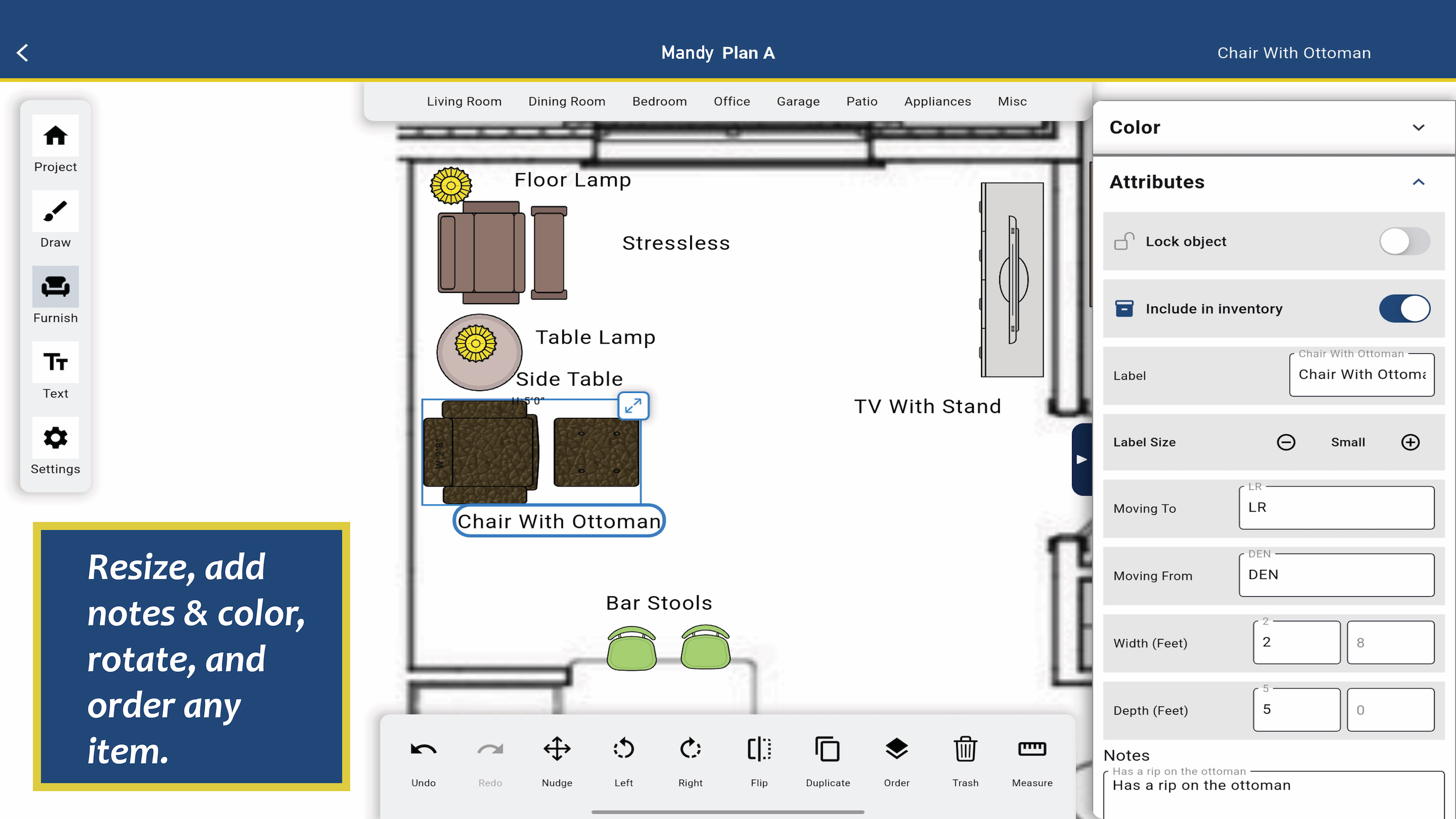
Add Data for the Inventory List
-
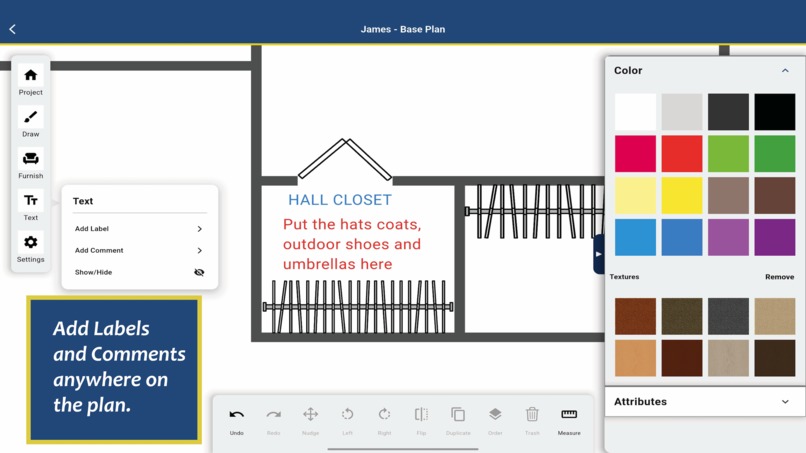
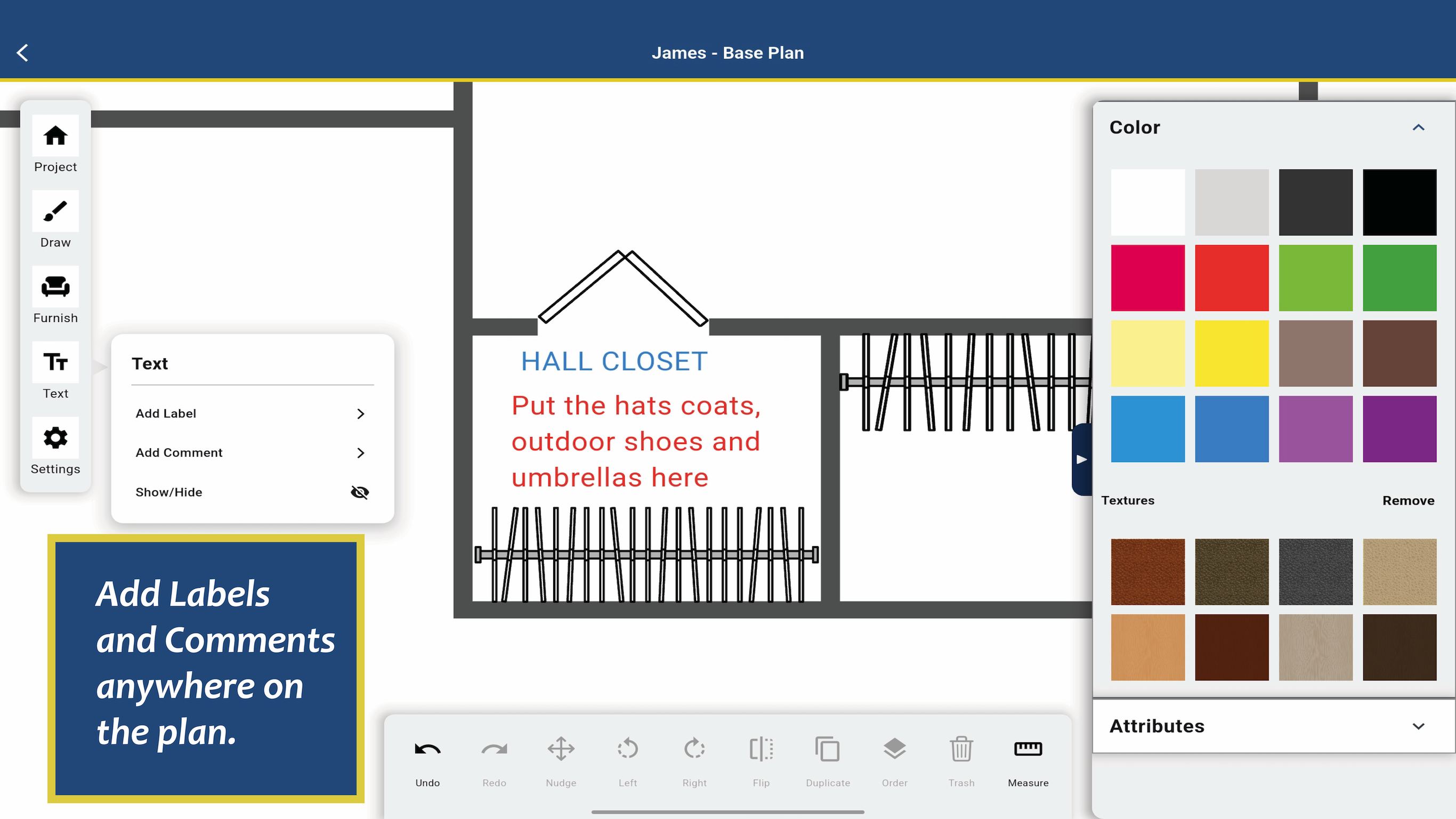
Adding Independent Labels and Text. Easily color, resize and rotate them
-
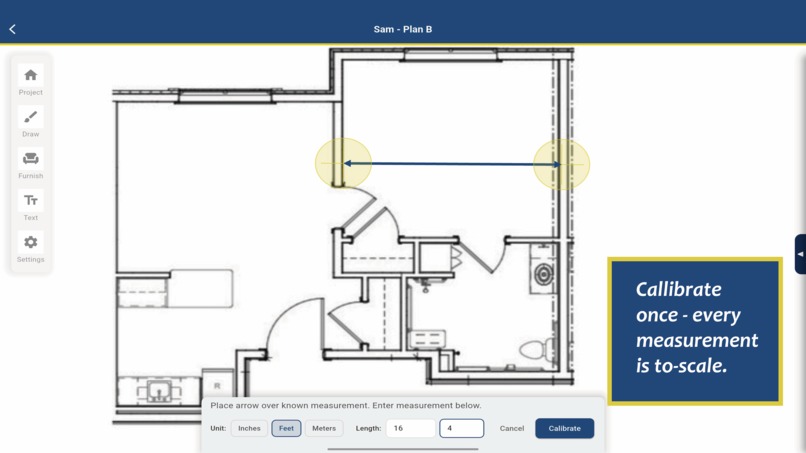
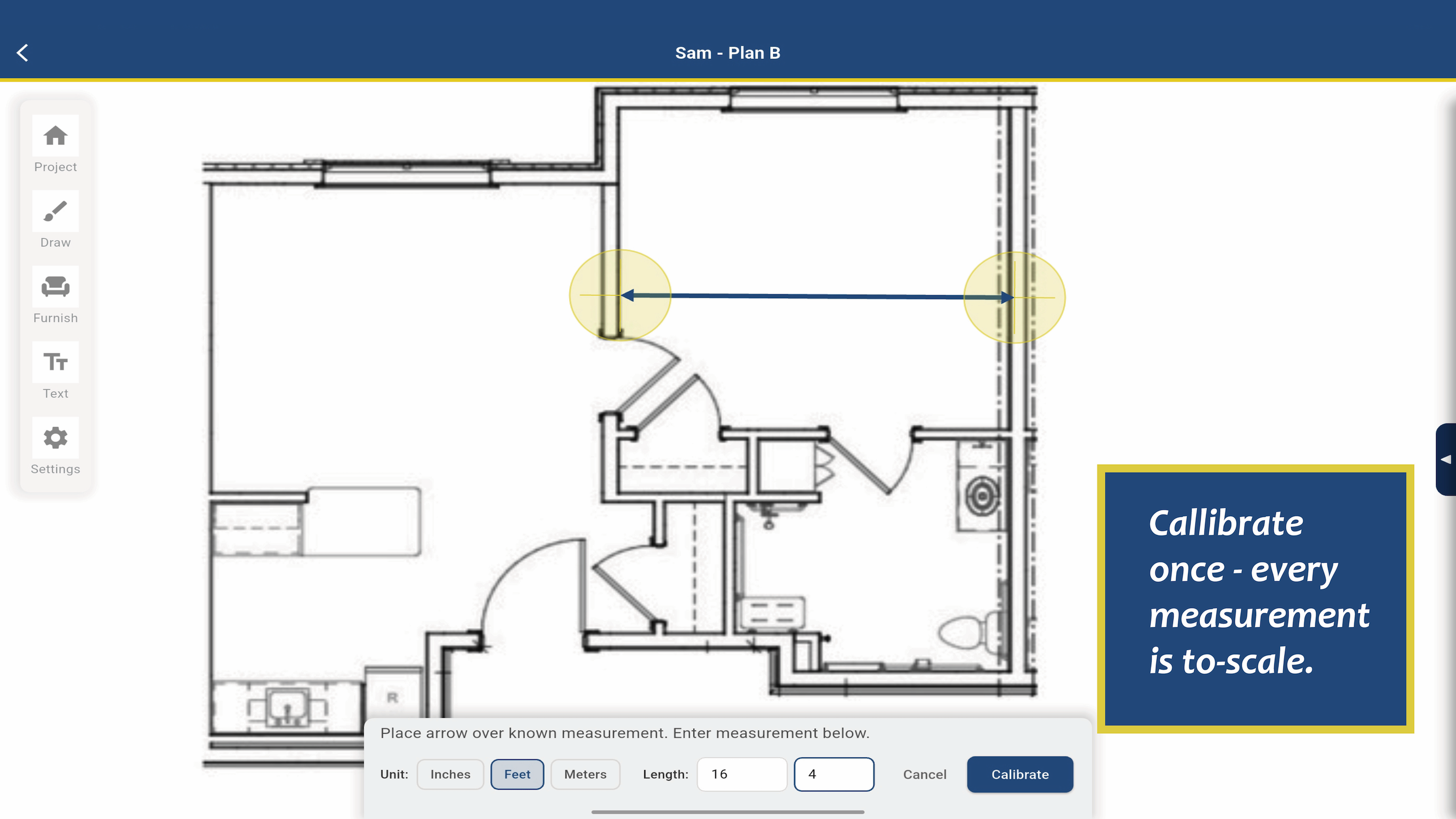
Calibrating an existing plan (PDF, JPG) is easy
-
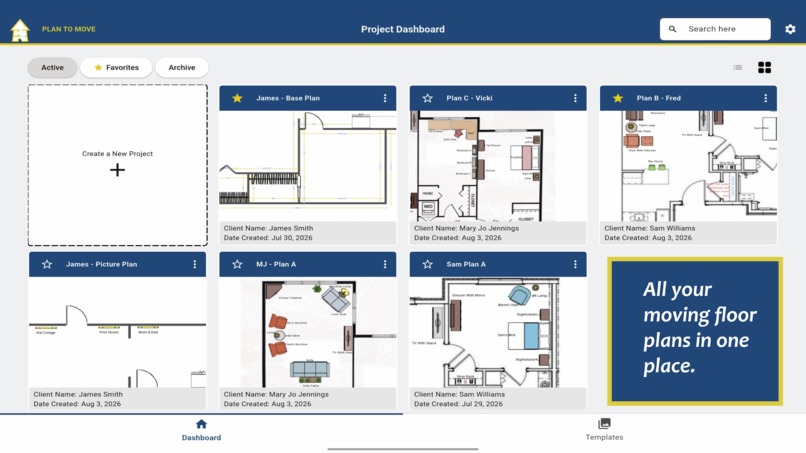
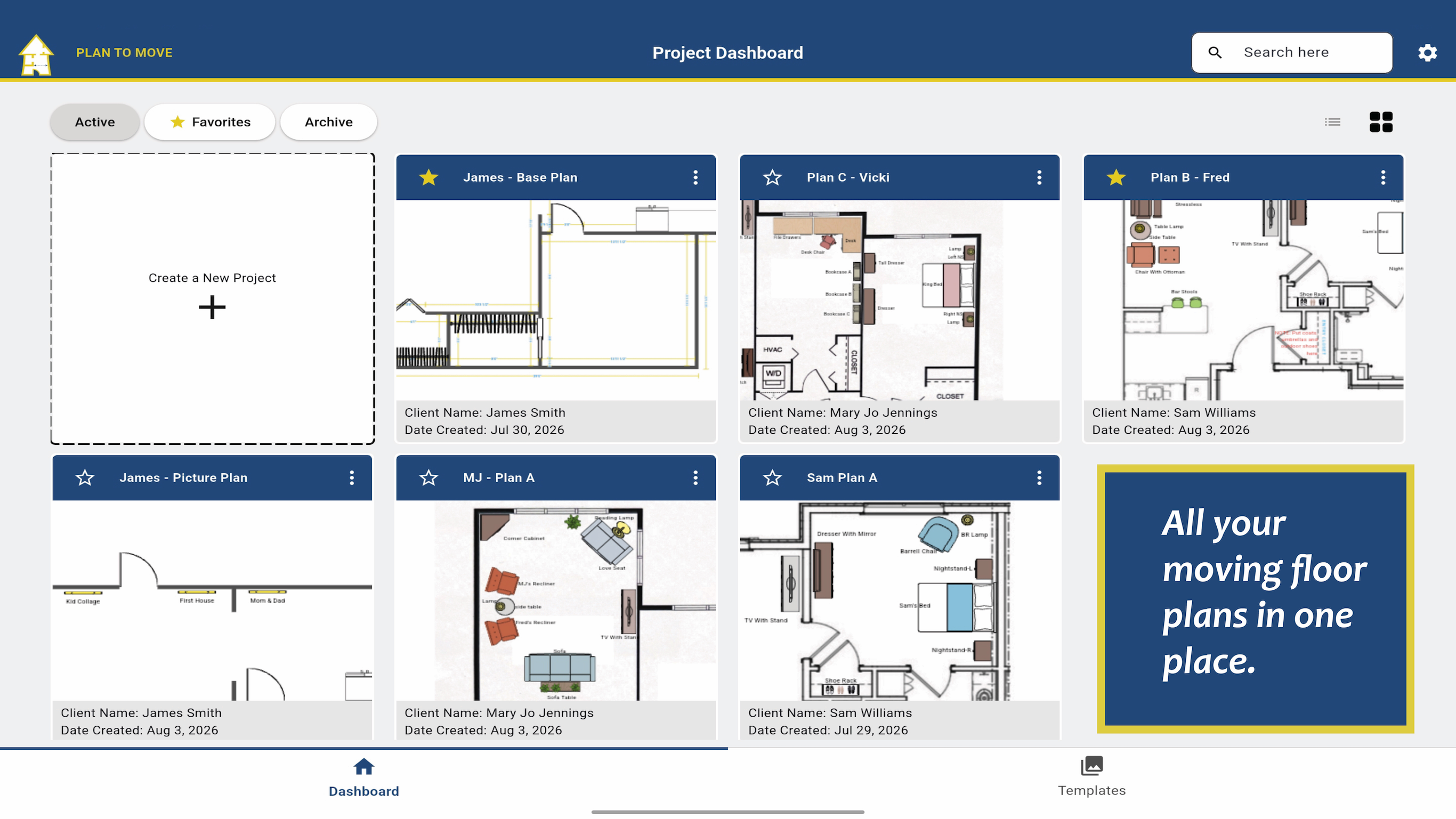
Dashboard - the hub of Plan to Move where all your projects are stored
-
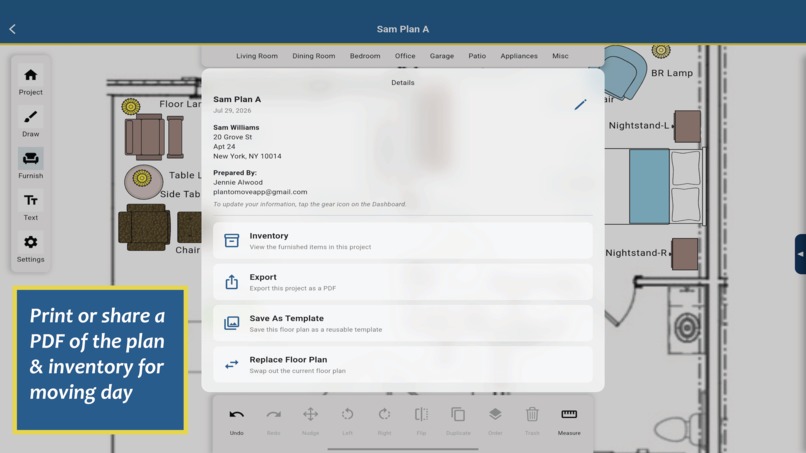
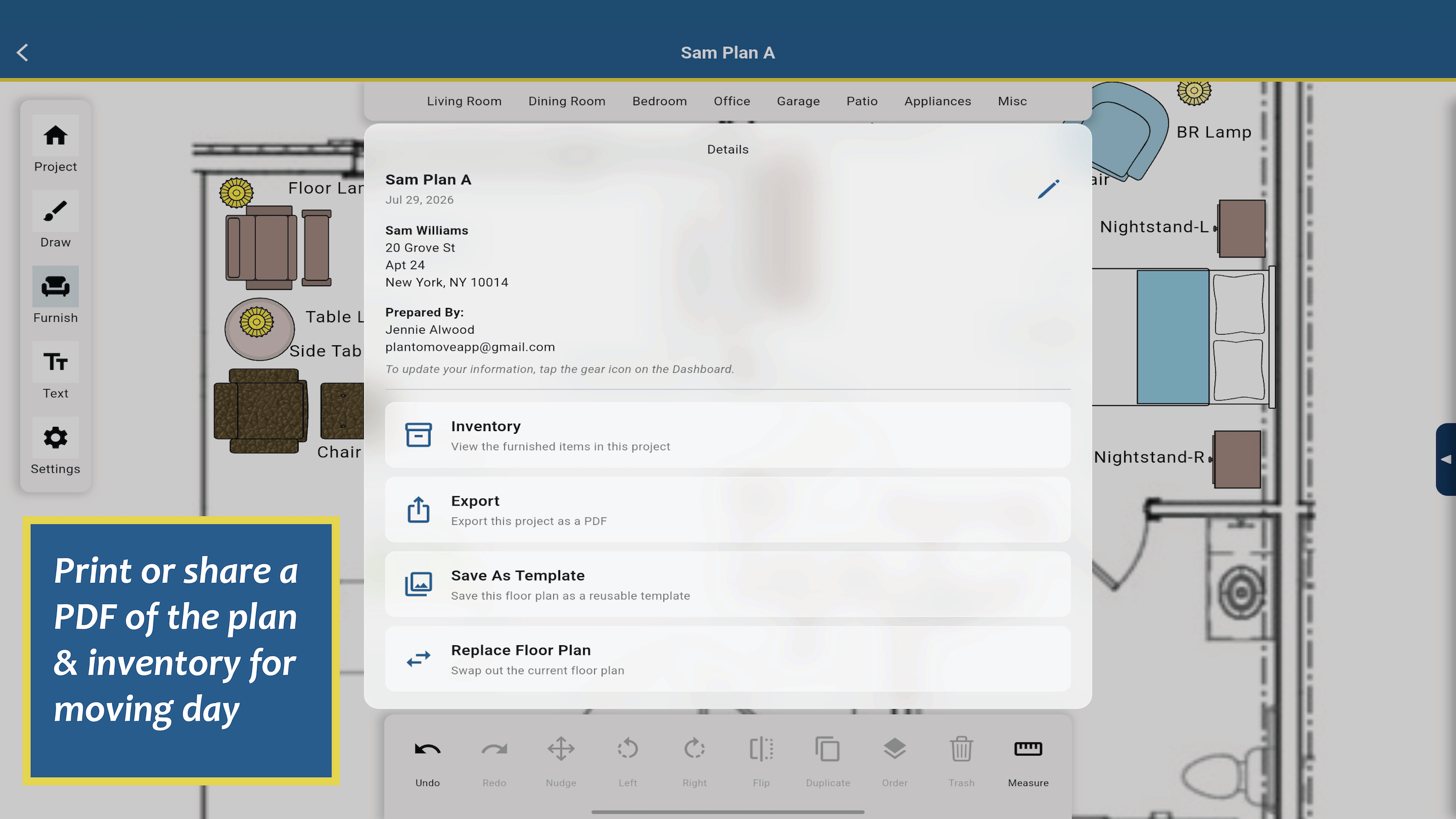
Share in multiple ways: text, email, print, airdrop
-
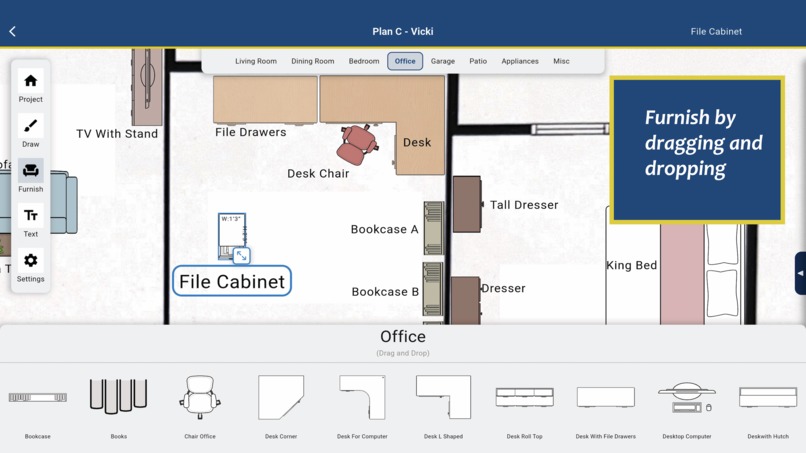
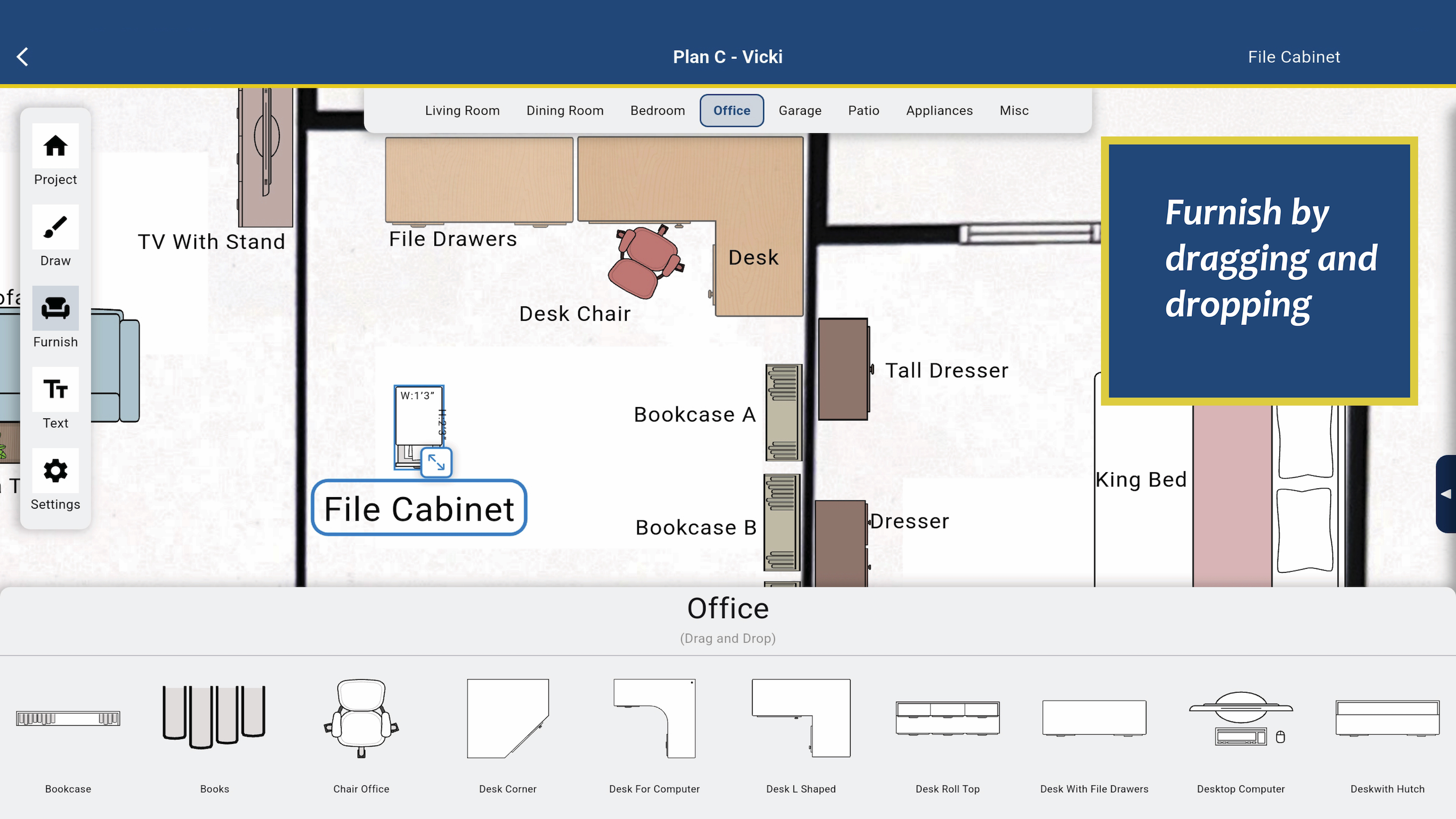
Drag and Drop fruniture to furnish your plan. Easily color, resize and rotate them
Inspiration.
True story. In November 2023, while presenting at the national conference for Senior Move Managers, I was giving a presentation on floor planning and lamenting the loss of the only floor-planning software that really worked for our industry—the original developer had unfortunately passed away during COVID, leaving the app abandoned. I told the audience, "Someone should build an app just for us." I went home, sat down after the flight, replaying the events of the conference and it hit me . . .that someone was me.
What it does.
Plan to Move is a streamlined floor-planning and inventory tool designed to simplify senior relocation. It does three things:
Base Plan Creation: Users can draw a floor plan from scratch or import and scale a PDF/JPG.
Smart Furniture Placement: Users drag, drop, and rearrange furniture. Each piece is then scaled, color-coded, named, and tagged with origin/destination tracking.
Easy Export & Inventory: Once finalized, the layout can be shared via text, email, or cloud storage. Crucially, the app automatically converts the placement data into a dynamic inventory moving list.
Moving is complex, but the software shouldn't be. This app provides ease of use and clarity and the only two things a mover needs: a floor plan and an inventory list.
How we built it.
As a non-technical founder, I had to find the right framework to bring this vision to life. The app was cross-compiled using Flutter to ensure a smooth, cross-platform UI.
Challenges we ran into.
The Translation Gap: As a non-developer, my biggest hurdle was translating the domain knowledge in my head into technical requirements for developers who thought very differently than I do.
Vendor Management: The journey took 3.5 years. The first development agency took my budget, failed to deliver, and ghosted me.
Iterative Pivot: I shifted to an in-person development agency. While their first developer delivered a mediocre build, the agency eventually assigned their lead developer to the project. Under their expertise, the app snapped into its final, polished form in just two months.
Accomplishments that we're proud of.
We successfully resisted feature creep. We are incredibly proud of the app’s intuitive UX. It requires zero technical background to operate; the user flow is logical and frictionless while still leaving room for users to experiment and play with layouts.
What we learned.
Less is more difficult. More or less.
We learned firsthand that stripping away clutter to build something genuinely simple requires far more effort, discipline, and intentional engineering than building something complex.
What's next for Plan to Move.
For Plan to Move 2.0, our roadmap centers on expanding from solo users to B2B architecture:
Multi-User Team Collaboration: Allowing real-time layout sharing and synchronization among active moving crews.
Enterprise Sales Features: Introducing dedicated enterprise licensing models, bulk user provisioning, and organization-level management tools for larger relocation firms.
Feedback-Driven Features: Maintaining a tight user feedback loop to prioritize our next feature pipeline based on direct community requests.


Log in or sign up for Devpost to join the conversation.