Government websites are where people go to do the things that matter most: renewing a disabled parking placard, getting a REAL ID, updating an address after a move. Yet these sites are often hardest to use for the people who depend on them most.
- Blind and low-vision users have to dig through long pages, PDF forms and nested menus with a screen reader.
- Older adults run into dense legal language and steps scattered across several pages.
- People with limited English face official instructions that exist only in English, so they rely on relatives, or on machine translation that loses the details.
The obvious fix, "just ask a chatbot", is dangerous here. A general AI model will happily invent a fee, a deadline or a form number, and for a government process a confident wrong answer is worse than no answer at all.
So we set ourselves one rule: PlainPath may only say what the official website says, and it has to prove it. Every step links to the official page it came from and shows the date that page was crawled. If the official site doesn't cover the question, PlainPath says so and points to the agency's contact page instead of guessing.
What it does
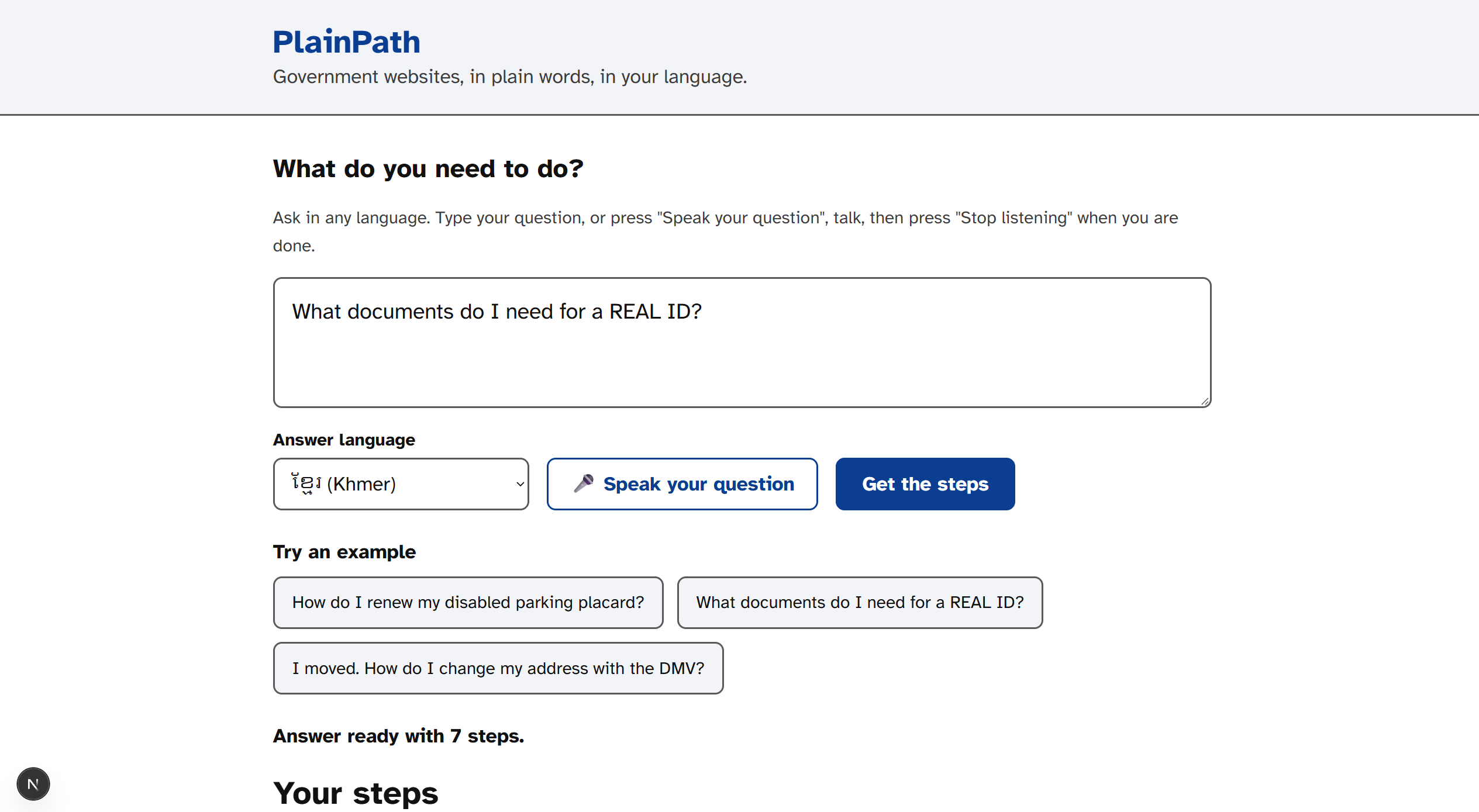
You describe what you need in any language, e.g. "I want to renew my disabled parking placard in Contra Costa. I only speak Chinese." PlainPath replies, in your language, with:
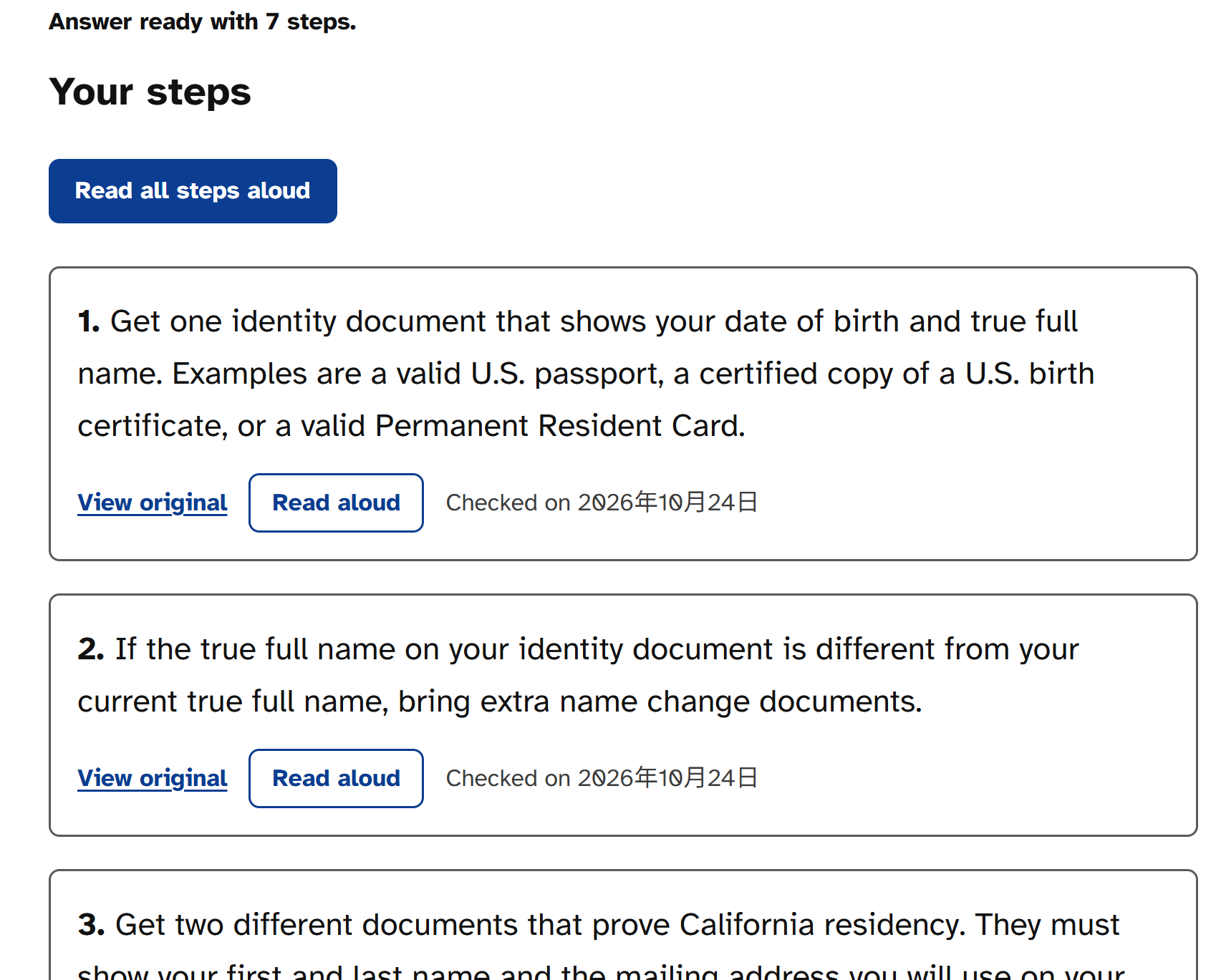
- Short numbered steps at an elementary reading level, each linked to the official page with its crawl date
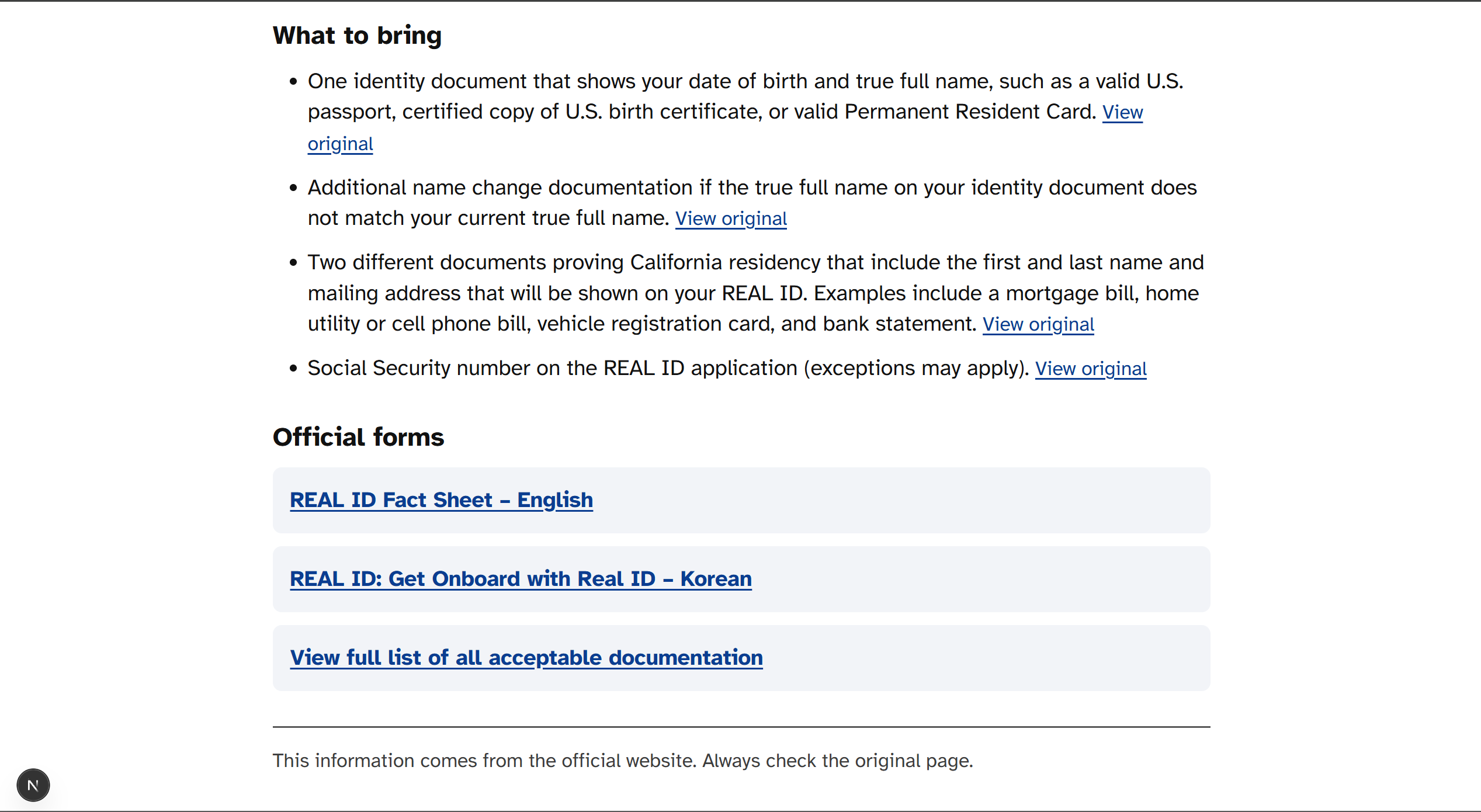
- What to bring, plus the official forms explained field by field (e.g. REG 195A for a placard renewal)
- An honest "not found on the official website" with the agency's contact page when the site doesn't cover it
There are two ways to use it, sharing the same backend:
- Inside ASI:One chat: four Fetch.ai agents (Navigator, Crawler, Answer, Form) run the whole flow in the conversation with Interactive Cards: a form card when details are missing, a carousel with one card per step, and a checklist card for documents and forms. If the data is older than a day, the Crawler refreshes it live and shows progress in the chat.
- An accessible website: one question box, voice input, read-aloud for every step, large high-contrast text, and full keyboard and screen-reader support.
How we built it
- Apify: Website Content Crawler collects every public page of dmv.ca.gov (respecting robots.txt). Our own Actor, PlainPath Gov Extractor (published on the Apify Store), turns service pages into structured records (steps, required documents, mailing addresses, fees) and reads the fillable fields of official PDF forms.
- MongoDB Atlas Vector Search stores 1,298 chunks of official content. Search combines exact form-number lookup ("REG 195") with vector search.
- Bitdeer AI Model Studio powers every model call: intent detection, grounded step-by-step answers, translation and form explanations (DeepSeek-V4.1-Flash), plus multilingual embeddings (bge-m3), so a Chinese question finds English DMV pages.
- Fetch.ai uAgents with the Agent Chat Protocol, registered on Agentverse; the Navigator orchestrates the Crawler, Answer and Form agents and uses ASI Interactive Cards.
- FastAPI backend and a Next.js website (Web Speech API for voice), checked with axe-core: 0 WCAG 2.2 AA violations.
Challenges we ran into
- Keeping the model honest. Answers are written only from retrieved official excerpts; a relevance threshold returns "not found" for off-topic questions (like a fishing license on the DMV site); and every source link comes from our database, never from the model.
- One page, two URLs. The same DMV renewal page lived under two different addresses, which silently hid the renewal form (REG 195A) until we linked forms back to every page that references them.
- Slow crawls in a fast chat. A full crawl takes minutes, so the Crawler reports live progress, answers from saved data while the refresh finishes in the background, and falls back to saved data (with its date) if Apify fails.
- Getting the details right per action. "Renew", "apply" and "replace" need different forms (REG 195A, REG 195, REG 156); we had to make intent detection and the form checklist keep that difference.
Accomplishments that we're proud of
- Every answer is traceable to an official page and the date it was crawled.
- Real failure recovery: when Apify fails, PlainPath still answers and tells the user how old the data is.
- A custom Apify Actor that extracts not just text but the field names inside official PDF forms.
- A website that works end to end with only a keyboard or only your voice, with zero automated accessibility violations.
What we learned
Accessibility isn't only contrast ratios and labels. It's plain language, the user's own language, and trust. Showing the source of every sentence is what makes an AI answer usable for something as important as a government process. We also learned how much a good agent design depends on recovery paths: tools fail, and the user should still get an honest answer.
What's next for PlainPath
- More agencies, counties and states, plus an "instant mode" that crawls any official URL on demand
- Alerts when an official page you rely on changes
- Sign-in so people can save their checklists and come back to them
- Always-on cloud deployment so the agents stay available after the hackathon
Built With
- agentverse
- apify
- asi-one
- axe-core
- beautiful-soup
- bge-m3
- bitdeer
- crawlee
- deepseek
- fastapi
- fetch.ai
- mongodb
- mongodb-atlas
- next.js
- openai-sdk
- pypdf
- pytest
- python
- react
- tailwindcss
- typescript
- uagents
- uvicorn
- vector-search
- web-speech-api

Log in or sign up for Devpost to join the conversation.