-
-
1-start-page.jpg
-
2-every-field-explained.jpg
-
3-difficult-words.jpg
-
5-phone-light-and-dark.jpg
-
4-arabic-right-to-left-dark.jpg
Inspiration
Official forms decide big things: whether a visa is granted, whether a hospital has your history right, what a lease commits you to. They are written in bureaucratic language, and very often in a language the person filling them in doesn't read well. Migrants, refugees, international students and older relatives guess, leave boxes blank, or sign clauses they never understood. A name that doesn't exactly match a passport or a date in the wrong order can get an application sent back weeks later.
The help that exists is slow or expensive: an adviser appointment, a relative who happens to be free, or pasting fragments into a translator that turns "joint and several liability" into nonsense. I wanted something that works the moment you're holding the form.
What it does
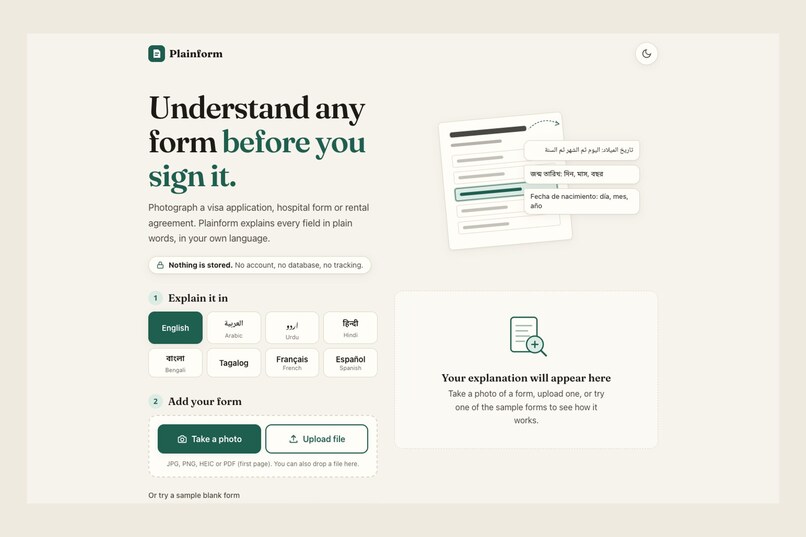
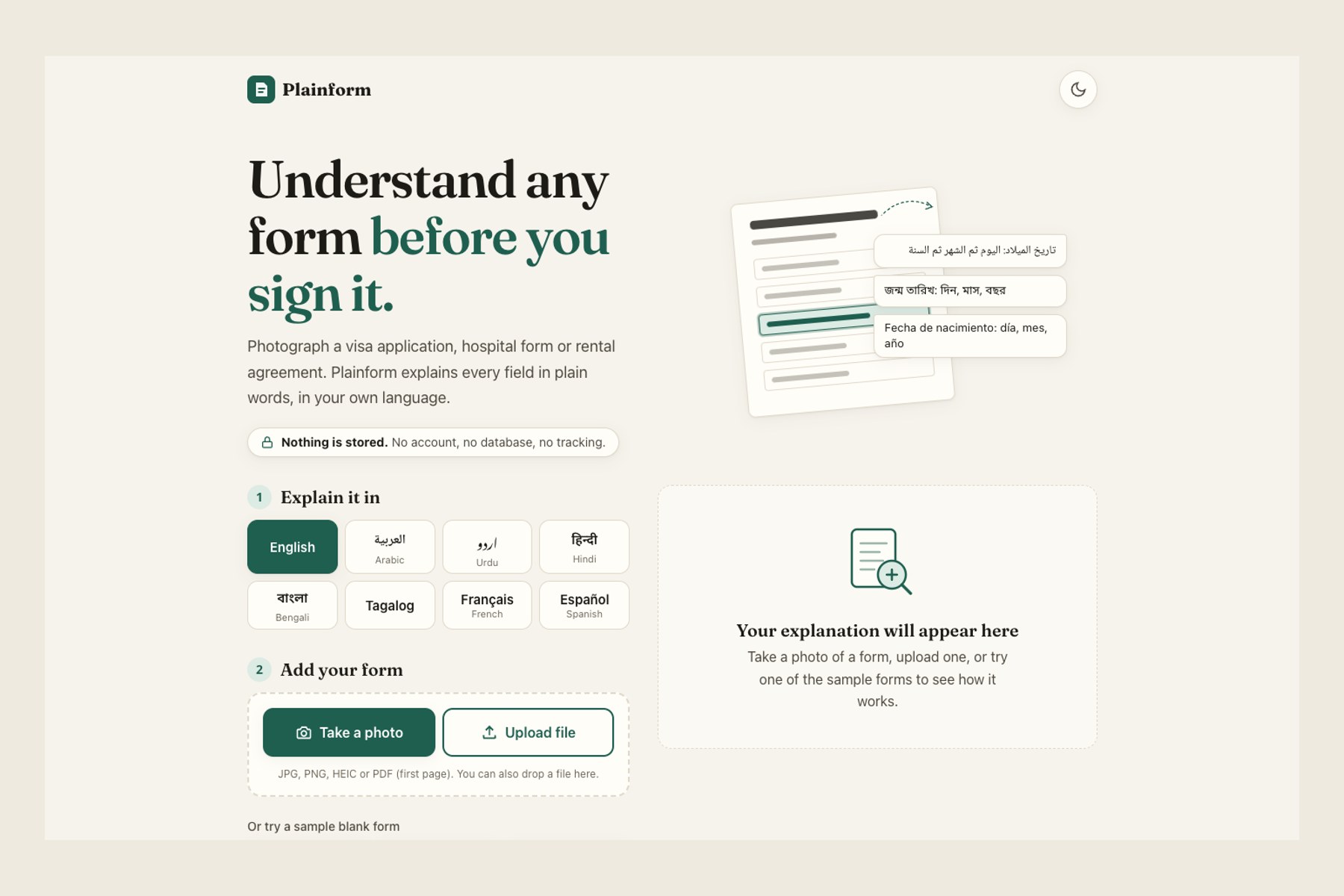
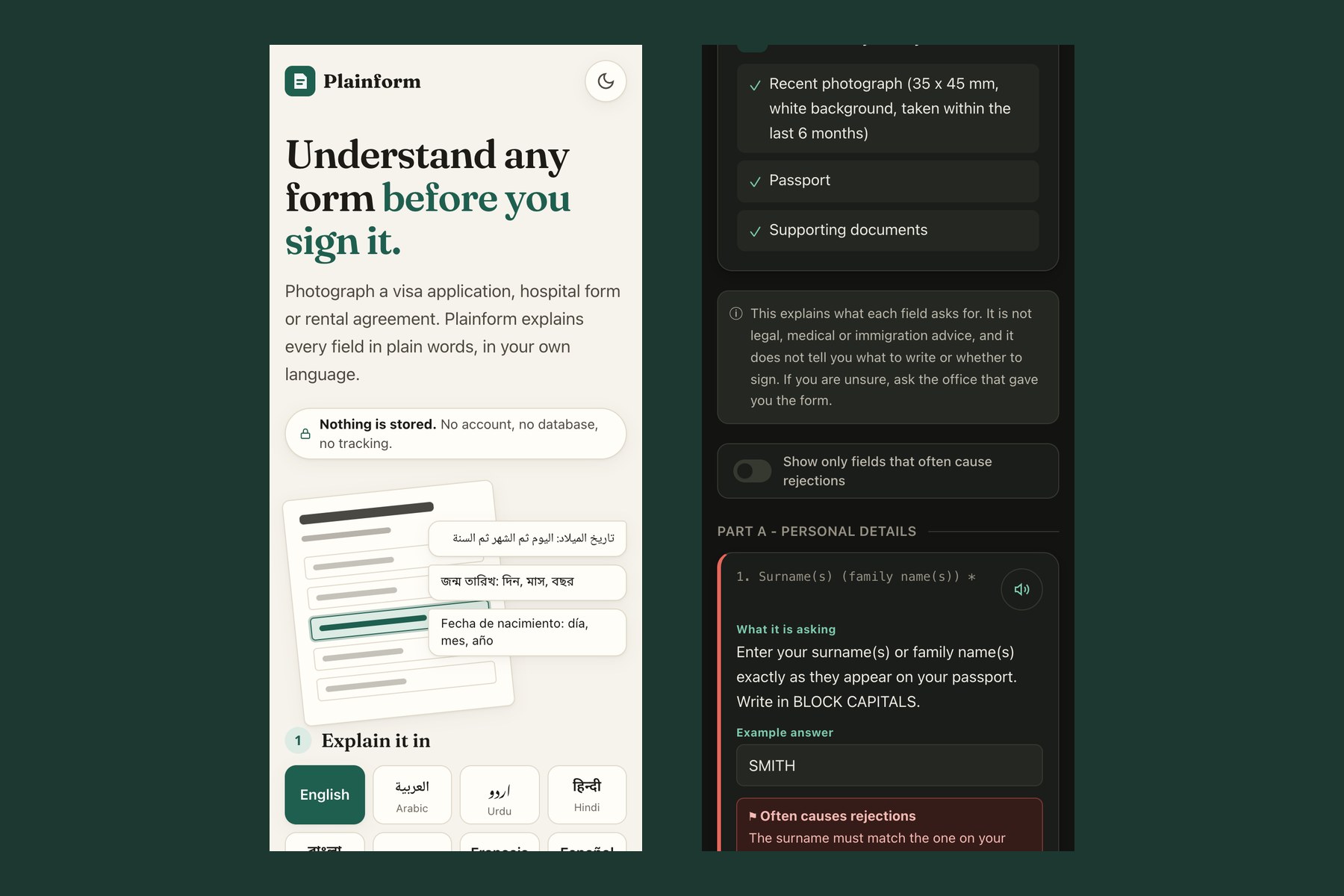
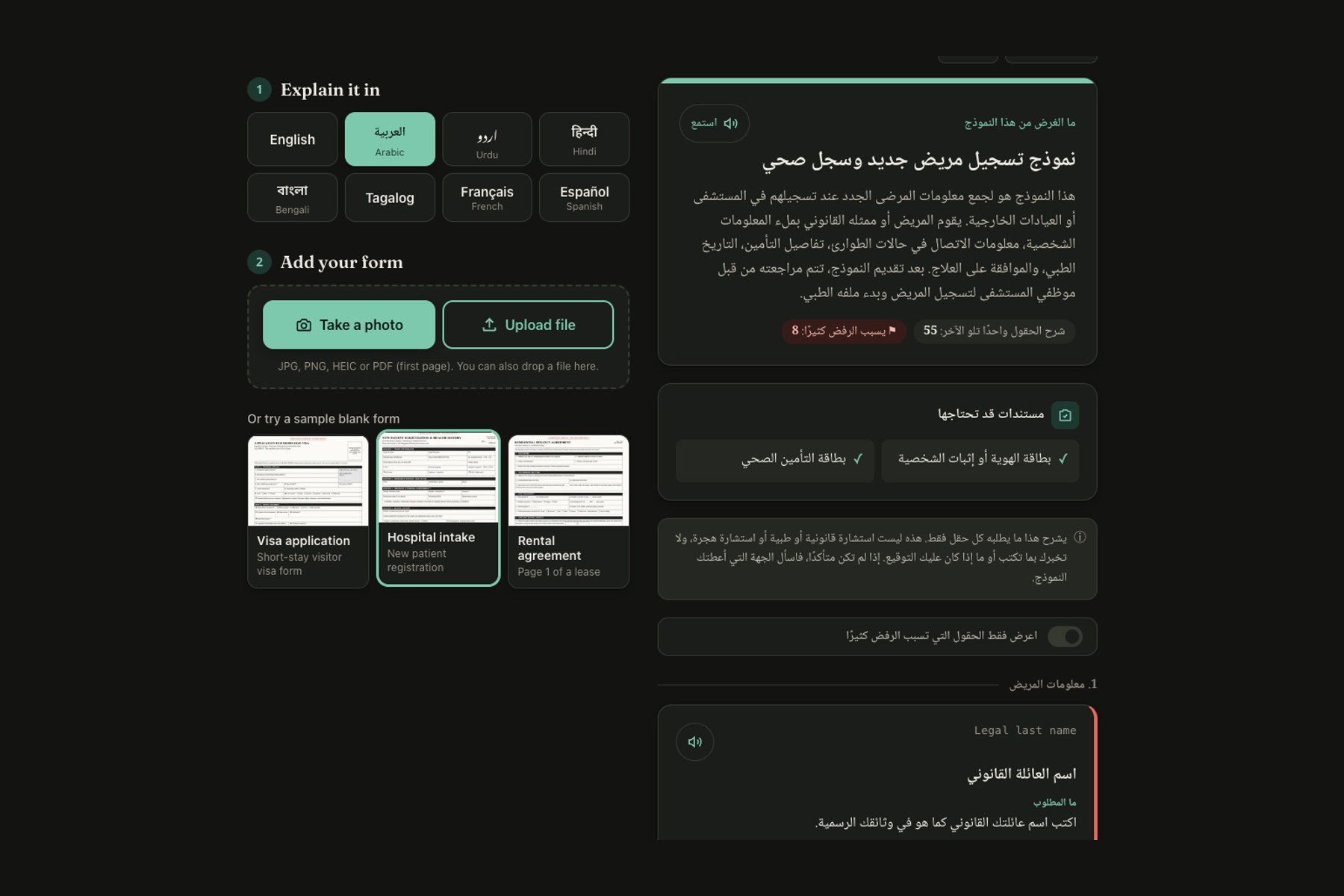
Plainform is one page. No account, nothing to install. Take a photo of a form (or upload an image or PDF), pick a language, and you get:
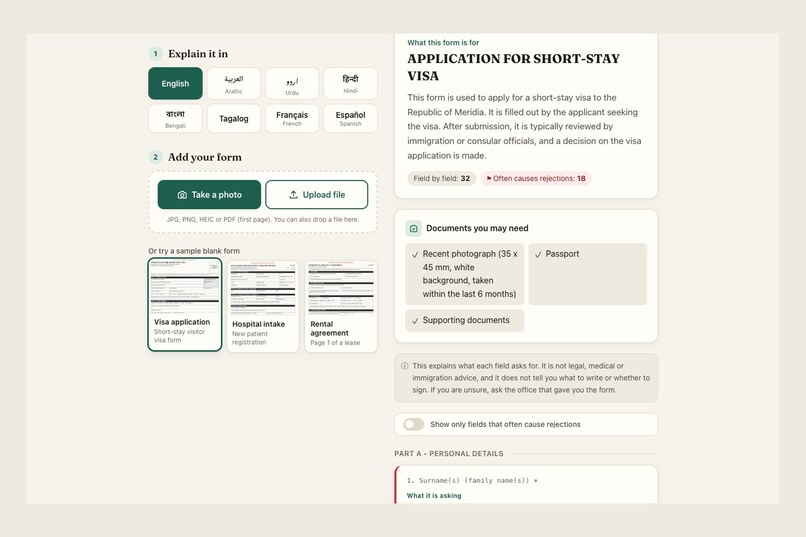
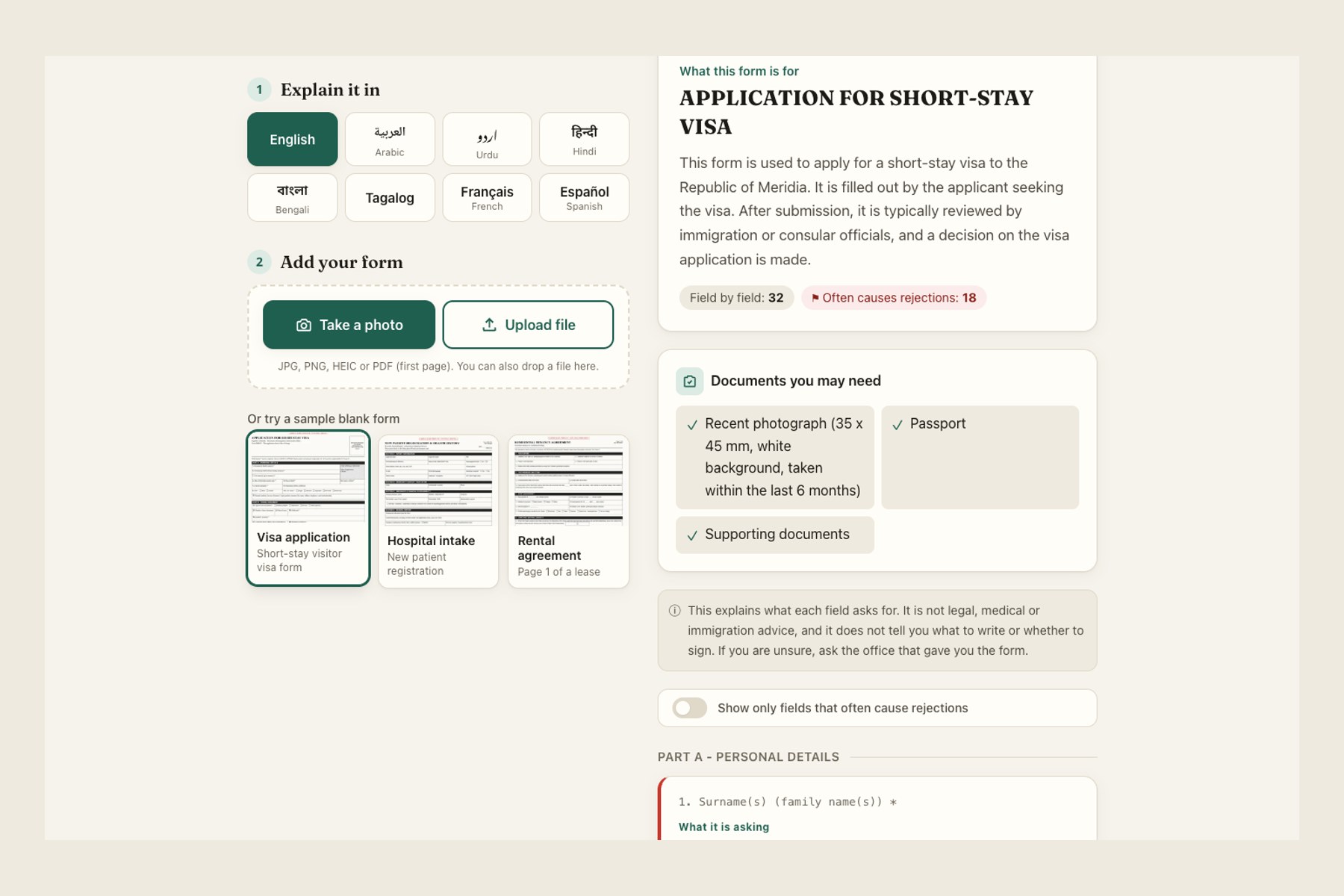
- A one-paragraph summary: what the form is for and what happens after you submit it.
- Every field, in reading order: the label exactly as printed, what it is really asking for in plain words, and an example of a correctly formatted answer using fictional values.
- Rejection warnings on fields that commonly cause forms to be sent back, with the reason.
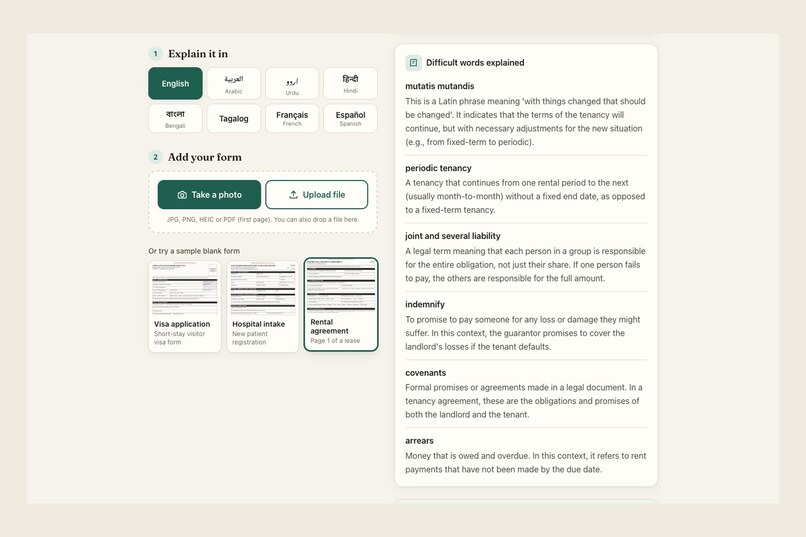
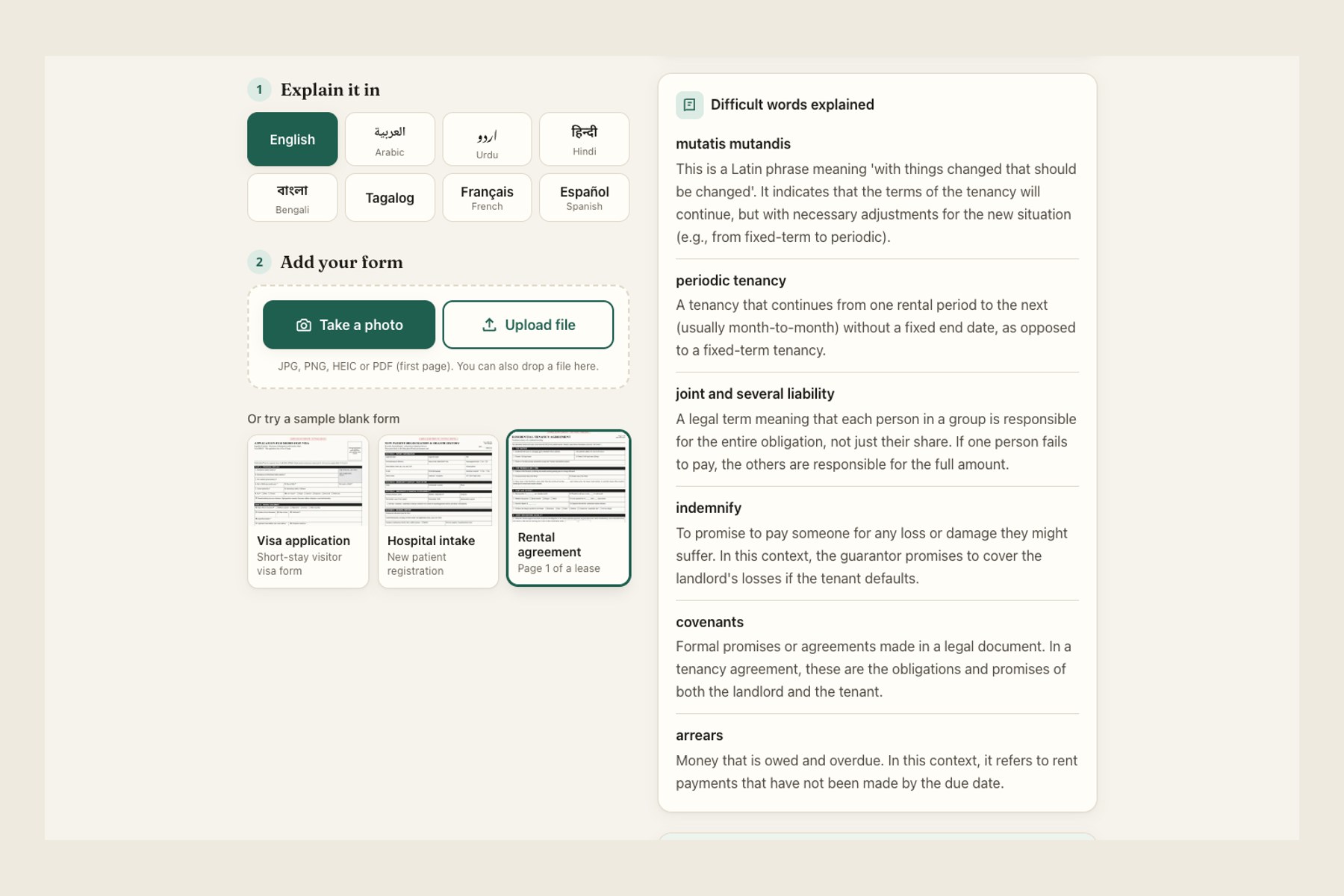
- Documents you may need and difficult words explained (for example "mutatis mutandis" or "advance directive").
- A filter that shows only the risky fields.
- Follow-up questions in your own language, such as "what is a guarantor?"
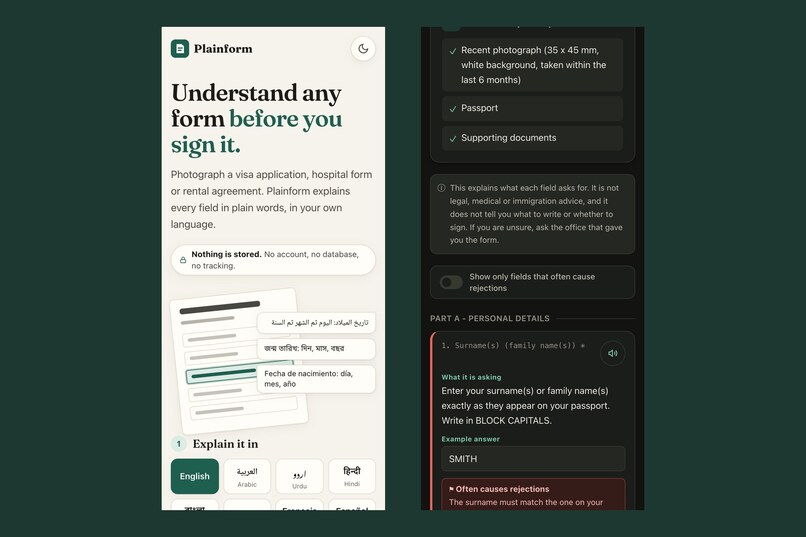
- Read aloud for every explanation, using the device's own voices, for people who find reading hard.
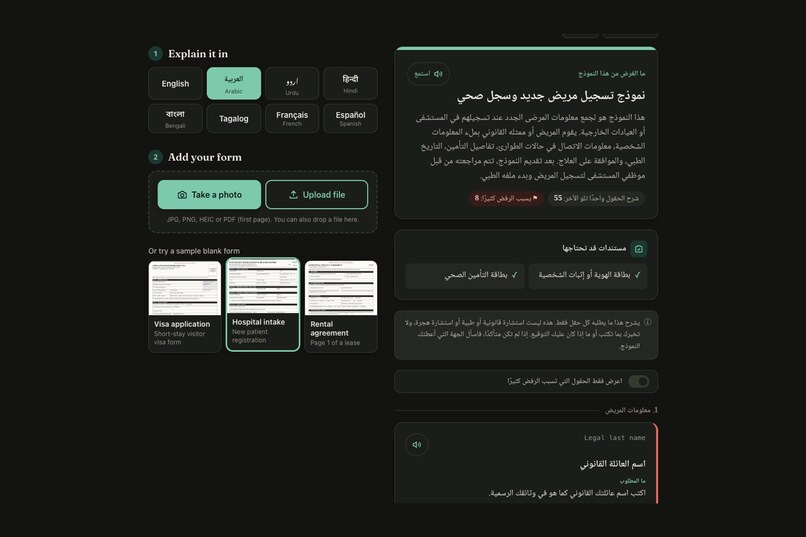
It works in English, Arabic, Urdu, Hindi, Bengali, Tagalog, French and Spanish. Arabic and Urdu lay out right to left, with Urdu in proper Nastaliq script. Results are readable on a phone, print cleanly, and the page has light and dark modes.
Three principles are built into the prompts and the interface:
- It explains; it never advises. It doesn't tell anyone what to write, whether they qualify, or whether to sign. Ask "should I sign this?" and it says it can't advise and points you to a lawyer, tenant service or the issuing office.
- It doesn't guess. If part of a page is blurred or cut off, it says so and tells you to check the original. A wrong explanation on a visa form is worse than none.
- Nothing is stored. No database, no accounts, no logs of uploaded images, no analytics. The image lives in memory for one request and is gone.
How I built it
- Next.js 15 + TypeScript + Tailwind CSS 4, deployed to Cloudflare Workers with the OpenNext adapter.
- The browser does the heavy lifting before upload. Photos are resized and re-encoded as JPEG, iPhone HEIC photos are converted, and PDFs are opened with pdf.js, which draws the first page to a canvas. Less data leaves the phone, and the server only ever handles one small image.
- The image goes to a vision model through OpenRouter with a strict JSON schema: every field has a label, translation, meaning, example, legibility flag and rejection flag. The model name is an environment variable, so it can be swapped without a code change.
- The answer streams to the browser. A partial-JSON parser turns the half-written answer into field cards as they arrive, so people watch the explanation build up instead of staring at a spinner.
- The three sample forms (visa, hospital intake, rental agreement) are blank templates I designed for fictional issuers. Their results are pre-computed in all eight languages, so the demo loads instantly.
- Typography uses Fraunces with the Noto family for Arabic Naskh, Urdu Nastaliq, Devanagari and Bengali, so every script looks like it belongs.
Challenges I ran into
- Right-to-left done properly. Flipping
dir="rtl"isn't enough. A form printed in English must keep its labels left to right inside an Arabic explanation, warning borders must sit on the correct side, and Urdu Nastaliq needs much taller line spacing than other scripts, or the lines overlap. - Keeping a cheap model reliable. To keep running costs near zero I used a small, fast vision model. On one long form it got stuck writing endless whitespace. The streaming client now detects that, stops, and hands over to a second fallback model, and the browser restarts the cards cleanly.
- Moving to Workers. Cloudflare Workers doesn't run the Node libraries my server-side PDF handling relied on, so I moved PDF rendering into the browser with pdf.js. That turned out better for privacy too.
- A crash I only found while recording the demo. Newer Chrome returns a Promise from
scrollIntoView, and one of my React effects accidentally returned it as its cleanup function. Switching language with the question panel open crashed the page. Fixed with two braces.
Accomplishments that I'm proud of
- A form explained field by field in under 20 seconds, in eight languages, with nothing stored.
- Honest failure: when it can't read something, it says so.
- A phone-first design that feels like a shipped product, not a demo.
What I learned
How much of "accessibility" is really about language and layout direction, and how strict output schemas plus clear refusal rules make a cheap model trustworthy enough for high-stakes documents.
What's next
- Multi-page documents, explained page by page.
- More languages, starting with Somali, Pashto, Ukrainian and Vietnamese.
- Partnering with legal aid clinics, refugee services and hospitals so staff can hand someone a link instead of a leaflet.
Built With
- cloudflare-workers
- gemini
- gemma
- json-schema
- nextjs
- opennext
- openrouter
- pdf.js
- react
- server-sent-events
- tailwindcss
- typescript
- vision
- web-speech-api
- zod

Log in or sign up for Devpost to join the conversation.