Inspiration
Lots of students are stuck in strictly theory, or lecture based learning experiences. They read about concepts, but never get to apply them. Hands-on learning works, but labs, equipment, and field trips cost money many schools don't have. We wanted to give every student the hands-on experience a textbook can't, using the lessons their teachers already have.
What it does
Ludify is a 3D open-world learning game for macOS and Windows. A teacher imports their own lesson (PDF, PowerPoint, Word, text, Markdown, or pasted text and images), and AI turns it into practice questions woven into the game. Each question is asked only once, and every reward in the game is earned with a right answer.
The world is a 500 × 500 m map split by a river and joined by four bridges:
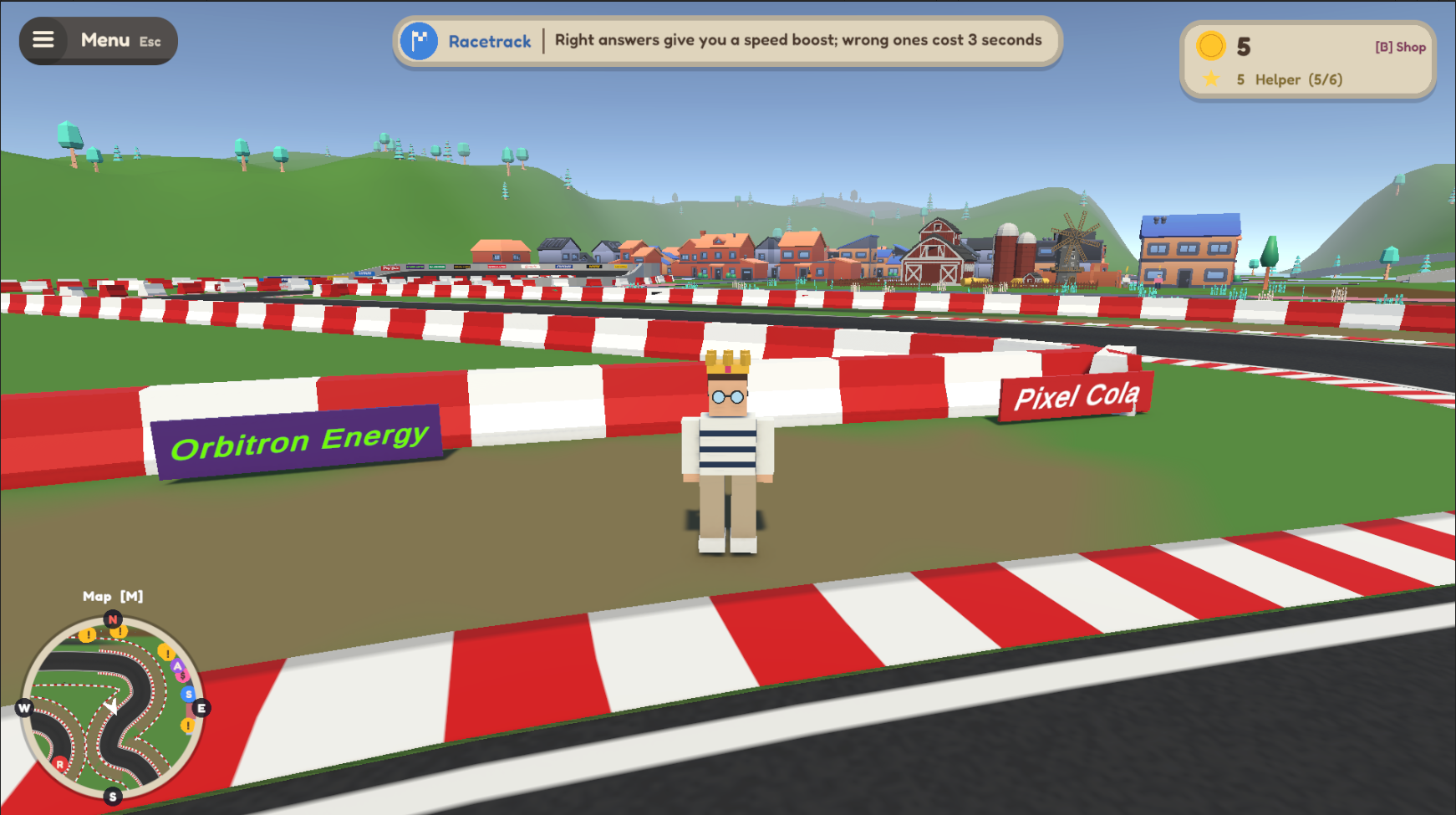
- Knowledge Time Trial: Race an F1-style car around a 987 m circuit. Twice per lap, the game drops into slow motion and asks a 15-second question. A right answer gives you a speed boost and coins. A wrong one slows you down and adds a 3-second penalty. Lap times and personal bests are tracked.
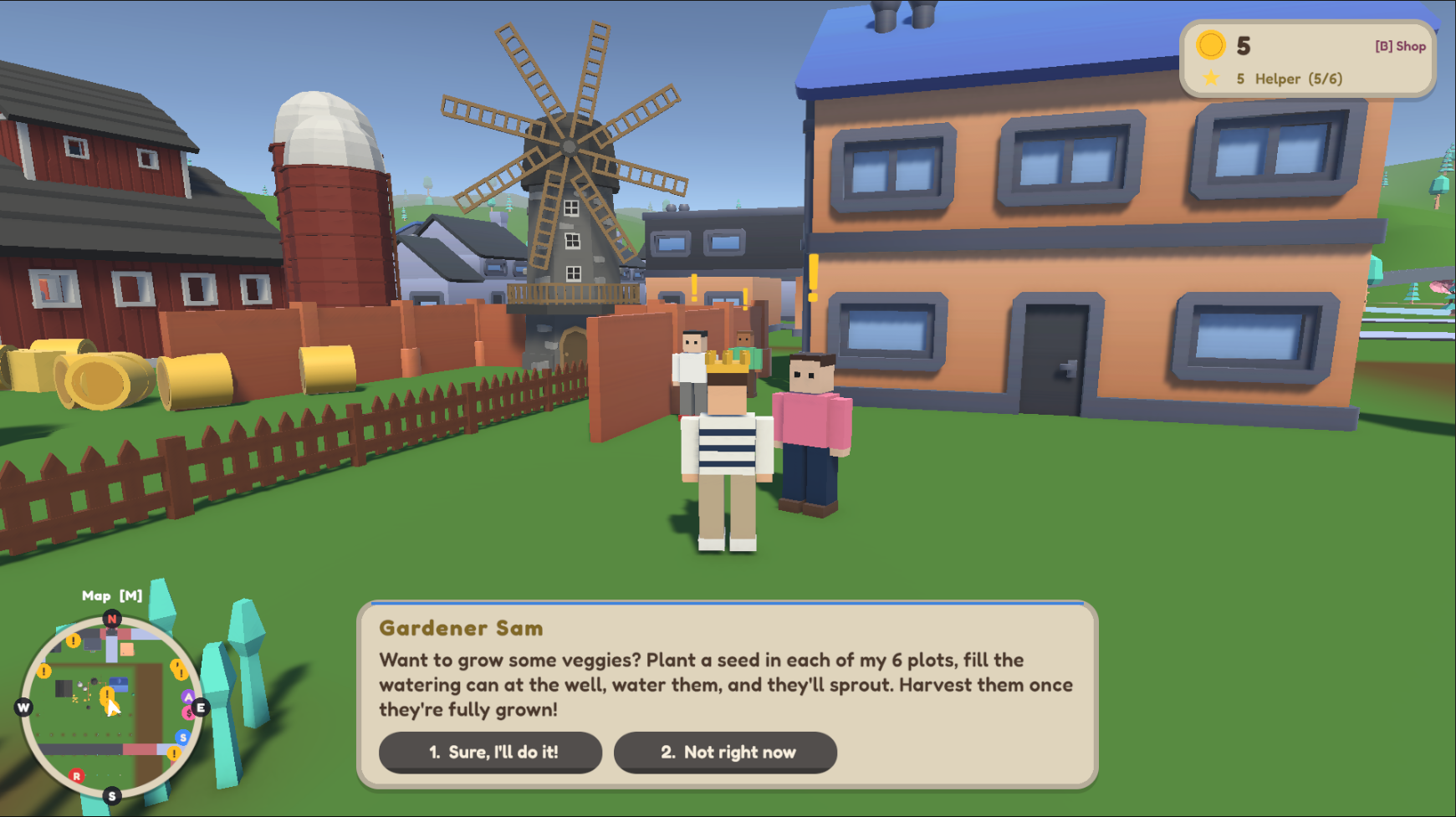
- Quests and jobs: Help the town's 16 residents find a lost pet, recover lost items, collect scattered pages, or deliver a parcel. You can also run a newspaper route by bike, mow lawns, rake, plant, and harvest on the farm. Residents ask a question before you can help them.
- Hints that cost knowledge: A hint costs one correct answer and shrinks the map's search circle from 50 m to 30 m to 12 m.
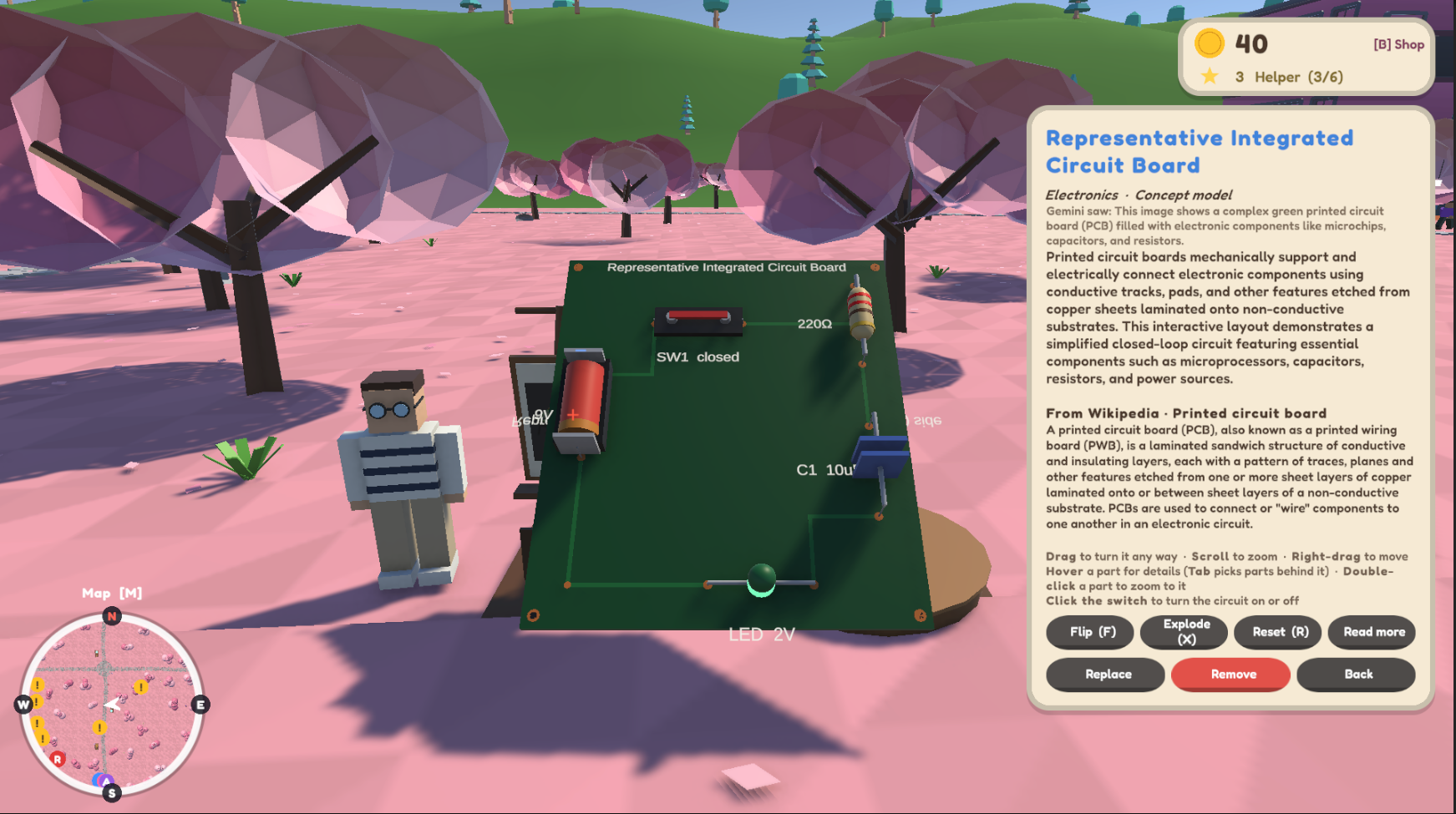
- AI art gallery: Paste any image at a pedestal. Gemini reads it, and the game builds a labeled 3D exhibit, like a working circuit you can switch on and off or a model of a molecule.
- Progression: Coins and stars earn titles, from Newcomer to Neighbor, Helper, Local Hero, and City Legend. Progress is saved, and fast travel is unlocked by answering a question.
- The same engine handles simple and complex subjects, from fractions in K-12 to circuits and cell biology in college. ## How we built it We built Ludify in Unity 6 with the Universal Render Pipeline and C#, using Unity's Input System, AI Navigation for runtime NavMesh, TextMeshPro, Newtonsoft JSON, Timeline, and the Test Framework. File picking uses SimpleFileBrowser. The art comes from Kenney and Quaternius CC0 asset packs, and the V8 engine audio is pitched to the car's RPM.
The AI pipeline:
- Readers parse the lesson file.
- The first Gemini call researches the topic with Google Search grounding, or uses the model's own knowledge on free API keys.
- The second Gemini call writes multiple-choice questions as JSON.
- The questions are validated and saved to a question bank, cached by file hash so a lesson is only processed once.
- One shared question pool feeds racing, quests, jobs, and fast travel.
A Wikipedia client adds background to gallery exhibits. API keys never go in the repo. They load from an environment variable or a gitignored secrets file.
Architecture: "No scene edits, everything self-installs." An editor scene processor builds the bridges, hills, track, farm, and colliders in memory before static batching, so the saved scene is never modified. Each system starts itself at runtime, and modules only talk through small public APIs (QuestionPool, QuestionPrompt.AskAsync, MapMarkers, PlayerProgress).
Challenges we ran into
- Three people, one Unity scene. Unity scene files are notorious for merge conflicts. We solved it by never editing the scene at all: every system builds itself in code at runtime, and the result was near-zero merge conflicts.
- Getting reliable questions out of AI. Model output doesn't always come back in the shape you asked for. Splitting the work into a research call and a writing call, then validating the JSON before it reaches the game, made the questions far more consistent.
- Free API keys. Search grounding isn't available on every key, so we added a fallback that uses the model's own knowledge.
- Making the car feel real. Getting a car that's fun to drive at nearly 210 mph took WheelColliders, rear-wheel drive, a 6-speed automatic gearbox, drag, downforce, and anti-roll bars.
- A world that loads cleanly. With so many systems building themselves at once, we added a loading screen that waits for everything to finish before the player spawns.
Accomplishments that we're proud of
- A full open world with racing, quests, jobs, a farm, a city, and a gallery, built in a single weekend
- Any lesson file becomes playable questions, with nothing to set up by hand
- The art gallery turning a flat image into a 3D circuit you can actually switch on
- An architecture that let three developers work in parallel with almost no merge conflicts
- Team work + learning Unity for the weekend
What we learned
- Splitting the AI into smaller, focused steps with validation beats one big prompt.
- Caching by file hash keeps AI costs low, since each lesson is only processed once.
- Designing clear module boundaries up front saved us far more time than it cost.
- Learning sticks better when every reward is tied to a right answer, instead of quizzes being a separate step. -Unity -Collaboration -Grit -Teamwork
What's next for Ludify
- Teacher and student mode: only teachers upload files, and students play in a controlled world.
- Multiplayer: co-op play and class-wide races.
- A teacher-facing import screen, classroom leaderboards, and images to 3D for any lesson.
- More platforms: a web version for Chrome OS and Android, then VR and AR.
- Test first, then deploy: every new feature is tested at the university with professors, students, and clubs before it goes out to K-12 teachers.
- A teacher marketplace: teachers can sell lesson plans tuned for Ludify to other teachers and schools.
Built With
- api
- c#
- claude
- physics
- unity
- wolfram-technologies

Log in or sign up for Devpost to join the conversation.