-
-
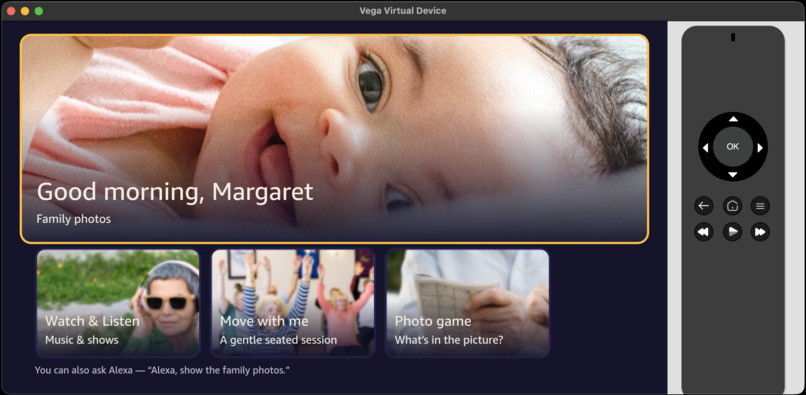
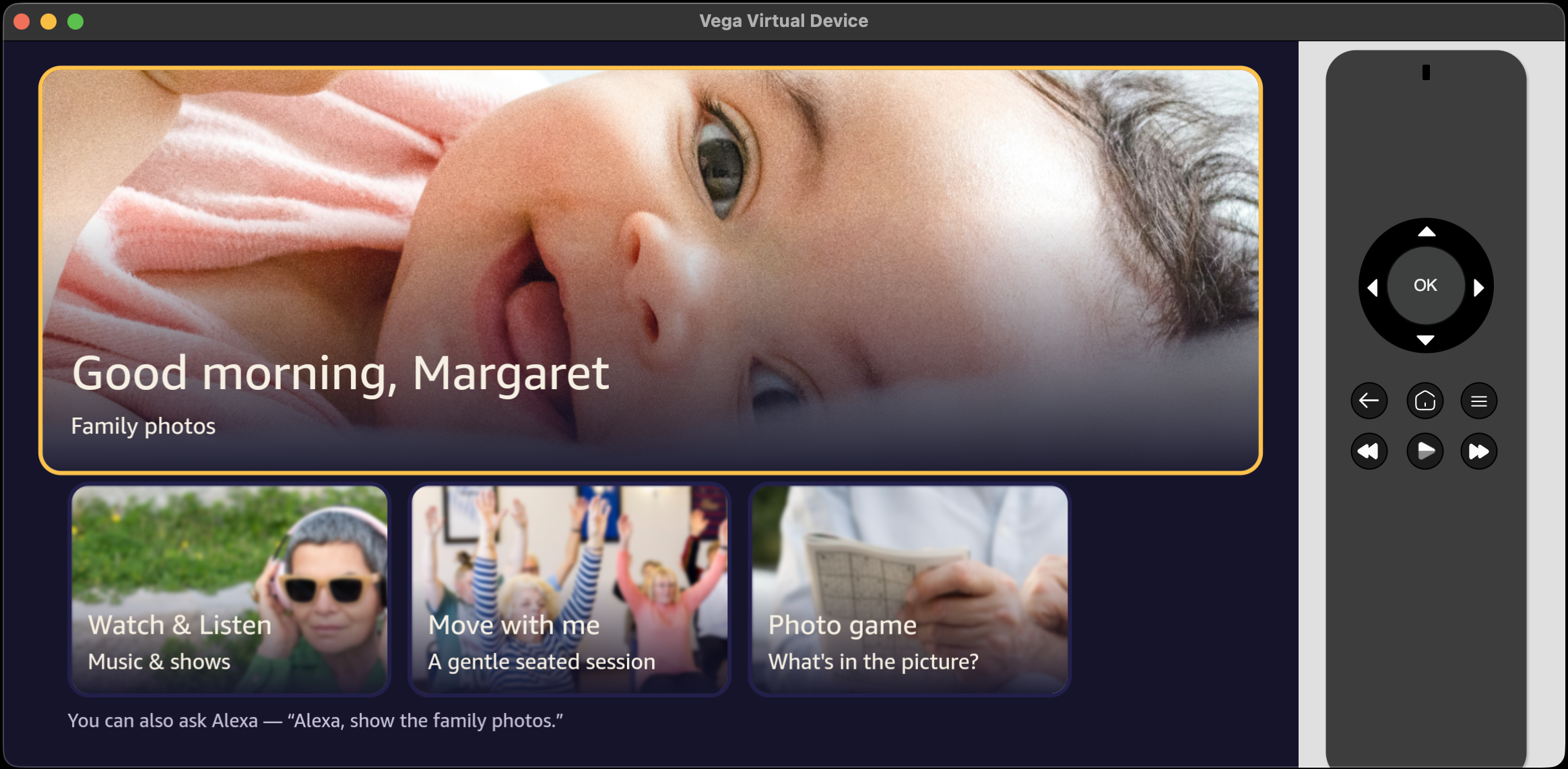
Home Screen
-
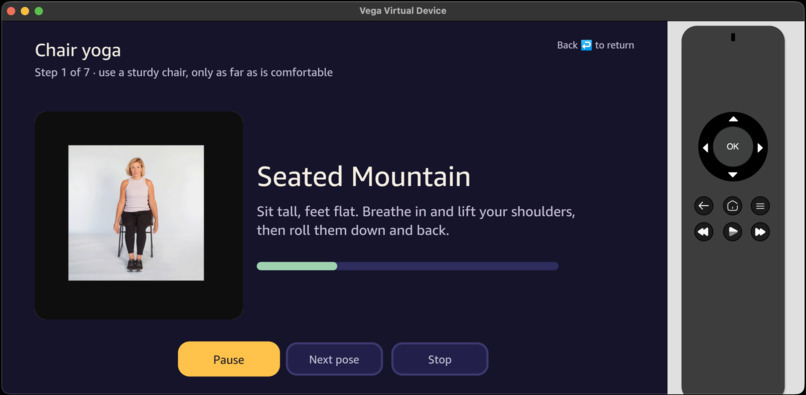
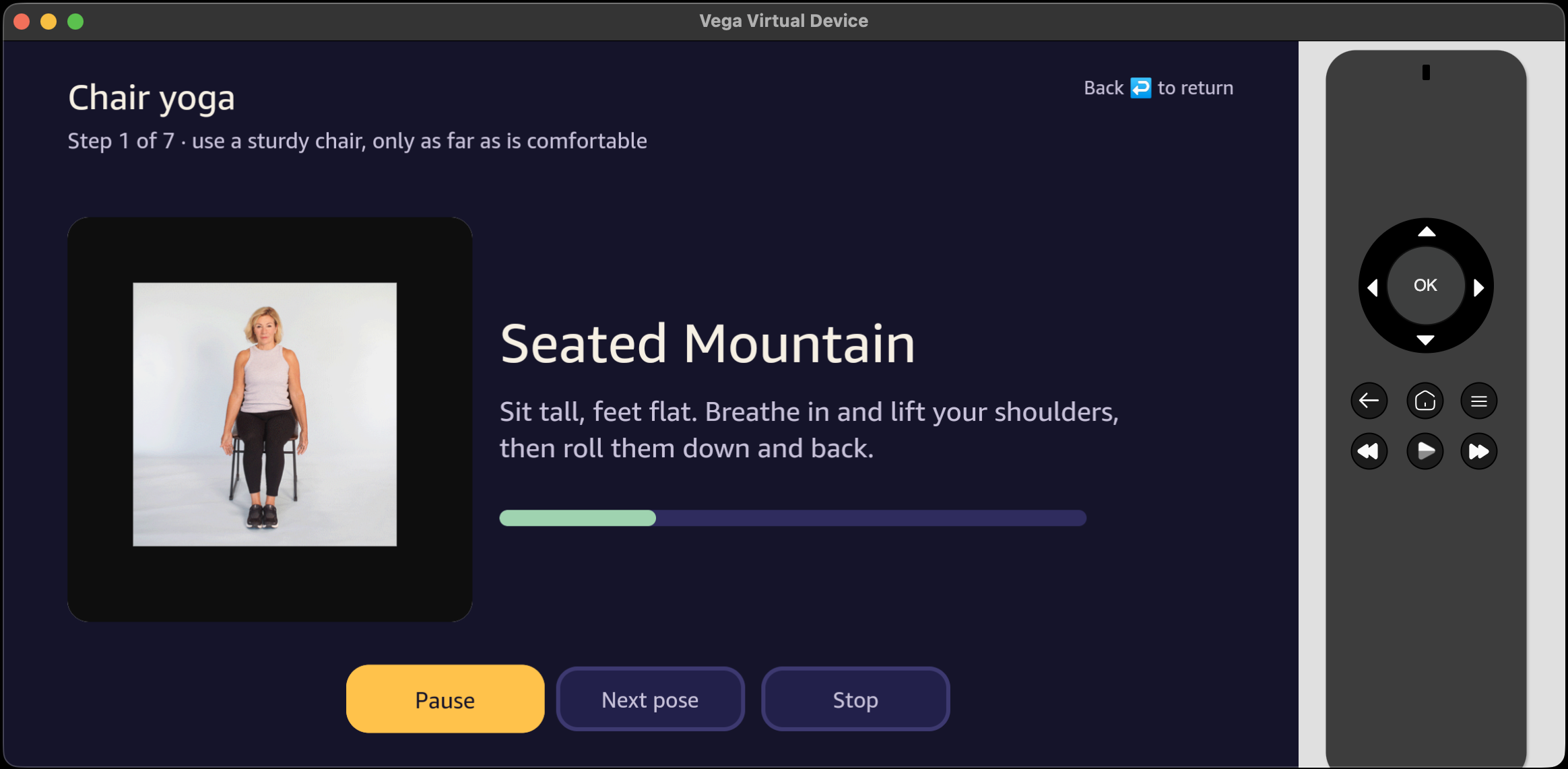
Gentle exercise
-
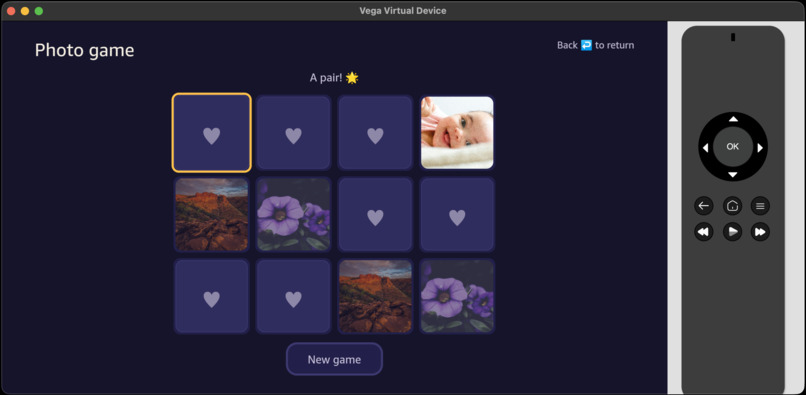
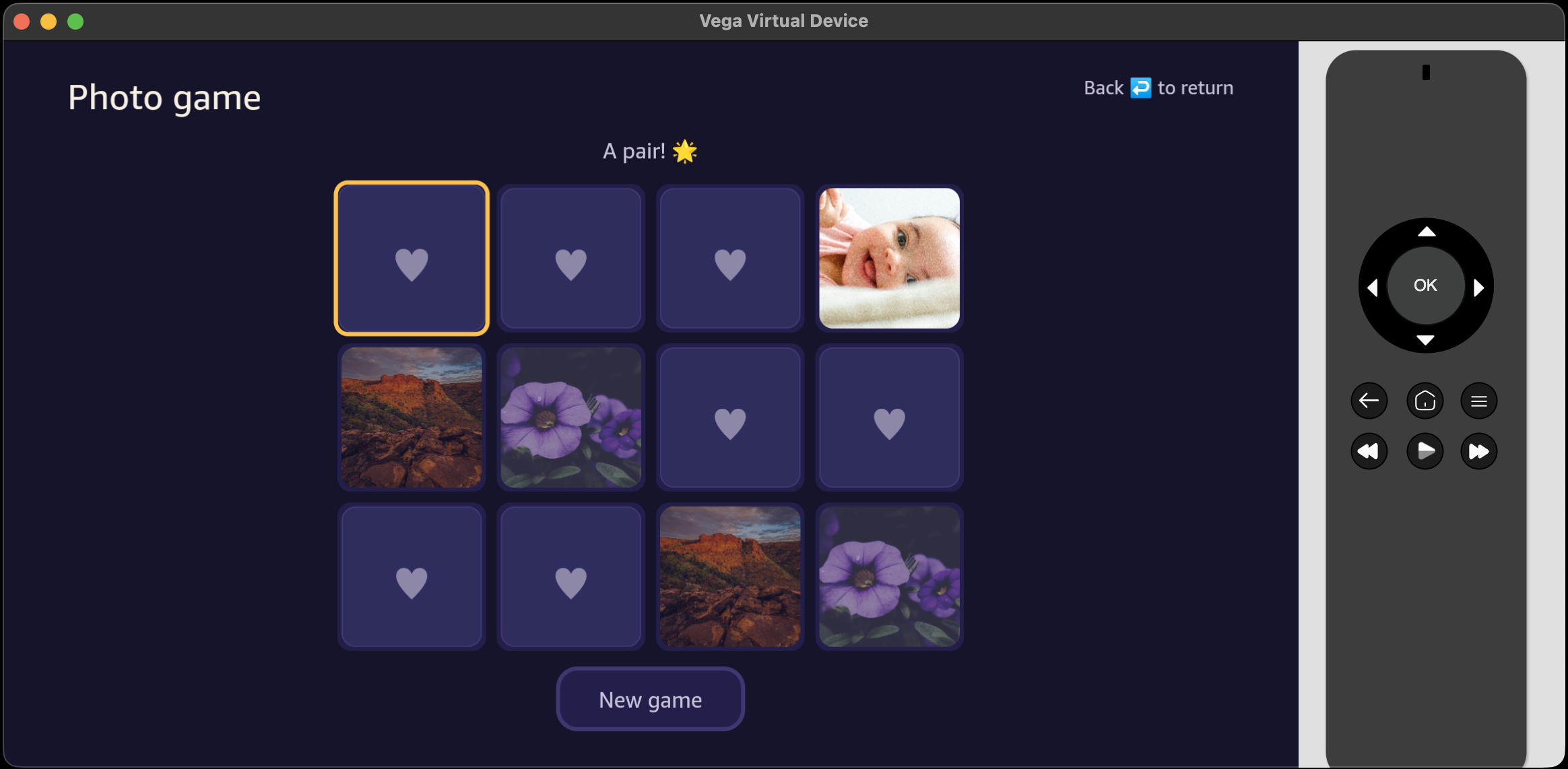
Match game.
-
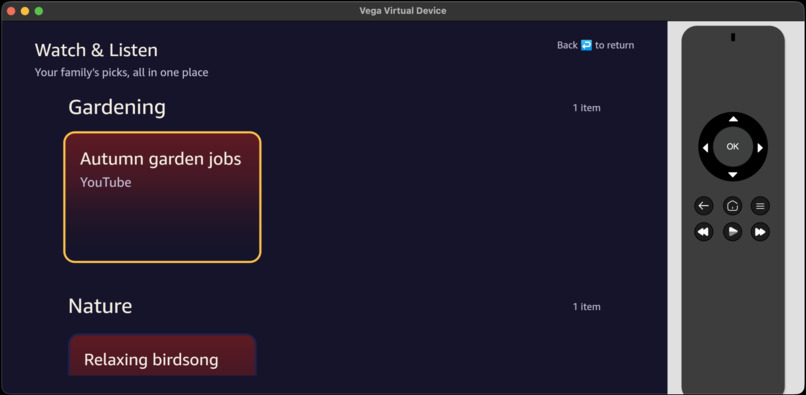
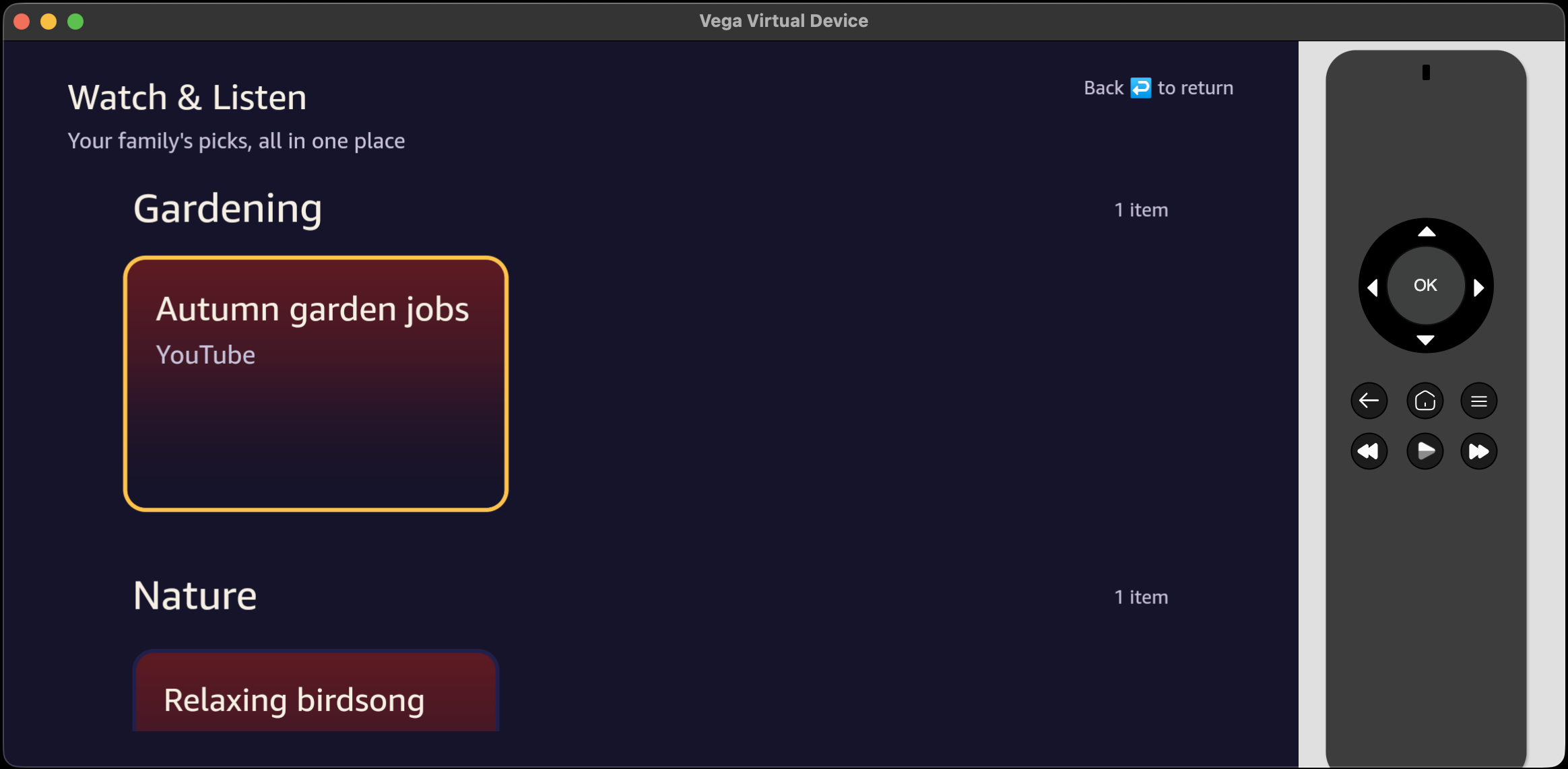
Curated feed from mobile.
-
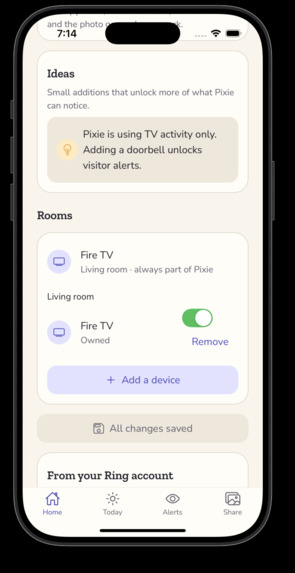
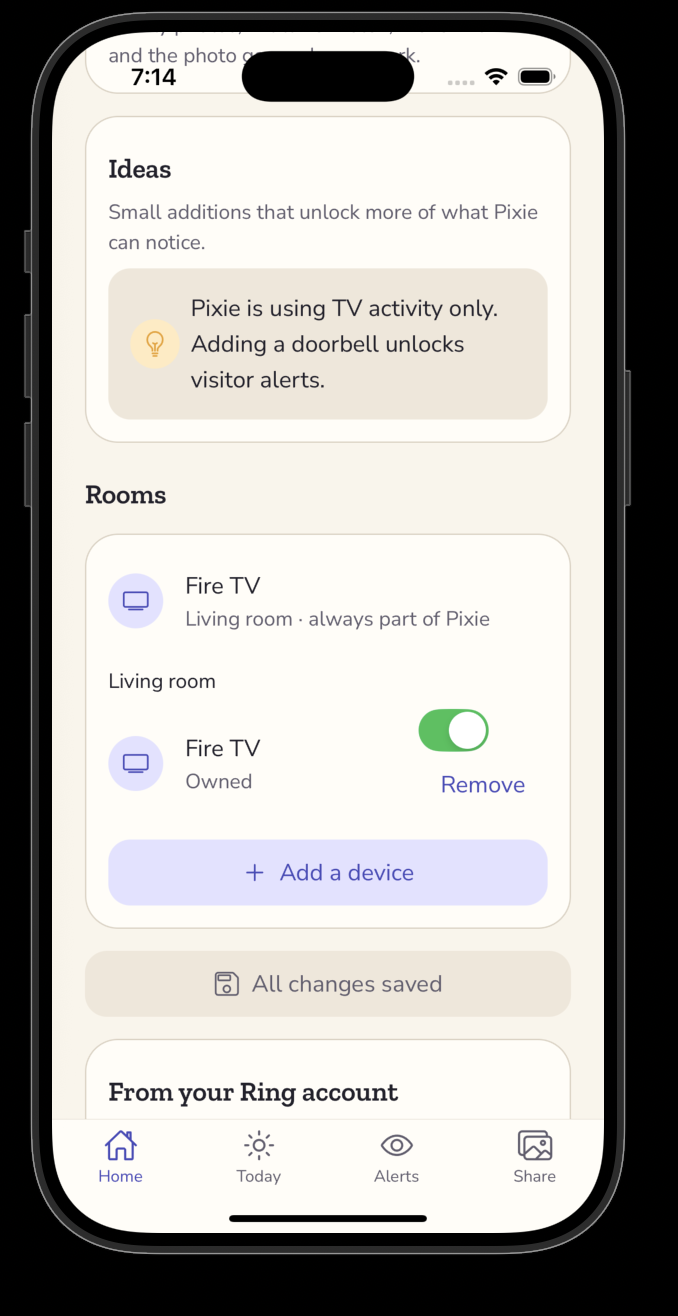
Add devices and Suggestion.
-
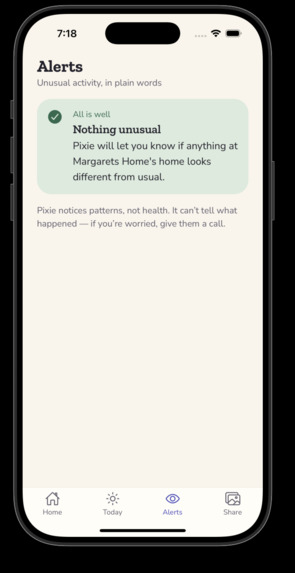
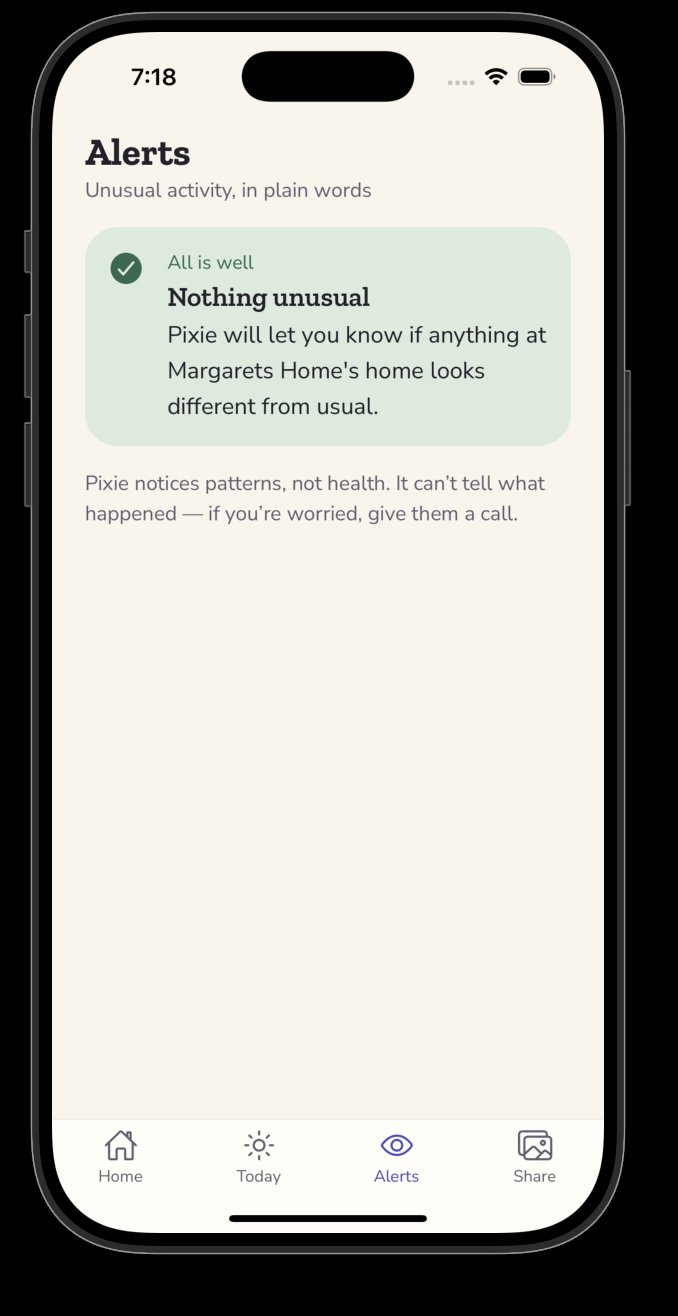
Alerts.
-
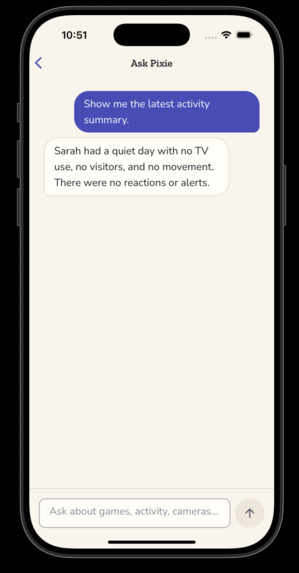
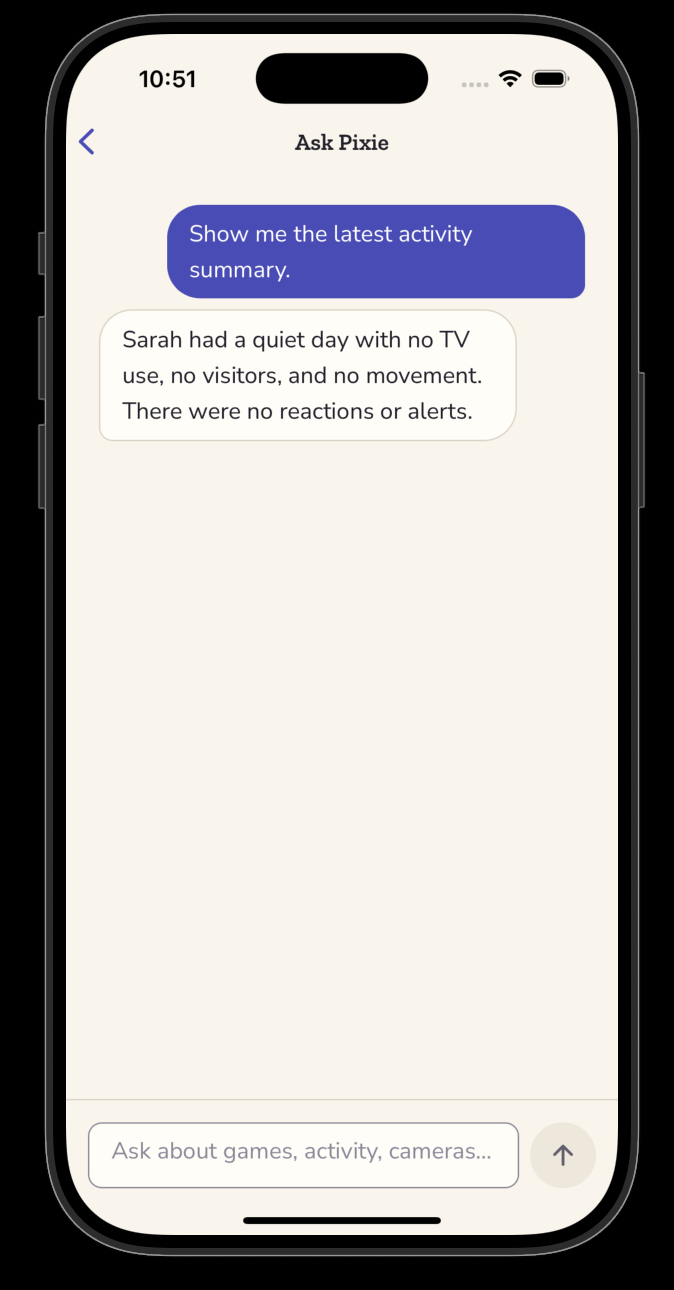
Chat bot.
-
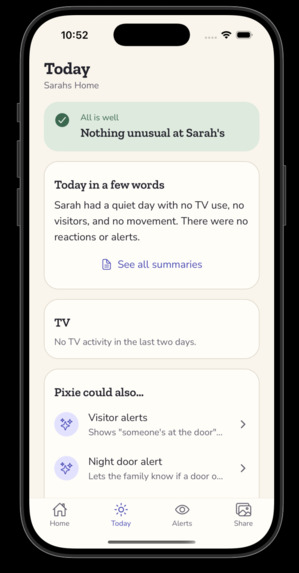
Updates.
-
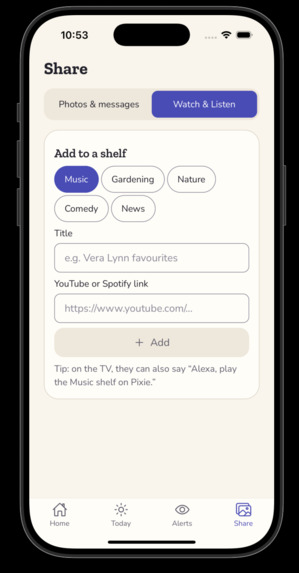
Curate feed.
-
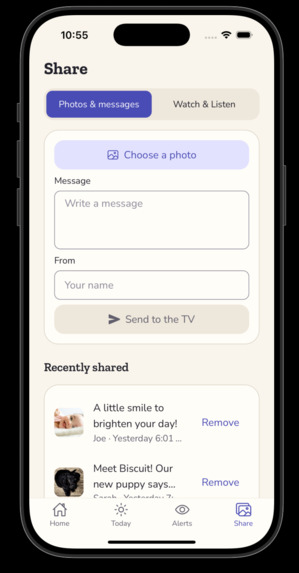
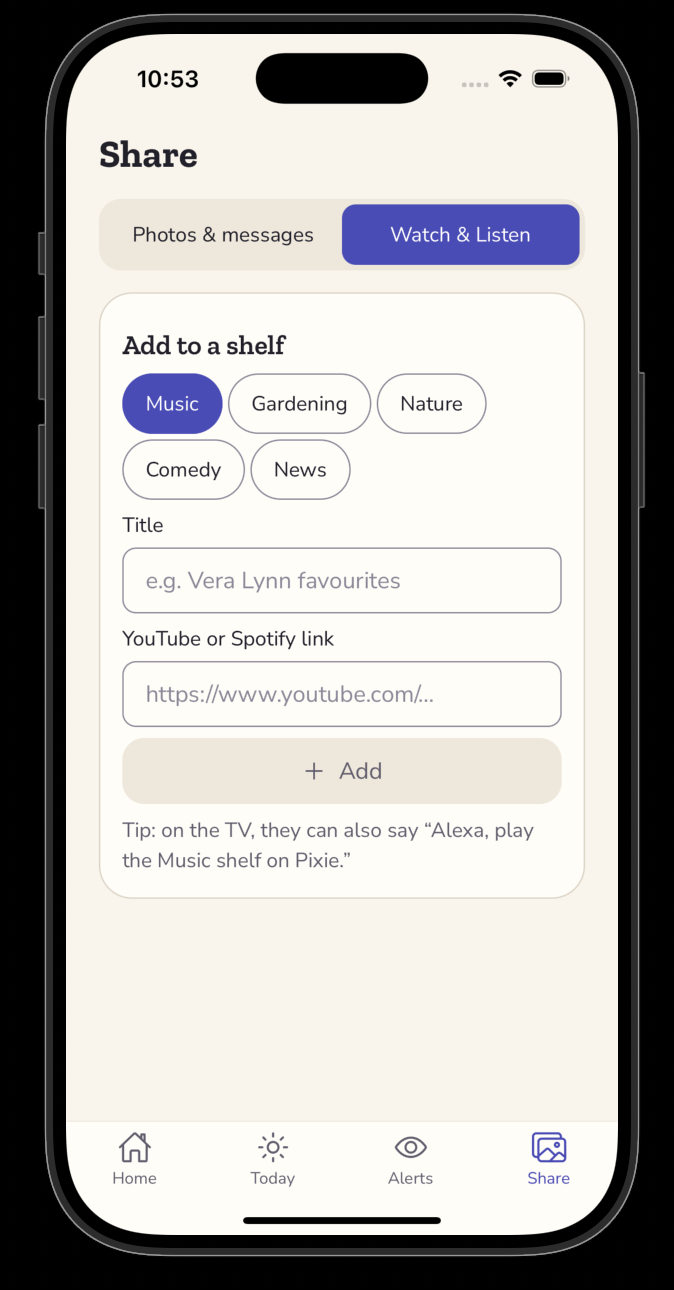
Share.
-
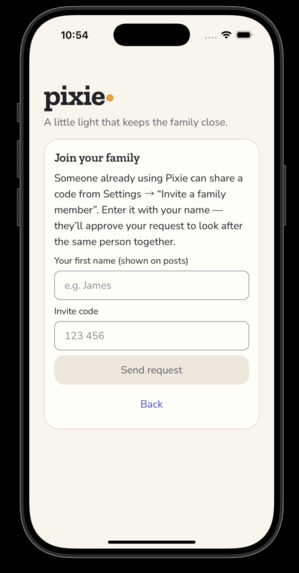
Join an existing home.
Inspiration
Pixie started with my grandma. She lives on her own and likes it that way, but she doesn't want cameras in her house; being watched feels worse to her than being alone. Our family is spread across different cities, so none of us can just drop by to check on her.
A few things stood out:
- Every home is different. No two have the same devices, and no family should have to buy and install a kit they don't want.
- People should get to keep the setup they're comfortable with. Grandma's is a door sensor and the Fire TV she already watches; another family's might be a Ring doorbell, or nothing but the TV.
- It isn't only about checking up on someone. The harder part is staying close when everyone lives far apart.
- The TV she already watches can do double duty: it shows photos and messages from the family, and her using it at all is a quiet sign the day is going fine.
- It fits whether it's one person's home or an old-age home full of residents. The same approach works either way: use whatever devices each room already has.
No new gadgets, no new habits, and nothing that feels like surveillance.
What it does
Ring
Ring devices are how Pixie sees the home. It works with whatever the family already has:
- A video doorbell: who's at the door, a live view, and an event each time it rings.
- A contact sensor on a door: catches a door opening at an odd hour.
- Indoor or outdoor cameras: a live look at a room or the yard.
- A temperature and humidity sensor: a comfort reading.
Pixie turns these into plain-language events and alerts.
Fire TV
The TV is the parent's side of Pixie, designed for simple remote control from the comfort of the sofa:
- Family photos and messages, with a one-press way to send love back.
- Family-curated Watch & Listen shelves featuring music, gardening videos, and old favourites chosen by the family.
- A gentle, seated "Move with me" session with exercises designed to help older adults stay active and maintain mobility.
- A photo matching game made from the family's own pictures to encourage memory recall and keep the mind active.
- The front-door view, with a full-screen alert when someone rings.
- TV activity helps Pixie recognise signs of a normal day, so even a TV-only home still gets a "quiet day" check. Pair multiple screens and alerts can reach every screen in the house.
Alexa+
Ask and tell, by voice:
- "Alexa, how's Mum today?" reads back the day's summary.
- Tell Alexa to open the photos, start the game, or show the front door on the TV.
The family's phone (React Native)
The family's side of Pixie, designed for children, caregivers, and other family members to stay connected and support their loved ones:
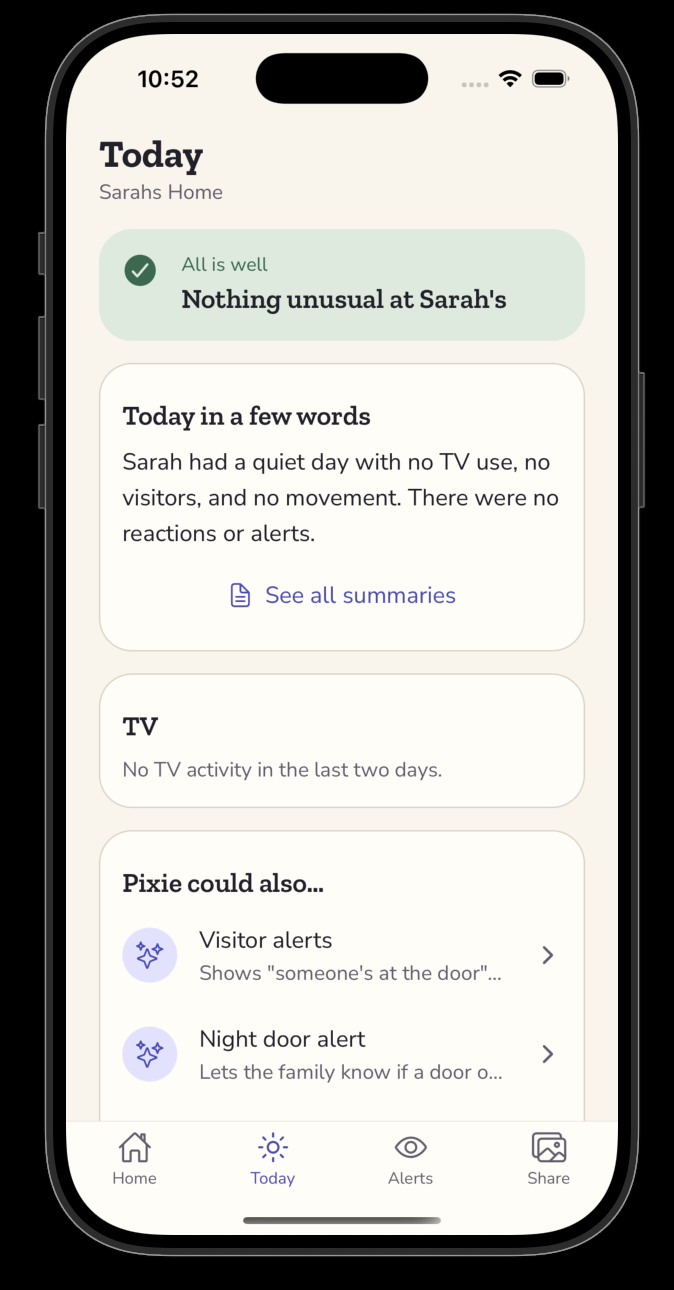
- A plain-language summary of how the day looked, helping family members understand daily routines and activity.
- Alerts when something is unusual, like a very quiet day or a door opening at 2am, each with a short explanation.
- Access to the home's cameras, if available, to check in when needed.
- A chat to ask questions like "How's Mum today?" and receive answers based on the home's actual data, not guesses.
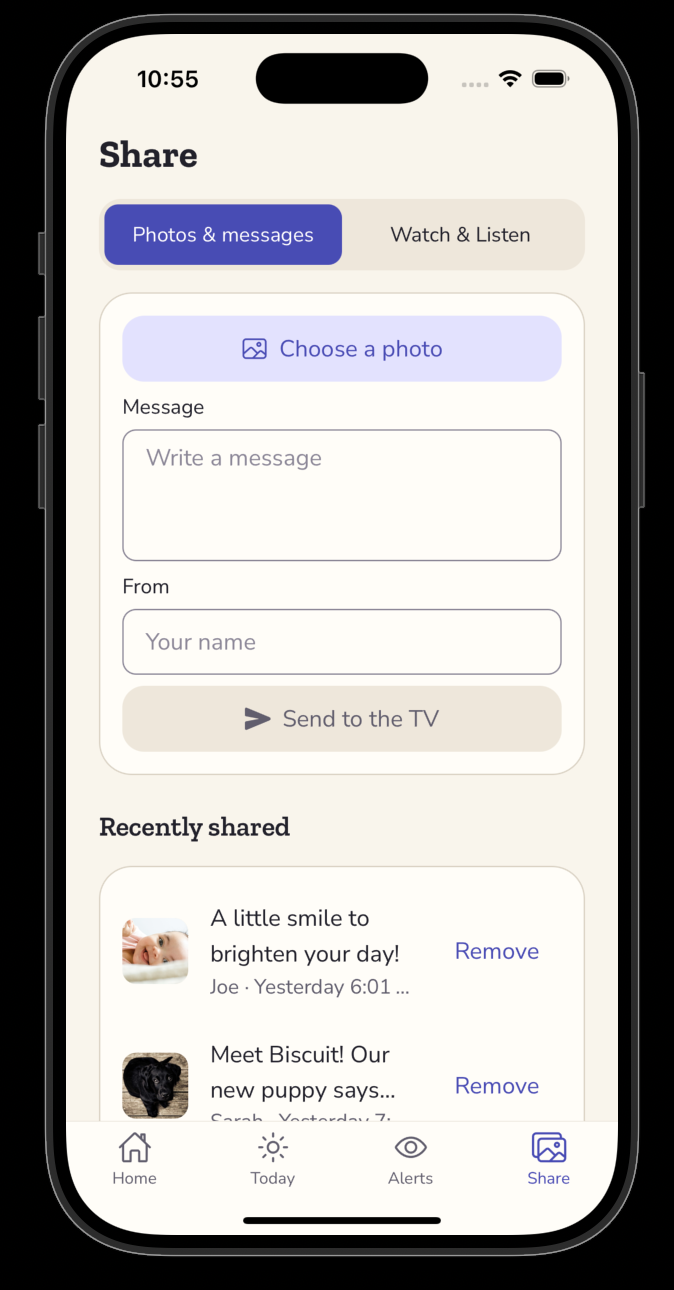
- Share family photos, messages, and moments directly to the parent's TV.
- Set reminders for medication, appointments, meals, exercise, and other daily activities.
- Manage connected devices and assign each device to a room.
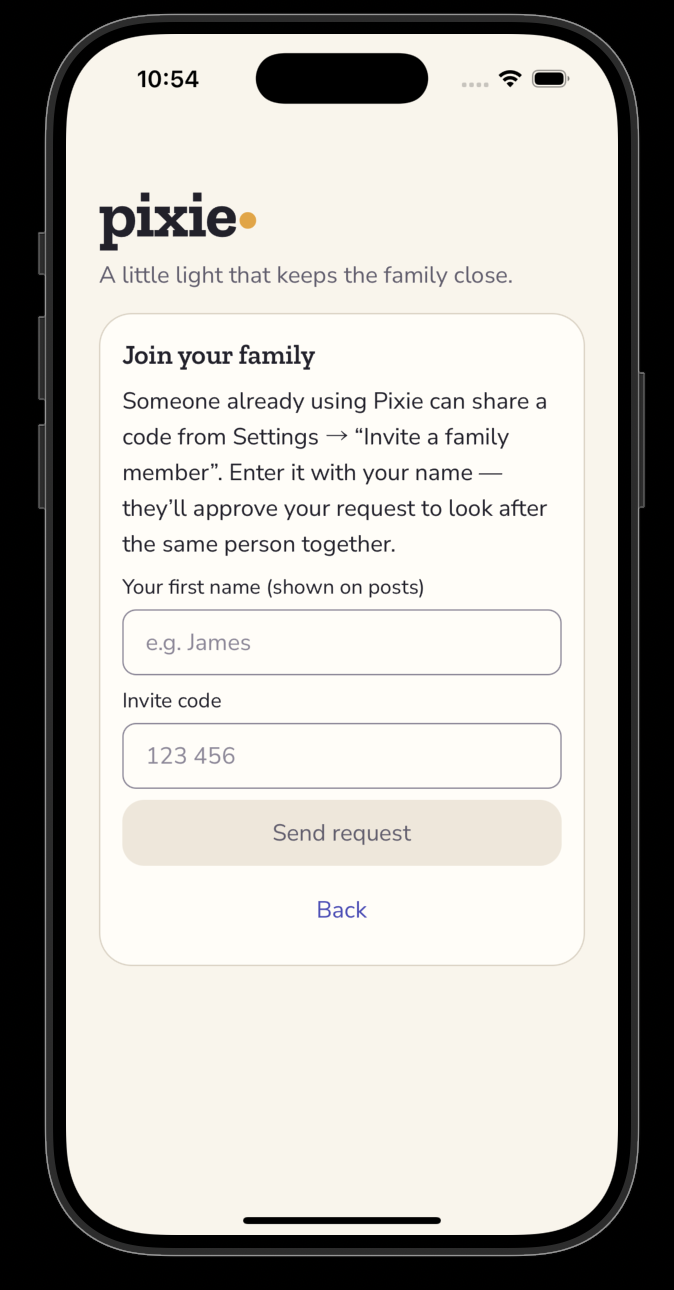
- Invite children, caregivers, and trusted family members to join the same care network, with access based on their roles and permissions.
- Receive important updates and alerts so family members can stay informed, even when they live far away.
- Check activity patterns over time to understand changes in daily routines and identify when someone may need extra attention.
- Support independence and privacy by helping families stay connected without needing to constantly check in.
How we built it
One backend, every secret server-side. The entire system runs behind a single
Hono API on Cloudflare Workers. It's the only holder of Ring and AWS
credentials; the TV and phone apps only ever carry a short, stateless household token
(HMAC-SHA256(secret, "role:householdId")). That one backend serves three surfaces: the
/ring proxy, the /v1 app API, and the Alexa+ /mcp server.
- Ring — a server-side proxy over the Amazon Vision API, implementing Ring's one-way account linking (token exchange, HMAC nonce verification, the App-Integrations POST→PATCH flow) and HMAC-verified webhooks. A "real-or-mock" design means the live site never breaks when a token expires. We used the Ring Playground (a read-only sandbox with simulated live-view events over WHEP) to demo real Ring behaviour without a physical device.
- AWS — the caregiver chat and the anomaly agent both run on Bedrock Nova Lite. The
agent is a Strands agent on AWS Lambda with capability-gated tools and an
Isolation Forest anomaly score; the Worker invokes it with SigV4 (
aws4fetch). DynamoDB is the primary store (single-table), S3 holds family photos behind 1-hour presigned URLs. - Fire TV — React Native for Vega (Kepler), focus-first, sized in dp for the 10-foot
canvas. Mobile — Expo. Both consume a shared, Zod-typed contract (
@pixie/*) so the server and clients can never drift.
Challenges we ran into
- Vega is new, and the ecosystem is young. npm-workspace hoisting gave us two copies of React (Jest crashed on
useRef), the Kepler Jest preset shipped a brokenBackHandlermock, and we couldn't verify WebRTC/WHEP playback on the virtual device, so live camera gracefully falls back to a fresh snapshot every few seconds. - Packaging the AI agent. Strands, scikit-learn, and numpy exceeded Lambda's 250 MB limit (353 MB). Removing
tests/naively then broke numpy at runtime. The fix was to strip tests everywhere except numpy, drop unused botocore models, and upload via S3, bringing the package down to 239 MB. - Custom fonts on Fire TV. Getting custom fonts working consistently in the Kepler environment required extra configuration and testing to ensure the typography rendered correctly across the TV interface.
- Setting up the monorepo. Sharing code across the mobile app, Fire TV app, and API introduced dependency and version conflicts. Getting npm workspaces and package boundaries right took careful configuration.
- Running the Fire TV emulator on macOS. Setting up and debugging the TV emulator on a Mac took additional effort, particularly around the development environment, device connectivity, and compatibility with the Kepler toolchain.
Accomplishments that we're proud of
- One product that genuinely adapts. The same codebase feels tailored whether a family has nothing but a Fire TV or a full Ring setup — because we modelled capabilities, not devices.
- A coherent story across four surfaces. Fire TV, Alexa+ (a real MCP server on spec 2025-11-25 over Streamable HTTP), Ring, and a multi-service AWS pipeline (Bedrock + Strands + Lambda + DynamoDB + S3 + Isolation Forest) — all in one product, not four demos stitched together.
- An always-on demo that never 500s. The real-or-mock design plus two seeded homes mean a judge can open Margaret's or Tom's home with zero setup and see the whole thing work.
- Accessibility and dignity as first principles — WCAG-AA colour pairs, a focus-first 10-foot UI, and a strict "unusual activity, never health" language guard baked into the models.
What we learned
- Building for Fire TV was a new experience. We learned how to work with the Vega OS and Kepler ecosystem, adapt the UI for a 10-foot screen, and design interactions that feel natural with a remote.
- MCP was new to us. We explored how to expose Pixie's capabilities through a stateless, per-request Streamable HTTP server and use capability-gated tools to ensure each home only gets the features its devices support.
- Accessibility shapes the whole experience. For older adults, readable typography, clear focus states, simple navigation, and minimal interactions are essential, not optional.
What's next for Pixie
- Integrate the trained Isolation Forest model from the analytics pipeline into the live agent for real-time anomaly detection.
- Support more device types and expand Pixie's home monitoring capabilities.
- Add carer scheduling and shared notes to help families keep track of care activities.
- Implement robust authentication and authorisation across Pixie's apps and API.
- Harden the system for production with improved security, error handling, monitoring, testing, and deployment workflows.


Log in or sign up for Devpost to join the conversation.