-
-
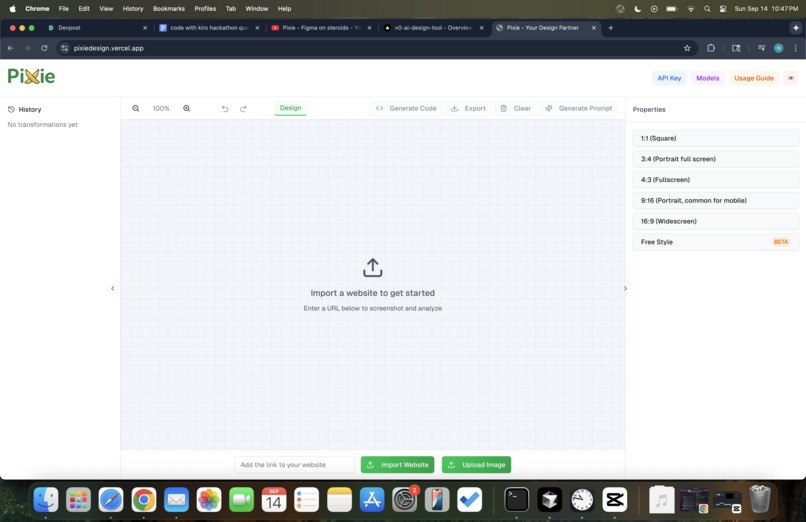
landing page
-
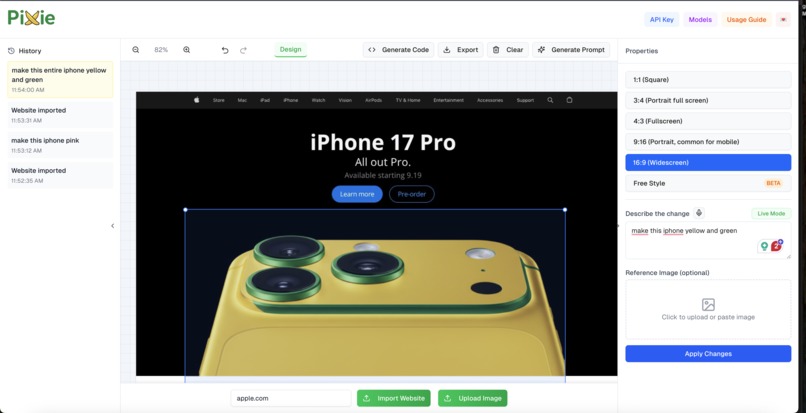
Website editing
-
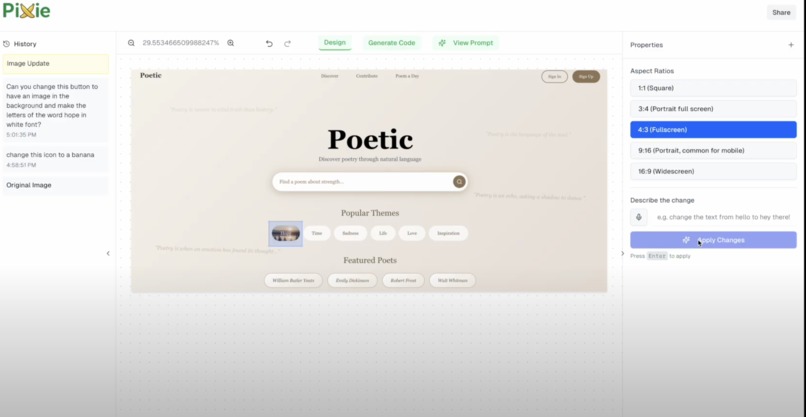
Website editing
-
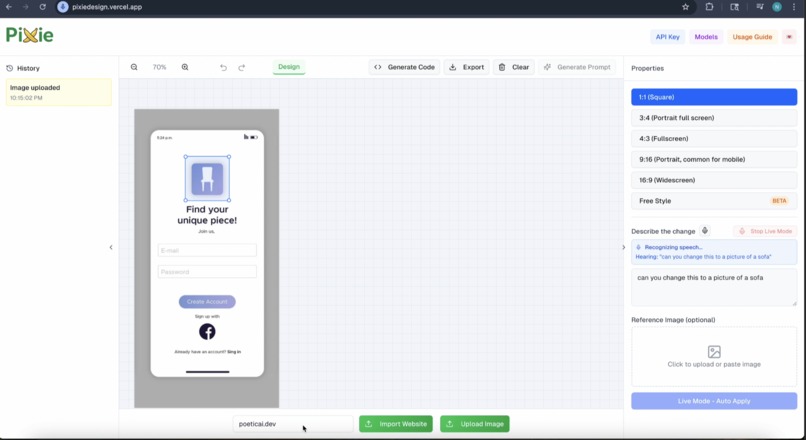
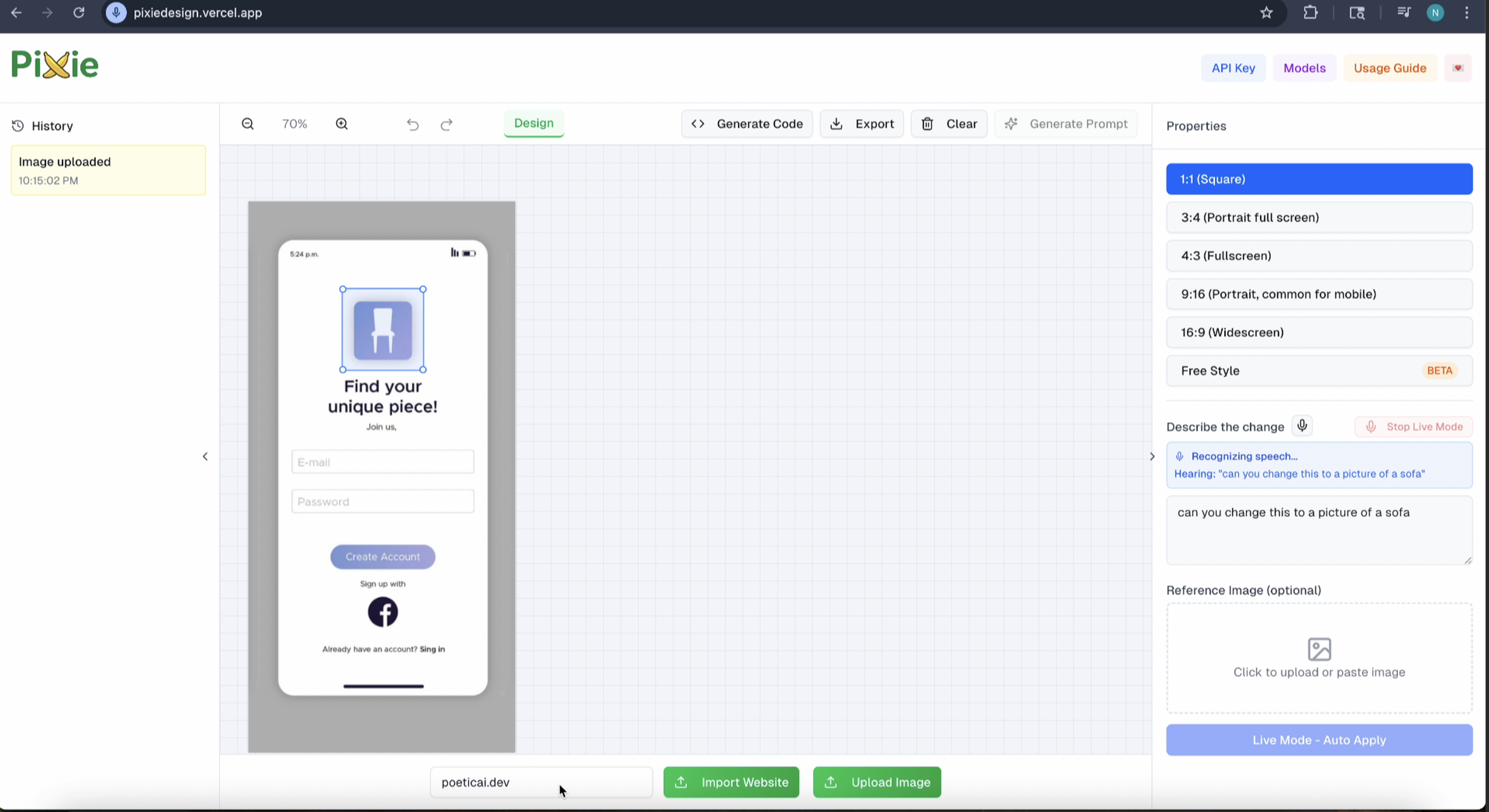
ElevenLabs voice assistant+mobile editing
-
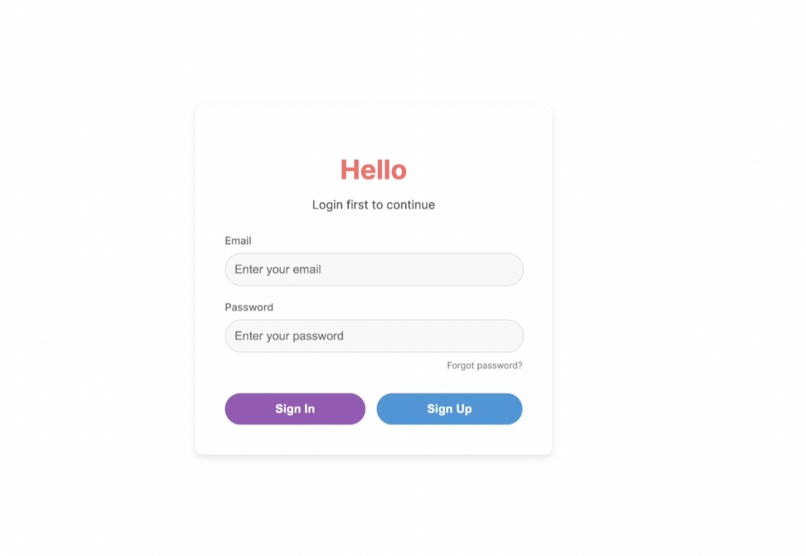
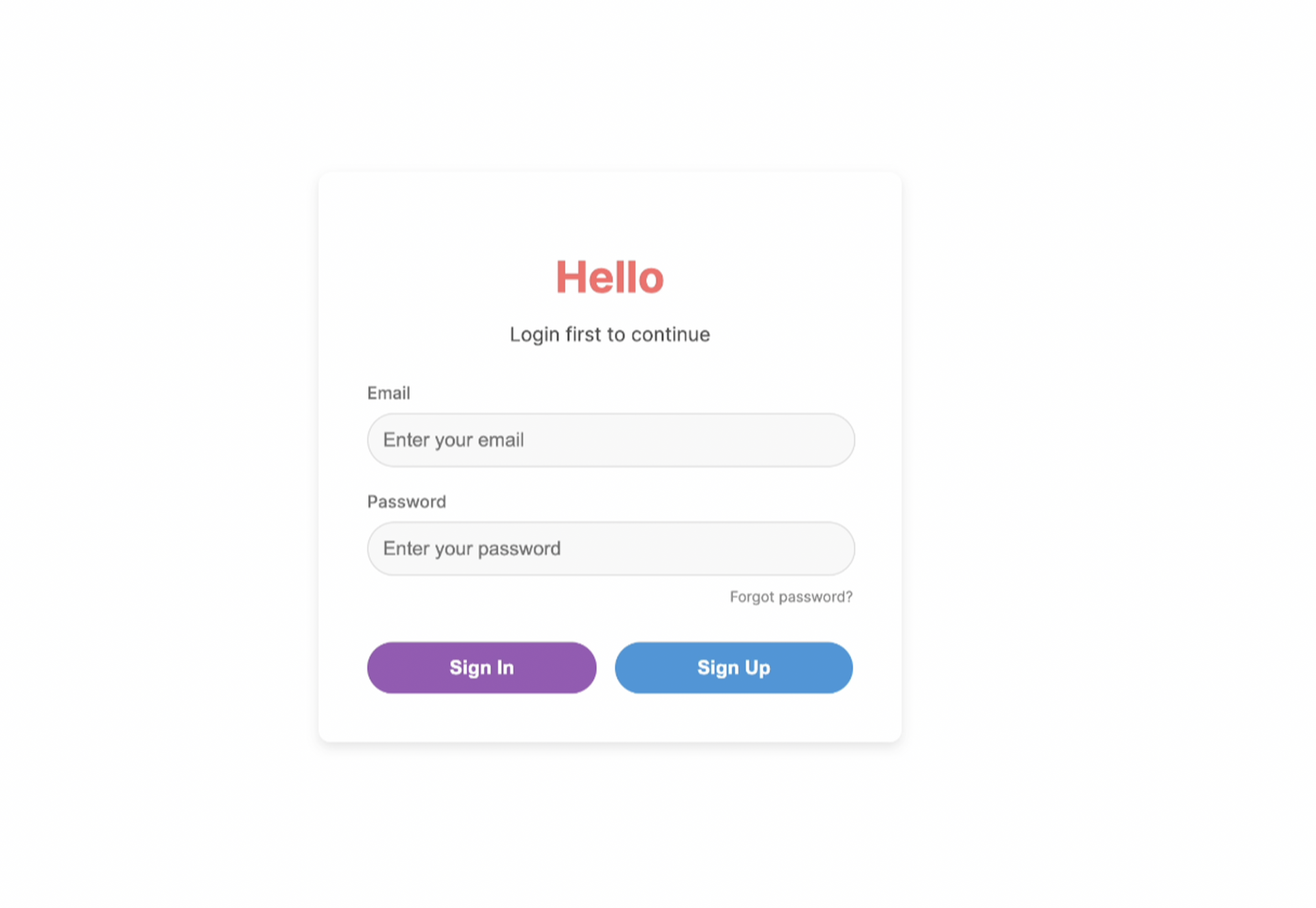
HTML Preview code generator
Inspiration
Frontend design with AI SUCKS right now. Even the “best” options force you to spend hours prompting Cursor or web app builders, only to get back cookie-cutter, AI-looking frontends. Worse, there’s no way to directly edit individual components without touching code. After facing these struggles, we were inspired by the magic of Figma and wanted to bring that same level of creativity and control into an AI-powered design tool. With Google’s Gemini and recent Nano Banana image generation model, we saw a chance to turn natural language prompts into pixel-perfect transformations. Overall, Pixie is designed for creators. The ones shaping every detail, every flow, every moment of the idea. We built it to improve their productivity and processes, so they can elevate the experience of every product they touch. Check it out on the web! link
What it does
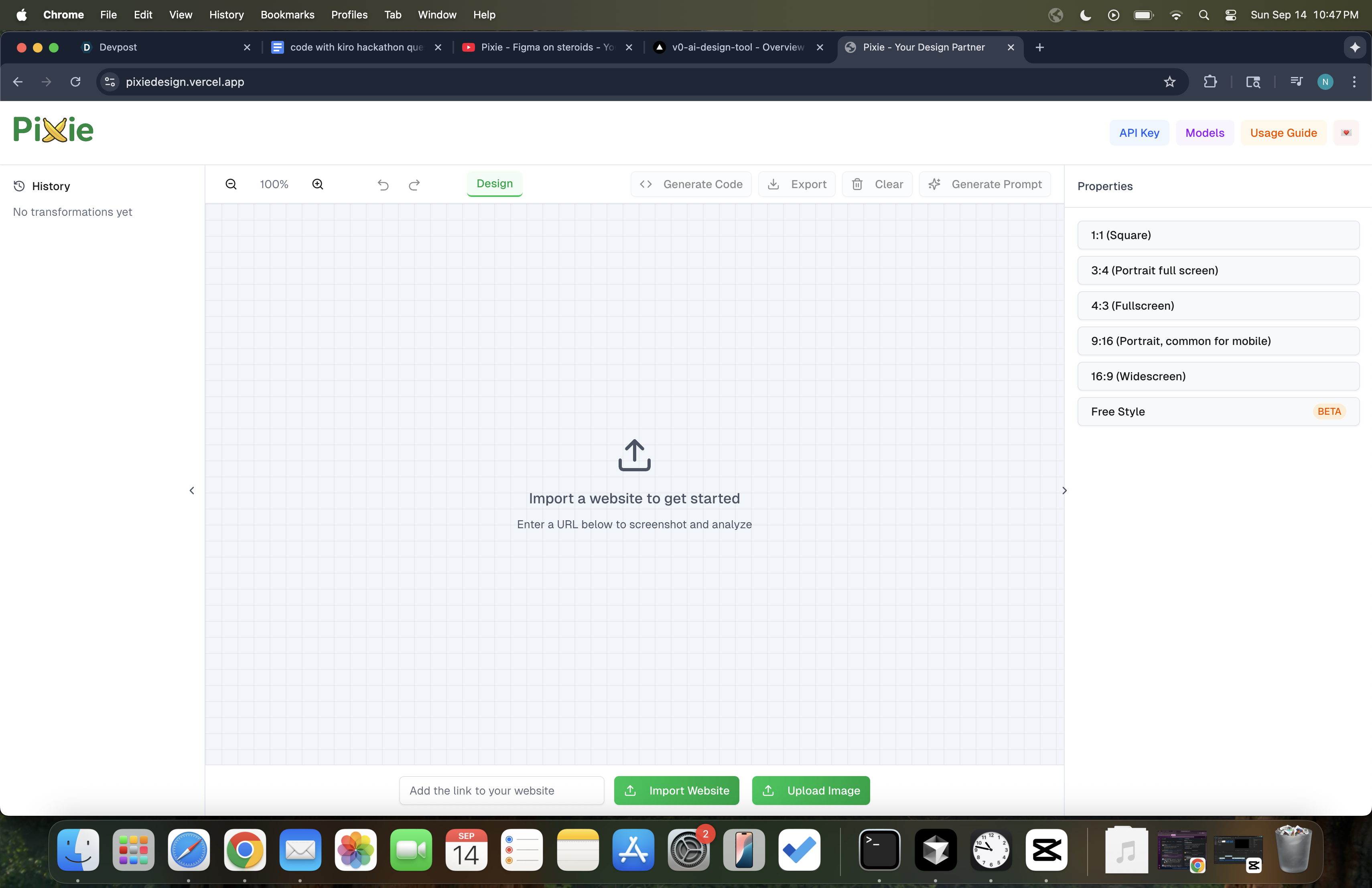
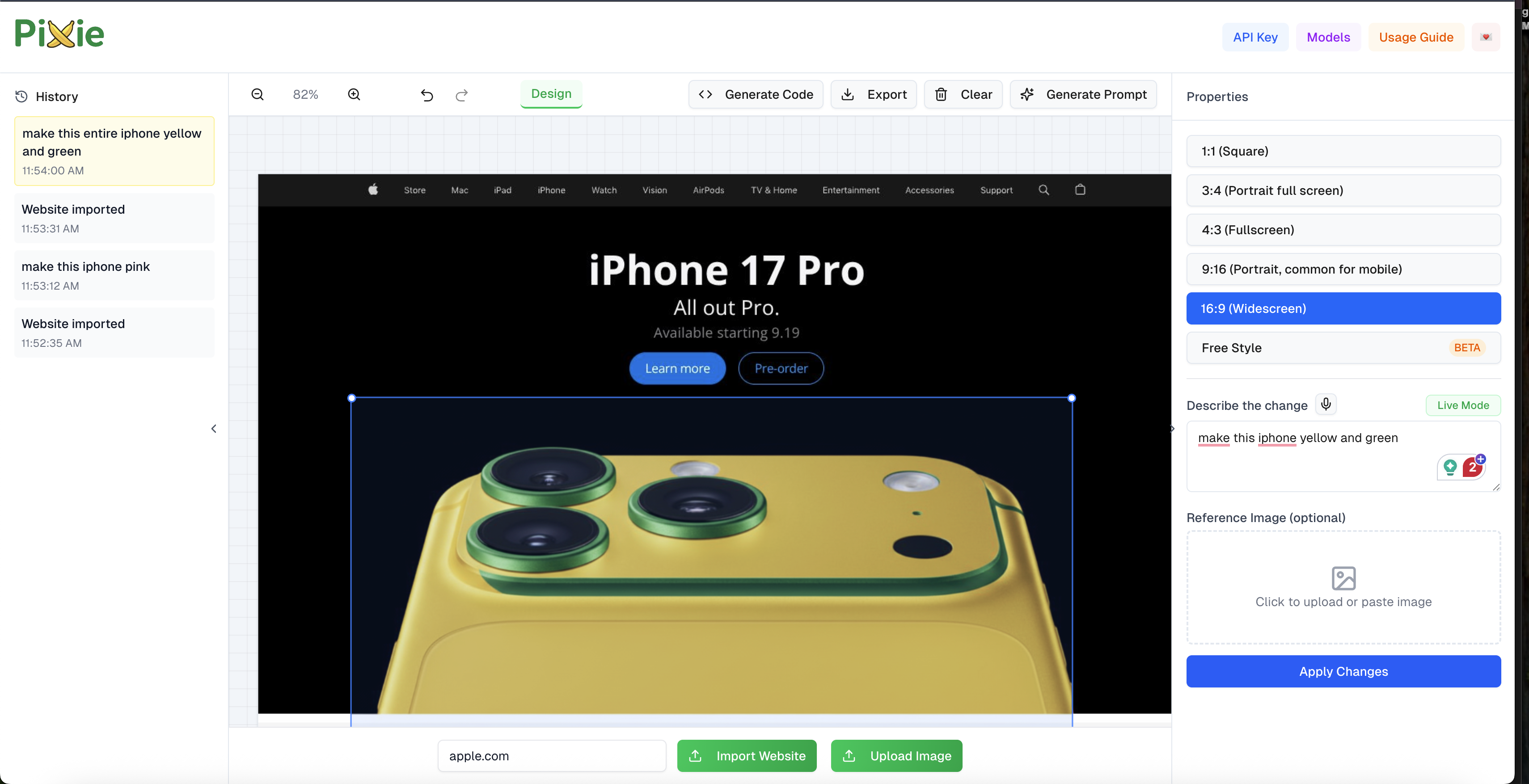
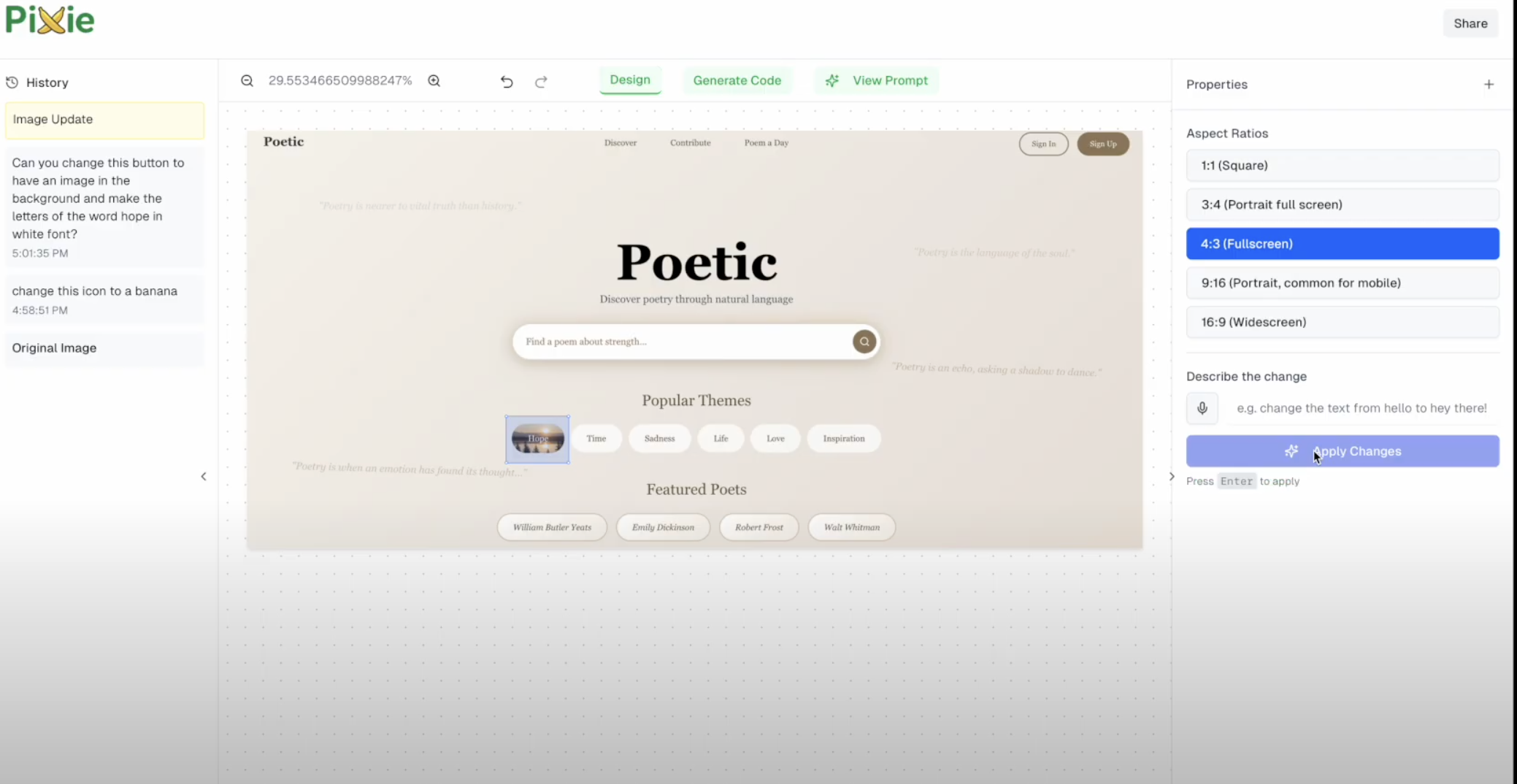
Pixie is a web application that empowers designers to transform any UI component or image with simple prompts. A user can import a live website or upload any image or mockup, select a specific element like a button, text field, or image, and then describe how they want it to change. For example, typing “make this a glassmorphism button” instantly replaces the original with a new, AI-generated component that seamlessly fits the design AND matches the existing theme. We implemented a reference image feature as well for more power over the generated design. For an even more hands-free experience, we implemented voice through ElevenLabs TTS and STT to auto-implement your requests, as if you’re speaking directly to a designer. By eliminating tedious manual edits and frustratingly generic outputs, Pixie bridges the gap between imagination and execution, helping designers iterate faster, explore creative possibilities, and unlock infinite variations.
How we built it
Frontend
- Frameworks & Styling: Next.js with TypeScript and TailwindCSS, styled in a canvas layout
- UI Components: React panels, Radix UI primitives, Lucide icons
- Puppeteer for capturing live website images
AI Pipeline
- Gemini interprets natural language prompts and generates design instructions and code
- Nano Banana’s text-to-image API produces new UI components and images
- Outputs are cropped, resized, and swapped seamlessly on the canvas
- ElevenLabs API for speech-to-text (STT) and text-to-speech (TTS)
Backend
- CI/CD: GitHub Actions
- Deployment: Dockerized environment on Google Cloud Run
- Processing: Async tasks with Uvicorn
- Scaling: Cloud Run auto-scales pods with load
Challenges we ran into
One of the hardest problems was ensuring that AI-generated images aligned perfectly with the size and position of existing UI components, as well as perfectly blended with the background and existing image theme, since even a slight misalignment could break the illusion. Another challenge was designing a selection tool that felt intuitive yet precise, giving users confidence that they were editing exactly what they intended. We also had to carefully orchestrate the pipeline between Gemini, Nano Banana, and ElevenLabs, making sure Gemini’s abstract reasoning translated into usable generation prompts, and that the voice agent could run tasks in the background while interacting with the user. The voice agent implementation required sophisticated state management to handle concurrent listening, thinking, and speaking states, along with intelligent silence detection and natural language understanding to filter vague inputs and maintain a fluid conversation. Finally, creating a canvas that updated in real time while preserving the feel of a professional design tool pushed us to refine both the UI and underlying logic for quite some time.
Accomplishments that we're proud of
We’re proud to have created a fully functional and multi-feature design interface that feels natural for designers while seamlessly integrating multiple powerful AI tools. We managed to replace website elements with AI-generated UI with a very low latency, something that felt impossible at the start. The fact that we were also able to turn images into dynamic HTML code files was very cool, and we hope to further narrow the gap between design and prototype through Pixie. Perhaps most impressively, we’re proud that we created a system that can maintain sub-second latency while orchestrating multiple AI services (Gemini, Nano Banana, and ElevenLabs) in parallel, all while ensuring the UI remains responsive and professional.
What we learned
Throughout this project, we learned how to orchestrate multiple AI services into a smooth workflow and how critical user experience details are in design tools, where even a single pixel can affect usability. Integrating voice into the system taught us a lot about running tasks in parallel with ElevenLabs, as we had to make API calls with low latency for a better user experience. We got better at using Kiro, implementing the agent hooks to make debugging and API integration more efficient throughout the process. We discovered that AI is not a replacement for human creativity but rather an amplifier, and when combined with intuitive interfaces, it can unlock entirely new ways of designing.
What's next for Pixie
Looking forward, we want to extend Pixie with more advanced features that push it closer to a full-fledged, AI-first UI/UX design platform. This includes support for animations and interactive prototypes, as well as the ability to generate entire website frontends directly from prompts. We also plan to introduce a layers system, so when a user applies a transformation, Pixie not only replaces the patch with the background but also extracts the edited element as an asset with a transparent background. This would allow designers to move elements around independently, edit them further, and build more complex, interactive designs.


Log in or sign up for Devpost to join the conversation.