-
-
Pixelody logo, 9'th and Final iteration.... Probably lol
-
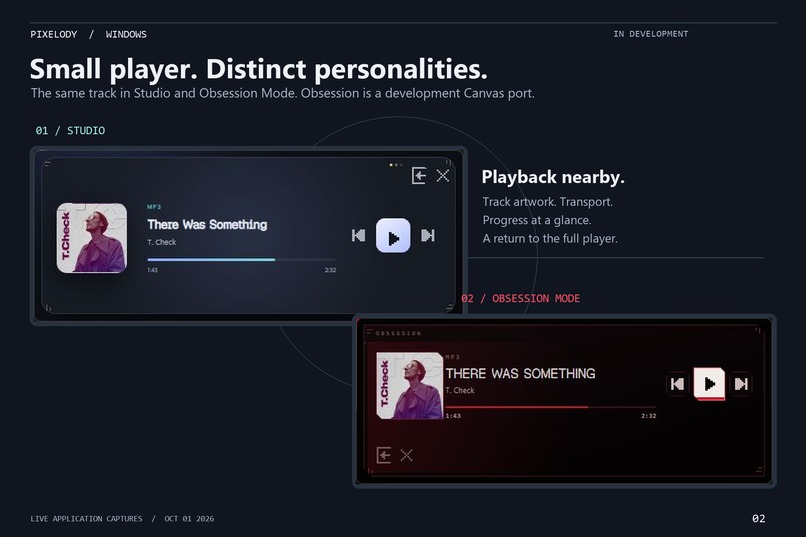
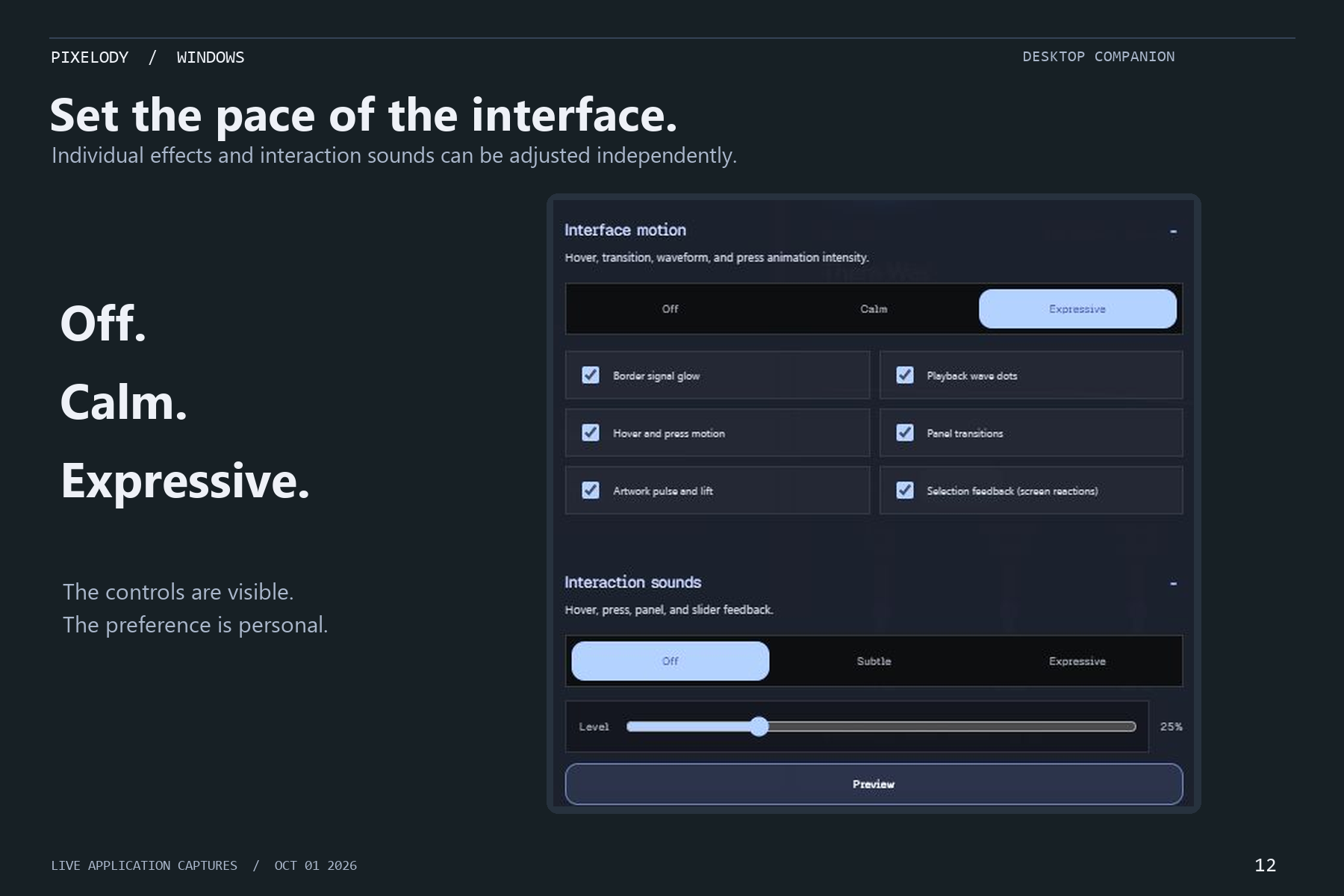
Desktop partner app, feature
-
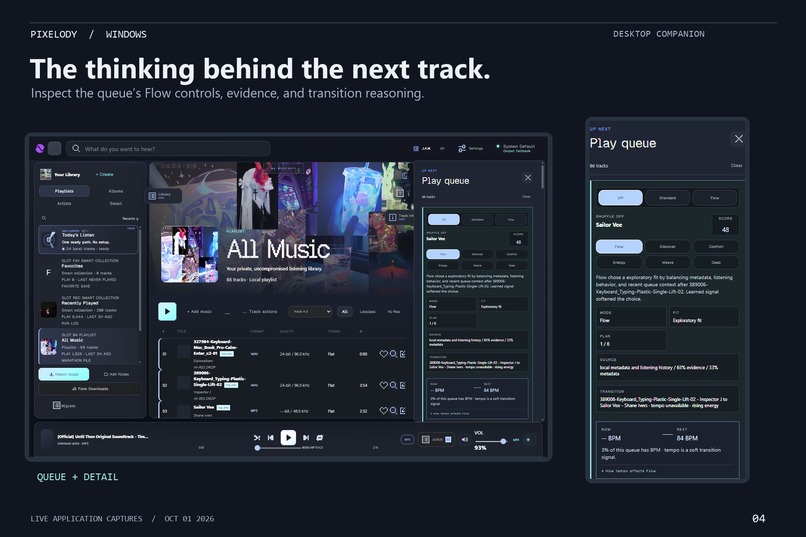
Desktop partner app, feature and theme
-
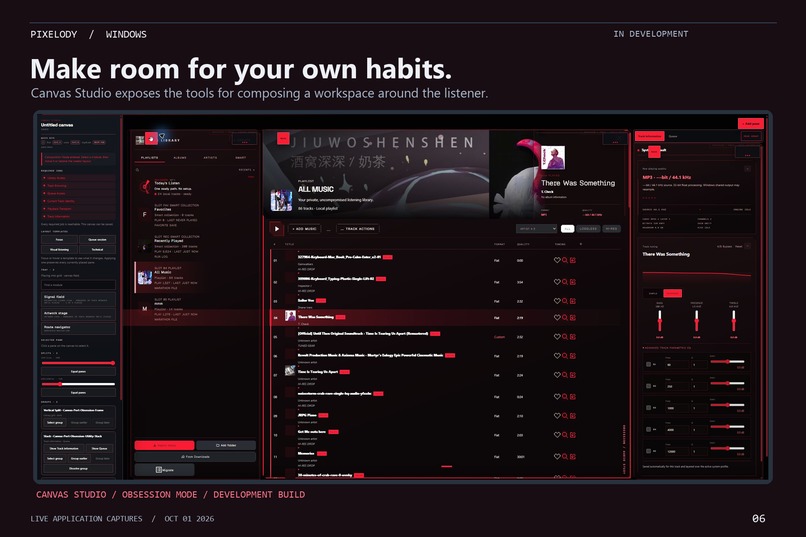
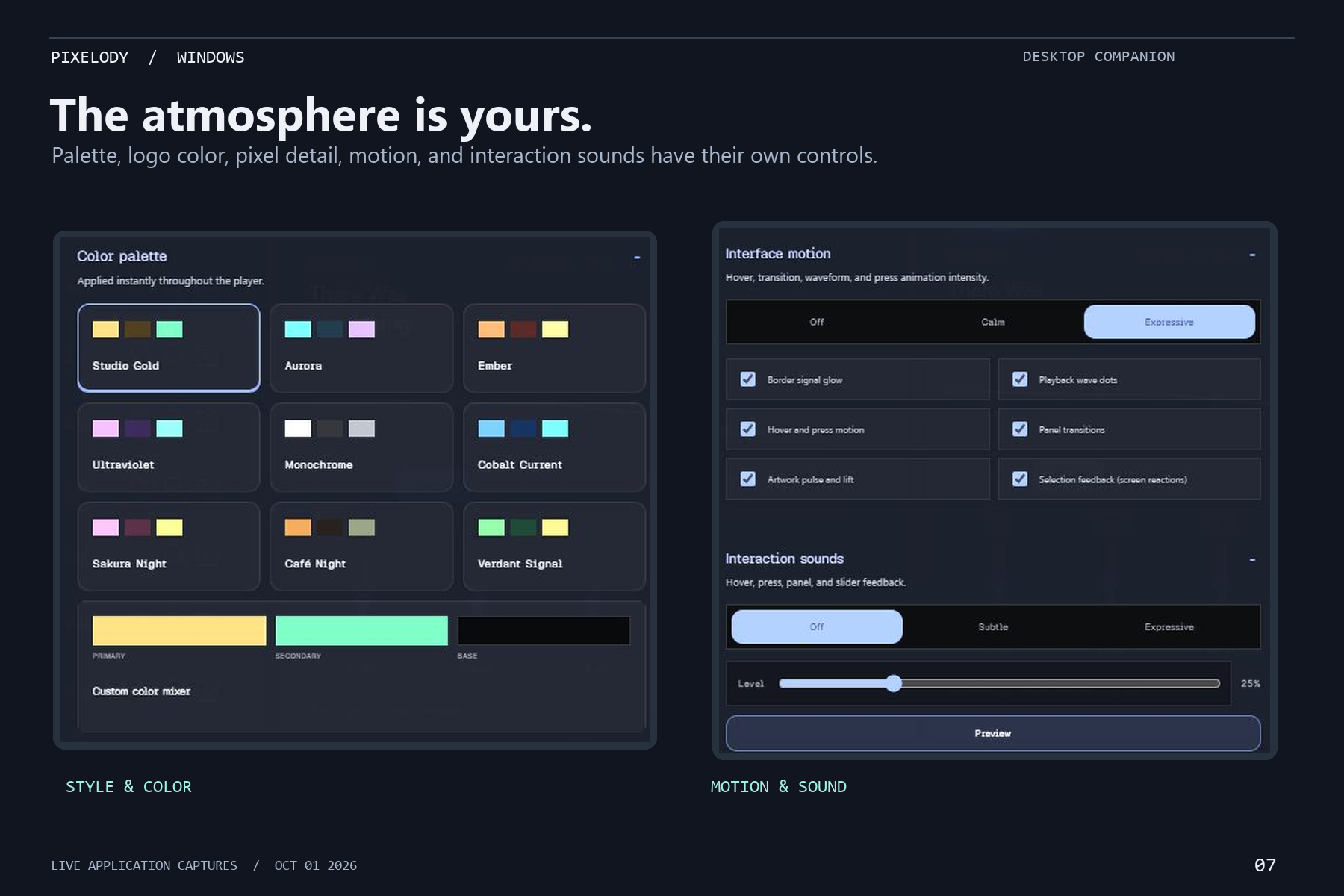
Desktop partner app, theme deminstration
-
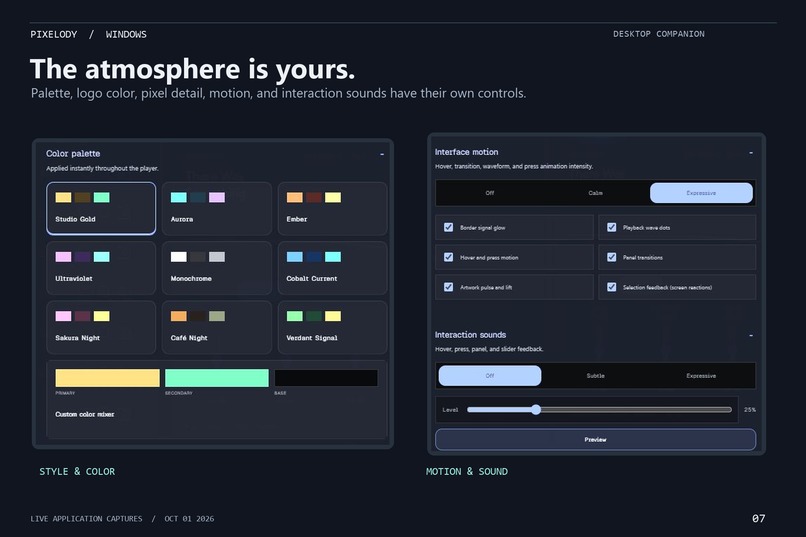
Desktop partner app, feature
-
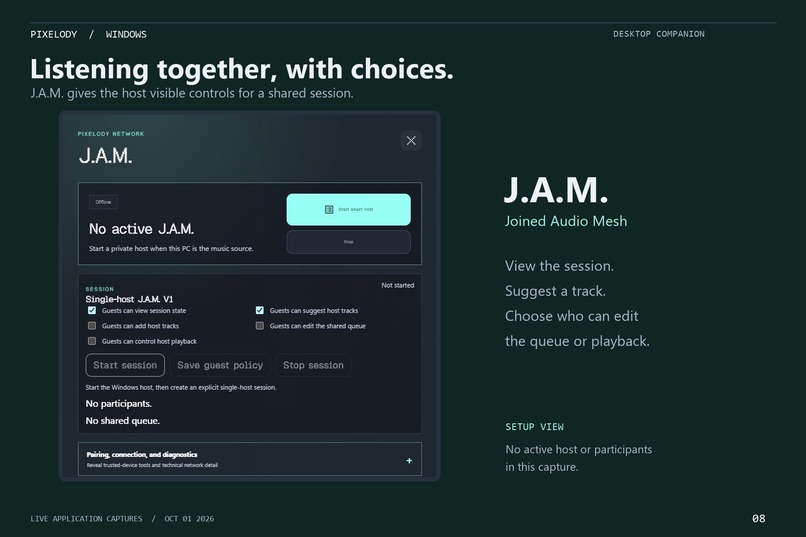
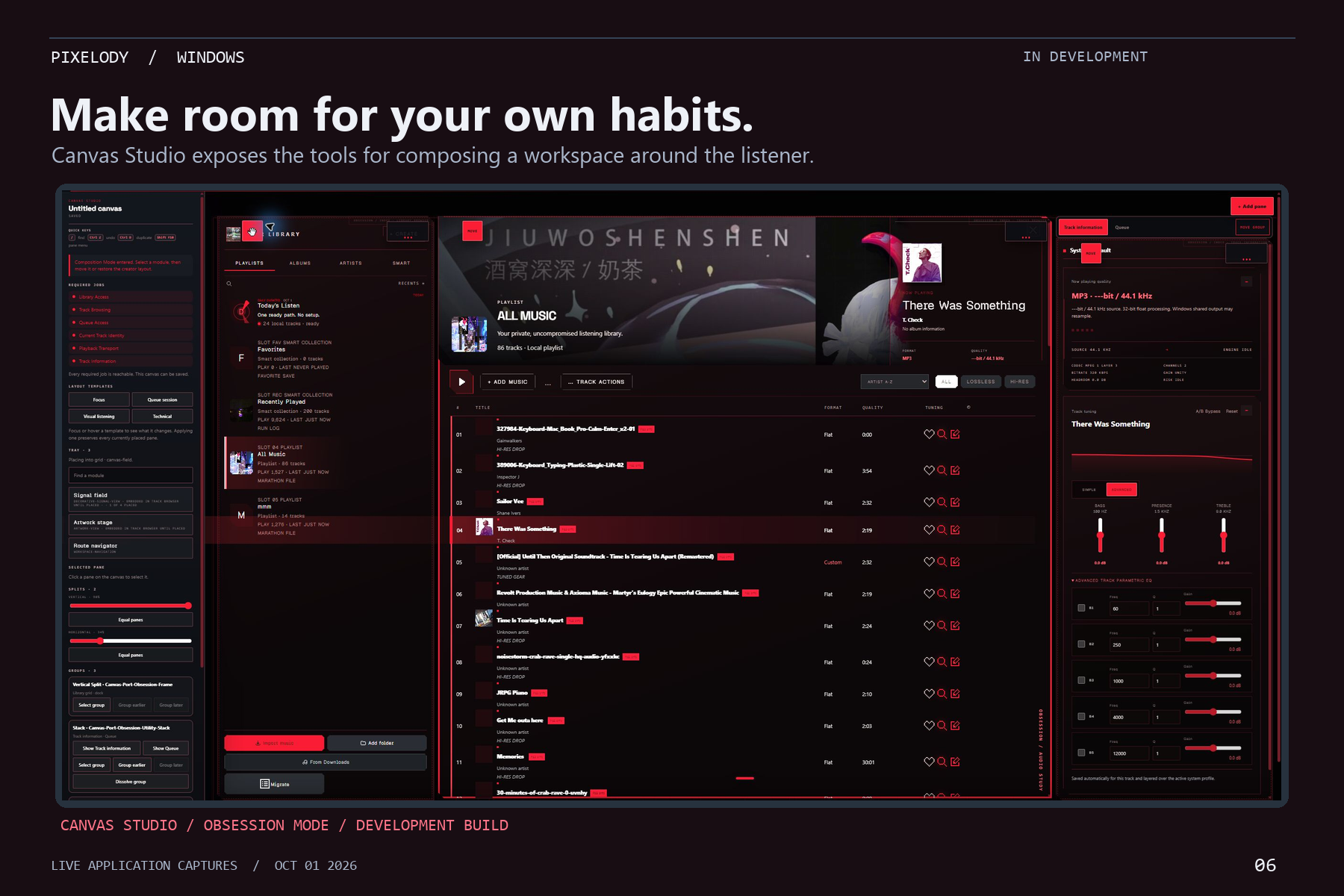
Desktop partner app, feature, streamline your library
-
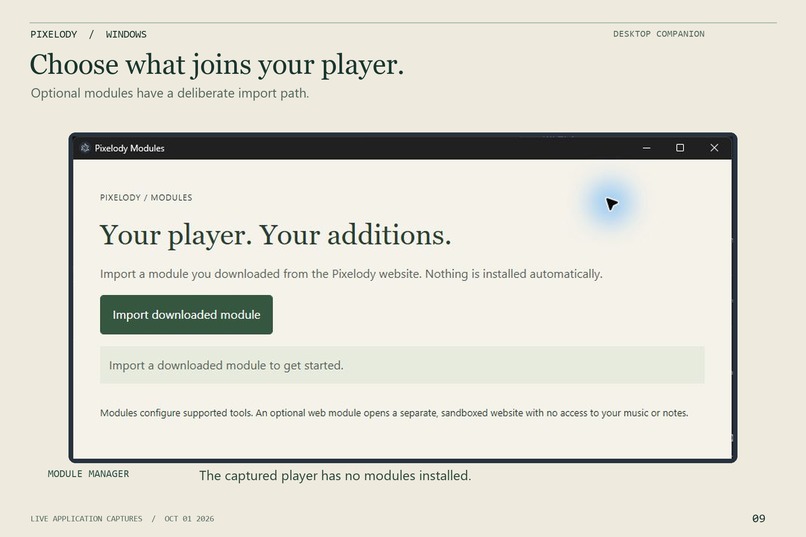
Desktop partner apps purchase installer
-
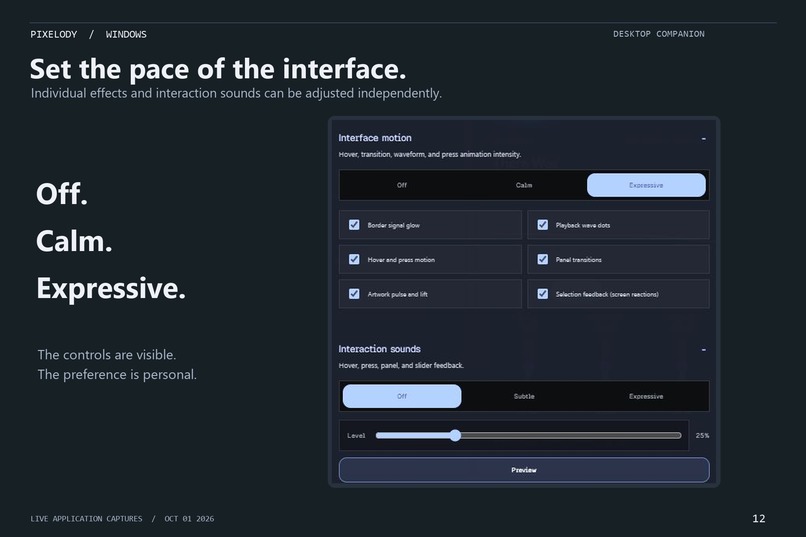
Desktop partner app, feature
-
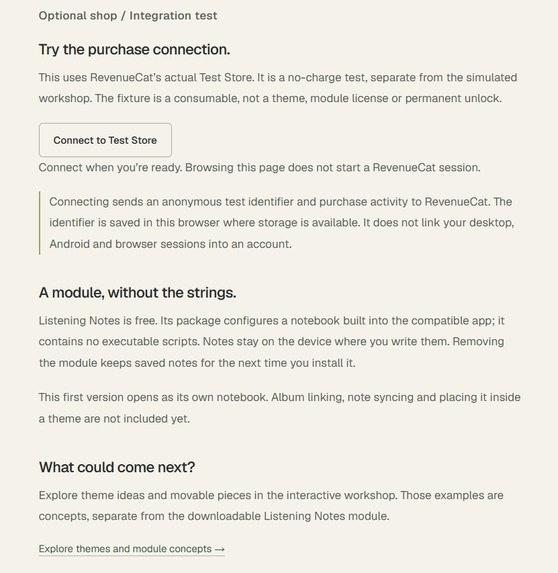
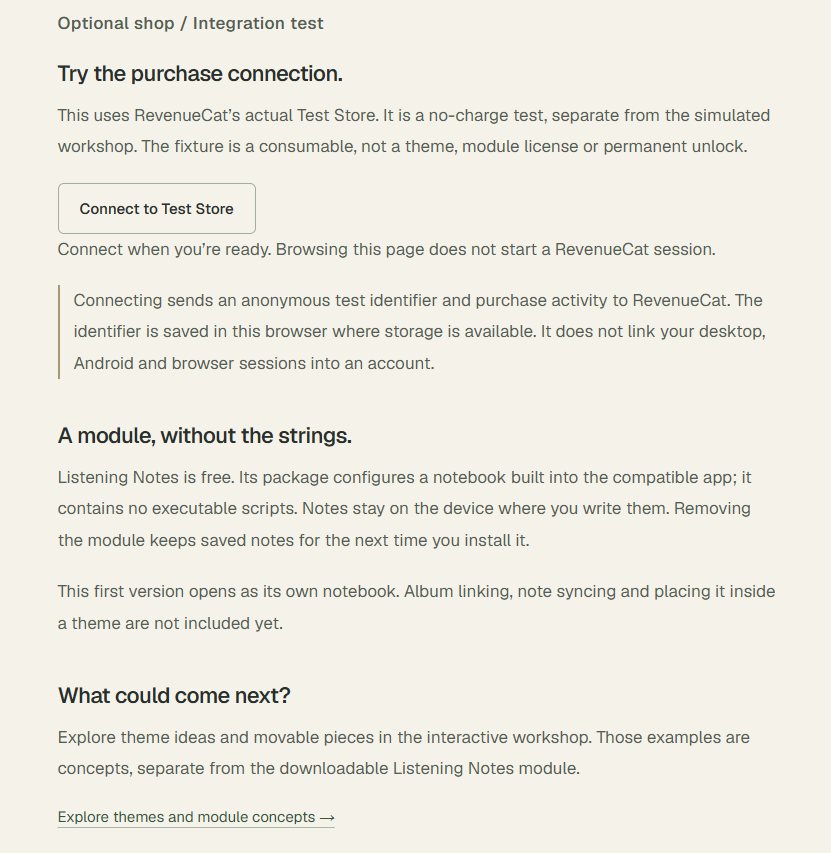
Web store, uses RevenueCat’s actual Test Store
Inspiration
I started Pixelody because I wanted a music player I would actually use. I wanted to listen offline, keep my own collection, and add the features I kept wishing other players had. At the beginning, getting it to work for me would have been enough. Music means a lot to me. It keeps me in check, gives me ambition, and sometimes helps when I’m not doing a particularly good job of looking after myself. What I don’t enjoy is having ads shoved into that experience or paying for mobile data just to hear songs I already know I love. I like finding an unfamiliar artist on Bandcamp, listening through an album, and gradually finding reasons to come back to it. That’s the kind of listening I wanted to build around. Having a collection you care about, getting familiar with it, and making the player feel like yours. Once I started building, I kept finding more things I wanted to do. I also found out how much work goes into the things I barely notice when they work properly. A queue should play in the order I put it in. My settings should still be there tomorrow. A button should do what it looks like it does. Those sound like small expectations until you’re the person responsible for making them happen.
What it does
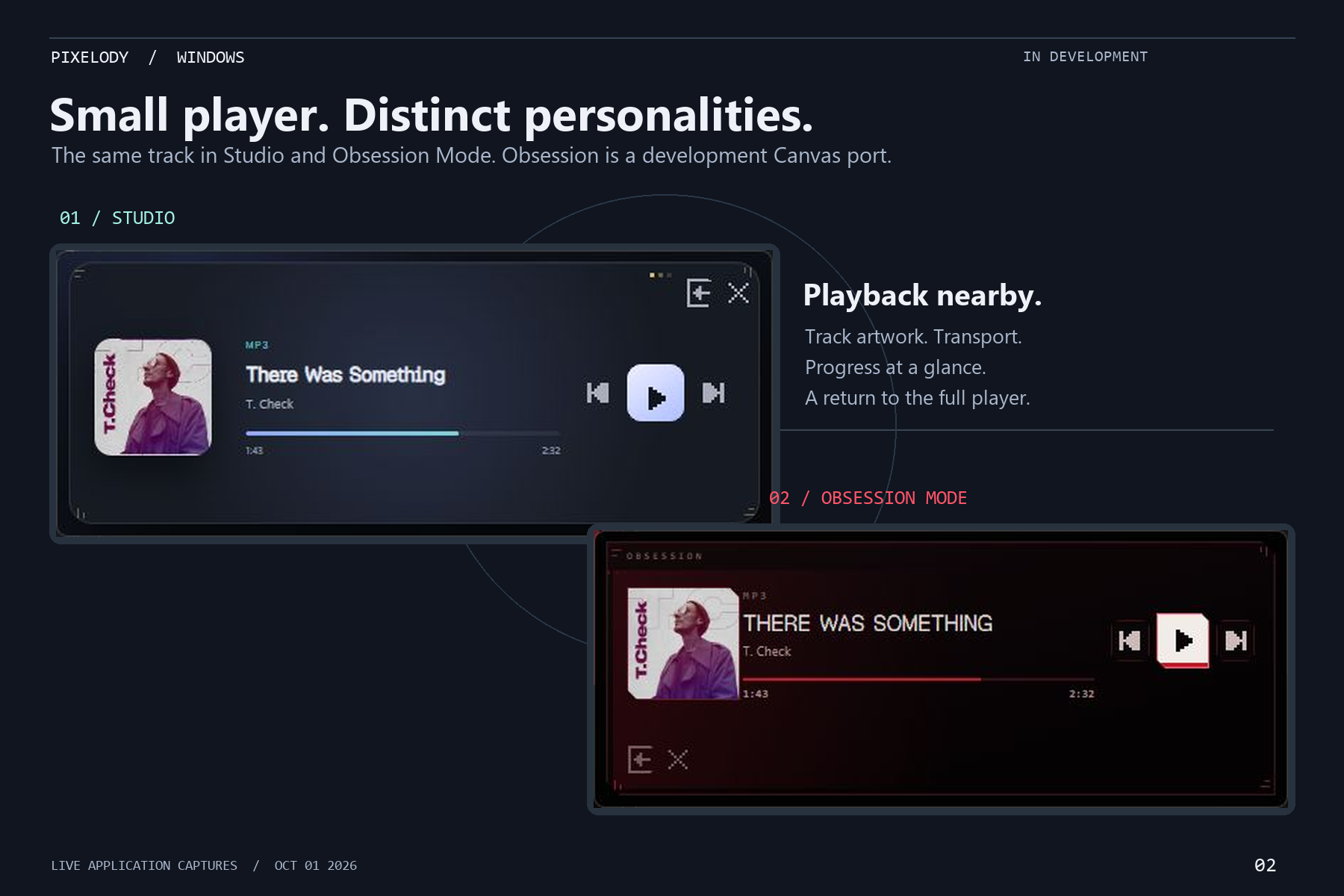
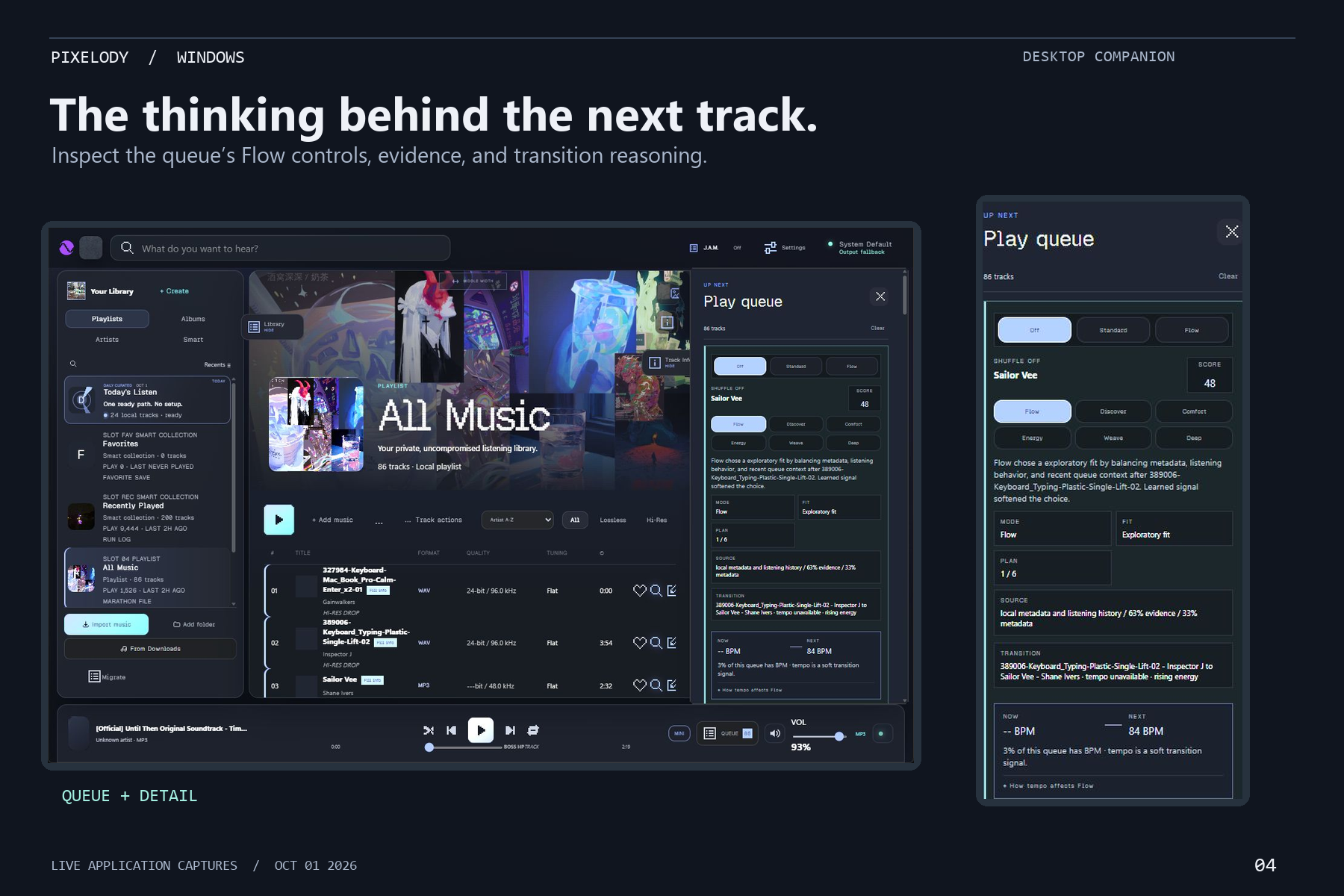
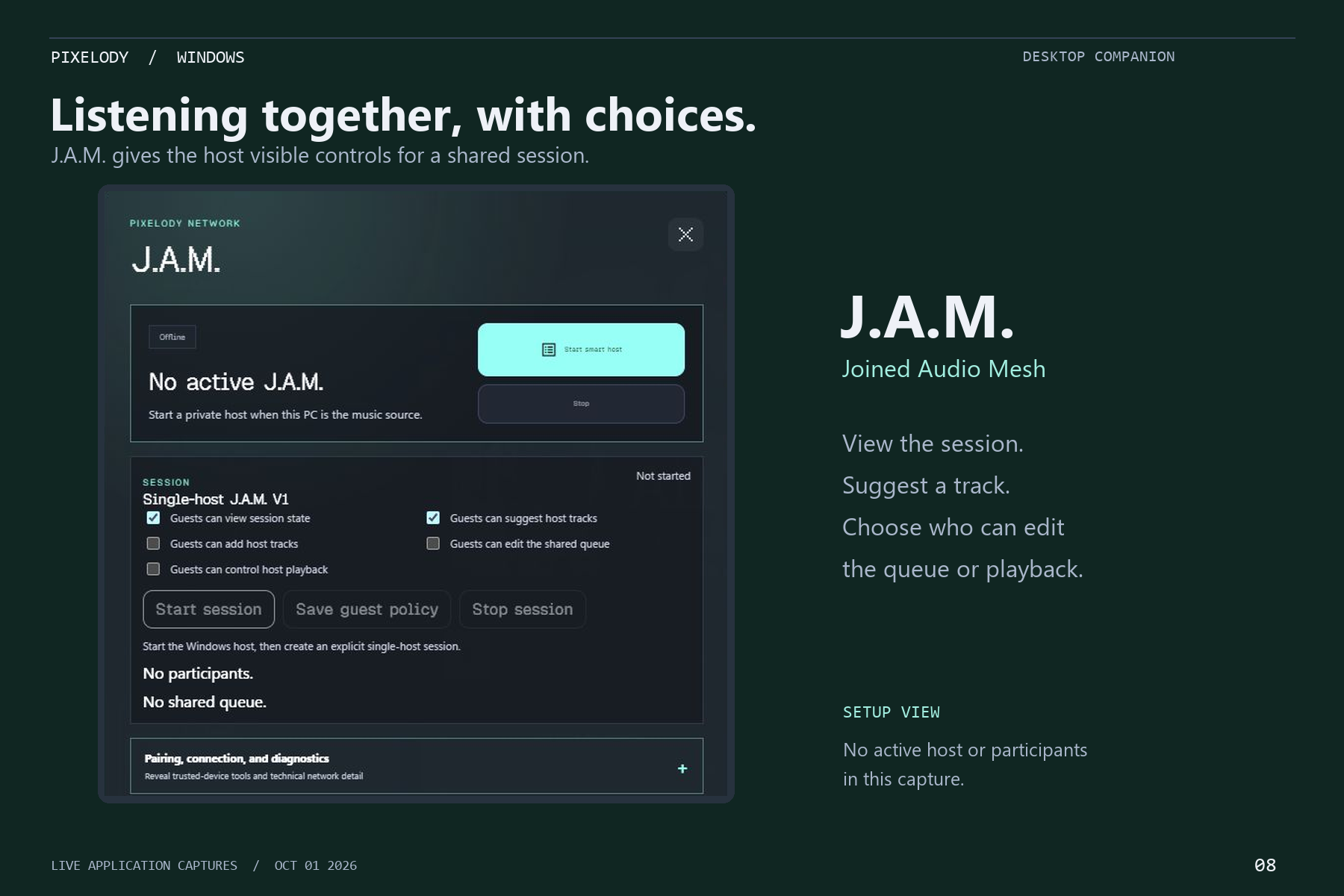
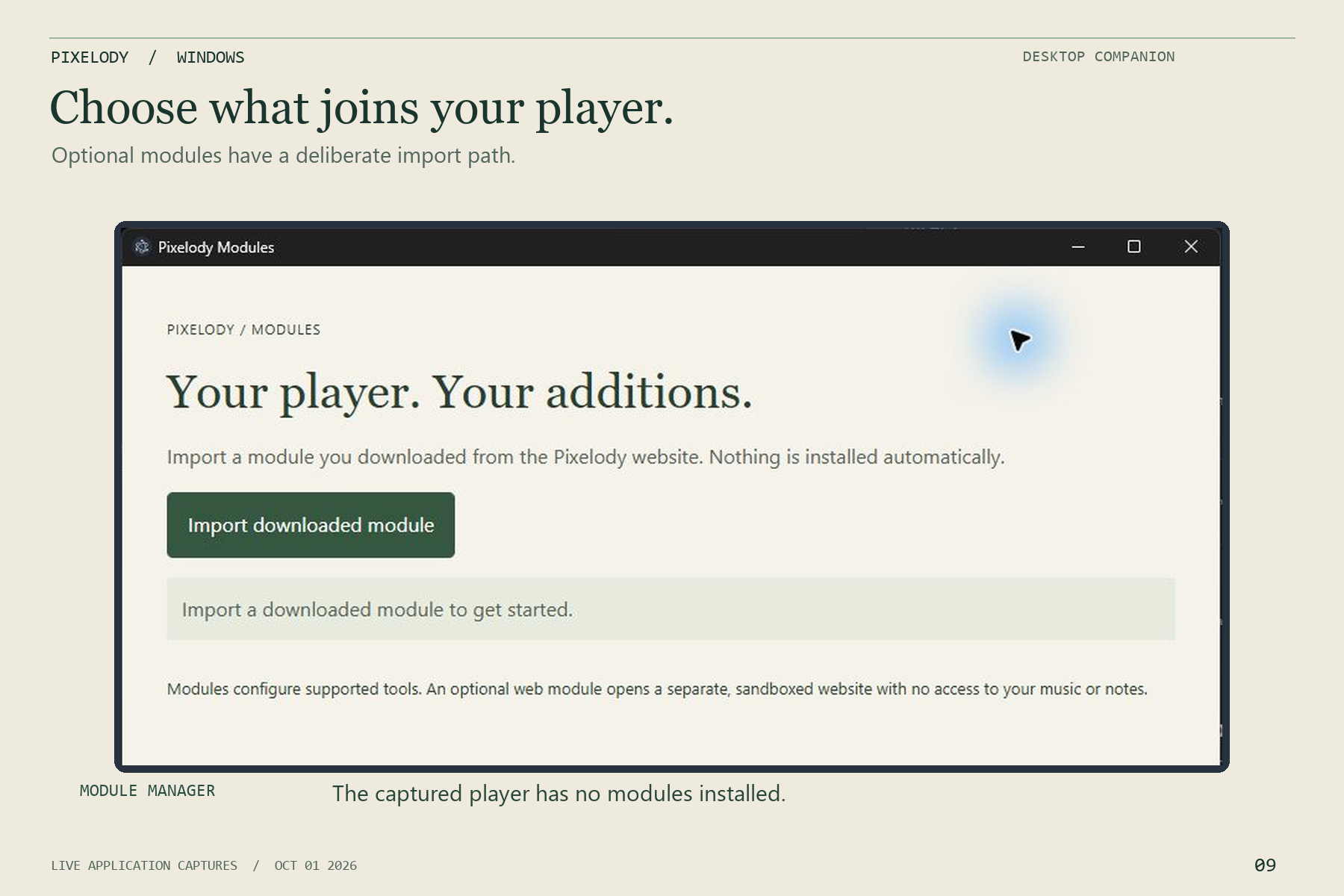
Pixelody lets you browse and play your music, manage your queue, and build a listening setup around your own collection. This submission focuses on the native Android app, which supports music stored on your phone and a connection to your personal Pixelody host. I’m also building a Windows companion. It gives me more room to work with a library: importing music, organizing playlists, editing metadata, adjusting sound, and using a mini-player while doing something else. Both apps have a module manager for optional additions. Listening Notes is a small local notebook for writing down thoughts while listening. The free RevenueCat Shop module opens the website shop inside a separate viewer. You choose whether to import either one.
How I built it
I built the Android app with Kotlin, Jetpack Compose, and AndroidX Media3. The Windows app uses Electron, JavaScript, HTML, and CSS. The website runs on Cloudflare, and the shop uses RevenueCat’s Web SDK. I’m a student, and a lot of this has been learning while building. My budget is limited, so I’ve had to figure out what I can do with the tools available to me. Claude, Antigravity, and Codex have all been part of that process. Using those tools hasn’t removed the need to understand what I’m putting together. I’ve had features that looked finished until I tried to reach them through the app, or changes that worked in one build and hadn’t made it into the one I was actually using. I’ve gotten better at checking that, partly because I’ve given myself plenty of reasons to. One example was queue management. Changing the order of songs on screen doesn’t help if playback carries on in the old order. I had to make the playback system own the queue and have the interface follow it. Saving settings brought similar lessons: writing a file is only part of the job if the app can’t recover when something interrupts it.
Challenges I ran into
My early approach involved a lot of trying things, breaking them, and working out what I had missed. Sometimes I threw work away that I should have kept. Having to rebuild something you already made is a very persuasive argument for using version history properly. I’d like to blame the previous developer for some of those decisions, but I remember making them. A more recent problem was the module importer. It worked in a separate development version, but the normal builds were missing the entry point people needed to use it. I had to bring it into the current codebase and check the route from Settings through to the Android file picker. That’s been one of my recurring challenges: getting all the pieces to meet. I can spend a long time making a feature work and still miss something obvious about how someone is supposed to find it.
RevenueCat and optional commerce
I’d like Pixelody to support optional themes and modules eventually. I’m still working out what would be useful enough to sell and how to make that worthwhile for the person buying it. For now, users can download the free RevenueCat Shop module from the website and import it into Pixelody. The app provides the viewer, while the website runs RevenueCat’s Web SDK. The current shop uses RevenueCat Test Store. I completed a no-charge test purchase in the browser, checked that it appeared in the RevenueCat dashboard, and retrieved its purchase history after reloading. I also checked cancellation and failure behavior. I’ve tested module importing and shop rendering on Android and Windows separately. Completing a purchase inside each app’s viewer is still something I need to verify. The test item doesn’t unlock a paid module yet, and I haven’t settled on final products or pricing.
Accomplishments I’m proud of
I’m proud that I’ve got a working Android app and a Windows companion out of something that started with “I wish my music player did this.” I’m also proud that I’ve kept going through the less enjoyable parts. Rebuilding something, finding out a feature wasn’t connected properly, or fixing behavior that looked fine at first isn’t as exciting as adding something new. It still matters when I open the app and expect it to work. The current Android candidate passed 594 unit tests, and I checked the module import route through to the real device file picker. There’s more to test, but I’m getting better at checking my work instead of assuming I’m finished because nothing immediately broke.
What I learned
I used to underestimate how much work sits behind a comfortable interface. Now I spend more time thinking about what happens after an action: what plays next, what gets saved, what happens if it fails, and whether I’ve left the user guessing. I’ve also become more willing to change my approach. Sometimes I need a better tool. Sometimes I need to understand the tool I already have. Sometimes I’ve made the feature harder than it needed to be. And I’ve learned to keep my old work. Apparently, deleting something doesn’t stop me from wanting it again later.
What’s next for Pixelody
Next, I need to finish checking the purchase journey inside the apps and keep testing everyday listening on real devices. I want to keep improving themes and modules, too, so people have more ways to make Pixelody comfortable for them. I’ve chosen GPL 3.0 as the intended license, with the repository setup still to finish. I want other people to be able to look through the code, change it, contribute, and point out things I’ve missed. I’m sure there will be a few. Longer term, I’d like to make discovering and supporting independent artists easier. Direct Bandcamp purchasing and downloading are future work. I already enjoy finding an album there and spending time with it; I’d love for Pixelody to make keeping and listening to that collection easier while supporting the people making the music.
Built With
- android;
- androidx
- api;
- audio
- compose;
- css3;
- electron;
- exoplayer;
- gradle;
- html5;
- javascript;
- jetpack
- kotlin;
- media3;
- node.js;
- revenuecat;
- web

Log in or sign up for Devpost to join the conversation.