-
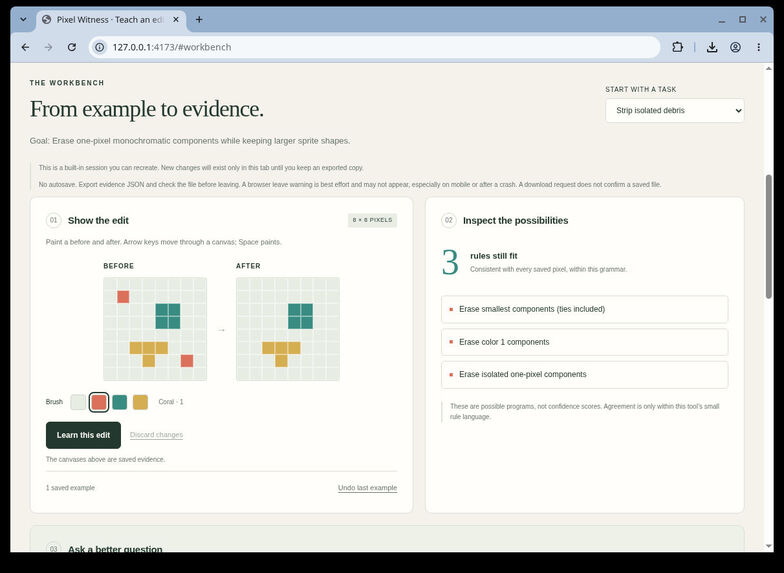
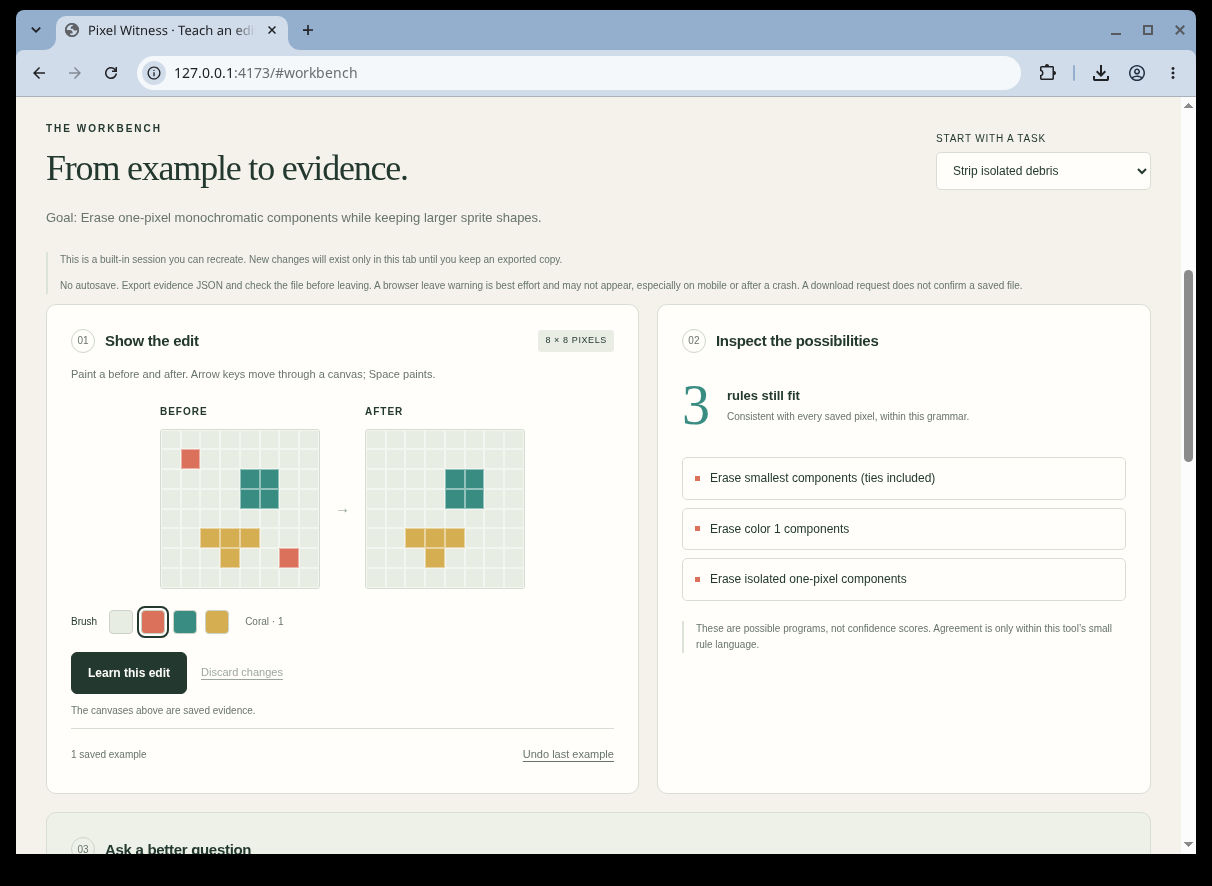
1. Live workbench: one teaching example leaves three possible rules.
-
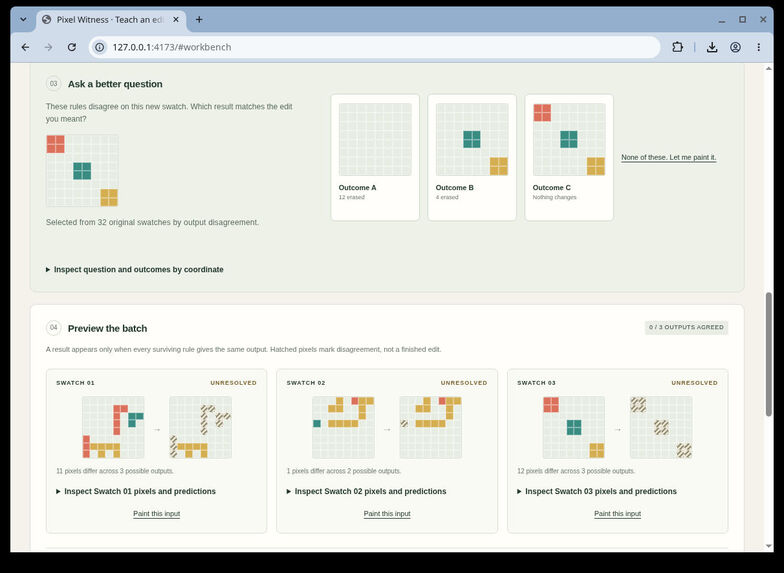
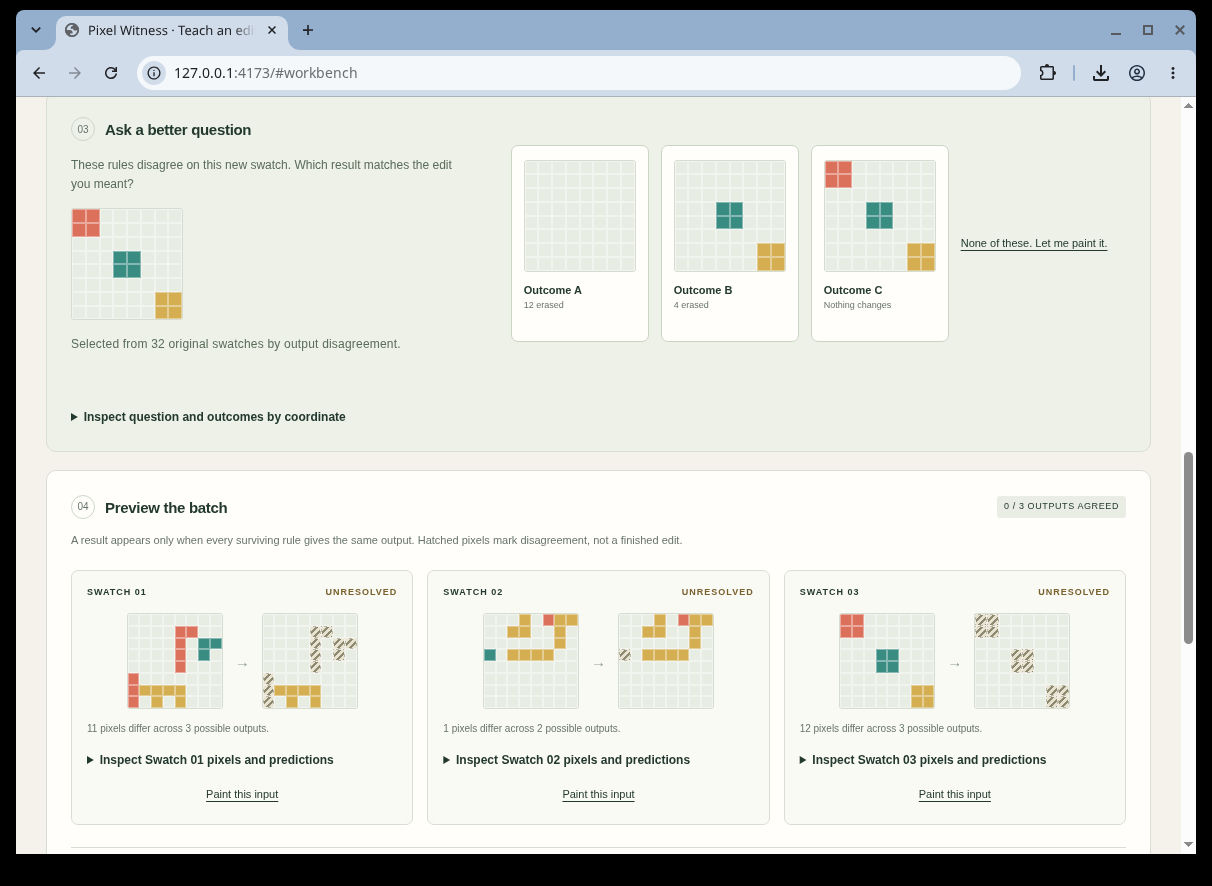
2. Live workbench: a separating question offers three outcomes; batch outputs remain unresolved.
-
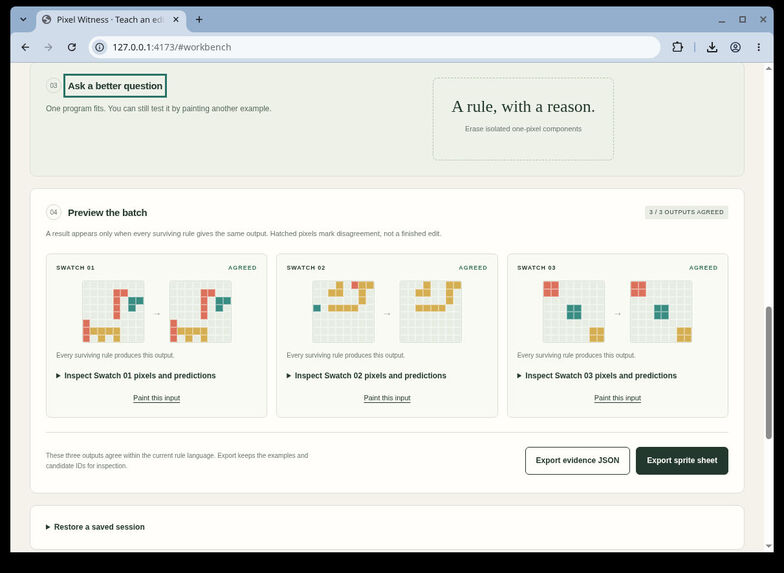
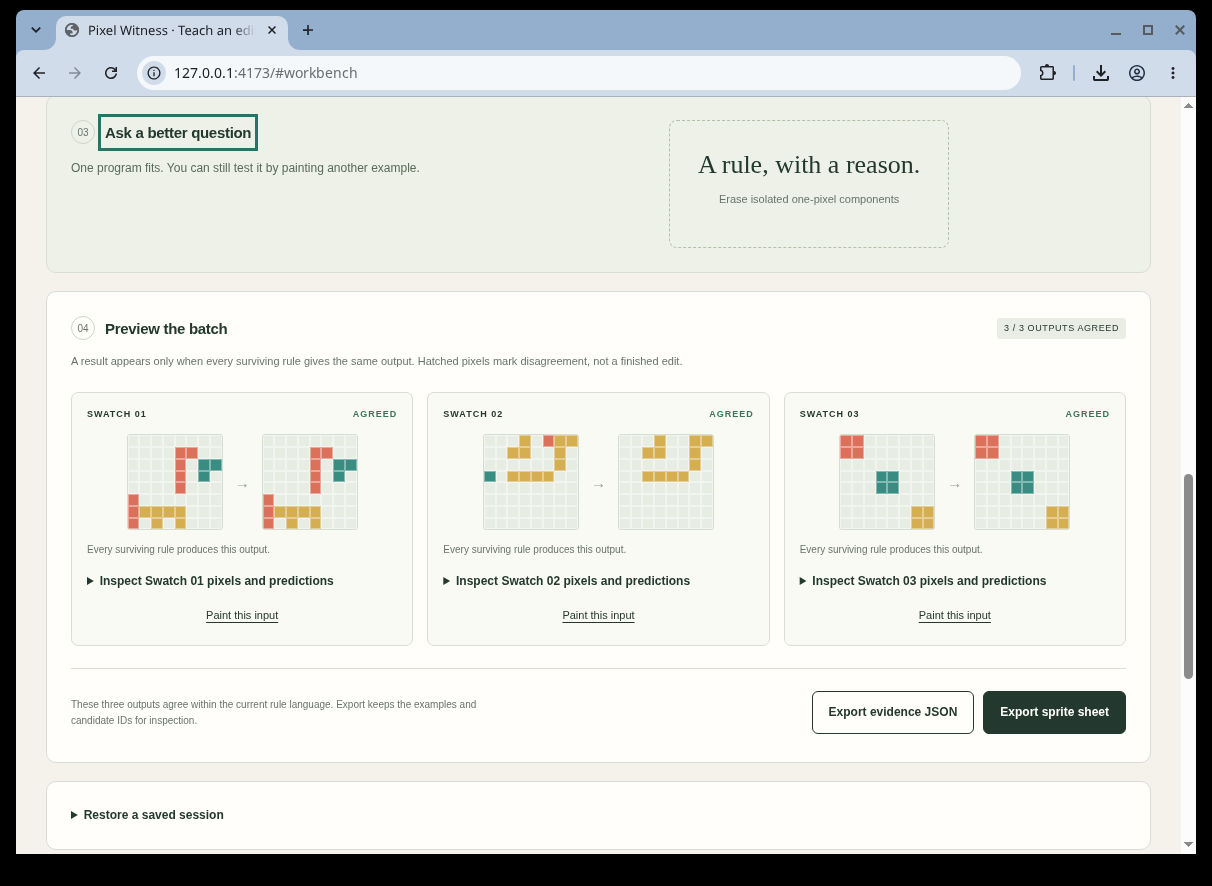
3. Live workbench: Outcome C selects isolated-pixel erasure; all three batch outputs agree.
-
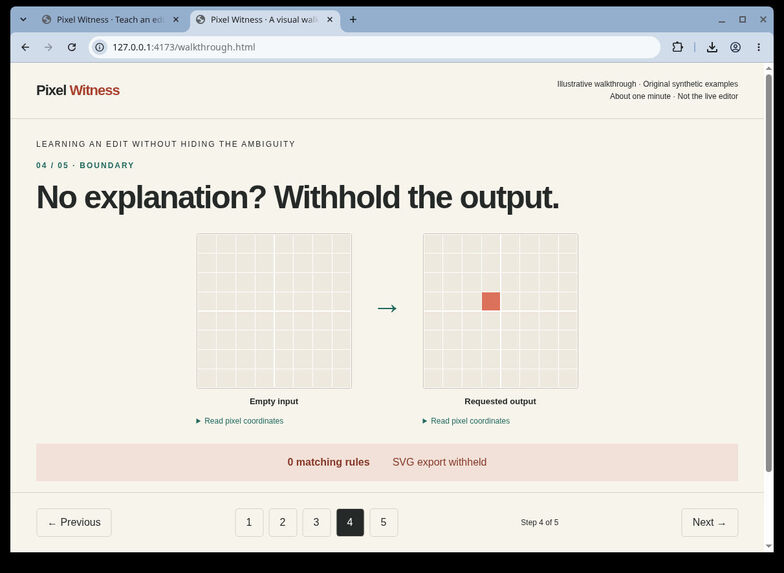
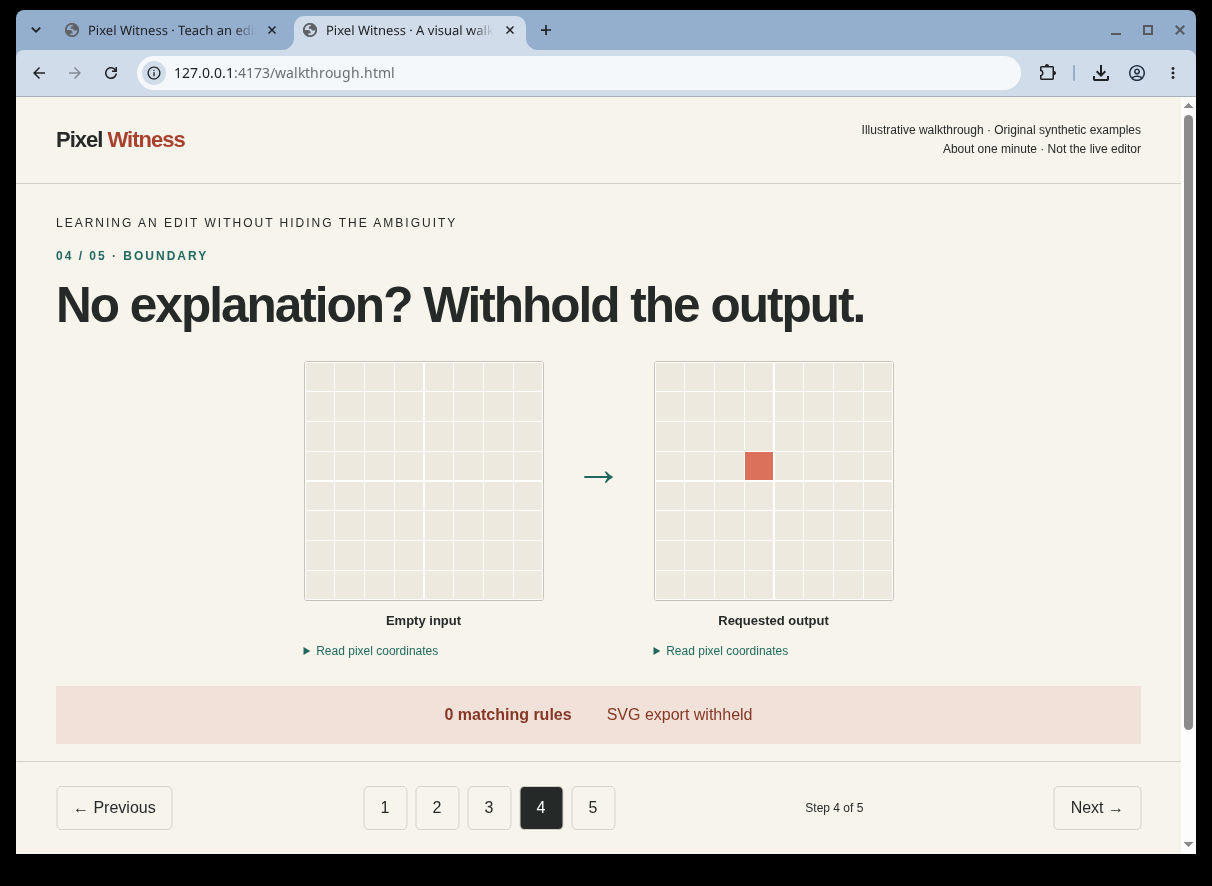
4. Static engine-derived walkthrough: empty-to-coral edit is unsupported; zero rules, SVG withheld. Not live-editor execution.
-
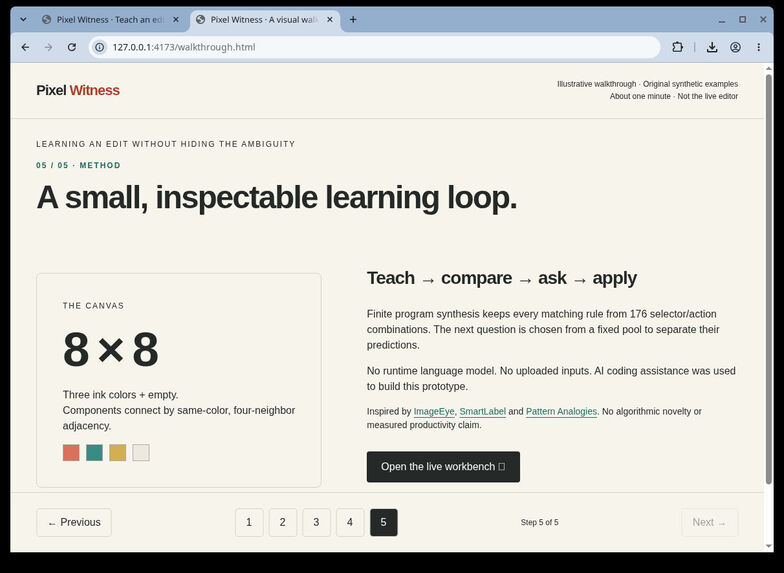
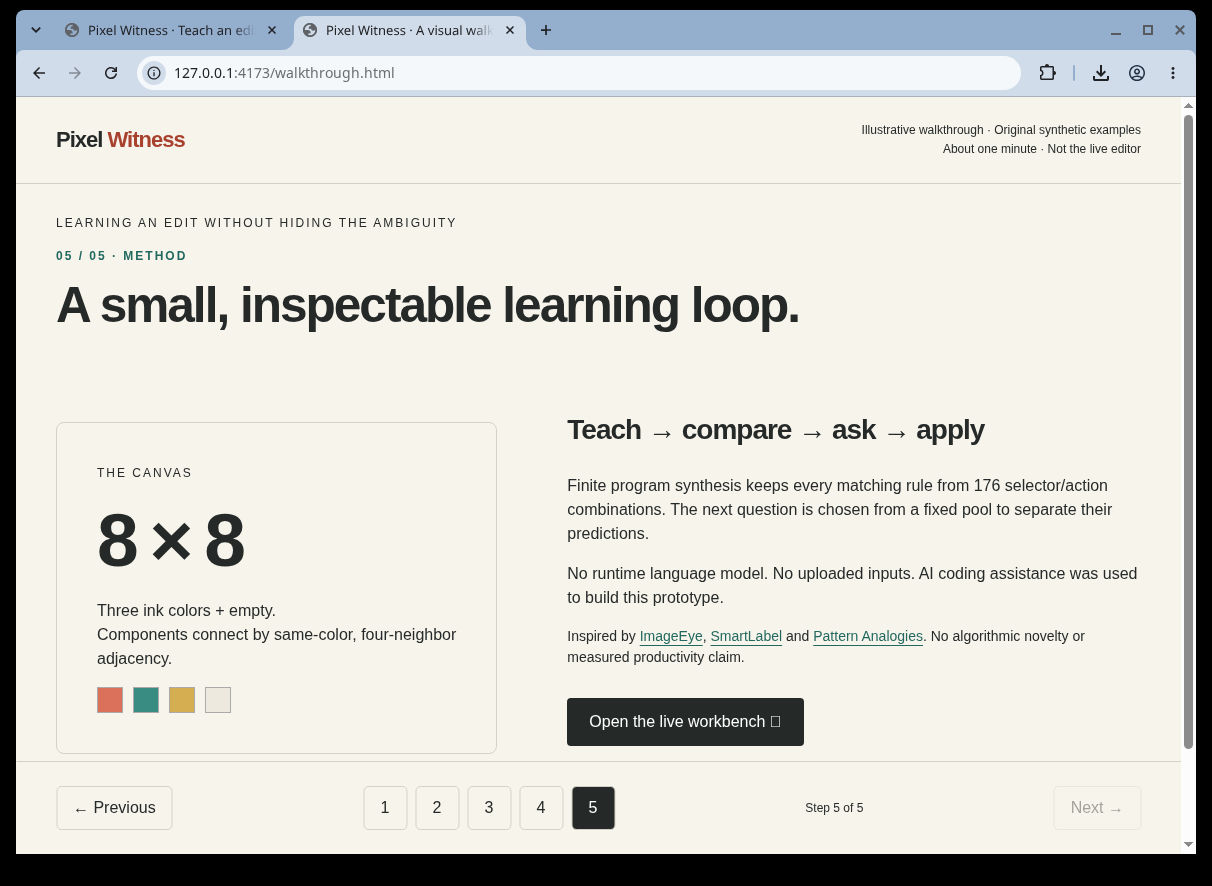
5. Static walkthrough: 8×8, 176 finite rules, AI-assistance disclosure and explicit method limits. Not a live-editor result.
Inspiration
A before-and-after edit can hide several different intentions. Erasing the two coral specks might mean "erase coral," "erase the smallest components," or "erase isolated pixels." Applying the first plausible rule to a whole batch can silently change the wrong artwork.
Pixel Witness makes that ambiguity visible. Its small editing language lets the user inspect what the system still believes, answer a useful visual question, and see where the remaining explanations disagree.
What it does
Paint an 8×8 before/after pair. The workbench keeps every matching rule, proposes a separating question when the fixed question pool contains one, and previews each batch input. An SVG result is available only when every surviving rule agrees on the output. Agreement is conditional on correct teaching examples and the intended edit belonging to the tool's 176-rule language.
The illustrated demo starts with three explanations for removing coral specks. A question with three differently colored four-pixel blocks separates them. Choosing Outcome C, which changes nothing, leaves "erase isolated one-pixel components." All three demo batch outputs then agree.
Saved evidence JSON retains teaching examples and batch inputs. Restoration validates the data and recomputes results. Unsaved-work warnings and explicit replacement checks help prevent accidental loss; there is no autosave, and a requested download is not proof of a saved file.
How the AI works
The runtime uses symbolic inductive program synthesis: 16 component selectors × 11 editing actions, filtered by exact agreement with the examples. Its active-learning question maximizes predicted-output entropy over a fixed pool of 32 synthetic grids. This is a query-selection heuristic, not a confidence score. There is no pretrained model or runtime language-model/API call.
The application runs locally in the browser with JavaScript, HTML, CSS and SVG. Its examples are original synthetic grids. It does not upload editing inputs or require an account or API key. Source, generators, tests and a downloadable standalone workbench are public.
What was built during the event
The Pixel Witness workbench, rule engine, original examples, teaching loop, batch preview, evidence restoration, keyboard interactions, synthetic evaluation, five-step visual walkthrough and portable release were developed on November 7, 2026, within AI OpenBuild's build window. Sharon Basovich is the solo entrant. AI coding assistance was used for implementation, testing and presentation preparation; this is not presented as unaided human work.
Established ideas and tools are credited rather than claimed as inventions: symbolic program synthesis and active query selection, ImageEye, SmartLabel, Pattern Analogies, and Aseprite's batch-editing/scripting workflow. JSDOM is a development test dependency. Pixel Witness's contribution is the concrete inspectable editing workflow, not a new synthesis algorithm.
Tests and a failure case
A fresh local verification of the extracted downloadable preview passed 26 gates on November 7: author and review suites, literal expected-grid semantic cases, deterministic benchmark reproduction, and exact regeneration of distributed artifacts. Existing pinned dependencies were used; a clean network installation was not tested. Historical native desktop checks cover the demonstrated interactions, keyboard focus fixes, saved synthetic JSON/SVG, walkthrough navigation and 400% zoom in the tested flows. The screenshots show the earlier baseline's unchanged demo flow; the current preview additionally includes keyboard-focus corrections.
The synthetic benchmark retained all 176 in-language targets. Across 1,408 held-out target/input cases it produced 1,090 agreed outputs and 318 abstentions, with zero false agreed outputs under the target-in-language assumption. Labels and predictions share the interpreter, so this measures internal consistency, not real-world accuracy. Separate literal expected-grid tests provide a small independent semantic check.
A concrete unsupported edit is an empty canvas becoming one coral pixel. No rule can explain it, so the system retains zero rules and withholds SVG output. Outside-language intent can also fit an incorrect rule on limited examples; even one surviving rule does not prove the user's true intent.
True mobile/touch devices, screen readers, forced colors, reduced-motion rendering and actual browser leave dialogs remain unverified. No artist-productivity, statistical-superiority or general image-editing claim is made.
Try it and view the walkthrough
The public browser demo is available at https://sharonbasovich.github.io/pixel-witness/ and the visual walkthrough at https://sharonbasovich.github.io/pixel-witness/walkthrough.html. The public release also contains the standalone workbench and source ZIP. Serve the extracted folder locally using the README instructions. Open index.html for the editor and walkthrough.html for the five-step visual walkthrough. The walkthrough is a labeled, engine-derived illustration, not a recording of live interaction. The attached screenshots show three actual workbench states followed by two labeled walkthrough states.
Public source: https://github.com/sharonbasovich/pixel-witness Downloadable preview: https://github.com/sharonbasovich/pixel-witness/releases/tag/v0.1.0-preview.2 Method and attribution: https://github.com/sharonbasovich/pixel-witness/blob/5f2a5f555b0a35485e27e5bf3a98f01b79b6878d/METHODS.md
Next steps
Evaluate a broader collection of editing intentions before expanding the rule language, and test real touch and assistive-technology workflows. These are future directions, not completed validation or commitments to specific dates.
Built With
- css3
- html5
- javascript
- jsdom
- node.js
- svg
