Inspiration
Plank as One started from a feeling: sometimes the hardest part of getting stronger is feeling alone while you are trying. We were inspired by the scene in Forrest Gump where Forrest runs after heartbreak, and slowly people begin to follow him. That image stayed with us: one person moving through pain, and somehow that movement becoming a signal for others. It especially resonated with one of our teammates, who has been dealing with burnout and trying to rebuild through resilience, healthy habits, and small daily promises. We also loved the collective energy of Pixel War, where one tiny action every few minutes could become part of something much bigger. Plank as One combines those ideas: one plank, one pixel, one shared canvas.
What it does
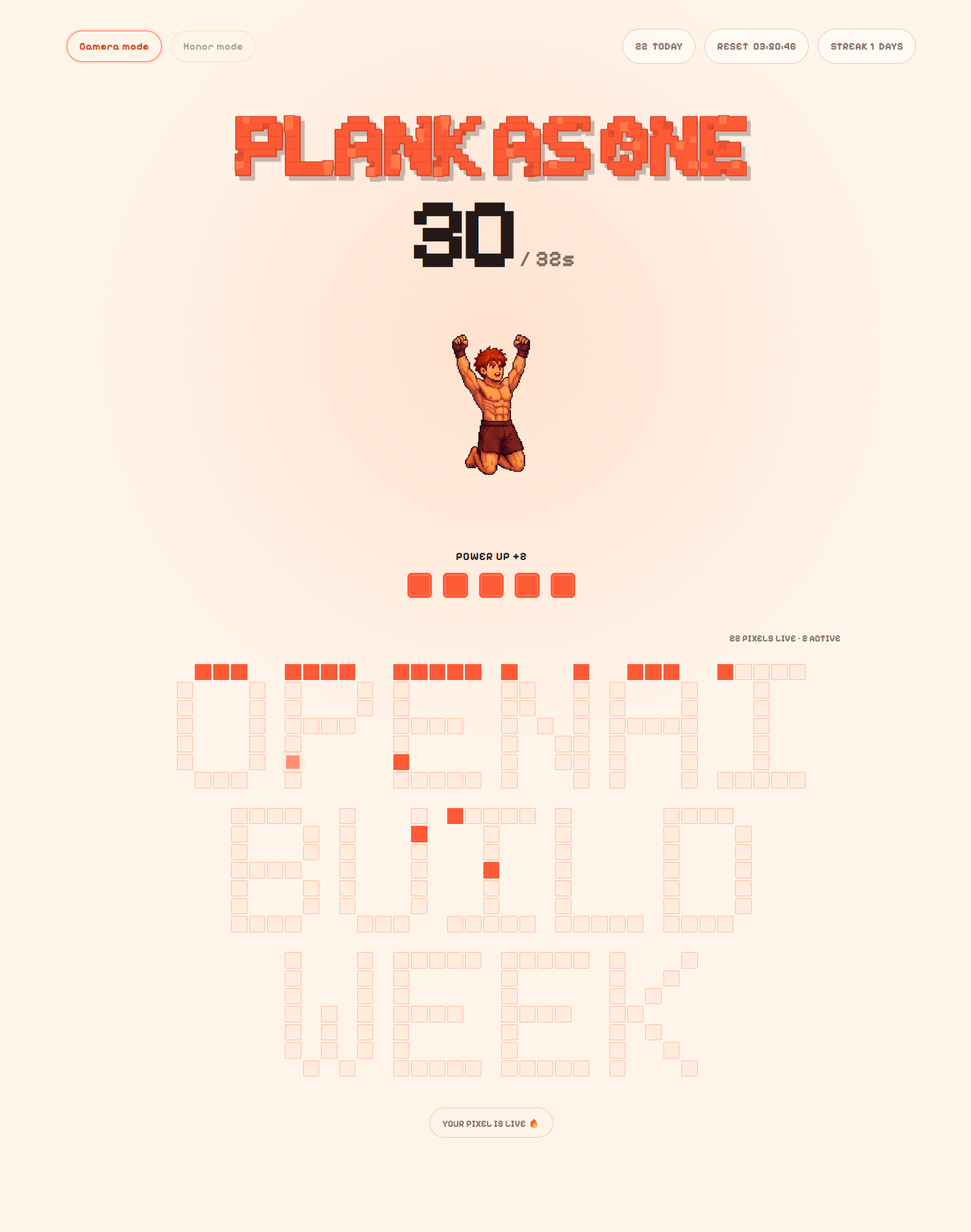
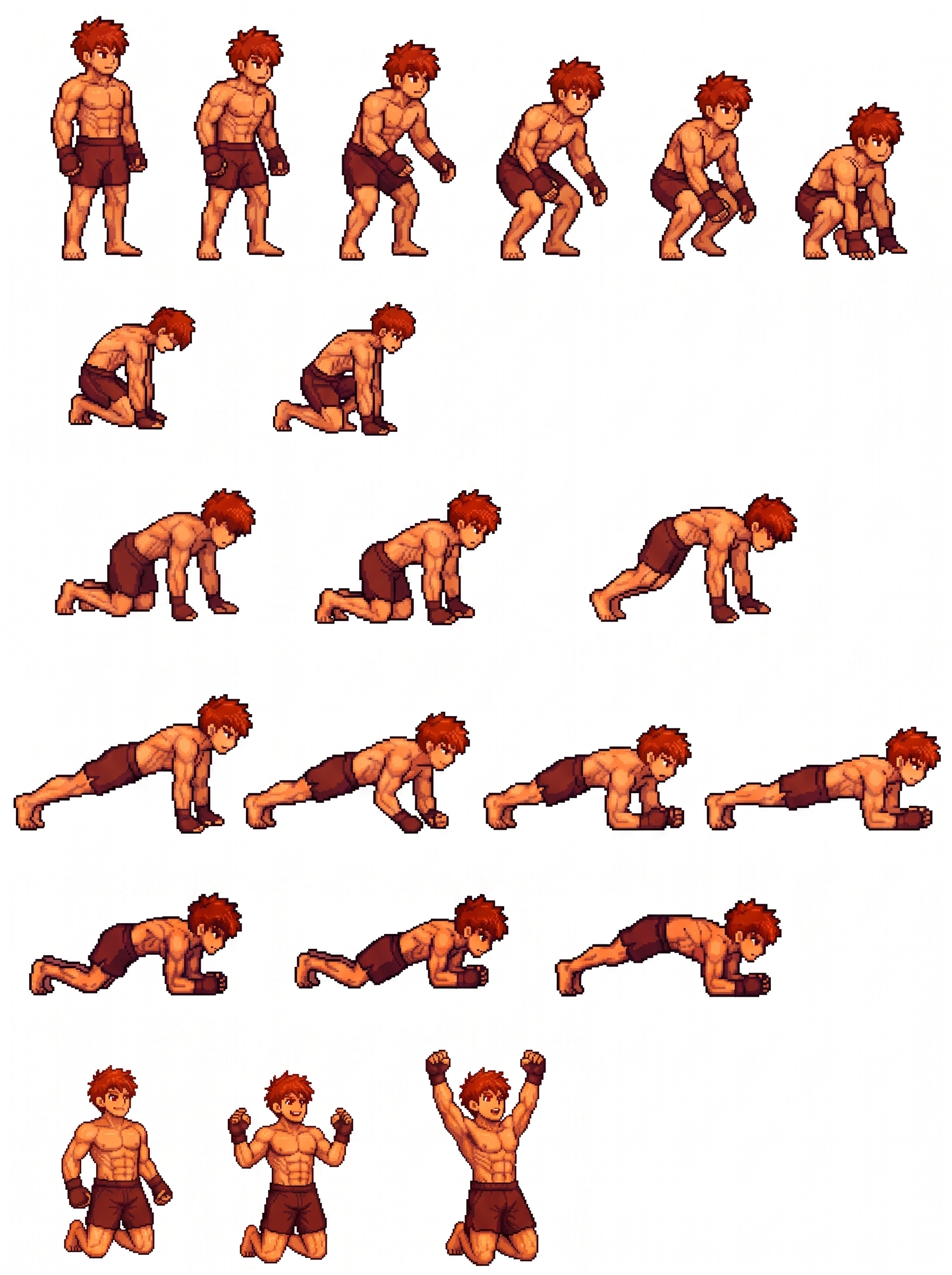
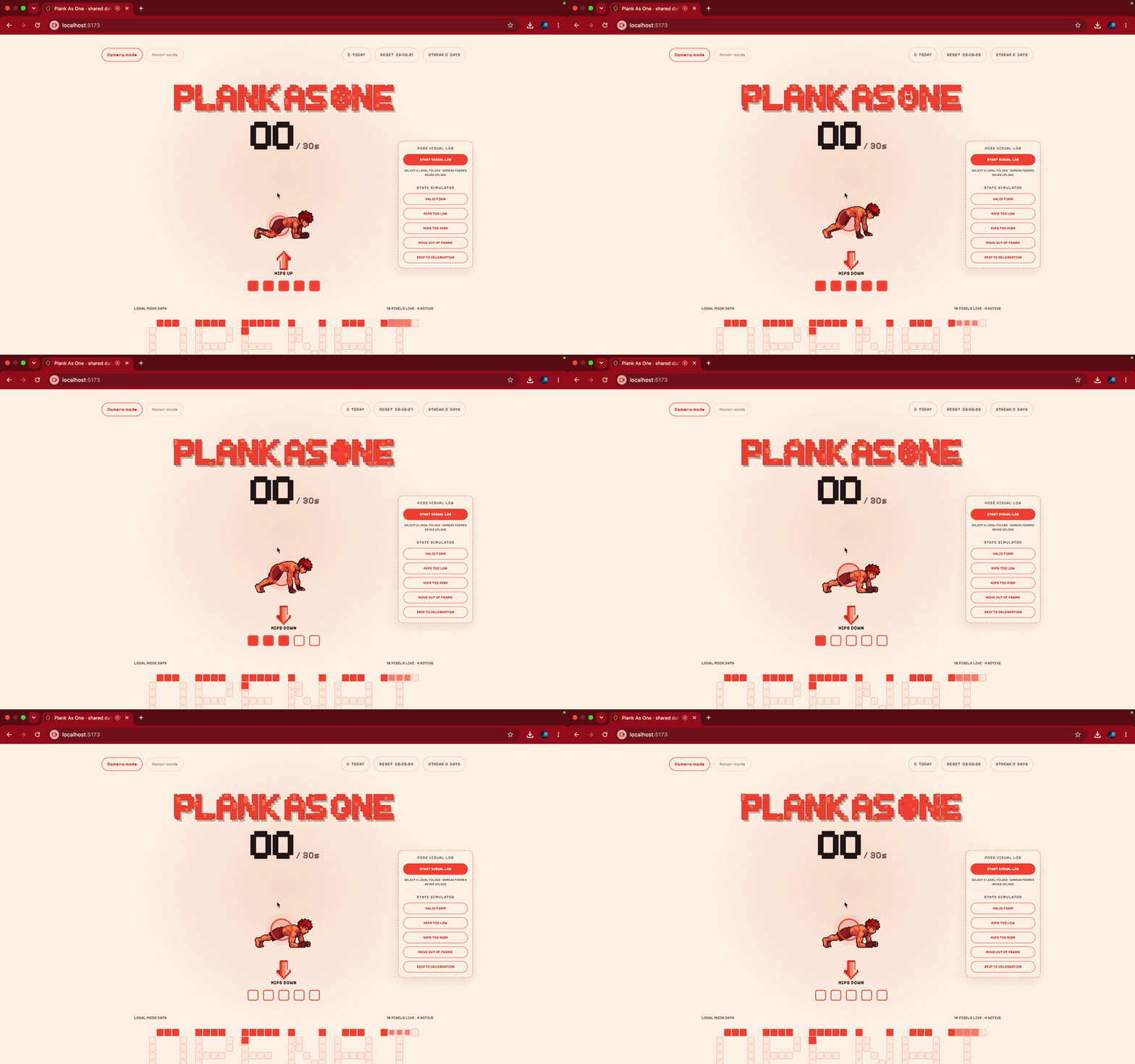
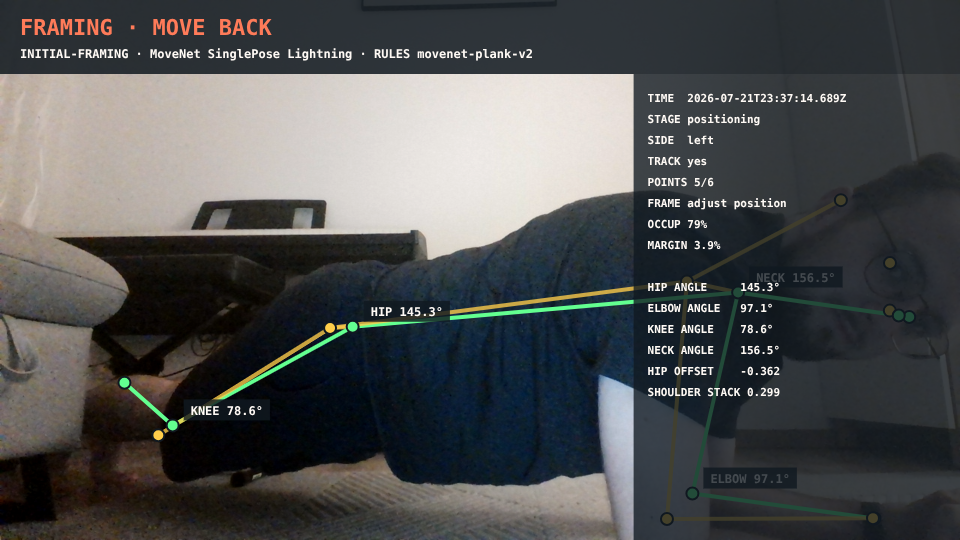
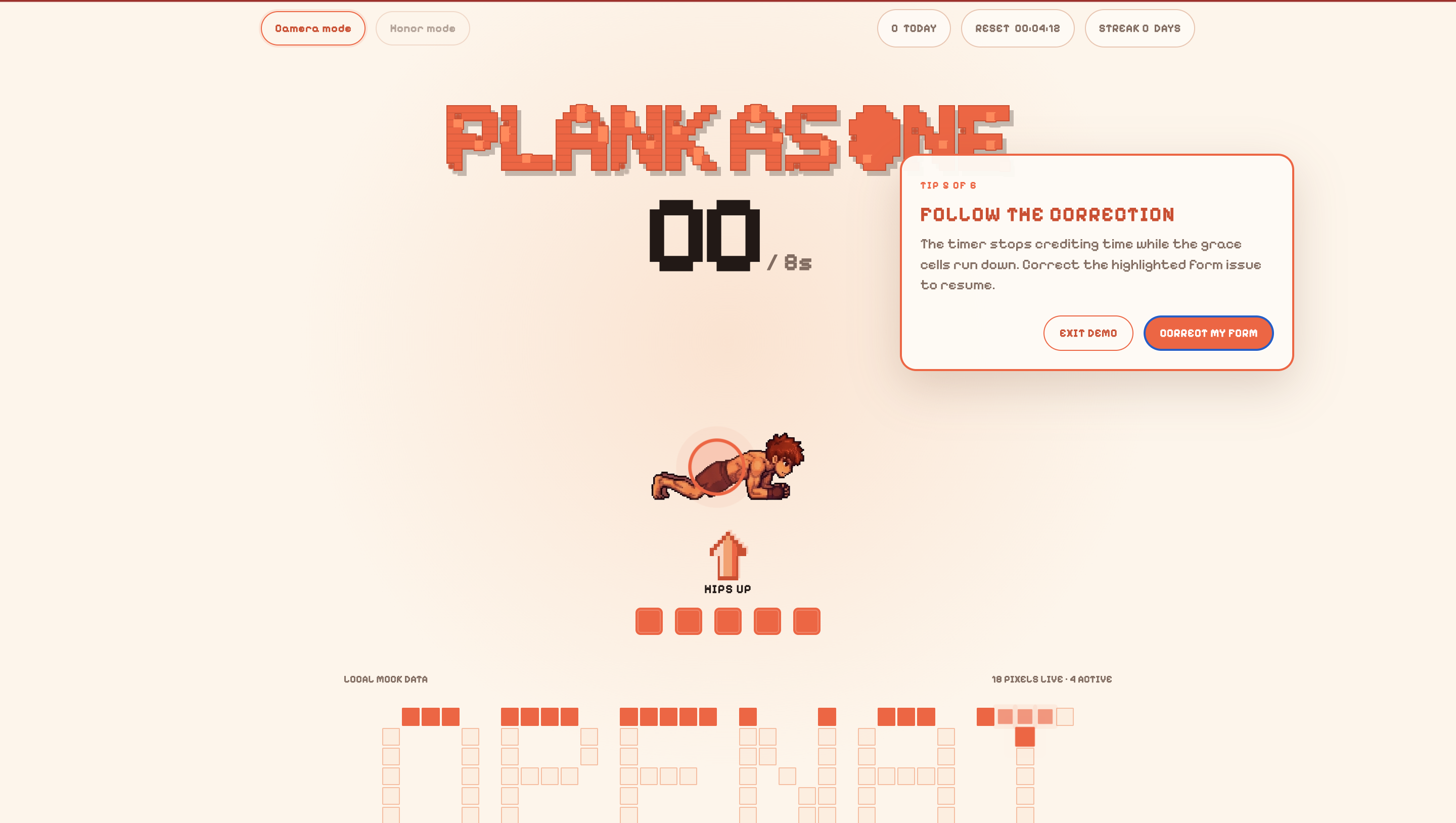
Plank as One turns a short daily plank into a collective ritual. A participant chooses a pixel on a shared artwork, completes their plank, and earns that pixel as part of a community canvas. In camera mode, the app uses on-device pose estimation to check plank form and give real-time feedback like hips up, hips down, neutral neck, or come back into frame. The timer only progresses when the user is holding valid form. For accessibility and trust, there is also an honor mode for people who cannot or do not want to use a camera. Instead of showing the user’s camera feed during the workout, Plank as One uses a pixel-art avatar that reacts to their pose. The user feels like they are controlling the character with their own body, making the experience more playful, private, and emotionally encouraging.
How we built it
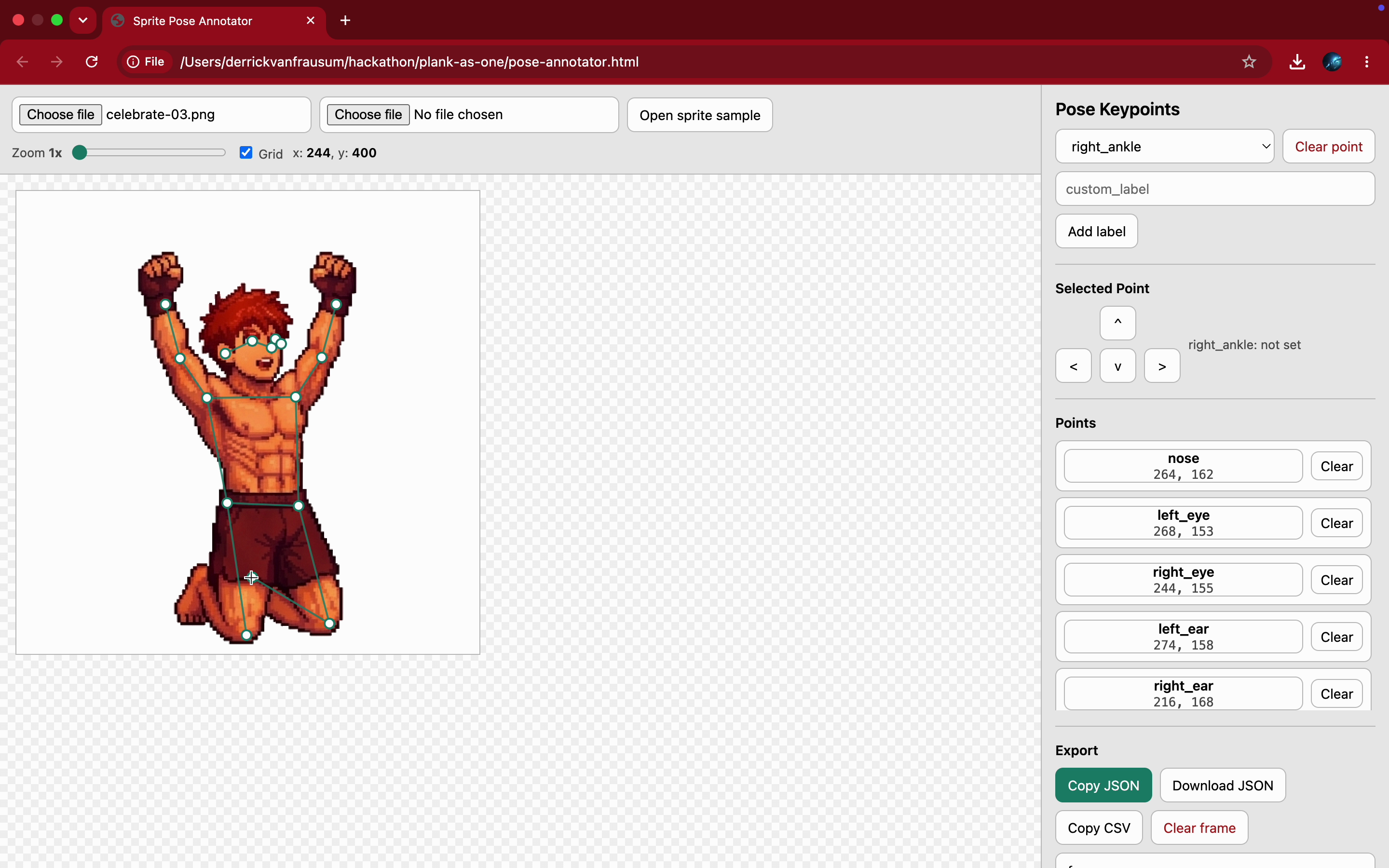
We built Plank as One as a SvelteKit web app. Pose estimation runs directly in the browser with TensorFlow.js MoveNet, so camera frames and landmarks do not need to leave the user’s device. We created a deterministic pose-correction engine that evaluates body alignment, including hips, shoulders, elbows, knees, neck position, tracking confidence, and framing. We added smoothing, hysteresis, correction prioritization, grace timing, and audio cues so feedback feels stable and useful instead of noisy. The shared canvas uses a pixel reservation flow: a user selects a pixel, completes the challenge, and the pixel becomes permanently committed. With Supabase configured, reservations, completions, active participants, and shared canvas updates can sync in realtime. We also built sprite-state avatars from a pixel-art atlas, matching live pose states to avatar frames so the workout feels more like controlling a character than being watched by a camera.
Challenges we ran into
One of the biggest challenges was the physical setup. For pose estimation to work well, the user needs to be far enough from the laptop webcam for most or all of their body to fit in frame. That is simple in theory, but in real rooms, with real furniture and real laptop angles, it becomes much harder. The UX challenge was even more interesting: someone holding a plank cannot keep looking at the screen without hurting their neck alignment. We needed feedback that could be understood almost instantly, in under a quick glance, or through audio cues alone. That pushed us toward short correction labels, clear avatar states, stable layout, and voice feedback. Another challenge was treating pose estimation like a motion controller. We did not want the camera to feel clinical or invasive. We wanted the user to feel embodied in the pixel-art avatar, so correcting their form also corrected the character. That made the experience more interactive and helped us avoid making the camera feed the center of attention.
Accomplishments that we're proud of
We’re really proud of how Plank as One turns a lonely, difficult habit into something gentle and communal. It might sound a bit stupid, but actually seeing and hearing real-time feedback while you’re planking gives you that extra kick of motivation to actually finish the challenge. Plus, we’re super glad with how the design turned out; it just looks really cool!
On the tech side, we’re proud of building a privacy-first architecture where pose estimation runs entirely in the browser, guiding your form without ever uploading camera frames. Using a pixel-art avatar makes it feel less like someone's watching you and more like playing a game. Pulling together the state machine, pose engine, audio cues, sprite matching, and shared canvas into one smooth prototype was a huge win for us.
Honestly, we’re just really glad we took part in the hackathon. We had never used Codex before, but this challenge was exactly what we needed to kick our procrastinating asses into gear; taking an idea from scratch and actually pushing it live!
What we learned
We realized pretty quickly that fitness feedback isn't just a technical problem. Things like timing, phrasing, posture, and trust make or break the experience. A correction can be 100% accurate, but if you're shaking mid-plank and can't process what the app is telling you, it’s useless.
We also saw how much small rituals matter. A single pixel seems tiny, but it gives your effort a physical place to go. It changes the mindset from "I just held a plank alone" to "I helped build something cool with everyone else."
Most of all, we learned that good AI often works best in the background. The ultimate version of our pose model isn't some flashy, complex camera overlay—it’s just a quiet guide that helps you feel capable in your own skin.
What's next for Plank as One
Next, we want to improve real-world calibration across more bodies, rooms, devices, lighting conditions, and camera angles. We also want to make the avatar feedback richer, clearer, and more expressive. We would like to expand the shared canvas into daily community artwork, archives, streaks, and leader-created challenges. Longer term, Plank as One could support more exercises, more accessibility options, and more ways for people to build healthy habits together.
Built With
- browser-mediadevices/getusermedia-api
- canvas-api
- html/css
- javascript
- node.js
- npm
- postgresql
- supabase
- supabase-auth-anonymous-sign-in
- supabase-realtime
- svelte-5
- sveltekit
- tensorflow.js-movenet
- tensorflow.js-webgl/wasm-backends
- typescript
- vite
- web-audio-api
- web-speech/speechsynthesis-api


Log in or sign up for Devpost to join the conversation.