-
-
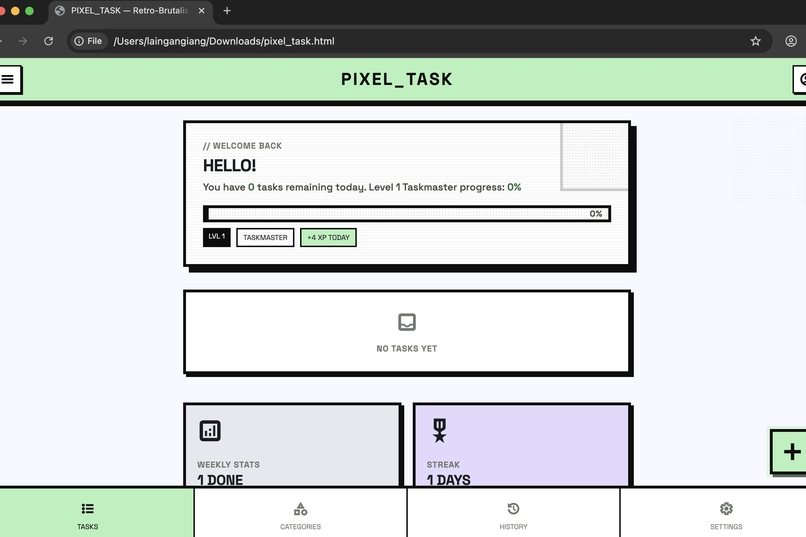
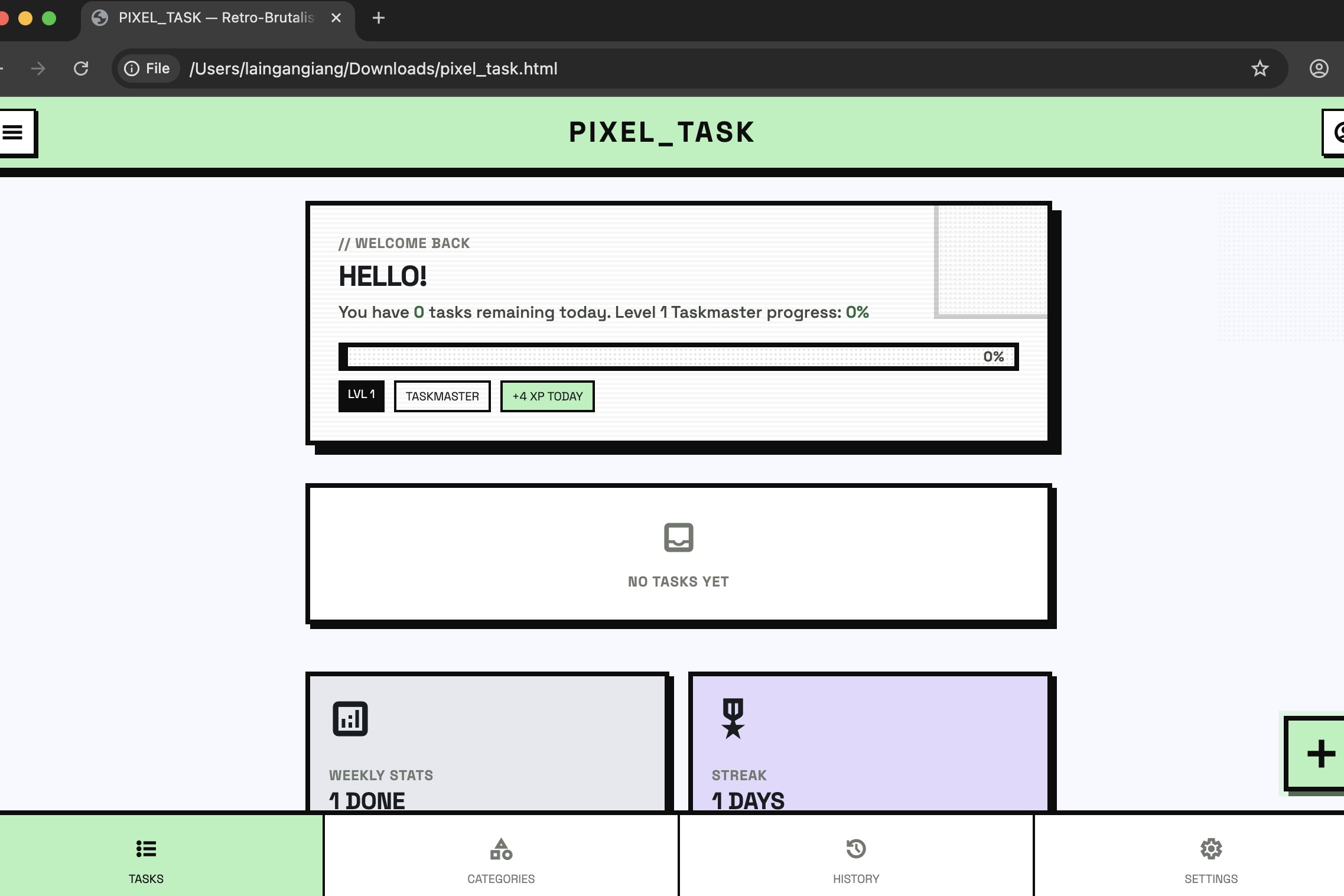
Your journey starts here. Pixel Task greets you with your XP level, daily progress bar & weekly streak, even before you add your first task.
-
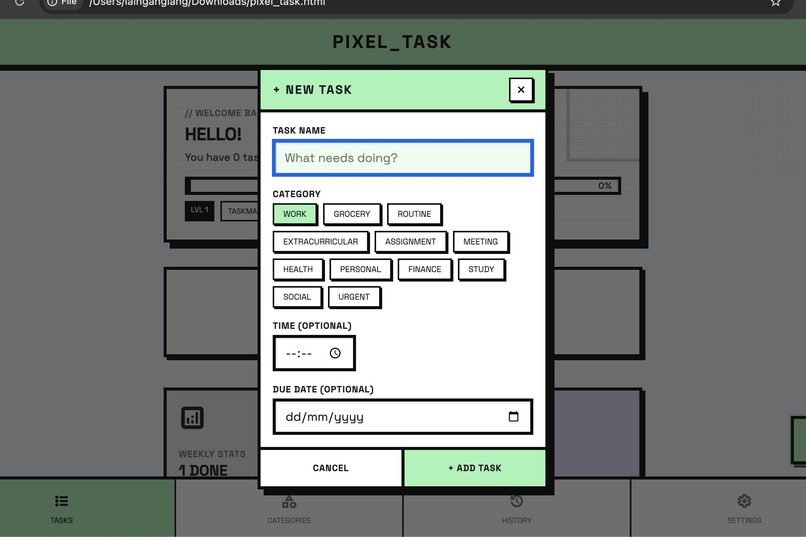
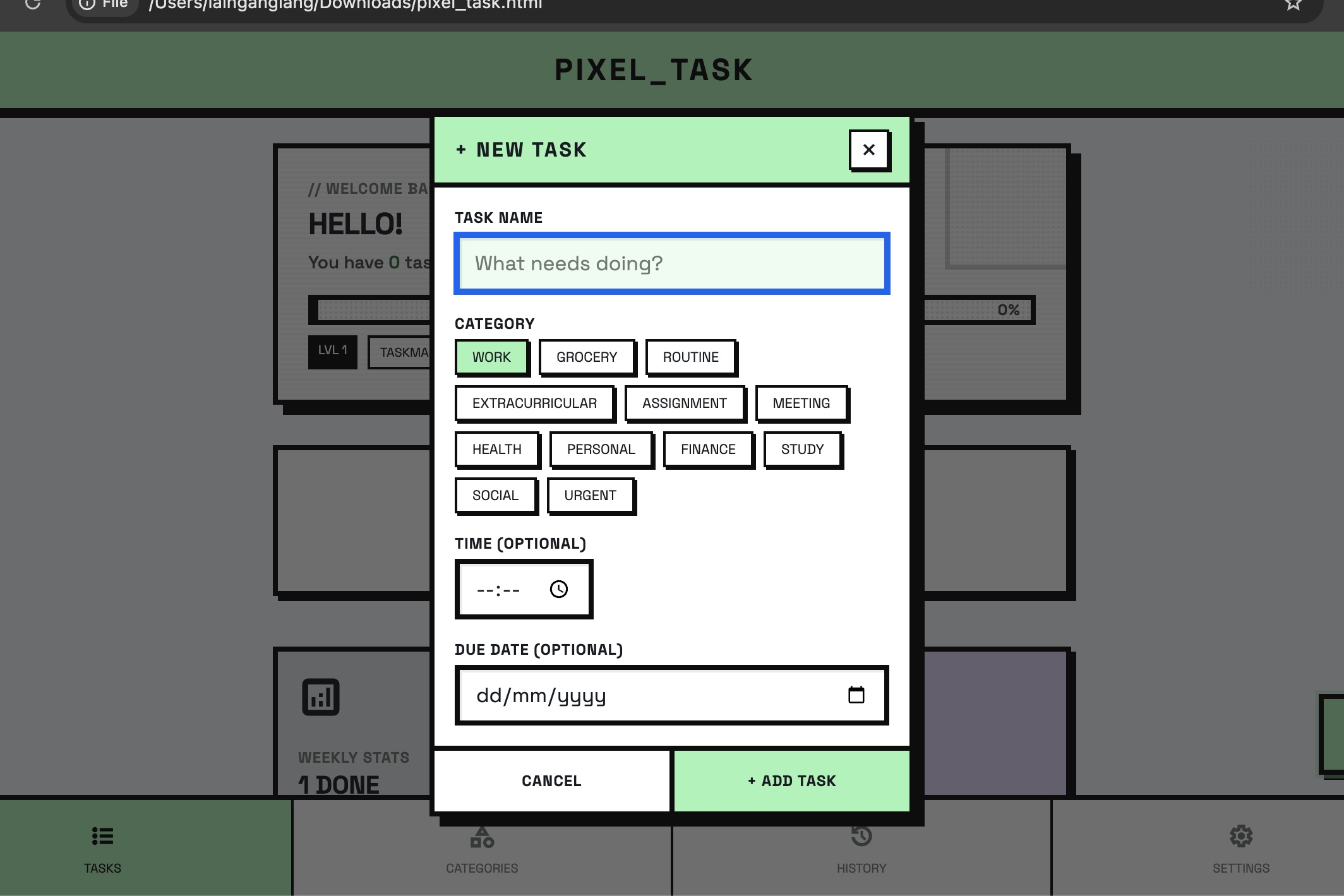
Adding a task takes seconds. Name it, pick one of 12 colour-coded categories, set a time and due date. Finally, add task.
-
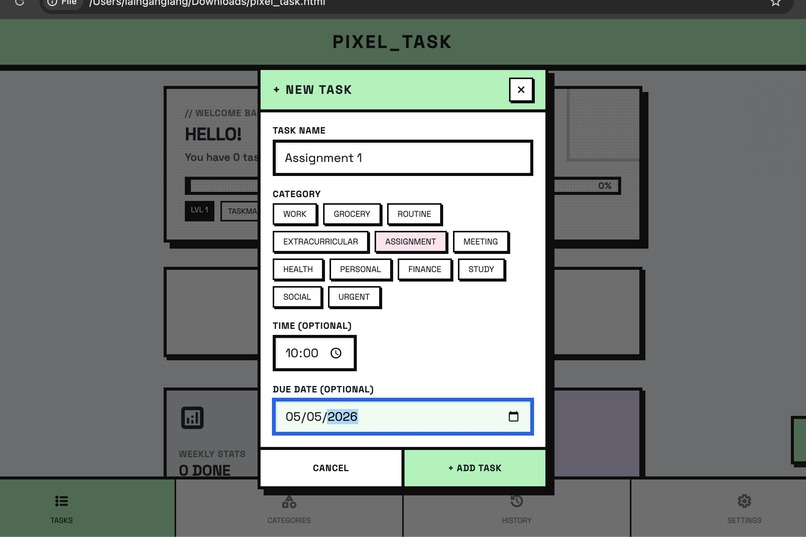
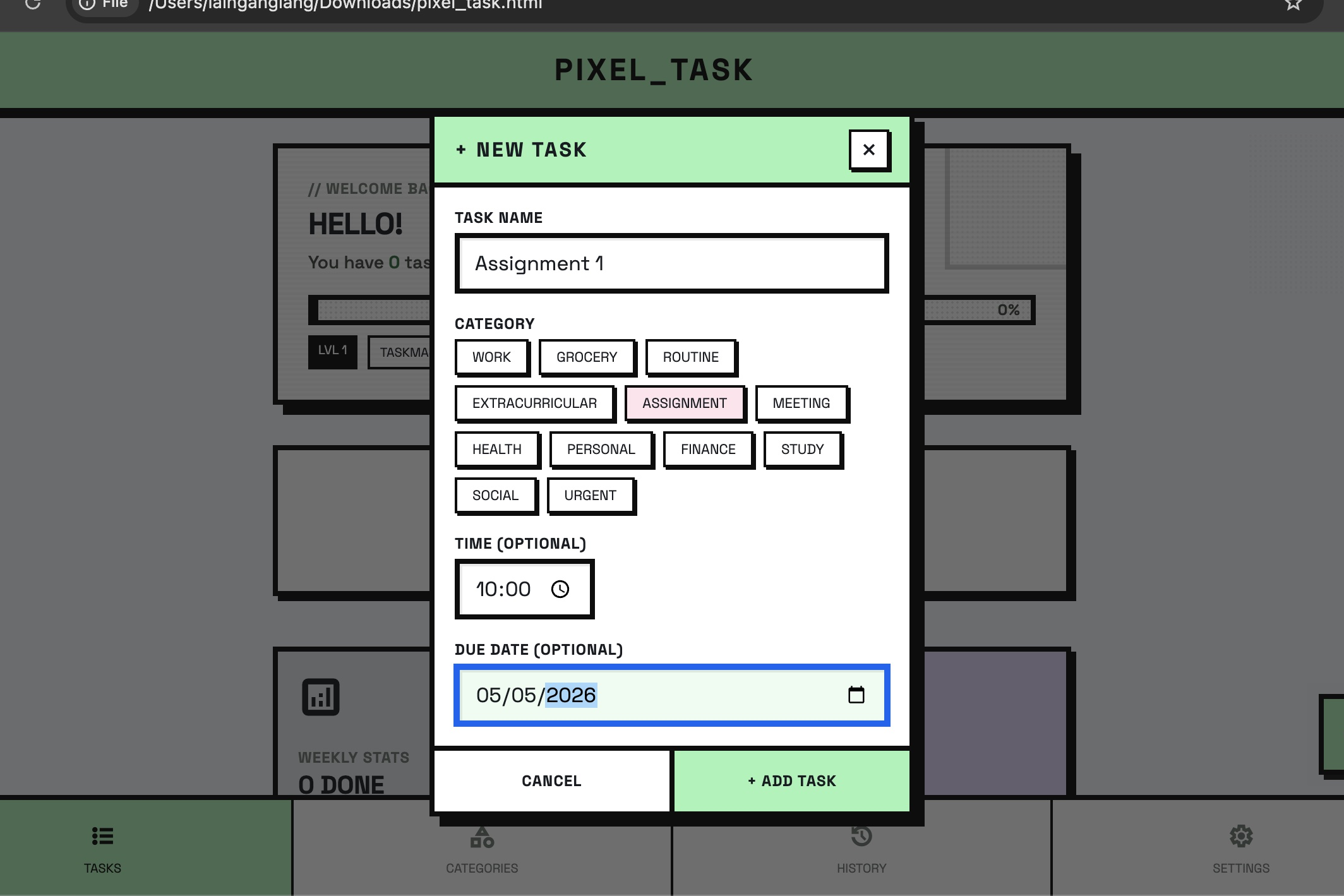
Every detail, including task name, category, scheduled time, and due date, in one place all before hitting confirm.
-
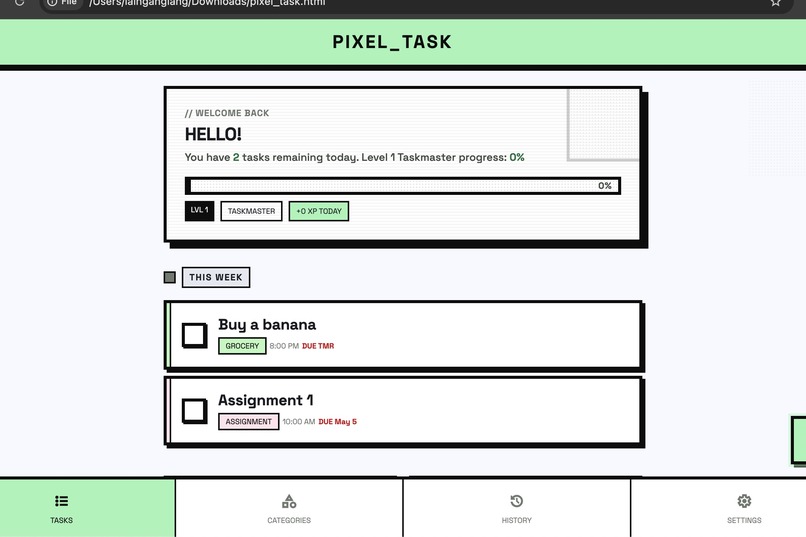
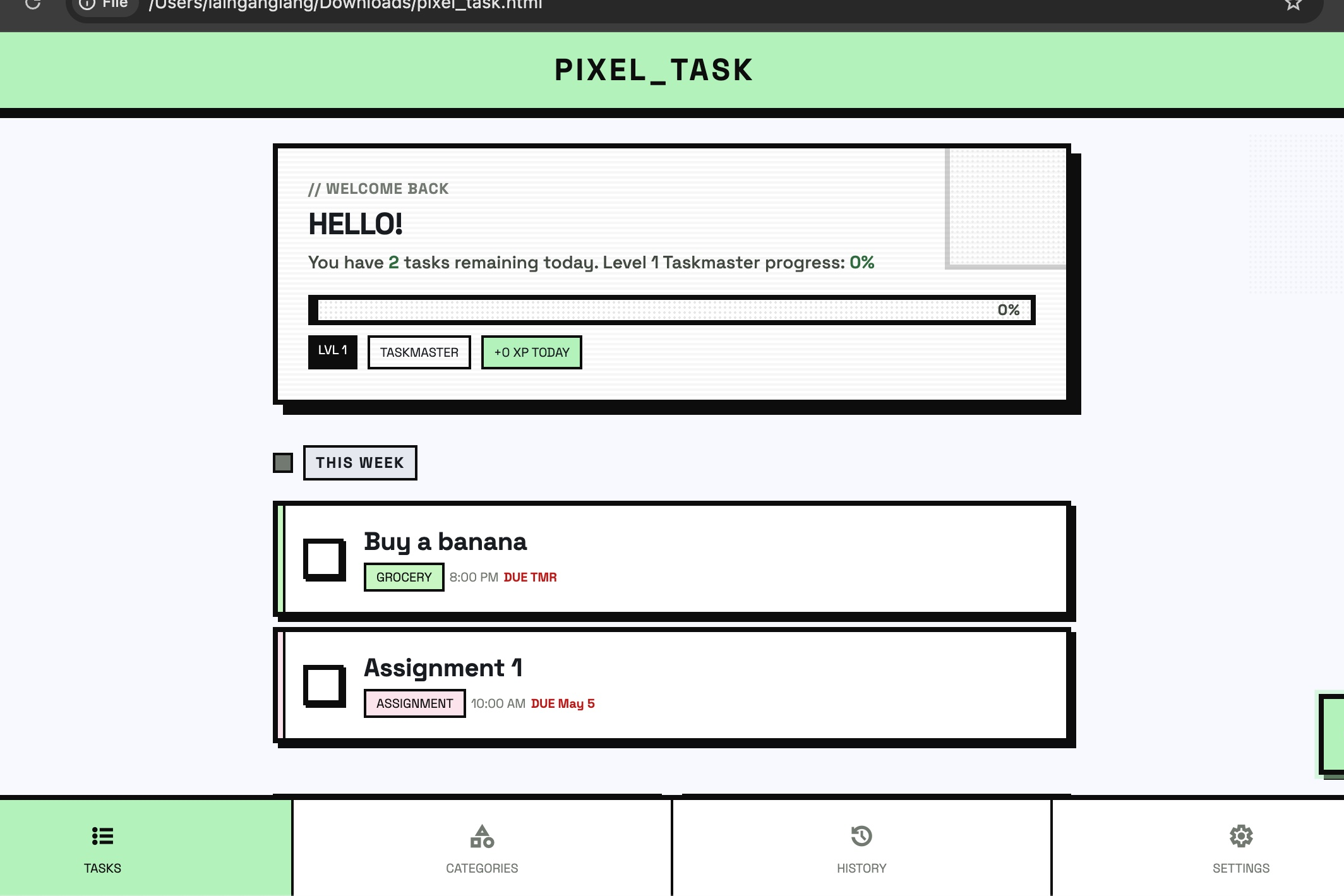
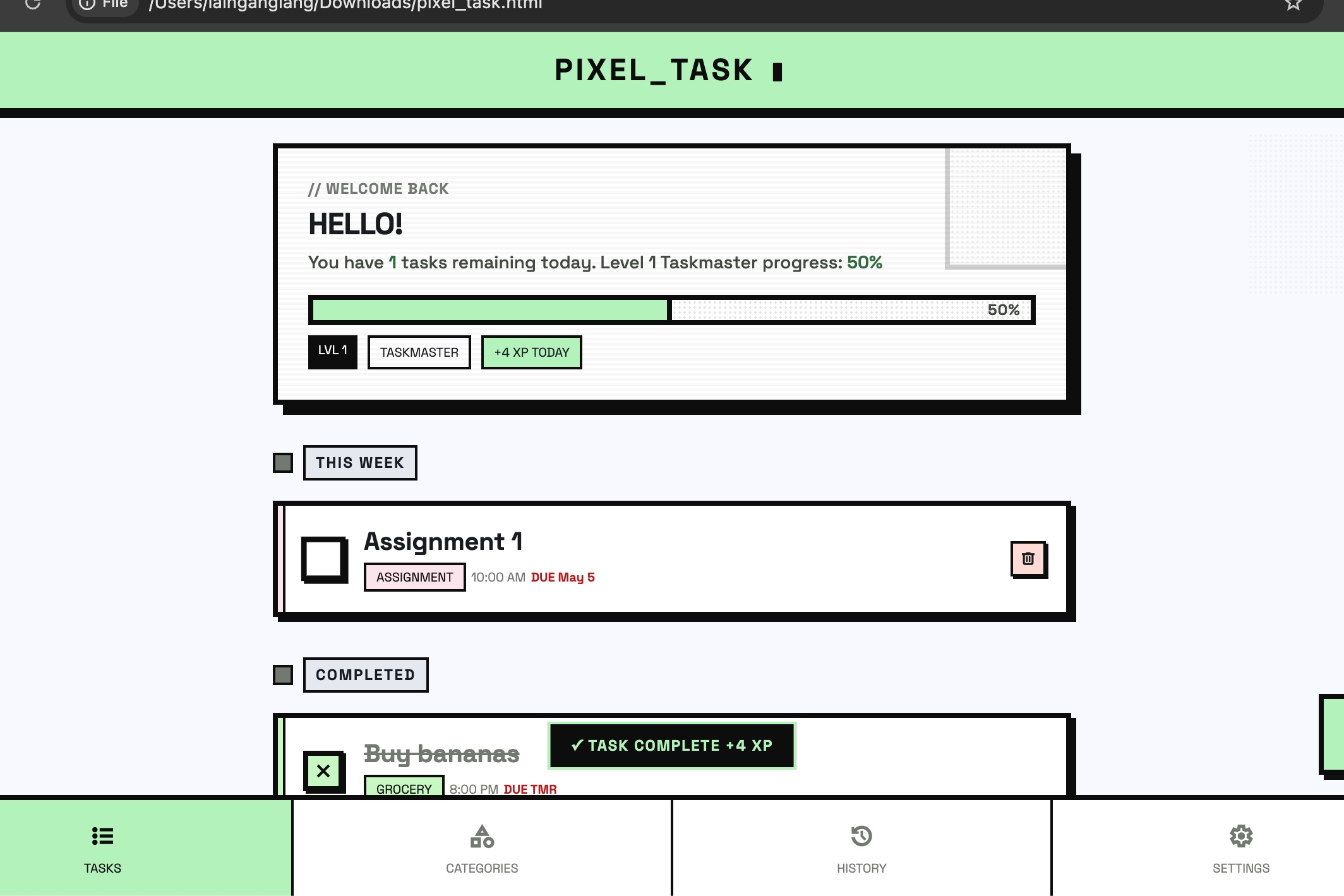
Tasks grouped by timeline, tagged by category, and flagged with due dates. Your day, laid out pixel by pixel.
-
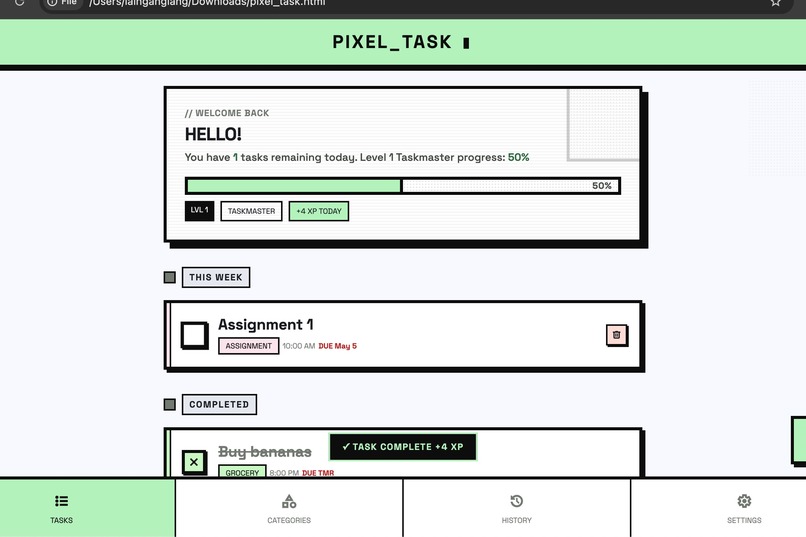
Check off a task and watch it happen in real time. The progress bar jumps, the XP toast fires, and the completed section updates instantly.
-
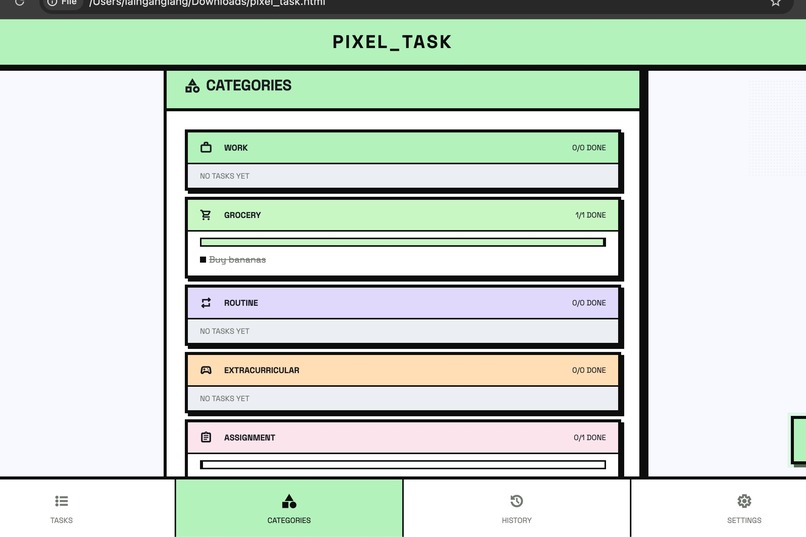
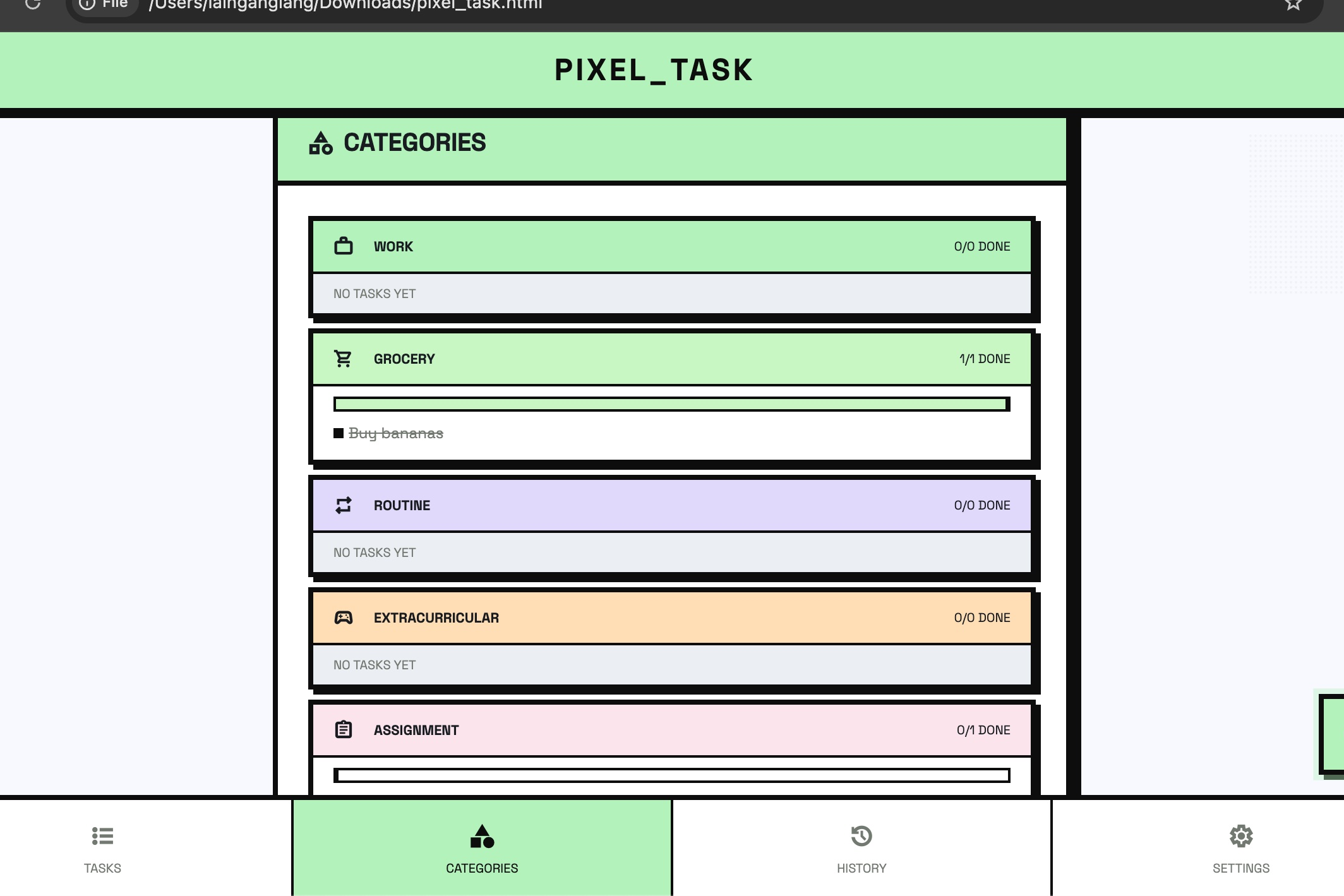
12 colour-coded categories, one screen. See exactly how much of each life area you've tackled at a glance.
-
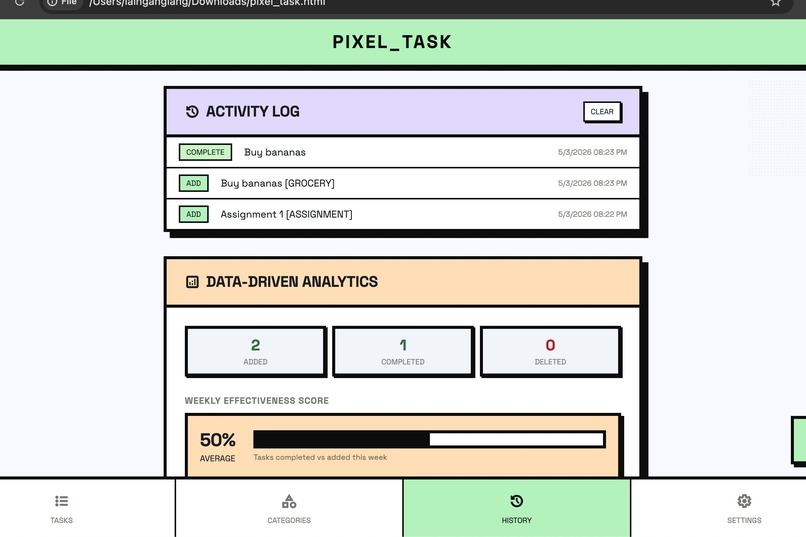
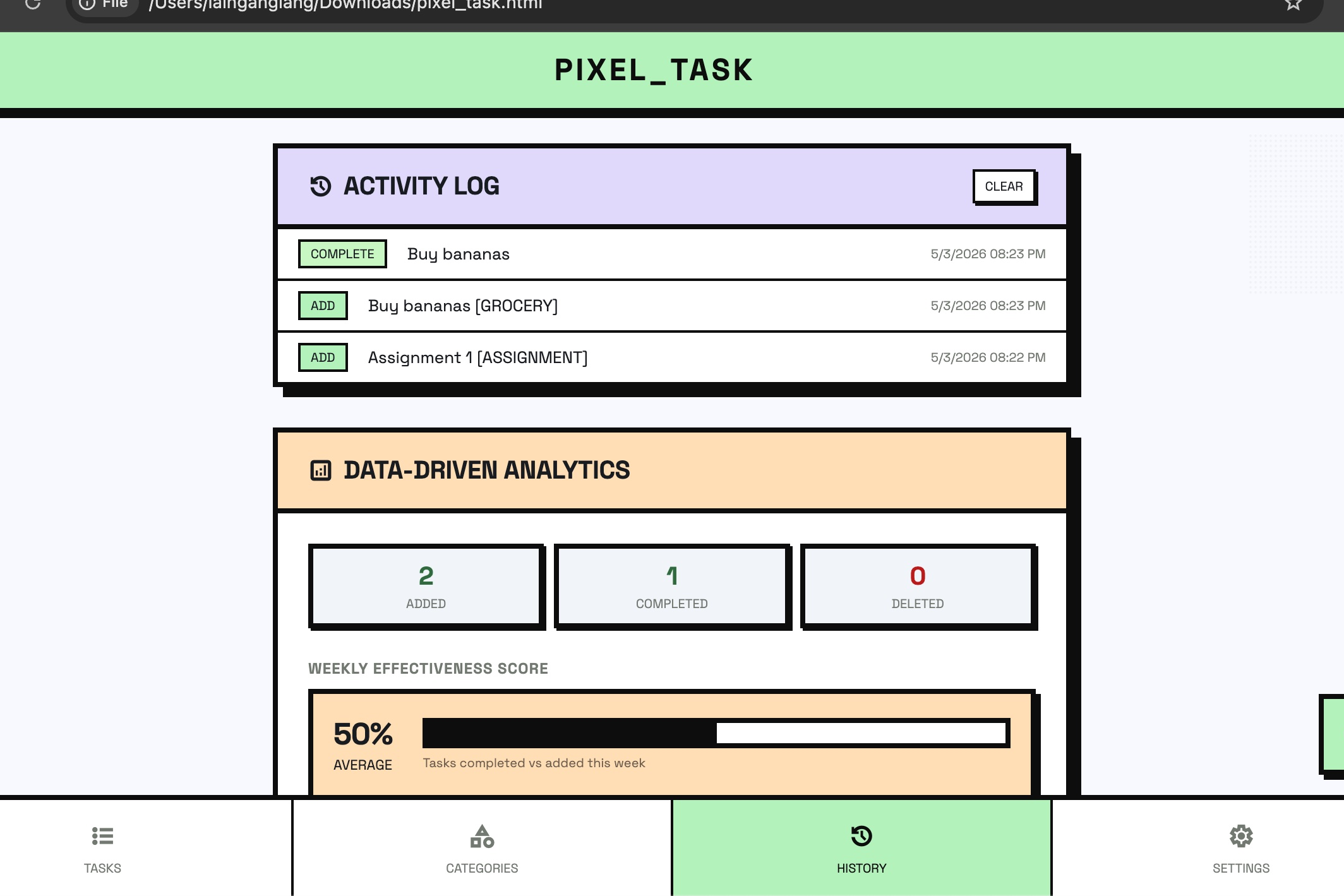
Every action logged. Every week scored. history and analytics keep you honest about how productive you actually are.
-
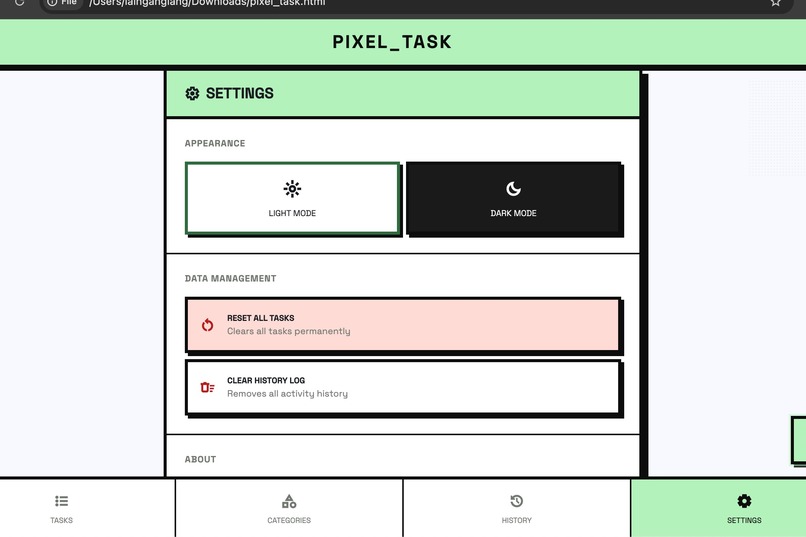
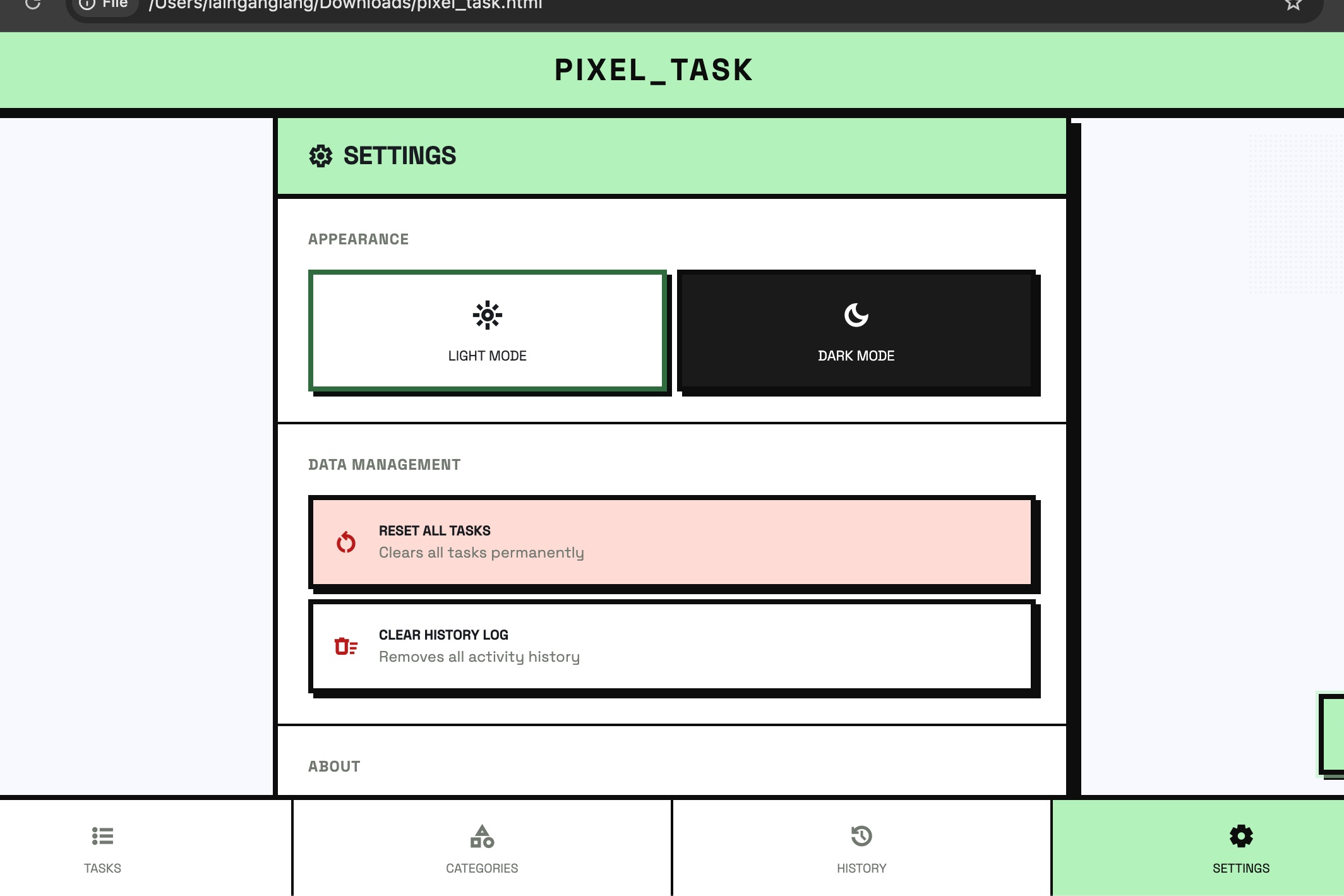
Switch themes and modes, and manage your data in the setting.
Pixel Task
A gamified, data-driven productivity system built entirely in vanilla HTML, CSS, and JavaScript — no frameworks, no servers, no nonsense.
Inspiration
Modern productivity apps feel sterile. They're all smooth gradients, rounded corners, and pastel animations — optimised for looking good in a marketing screenshot, not for actually getting things done. Every to-do app looks the same: a white card, a checkbox, a soft shadow.
I wanted something that felt alive — something that looked like it was ripped out of a 1980s arcade cabinet and bolted onto a productivity system. The pixel-grid shadows, dithered textures, blinking cursor, and monospaced uppercase labels aren't just aesthetic choices — they create a sense of weight and intention. Checking off a task should feel like something.
The deeper inspiration came from RPG games. In games like Stardew Valley or Habitica, mundane actions earn experience points and levels. Why should productivity software be any different? If completing a work task earns you XP and pushes a level bar forward, suddenly the grind becomes a game.
What it does
Pixel Task is a fully client-side task manager with a retro-brutalist visual identity and a built-in gamification and analytics layer.
Core Features
- Task Management: Add, complete, and delete tasks with category tagging, time scheduling, and due date assignment
- Due Date Grouping: Tasks are automatically sorted into live buckets: Overdue, Today, This Week, Later, and No Due Date
- 12 Categories:
WORK,GROCERY,ROUTINE,EXTRACURRICULAR,ASSIGNMENT,MEETING,HEALTH,PERSONAL,FINANCE,STUDY,SOCIAL,URGENT— each with a unique colour and icon - XP & Levelling System: Every completed task earns +4 XP. Accumulate 50 XP to level up. Progress bar updates in real time based on actual task state
- Streak Tracking: Consecutive days with at least one completed task build a streak 🔥
- Activity History Log: Every action (add, complete, delete, reopen) is timestamped and persisted across sessions
- Data-Driven Analytics: A weekly effectiveness score and a day-of-week completion bar chart and per-category breakdown
- Categories Page: Visual overview of all 12 categories with individual progress bars and task previews
- Settings: Light/Dark mode toggle, reset all tasks, clear history — all persisted to
localStorage - Persistent Storage: All data (tasks, history, theme) survives page refreshes via
localStorage
How I built it
Pixel Task is built with zero runtime dependencies beyond Tailwind CDN — no React, no Vue, no build step.
Technology Stack
| Layer | Technology |
|---|---|
| Markup | Semantic HTML5 |
| Styling | Tailwind CSS (CDN) via custom config + raw <style> |
| Logic | Vanilla JavaScript (ES2020+) |
| Typography | Space Grotesk (Google Fonts) |
| Icons | Material Symbols Outlined |
| Persistence | localStorage (key-value JSON) |
Architecture
The app is a single HTML file — fully self-contained, deployable anywhere, requiring no server.
Pixel Task.html
├── <head>         Tailwind config, custom tokens, animation keyframes
├── <body>
│   ├── Header     Top bar with menu toggle
│   ├── Sidebar    Navigation drawer
│   ├── Pages      Four page containers (Tasks, Categories, History, Settings)
│   │   ├── #page-tasks        Dynamic task list grouped by due date
│   │   ├── #page-categories   12-category grid with per-cat progress
│   │   ├── #page-history      Activity log + analytics panel
│   │   └── #page-settings     Theme toggle + data management
│   ├── FAB        Floating action button → Add Task modal
│   ├── Bottom Nav 4-tab navigation bar
│   └── Modal      Add Task dialog
└── <script>       All application logic (~500 lines, no frameworks)
Design System
The visual language is built on a custom Tailwind theme extending Material Design 3 colour tokens into a retro-brutalist aesthetic:
- Zero border-radius — every element is a hard rectangle, no rounding anywhere
- Pixel shadows —
box-shadow: Npx Npx 0 0 #0d0d0dat 2/4/6/8px offsets replace blur-based drop shadows - Dither textures —
radial-gradientdot patterns simulate CRT scanline noise - Blinking cursor — CSS
@keyframes blinkon the app title simulates a terminal prompt - Slide-in animations — task cards animate in with staggered delays on render
Data Model
Each task is stored as a plain JavaScript object:
{
  id:    Number,   // auto-increment
  title: String,
  cat:   String,   // e.g. "WORK", "MEETING"
  time:  String?,  // e.g. "10:00 AM"
  due:   String?,  // formatted label e.g. "DUE May 10"
  dueTs: Number?,  // Unix timestamp for sorting and bucketing
  done:  Boolean
}
History entries are similarly lightweight:
{ action: "ADD" | "COMPLETE" | "DELETE" | "REOPEN", detail: String, ts: Number }
Effectiveness Score
The weekly analytics panel computes a productivity effectiveness rate:
$$E = \frac{C_w}{A_w} \times 100$$
Where \( C_w \) is the number of tasks completed in the past 7 days and \( A_w \) is the number of tasks added in the same window. The score maps to four qualitative ratings:
| Score | Rating |
|---|---|
| >= 80 | EXCELLENT |
| 60 =< E < 80 | GOOD |
| 40 =< E < 60 | AVERAGE |
| E < 40 | NEEDS WORK |
Challenges we ran into
1. Stateful UI without a framework. Managing multiple pages, modals, a sidebar, toast notifications, and five distinct data-rendering functions in plain JavaScript — without React state or a virtual DOM — required careful discipline around when and what to re-render. Every render function touches the DOM directly, so stale references were a constant threat.
2. Due date sorting and grouping. Storing due dates as human-readable labels ("DUE May 10") was convenient for display but useless for sorting. The solution was to store a parallel dueTs Unix timestamp alongside the label — the label is rendered, the timestamp drives all grouping and sort logic.
3. Persisting data without a backend. localStorage only stores strings, so every read requires JSON.parse and every write requires JSON.stringify. Keeping task state, history, and theme perfectly in sync across page loads — without corrupting data on edge cases like empty task arrays — required deliberate handling throughout.
4. Dark mode with Tailwind CDN. Tailwind's darkMode: "class" strategy requires toggling a class on <html>. Without a build step, custom dark-mode overrides had to be carefully layered between Tailwind utility classes and inline styles, since the CDN version cannot purge or extend dark variants at runtime.
5. Analytics from sparse data. When a user has few history entries (e.g. first day of use), metrics like streak and effectiveness score can be misleading. Designing the analytics to degrade gracefully — showing 0 DAYS instead of crashing, capping effectiveness at 100% — required handling many empty-state edge cases.
Accomplishments that we're proud of
- A fully functional, persistent task manager in a single HTML file under 1,100 lines — no build tools, no package manager, no server
- A coherent visual language that is immediately recognisable and distinct from every other productivity app
- Real-time XP and level progression driven entirely by actual task completion state — not arbitrary history counts
- A weekly analytics engine with bar charts rendered in pure HTML/CSS — no canvas, no chart libraries
- Graceful data persistence — tasks and history survive hard refreshes, tab closes, and browser restarts
What we learned
- Tailwind without a build step is powerful but constrained. The CDN version supports utility composition but cannot generate arbitrary values on the fly — all custom tokens must be declared upfront in
tailwind.config. localStorageis surprisingly capable for single-user, single-device apps. For a personal productivity tool, it covers 100% of the persistence use case with zero infrastructure cost.- Gamification works best when it reflects real behaviour. Early versions awarded XP for adding tasks, which incentivised list-padding. Switching XP to be derived purely from task completion state made the system honest.
- Separation of display data from sort data is critical. Storing
due(label) anddueTs(timestamp) as separate fields made the codebase significantly cleaner than trying to parse human-readable strings back into dates. - A strong visual identity is a feature. The retro-brutalist aesthetic isn't decoration — it creates a distinct, memorable experience that makes the app feel intentional rather than generic.
What's next for Pixel Task
- Recurring tasks: daily/weekly routines that auto-reset on schedule
- Multi-device sync: replacing
localStoragewith a lightweight backend (e.g. Cloudflare KV or Supabase) to sync across devices - Push notifications: browser-native reminders when a task is approaching its due date
- Custom categories: let users define their own category names, colours, and icons
- Calendar view: visualise tasks on a weekly calendar grid alongside the due-date list
- Export / import: download task data as JSON or CSV for backup and migration
- Offline PWA: wrap the app as a Progressive Web App with a service worker for true offline support and home-screen installation


Log in or sign up for Devpost to join the conversation.