
Inspiration
The inspiration for PixelPost was to create a vibrant and inclusive community for AI-generated and digital art enthusiasts.
I saw an opportunity to build a platform where people could not only experiment with AI tools but also share their creations and connect with like-minded individuals.
By integrating features like personalized profiles, likes, and comments, PixelPost encourages interaction and feedback, making it more than just a tool for generating images—it becomes a social space for digital artists and AI enthusiasts.
Additionally, I wanted to bridge the gap between traditional digital art and AI-generated art by making the platform accessible to everyone, regardless of their technical expertise.
My main inspirations were Instagram and Pinterest, so I developed PixelPost which is a Social Media Platform like Instagram and Creative Art Hub like Pinterest.
What it does
1. AI-Generated Image Creation:
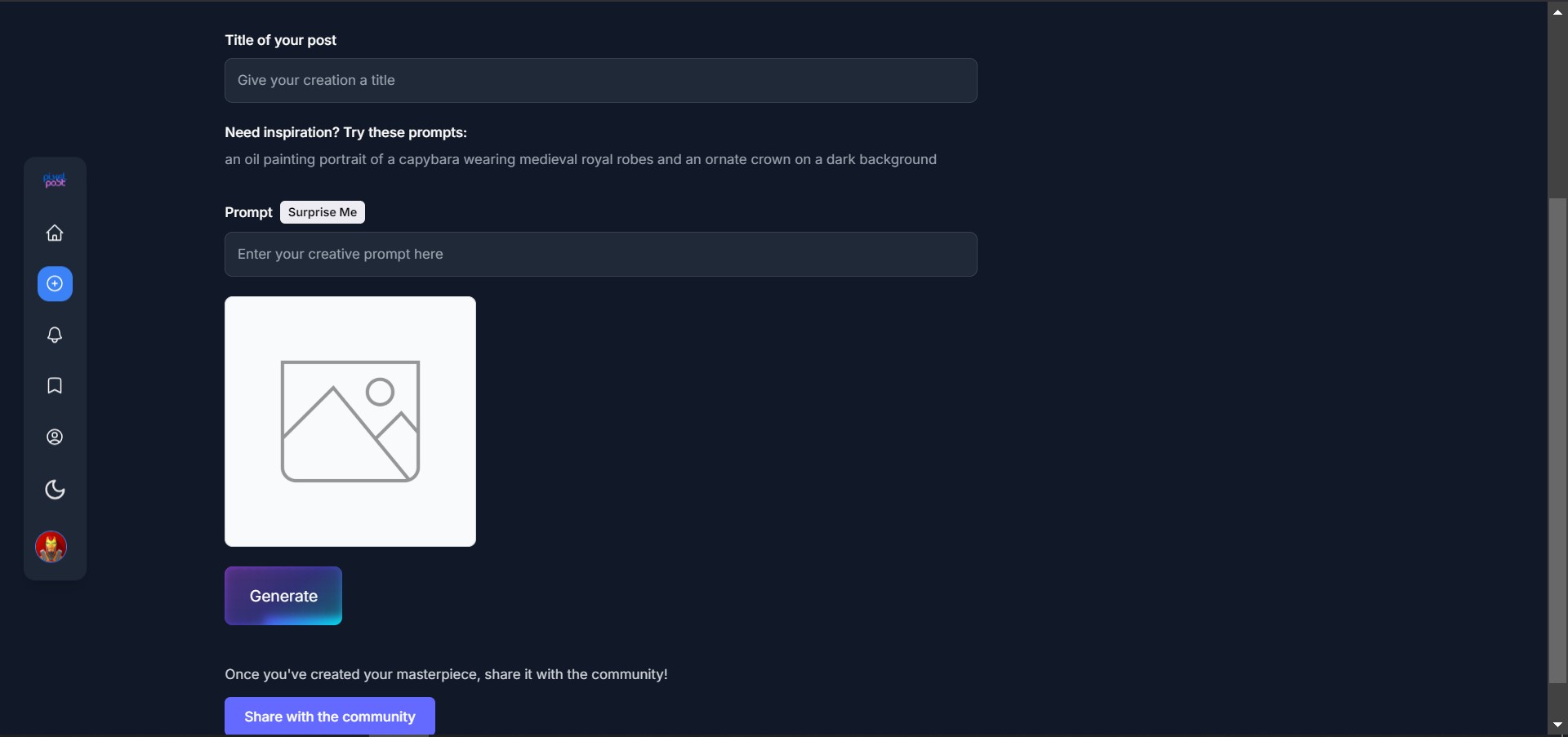
- Users can create stunning AI-generated images by providing creative text prompts. The platform leverages the OpenAI DALL·E API to generate these images.
2. Community Interaction:
Users can share their AI-generated creations with the community, making them visible on the - > Community Showcase.
Other users can interact with these posts by liking, commenting, bookmarking, and viewing detailed post information.
3. Personalized Profiles:
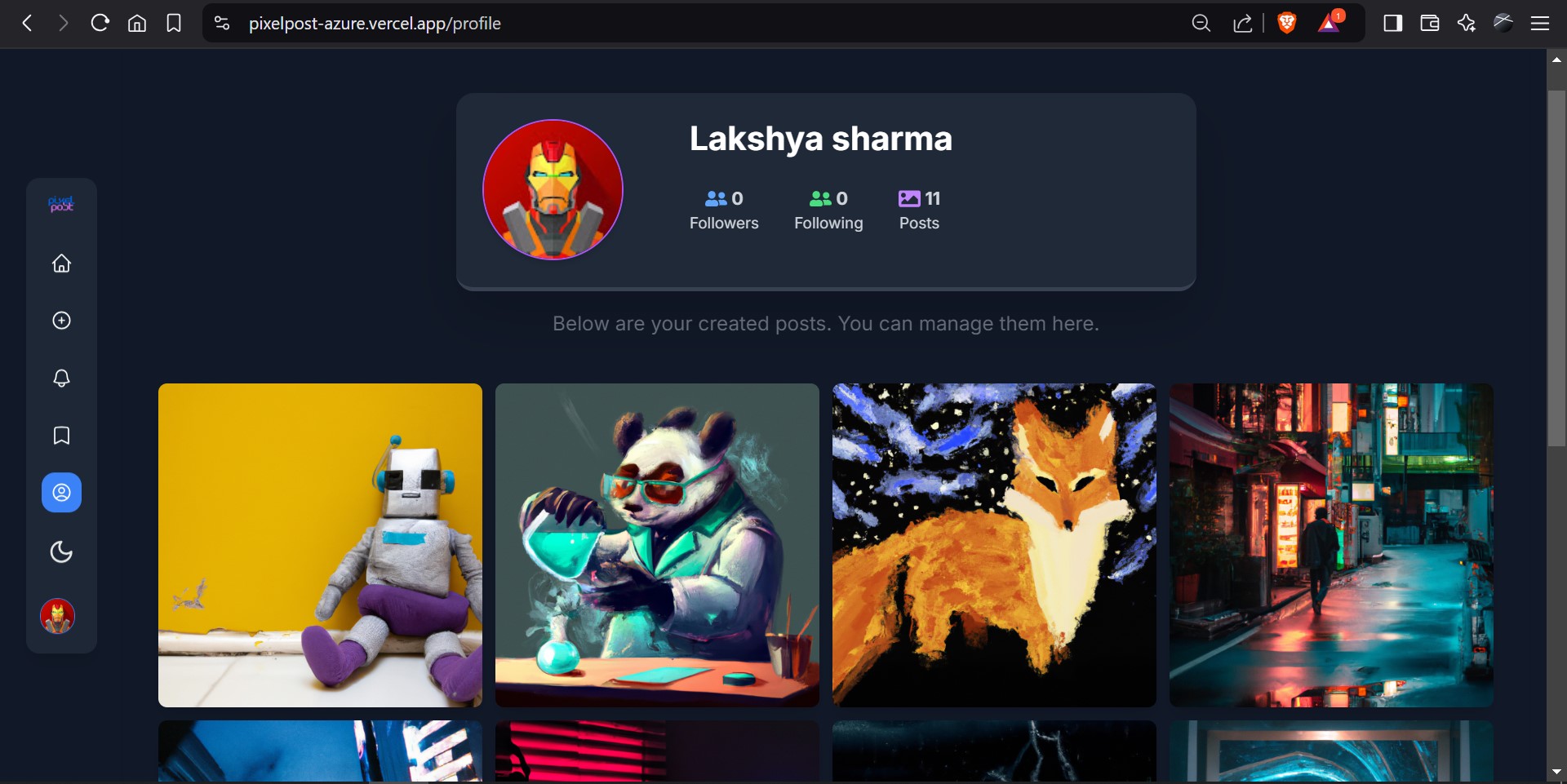
- Every user has a personalized profile where they can manage and view their creations, bookmarks, and post activity.
4. Search and Explore:
- A search feature allows users to find posts based on titles or prompts, making it easy to discover inspirational AI art from the community.
5. Bookmarking and Downloading:
Users can bookmark posts to revisit later and manage their saved creations in a dedicated bookmarks section.
It allows user to download images of their choice for their personal use.
6. Dark Mode Support:
- The platform provides a dark mode for enhanced user experience.
7. Responsive Design:
- The platform is designed to provide a seamless user experience across desktops, tablets, and mobile devices.
How we built it
I leveraged Azure services for scalability and efficiency, and GitHub Copilot was instrumental in speeding up the development process by providing code suggestions and solutions.
Use of Azure Services
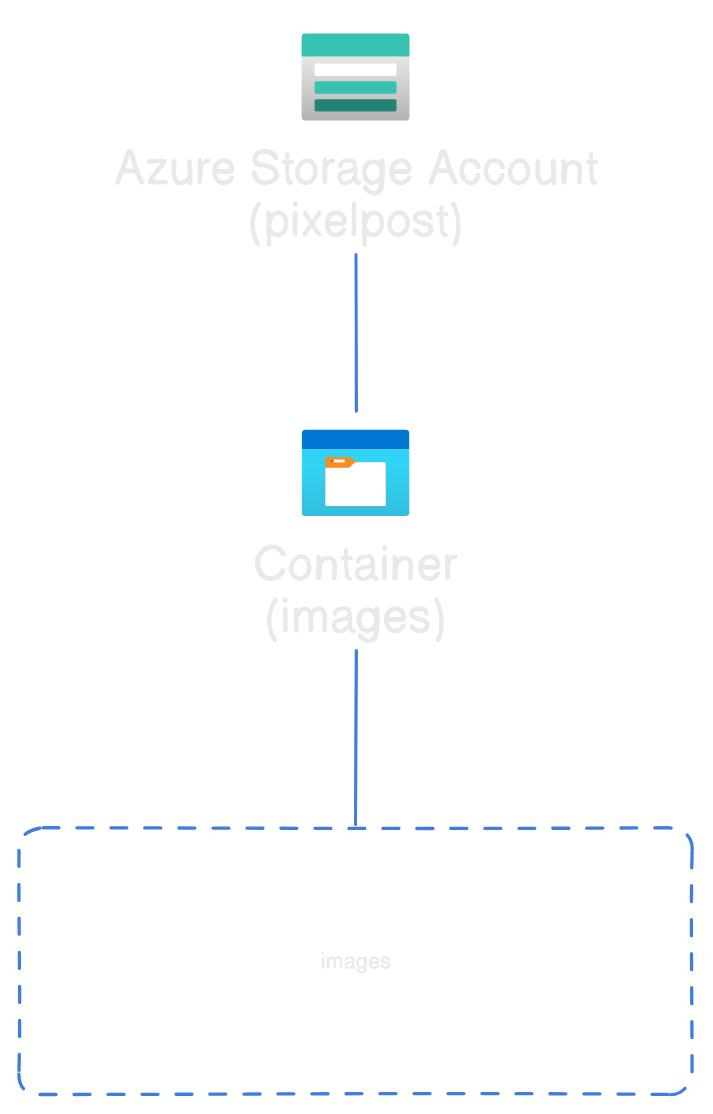
1. Azure Blob Storage:
Used for storing and managing user-generated images securely and efficiently.
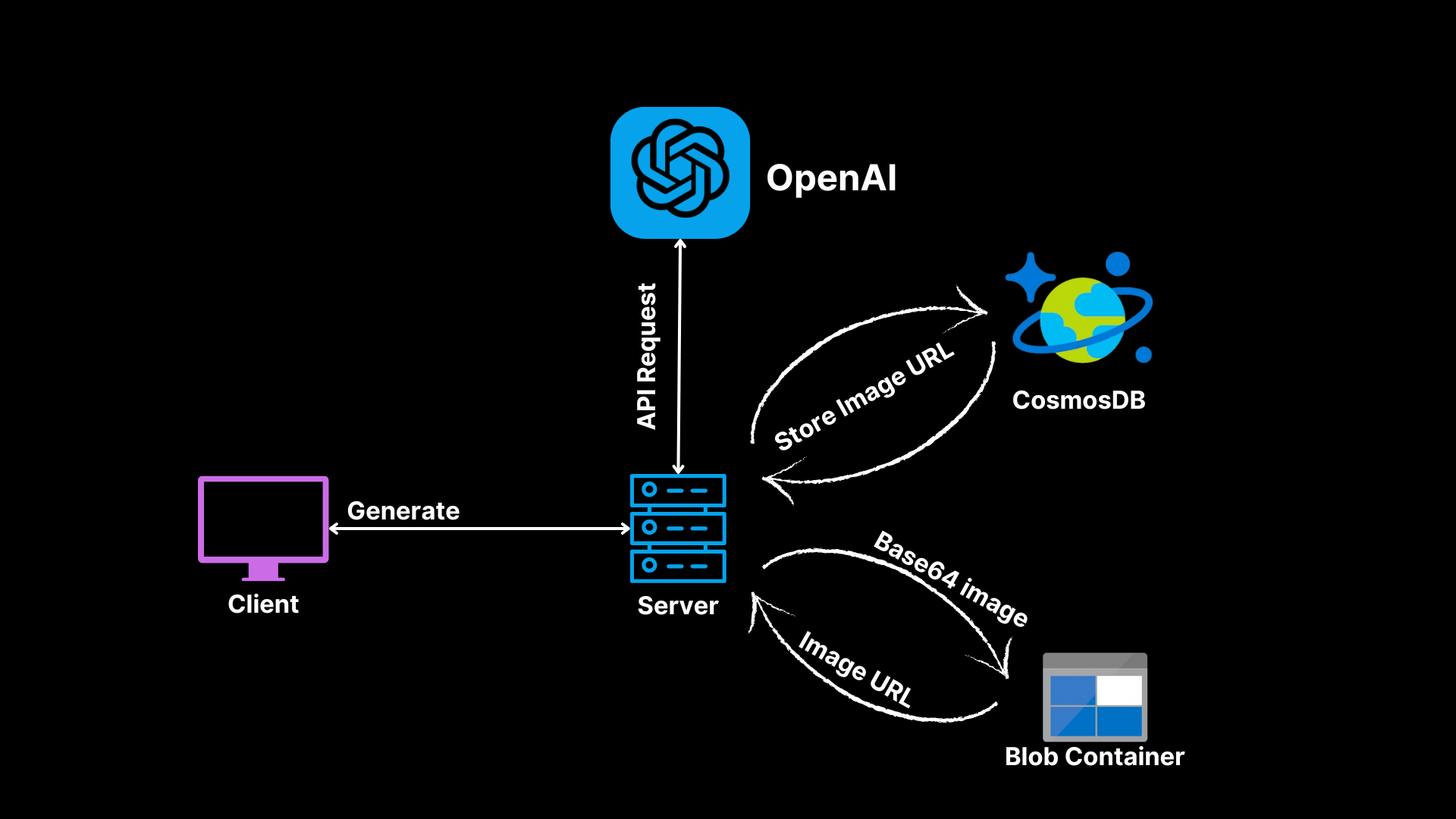
Images generated by the OpenAI API are uploaded to Azure Blob Storage using the uploadImage function in the azureBlobService.js file.
The deleteImage function ensures that images are removed from storage when a post is deleted.
Example code snippet used in the application:
const blockBlobClient = containerClient.getBlockBlobClient(imageName);
await blockBlobClient.uploadData(buffer, {
  blobHTTPHeaders: { blobContentType: "image/jpeg" }
});
return blockBlobClient.url;
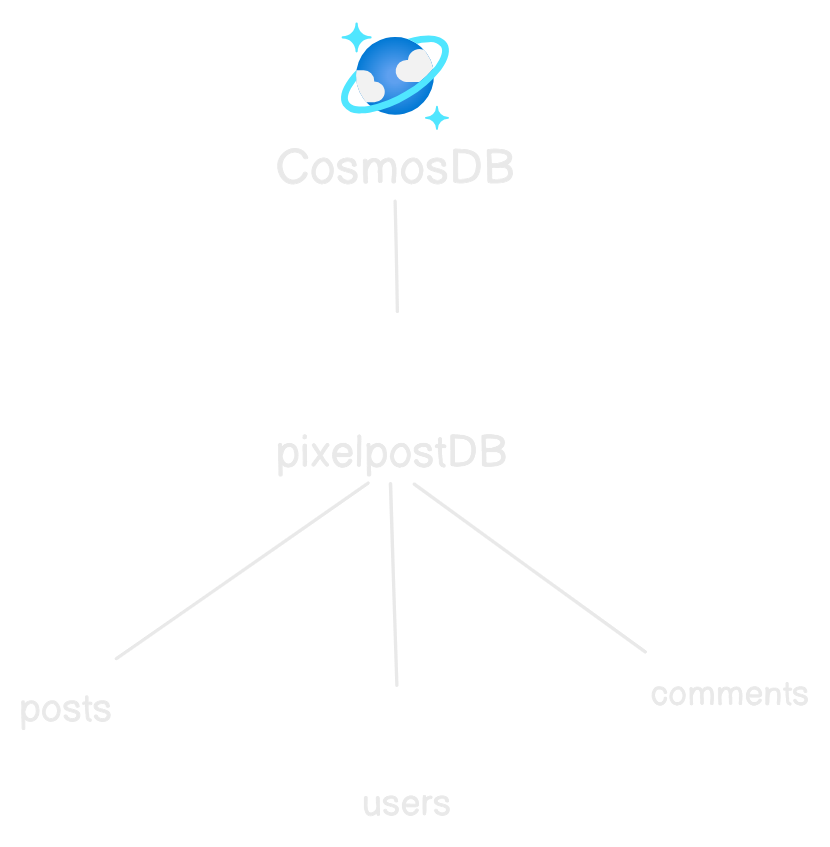
2. Azure CosmosDB:
Used as the primary database for storing user data, posts, comments, and other application data.
Posts, user profiles, and comments are stored and retrieved using MongoDB queries using Mongo API for CosmoDB.
Pagination and filtering are implemented for efficient data retrieval.
3. Azure Integration with OpenAI:
The OpenAI API is used to generate AI-driven images based on user prompts.
The backend communicates with the OpenAI API to generate images, which are then processed and stored in Azure Blob Storage.
I had a seamless experience integrating with Azure services.
Use of GitHub Copilot
- Code Suggestions:
GitHub Copilot provided intelligent suggestions for repetitive tasks, such as writing API routes, database queries, and React components.
Example: While implementing the dalleRoutes.js file, Copilot suggested the structure for handling OpenAI API requests and error handling:
const aiResponse = await openai.images.generate({
  prompt,
  n: 1,
  size: '1024x1024',
  response_format: 'b64_json',
});
2. Suggested me Azure-Specific Guidance:
Copilot's integration with Azure documentation helped in configuring Azure Blob Storage and CosmosDB efficiently.
Example: It suggested the correct way to set up the BlobServiceClient and handle image uploads with proper headers.
3. Error Handling and Optimization:
Copilot assisted in writing robust error-handling mechanisms for API routes and database operations.
Example: In the postRoutes.js file, it suggested using Promise.all for simultaneous updates to the Post and User models during bookmark operations:
Tech Stack
Frontend:
React: For building the UI.
Tailwind CSS: For styling.
Auth0: For authentication.
Framer Motion: For animations.
React Query: For state management and API calls.
Backend:
Azure CosmosDB: For database management.
Azure Blob Storage: For image storage.
Node.js: For server-side logic.
Express: For building RESTful APIs.
OpenAI API: For generating AI-driven images.
Auth0: For secure API access and user session management.
Challenges we ran into
1. Handling Infinite Scrolling and Pagination
Implementing infinite scrolling for posts and ensuring smooth data fetching without overloading the server.
Implementing pagination on the backend (postRoutes.js) to fetch posts in chunks, reducing server load.
2. Using Auth0 for Authentication and Authorization as I've never used it before
Implementing secure and user-friendly authentication while managing user sessions and permissions.
Adding middleware to validate user tokens and ensure only authenticated users could perform actions like creating posts, liking, or commenting.
3. Implementing React Query
Learning about React Query and using it for the first time was a challenge for me itself.
It helped me in caching, and managing states and provided an instantaneous response from the UI components while clicking Like Button and Bookmark button rapidly.
Accomplishments that we're proud of
Individually developing such a large scale Application(both backend and frontend) for the first time simultaneously while learning about the technologies I used really makes me proud.
Implementing Azure services like CosmosDB and Blob Storage Service at once, as a result I successfully scaled the image storage and database management to support a growing user base.
Seeing the platform generate stunning AI images based on creative prompts was incredibly rewarding.
Successfully integrated OpenAI's DALL·E API to allow users to generate AI-powered images.
What we learned
As a Cloud Computing student I learned a lot about the Cloud technologies used by Microsoft Azure .
Learned how to troubleshoot issues with Azure SDKs, such as connection errors and permission settings.
Mastered the use of GitHub Copilot while writing code.
Gained expertise in implementing authentication and authorization using Auth0.
Learned how to use React Query for efficient data fetching, caching, and state management in complex applications.
What's next for PixelPost
Multiple Image Generation Options:
Allow users to generate multiple images at once and select their favorite.
Provide customization options like image resolution, aspect ratio, and style preferences.
Explore Pages:
- Implement an "Explore" page with categories like "Nature," "Abstract," or "Fantasy" for easier discovery.
Monetization and Creator Support:
Offer a subscription model for premium features like higher-resolution images, advanced AI tools, or exclusive prompts.
Allow users to tip or donate to their favorite creators directly on the platform.
Integrate payment gateways like Stripe or PayPal for seamless transactions.
Achievements and Badges:
Introduce gamification elements like badges for milestones (e.g., "100 Likes," "Top Creator of the Month").
Highlight top contributors in the community.
Built With
- azure
- azure-blob-storage
- cosmosdb
- express.js
- github-copilot
- javascript
- node.js
- openai
- react
- vscode


Log in or sign up for Devpost to join the conversation.