🍍 Pixel Pineapple — Give the Web a Brainy Bite
✨ About the project
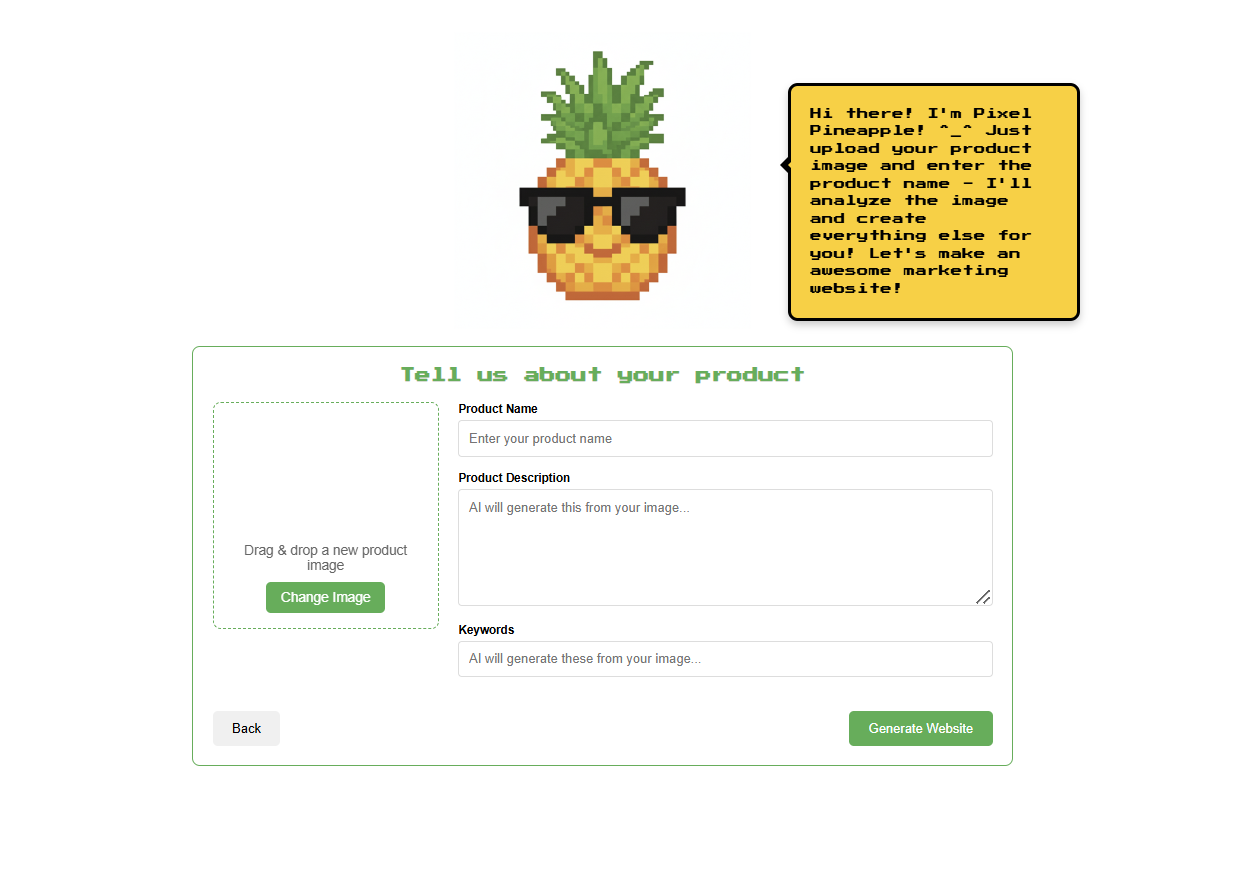
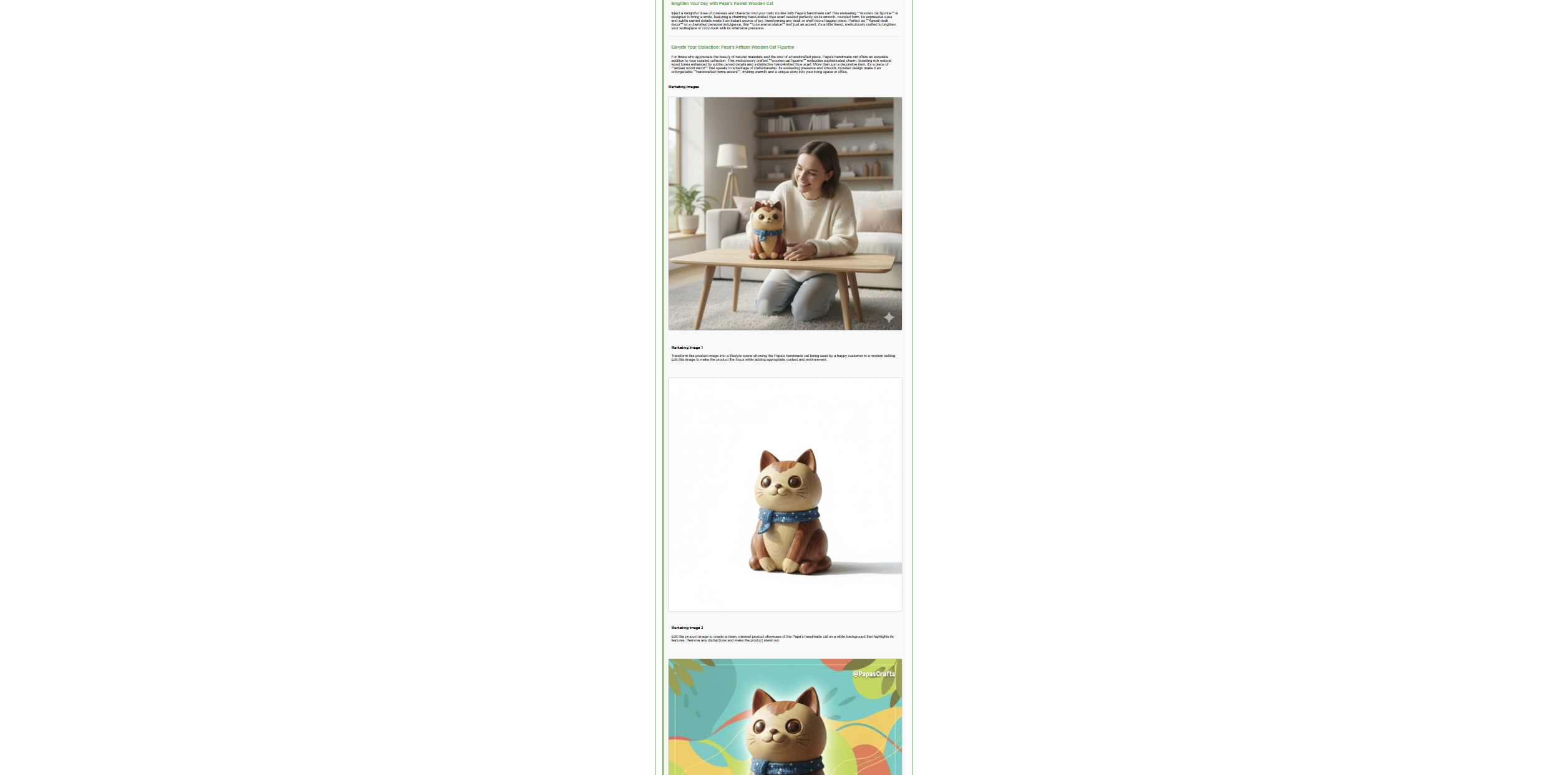
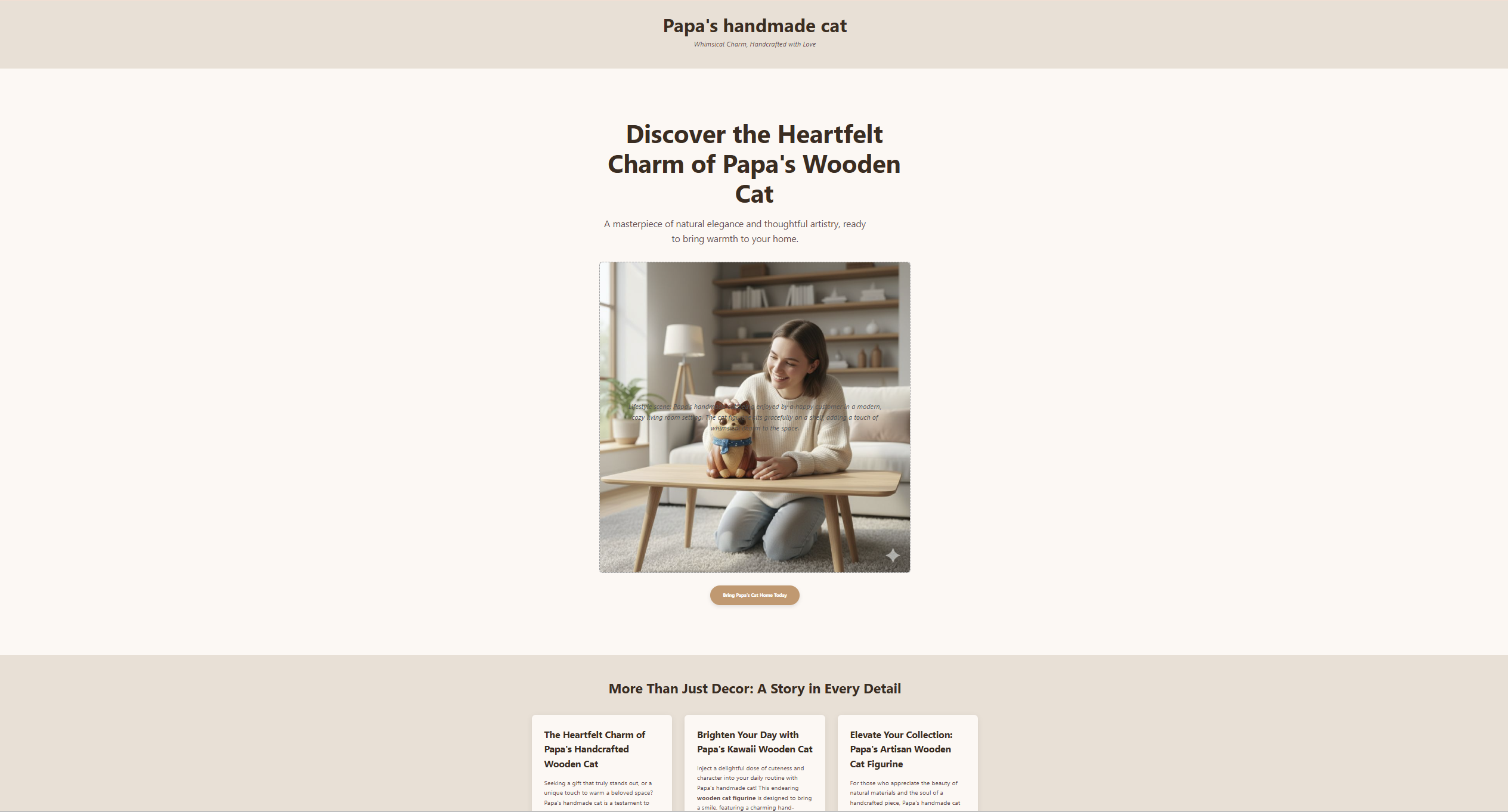
Pixel Pineapple is a Chrome Extension that transforms a single product image into a complete, production‑ready marketing website — in minutes. It’s built for creators, indie hackers, and small businesses who need high‑quality landing pages without the cost or complexity. Upload an image, and Pixel Pineapple analyzes it, writes compelling product copy, proposes marketing angles, generates on-brand visuals, and assembles a responsive site that you can download or preview instantly.
💡 Inspiration
- I kept seeing founders stall at “I’ll build the landing page later.” I wanted to turn product inspiration into a live page as fast as saving a screenshot.
- The Chrome Built-in AI Challenge pushed me to reimagine what “instant marketing” looks like when AI runs locally for privacy and speed.
- I also wanted to explore a multimodal flow that feels like magic: image → insights → content → website.
🏗️ How we built it
- Chrome Extension (MV3) with a custom new tab UI and Options page.
- Client-first AI orchestration:
- Chrome Built‑in AI (where supported/available):
- Prompt API: structure generation prompts, enforce JSON outputs, and guide layout assembly.
- Writer + Rewriter APIs: marketing copy, alternative hooks, tone/style adjustments.
- Proofreader API: grammar and clarity passes.
- Summarizer API: compress long product/angle variants to crisp highlights.
- Translator API: instant localized variants for global audiences.
- Multimodal analysis:
- Uses on-device Gemini Nano (where supported) to extract features/tags and infer product attributes from images.
- Hybrid strategy: falls back to Gemini Developer API for heavier multimodal tasks (e.g., image editing/transforms) when needed.
- UX details:
- Drag‑and‑drop image upload, live “thinking”/progress steps, and a downloadable single-file HTML artifact.
- Image placeholder pipeline with smart replacement, compression, and safe CSP behavior inside MV3.
- Deterministic JSON parsing + resilient cleanup to avoid Markdown artifacts (e.g., stripping ```html fences).
- Architecture highlights:
- All sensitive user input stays on-device when using Chrome Built‑in AI APIs.
- Hybrid AI path for reliability and richer generations when the device model is unavailable.
🧪 What we learned
- Client-side AI UX is different: latency is less predictable, but privacy and availability are huge wins.
- Prompt engineering for strict JSON outputs matters. We enforced structure, then sanitized, validated, and rendered reliably.
- MV3 CSP constraints shaped our approach: no risky inline scripts in generated pages; we built a safe injection and replacement strategy.
- Multimodal chains benefit from “guardrails before creativity”: detect → structure → write → refine → assemble.
🧗 Challenges we faced
- Multimodal consistency: ensuring the image understanding reliably maps to the right product attributes and benefits.
- Markdown leakage: models sometimes returned code fences; we built
cleanHTMLOutput()and stricter prompts to guarantee raw HTML. - CSP in extensions: we eliminated inline scripts in generated sites and avoided insecure CSP changes.
- Offline/hybrid design: deciding which steps must be on-device vs. when to escalate to cloud for image editing while preserving privacy.
🧠 Why Chrome Built‑in AI (Nano) matters here
- Privacy by default: analysis and copy passes can run on-device; user data doesn’t need to leave the browser.
- Resilience: essential flows continue even on unstable networks.
- Creativity at the edge: fast iterations on angles, hooks, taglines without quota anxiety.
- Hybrid unlocks more: when users opt in, we enhance visuals via cloud while keeping the core pipeline client-first.
🧩 Features and APIs used (by requirement)
- Prompt API: structured multimodal prompts, JSON‑only constraints, role/task specification.
- Writer API: primary product copy and section text.
- Rewriter API: alternate marketing angles and tone adaptation (e.g., playful vs. premium).
- Proofreader API: grammar and clarity polish.
- Summarizer API: compress long variants to short hero/CTA lines.
- Translator API: generate localized page variants for new markets.
- Gemini Nano (on device): product image understanding and tag extraction; fallback to Gemini API for advanced image transforms.
🌍 Who benefits
- Indie founders and shop owners who need a landing page before lunch.
- Marketers prototyping A/B angles without design/dev cycles.
- Creators launching quickly across multiple languages.
🧭 Judging criteria alignment
- Functionality: Modular pipeline; scalable to new templates, languages, and verticals.
- Purpose: Shortens “idea → website” from hours to minutes; unlocks site creation for non‑technical makers.
- Content: Clean, responsive, modern HTML/CSS with subtle animations and strong visual hierarchy.
- UX: Clear progress, guardrails, and instant download/view; no configuration required to start.
- Technological Execution: Demonstrates multiple Chrome Built‑in AI APIs, on‑device privacy, and hybrid availability.
🔒 Privacy & Hybrid Strategy
- Default: on-device APIs (Prompt/Writer/Rewriter/Proofreader/Summarizer/Translator) with Gemini Nano for image understanding where supported.
- Optional: user‑approved fallback to Gemini Developer API for enhanced image edits.
- No sensitive input is persisted or transmitted without consent.
🌟 What’s next
- Template theming + brand kits (colors/typography inferred from image).
- Variant testing (multi‑angle heroes, CTA experiments) with on‑device scoring.
- Offline‑first “batch” mode for creators on the go.
🚀 In one line
From product image to polished website — privately, instantly, and right inside Chrome. 🍍
Built With
- chromeextension
- gemini
- gemininano
- prompt
- rewriter
- writer


Log in or sign up for Devpost to join the conversation.