✈️ Aero Map & Shop
An MVP of a game where passengers can shop while waiting for their flight, get it delivered to them and use for navigation in airport.
Inspiration
In the Presentation yesterday the representative from Gatwick airport said that they are looking for improving consumer experience while waiting at the boarding gate and make it more fun and while generating revenue... What could be more fun than video games however why would consumer play the airports game instead of playing video games on their phone? to tackle this i came up with the idea of a game where they can shop because the maid fear of people doing traveling is missing the flights if they go away for shopping. So i decided to make a game where they can shop while waiting for their flight. and get it delivered to them. and to make the app more usefull ive added the feature of navigation aswell.
What It Does
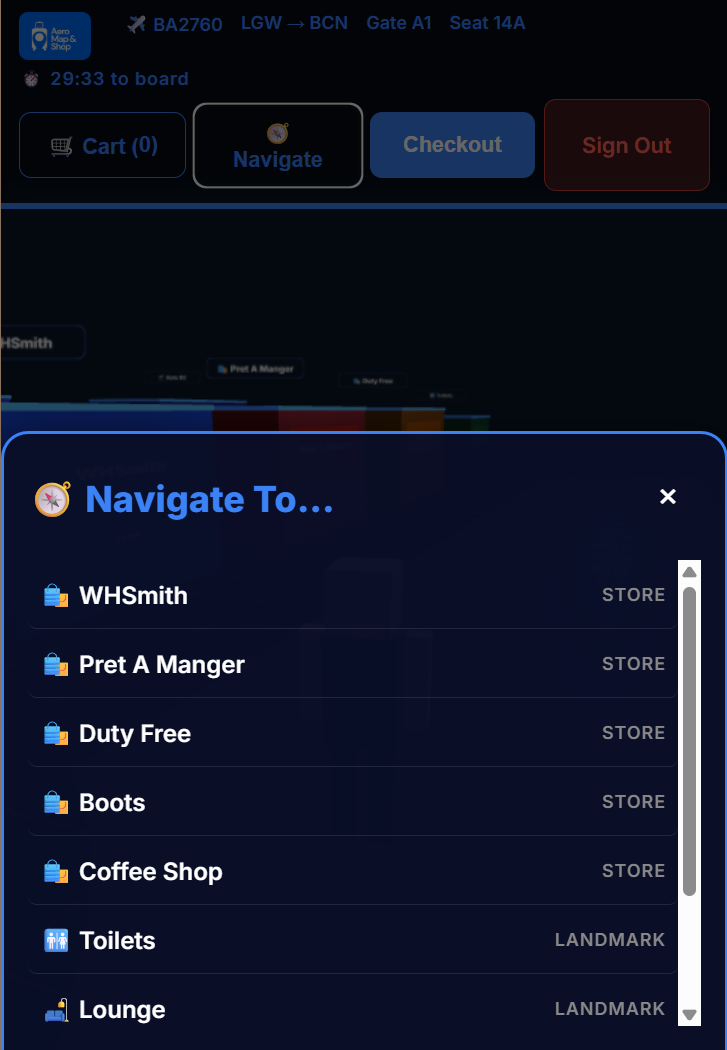
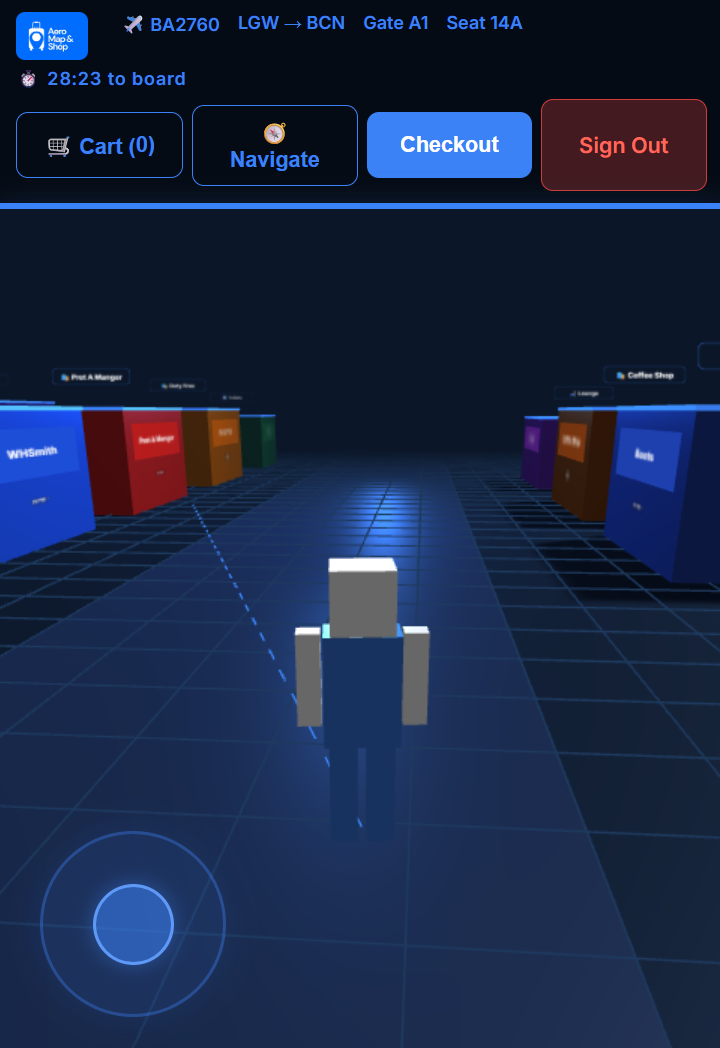
Aero Map & Shop is a browser-based 3D terminal experience. it is a MVP having most basic features of the idea. After logging in with your boarding pass (PNR), passengers can:
- Roam a 3D virtual airport terminal with their own character
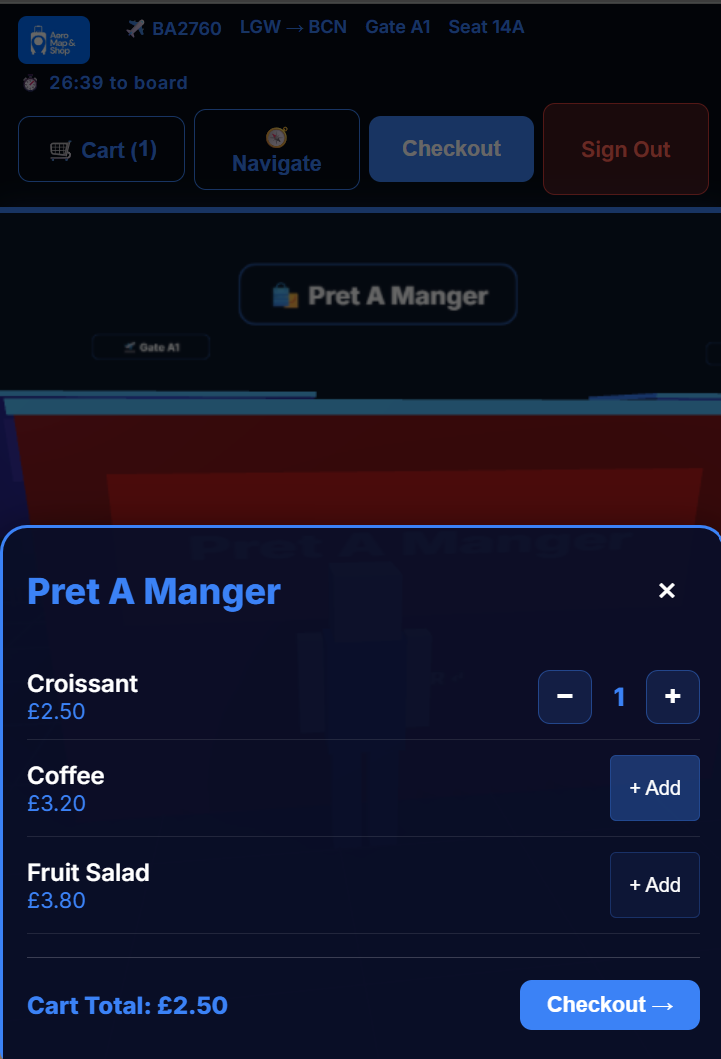
- Walk into any of 5 shops — WHSmith, Pret A Manger, Duty Free, Boots, Coffee Shop
- Add items with quantity controls (
− N +) directly inside each shop - Checkout from within the store without leaving the modal
- Choose a payment method (card, Google Pay, PayPal, Apple Pay)
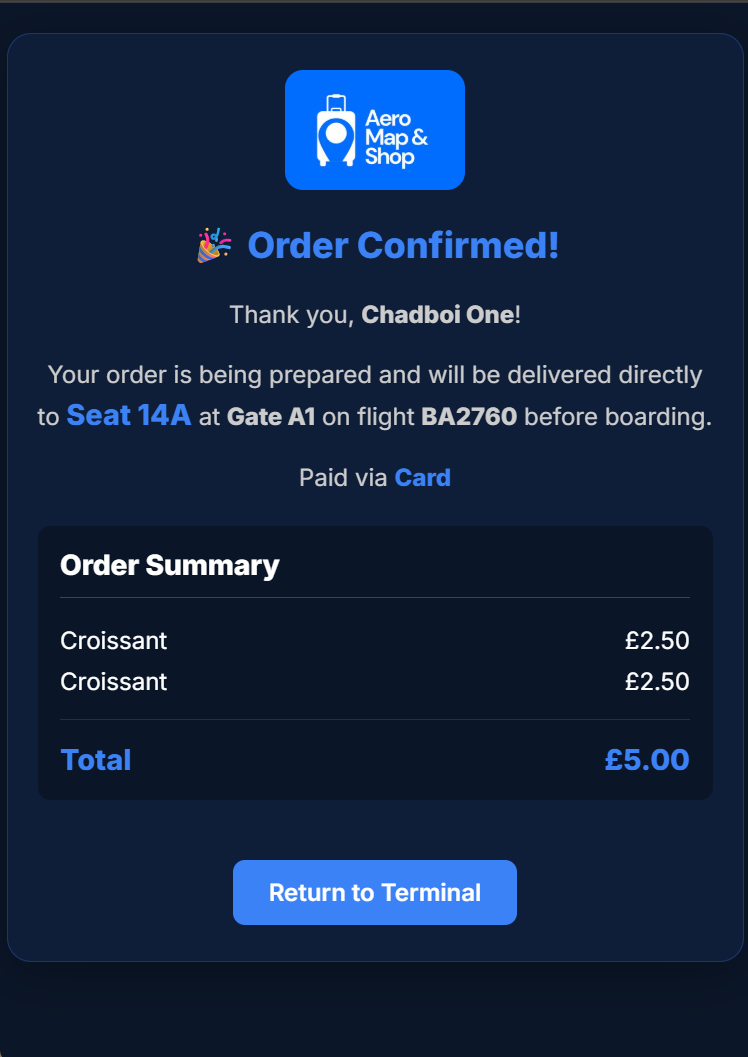
- Get an order confirmation showing their seat and gate for delivery
- See a live boarding timer — checkout locks once boarding is imminent
It works fully on mobile and desktop. On mobile, a virtual joystick handles movement and the UI adapts to a bottom-sheet layout.
How We Built It
| Layer | Technology |
|---|---|
| Backend | Python + Flask |
| Authentication | Auth0 (OpenID Connect via Authlib) |
| 3D Engine | Three.js r128 (loaded via CDN) |
| Templating | Jinja2 |
| Styling | Vanilla CSS — glassmorphism, responsive grid |
| Data | In-memory Python dicts (no database needed for MVP) |
The 3D scene is built entirely with Three.js geometry primitives — no external assets or sprite sheets. Store buildings, a gridded terminal floor, walkway striping, seating rows near gates, and a blocky animated character are all constructed from BoxGeometry and PlaneGeometry meshes with canvas-generated textures for signage.
Auth0 handles the OAuth flow. After login, the user enters their PNR (booking reference) which is looked up against a local Tickets.json file. Flight number, seat, gate and departure times are stored in the Flask session and injected into every page.
Mobile support was added by layering pointer-event-based joystick controls over the Three.js canvas, with CSS :has() automatically hiding context-sensitive UI (joystick, zone prompts) when modals are open.
Challenges We Ran Into
- Change in methods We previously decided to use unity to build the game however due to lacking assets and high time constraints we had to drop that idea.
- 3D on mobile — Getting smooth input on touchscreens required separating pointer events for the joystick from touch drag events for camera rotation. The browser's default touch handling (scroll/zoom) had to be suppressed with
touch-action: none. - Modal layering — The Three.js canvas, floating HUD, joystick overlay, zone prompts and shop modals all stack at different z-indices. Getting them to hide and reappear correctly without JS state bugs led us to use CSS
:has()for a purely declarative solution. - Camera and character direction — Mapping joystick XY offsets to world-space movement vectors that feel correct regardless of current camera yaw took several iterations to get right.
- Time — Scoping a full auth flow, 3D game, cart, payment picker, and mobile support into a 19-hour hackathon meant making rapid decisions about what to cut and what to polish.
Accomplishments That We're Proud Of
- A fully functional 3D interactive map running in a plain
<script>tag with no build step - Mobile-playable with a proper virtual joystick — not just a "works on desktop" demo
- Complete end-to-end user journey: login → boarding pass → terminal → shop → cart → payment → confirmation
- Clean, premium-feeling UI on both mobile and desktop despite the time constraint
What's Next for Aero Map & Shop
- Using Real Game Engine - Using Unity or Unreal Engine to build the game for better graphics and mechanics.
- Real Time Gps navigation - using the gps of the phone to navigate the user on the map like google maps but inside the 3d map of airport
- Real airport maps — ingesting actual terminal layouts (Gatwick, Heathrow) so the game mirrors the real concourse passengers are standing in
- Live flight data — pull departure times from a flights API to calculate the real boarding timer dynamically
- Actual order integration — connect to airport retailer APIs so orders are genuinely queued for seat delivery and available stock and price of products.
- Multiplayer — see other passengers' characters in the terminal, share cart recommendations
- Loyalty & gamification — earn air miles or points for in-game purchases, timed challenges before boarding, or finding hidden easter eggs in the airport for discounts to promote the game.

Log in or sign up for Devpost to join the conversation.