PixelCheck is the test step AI coding agents skip. It captures and scores AI-built UI in Nebius Token Factory Sandboxes, measuring it against the designer's phone, tablet and desktop frames at every width from 360 to 1600 px. Then NVIDIA Nemotron 3 Super turns the measurements into a fix brief you can paste back into your AI builder, and a verifier outside the model drops any claim the measurements don't back.
Inspiration
AI builders like Lovable, v0 and Bolt turn a design into a working page in minutes, and it usually looks right on the laptop you check it on. On a phone it quietly drifts: smaller type, tighter spacing, the wrong font, a platform badge sitting on a button. Nobody measures that until a user complains. Designers already make phone, tablet and desktop frames, but nothing holds the build to them.
I tested this on my own fitness dashboard. I gave Lovable all three frames and one prompt and took its first output. It looked right on my laptop. On a phone it was 150 px off by the bottom of the screen, yet nothing overflowed, so no ordinary check would warn you.
What it does
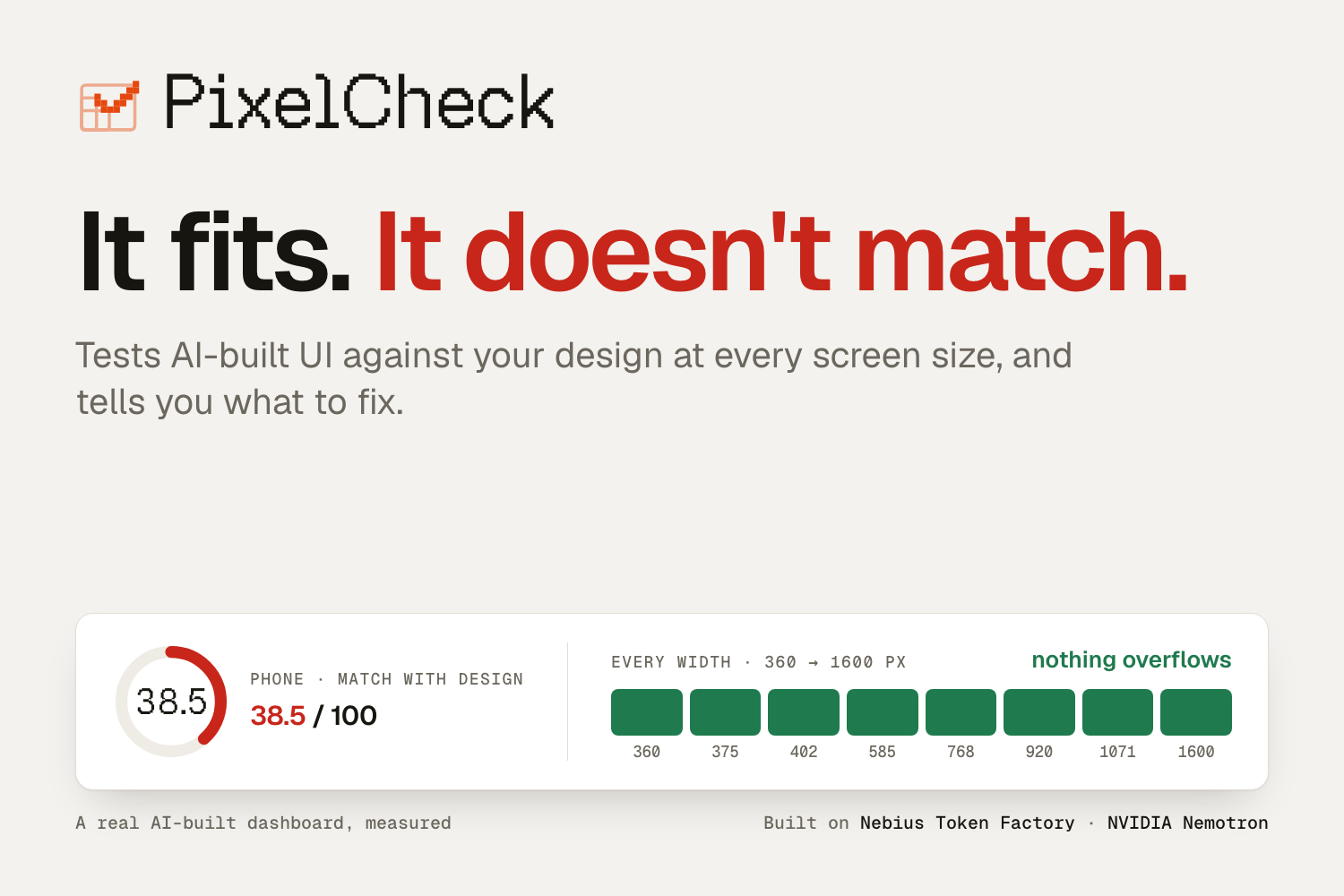
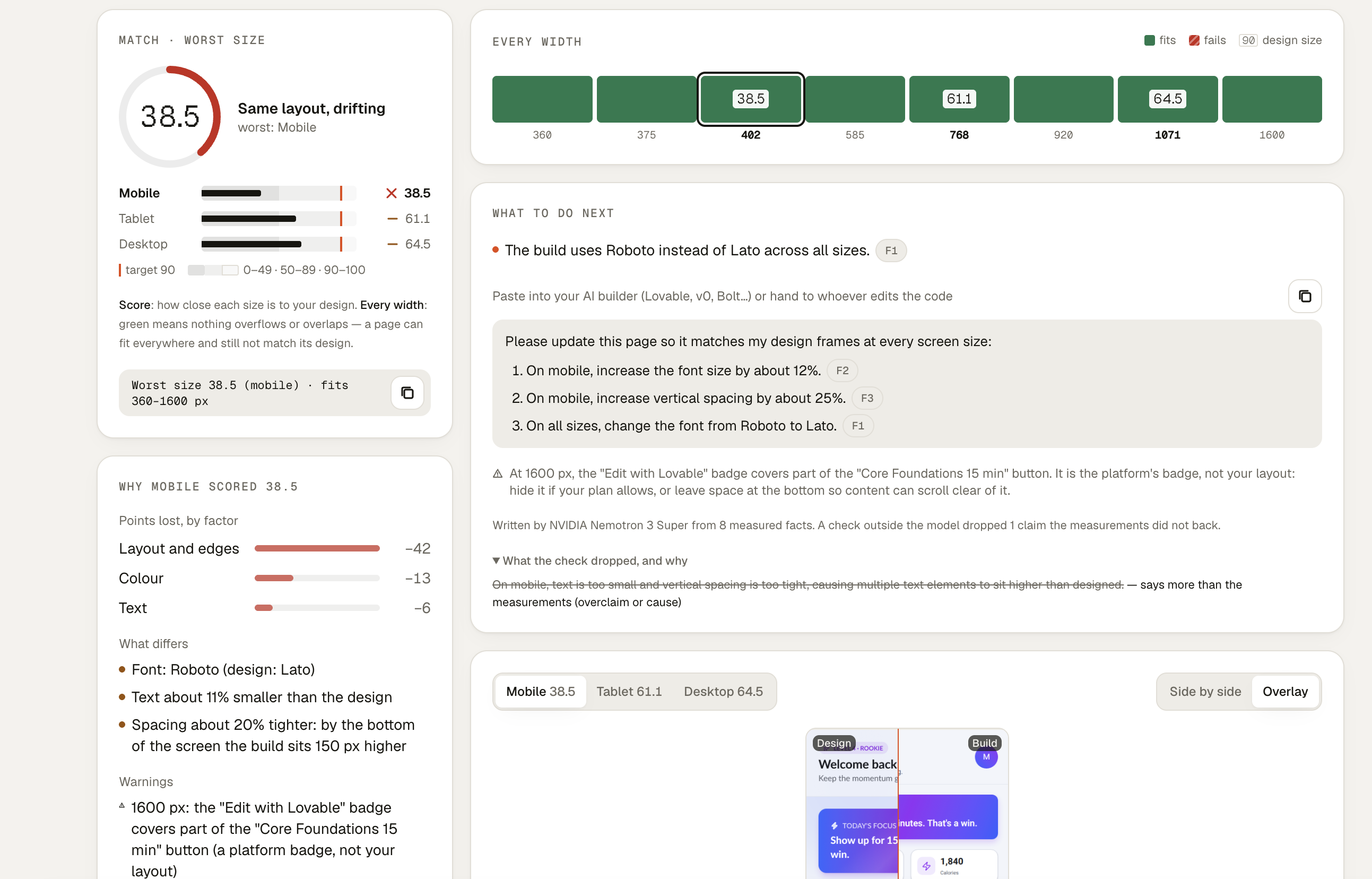
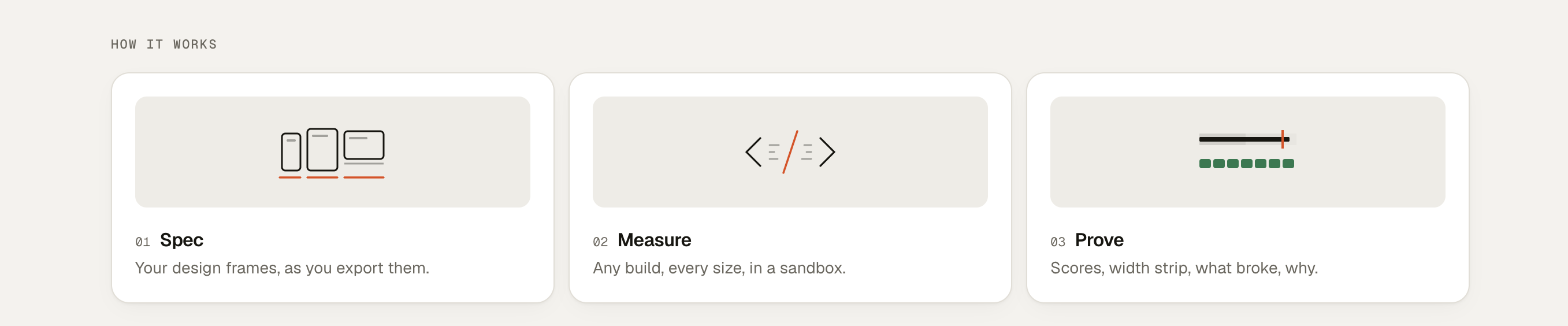
Check: give PixelCheck your three design frames (as exported, any size) and the build, as a URL or an App.jsx. It captures the build at each frame's width and at every width in between (360–1600 px), then scores how closely each size matches its frame. It also shows why: which text moved and how far, where the spacing drifts, which font is wrong, what's missing, what overflows, and how many points each factor cost. What to do next: NVIDIA Nemotron 3 Super turns those measurements into a short fix brief and a message to paste into your AI builder. Every line cites a measured fact. A verifier outside the model drops anything the measurements don't back, and the page shows what it dropped and why. Audit (no designs): a URL alone. It finds width breaks, platform badges covering your content, and text a phone loses. Rebuild (reference): from the frames, it writes one responsive React + Tailwind codebase, then runs and tests it in the same sandboxes against the same checks. Real example: the Lovable build of my dashboard scored 38 on phone, 61 on tablet and 65 on desktop, while all eight widths were green. It fits. It doesn't match. PixelCheck explains why: Roboto instead of Lato, text about 11 % smaller, spacing about 20 % tighter. The check takes about a minute and costs about five cents.
How I built it
Nebius Token Factory Sandboxes run every capture and score. The build is captured in one sandbox with the network on. It's then scored in a disposable sandbox with the network off, which is the only place the design frames ever go, so the build can't see the answer or grade itself. Sandbox renders of the same code are byte-identical across runs.
Gemma 3 27B (on Token Factory) reads the design frames. OCR (Tesseract) and pixel measurement place every text and block.
The scorer compares edges, layout blocks, colour and text at each size, and the worst size is the headline score. It was hardened over two red-team rounds against builds that try to game it.
The fix brief: NVIDIA Nemotron 3 Super writes it from numbered facts and must cite them. A rule-based verifier then checks:
numbers and units against the cited facts; quoted text; which screen size each instruction names; overclaim and cause words. Any actionable fact left without a line gets a template line.
NVIDIA Nemotron 3 Ultra plans responsive intent in rebuilds. Super also names page regions and proposes the edits for an experimental repair agent.
Stack: Python and FastAPI on Render; React, TypeScript, Tailwind CSS and Vite on Vercel; Playwright for capture.
Testing: 1,174 Python tests and 449 web-app tests. Independent review rounds ran before every claim I publish.
Challenges I ran into
Scoring drift fairly: one alignment per screen punishes spacing that drifts down the page. Instead of changing the score after seeing a result, I explain it beside the score: drift band by band, and points lost per factor. Fix briefs that weren't safe to paste: the first ones looked plausible but weren't, for example a mobile-only fix that named no size, or "move the badge". The verifier now catches those. The same review showed that my own badge detector had false positives, so it now measures the glyphs, not the element boxes. A free server: on Render's free plan, reading three frames took about 9 minutes. The example's frame reading now ships with the server, so a judge's live check takes about a minute, and caps protect the credit.
Accomplishments that I'm proud of
A real AI build checked end to end, with an honest result: close on desktop and tablet, drifted on phone. Every line of Nemotron's brief is backed by a measurement. Audits of three of my own deployed apps found a platform badge over part of a primary button, and seven texts that disappear on phones. Repeat runs give identical scores, and the deployed server matches local runs. What I learned Measurements are what make a language model useful and safe here. Nemotron is good at turning numbered facts into instructions a builder can follow; a verifier outside the model is what makes those instructions trustworthy.
What's next
Per-band alignment in the scorer, pre-registered and red-teamed before it ships. Full-page scoring. A CLI, so an AI coding agent can check its own UI at every size before it says "done".
Try it
No login and no passcode: open the demo and go to Check a build → Try the example → Run check (about a minute). The live server is on a free plan, so the first request can take up to a minute while it wakes. The Examples replays need no server.

Log in or sign up for Devpost to join the conversation.