Inspiration Running a small business is personal—it’s someone's livelihood, a dream they built from scratch. But when inflation spikes or supply chains get messed up, owners are left dealing with a massive amount of financial anxiety. Most small businesses don't have the budget to hire corporate financial analysts or figure out confusing risk software. We wanted to build a simple, friendly tool that takes the fear out of financial forecasting and turns that stress into a clear, realistic game plan.
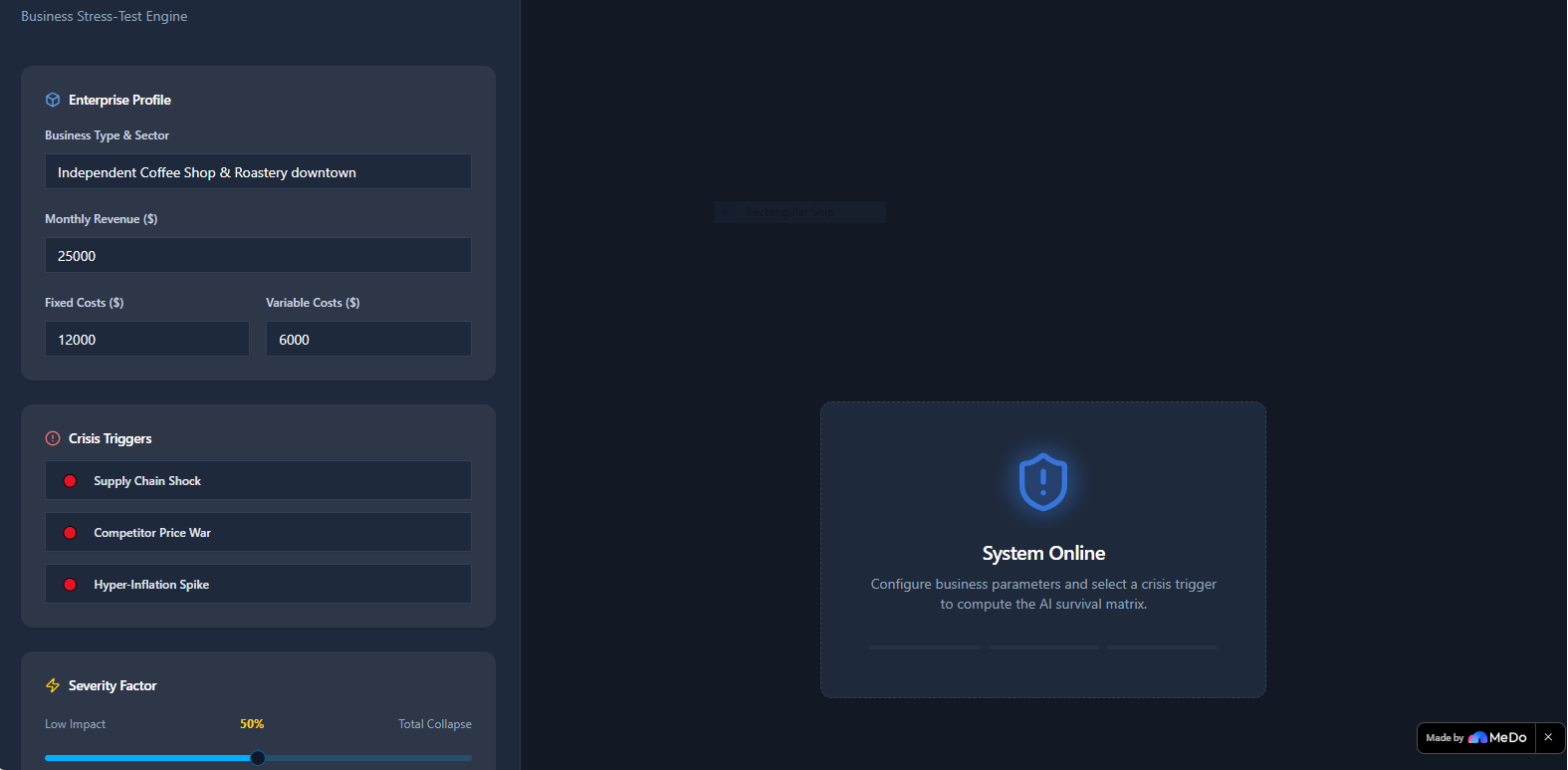
What it does PivotGuard AI is an interactive, real-time stress-test simulator for small businesses and e-commerce shops. You just type in what kind of business you run and your basic monthly numbers (revenue, fixed costs, and variable costs). From there, you pick an emergency scenario—like a supply chain bottleneck, a competitor price war, or a massive inflation spike—and drag a slider to set the intensity. The dashboard instantly updates to show your risk level, shifts your profit margins, calculates exactly how many days of cash runway you have left, and hands you a tailored "Survival Playbook" full of ideas to help you adapt.
How we built it We wanted this to be incredibly fast and seamless, so we built it as a single-page application inside MeDo.
The Math Under the Hood: Instead of just making a basic text generator, we hooked the interface up to a live calculation engine. When you move the slider, it translates those visual changes into real financial math instantly.
Clean Code Structure: To keep the project from turning into an unreadable wall of text, we organized everything inside the main workspace file using clear, modular sections for the app's brain, the user inputs, and the visual dashboard.
Design: We went with a sleek, dark financial dashboard theme using deep slates, clean card layouts, and status bars that shift from friendly yellow to flashing red depending on how bad the simulated crisis gets.
Challenges we ran into The trickiest part was getting the real-time slider to play nice with the financial formulas without making the screen stutter or lag. Making sure that a text input (the business type) and a moving percentage slider could instantly feed data into a calculation framework took a lot of trial and error. We solved it by setting up a centralized data flow that updates the entire screen smoothly with zero latency.
Accomplishments that we're proud of Honestly, it just feels amazing to see it work. Being able to drag a slider and watch the whole dashboard respond instantly—recalculating days of survival and flashing warning signs—is incredibly satisfying. We managed to take a heavy, boring corporate finance concept and turn it into a tool that is genuinely fun and intuitive to play with.
What we learned We learned that you can push a platform like MeDo way past basic Q&A templates if you get creative with how you handle live data. By keeping our logic organized, we realized we could build an intricate, highly interactive tool that looks and feels like it was put together by a veteran engineering team.
What's next for PivotGuard AI We want to add a "Saved Scenarios" feature so business owners can save different crisis models and compare them side-by-side. We also want to let users connect real tools like Shopify or QuickBooks data directly, so they can test their live business numbers with a single click without having to type anything in manually.
Built With
- javascript
- medo
- react
- tailwindcss
- typescript

Log in or sign up for Devpost to join the conversation.