-
-
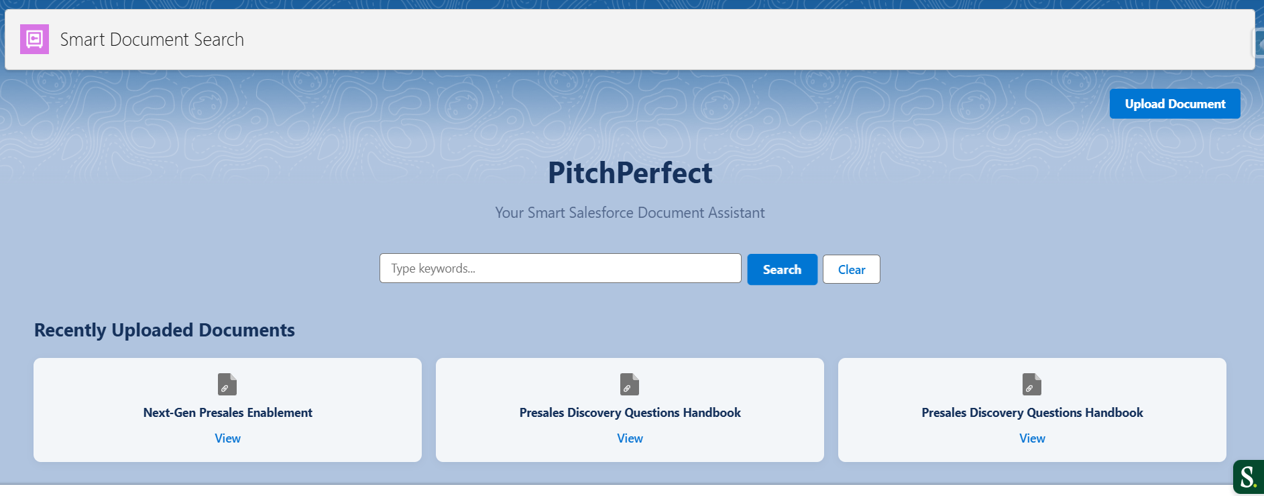
Your Smart Salesforce Document Assistant
-
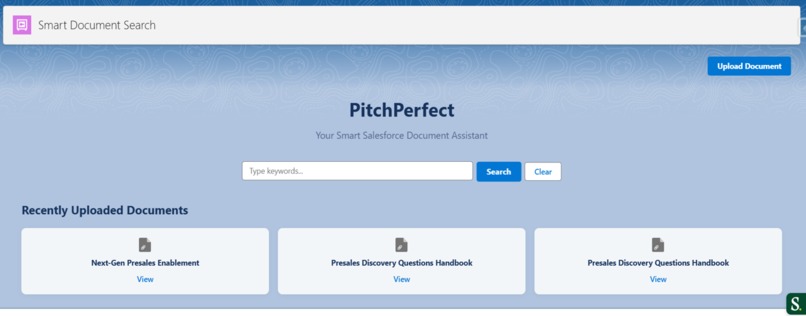
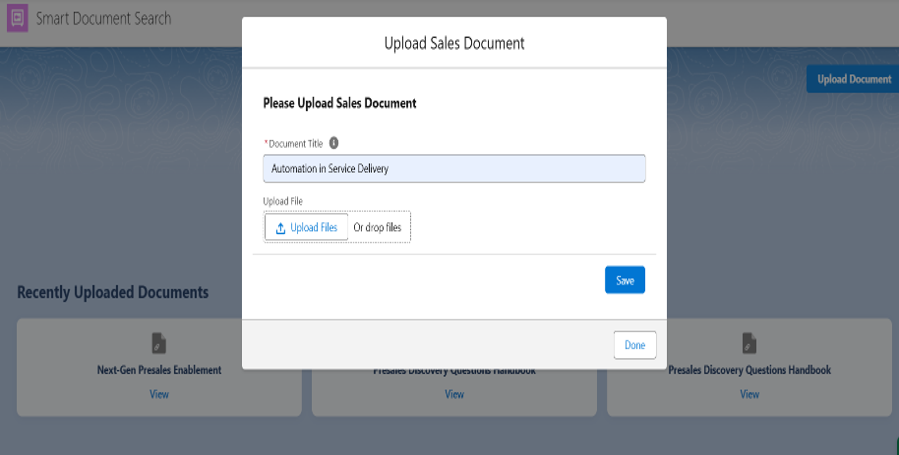
PitchPerfect UI (Upload, Search, Most Recent Docs)
-
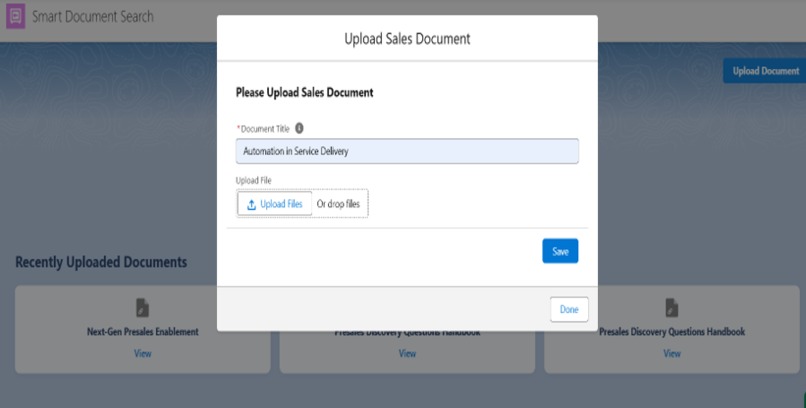
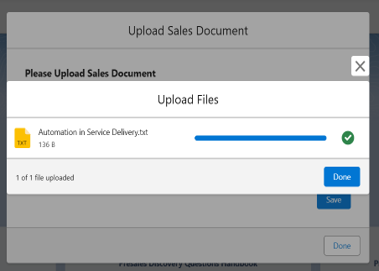
File uploaded by Enablement Instantly in seconds
-
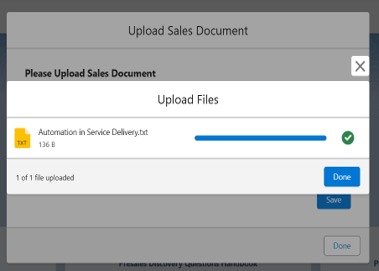
File uploaded successfully and stored
-
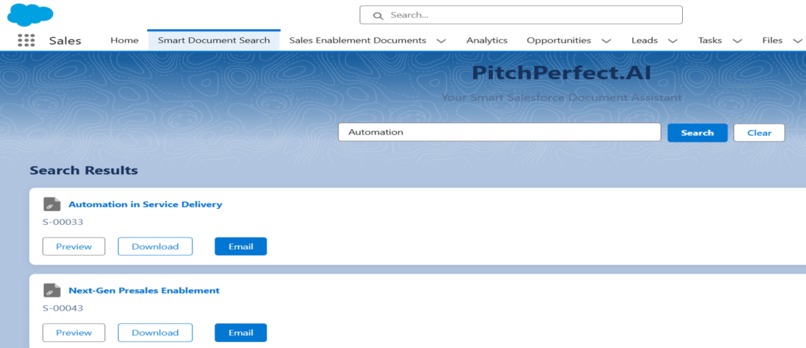
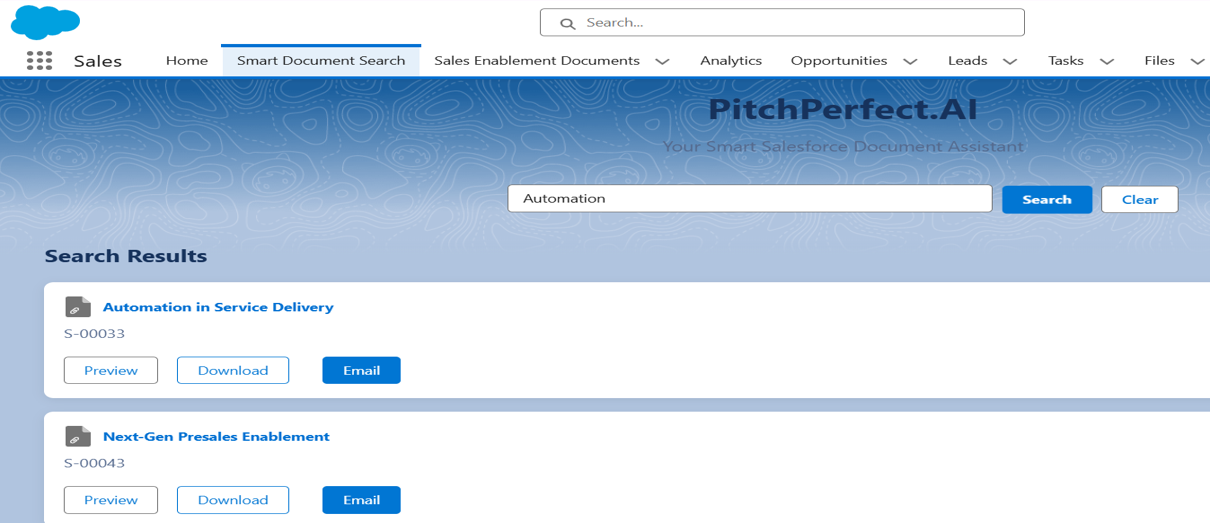
Sales/Presales team searches for document by typing Business Unit, Region, Persona, Usecase and then they can send link on email instantly
-
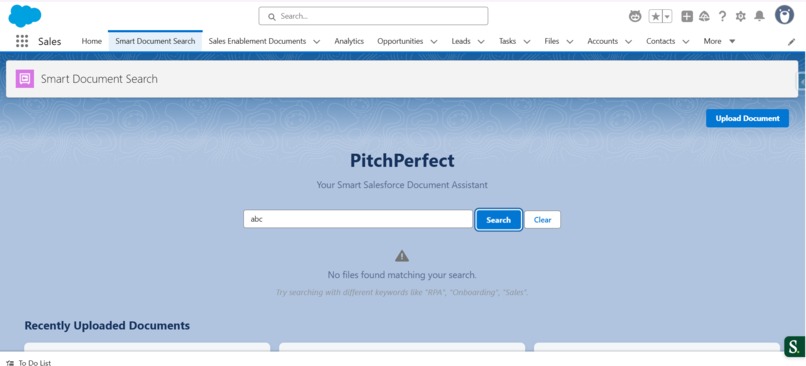
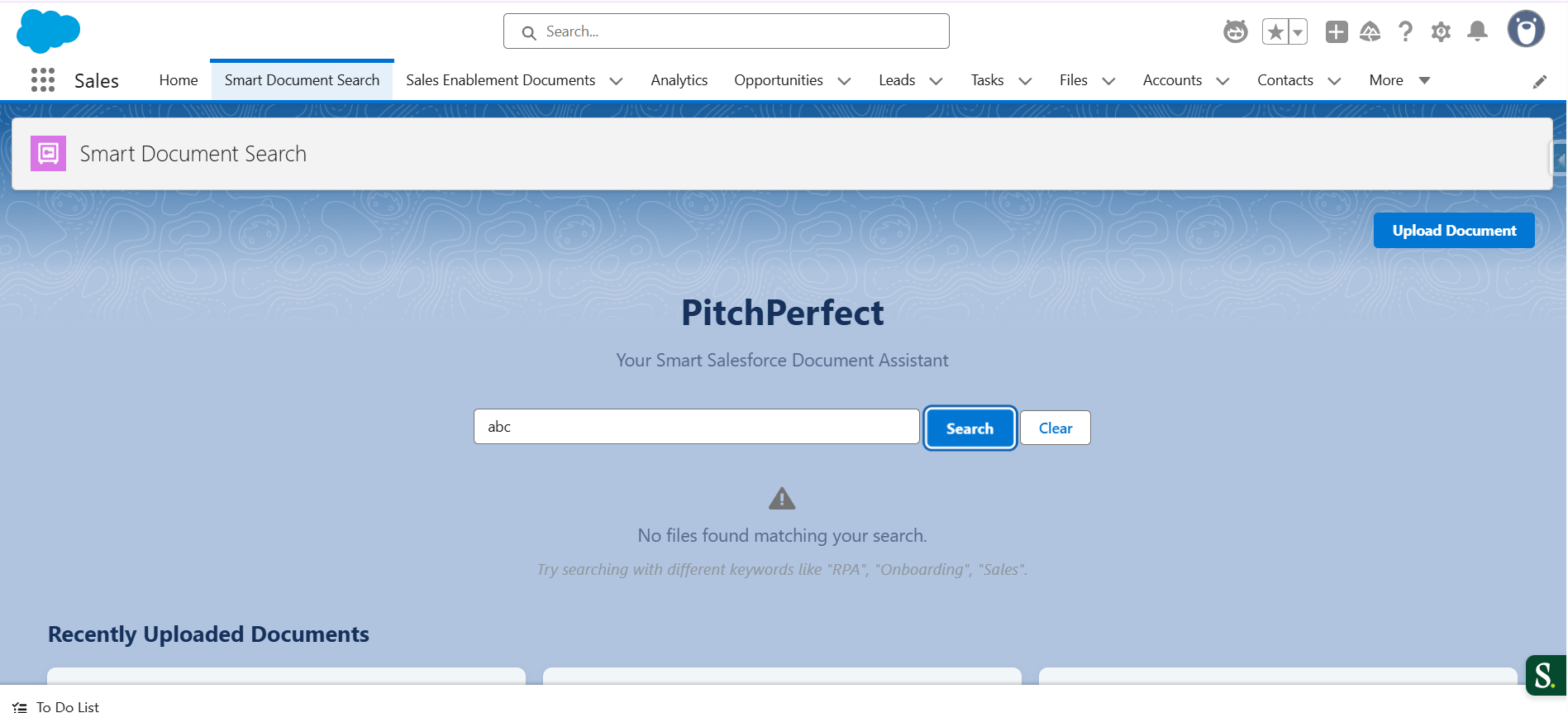
No_Matches_Found
-
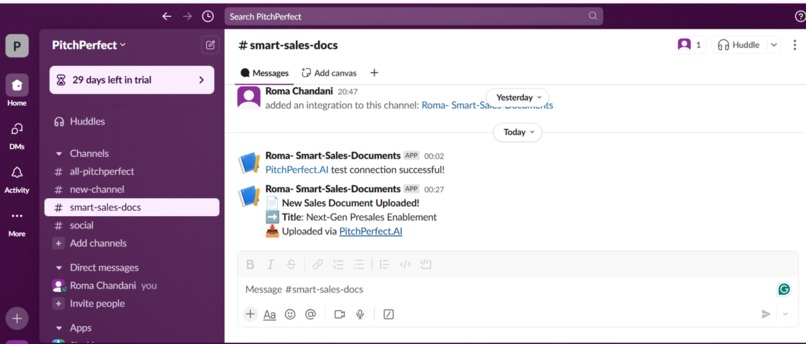
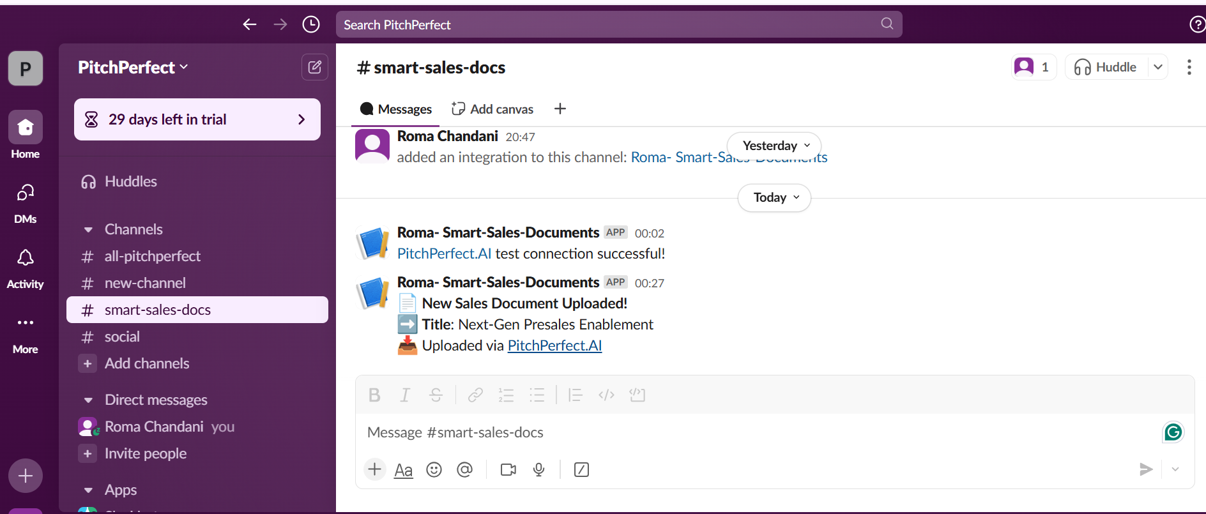
Team gets notification on Slack channel

Title: PitchPerfect – Helping Sales & Presales Find the Right Docs, Instantly
Inspiration
We’ve all seen it—sales and presales teams jumping between multiple tools, trying to find the right pitch deck, battlecard, or ROI doc right before a customer call. Despite having Salesforce as our single source of truth, we were still relying on external platforms like Seismic to manage content.
The tipping point came during a casual team sync when someone said: “Why are we paying so much for a tool just to find documents?”
That moment sparked the idea: What if reps could find exactly what they need—instantly, with just a prompt—right inside Salesforce?
We weren’t just thinking about saving money (though cutting Seismic license costs was a big win). We wanted to simplify the rep experience, reduce ramp-up time for new hires, and bring AI into everyday workflows without adding more tools to the stack.
The vision was clear: A seamless, intelligent document assistant that lives inside Salesforce. No more switching tabs. No more digging through folders. Just the right doc, right on time.
What it does
PitchPerfect is your intelligent document assistant, built inside Salesforce using Agentforce. It helps sales and presales teams find, share, and track content faster—without ever leaving their workflow.
Here’s what it can do:
AI-Powered Search Users can find the right documents instantly using simple prompts like “latest ROI deck for BFSI customers” — no need to remember exact file names.
Smart Recommendations When You’re Not Sure What to Search When users are unsure or forget the document name, PitchPerfect.AI suggests relevant files based on their persona, opportunity stage, and previous activity—keeping everything accessible in-context.
Auto-Tagging with AI When new documents are uploaded, PitchPerfect.AI scans the content and automatically adds relevant tags and categories—making future searches smarter.
Share Directly from Salesforce Reps can send documents to prospects or customers right from the Home page, opportunity or account record.
Secure, No-Download Viewer Documents open in a secure browser window—no downloads allowed. This keeps things confidential and easy to review.
Slack Alerts Reps get notified in Slack the moment someone opens the document, enabling faster and smarter follow-ups.
Cost Elimination By replacing third-party tools like Seismic, teams can save significant license costs while improving speed and usability.
Engagement Tracking I am trying to capture actual open time when the recipient views the doc, giving reps insights into interest and follow-up timing.
Floating icon of Agent on bottom of recordpage (currently added on Sales Document object), flexible on Account, Opportunity page etc. This makes it quickly accessible everywhere on Salesforce.
Everything happens within Salesforce—no context switching, no external portals, and no added tools.
How I built it
- Used Agentforce's LLM prompt APIs to power natural language search. Reps can simply type “latest battlecard for financial services,” and get instant, accurate results.
- When a document is uploaded, a flow calls Agentforce to read the content and automatically apply smart tags—like product line, region, industry, and persona.
- I created a custom "Sales Enablement documents" object in Salesforce, linked with Salesforce Files, so teams can upload, organize, and access all documents in one place—fully inside CRM.
- Built a custom LWC viewer to search files instantly, preview, download and Email them directly.
- Using lightweight JavaScript and Apex, we capture the exact open duration when a document is viewed—start when the tab opens, stop when it’s closed.
- Users can send documents to prospects directly from Salesforce using Lightning Flows and Apex actions, linked to opportunities or accounts.
- When a recipient opens the doc, a Slack message instantly notifies the rep using Salesforce Slack SDK and Apex callouts.
- Entire solution is built using LWC, Apex, Flows, Metadata, and Agentforce APIs—no third-party UI or tools. It’s fast, scalable, and production-ready.
Challenges I ran into
- Building a Seismic-level product within a few hackathon days was ambitious. I had to scope smartly and prioritize high-impact features while keeping the UX clean and usable.
- Capturing real-time open duration (without relying on third-party tools) meant I had to get creative with JavaScript events, Apex callbacks, and browser behavior management.
- Creating a no-download, in-browser document viewer inside Salesforce was tricky. We had to build a custom LWC component with controlled access and still maintain responsiveness and readability.
Accomplishments that I am proud of
I built a powerful, AI-driven document assistant fully inside Salesforce—no third-party tools, no extra spend. PitchPerfect replicates core Seismic features like smart search, tagging, secure viewing, sharing, and engagement tracking—all powered by Agentforce. What makes me proud? It’s fast, intuitive, enterprise-ready, and delivers real business value from day one—saving both time and millions in licensing.
What I learned
- Agentforce is more than just AI chat—it can actually solve real business problems when used the right way. Created my first agent. Yayyyy...
- AI works best when there's structure. Just asking for tags or summaries isn’t enough—we had to guide it with context to get useful results.
- I realized how powerful Salesforce can be on its own. With just Apex, Flows, and LWC, we built something that feels like a full product—no extra tools needed.
- Tracking how long someone viewed a document sounds simple, but doing it in real-time inside Salesforce took a lot of creative thinking.
- The biggest takeaway? AI is great, but only when it solves a real need. My goal wasn’t just cool tech—it was to make life easier (and cheaper!) for Sales and Presales.
What's next for PitchPerfect – Smart Docs for Sales & Presales Teams
- Engagement Scoring & Insights - Use AI to score document views based on time spent, scroll depth, and follow-up actions—so reps know which leads are hot.
- Extend search beyond documents to include Salesforce records like Opportunities, Cases, and Knowledge articles.
- Version Controlling
- Continuous Learning from Feedback - Tune search accuracy and recommendations using feedback from users and real usage patterns.
- Recommendations based on Search.
- Built an agent but due to org limitations provided, in real time it is not getting connected(preview is working) but unable to connect because of the unknown email address of provided org.
Built With
- agentforce
- apex
- flows
- javascript
- llm
- lwc
- slack


Log in or sign up for Devpost to join the conversation.