-
-
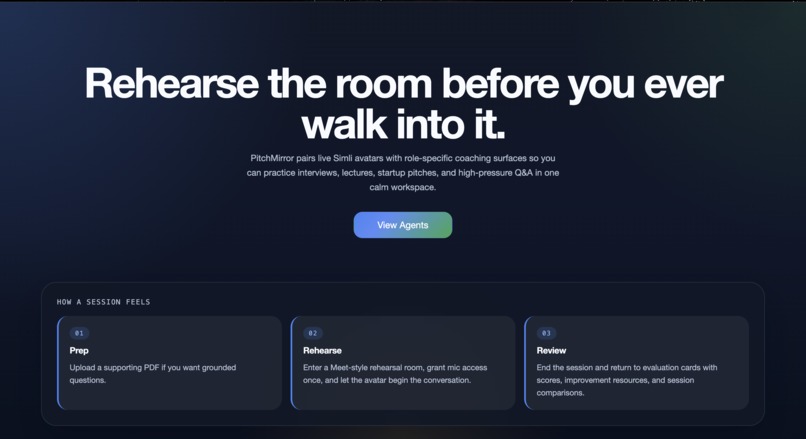
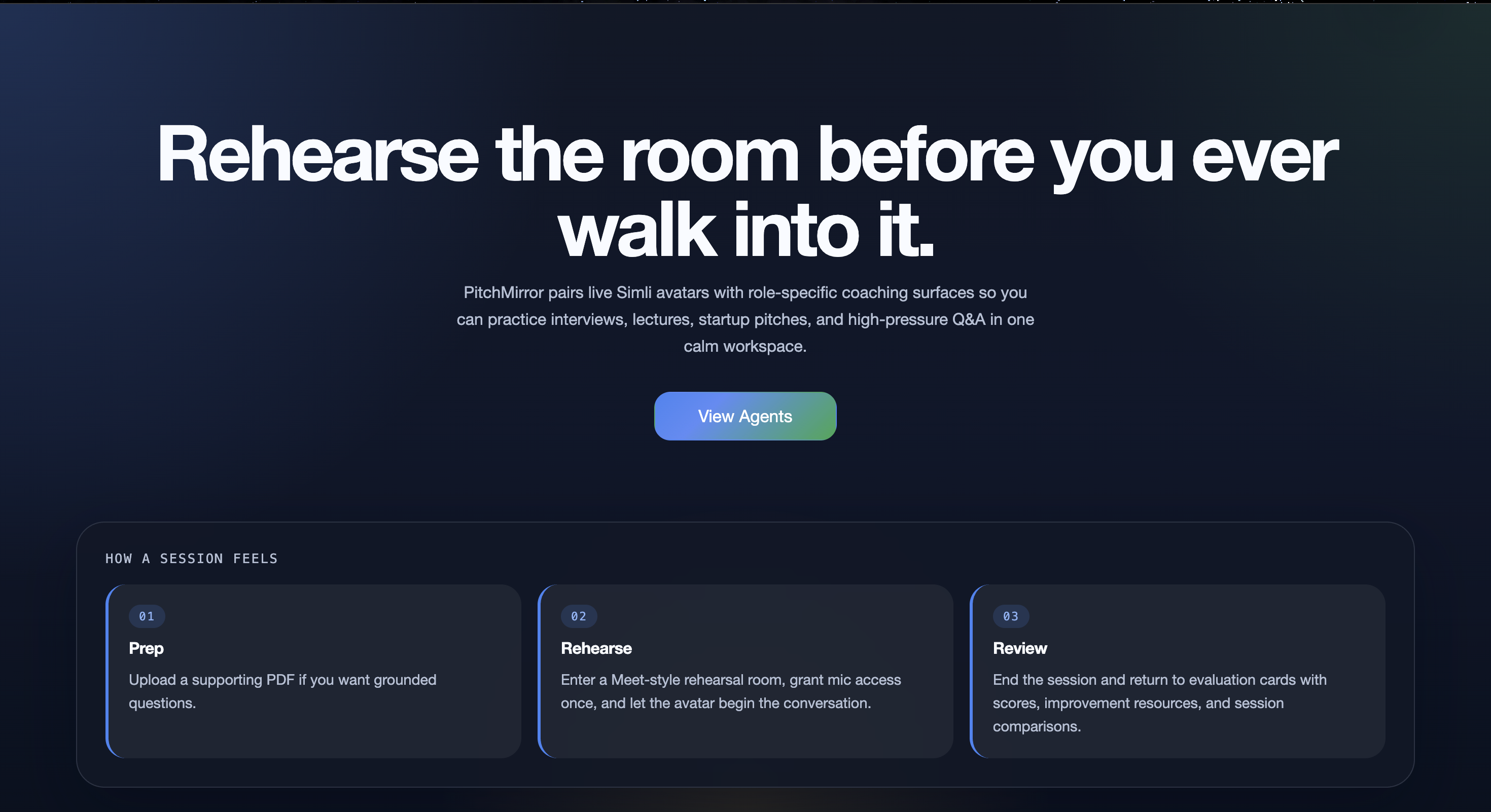
Landing Screen
-
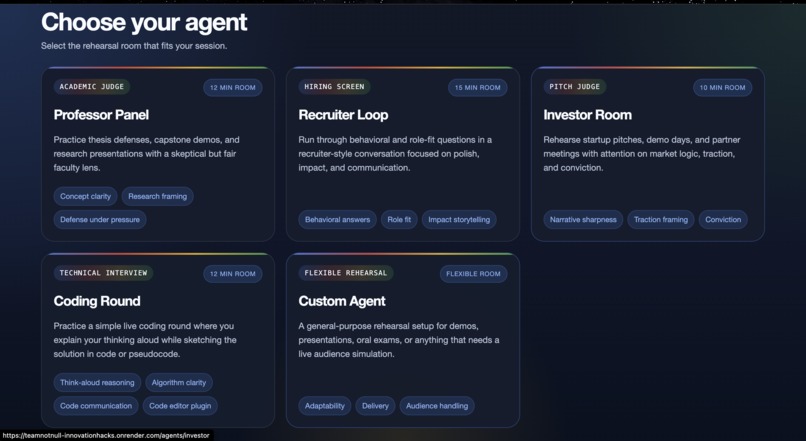
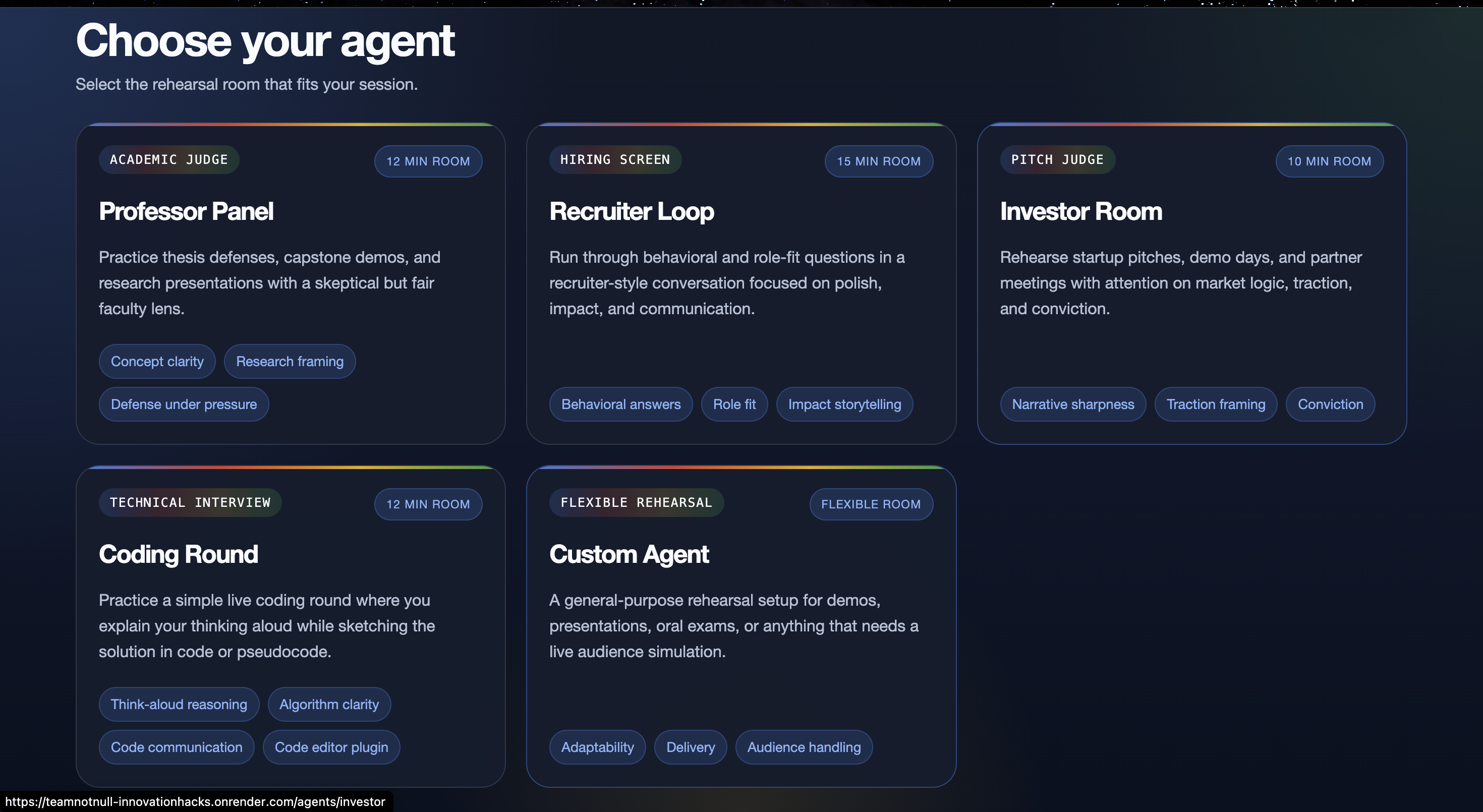
Agents Page
-
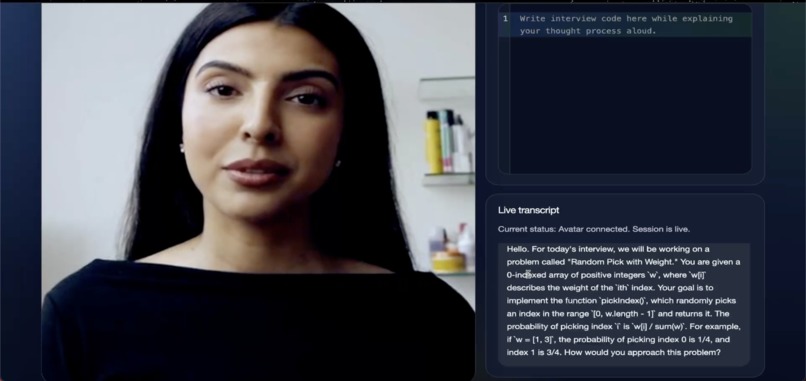
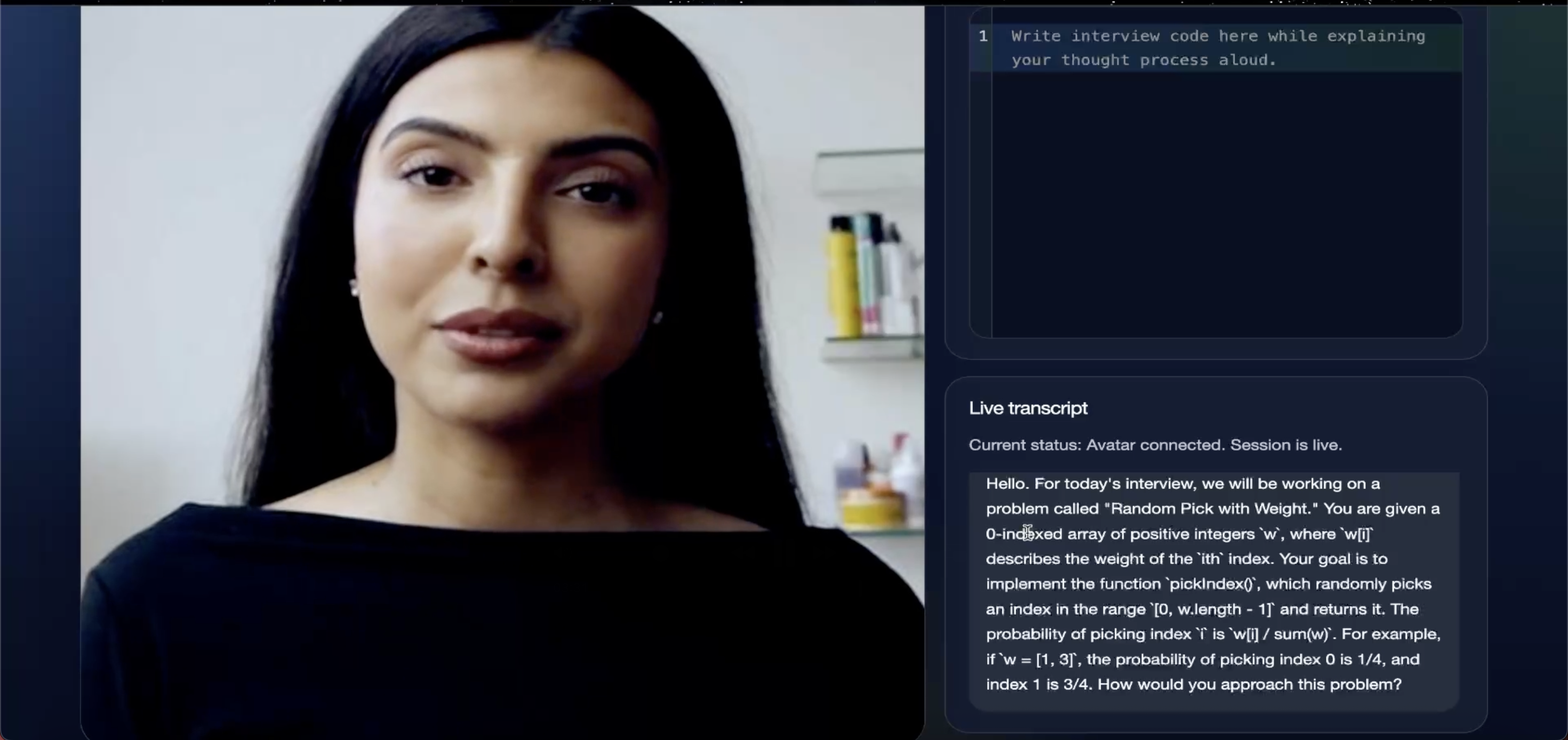
Coding Agent with the live code editor
-
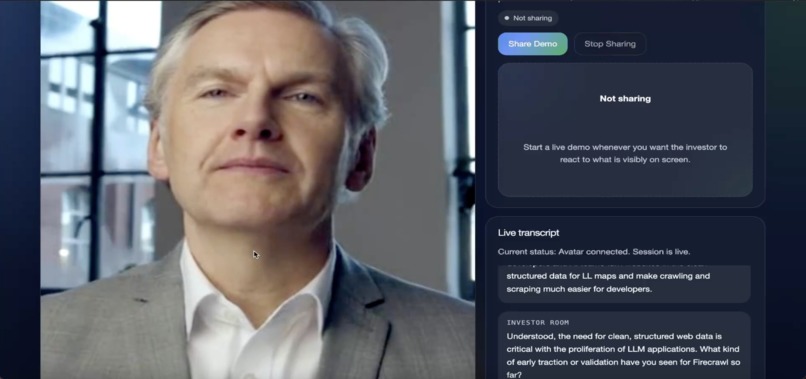
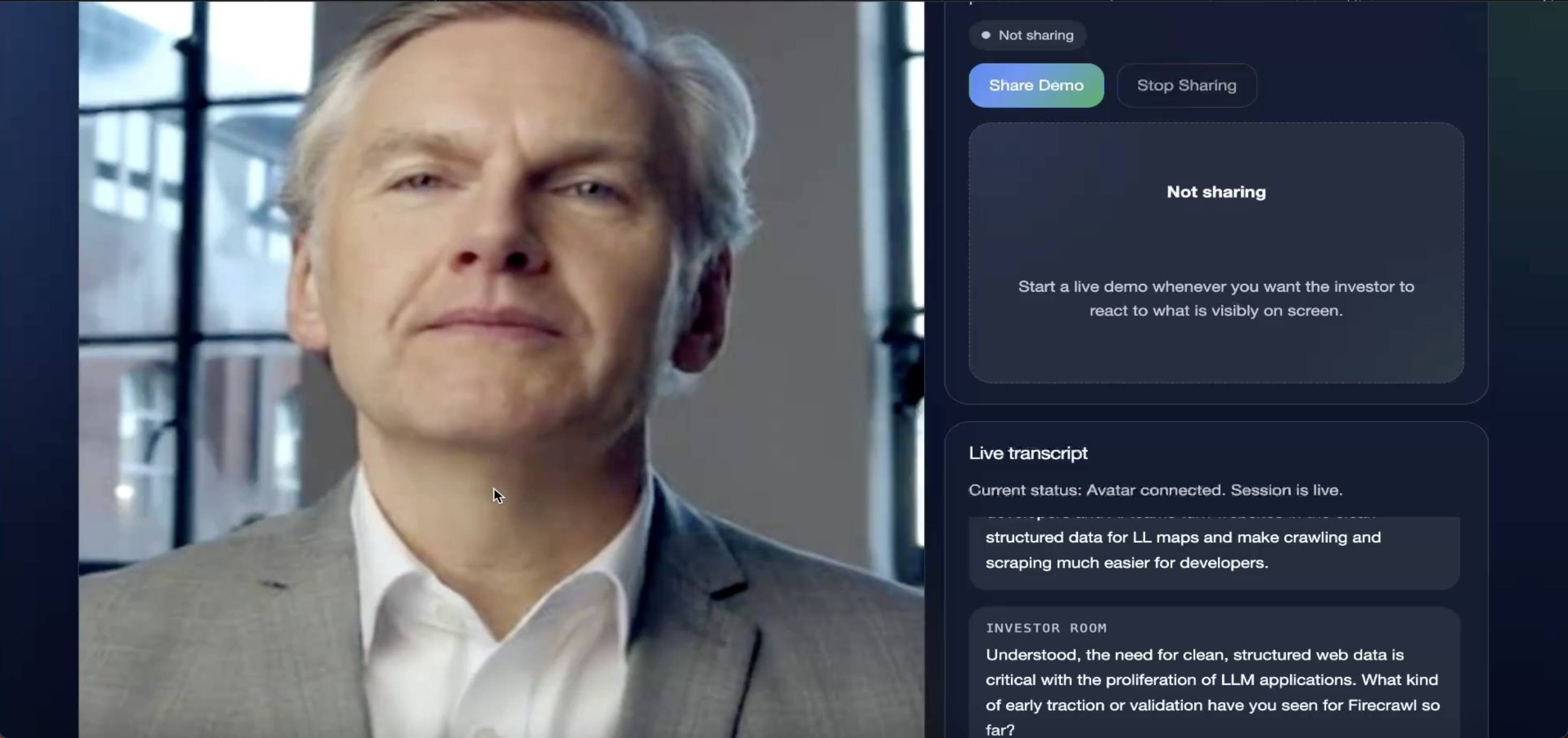
Investor Agent
-
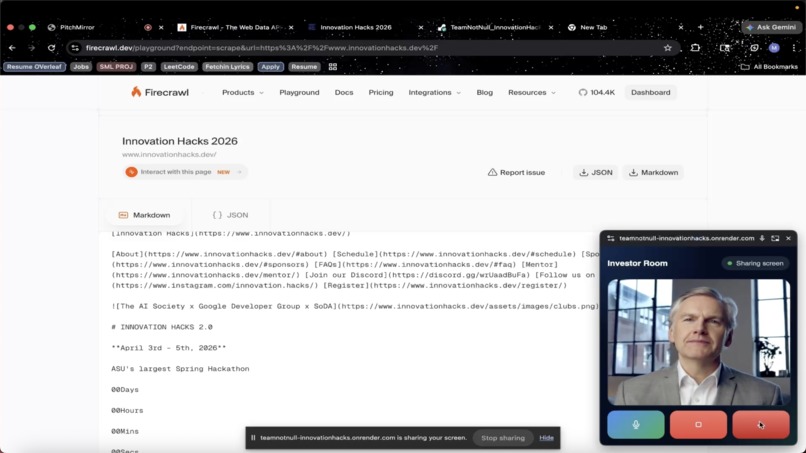
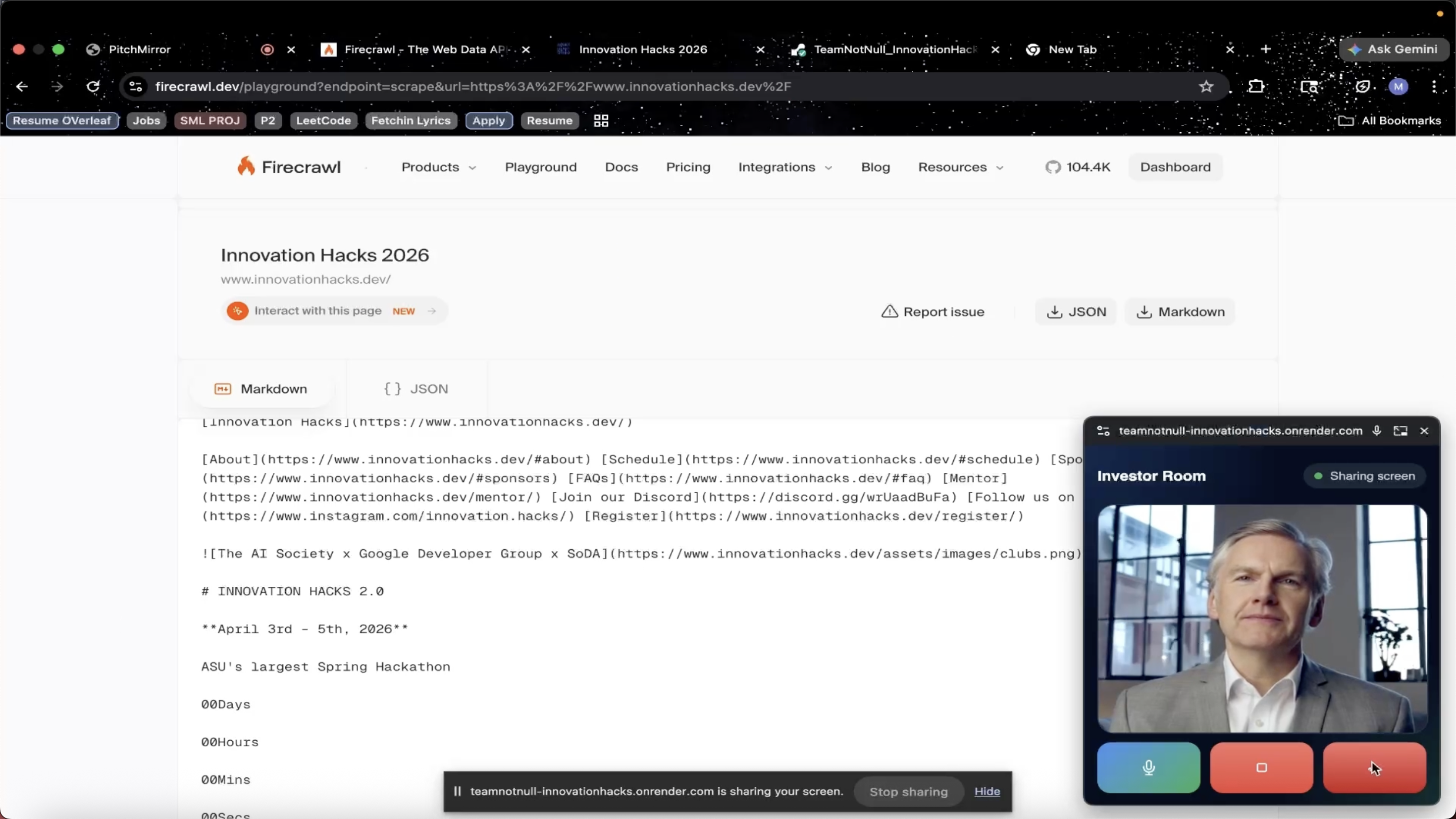
Investor Agent inspecting the screen being shared while showing product demo
PitchMirror
Inspiration
High-stakes conversations are rarely judged only on knowledge. They are judged on delivery.
A student may understand their material, but still struggle in a professor Q&A because they become vague under pressure. A founder may know their startup deeply, but lose investor confidence if the pitch feels unclear or unsupported by the demo. A candidate may solve a coding problem, but still underperform because they cannot explain their reasoning while writing code.
That gap was the inspiration behind PitchMirror.
We wanted to build something beyond a chatbot and beyond a simple voice interface. The real problem is not just “I need answers.” The real problem is:
- I have not been exposed enough to the real environment.
- I have not practiced being challenged in real time.
- I have not built confidence under pressure.
- I do not know how my weaknesses evolve over repeated attempts.
PitchMirror was built as an AI simulation environment for exactly that problem.
The User Pain Point
Most prep tools focus on content. They help users generate answers, read examples, or rehearse in static ways.
But real performance often breaks down elsewhere:
- users ramble instead of staying concise
- they lose structure when interrupted
- they speak with low confidence
- they fail to defend decisions under follow-up questions
- in coding rounds, they stop narrating their thought process
- in pitches, their live demo does not support their spoken claims
This creates a frustrating mismatch: people may be technically capable, but still perform poorly because they have never practiced the experience of being evaluated.
PitchMirror addresses this by simulating the experience itself.
Instead of only helping users prepare content, it helps them practice:
- being questioned
- being challenged
- being observed
- being evaluated
- improving over time
What PitchMirror Is
PitchMirror is a multi-agent simulation platform for high-stakes scenarios.
It supports multiple role-specific agents, including:
- recruiter-style interviewers
- professor-style evaluators
- investor-style judges
- coding interviewers
- custom role-based agents
Each agent behaves differently, evaluates differently, and adapts to the specific scenario.
The core idea is that users should not just “chat” with AI. They should enter a simulation that feels closer to the real room they are preparing for.
What Makes It Different
PitchMirror is not just a wrapper over a voice model.
What makes it different is that it combines role-specific simulation, live multimodal context, and personalized improvement into one system.
A normal voice agent can ask questions.
PitchMirror can simulate the actual pressure of the room.
What makes that possible is the combination of:
- role-specific agents that behave differently for recruiter, professor, investor, coding, and custom scenarios
- live questioning that reacts in real time instead of following a scripted flow
- avatar-based delivery that makes the interaction feel closer to a real conversation
- screen-sharing support for scenarios like investor demos, where the agent can question what is visibly happening on screen
- document grounding so uploaded slides, resumes, or supporting files can shape the interaction
- live coding simulation where the interviewer evaluates not just the final answer, but how the user explains their thought process while solving
- session memory and progress tracking so practice improves over time instead of resetting after every run
- post-session evaluation and improvement resources that help users understand what to work on next
This is especially important in flows like:
- investor rounds, where users can pitch while sharing a live product demo, and the agent can challenge whether the product experience actually supports the spoken pitch
- coding rounds, where users are expected to think aloud, explain tradeoffs, and defend their logic while writing code, just like in a real technical interview
A chatbot can talk.
PitchMirror can observe, challenge, evaluate, and adapt.
That is the difference between an AI conversation tool and an AI simulation environment.
How We Built It
We built PitchMirror as a unified web application with a live multimodal pipeline.
Frontend
We used:
- Next.js
- React
- JavaScript
- custom responsive UI with dark/light mode
- multi-page session and thread flows
The frontend handles:
- landing page and agent cards
- thread creation and session management
- document upload
- live session UI
- coding interview interface
- screen sharing
- transcript display
- saved session and thread views
- evaluation and improvement resource rendering
Backend
We kept a custom Node server to support:
- API routes
- websocket communication
- live Gemini session bridging
- upload processing
- evaluation jobs
- resource generation
- pre-session external research
This gave us a single app experience while preserving real-time behavior.
Core AI Stack
1. Gemini Live
We used Gemini Live as the core conversational engine.
Gemini handles:
- real-time conversation flow
- role-based questioning
- session context
- uploaded document context
- hidden memory from prior sessions
- screen-share visual context
- live reasoning in investor, professor, recruiter, and coding scenarios
This is what powers the actual intelligence of the simulation.
2. Anam
We used Anam for the avatar layer.
The important design choice here is that Anam is only used as the avatar/rendering layer, while Gemini remains the actual brain and voice source.
That means:
- Gemini still generates the live voice behavior
- Anam renders the face and lip-sync
- the overall simulation logic does not change
This let us preserve the quality and flexibility of Gemini Live while upgrading the visual delivery experience.
3. AssemblyAI
We used AssemblyAI for live user transcription.
This helps capture what the user says during sessions, especially in live speaking scenarios, so transcripts and evaluations are grounded in the actual conversation.
4. Firecrawl
We used Firecrawl for external research and improvement resources.
Firecrawl is used in two major ways:
- pre-session public-context research for certain agents
- post-session improvement-resource discovery
For example:
- in investor sessions, a company URL can be used to gather public signals before the session starts
- in coding sessions, company-related public context can help ground the interview setup
- after evaluation, Firecrawl helps discover useful external resources tied to the user’s weaknesses
5. LangChain Agentic Workflow
We used LangChain to build an agentic pre-session research flow.
This was especially useful for cases like:
- finding coding interview questions
- researching company context
- scraping and synthesizing relevant public information
Instead of a simple search call, we structured this as a tool-using agent flow:
- search
- inspect candidates
- scrape relevant pages
- synthesize useful context
This made the system more flexible and more grounded.
Product Architecture
The project has several layers working together.
Live Simulation Layer
This is the real-time experience:
- user speaks
- Gemini responds
- Anam renders the avatar
- transcript is captured
- screen share or coding context is injected where relevant
Evaluation Layer
After a session ends, PitchMirror runs evaluation jobs in the background.
These evaluations are:
- agent-specific
- based on transcript and context
- written in a more human, useful style
- grounded in a rubric relevant to the selected scenario
For example:
- an investor session and a coding session are not judged the same way
- each agent has distinct evaluation criteria and prompting
Memory and Progress Layer
PitchMirror stores sessions inside threads.
A thread represents a longer practice track for one goal.
This allows the platform to:
- preserve context across sessions
- identify recurring strengths and weaknesses
- evaluate improvement over time
- shape future sessions internally based on user performance
An important design decision here was that memory remains internal during live sessions. The agent should act naturally in-role, not explicitly say things like “last time you struggled with this.” The memory influences behavior, but does not break immersion.
Improvement Layer
After evaluation, PitchMirror can surface:
- targeted resources
- session comparisons
- thread-level progress
- next-focus guidance
This turns each session into part of a longer improvement loop, not just a one-off practice attempt.
Key Flows We Focused On
Investor Round
This flow demonstrates:
- thread-based practice
- optional context and company URL
- live investor questioning
- screen-share-enabled product demo
- investor reactions based on visible product behavior
- session evaluation
- thread-level evaluation
- improvement resources
- session comparison
This is one of the most compelling flows because it combines speaking, visual demonstration, external context, and longitudinal progress.
Coding Round
This flow demonstrates:
- a coding interviewer agent
- think-aloud problem solving
- code-aware conversation
- company-context-based setup
- evaluation of communication and reasoning
- improvement resources tied to coding performance
The key insight here is that coding interviews are not just about correctness. They are also about narration, structure, tradeoffs, and clarity while solving.
Challenges We Faced
1. Making It Feel Like Simulation, Not Chat
One of the biggest challenges was avoiding the feeling of a generic AI assistant.
We had to carefully design prompts, session flow, UI, and follow-up behavior so the agents felt like realistic evaluators rather than helpful bots.
2. Preserving Role Fidelity
A professor, investor, recruiter, and coding interviewer should not sound the same.
We had to make sure:
- prompts were role-specific
- evaluation criteria were role-specific
- screen-share interpretation was role-specific
- thread memory influenced behavior silently, without breaking the role
3. Real-Time Multimodal Coordination
The system combines:
- mic input
- live transcripts
- Gemini live responses
- avatar rendering
- optional screen share
- optional uploaded files
- optional external research
Getting those pieces to cooperate in real time without breaking the experience was a major engineering challenge.
4. Thread Memory Without Breaking Immersion
We wanted the platform to improve over time, but we did not want the live agent to sound like a coach reading analytics aloud.
So we had to separate:
- hidden memory for internal steering
- visible reporting for the user
This was an important product decision.
5. Resource Recommendations
We originally explored one approach for web resource gathering, then moved to a better research stack. The challenge was not just finding links, but finding links that were actually useful and relevant to a user’s weak areas.
6. Avatar Swap Without Breaking the Logic
Switching the avatar layer from one provider to another could have disrupted the entire live system. We deliberately kept Gemini as the core brain and voice source, while treating the avatar as a replaceable rendering layer. That made the system more modular.
What We Learned
We learned that realistic AI experiences depend on much more than model quality.
A strong experience comes from:
- careful orchestration
- grounding
- role design
- interface decisions
- memory design
- evaluation quality
- feedback usefulness
We also learned that personalization matters most when it is subtle. The product becomes stronger when it quietly adapts to the user rather than announcing that adaptation.
On the engineering side, we learned how to combine:
- real-time multimodal AI
- avatar streaming
- browser media APIs
- background evaluation jobs
- thread-based memory
- agentic retrieval and synthesis
into a product that feels coherent rather than experimental.
Why We’re Excited About It
PitchMirror turns preparation into something much closer to simulation.
That matters because the hardest part of performance is often not knowing what to say. It is being able to say it clearly, confidently, and under pressure when someone pushes back.
We believe that if people can practice in a room that feels closer to the real one, they can improve much faster and with much more intention.
That is the core idea behind PitchMirror: not just helping users prepare answers, but helping them prepare for the moment itself.
Future Scope
There are several directions we would love to keep building:
- richer audio-based confidence and fluency analysis
- better long-term progress modeling
- more industry-specific agents
- multi-judge panel simulations
- deeper benchmarking across sessions
- stronger personalized training plans
- richer external research and retrieval
- more adaptive difficulty across repeated runs
The foundation is already there: a simulation environment that can observe, evaluate, adapt, and guide improvement over time.
Final Thought
PitchMirror makes preparation feel real and personal, so improvement is no longer guesswork.
Built With
- anamapi
- assemblyai
- firecrawl
- gcp
- javascript
- langchain
- nextjs
- react

Log in or sign up for Devpost to join the conversation.