Inspiration
Currently, there is a need to place emphasis on musical education. Science, Technology, Engineering, and Mathematics (STEM) influences are drowning and saturating the current toy and education market which is leaving a possibility for microprocessor-based musical toys to emerge and make a difference in the educational toy market. For example, on Toys R Us’ website, a popular national toy dealer, there is not one reference to a musical educational toy section while STEM toys are the top featured educational toy. Within this section, toys like LeapFrog, Legos, and science kits are being more developed and marketed in Toy Stores while musical toys are essentially non-existent. This huge hole in the educational toy market can be filled by developing a musical education toy that competes with the fun of a STEM related toy.
Given this information about the current musical education landscape and the lack of musical education toys available on the market, our team proposed PitchBox, an exciting pitch recognition game that develops a musically inclined student’s pitch recognition skills.
How it works
Software
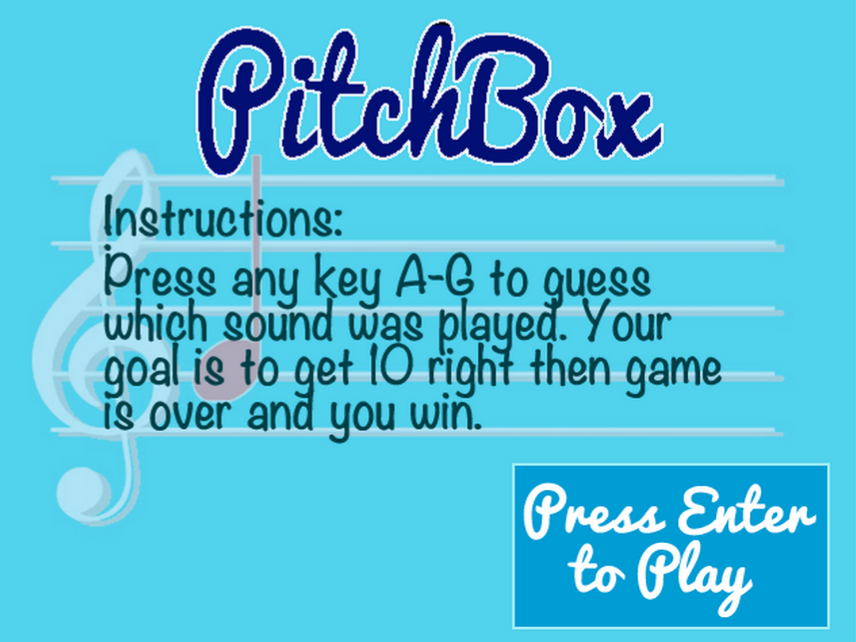
When the game is initially turned on, a start screen will be displayed on the monitor, which provides instructions for the game. Once a key is pressed, the game will ask the user if he or she would like to play one-player mode or two-player mode. The user may press the 1 key for one-player mode, and the 2 key for the other. Once an option is selected, gameplay will commence.
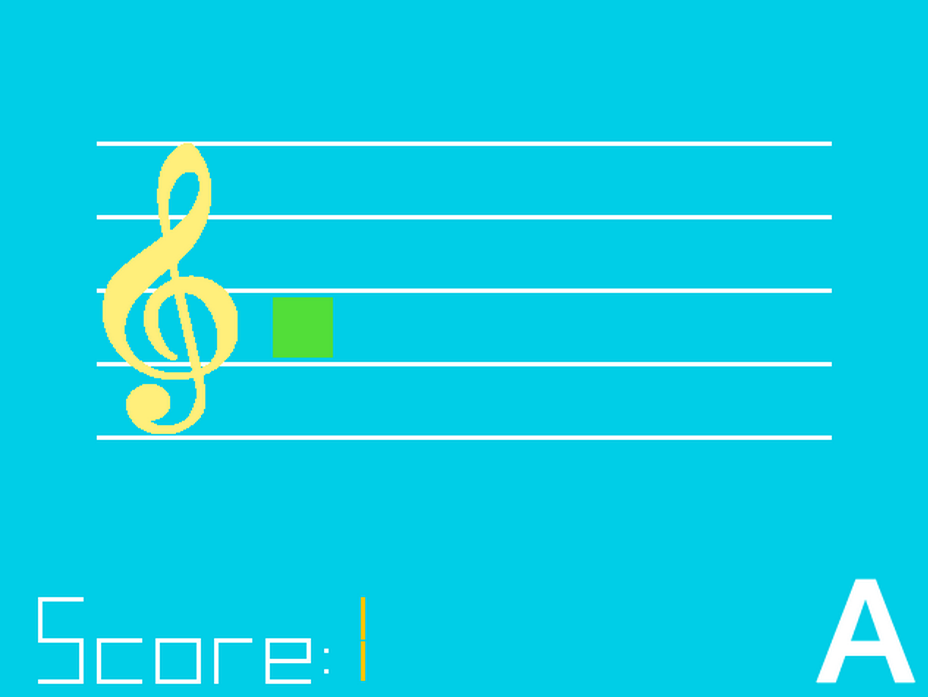
One-player gameplay will function as follows. A musical staff will appear on screen, and tone will be emitted from the speaker. The user must guess what note was played from the speaker by pressing the corresponding key on the keyboard (i.e. the A key if the note was an A, B for the note B, etc.) If the user guesses correctly, the screen will update with a green square on the note’s place on the staff, and a score counter at the bottom of the screen will increment by one. If the user guess incorrectly, however, the screen will show a red square on the staff and the correct answer will be displayed on the screen. The next pitch will be played from the speaker, and the user may guess the pitch of the new note. This continues until the player has given ten correct responses, in which case a “Game Over” screen will be displayed, and instructions on how to restart.
Two-player gameplay is very similar, but the users will take turns guessing the pitches. The current turn will be displayed at the top of the screen, and there will be two separate score counters for each player. Once one player reaches a score of 10, the winner will be displayed on the sceen, with the option to restart the game.
Hardware
PitchBox incorporates four main devices: an FPGA board, a speaker, a keyboard, and a VGA screen. The user uses the keyboard for input based off a tone played from the speaker. Then, the VGA screen is used as output and the FPGA board and the E100 Processor within the FPGA board links all these devices together.
Challenges I ran into
- Communication
- E100 Assembly Programming
- Teamwork Assignments
- E100 Assembly Debugging n
Accomplishments that I'm proud of
- Building a Game
- Learning E100 Assembly Programming
- Creating an Innovative Product that Can Help Many People
What I learned
- Communication
- E100 Assembly Programming
- Abstraction
- FPGA Hardware and Software Integration
What's next for PitchBox
The team that built PitchBox hopes to build a final design of the product and enhance the user's experience such that it can be brought to market
Built With
- e100-assembly-programming
- fpga-board

Log in or sign up for Devpost to join the conversation.