-
-
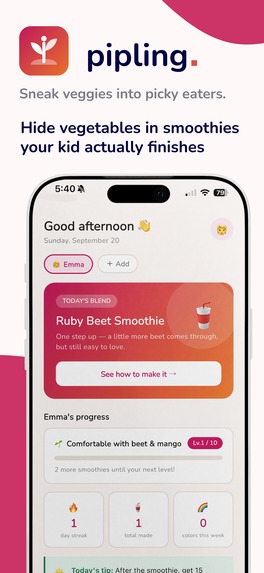
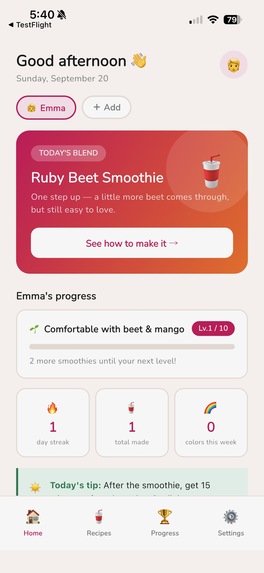
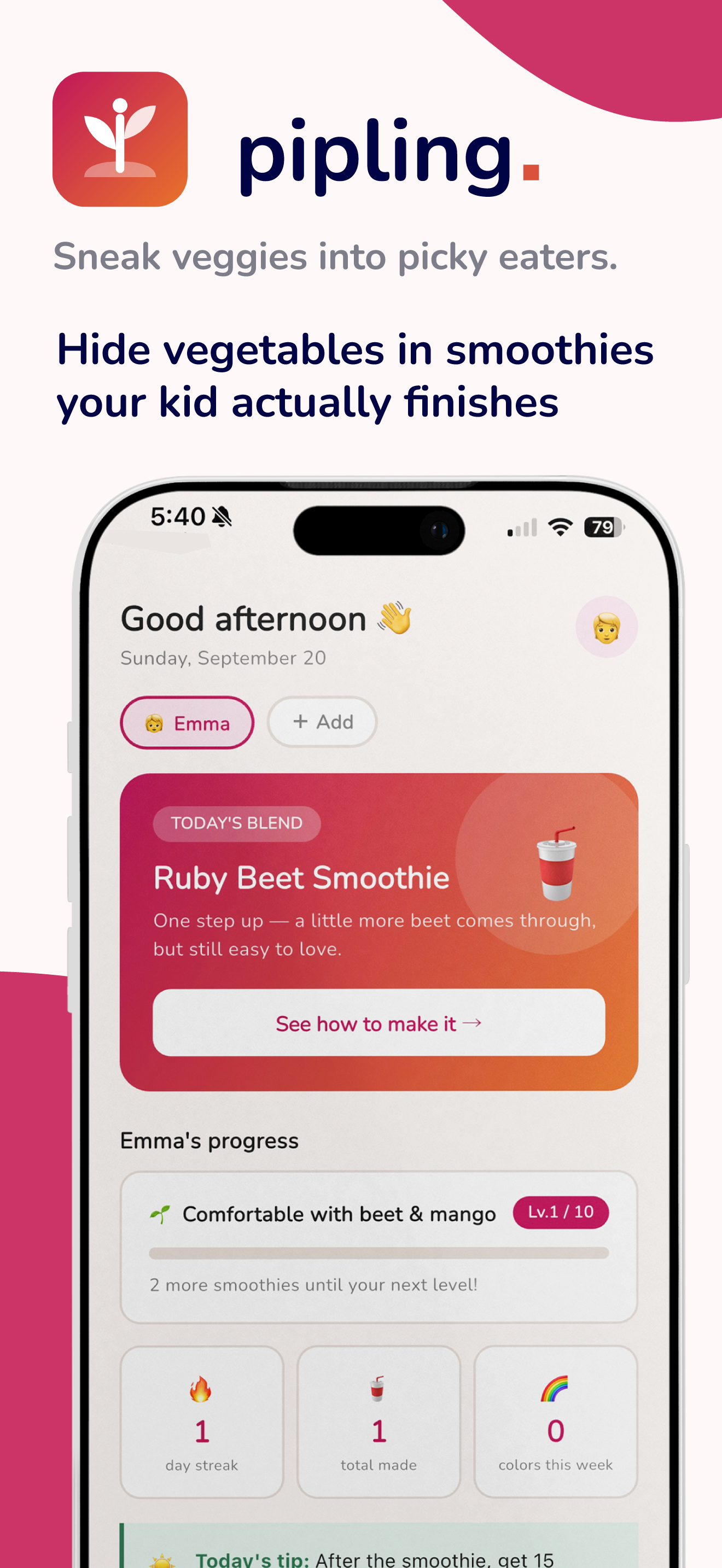
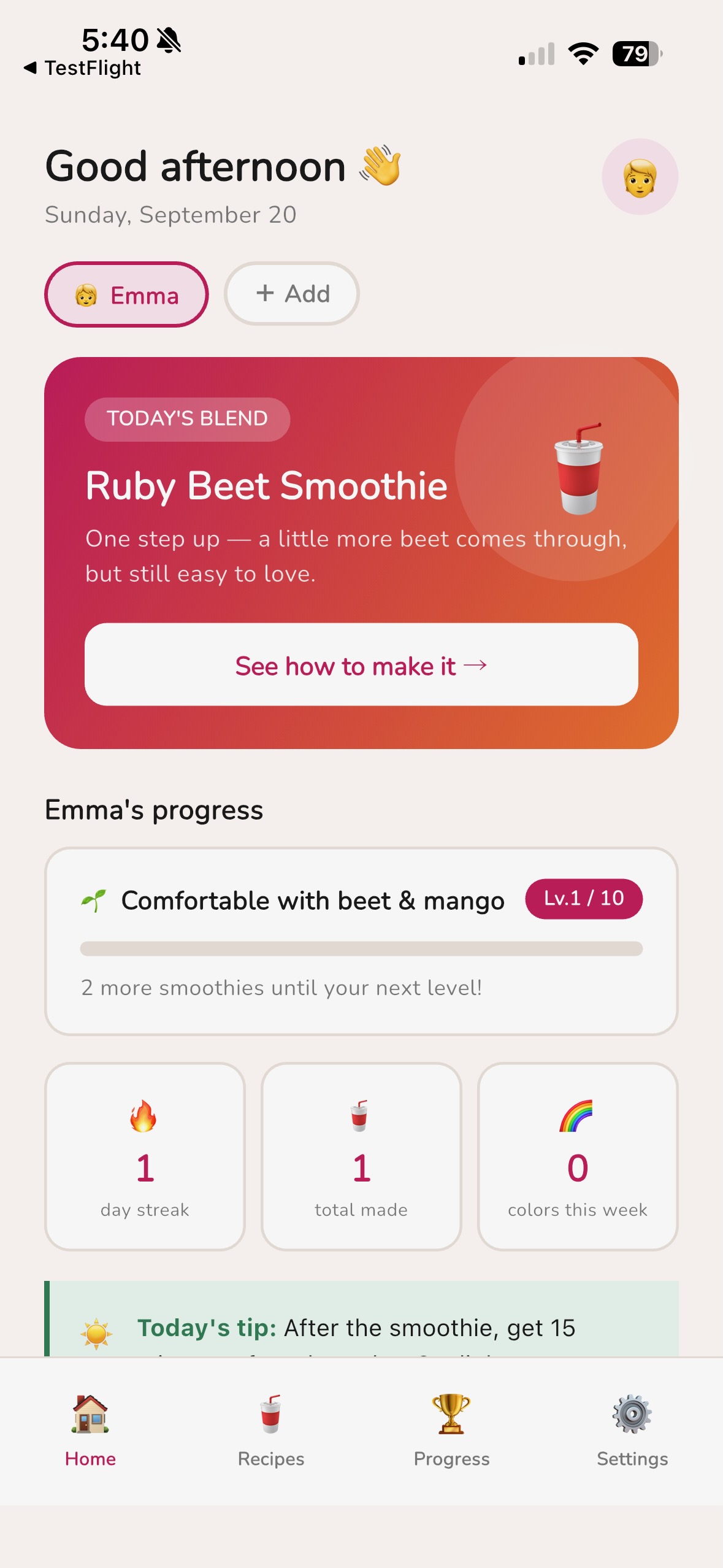
Home screen — today's recipe and your child's progress at a glance
-
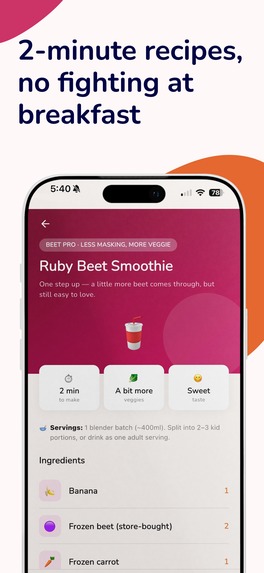
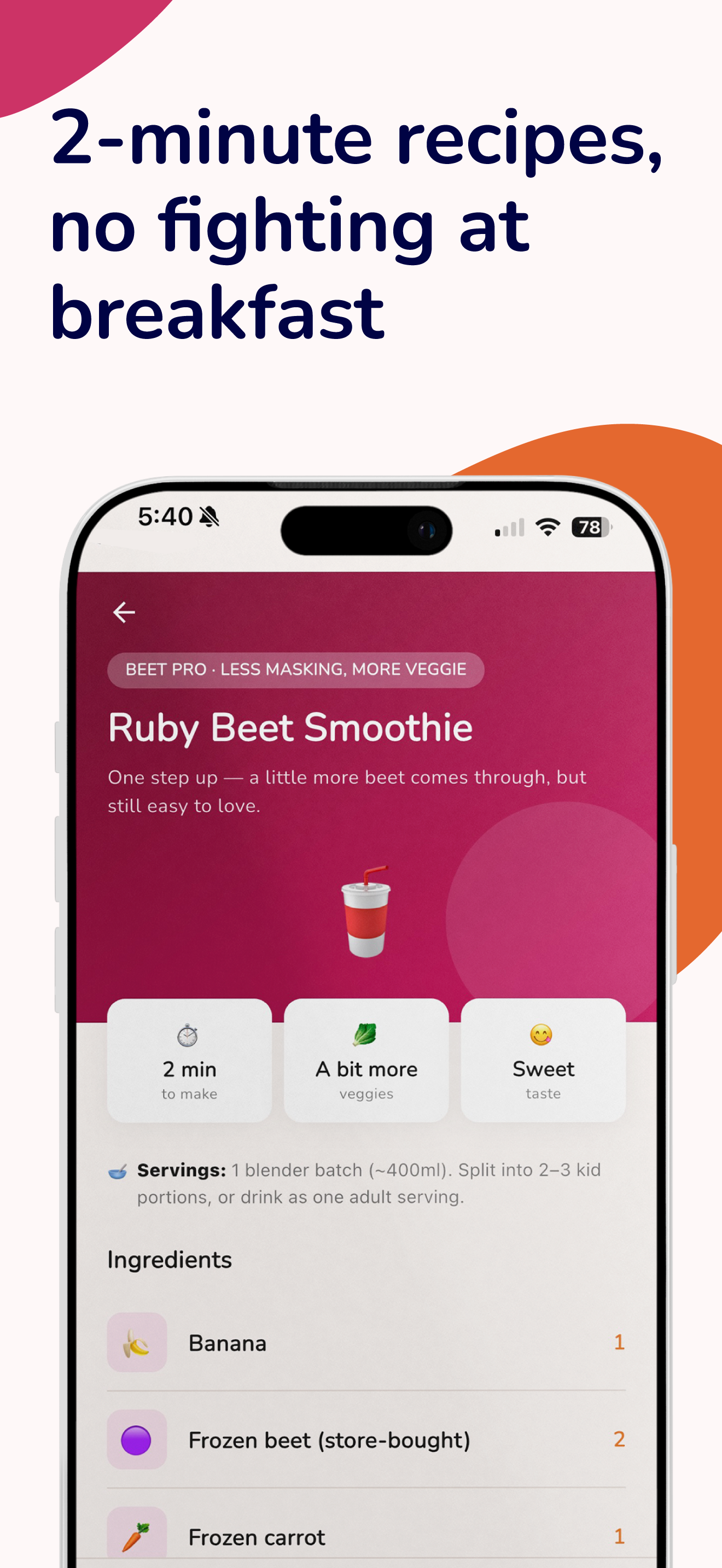
Recipe detail — ready in 2 minutes, no fighting at breakfast
-
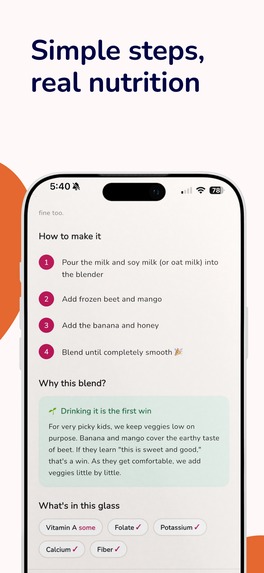
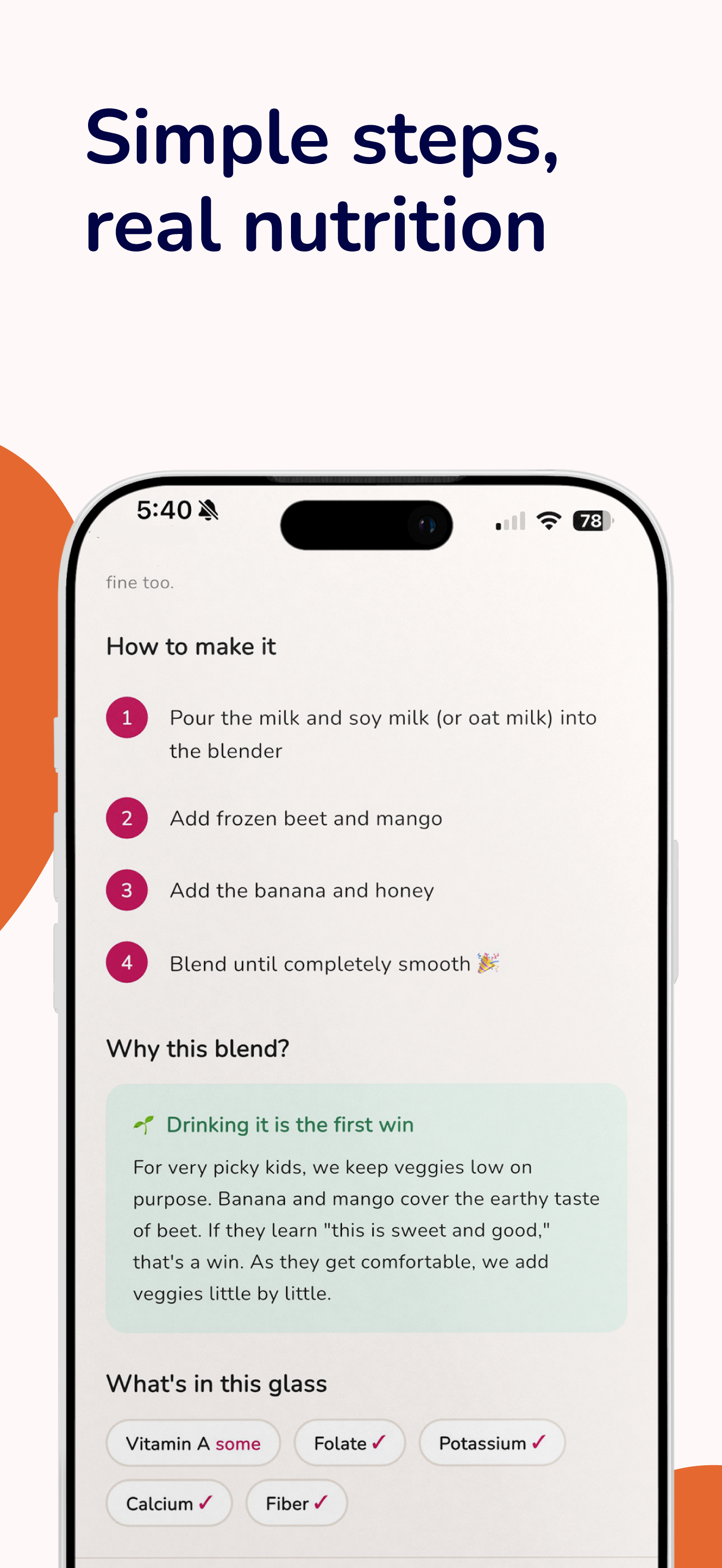
Step-by-step instructions plus the nutrition behind each blend
-
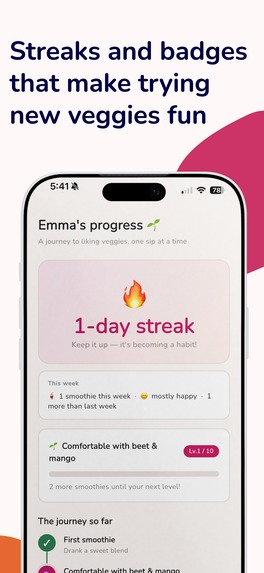
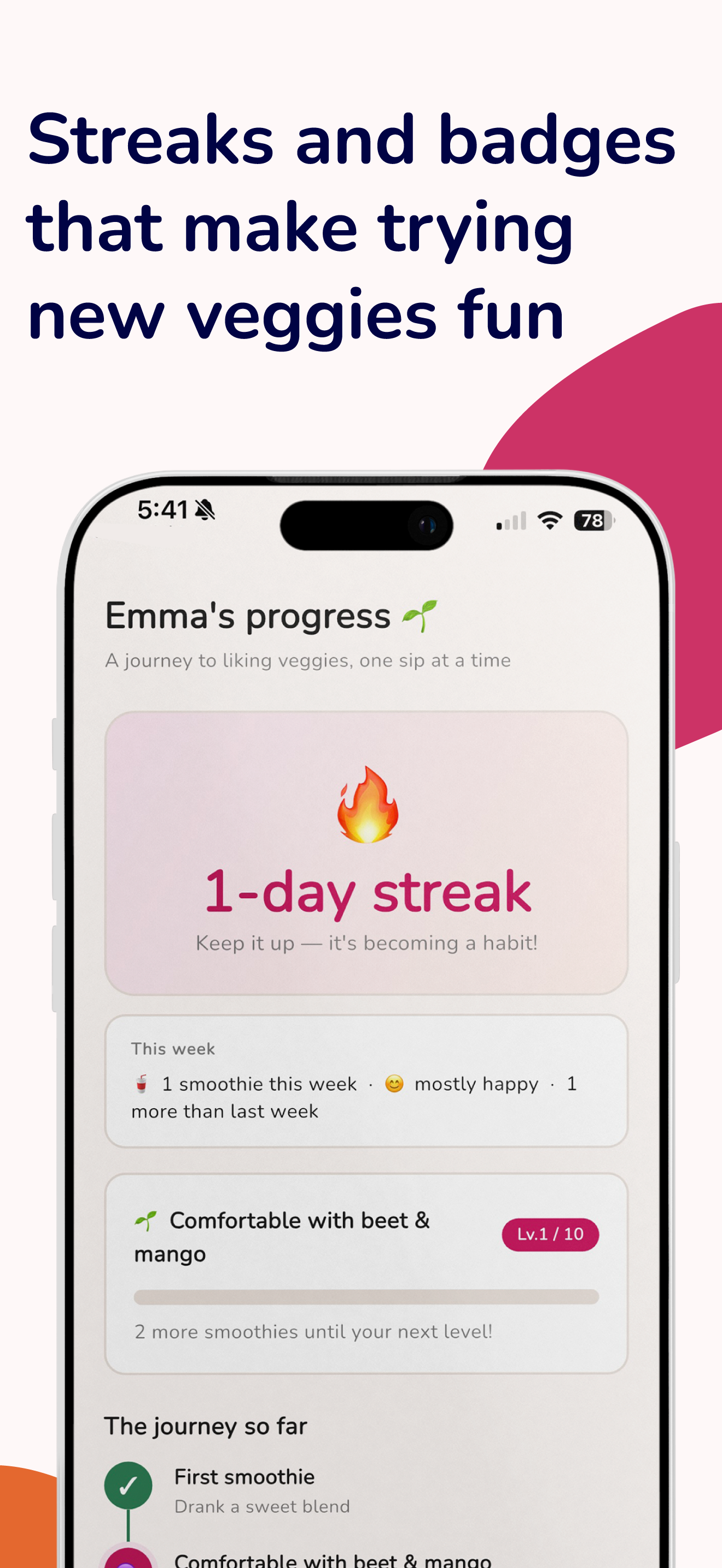
Streaks and badges that turn trying new veggies into a game
-
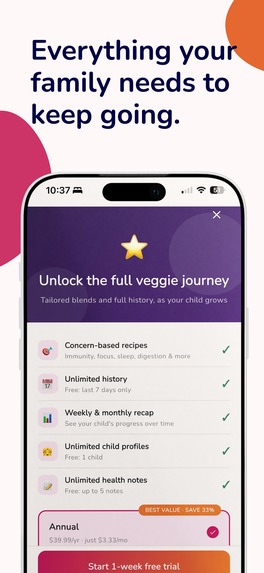
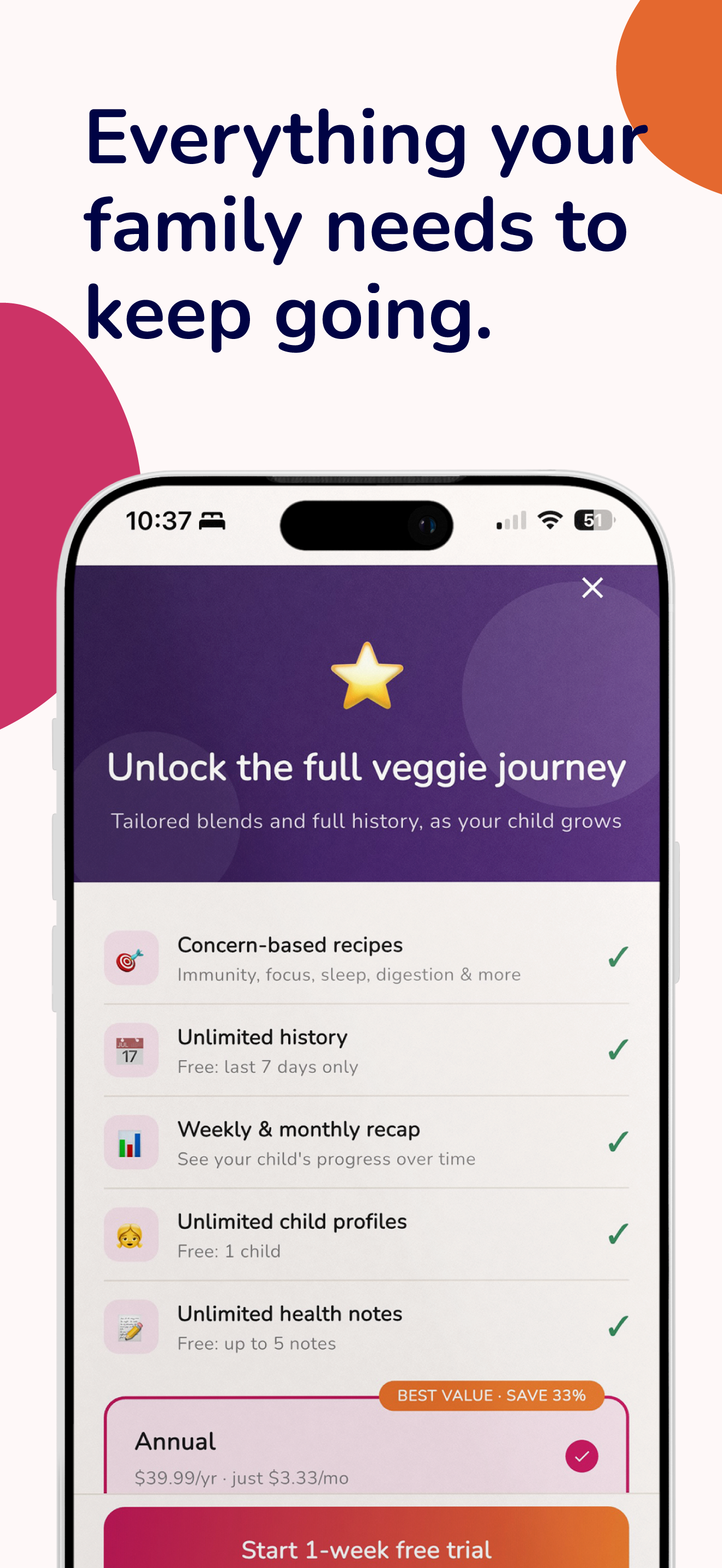
Premium unlocks concern-based recipes, unlimited history, and more
-
App icon — 1024×1024, uncropped
-
App screenshot without device frame
Inspiration
It started with a stubborn question: why do we insist picky eaters eat vegetables in their original form, when all that actually matters is the nutrients getting in? Pureed into a soup, hidden in a sauce, or blended into a smoothie, the vitamins don't care what shape they arrive in.
That question turned into real kitchen experiments: pressure-cooking a rainbow of vegetables in an Instant Pot, freezing them into cubes, and blending them into fruit smoothies with banana, mango, milk, and a touch of honey. The discovery that mattered most turned out to be less about a nutrient fact and more about this, banana can hide almost anything, and a glass that actually gets finished beats a "perfect" one that doesn't.
Watching that play out at home, and realizing how much quiet guilt parents carry over a kid who won't touch vegetables, became the real core of the app. Pipling isn't really a nutrition app. It's built to lift that guilt, one finished glass at a time.
What it does
Pipling helps parents of picky eaters get vegetables into smoothies their kids will actually drink, and shows them the progress along the way.
- Onboarding takes a child's age, how picky they are, and what's already in the kitchen, and hands back a ready-to-make first recipe in under a minute, no nutrition literacy required.
- A two-stage philosophy: Stage 1 is just getting the child to drink it at all (fruit-forward, veggies kept deliberately low, banana doing the heavy lifting). Stage 2 kicks in once they're comfortable, veggie content increases at a pace the kid never notices, and recipes start targeting specific goals like immunity, focus, sleep, or digestion.
- A recipe screen with ingredients, steps, and a plain-language "why this blend" explanation, so parents understand the logic instead of just following instructions.
- A journey screen with streaks, badges, and a 5-color-veggie milestone map, so progress that's normally invisible (a kid slowly getting used to vegetables) becomes something a parent can actually see.
- Freemium model: free tier covers 7-day history, one child profile, and basic recipes; Premium ($3.99/mo or $29.99/yr) unlocks concern-based recipes, unlimited history/profiles/notes, and weekly/monthly nutrition reports.
- The UI is fully localized in English and Japanese from day one, automatically following the device's system language, no manual switch needed.
How I built it
Pipling is a Flutter app (iOS + Android) using Riverpod for state and go_router for navigation, with Firebase (Firestore, Auth, Cloud Functions) as the backend and RevenueCat handling subscriptions on both platforms.
As a solo builder, the workflow was split deliberately: planning, UX, and brand identity happened in conversation with Claude, iterating on interactive HTML mockups screen by screen before a single line of app code was written, while actual implementation was handed to Claude Code, which has direct repo access and executes the agreed plan.
Rather than starting from zero, the architecture was reused from an earlier shipped app of mine (a CELPIP/IELTS speaking-practice app). Before reusing that code, I built a dedicated audit checklist from that app's own past incidents, things like a debug flag that could unconditionally unlock premium, or a RevenueCat Product ID that silently stopped matching the app's purchase logic, specifically so Pipling wouldn't repeat them.
Where possible, correctness was designed in structurally rather than checked for defensively: the Journey screen, for example, derives its current stage as a single getter from a Set of completed stage IDs, so an index-overflow bug is impossible by construction, not just tested against.
Closed testing on both platforms (Google Play's PrimeTestLab, TestFlight) caught real small bugs before launch, a duplicated word in one onboarding sentence, one ingredient rendering the wrong icon, one ingredient listed twice in a recipe. Small, but exactly the kind of thing that's invisible to the person who wrote it.
Challenges I ran into
Subscriptions that wouldn't reflect. After a real purchase, Premium status wasn't updating in the app. Chasing it down meant methodically ruling out one layer at a time, the RevenueCat service-account JSON, Play Console app permissions, which Google Cloud APIs were enabled, IAM roles, before landing on the actual cause: Google's own permission propagation simply hadn't finished yet.
Two review clocks, one deadline. Shipping on iOS and Android at the same time means racing two independent, opaque app-store review queues against a single hackathon deadline. For a two-platform solo launch, the review queue turned out to be a bigger bottleneck than the code ever was.
Keeping the AI honest about the repo. A Claude Code handoff prompt, written from memory instead of the live repo, once instructed a "save to Firestore" step for something that wasn't actually wired up yet. It was only caught because Claude Code checked pubspec.yaml before acting on it, a good reminder that a coding agent's instructions are only as good as their contact with the real codebase.
Building alone, with a day job on the side. The original plan was to run app development and social content side by side. In practice, as a one-person team, the app took every available hour right up to submission, and the content side hasn't started yet, a reminder that for a solo hackathon build, ruthless prioritization is its own kind of engineering.
What's next
- Watch real usage data before investing further in the Premium value proposition, some of it (like recap/report framing) still needs sharpening based on what users actually do.
- Raise the iOS deployment target ahead of Apple's 2027 requirement.
- Turn the growing library of real smoothie experiments into the app's own in-product content, not just social posts.
Built With
- android-studio
- app-store-connect
- claude
- claude-code
- cloud-functions
- dart
- firebase
- firebase-authentication
- firestore
- flutter
- go-router
- revenuecat
- riverpod
- xcode

Log in or sign up for Devpost to join the conversation.