Inspiration
Managing the asset pipeline between 3D modeling software and game engines is notoriously chaotic. As a developer working on complex XR projects, I constantly see bottlenecks where files get lost in chat threads, version control breaks down, and approvals stall. I wanted to build a "single source of truth"—a unified dashboard where technical artists and developers can instantly see the status of every mesh, texture, and prefab.
What it does
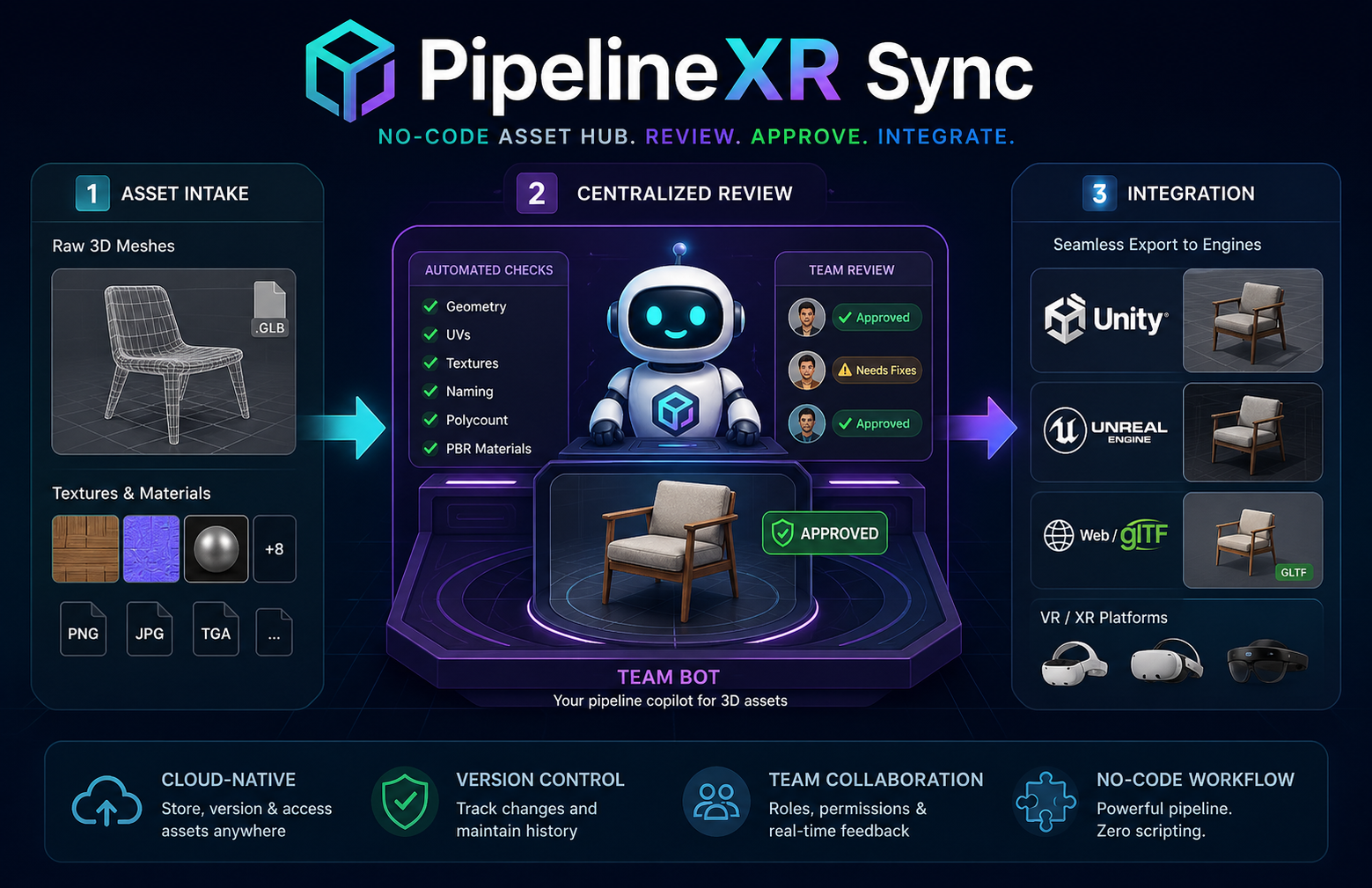
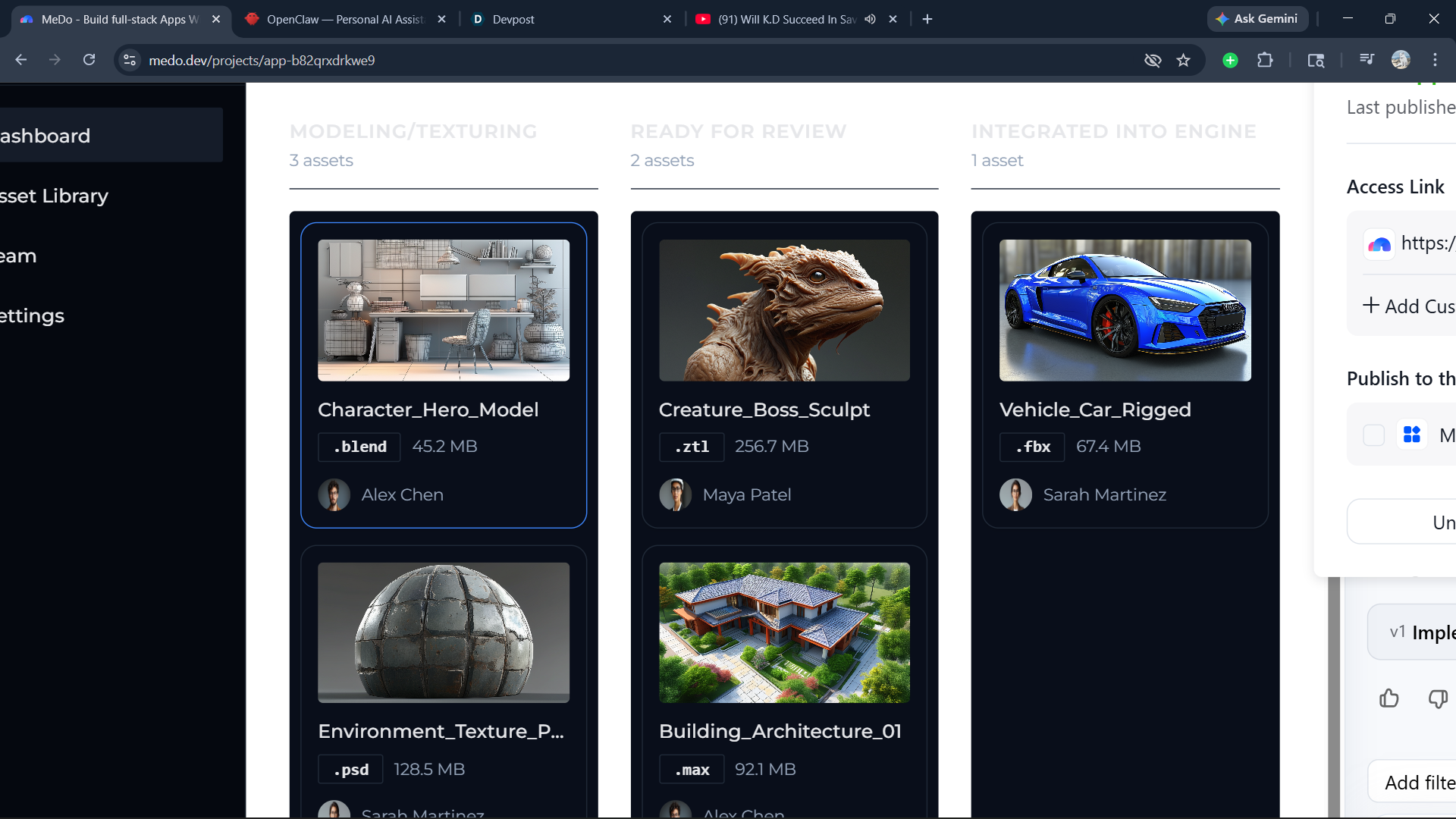
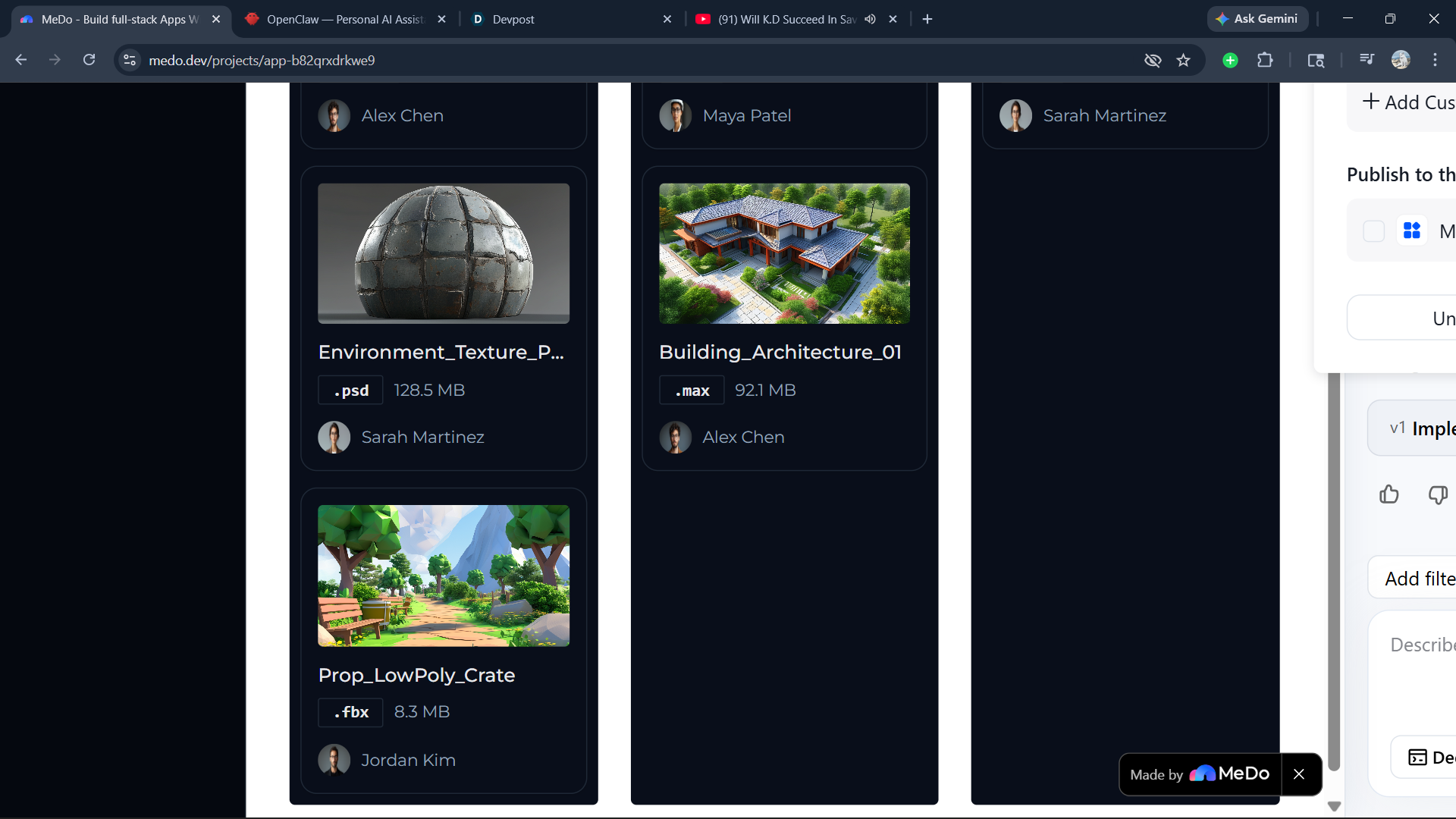
PipelineXR Sync is a centralized, Kanban-style productivity dashboard tailored specifically for technical art and XR development teams. It tracks 3D assets through three critical stages:
- Modeling/Texturing (In Progress): Where raw assets live.
- Ready for Review: Where leads can check polycounts and topology.
- Integrated into Engine: Fully deployed assets ready for production. Each asset card displays critical metadata like file type (.blend, .fbx), file size, assigned team member, and a visual thumbnail, ensuring everyone is aligned before an asset ever hits the engine.
How we built it
I built PipelineXR Sync entirely using the MeDo AI platform. I started by using natural language to define a strict data model for 3D assets, ensuring the database could handle specific metadata requirements. From there, I iteratively prompted MeDo to construct the frontend UI, focusing on a clean, dark-mode aesthetic that mirrors professional 3D software environments. I guided the AI to implement the drag-and-drop Kanban functionality and the sidebar navigation.
Challenges we ran into
The biggest challenge was guiding the AI to understand the specific workflow of a 3D pipeline. Getting the state-management right—ensuring that when an asset moves from "Review" to "Integrated," the associated metadata tags update correctly—required highly specific, structured prompting and several iterations to perfect.
Accomplishments that we're proud of
I am incredibly proud of transforming a highly technical, niche workflow problem into a sleek, functional web application purely through natural language. PipelineXR Sync looks and feels like a bespoke internal tool that a modern studio would use.
What we learned
Building with MeDo reinforced the importance of architecture in prompt engineering. I learned that asking the AI to establish the backend data structures before touching the UI layout results in a much more stable and functional application.
What's next for PipelineXR Sync
The ultimate goal is direct API integration. I plan to connect PipelineXR Sync directly to Unity and Blender via custom plugins, so that moving a card to "Integrated" on the web dashboard automatically pulls the latest .fbx from the cloud directly into the Unity project hierarchy.
Built With
- ai
- dashboard
- medo
- no-code
- productivity-tool
- web-development

Log in or sign up for Devpost to join the conversation.