-
-
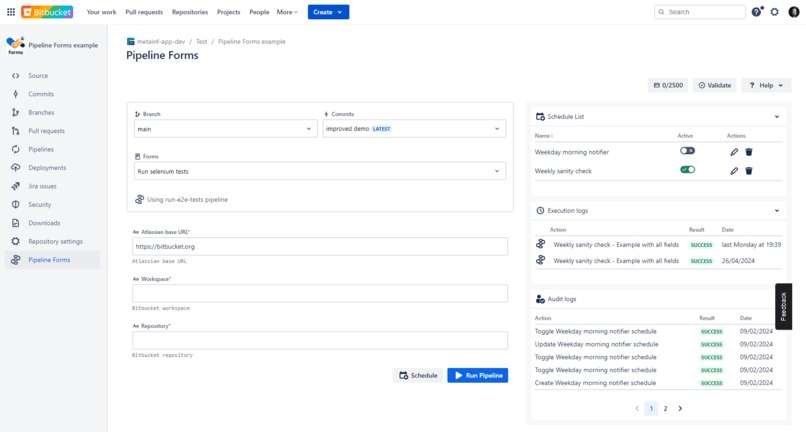
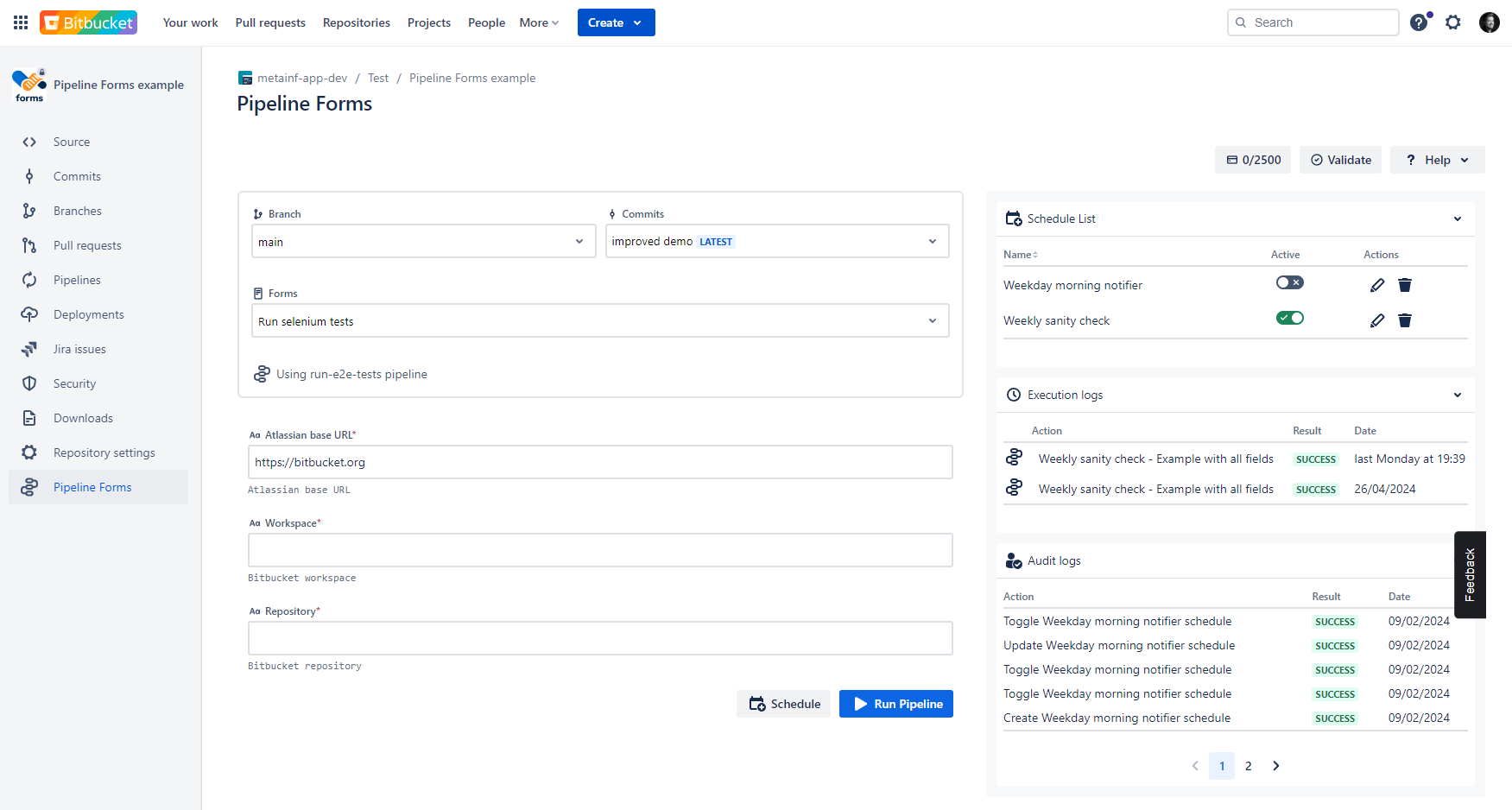
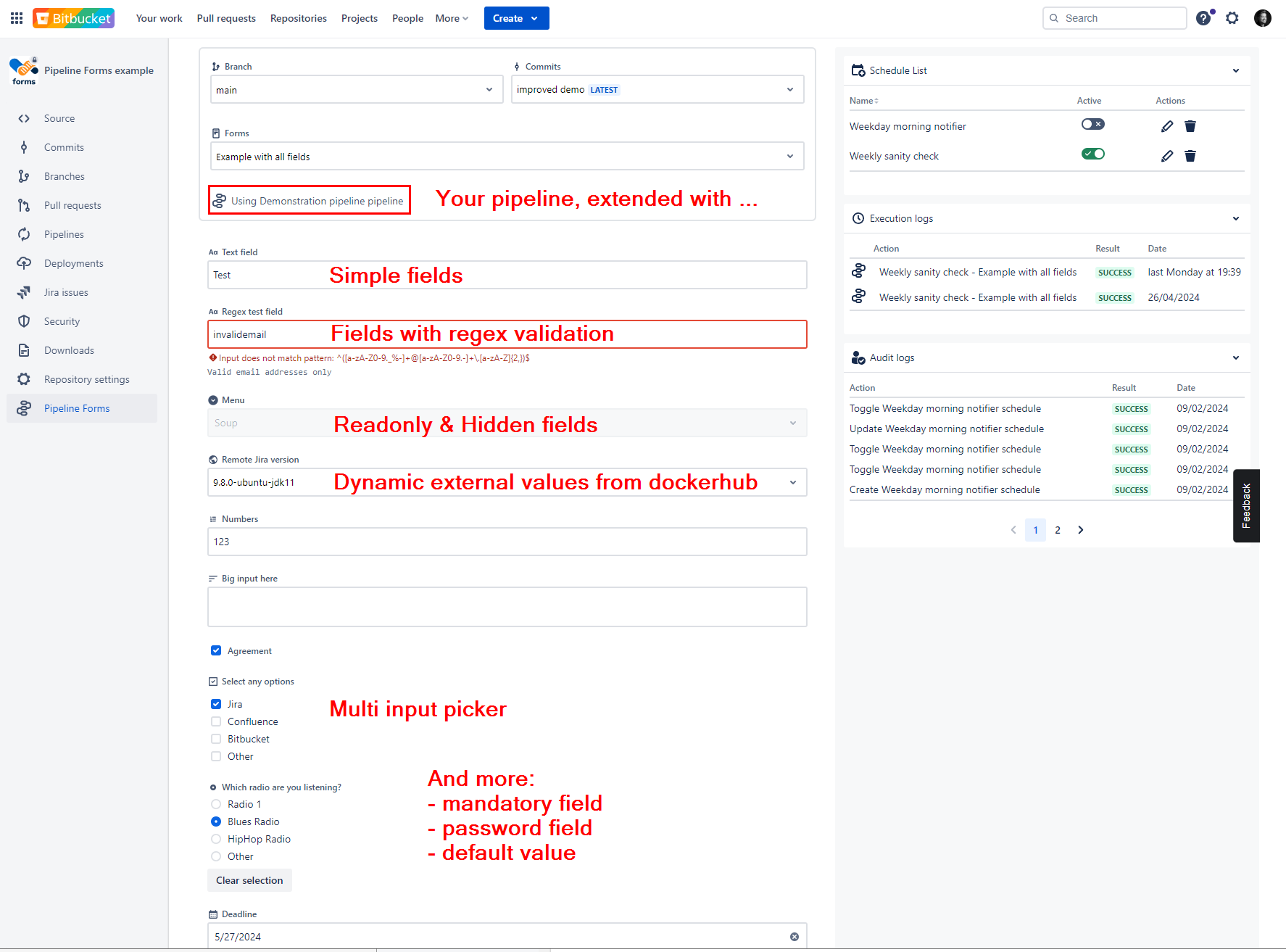
Select a commit, pick a form, execute, check audit and execution logs
-
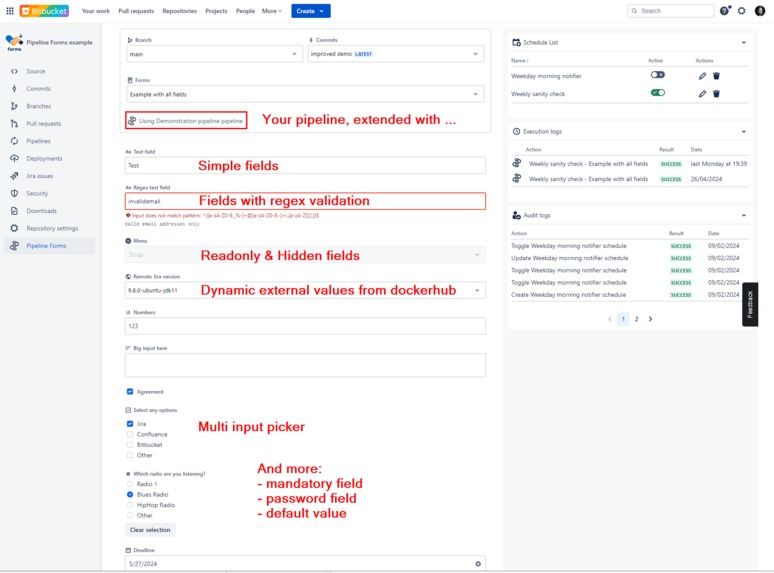
Create forms with plenty of field types and several options
-
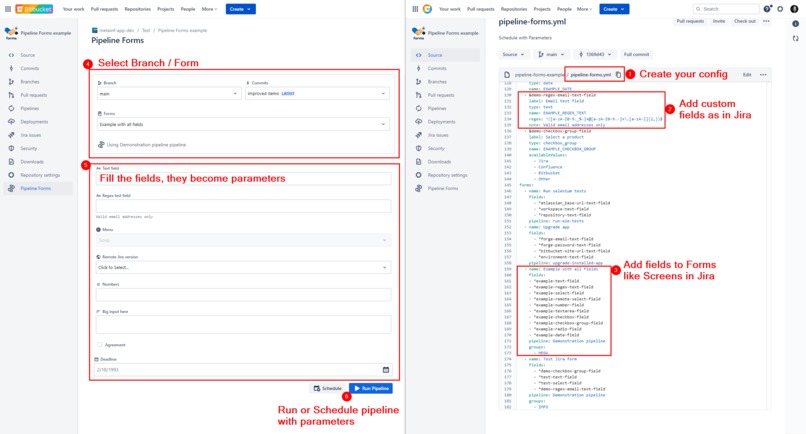
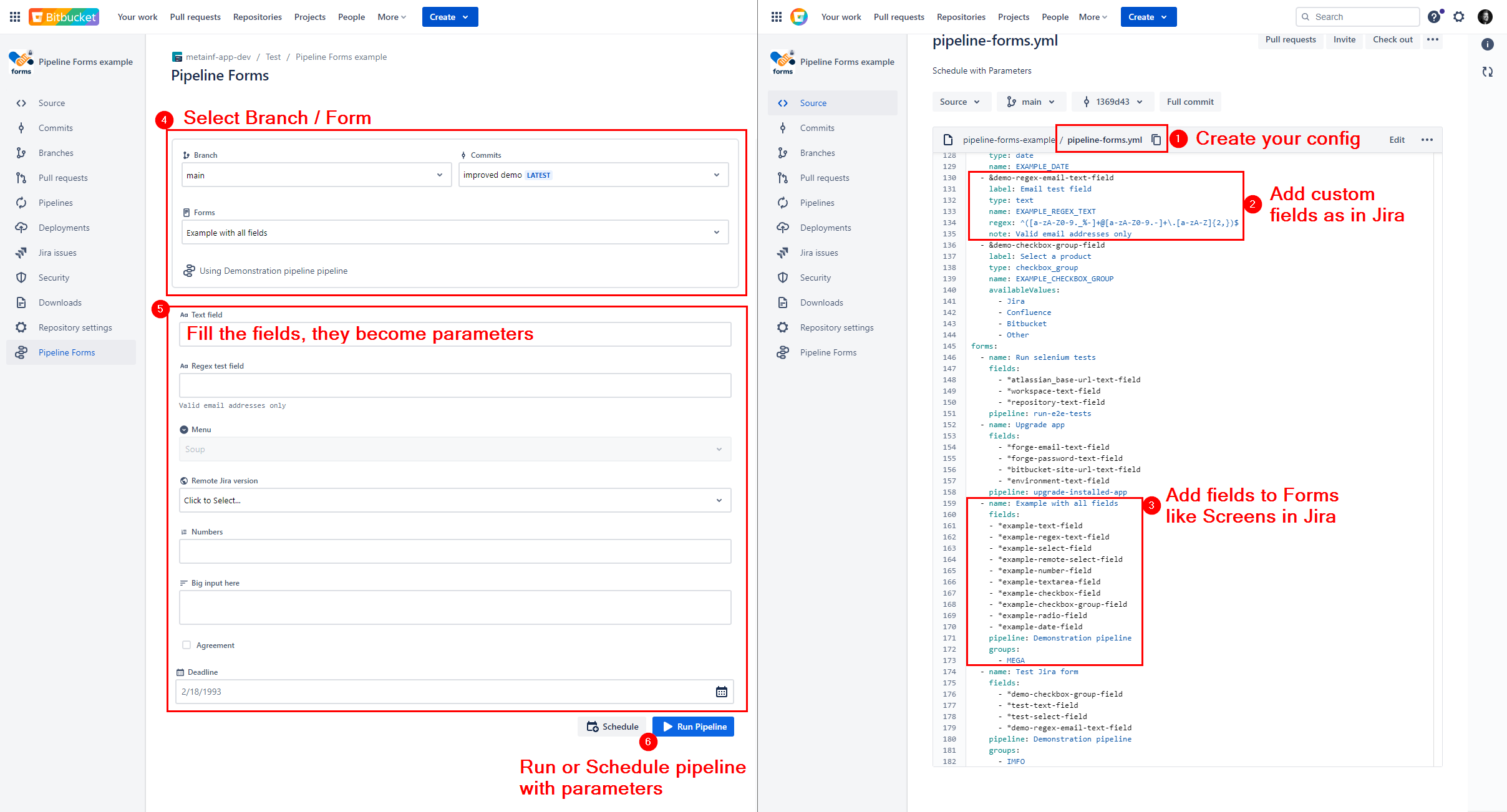
Your forms stored in pipeline-forms.yaml, version controlled
-
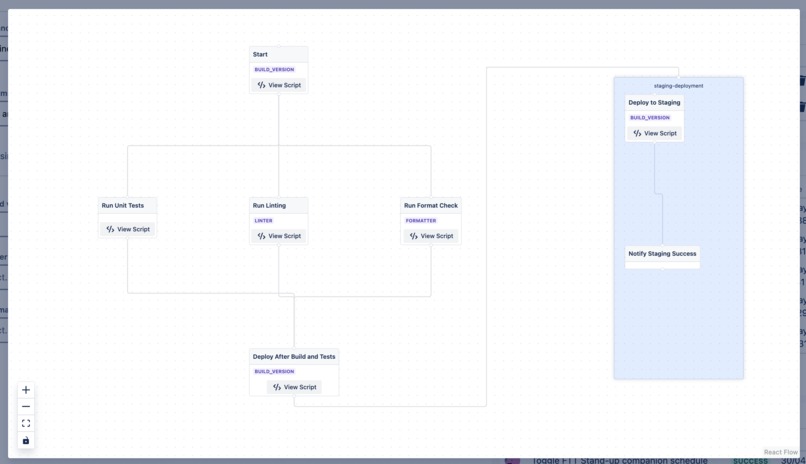
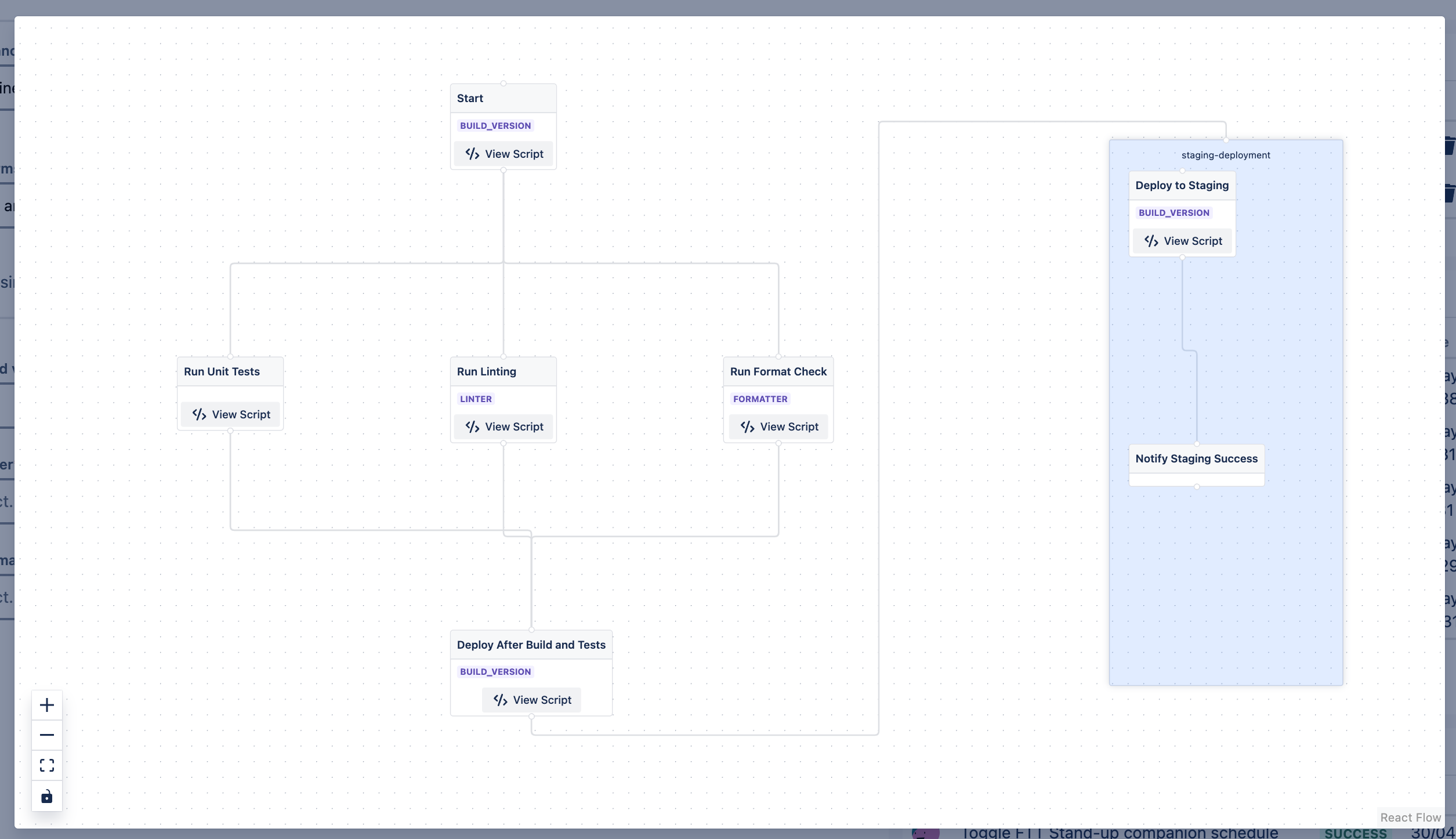
NEW - visualize pipeline hierarchy, highlight form variable usage
-
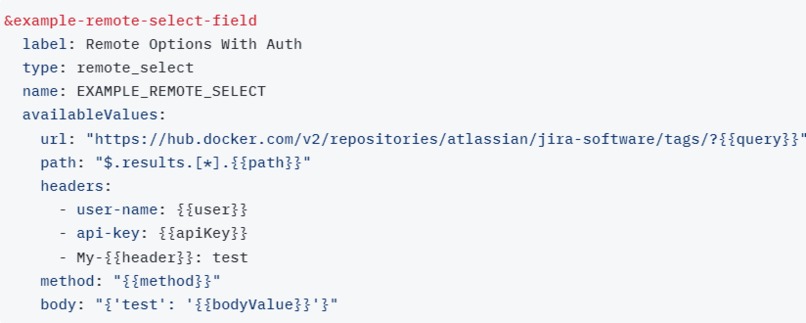
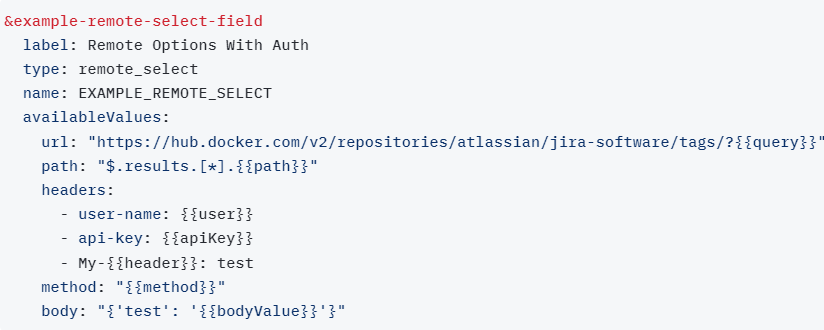
NEW - remote fields with headers and authentication -> access any data from your tools
-
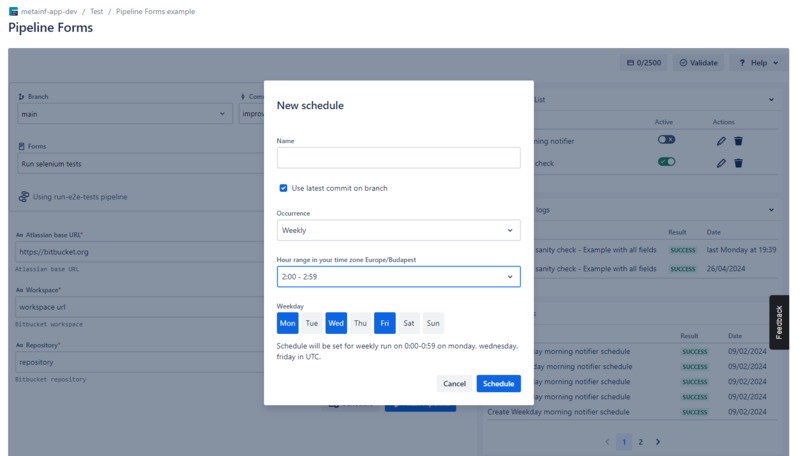
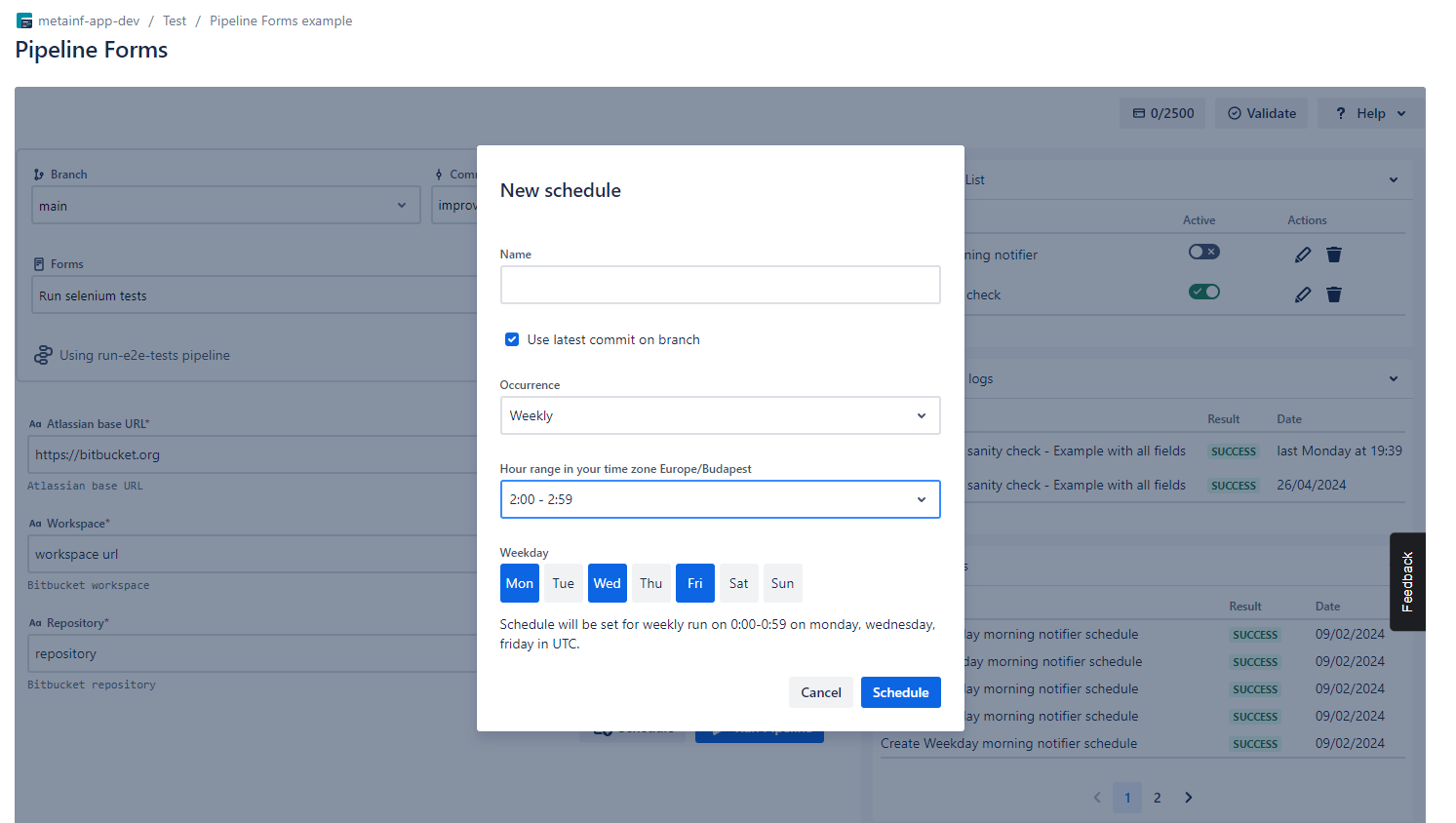
Schedule pipelines with forms
-
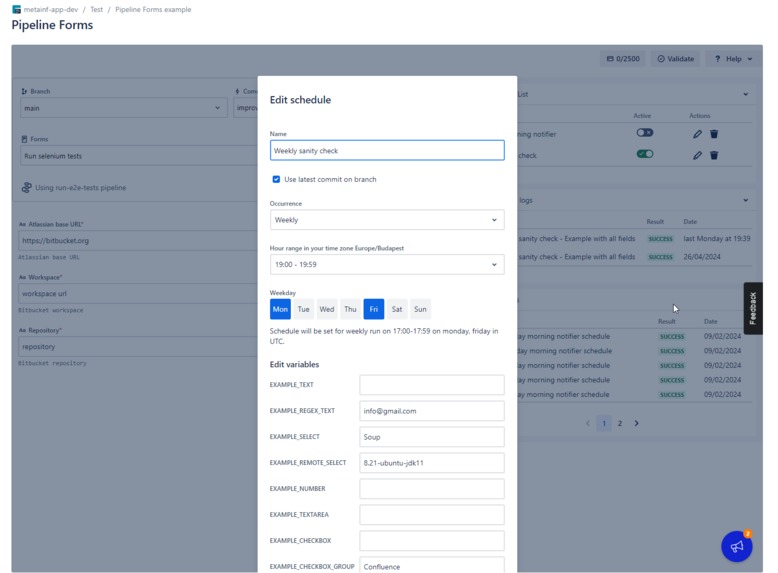
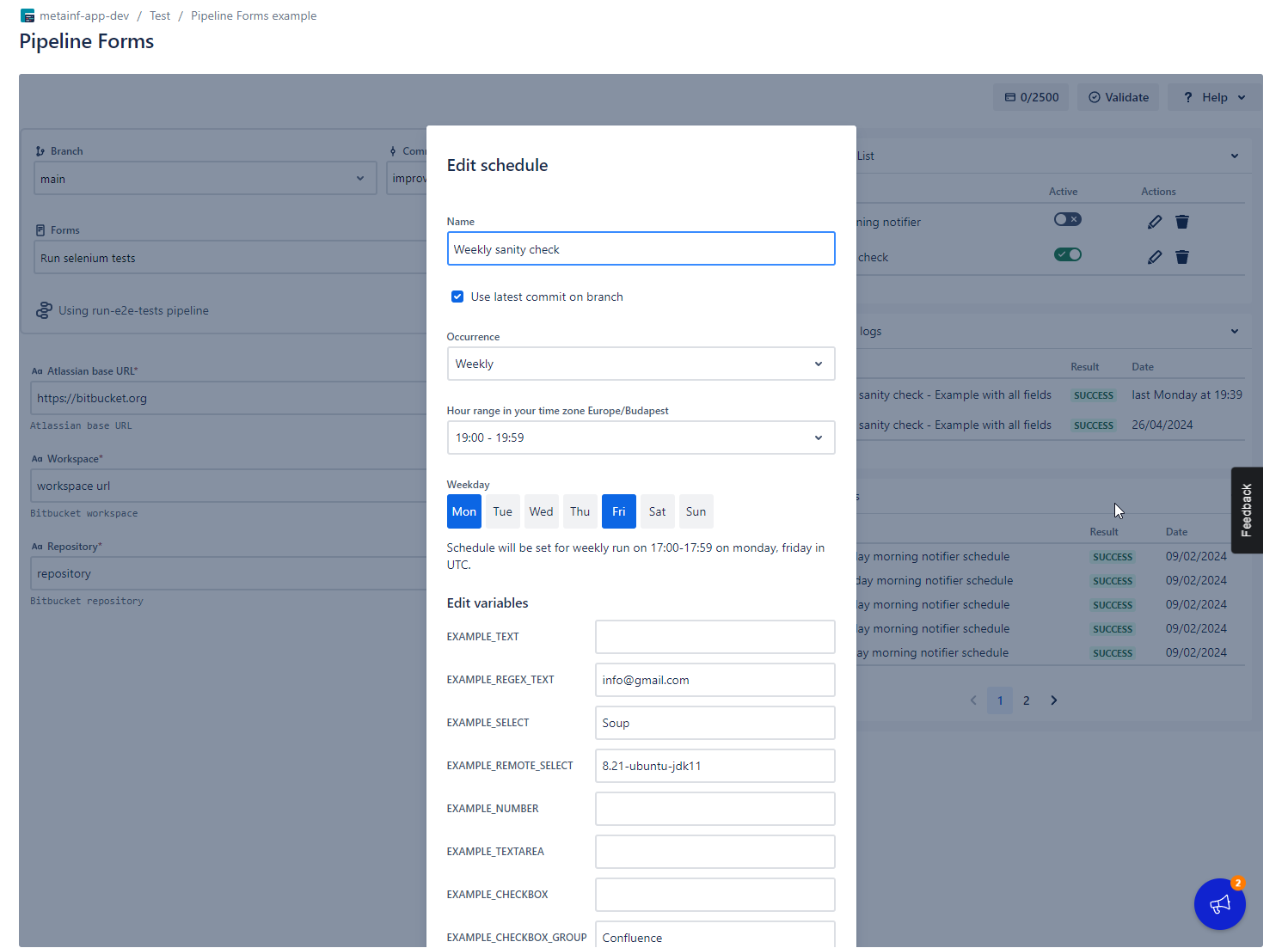
Edit scheduled forms
-
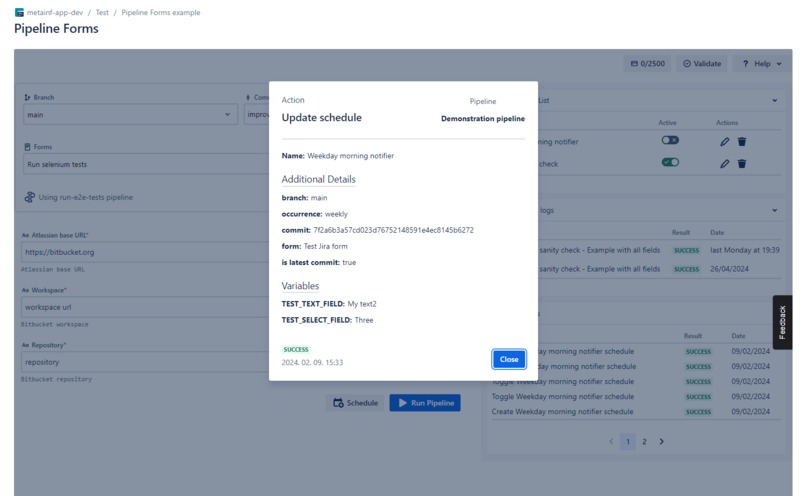
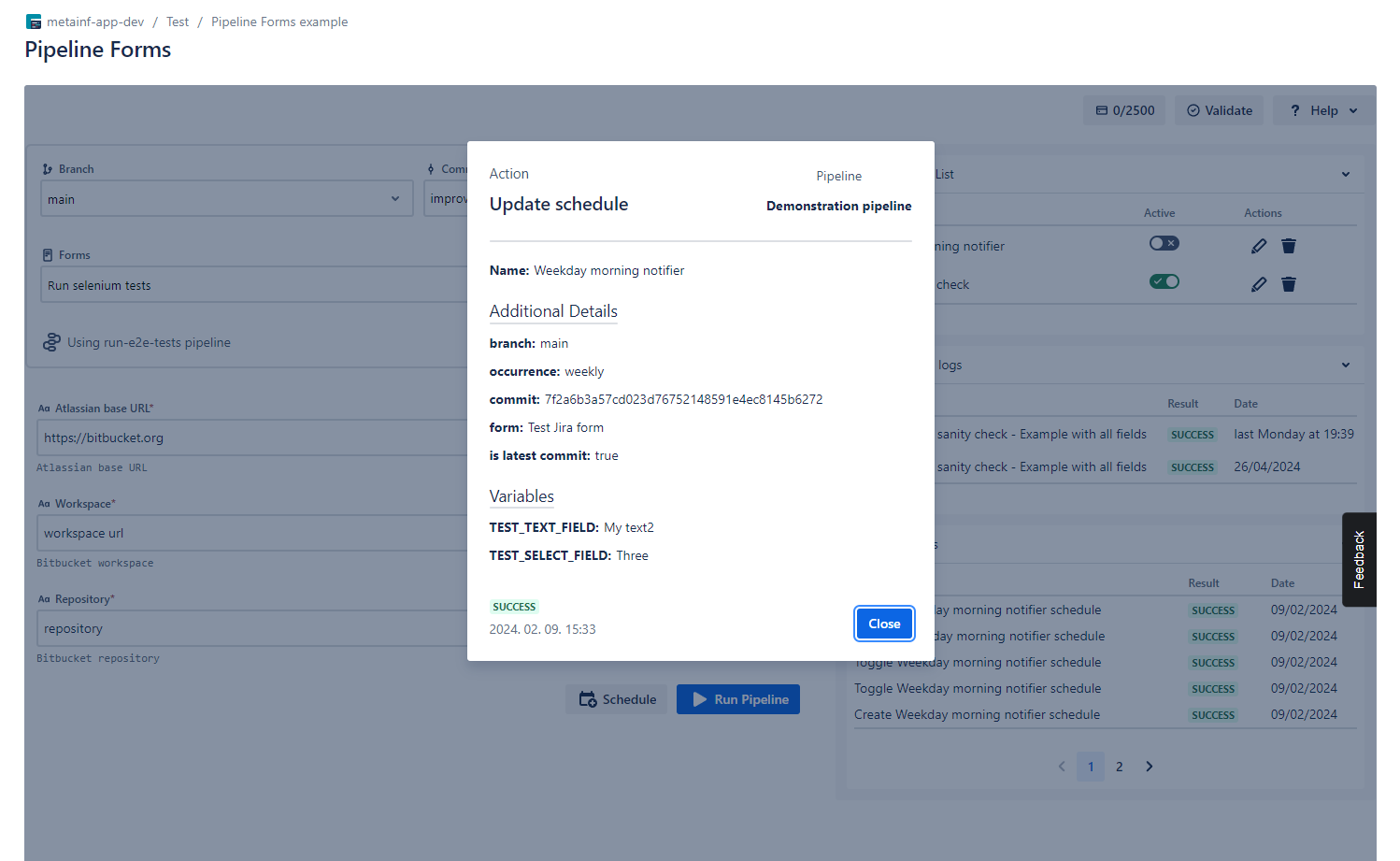
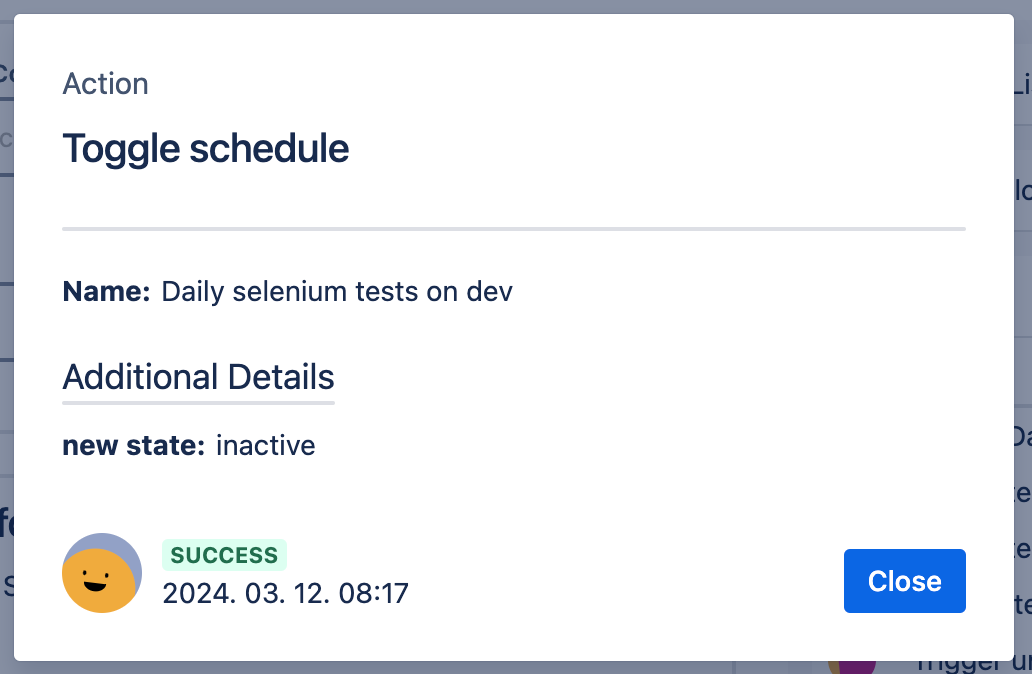
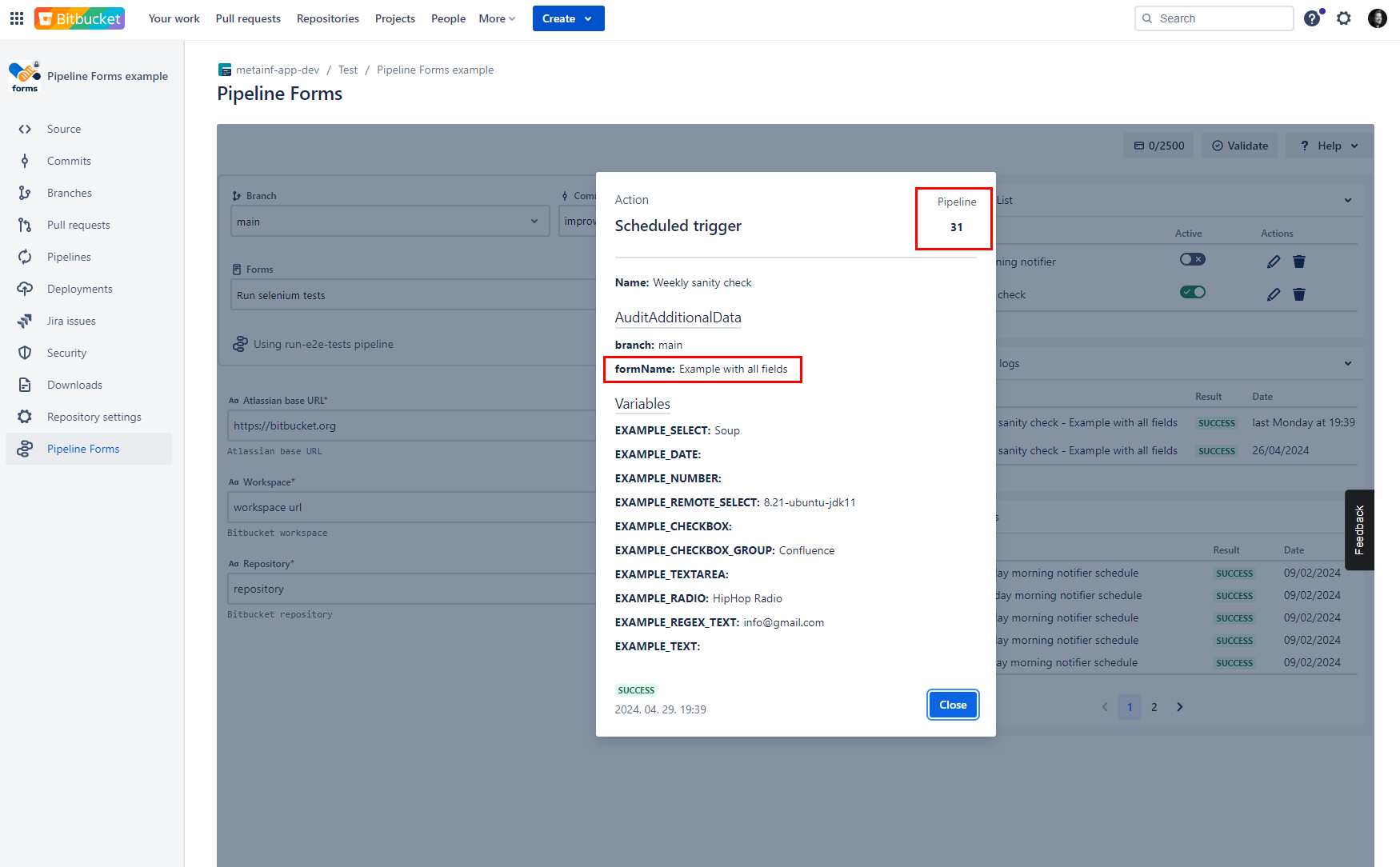
Check audit logs (who changed what)
-
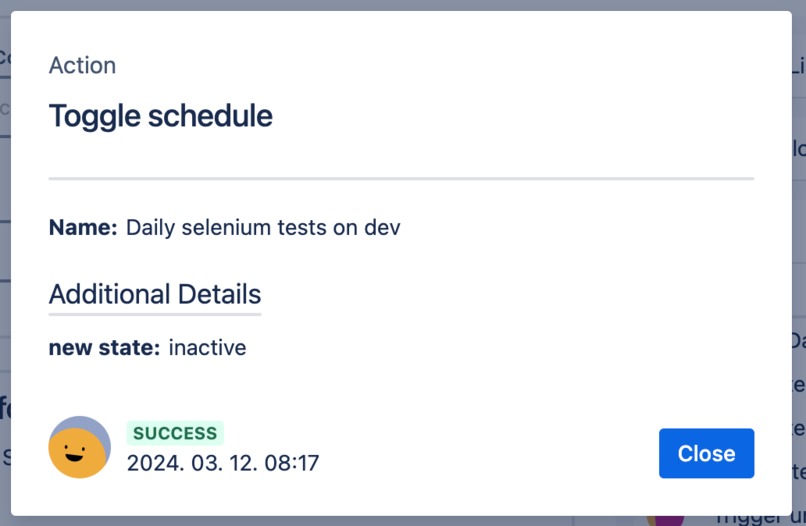
NEW - cool emojis in audit logs
-
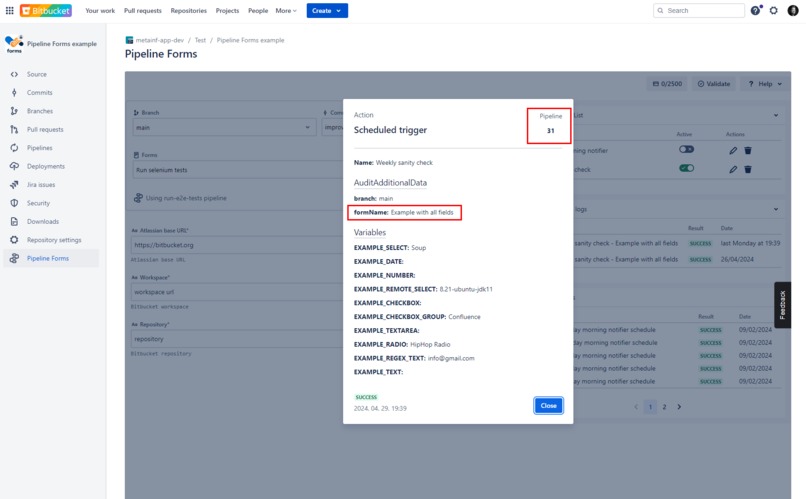
Check execution logs (which pipelines we executed)
-
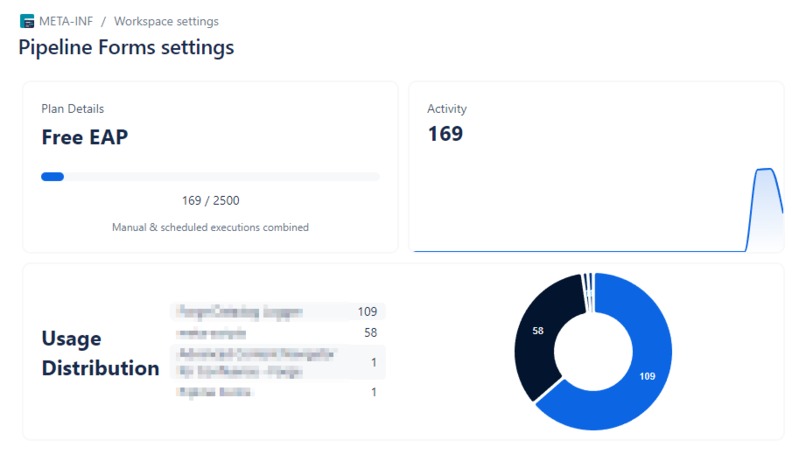
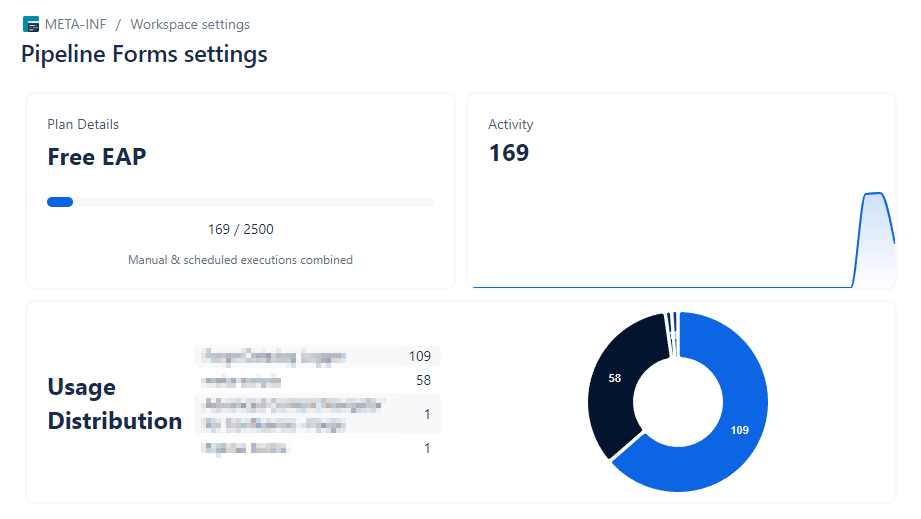
Usage statistics
Inspiration
Our inspiration stems from our extensive experience building Atlassian apps on Bitbucket Cloud. Over time, our customization needs grew significantly. We used pipelines for app builds, testing, and releases, as well as unconventional tasks like scheduling stand-up bots and managing Jira and Confluence test environments. We needed an interface to trigger dynamic processes where details, like test suites or Jira versions, constantly changed. Instead of duplicating and continuously maintaining pipelines, we wanted well-parameterized DevOps scripts triggered via intuitive input forms. That need gave rise to Pipeline Forms.
What it does
Pipeline Forms lets you create a pipeline-forms.yaml in your repository, enabling you to design custom forms with various field types and attach them to a pipeline.

Similar to Jira, it supports fields like select, remote select (with authentication), text, number, checkboxes, radio buttons, and date. Each field can be customized with modifiers such as default values, available options, mandatory settings, secure (for passwords), hidden, readonly, and regex validation.

These forms make it easy to collect user inputs and execute pipelines seamlessly. You can manually trigger pipelines with the form or schedule them for recurring tasks like running tests overnight.
How we built it
We built our application using Atlassian Forge tools with Custom UI, leveraging TypeScript for a robust and scalable codebase. By integrating UI libraries and React tools, we crafted an intuitive and responsive user interface, ensuring a seamless experience for end users. This combination of modern development frameworks and Forge’s cloud-based capabilities allowed us to deliver a highly functional and innovative solution.
Challenges we ran into
One of the biggest challenges we faced was the incomplete integration of the Bitbucket API with Atlassian Forge, which limited some of the ideas we wanted to implement. Additionally, an unexpected downgrade of the TypeScript version on the platform side forced us to quickly adapt our pipeline and adjust our codebase to maintain compatibility. Despite these hurdles, we stayed resilient and resourceful, overcoming each obstacle to deliver our application successfully.
Accomplishments that we're proud of
We are proud to have built one of the first Bitbucket applications on the Atlassian Forge platform, pushing the boundaries of what’s possible in this emerging ecosystem. Navigating the complexities of early access preview features, we successfully adapted to the evolving platform landscape, leveraging innovative solutions to deliver a functional and scalable application. Our ability to overcome challenges and contribute to the pioneering use of Forge highlights our dedication and technical ingenuity.
What we learned
Throughout the hackathon, we gained valuable experience building a robust pipeline for TypeScript within the Atlassian Forge ecosystem, enabling efficient code transpilation and deployment. We implemented a logging mechanism that provided critical insights into application behavior, helping us diagnose issues and ensure smooth performance. We honed our ability to adapt to platform changes, navigating updates and limitations with agility while leveraging documentation and community resources. Designing the software architecture was a rewarding challenge, balancing scalability, maintainability, and user needs to create a future-ready solution. Additionally, we refined our approach to user feedback collection, learning how to gather actionable insights and seamlessly integrate them into our iterative design and development process. These experiences enhanced our technical expertise and adaptability, preparing us for future challenges.
What's new for Pipeline Forms
Development began earlier this year, but we dedicated two intense weeks during the hackathon to innovate and enhance the app. Here's what we added:
Pipeline Visualization: displaying pipelines and highlights form variables for better clarity.

Enhanced Remote Fields: Supports headers, body, and methods (via variables), enabling a dynamic population of select fields with authenticated data from external systems like Jira, Confluence, HubSpot, SAP, and any of your tools!

Audit Log Enhancements: Added fun emojis for a more engaging experience.

What's next for Pipeline Forms for Bitbucket Cloud
We have ambitious plans to enhance internal DevOps workflows, but we're equally excited to incorporate feedback from our future customers. Conditional fields are a top priority on the feature front, as they would add significant flexibility. We're also exploring extending the pipeline visualizer into a full-fledged editor, enabling users to design and edit pipelines graphically directly within Bitbucket.
Built With
- amazon-web-services
- atlassian-design-tokens
- atlassian-ui-kit
- custom-ui
- forge
- forge-entities
- react
- typescript


Log in or sign up for Devpost to join the conversation.