-
-
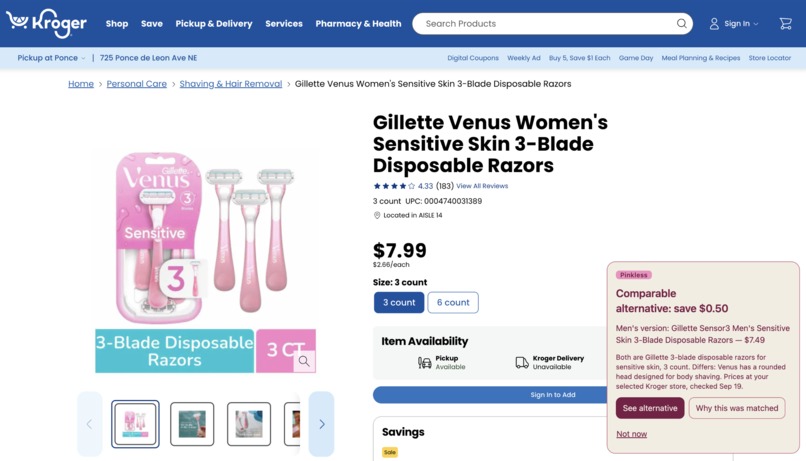
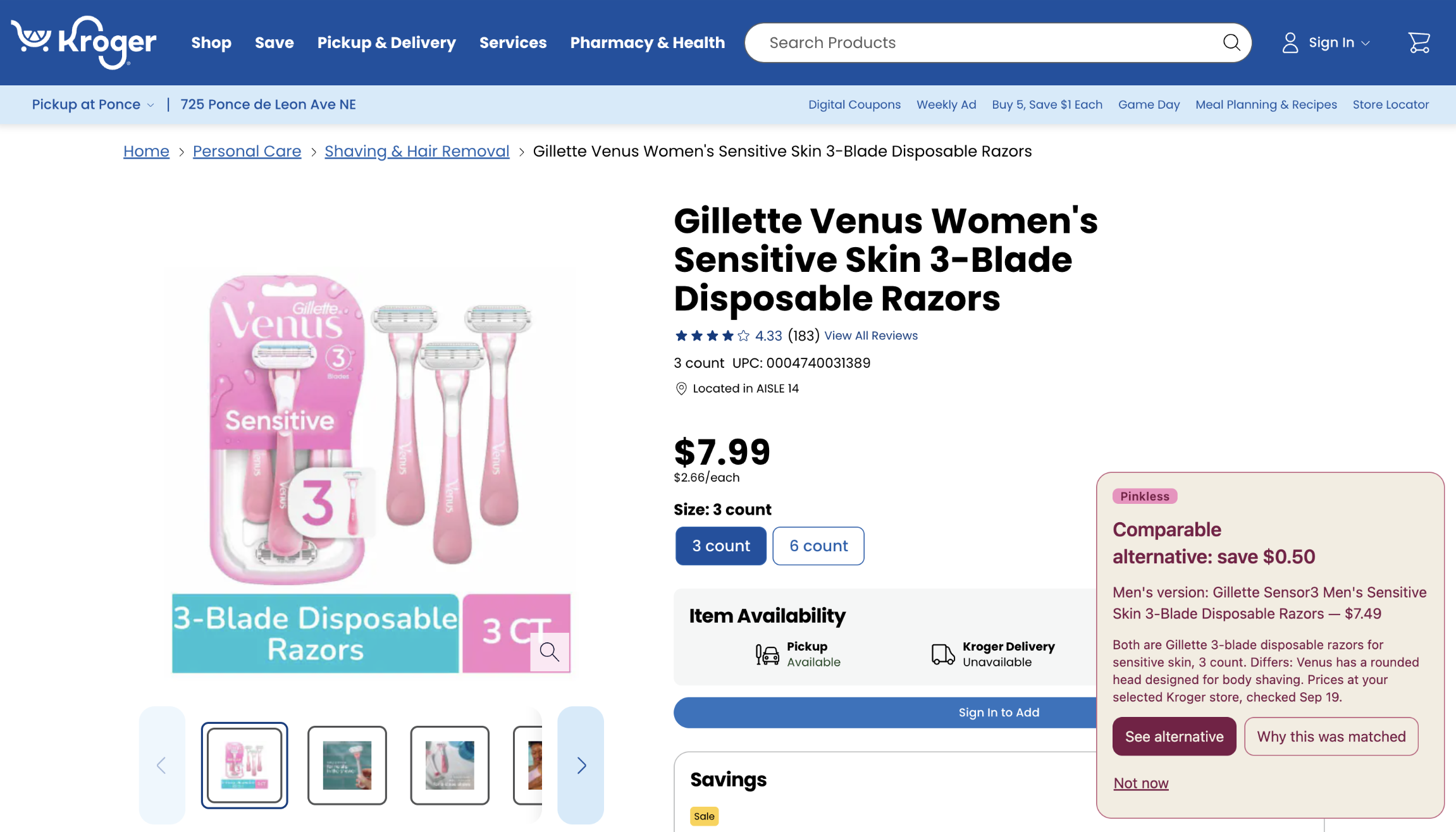
Chrome extension being used to notify user of price difference in razors
-
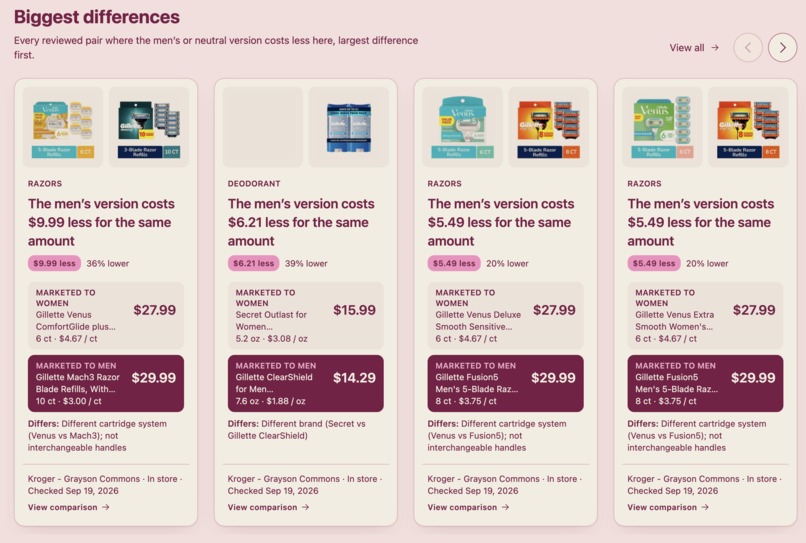
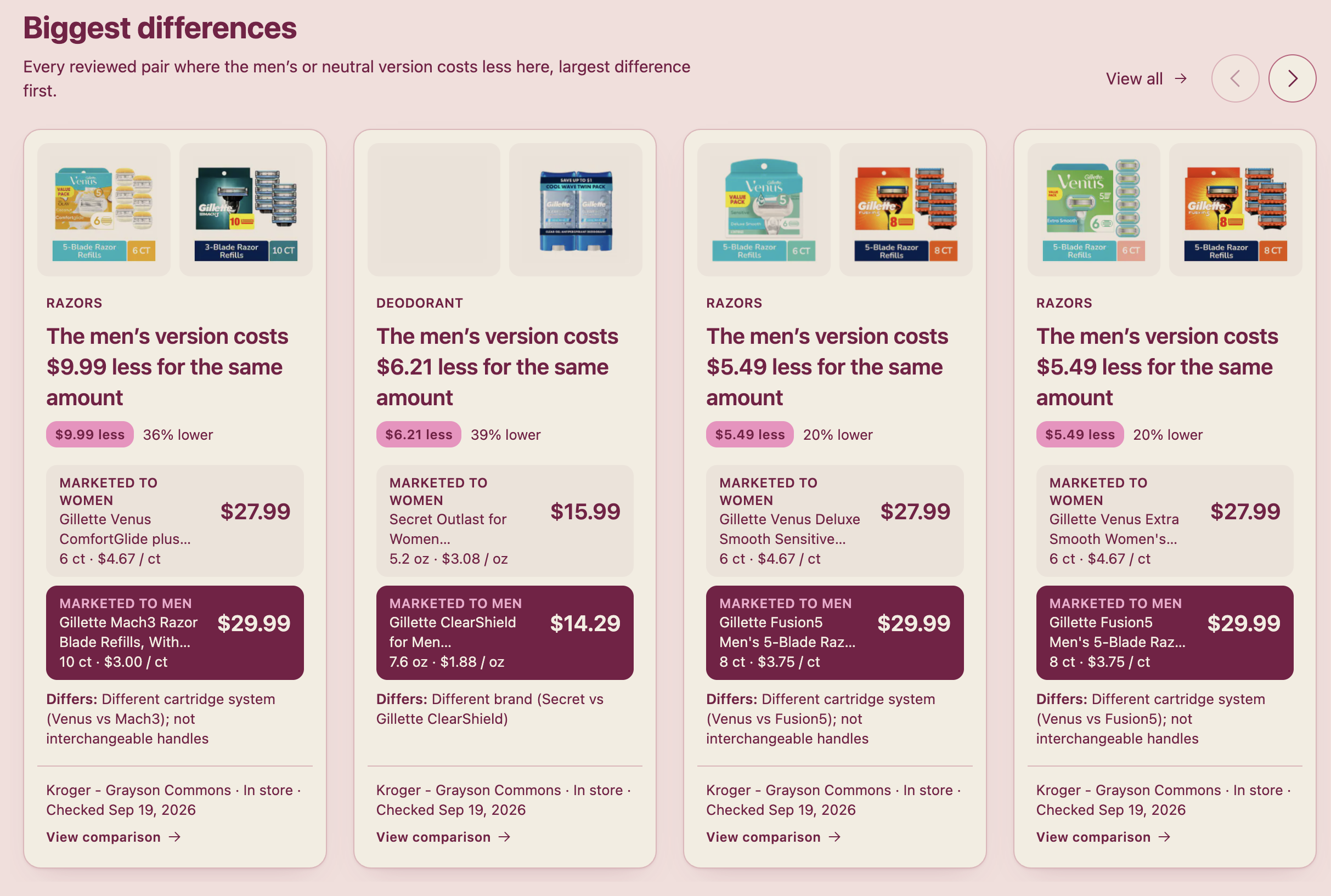
Marketplace displaying the biggest price differences from the user's local store
Inspiration
Products marketed to women often cost more than nearly identical products marketed to men: razors, deodorant, body wash (etc). This is widely called the "pink tax." Most shoppers never notice it, because the two versions sit in different parts of the aisle and nothing puts them side by side.
What it does
Pinkless is a Chrome extension and a companion marketplace. Pinkless checks whether a comparable men's or unisex version costs less at your local retailer. On the marketplace, you pick your local retailer by ZIP code. If it does, a small badge appears with the lower price, the saving, why the two products match, what still differs, and links to both product listings.
How we built it
Extension (Manifest V3). A Kroger page adapter reads the product ID and page price, then renders one keyboard-accessible badge inside a Shadow DOM root. It POSTs a product identity plus store to our API and renders the answer.
Marketplace (React + Vite on Vercel). ZIP, store pricker, comparison feed. The store lives in the URL, so there are no accounts, no cookies, no tracking, and a comparison is just shareable link.
Gemini Integration: Gemini is integrated as a private, server-side review assistant. It analyzes verified Kroger product metadata and suggests structured women’s-to-men’s or neutral product pairings.
Challenges we ran into
We looked at a third-party Amazon data service. Its data comes from scraping, and Amazon's online prices can't fairly be compared with Kroger's in-store prices. A gap between them could just be the difference between Amazon and Kroger, which would undermine the whole claim. We left it out.
Kroger prices vary by store, so every comparison needs a store. We built a ZIP → store picker and made "which store, and when we checked" a required part of every comparison, never hidden.
The price on the page can be a sale price or come from a different store than the one you picked. We price both products from the API and use the page price only as a consistency check. If they disagree, we stay silent rather than show a wrong number.
One of the main difficulties was getting Gemini to consistently return data in the exact structured JSON format our API expected.
Accomplishments that we're proud of
- The whole chain works with live data: Kroger's API → our server → the shared matcher → a badge in the extension and a card on the website, from real prices at a real store.
- It stays silent by default. An unknown product, an out-of-stock item, a price mismatch, a missing store, or no real saving all mean nothing is shown.
- 292 automated tests cover the matcher's suppression rules, catalog validation, the API routes, the Kroger adapter, the badge, and the website.
- Successfully integrating Gemini for pair reviewing.
What we learned
- Where data comes from matters as much as the code. Comparing prices from mismatched sources would have made our main claim meaningless.
- Official APIs shape the product: store-level pricing, rate limits, and ID formats all changed our design.
- Deciding when to show nothing is its own feature: a wrong badge costs more trust than a missing one.
- Keeping rules in one shared, fully tested matcher let the extension and the website move quickly without drifting apart.
What's next for Pinkless
- More reviewed pairs across all products, each checked in person.
- Publishing how many pairs we checked versus how many showed a gap, so the site shows the full picture and not only the pairs where women pay more.
- More retailers, but only through official data agreements, never scraping.
Built With
- apis
- chrome
- gemini
- html
- javascript
- json
- kroger-api
- manifest-v3
- node.js
- oauth2
- react
- rest-api
- serverless
- shadow-dom
- typescript
- vercel
- vite


Log in or sign up for Devpost to join the conversation.