-
-
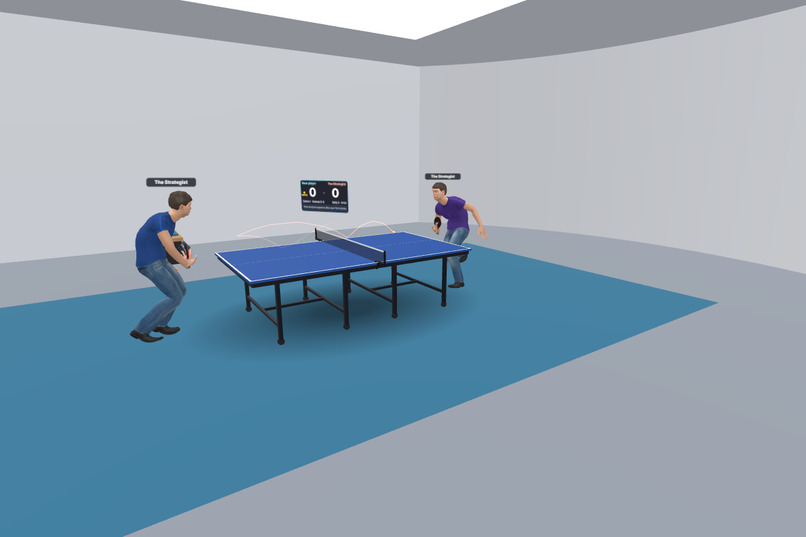
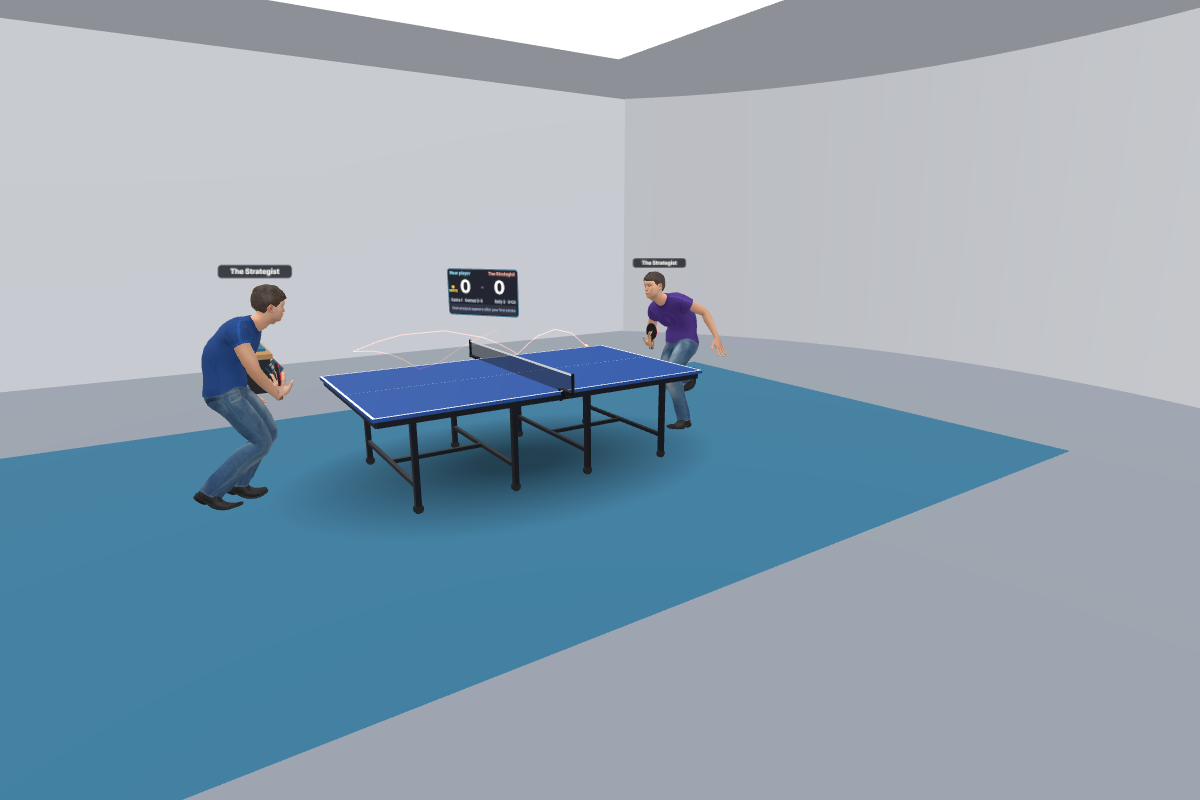
The Training Studio, a clean space for drills and challenges. Here two AI players rally in spectator mode.
-
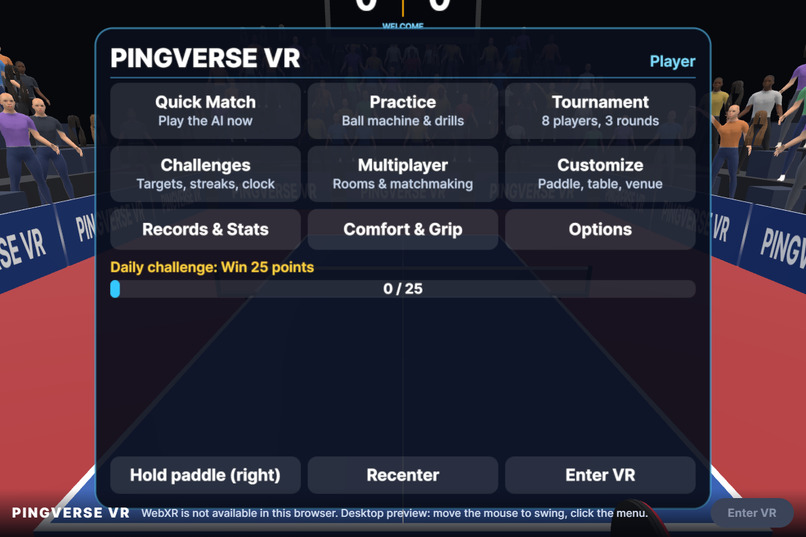
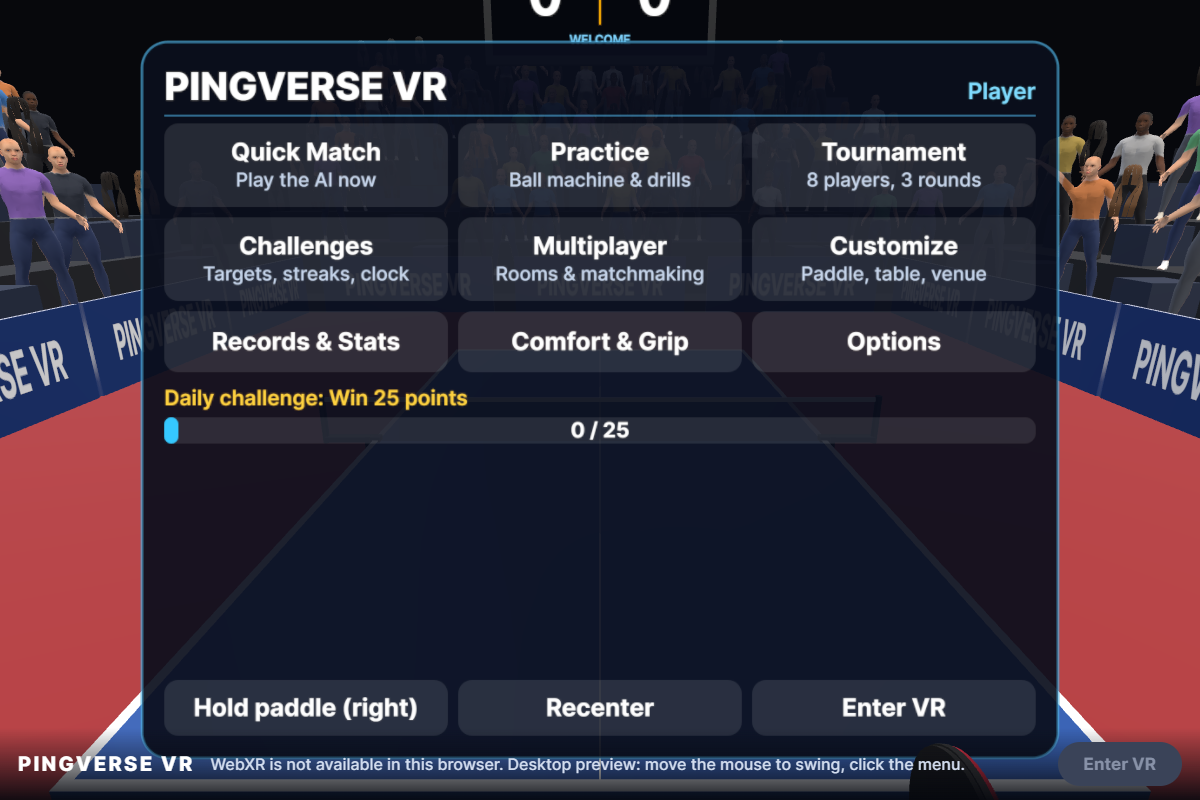
The start screen. Poke the menu with a fingertip on Quest, or click it in the desktop preview.
-
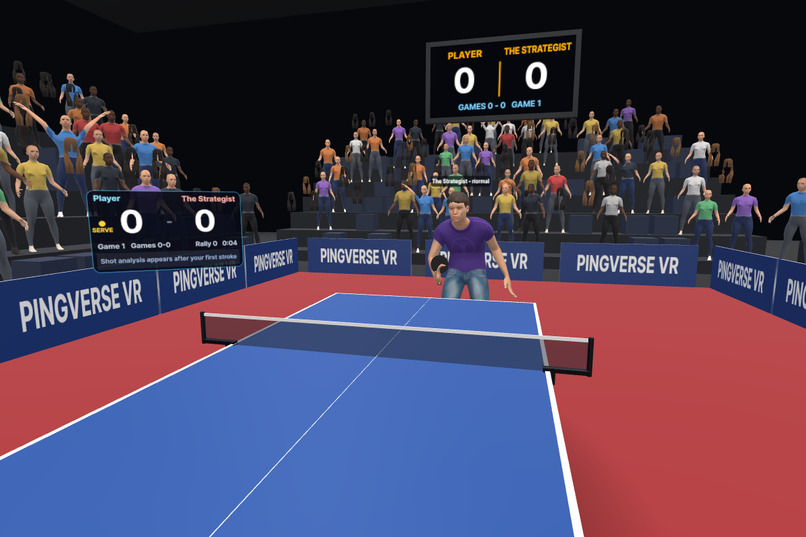
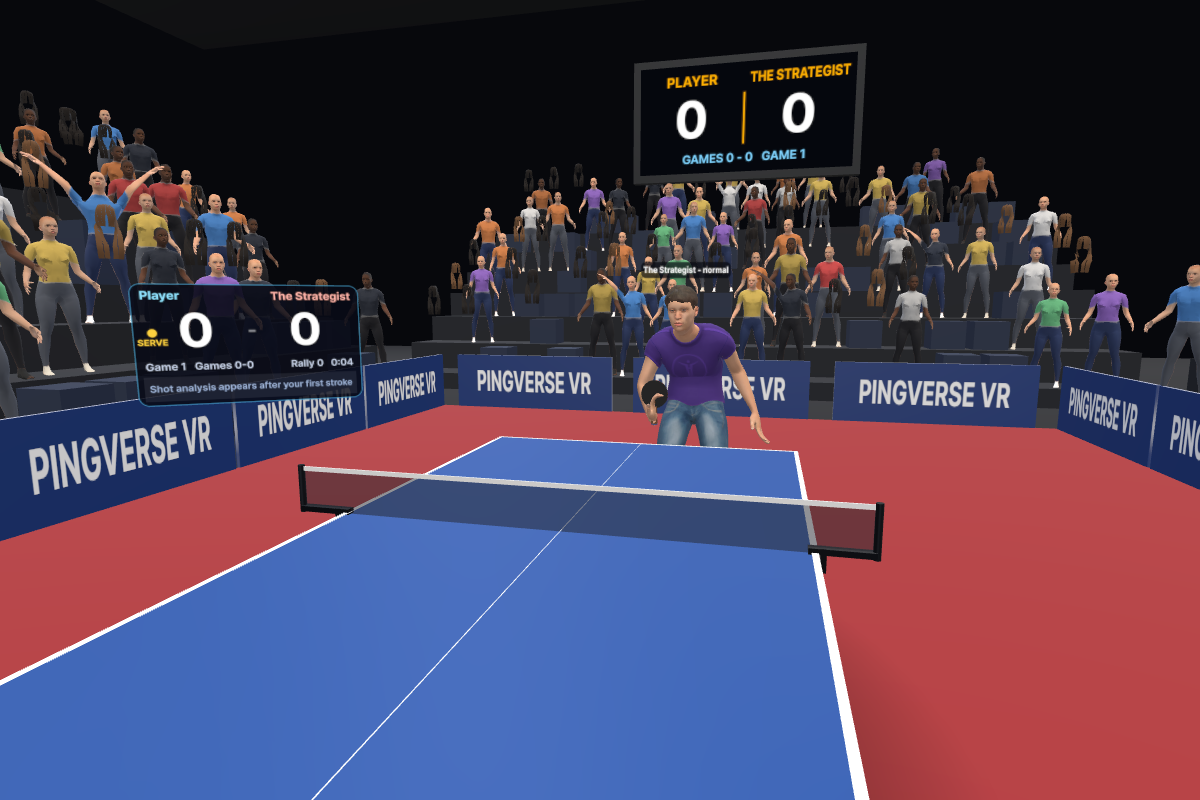
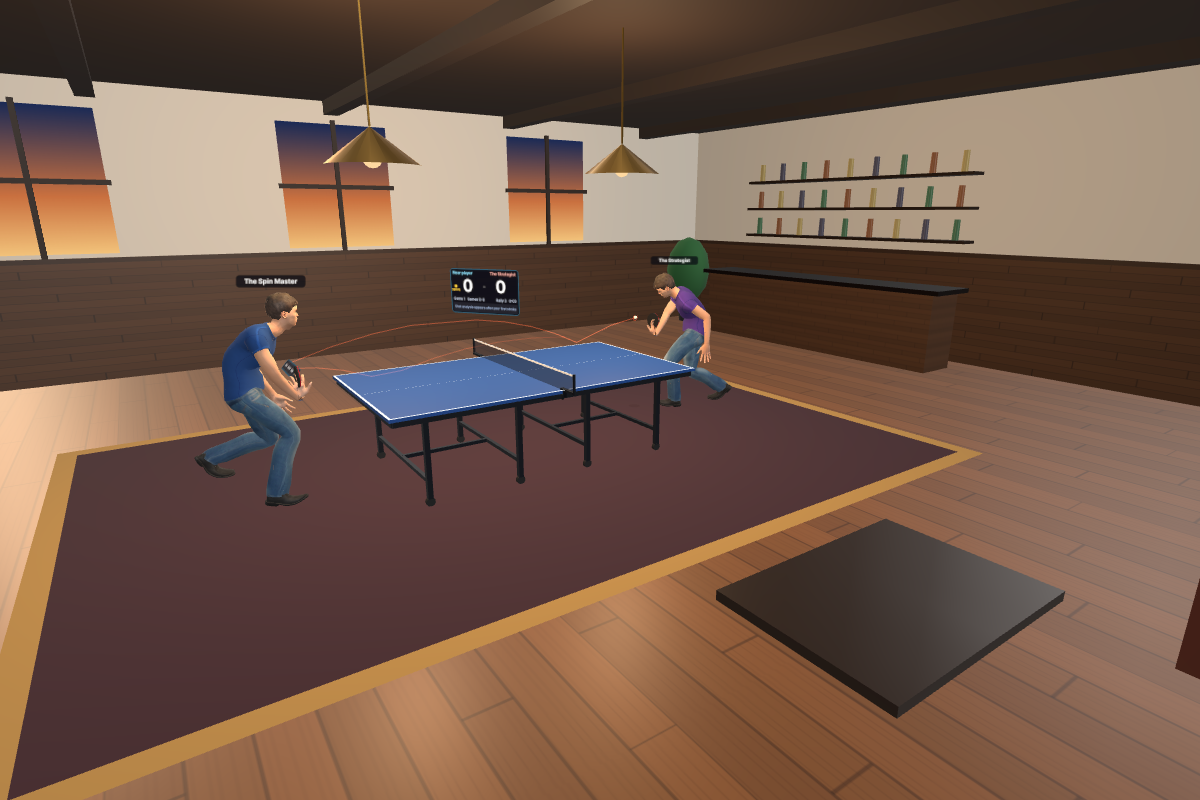
The AI opponent: a rigged human whose footwork and reach follow a real paddle through the same physics as yours.
-
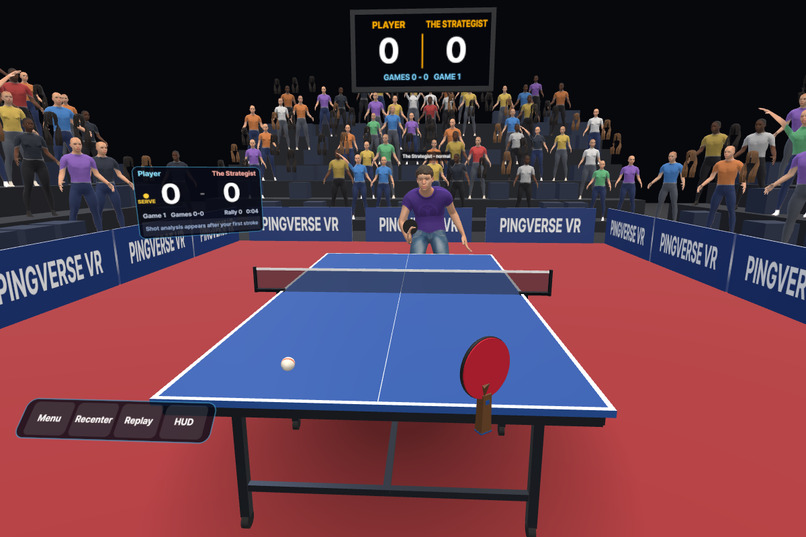
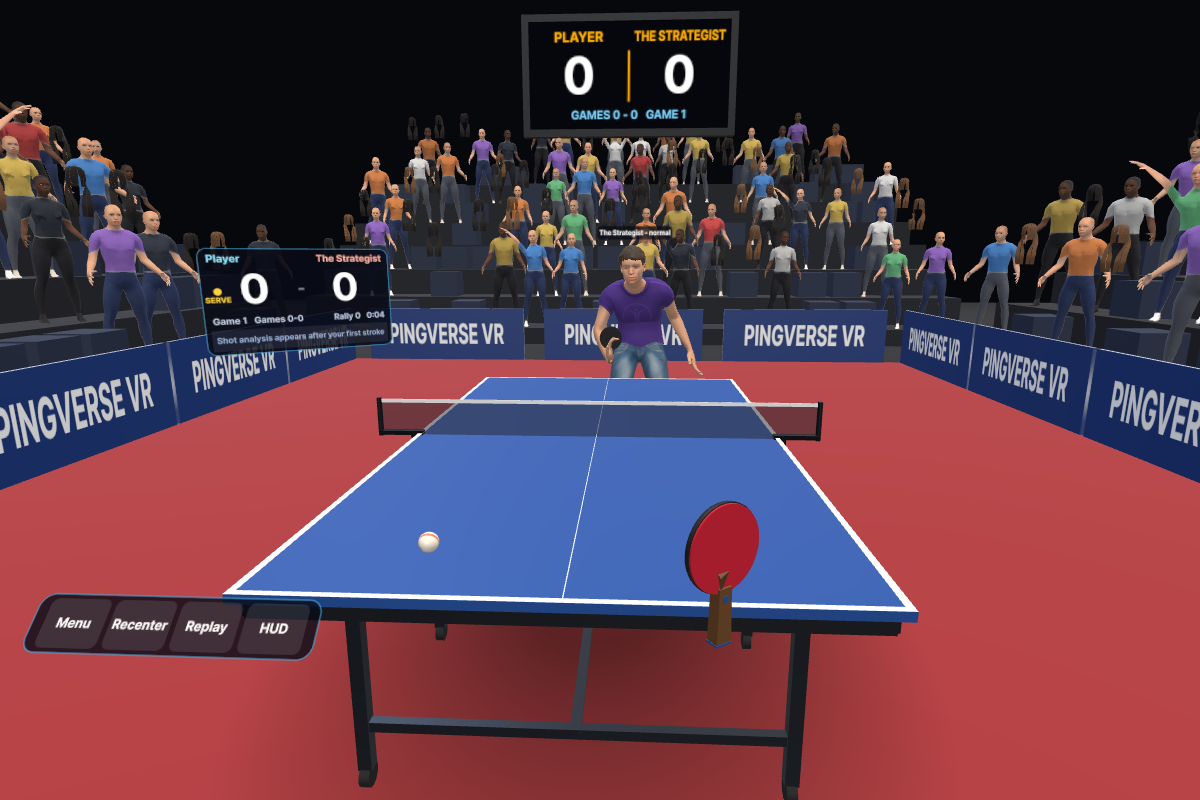
Your view at your end of the table: paddle in hand, the opponent waiting, a scoreboard you can poke beside you.
-
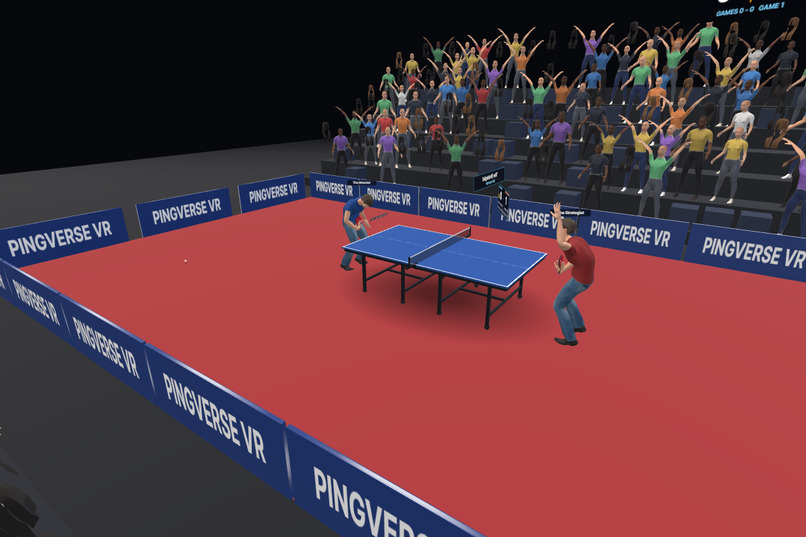
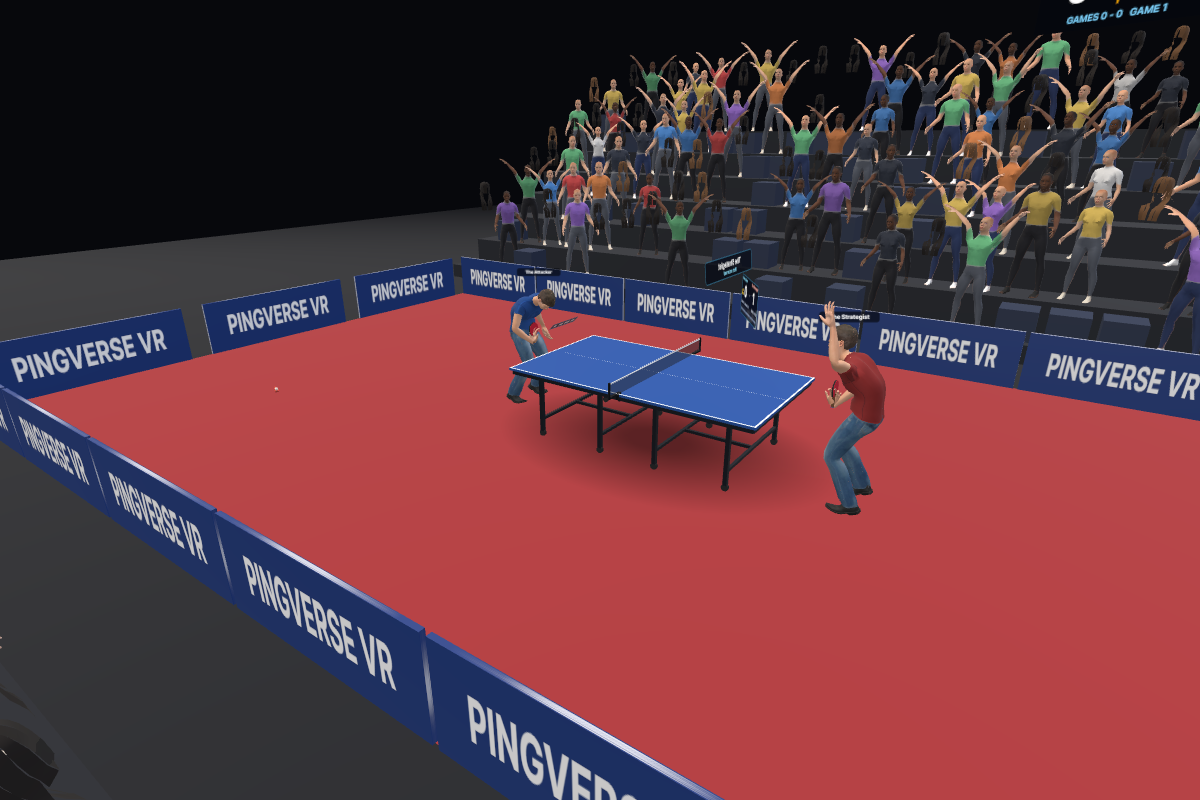
The Sports Arena: a regulation table and a few hundred animated spectators who cheer every point.
-
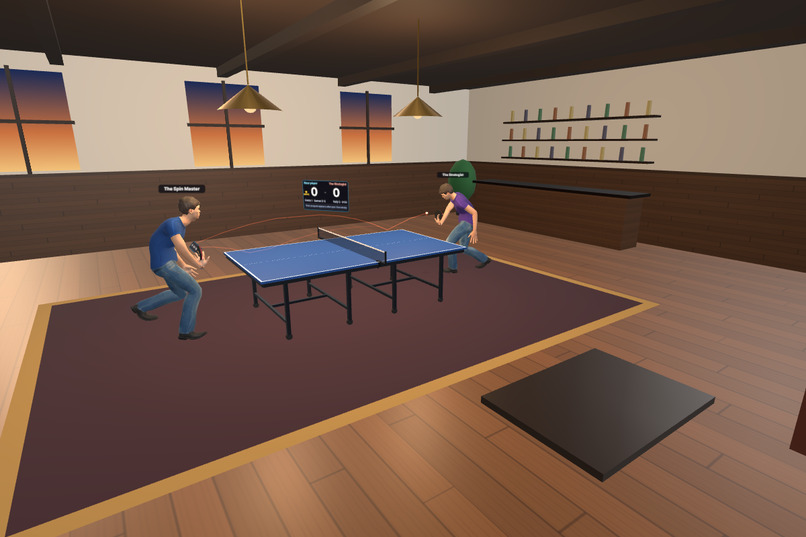
The Luxury Club: wood, brass lamps and a sunset. The trail shows the ball's real flight.
-
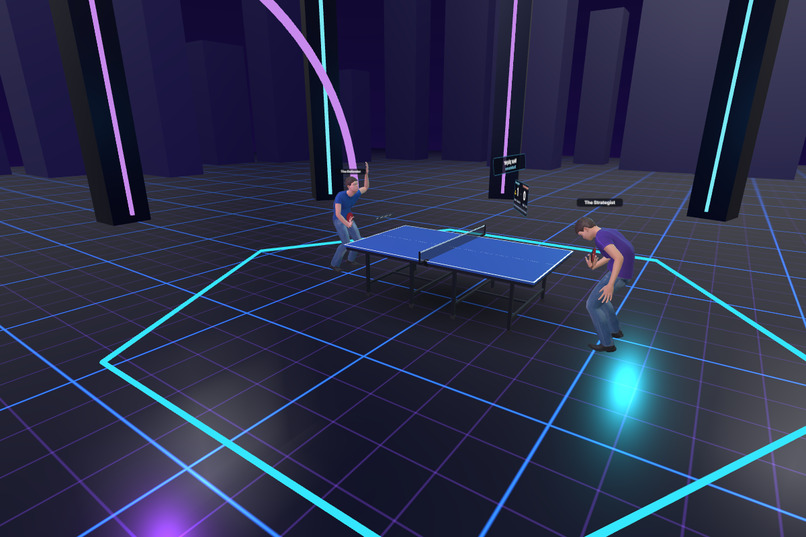
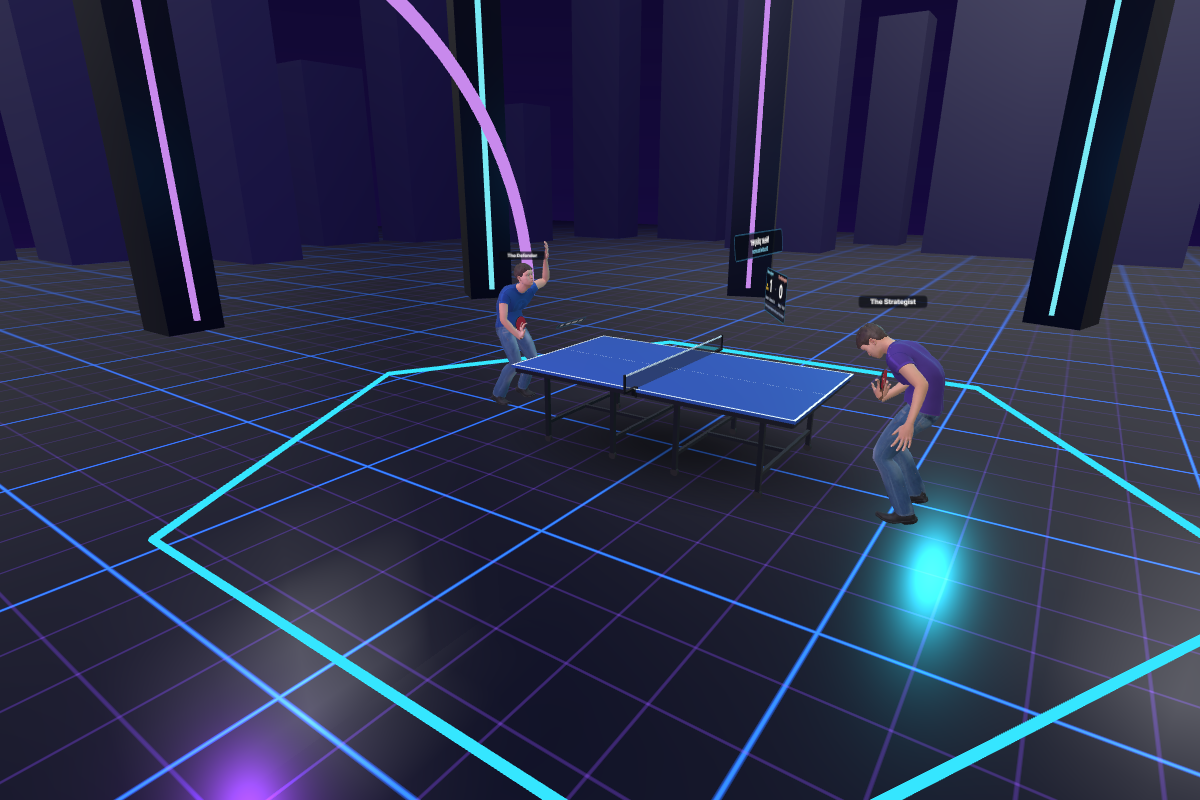
The Cyber Arena, a neon grid among the towers.
Inspiration
I've always been fascinated by the intersection of engineering, software development, 3D graphics and interactive experiences. One thing that particularly interested me about virtual reality was how naturally we could translate real-world activities into immersive digital environments.
Table tennis became an interesting challenge.
Unlike many VR games, table tennis depends heavily on the relationship between your hand, wrist, paddle angle, timing and movement. A conventional VR controller introduces an artificial layer between the player and the sport. It doesn't fully capture the feeling of holding and controlling a real paddle.
With Meta Quest's hand-tracking capabilities, I saw an opportunity to approach the problem differently.
What if players didn't need controllers at all? What if they could simply close their fingers, grip an invisible paddle, toss a ball using their other hand and play an actual game of table tennis?
That idea became PINGVERSE VR: an attempt to bring the physical experience of table tennis into an immersive, controller-free environment.
What It Does
PINGVERSE VR is a first-person, hand-tracked table tennis experience designed for Meta Quest and the browser through Meta's Immersive Web SDK.
The goal is to make virtual table tennis feel as close to the real sport as possible, without requiring physical controllers or additional equipment.
Natural Hand Interaction
- Players grip an invisible paddle by naturally closing their fingers around its handle.
- The virtual paddle follows the tracked hand's position, orientation and movement.
- Paddle velocity, wrist angle and contact direction influence how the ball behaves.
- Players serve by placing the ball on their open palm, tossing it into the air and striking it with their other hand.
Realistic Ball Physics
- Ball movement incorporates gravity, air resistance, topspin, backspin and Magnus lift.
- Topspin produces dipping trajectories and forward kicks after bouncing.
- Backspin changes the ball's flight and bounce behaviour.
- Collision detection accounts for fast paddle movements, table edges and net interactions.
Complete Table Tennis Gameplay
- Official-style 11-point scoring and two-point winning margins.
- Service rotation, deuce, lets and match formats from best-of-one to best-of-seven.
- AI opponents with different playing styles and difficulty levels.
- Practice sessions, skill challenges and an eight-player tournament mode.
Immersive Environments
- Sports Arena with animated spectators.
- Luxury Club.
- Cyber Arena.
- Training Studio.
- Spatial audio, slow-motion replays and shot analysis.
- Spectator mode and online multiplayer with room codes, matchmaking and Elo rankings.
The experience is designed to make the player feel like they are standing in front of a real table, rather than interacting with a conventional VR interface.
How We Built It
I approached PINGVERSE VR as a combination of software engineering, real-time physics, 3D development and human-computer interaction.
Rather than depending on a heavyweight game engine, I chose a web-based architecture that could support rapid development and run through the Meta Quest Browser.
Technology Stack
- TypeScript for application logic.
- Meta Immersive Web SDK for immersive interactions.
- Three.js for 3D rendering.
- WebXR for hand tracking and immersive input.
- Vite for development and production builds.
- Node.js and WebSockets for multiplayer networking.
Hand Tracking and Interaction
The hand-tracking system reads WebXR hand-joint information and translates it into meaningful interactions.
It derives palm orientation, finger curl, pinch gestures and fingertip positions. These measurements form a shared interaction layer used by paddle control, ball serving and menu navigation.
Controllers are also supported as a fallback.
Physics Simulation
One of the most important engineering decisions was separating the physics simulation from rendering.
The simulation runs at a fixed 600 Hz, using swept collision detection to prevent fast-moving paddles from passing through the ball.
This allows gameplay calculations to remain consistent regardless of rendering performance.
The physics, rules, AI and match-management systems are independent of the rendering layer. This also makes it possible to run complete AI-versus-AI matches in Node.js without launching a browser.
Artificial Intelligence
The AI opponents are designed to play through the same physical rules as the human player.
Instead of simply teleporting the ball or forcing a predetermined result, each opponent calculates its movement, positions its paddle and attempts to strike the ball.
Their behaviour incorporates reaction delays, movement limitations and aiming inaccuracies.
3D Environments and Visual Development
The environments, table, sound effects and several visual elements are generated programmatically.
Human character models are assembled through a script using MakeHuman CC0 assets. Crowd characters use instanced meshes and baked animation morph targets to reduce rendering overhead.
This approach allowed me to combine procedural 3D development with performance-conscious rendering.
Challenges We Faced
1. Building a VR Experience With Extremely Limited Hardware
One of my biggest limitations was the development machine.
I built this project on a 2012 Dell Vostro 3560 with:
- Intel Core i5-3380M, 2 cores, 2.9 GHz.
- 8 GB RAM.
- Intel HD Graphics 4000 integrated graphics.
- 128 GB SSD.
- Windows 10 Pro.
Running a modern native game engine and its associated VR development pipeline was not a realistic option.
Rather than allowing the hardware limitation to stop the project, I designed around it.
I chose a lightweight web architecture, procedural content generation, modular software components and automated testing.
Builds take seconds, and visual testing can be performed in a headless browser using software rendering, even though performance is extremely limited.
This forced me to think carefully about architecture and optimization from the beginning.
2. Making Hand Tracking Feel Like Holding a Real Paddle
A controller provides physical feedback, but bare-hand VR interaction does not.
This created an interesting engineering challenge: how could I make a virtual paddle respond convincingly to movements that the player cannot physically feel?
The solution was to make the physics depend on the actual tracked movement of the player's hand.
Paddle velocity, orientation and contact direction determine the resulting shot. Brushing the ball generates spin, while a flatter impact produces a different trajectory.
The objective was to make the interaction depend on player skill rather than artificial game assistance.
3. Building AI Opponents That Actually Play Table Tennis
Creating an opponent that can return a ball is relatively straightforward. Creating one that behaves like a believable human player is much harder.
The AI needed to predict the ball's trajectory, move into position, control its paddle and make imperfect decisions.
I introduced reaction delays, movement constraints and aiming errors to make the opponents feel more natural.
Their characters also use animated body movements, including footwork, knee movement and arm reach, that correspond to their paddle actions.
4. Developing Without Owning a Meta Quest Headset
Another significant limitation is that I currently do not own a Meta Quest headset.
This means I cannot honestly claim that PINGVERSE VR has been validated through real headset gameplay.
The hand-tracking implementation follows the WebXR specification and has been tested using simulated input. Physics, scoring, AI and match logic are covered by automated tests, while the visual experience is inspected through desktop previews.
However, real-world grip recognition, serving gestures, swing sensitivity and overall comfort still require testing on actual hardware.
I believe technical honesty is important. A desktop simulation can validate much of the underlying software, but it cannot fully reproduce the experience of playing inside a headset.
Accomplishments We're Proud Of
- Developed a controller-free table tennis concept using natural hand interactions.
- Implemented a virtual paddle controlled by tracked hand position, orientation and velocity.
- Built a ball physics system incorporating spin, drag, lift and collision detection.
- Implemented a complete table tennis scoring and match-management system.
- Developed AI opponents that interact with the ball through the same physics simulation as the player.
- Created multiple 3D environments, animated spectators and spatial audio.
- Designed a modular architecture that allows physics, AI and gameplay testing without a rendering engine.
- Built the project despite having no dedicated GPU, no modern game engine and no physical Meta Quest headset.
Most importantly, I demonstrated how a technically ambitious immersive experience can be approached through careful engineering, software architecture and creative problem-solving rather than relying entirely on expensive development hardware.
What We Learned
PINGVERSE VR reinforced an important lesson: immersive experiences are not defined by graphics alone.
The quality of interaction, physics, responsiveness and consistency determines whether a virtual experience feels believable.
Separating the simulation from the rendering system was particularly valuable. It allowed us to test gameplay independently, identify problems earlier and reuse the same physics across human players and AI opponents.
I also learned that simulation and real-world validation are two different things. Automated tests can establish that the underlying systems behave as expected, but only actual headset testing can establish whether the experience feels natural.
What's Next for PINGVERSE VR
The current implementation is a foundation that I want to develop further.
My next priorities are:
Real-World Hardware Testing
- Access to a Meta Quest headset for testing.
- Fine-tuning hand recognition, paddle grip, serving and swing sensitivity.
- Evaluating performance and responsiveness under actual headset conditions.
Expanded Gameplay
- Doubles matches.
- Improved online multiplayer synchronization and lag compensation.
- More advanced AI opponents.
- Additional tournaments, challenges and competitive rankings.
Deeper Immersion
- Passthrough mode, allowing players to position a virtual table inside their physical environment.
- More realistic environmental interactions.
- Improved spatial audio and physical movement feedback.
Future Development
- Explore a native Meta XR SDK implementation when suitable development hardware becomes available.
- Carry the existing physics, AI and gameplay architecture into future immersive experiences.
Final Thoughts
PINGVERSE VR represents more than an attempt to recreate table tennis in virtual reality. It is an exploration of how software engineering, physics simulation, 3D development and natural human interaction can work together to make digital experiences feel more physical.
I built it with limited hardware, no dedicated graphics card and without access to the headset it is designed for.
Those limitations influenced almost every engineering decision, but they also pushed me to find alternative ways to solve difficult problems.
The vision is simple: remove the controllers, keep the skill, and make virtual table tennis feel like the real thing.
Built With
- api
- audio
- github
- gltf
- hand
- immersive
- makehuman
- meta
- node.js
- quest
- sdk
- three.js
- tracking
- typescript
- vite
- web
- webgl
- websockets
- webxr
