Problem statement
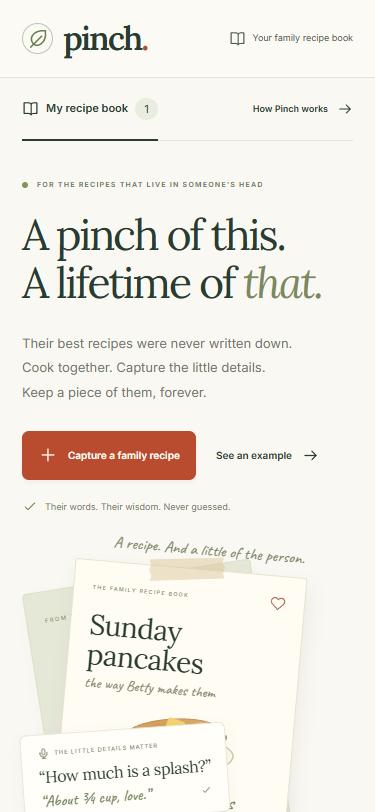
Family recipes usually live in one person's head, in units like "a pinch", "a splash" and "until it smells right". When that person is gone, the recipe often goes with them.
Lots of apps already try to save these recipes, and they all work the same way: record first, extract afterwards. You film or voice-record grandma cooking, and later an AI turns it into a recipe card. By the time the app notices that "a splash of milk" is vague, the cook has left the kitchen and nobody can answer the question. The vague parts stay vague forever.
Solution overview
Pinch asks during the cooking, not afterwards.
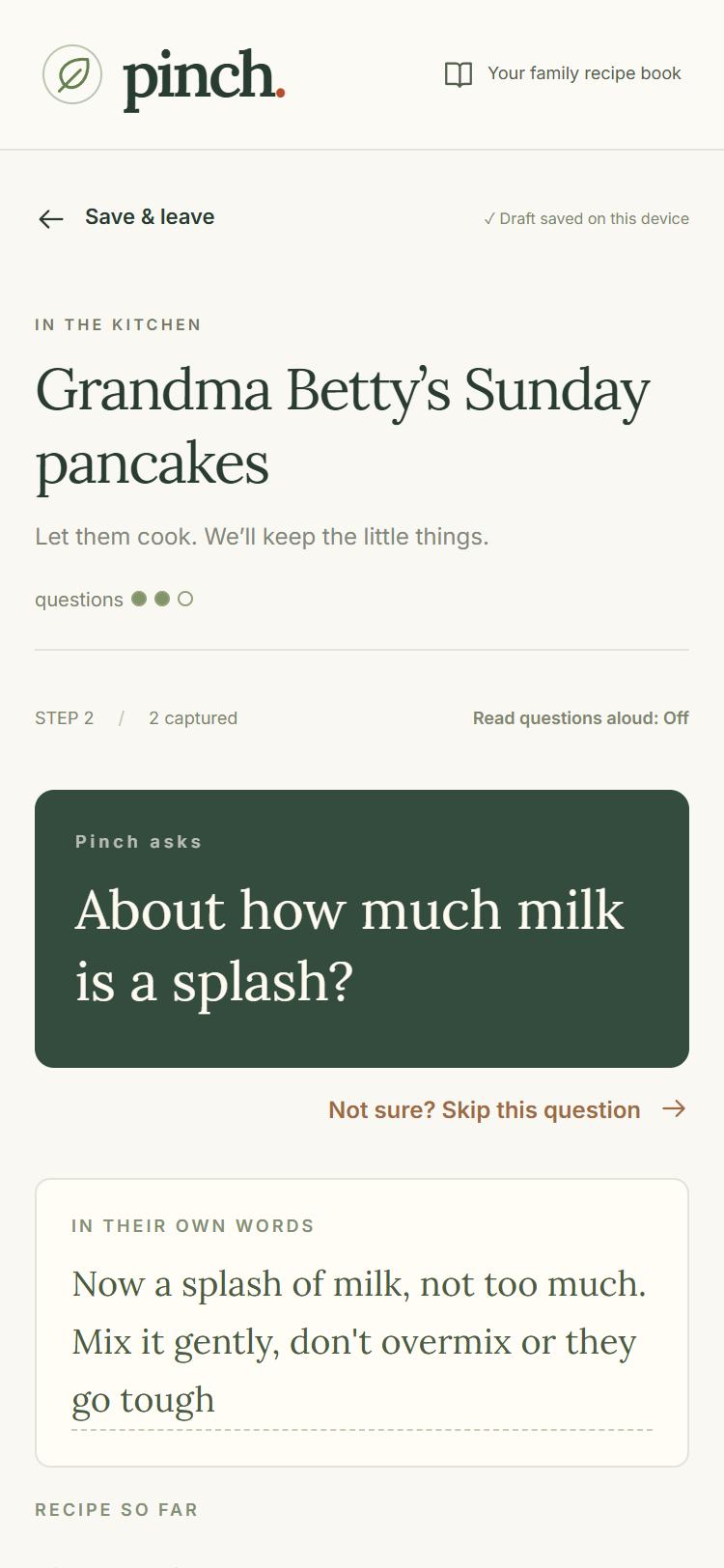
The grandchild holds the phone, and the grandparent just cooks and talks. After each step, Pinch either stays quiet because the step is clear, or asks one short follow-up question in big text, optionally read aloud: "About how much milk is a splash?" The cook answers on the spot, while her hands are still in the bowl.
Pinch follows one rule: it never guesses an amount. The AI decides what to ask, but it never decides what the answer is. Every amount on the final card has to come from the cook's own words. Anything that wasn't pinned down goes on an honest Still unknown list to ask about next time. This rule isn't left to the AI. Plain code on the server checks every amount, number and quote on the card against what the cook actually said, and removes anything it can't trace.
Key features
In the kitchen
- Step-by-step capture by voice or typing. Pinch writes down the cook's exact words, with a recording timer and the option to edit and re-check a transcript.
- One question at a time. Pinch asks at most one follow-up per step and three per session, so it never feels like an interrogation while someone is flipping pancakes.
- Big, readable questions, with an optional "read questions aloud" toggle.
- Catches mishearings. If the transcript says "a flash of milk", Pinch asks "Did you mean a splash of milk?" instead of silently "fixing" it.
- "I don't know" and "Skip this question" are respected. The item goes straight to Still unknown, with no arguing and no follow-up to a follow-up.
- Sessions are never lost. Drafts save automatically on the device, including unsent typed words, so you can leave, refresh, and resume from the home screen.
- Keeps working when the AI doesn't. If one Gemini model is busy, Pinch tries another. If the AI isn't available at all, Pinch switches to notes mode and saves the cook's exact words without guessing any ingredients.
The recipe card
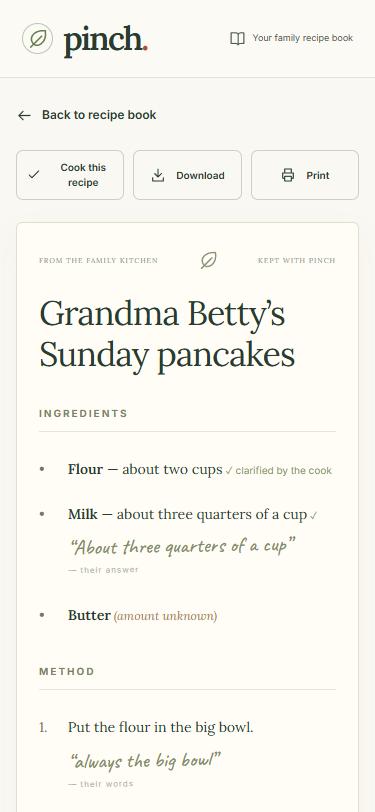
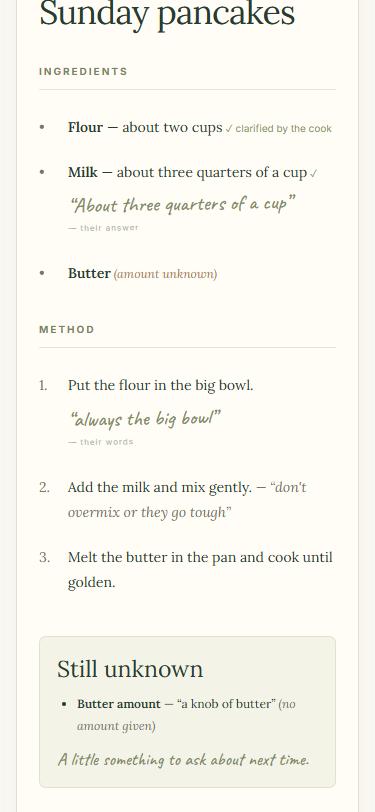
- The heirloom card keeps three things together:
- a cookable list of ingredients and method
- her verbatim words and reasons ("don't overmix or they go tough")
- an honest Still unknown box at the bottom
- Never-guess check: server-side code traces every amount on the card back to the cook's words. An invented amount becomes "amount unknown".
- Cook this recipe: a temporary checklist for cooking along.
- Print, or download as plain text, for a copy that lasts.
The recipe book
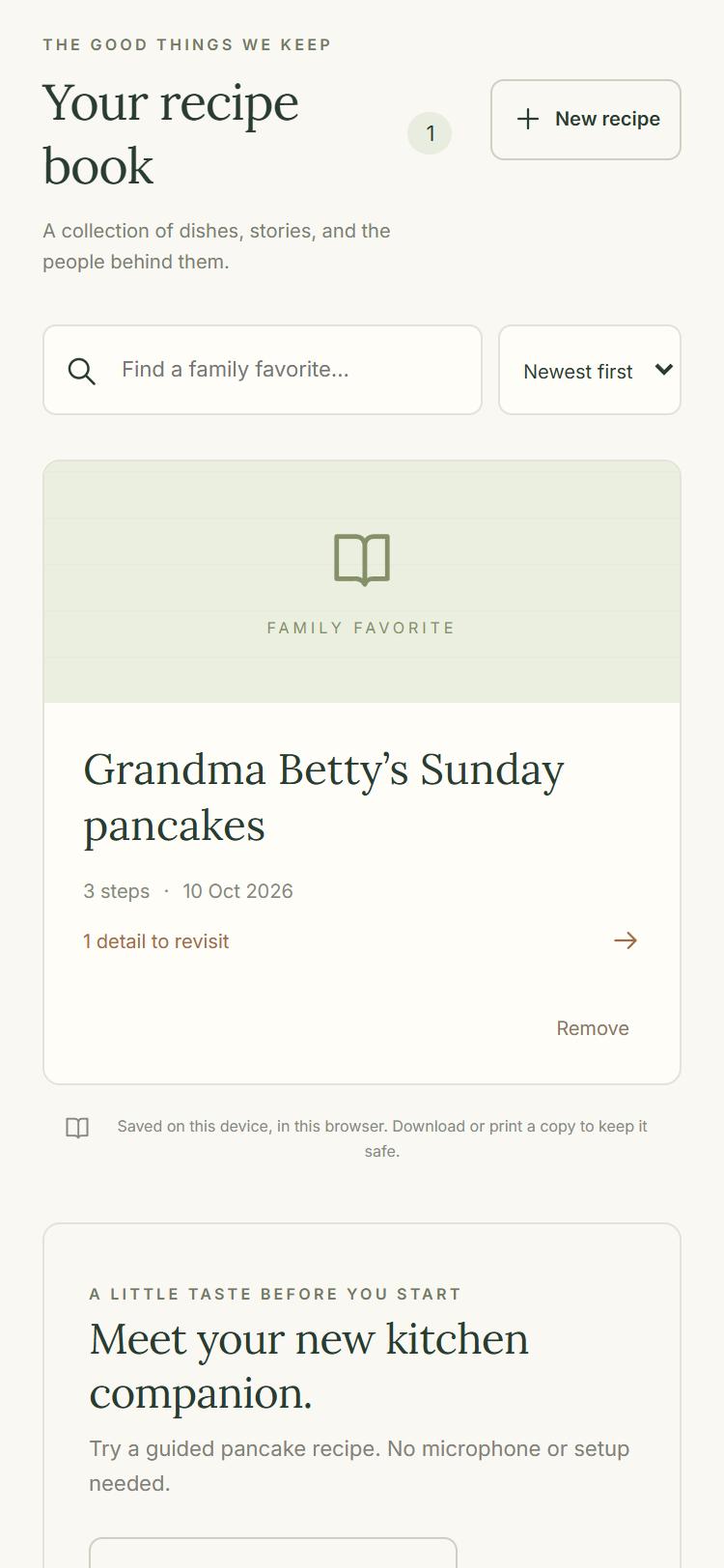
- Your recipe book: every finished card saves on the device. Search by name, sort newest-first or A–Z, reopen, and remove (with confirmation).
- See an example / guided demo: a clearly labelled sample pancake recipe to try Pinch with no microphone or setup. Sample words are never sent to the AI and never saved into your real recipe book.
Technologies used
- Frontend: React 19 + Vite, plain JavaScript and CSS (a custom recipe-book design system)
- Backend: Node.js + Express. It keeps the API key on the server, so it never reaches the browser.
- AI: Google Gemini API via the
@google/genaiSDK, with structured JSON output. One call per step transcribes the audio and decides "clear, or the one best question". A fallback chain covers busy models (gemini-3.5-flash→gemini-3.8-flash→gemini-3.1-flash-lite). - Browser APIs: Web Audio (recording 16 kHz WAV in the browser), Web Speech synthesis (reading questions aloud), localStorage (recipe book and session drafts)
- Testing: Vitest. There are 31 unit tests covering the never-guess check, the question budget, recipe storage, draft recovery, offline answers and demo isolation.
- Process: built with Claude Code using a plan-first workflow. A scope, product requirements doc and technical spec were written and approved before any code (all in the repo's
devpost/folder).
Target users
- The grandchild (or any family member) who wants to keep a relative's recipe before it's lost. They hold the phone and do the tapping.
- The cook, usually a grandparent, who has never written a recipe down and isn't going to start now. They never have to touch the app. They just cook and talk.
- More broadly, families who want to preserve cultural and family food traditions across generations.
What I learned **
My goal going in was to get better at planning before building. Normally I prompt an AI as I go. This time I wrote a scope, a product requirements doc and a technical spec before any code, with the AI interviewing me first.
The planning caught real problems early. Researching how voice would work showed that browser speech recognition doesn't work in Chrome on iPhone, so the architecture changed to recording audio and having Gemini transcribe it. That happened before a line of code existed, not in the kitchen. Other things only showed up when the app met the real world:
- Gemini's free tier was overloaded on the first real request, which led to the model fallback chain.
- The first UI looked plain, which led to two redesigns.
- I realised I wanted a recipe book, which I had cut from scope earlier.
The plan didn't stop those changes, but it gave every change a place to go and a record of why.

Log in or sign up for Devpost to join the conversation.