-
-
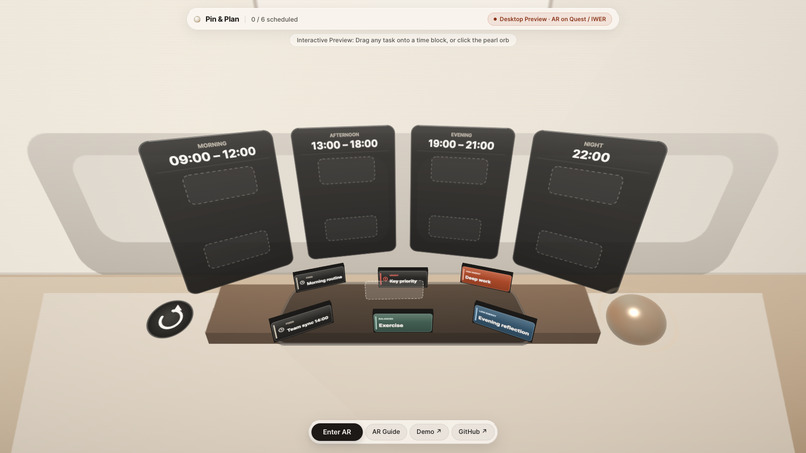
01-landing-enter-ar
-
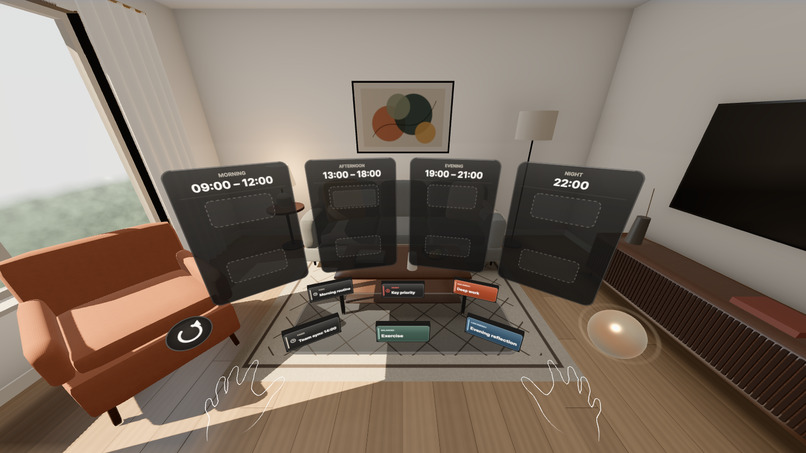
02-passthrough-intro-and-hint
-
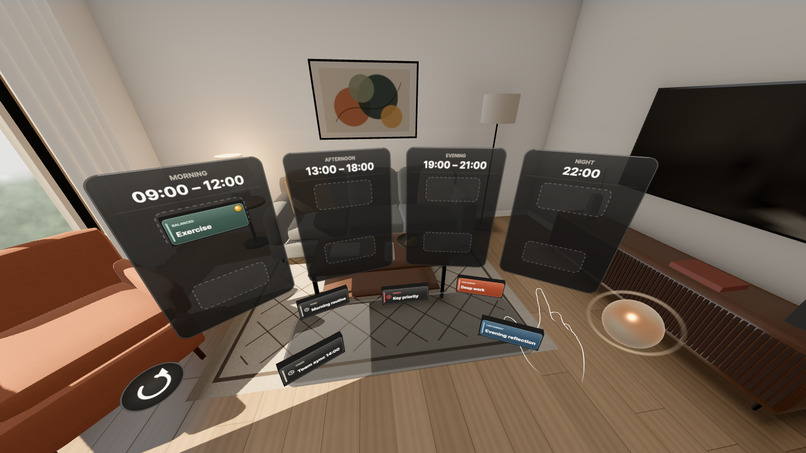
03-pinned-task-and-orb-pulse
-
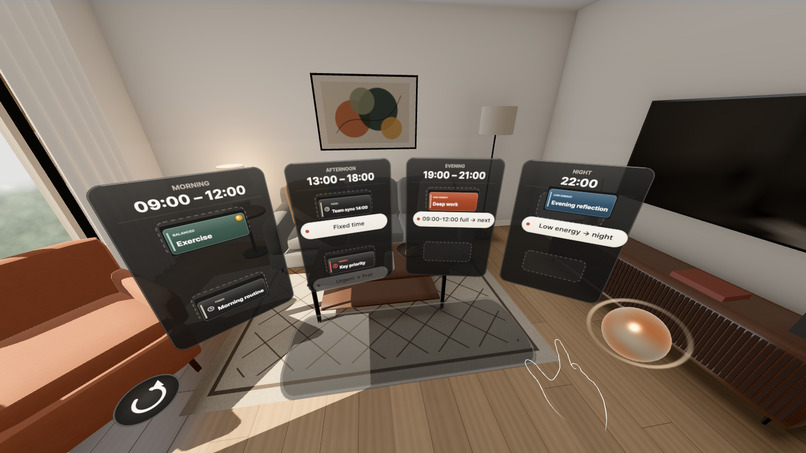
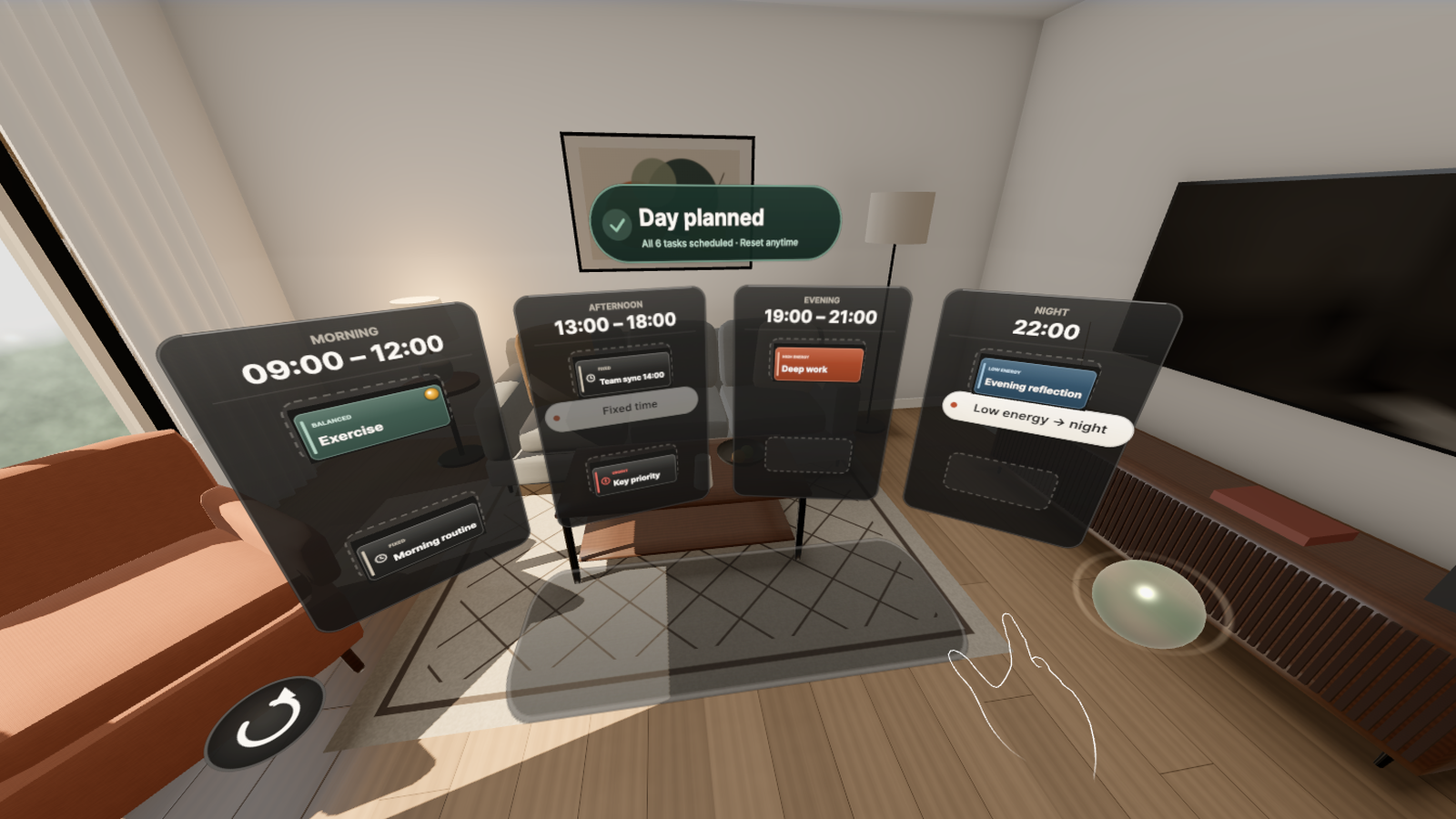
04-agent-staged-reason-chips
-
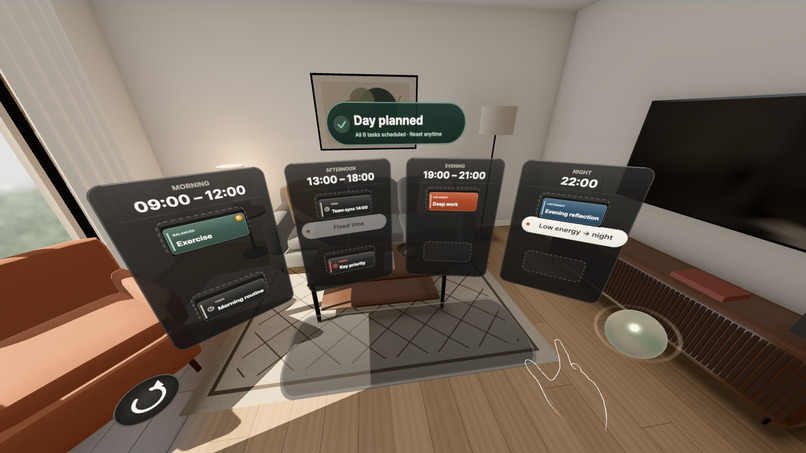
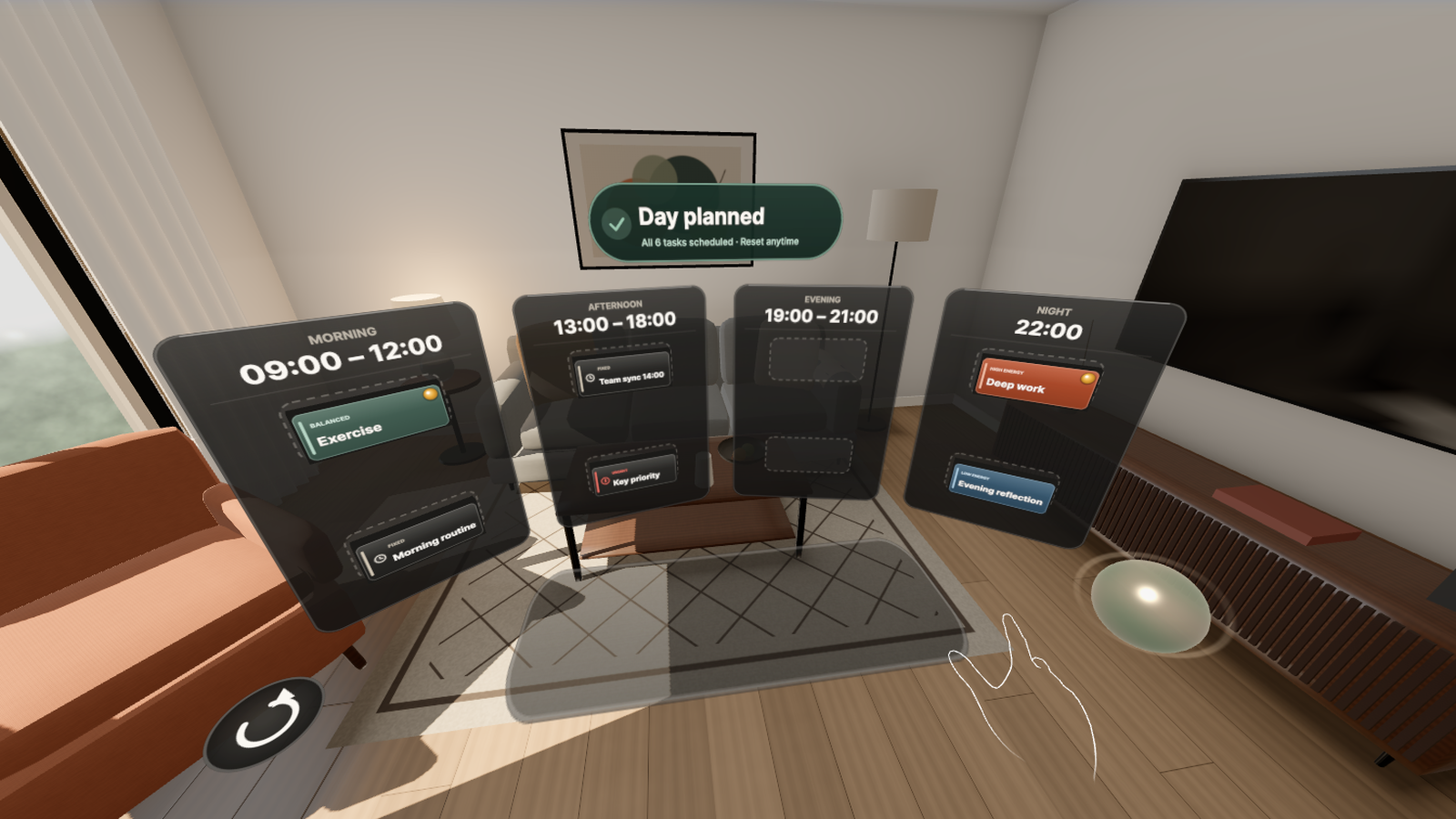
05-day-planned-card-and-chips
-
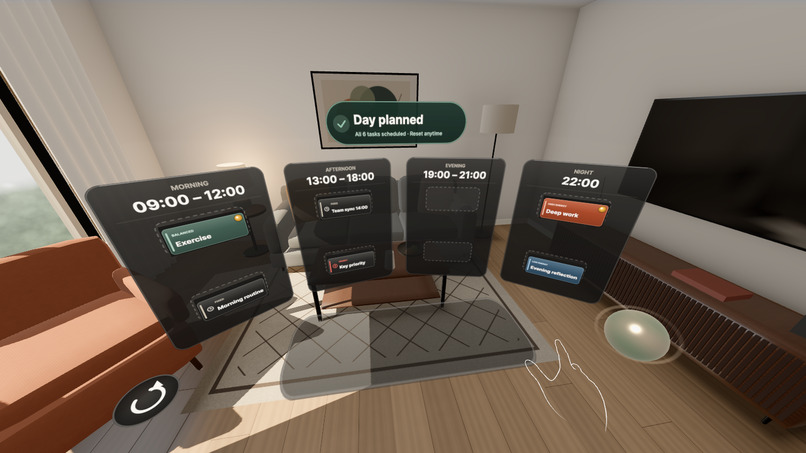
06-take-back-and-replan
-
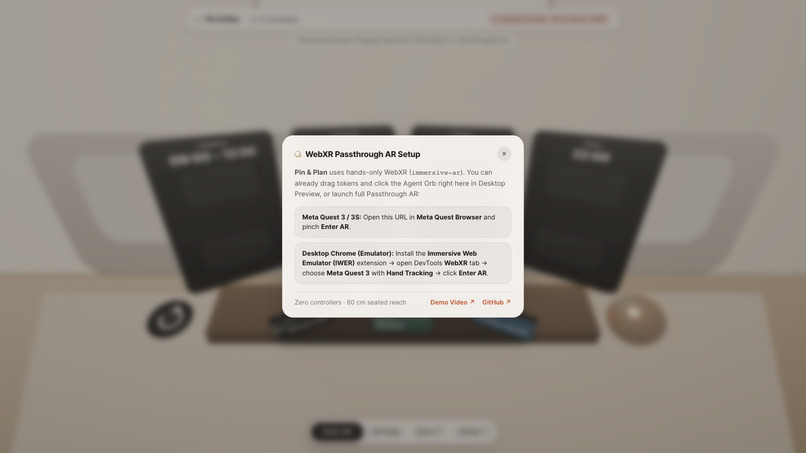
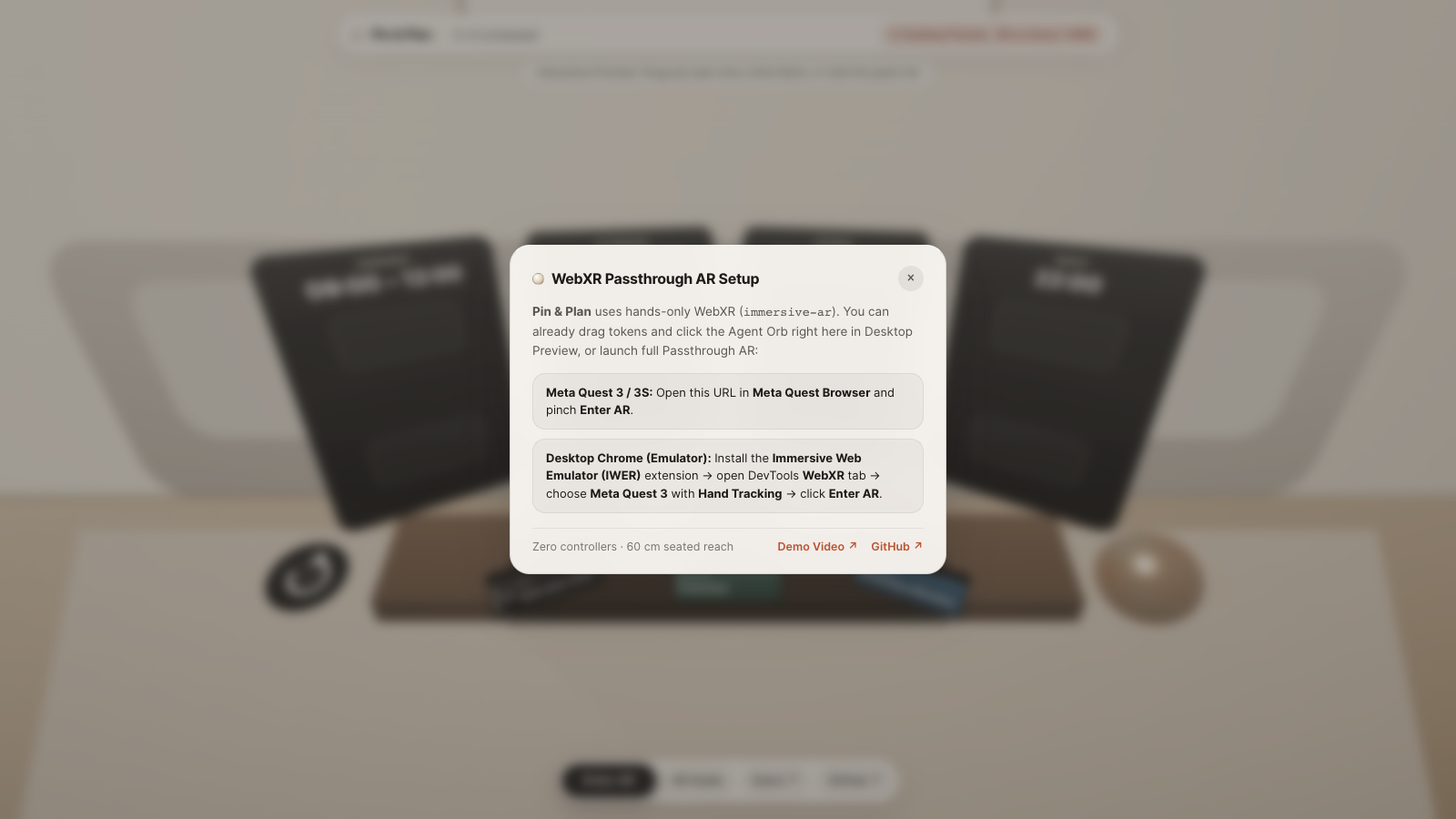
07-ar-setup-guide
-
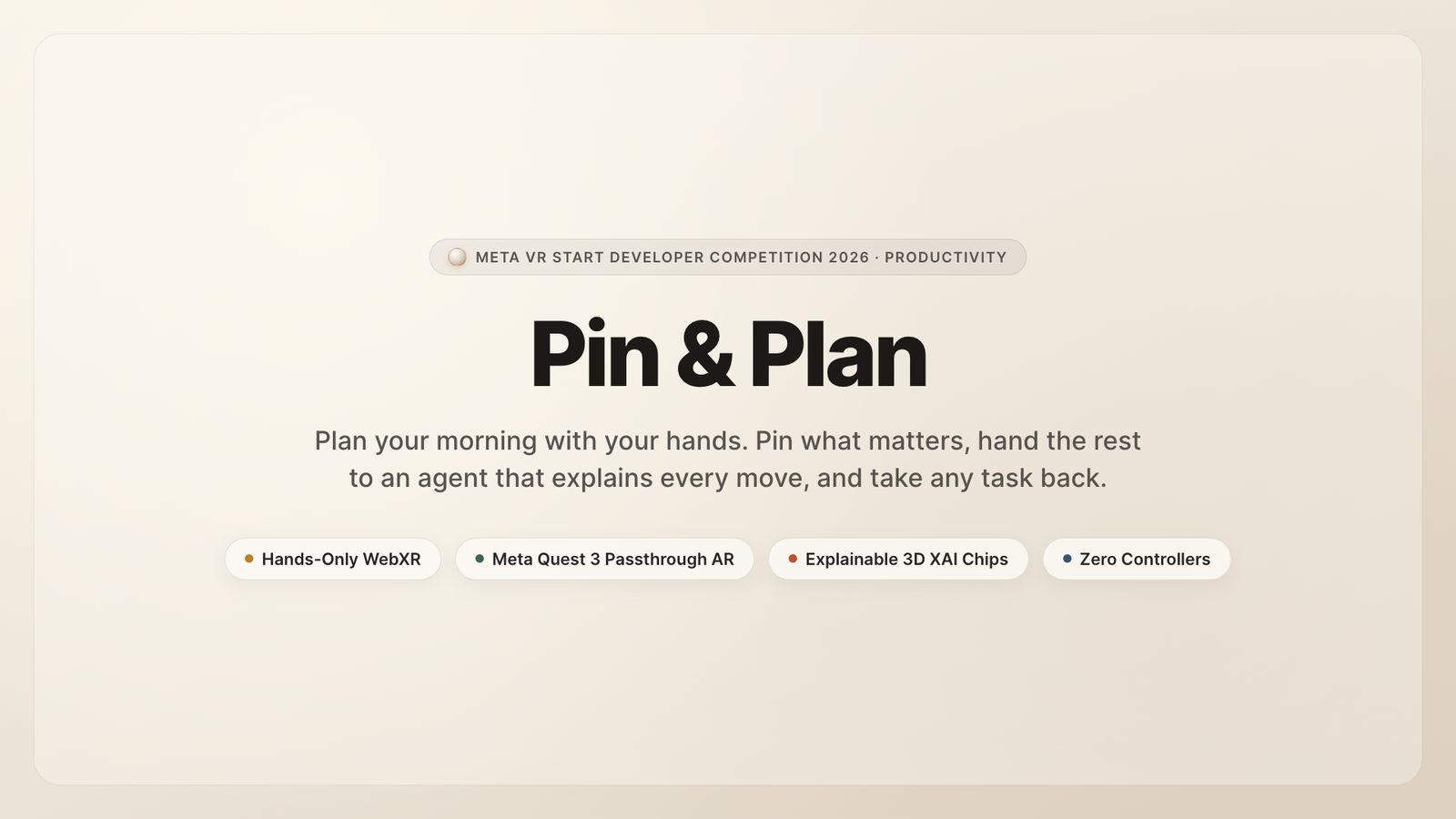
00-cover-thumbnail
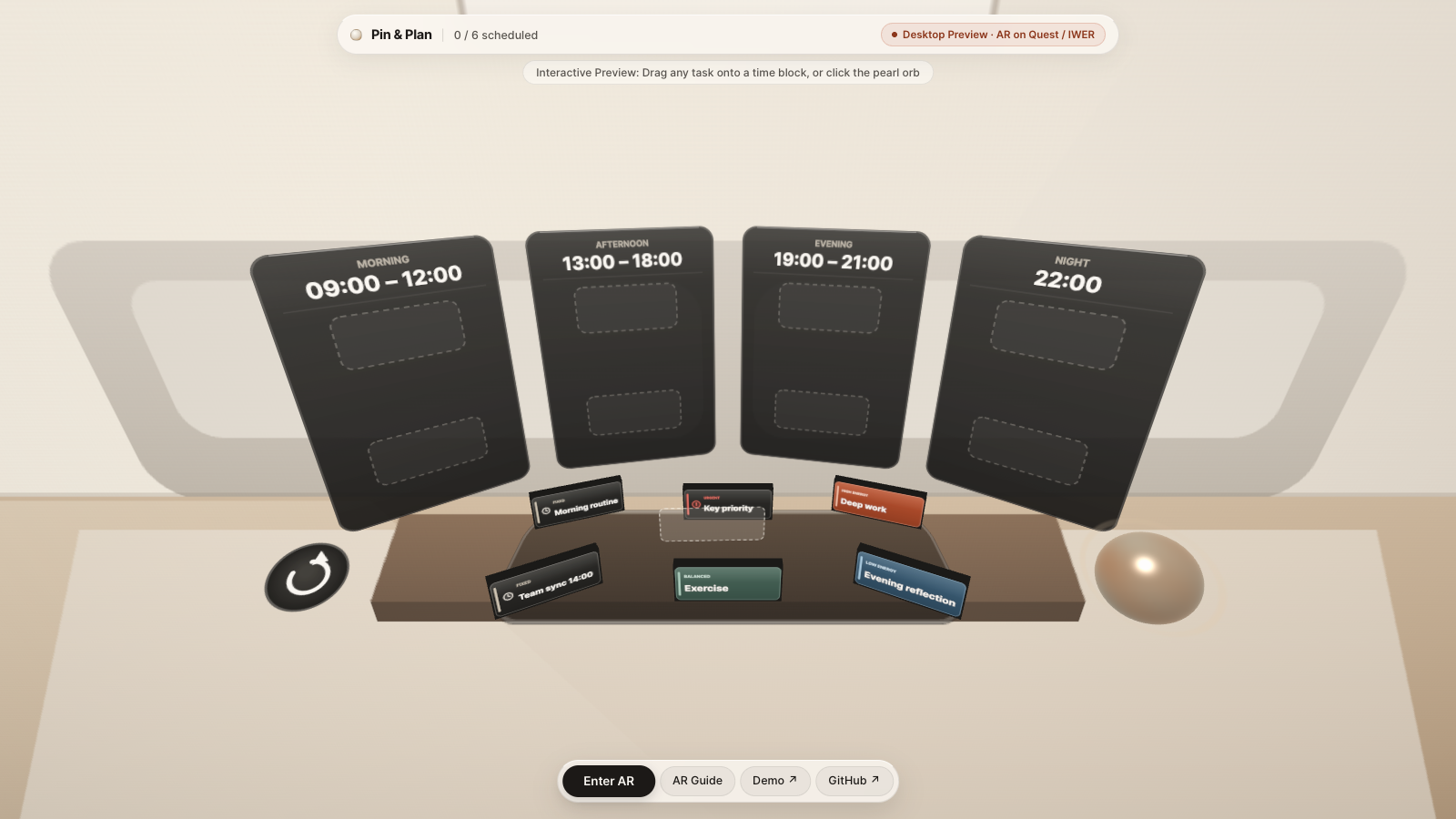
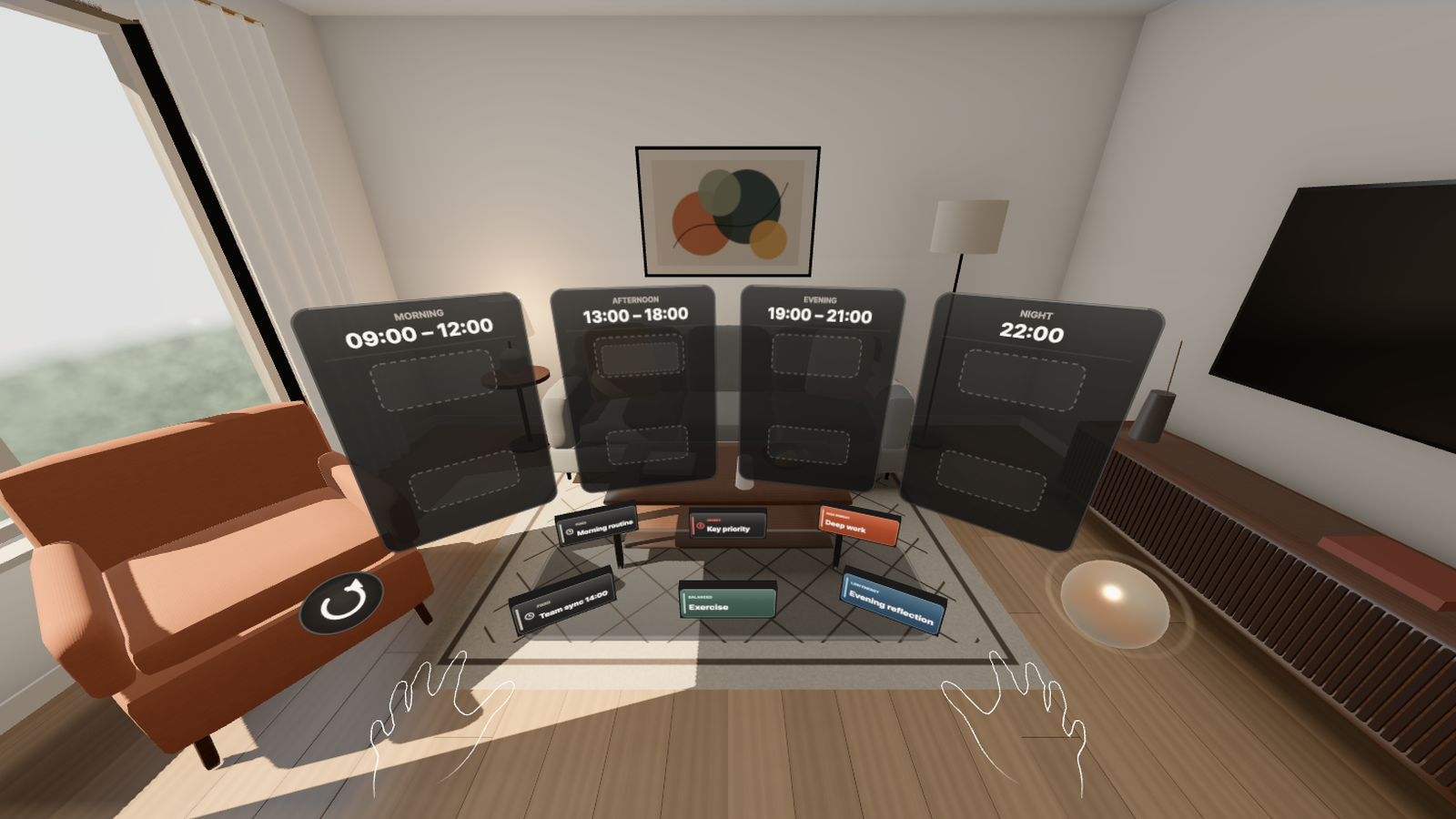
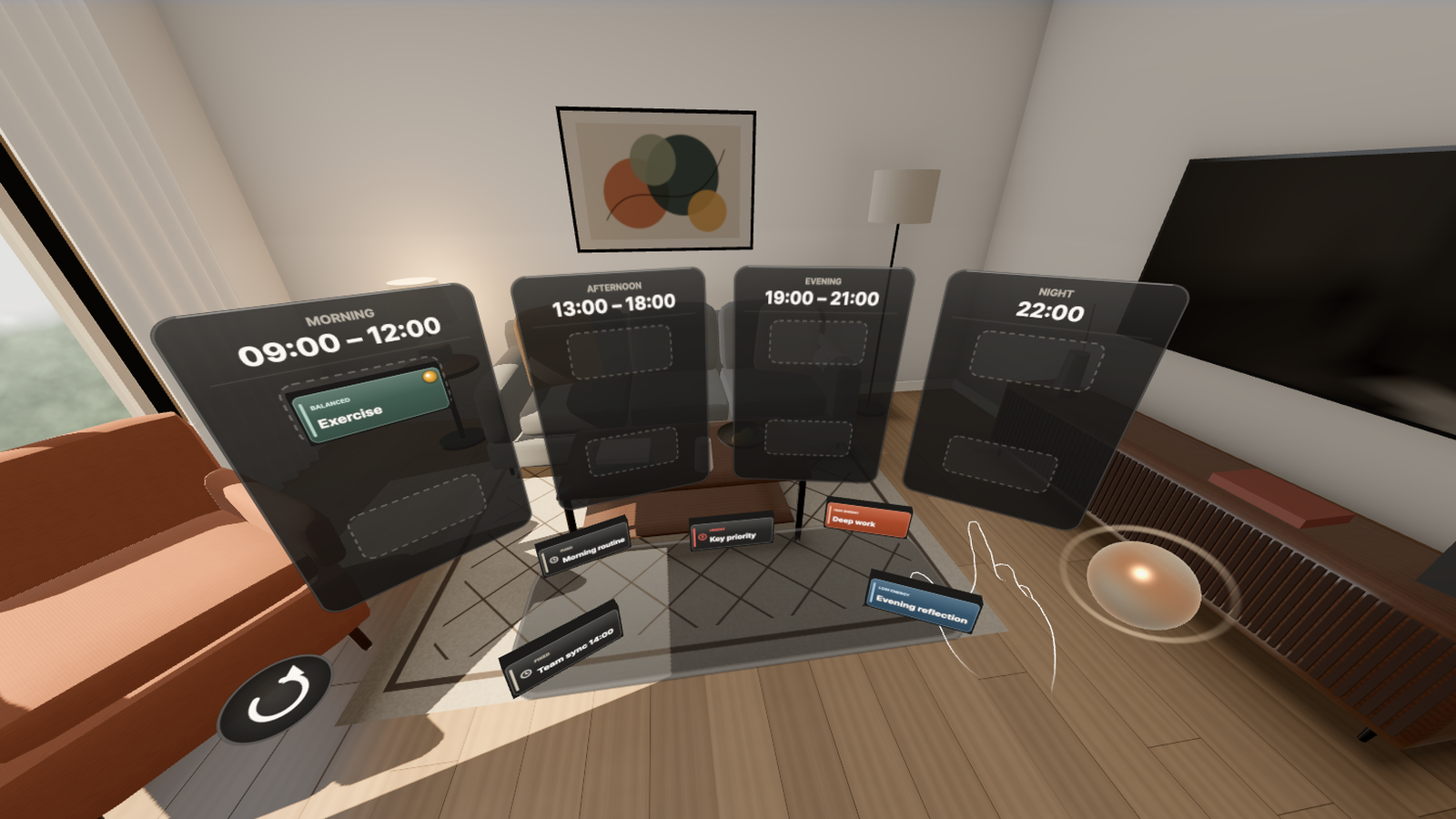
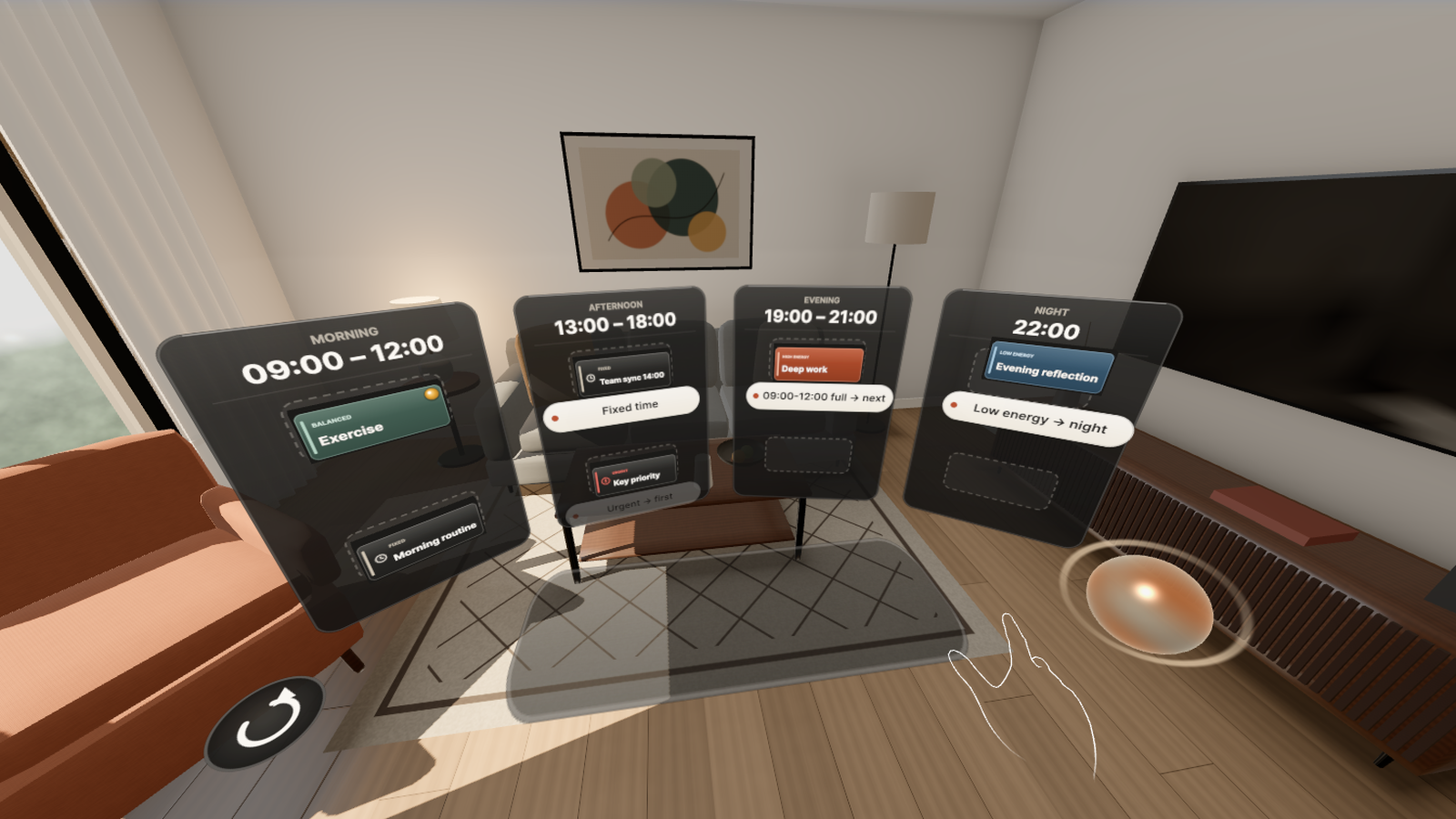
Inspiration
My own morning starts with a daily note: four time blocks and a short progress tracker. Filling it in is a small negotiation with myself. Some things are fixed, one thing is urgent, and the rest depends on how much energy I have. I wanted that negotiation to happen with my hands, in my own room, with an agent that does the boring part but never overrules me.
What it does
Pin & Plan is a seated, hands-only morning planner in passthrough.
- Pin. Six task tokens sit on a tray in front of you. Pinch one, drop it on a time block, and it is pinned. That is your decision.
- Hand over. Pinch the agent orb. The agent places every task you did not pin, one at a time, and each move shows a short reason such as "Fixed time", "Urgent → first" or "09:00–12:00 full → next".
- Take back. Move any task the agent placed. It becomes your pin, and the agent re-plans only what has to change.
- Finish. "Day planned", then reset for the next morning.
The time blocks (09:00–12:00, 13:00–18:00, 19:00–21:00, 22:00) and the tasks come from my real daily note template.
How we built it
- Immersive Web SDK (
@iwsdk/core1.1.0) & WebXR: Configured for passthrough AR (world.xr.mode: "ar"), native hand tracking (handTracking: true), and pinch-to-grab (grabbing: { useHandPinchForGrab: true }) with locomotion disabled for a seated, ergonomic 60 cm reach envelope anchored to the user's head pose at session start. - Pure, deterministic planner (
app/src/planner/): Implementedplan(tasks, blocks, pins)anddiff(shown, next)in pure TypeScript with zero Three.js, IWSDK, or DOM imports. The engine runs four deterministic passes in fixed order—user pins ("Your choice"), fixed-time tasks ("Fixed time"), urgent tasks ("Urgent -> first"), and energy-matched tasks ("High energy -> morning","Medium energy -> afternoon","Low energy -> night"), overflowing gracefully when a block is full ("<block> full -> next"). It is verified by 34 Vitest unit tests across seven specification scenarios (P1–P7). - Diff-driven ECS scene & staged agentic feedback (
app/src/scene/,app/src/feedback/):PlannerSystemnever makes scheduling decisions in the view layer. Instead, it diffs the current board againstplan(), applies immediate snaps or silent slot slides for user pins, and queues staged agent moves (0.5 s apart, 0.4 s cubic ease-out) accompanied by a pooled 2.0 s reason chip (ChipPool) so the user can follow every step. - Zero external asset downloads: Every mesh uses procedural Three.js geometry (
BoxGeometry,PlaneGeometry,SphereGeometry,CircleGeometry) with unlitMeshBasicMaterial(staying under ~28 draw calls with no shadows or post-processing). Labels, energy colors, clock/!badges, and slot outlines are rendered once onto 2D<canvas>textures (CanvasTexture), and all five interaction sound cues (grab tick, slot snap, refused-drop low tone, agent rising blip, and completion triad chord) are synthesized live via the browser'sAudioContext(WebAudio API). - Spec-driven verification: Built against 24 Given/When/Then acceptance criteria (
AC-1toAC-24) using Spec Kit structure and a live read-onlywindow.__plannerstate inspection hook ({ phase, pins, placements }).
Challenges we ran into
- Enabling true hands-only pinch grabbing in IWSDK: Out of the box, hands-only sessions could not grab tokens until
world.features.grabbingwas explicitly configured with{ "useHandPinchForGrab": true }so hand pinchselectevents route to the grab system's squeeze pointer. - Hand grip-space offset vs. pinch point: During emulator testing, pinching the middle token in the tray picked up its neighbor instead. Inspecting
@iwsdk/xr-input'sGrabPointerrevealed that proximity grab distance is measured from the hand'sgripSpace(~6.6 cm offset from the thumb-index pinch contact point: ~5 cm outward, ~3 cm down, ~3 cm toward the user). With tokens initially spaced 10 cm apart and block slots 5 cm apart, the neighbor was physically closer to the grip origin than the aimed token. We solved this with Layout v2: widening the tray to a flat 3×2 meter grid (x = -0.16, 0, +0.16 m;forward = 0.42 m, 0.30 m) and expanding block panels (0.19 × 0.27 mwith±0.06 mvertical slot offsets and a0.16 mdrop radius) so every grabbable center sits at least 12 cm apart while remaining inside the 60 cm seated reach envelope. - Reliable near-pinch and ray-pinch on the orb and reset controls: When a user reaches directly into the agent orb to pinch it, a raycast can start inside the sphere and miss. Attaching
OneHandGrabbablewould setpointerEventsType = { deny: 'ray' }, breaking ray pinches. Instead, we combinedRayInteractable(Pressedstate tag) with a near-pinch distance check on the hand'sindexTipSpacesandraySpaceswithin 6 cm of the control center. - Making a deterministic agent feel alive and trustworthy: If an agent places all six tasks instantaneously, the user cannot see what changed or why. Staging moves 0.5 s apart, showing the exact rule string that produced each placement on a floating reason chip, and only moving the affected unpinned tasks during a take-back re-plan turned a pure function into an intelligible spatial collaborator.
Accomplishments that we're proud of
- A complete "delegate → inspect → correct → re-plan" spatial agent loop: The user can pin what matters, hand the rest to the agent, and grab any agent-placed token to override it—watching the agent re-plan around their choice without ever touching a previous pin.
- 100% honest explainability: Because the reason chip text comes directly from the deterministic pass in
plan()that placed the token, the explanation shown in AR is guaranteed to be the exact rule that made the decision. - Instant cold start & ultra-light rendering budget: Zero glTF models, image files, or audio files are fetched by the app's content, keeping the entire experience around ~26–28 draw calls with zero per-frame heap allocations in
update(). - 34 passing unit tests & rigorous separation of concerns: The entire scheduling and diffing core is pure, immutable TypeScript verified across all seven edge cases (including full-block cascading bumps and wrap-around overflow).
What we learned
- Spatial agents need legibility and interruptibility more than complexity: In passthrough AR, an agent does not need an LLM or cloud round-trip to feel helpful. Pacing its actions at human reading speed (0.5 s cadence), surfacing a single crisp reason per move, and treating human hands as hard constraints creates immediate trust.
- Spatial ergonomics must account for WebXR input joint origins: Designing for bare hands requires testing against actual WebXR
gripSpace,targetRaySpace, andindex-finger-tipoffsets rather than assuming the grab origin is the visual fingertip contact point. - One finished mechanic beats ten partial menus: Cutting keyboards, settings panels, and multi-page menus kept the entire morning planning loop under 60 seconds from Enter AR to
"Day planned".
What's next for Pin & Plan
- Two-way sync with Markdown daily notes: Importing the day's tasks from a local Obsidian/Markdown Daily Note and exporting the finalized time-block schedule and Progress Tracker checklist back on
"Day planned". - On-device Quest 3/3S hardware tuning: Validating 60+ fps frame timing, passthrough contrast, and physical pinch thresholds on retail Quest 3 and Quest 3S headsets.
- Optional voice capture for quick task entry: Letting users speak a custom task label while pinching an empty tray slot before handing the board over to the planner.
Built With
- html5
- iwsdk
- meta-quest-3
- three.js
- typescript
- vercel
- vite
- vitest
- webaudio-api
- webxr
