-
-
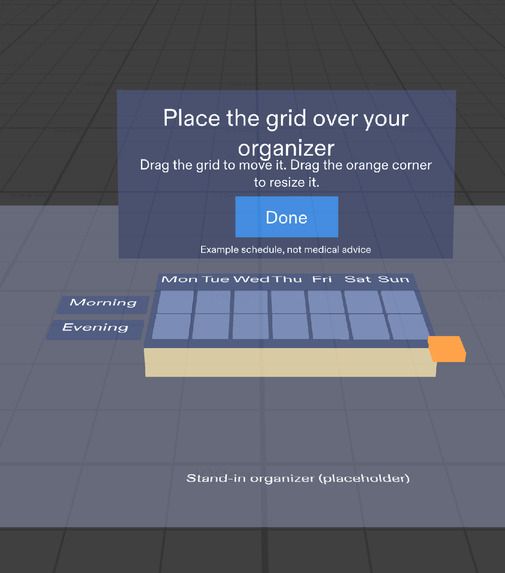
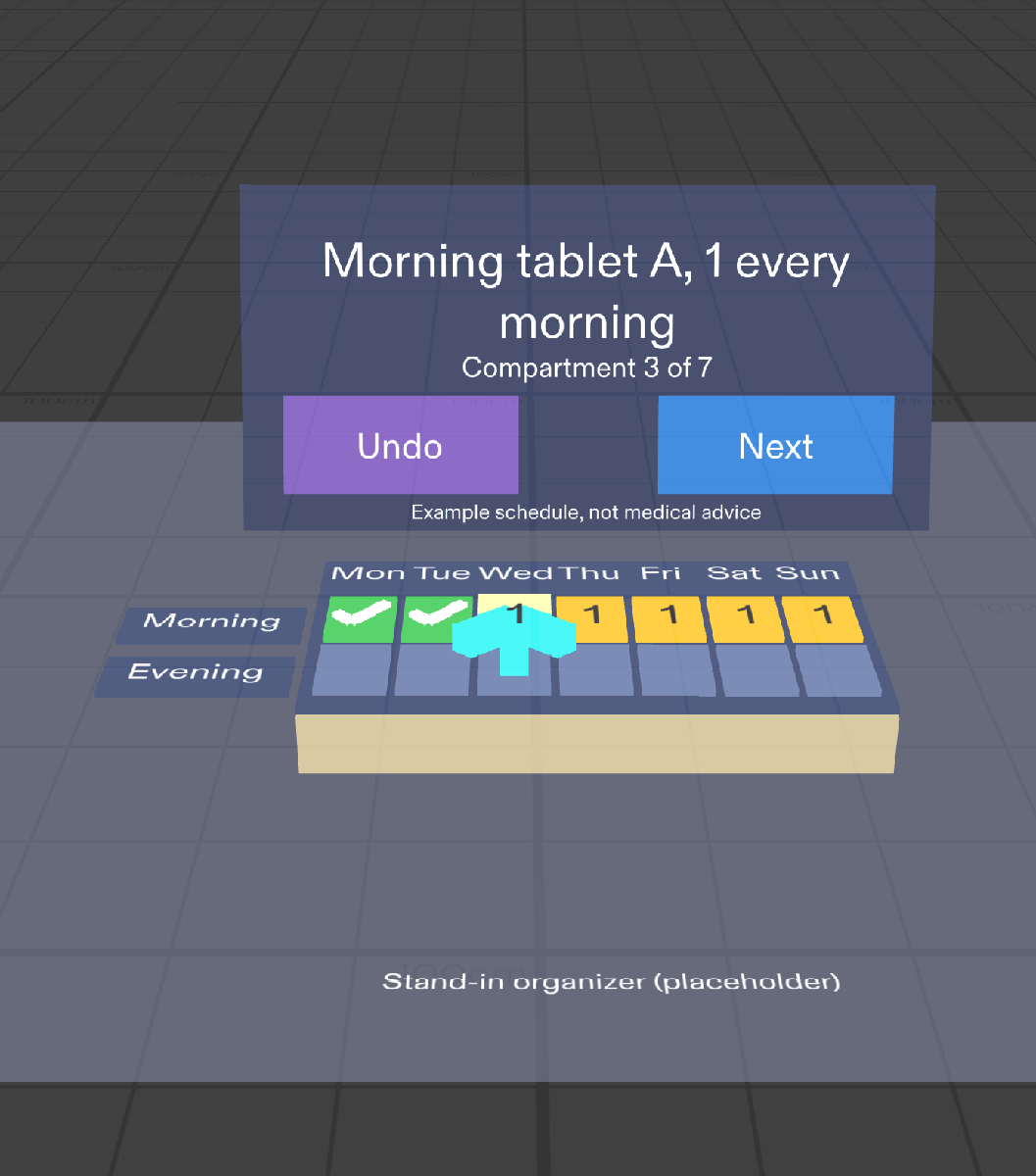
Filling one medicine at a time: done compartments turn green, the arrow points to the next one, and a big Next button confirms it.
-
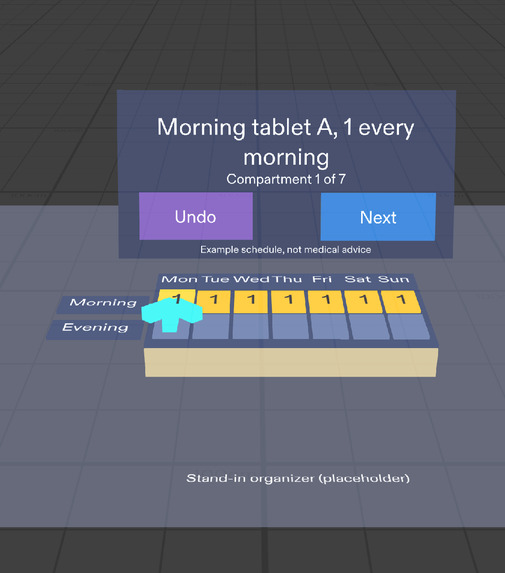
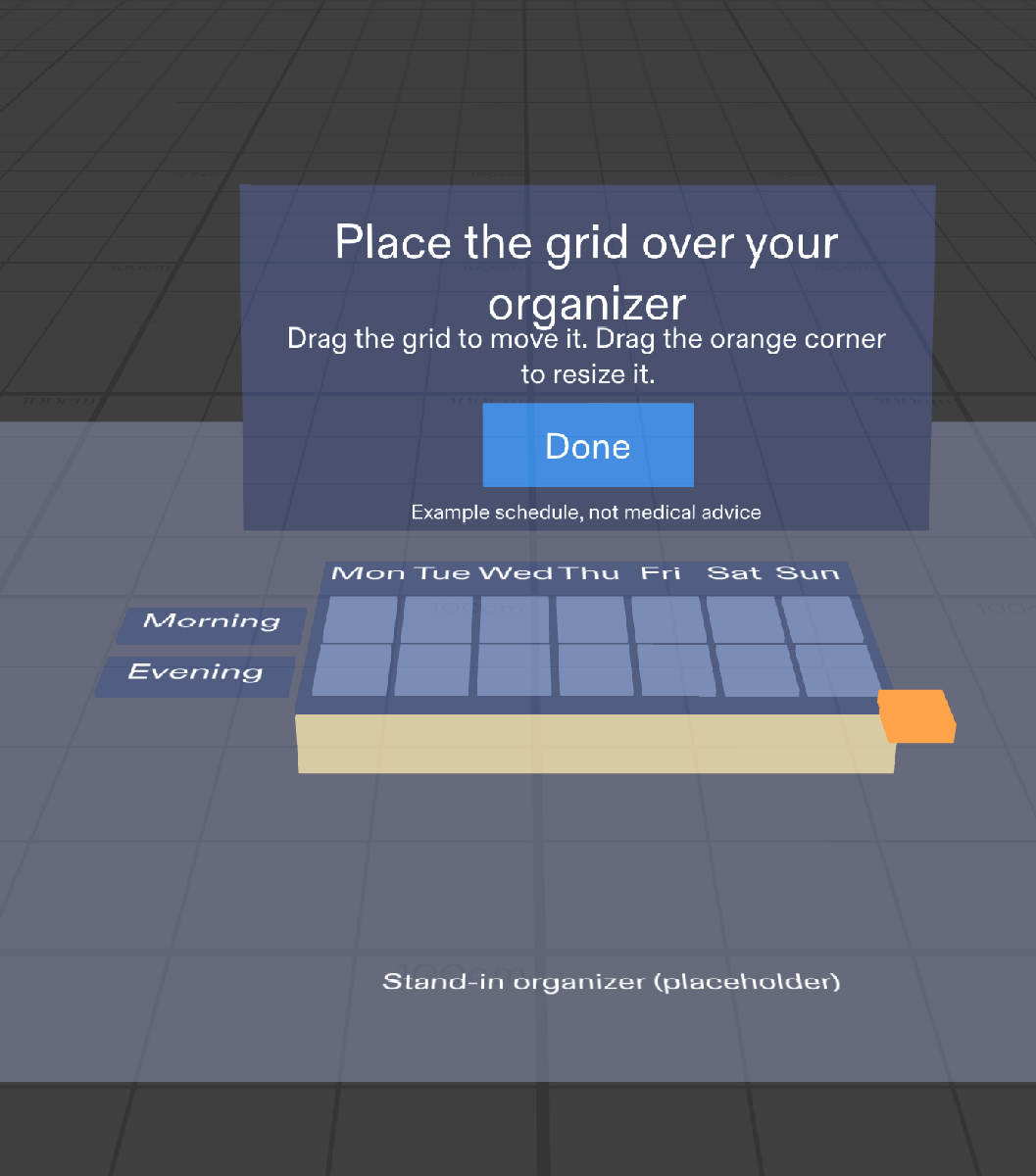
Step 1: place the 7 x 2 grid over your real organizer by hand, stretch it with the orange corner, then press Done.
-
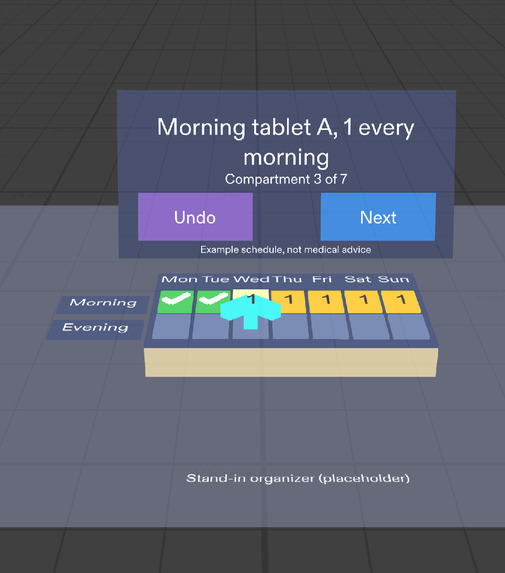
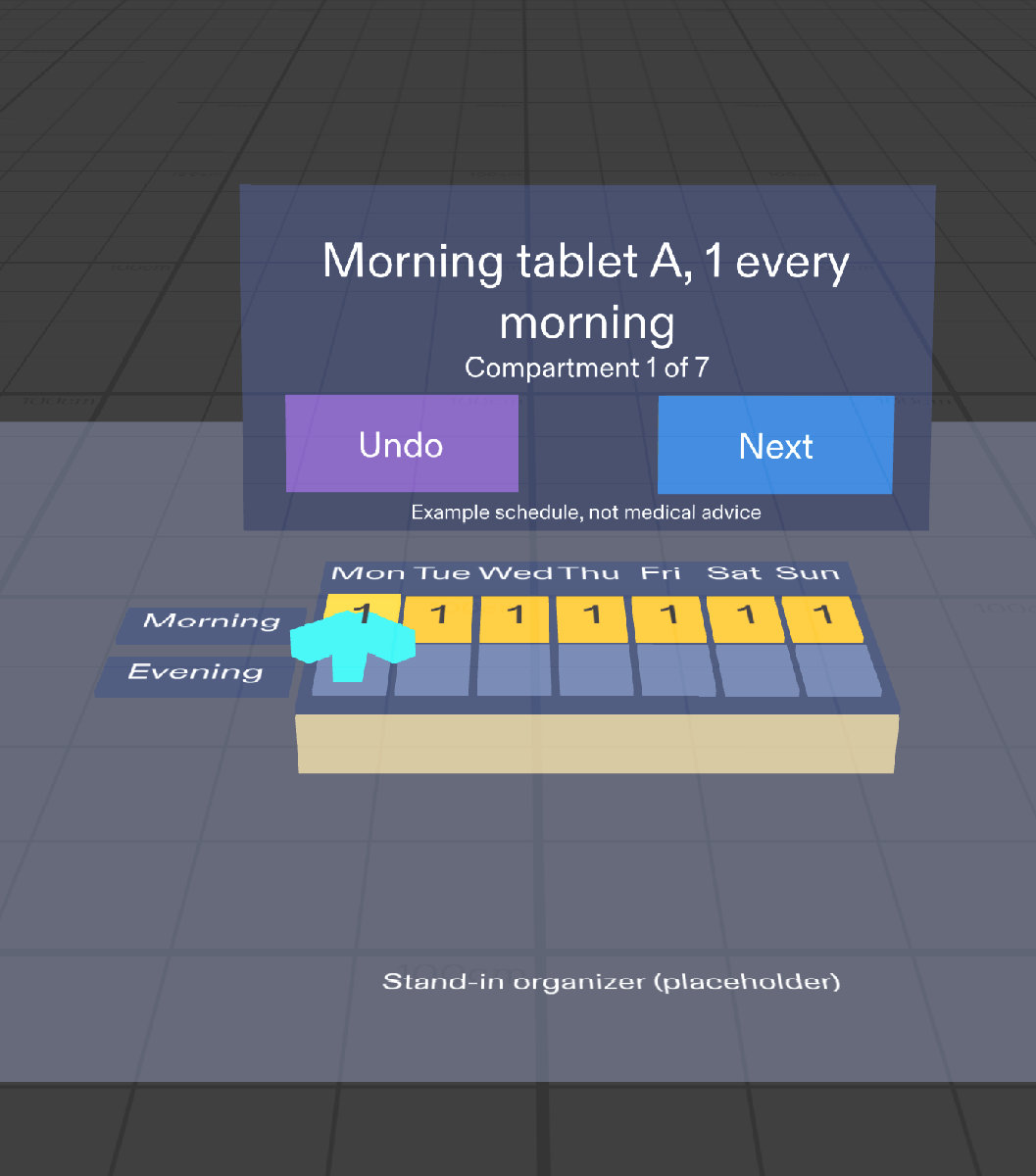
Every compartment for the current medicine lights up with a "1". The example schedule is clearly marked as not medical advice.
-
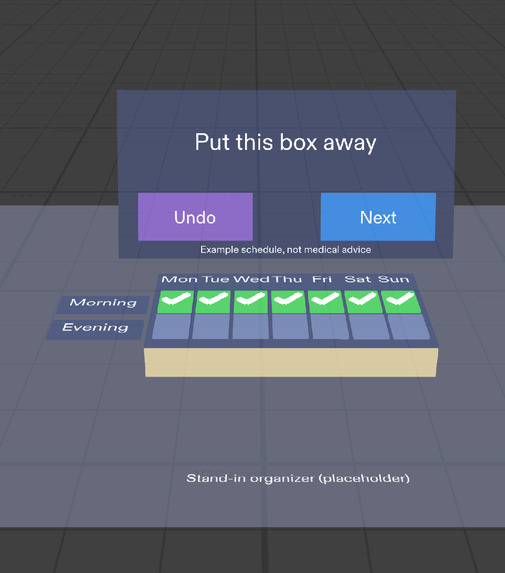
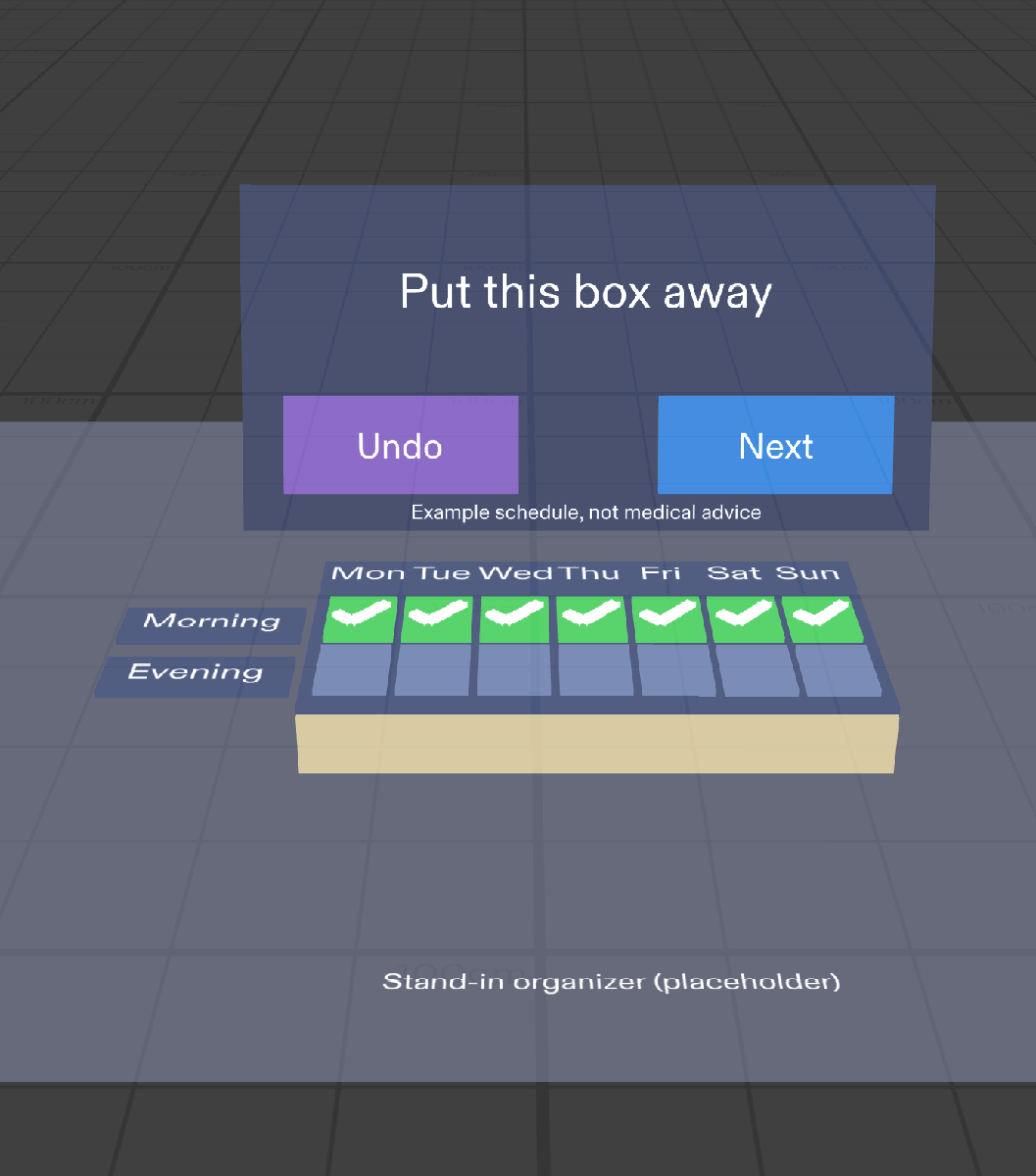
All seven morning compartments ticked: the Lens tells you to put this box away before moving to the next medicine.
-
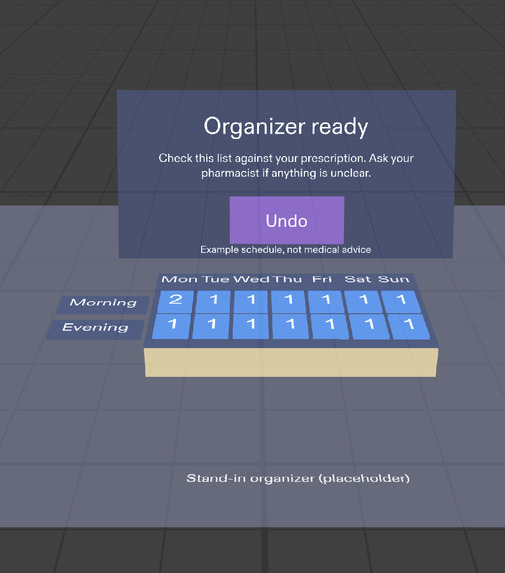
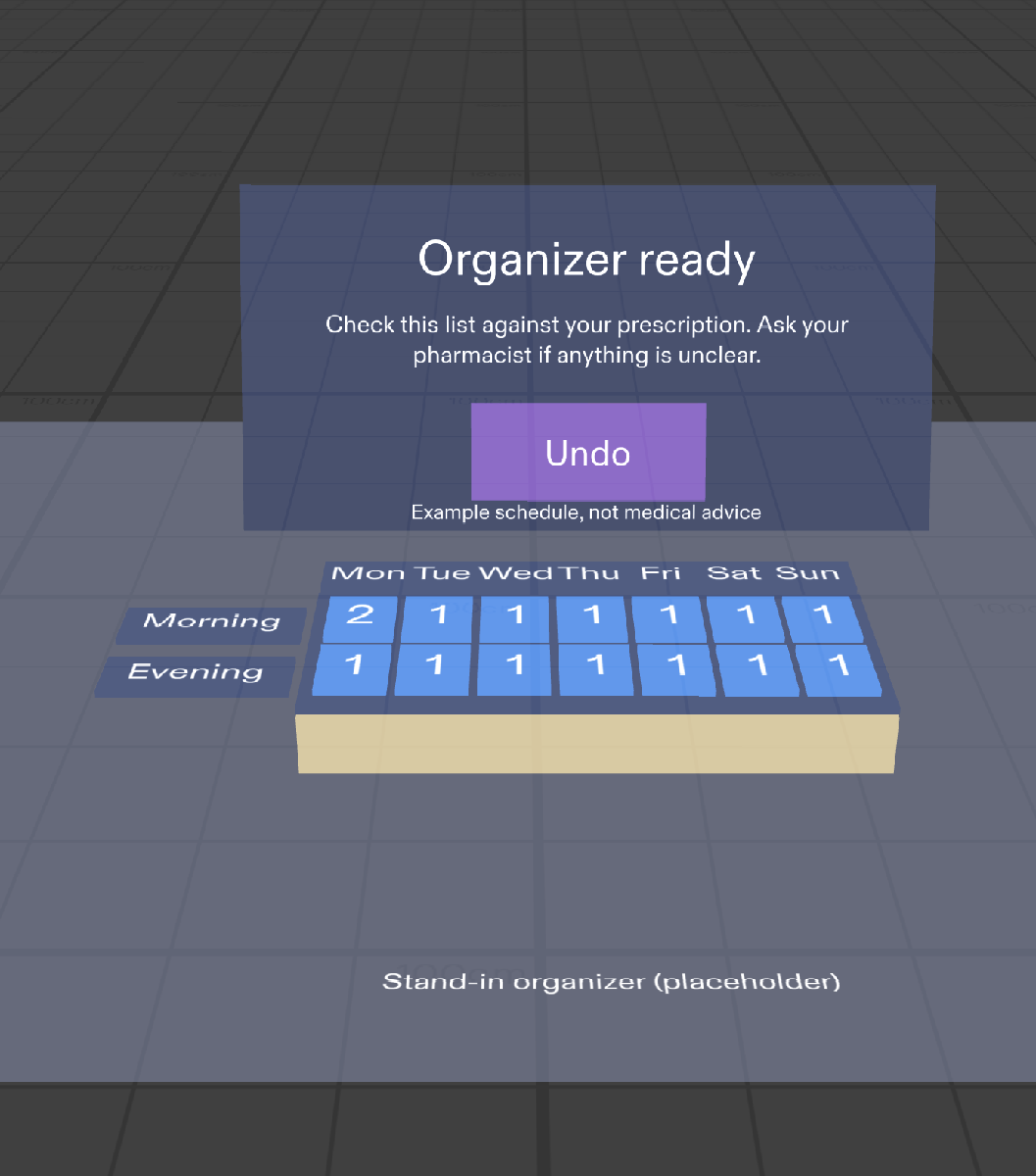
Final check: each compartment shows how many tablets it should hold, with a reminder to check the prescription and ask a pharmacist.
Inspiration
I worked for about 20 years as a pharmacy assistant in community pharmacies in Bucharest. Many older people, or the family members who care for them, fill a weekly pill organizer once a week, and I saw the mistakes that happen: a tablet in the wrong day, a dose forgotten, a box mixed up with another. Filling an organizer is a task where your hands are busy and your eyes need to stay on the compartments, which makes it a good fit for glasses.
What it does
Pillbox Guide helps you fill a 7-day, morning and evening organizer one medicine at a time, the way pharmacists recommend, instead of day by day.
- You place a 7 x 2 grid over your real organizer on the table by hand, stretch it to fit and press Done.
- The card behind the organizer shows the schedule. The demo uses a clearly labelled "Example schedule, not medical advice" with three made-up entries (Morning tablet A, Evening tablet B, Weekly tablet C).
- For the current medicine, every compartment it goes into lights up with a "1". The current one glows brighter with a big arrow, and the card shows "Compartment 3 of 7".
- You drop in the tablet and confirm with a large Next button or a pinch anywhere, so you never have to aim at a 3 cm compartment. Undo steps back one.
- When a medicine is done, the card says "Put this box away" and moves on.
- At the end, every compartment shows how many tablets it should hold, for a last visual check, and the card says the organizer is ready, with a reminder to ask a pharmacist if anything is unclear.
The Lens never gives medical advice, doses or interactions.
How we built it
I planned the Lens with the Devpost Learn skill pack: it interviewed me and wrote a design brief (in the devpost folder of the repo). Then Claude Code built it in Lens Studio through Snap's CLAD plugin and the Lens Studio MCP, and checked the main flow with LEAF test scenarios in the Lens Studio preview. I reviewed the preview myself and gave design notes (align the stand-in organizer, keep the day labels readable under the arrow, make "Morning" and "Evening" larger).
Challenges we ran into
- The preview can't recognize a real organizer, so instead of faking recognition, the user places the grid by hand. That also works with any organizer.
- Small targets: a compartment is only about 3 cm wide, which is hard to pinch with a tablet in your hand, especially for older users. The fix was confirming in a fixed order with a big button.
- My laptop: Lens Studio, the preview and the coding agent together used up all its memory. Lens Studio crashed during the live recording, so the demo video is a slideshow of preview screenshots, not a live recording, and it says so.
- The Done and Start filling buttons sit in the same spot on the card, so one simulated poke could press both. A real version should move them apart.
Accomplishments that we're proud of
- A Lens that follows real pharmacy practice: one medicine at a time, a tick for every compartment, and totals for a final check.
- Honest boundaries: an example schedule clearly marked as not medical advice, and a pharmacist reminder at the end.
- Finishing a working Lens on a laptop that barely runs Lens Studio, without owning SPECS glasses.
What we learned
- Good AR is about where things sit: the highlight belongs on the compartment where the eyes are, and the text belongs on a card that never covers the organizer.
- Hands matter as much as eyes: big, forgiving confirmations beat precise pinches.
- Being honest about what the preview can and can't do (recognition, comfort, alignment) makes a better design than pretending.
What's next for Pillbox Guide
- A simple editor to enter the real schedule (pick days and morning or evening with buttons), or a phone companion where a family member types it once.
- A colour and a short pill description for each medicine, as an extra visual check.
- Testing on real SPECS glasses: grid alignment, highlight readability and button comfort are still unproven.
Built With
- clad
- claude-code
- leaf
- lens-studio
- lens-studio-mcp
- piper-tts
- snap-specs
- typescript

Log in or sign up for Devpost to join the conversation.