-
-
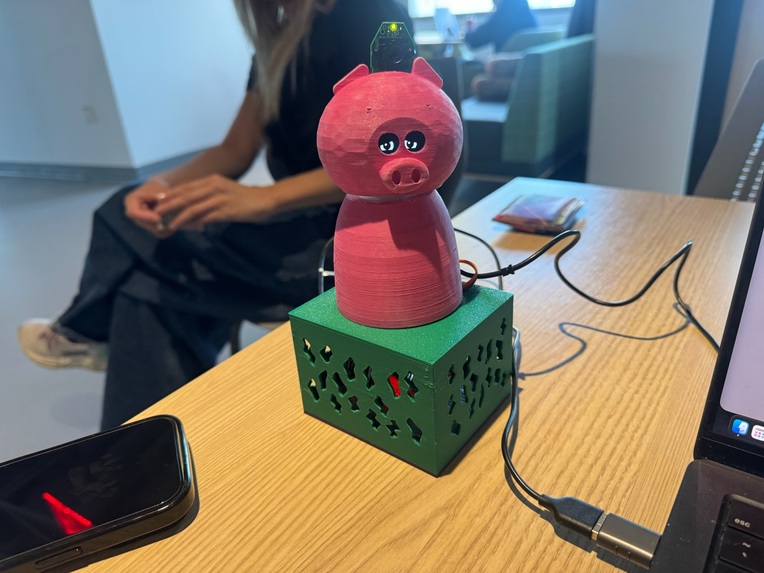
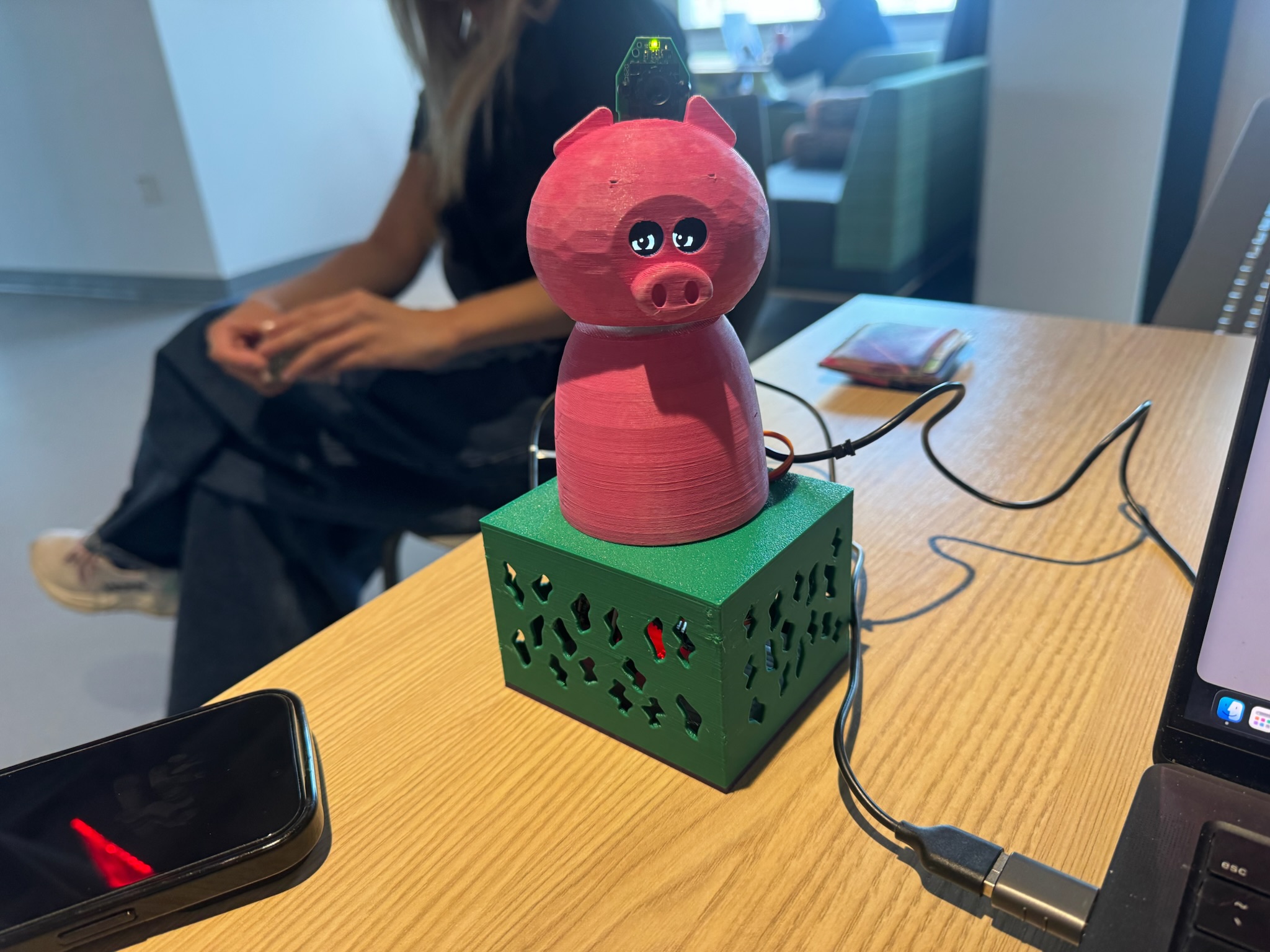
PiggyBack Final Model
-
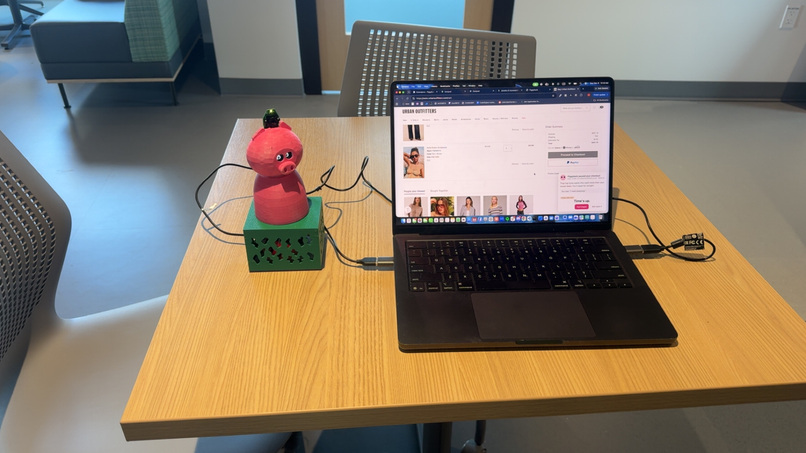
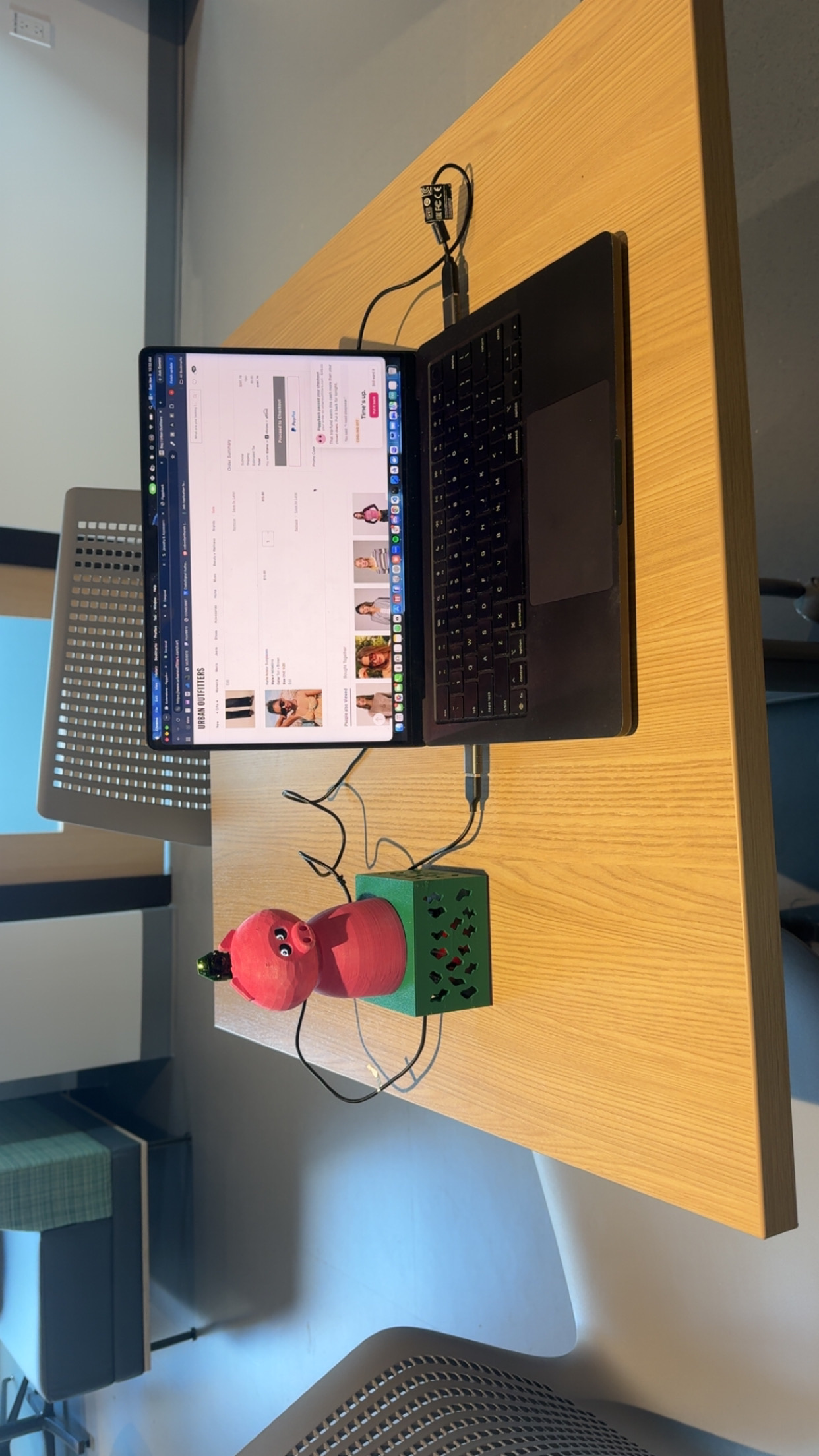
PiggyBack Final Model connected to the laptop
-
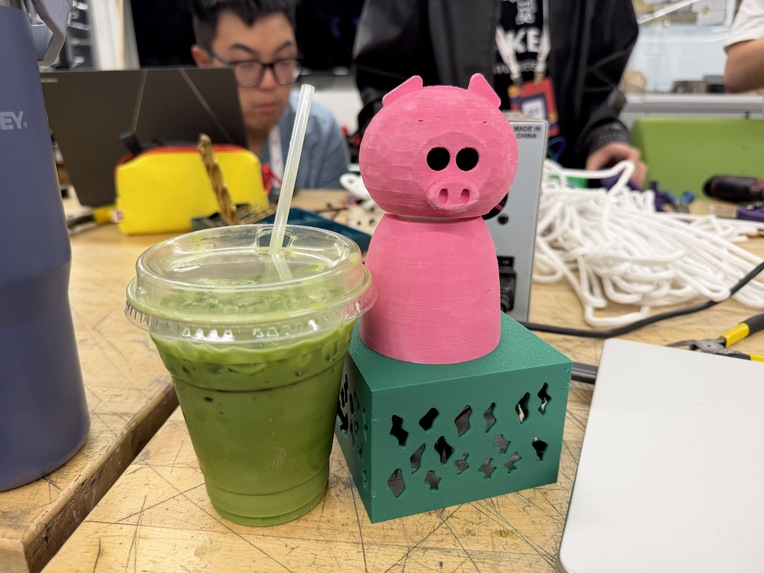
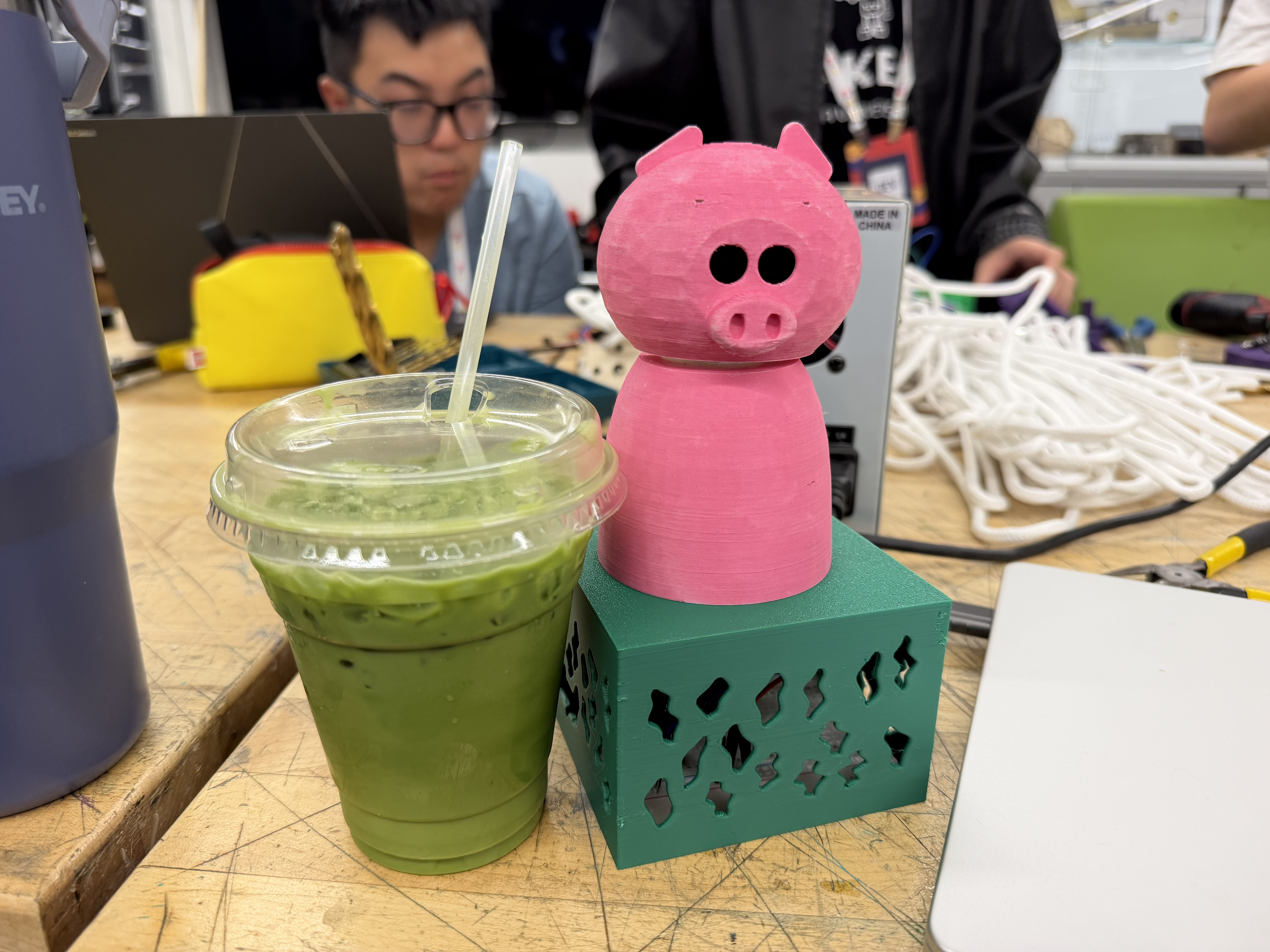
PiggyBack and matcha
-
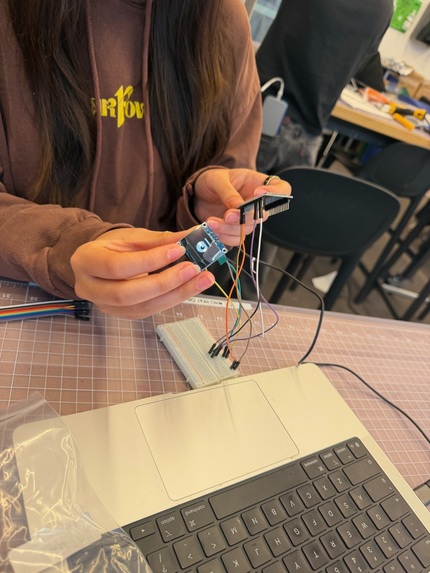
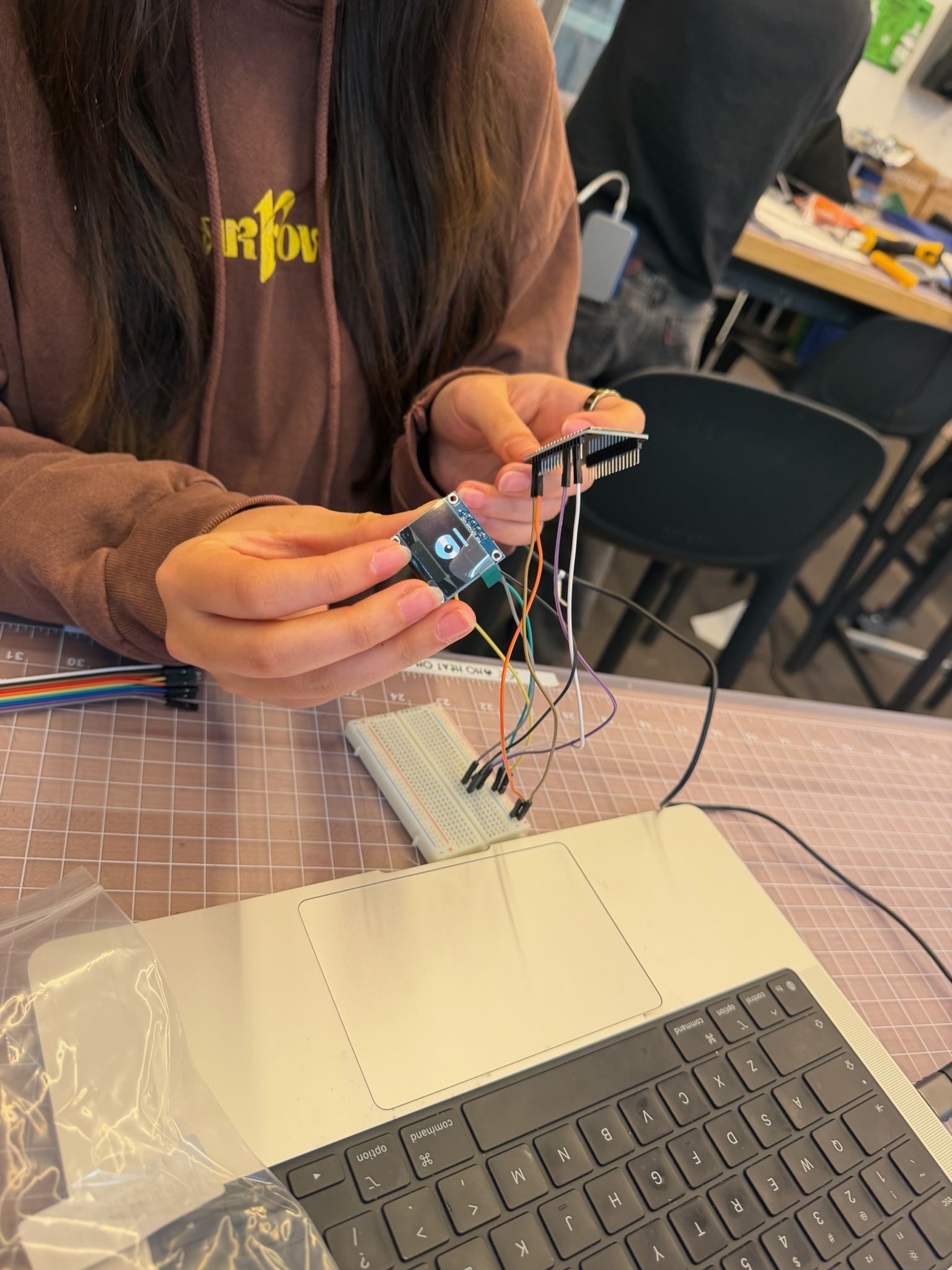
Testing the OLED displays
-
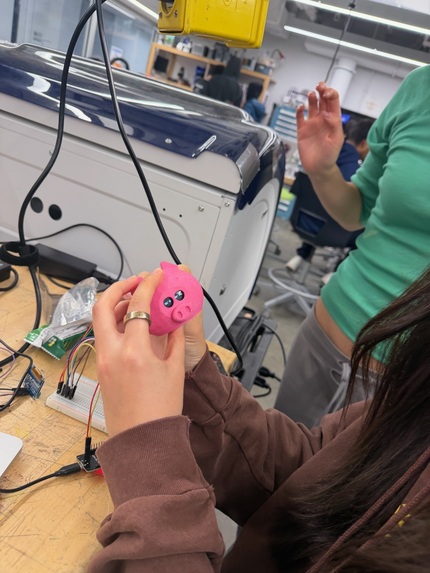
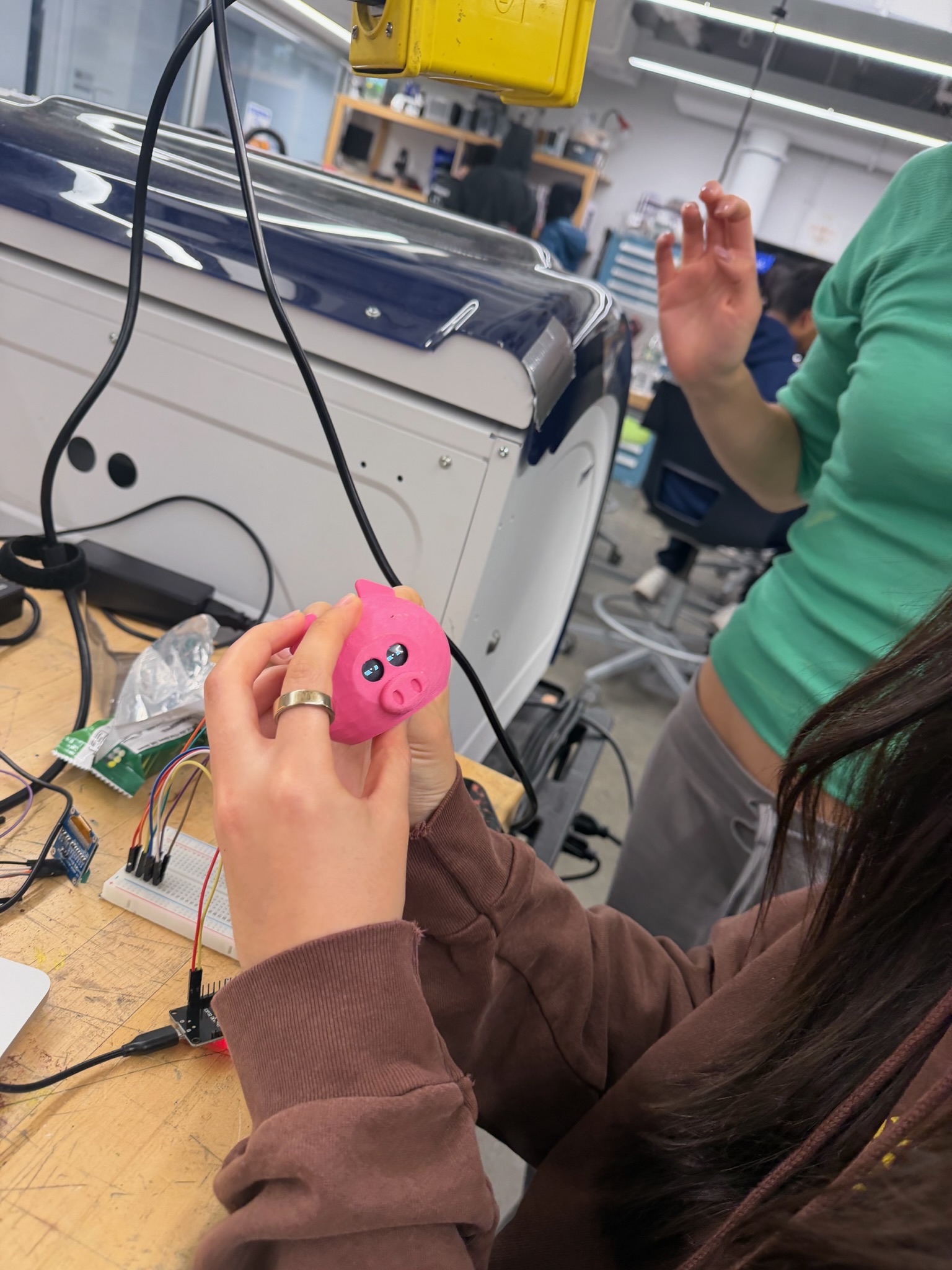
Integrating the OLED displays with the 3D printed head
Inspiration
Paying used to hurt when all we had was cash. We watched the bills leave our hands and could feel our wallets getting lighter, but now a purchase is just one tap or one click away, and that small friction of pulling out our wallets is gone. Behavioral economists call it the "pain of paying," and without it, it has become far too easy to impulse spend.
We wanted to bring that friction back, but make it interactive and entertaining. So we built PiggyBack, a desk pet that keeps your budget on track and teaches better spending habits along the way. When you're shopping online, your PiggyBack buddy Iggy P. turns to face you, narrows her eyes, and asks "Do you really need this?" before you can impulsively hit "Place order."
What it does
PiggyBack is an interactive robot piggy bank that makes you defend your impulse buys face to face. While you browse, a Chrome extension keeps track of what you're doing on a shopping site. When you add something to your bag, Iggy turns her head toward you, narrows her eyes, and comments on it ("Twelve hundred bucks for pants? We'll chat at checkout.").
When you click "Place order," Iggy may hold your order and ask you a few short questions out loud. You answer out loud too, but a webcam just above her eyes tracks your face, so you have to keep eye contact while you argue.
Then she decides. She can let the order go through, put it on a cooling-off timer and move the item to a "waiting room" on your budgeting dashboard, or escalate it to your accountability buddy. You can always choose to buy anyway, but Iggy will remember that.
Iggy isn't trying to stop every purchase. Her job is to catch impulse buys, not necessities. With every answer you give, the AI rates the purchase as a need, a want, or unclear. A replacement laptop charger the night before a big deadline will pass easily, but a third pair of the same sneakers won't. How strict she gets also depends on your budget: if something costs half or less of what you have left this month, she asks two questions, and if it costs more than that, she asks three and gets much harder to convince. Over time, these arguments with Iggy teach you to ask the same questions to yourself when you’re shopping alone.
How we built it
PiggyBack has four parts: a 3D-printed body with a moving head, firmware that animates it, a Python brain that runs the argument, and a Chrome extension that watches you shop.
We modeled Iggy in Onshape and printed her in pieces: a hollow body for the electronics and a head mounted directly on the servo. An ESP32 development board connects to the laptop over USB and drives an MG90S servo that swivels the head (powered by its own 5V supply) and one SSD1306 OLED that draws both eyes. A Logitech webcam sits just above the eyes, so looking at Iggy means looking at the camera, and a JBL speaker gives her a voice.
The firmware, written in C++ with Arduino, turns one-line commands from the laptop into seven expressions, from a quick double take to a slow, disappointed head shake, so Iggy can show what she thinks before she says a word. Her eyes blink, follow your face, and slowly close during a three-second stare. The motion is smooth and can be interrupted, so she reacts the instant the brain changes its mind.
The brain is a Python server built with FastAPI. Gemini Flash writes each question, rates the purchase as a need or a want, and suggests a verdict, while budget rules in our own code can only make that verdict stricter. MediaPipe tracks your face so the head can follow you and so your answers only count while you're looking at Iggy. faster-whisper listens to your answers, macOS text-to-speech speaks Iggy's lines, and a live dashboard keeps track of your budget, goals, and past arguments.
Every argument is also recorded in Tiger Data. While you argue, a hypertable logs where you’re looking and continuous aggregates turn that into the dashboard’s “Stare history”: how much eye contact you held in each argument, money spent versus saved each day, and your "riskiest" hour to shop. Writes are batched in the background, so Iggy never waits on the database.
The Chrome extension holds the "Place order" button until Iggy reaches a verdict and shows the argument in a small card on the page. It picks out ads, sponsored results, sales, and cart totals, and asks Gemini Flash-Lite for help when its simple checks aren't sure.
Challenges we ran into
We originally wanted PiggyBack to be as standalone as possible, with no cables between the robot and the laptop. That required bulkier hardware to connect over Wi-Fi, and we couldn't get it working consistently in later testing, so we kept the microcontroller and camera wired to the laptop for now.
Our extension also had trouble telling whether the user was on a cart page, a sale, or a product page, since every shopping site is built differently. We used Gemini's API to fill in those gaps, which let us track shopping behavior across many different sites instead of just one.
On the hardware side, we spent a long time stuck on an ESP32 that wouldn't accept uploads. It turned out the servo was plugged into one of the pins the board checks when it starts up, and moving it to a different pin fixed the problem right away.
Accomplishments that we're proud of
We're proud that we connected every component and got to see the pig come to life. The browser, the AI, the camera, the mic, the ESP32, the servo, and the eyes all work in one loop. Add something to your bag and Iggy turns to comment. Click "Place order" and she argues with you, follows you with her head and eyes, and gives her verdict out loud, turning a decision that usually happens in a second into a small performance.
We're also proud that we built a robot as a software team with a very limited background in hardware. Most of us came in knowing how to write code, but not how to wire a servo, power a microcontroller, or model a 3D part. In one day we learned CAD, printed our own enclosure, wired the electronics, and wrote firmware for a board we'd barely used before.
What we learned
Hardware debugging is very different from software debugging. There's no stack trace for a wire on the wrong pin, so we learned to check the physical setup first. We also learned that efficiency matters more on hardware: in software, a slow function just runs slowly, but on a robot it can freeze the head or throw off what the camera sees, so we had to design our software around the body.
Along the way we learned how servos, shared grounds, and boot pins work on a microcontroller, and the basics of CAD and 3D printing, like print orientation, supports, wall thickness, and print time. We learned to keep the AI in check by letting it handle the conversation while the budget rules live in code where it can't be talked out of them. And we learned that personality is a design problem: small choices in timing and expression made Iggy feel more alive and more persuasive. A robot that entertains you may be the one you actually listen to.
What's next for PiggyBack
Next, we'd like to add a card vault, a servo latch that locks your credit card inside the pig until she approves a purchase. We also want to put Iggy's ears on servos so they perk up or droop with her mood, add a "swear on the belly" touch pad using the TouchTronix sensor, and show users how much money they've saved by not buying things, so the lessons Iggy teaches add up over time.
PiggyBack’s unique humorous human-robot interaction interface can be applied to other applications to keep users engaged. Additionally, the concept of an accountability robot can be applied to other impulsive habits.
Notability
We utilized Notability to compile all our work into one note of charts, handwritten notes, and drawings. The ease of writing and erasing notes in the app was extremely helpful for fine-tuning our idea.
Built With
- 3d-printing
- arduino
- c++
- chrome
- esp32
- fastapi
- gemini
- google-cloud
- google-genai
- javascript
- mediapipe
- mg90s
- oled
- onshape
- opencv
- pyserial
- python
- servo
- ssd1306
- uvicorn
- vertex-ai
- webcam
- websockets


