Inspiration
In the golden era of social media, everyone is searching for that perfect picture. While picture-taking seems simple at first, there is much more to it than meets the eye. From finding the perfect location to figuring out the best way to pose, today’s seemingly effortless social media posts come with tons of behind-the-scenes effort. Pair that with the enormous amounts of settings available to tweak, and it is almost impossible to be satisfied with the pictures one takes. After realizing the challenges of taking the perfect picture in today’s day and age, we were inspired to create PicturePerfect
What it does
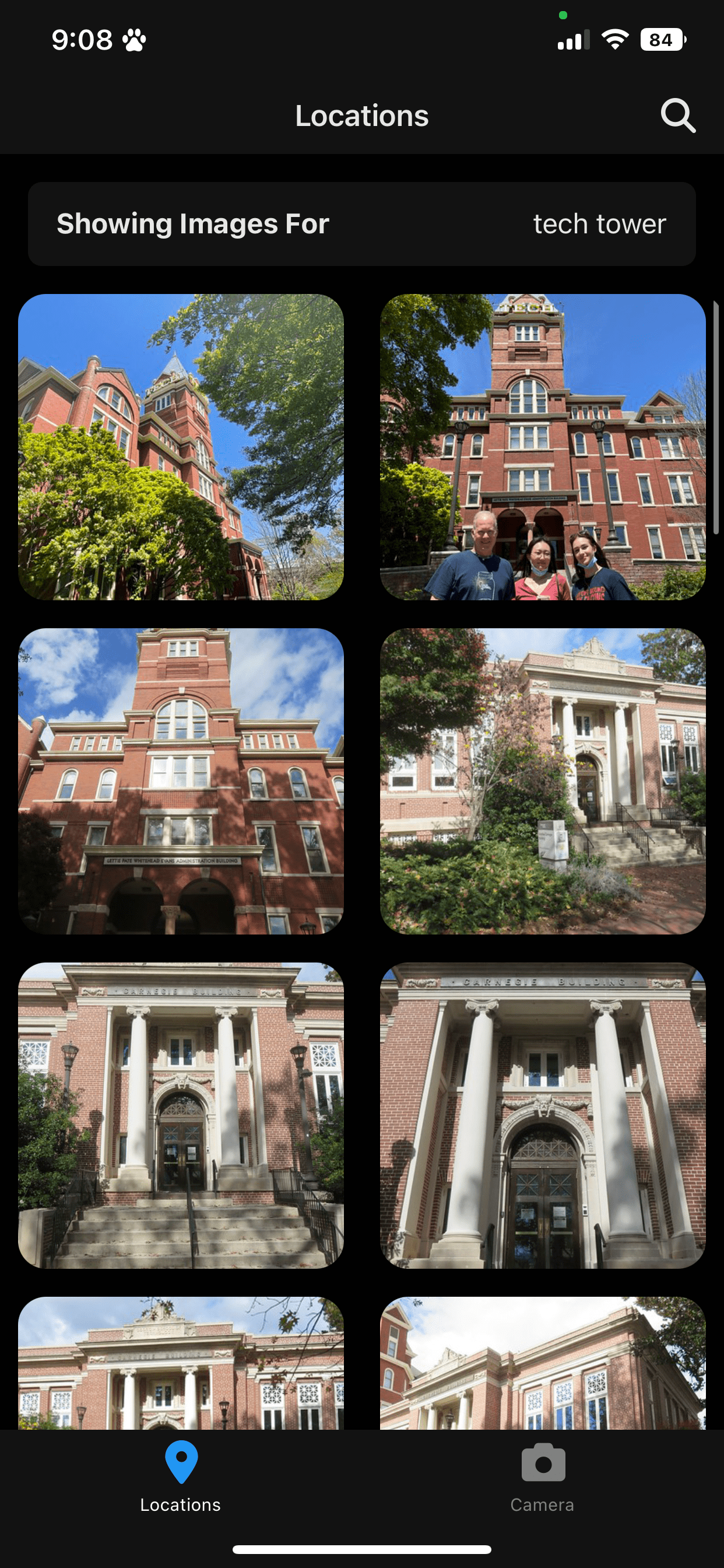
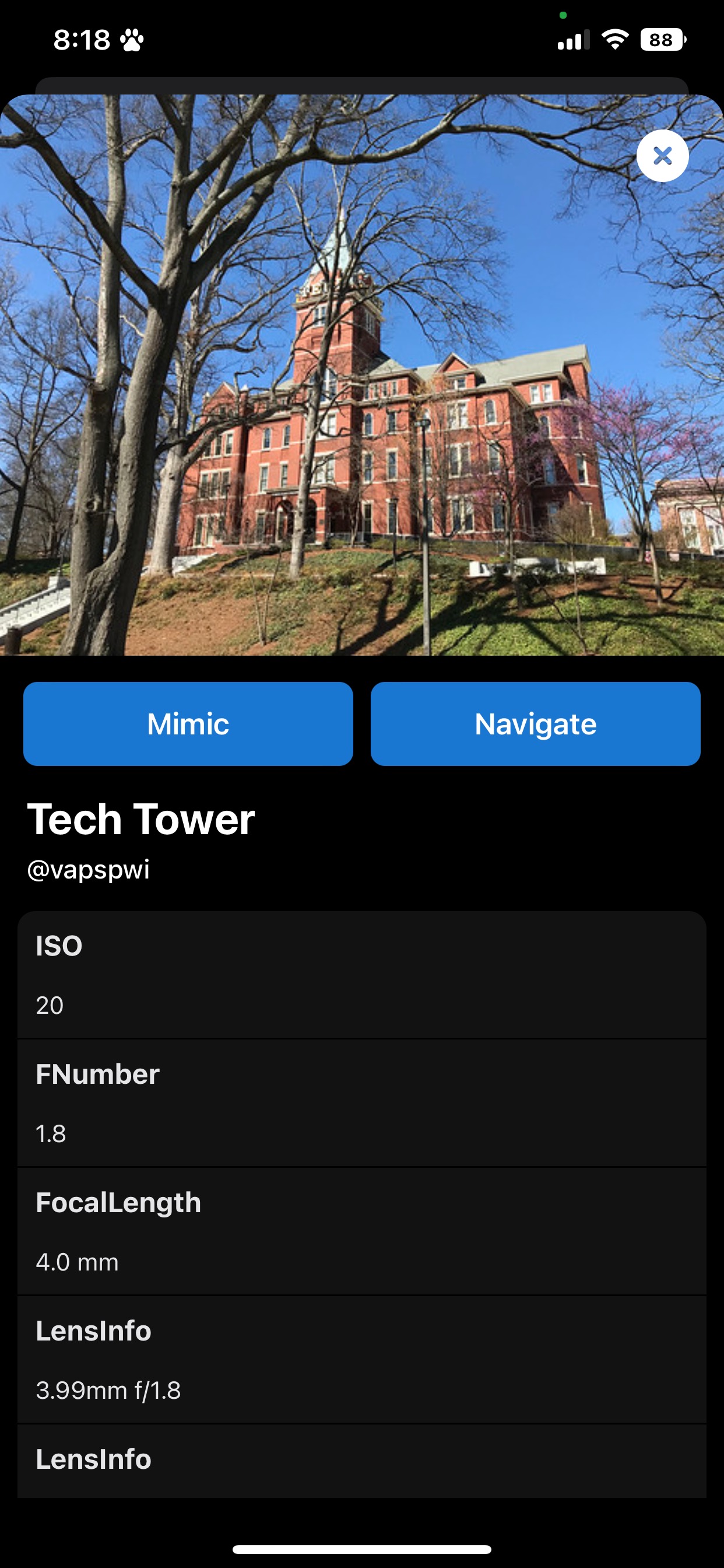
PicturePerfect is a mobile application that integrates AR (Augmented Reality) technology and queries thousands of other images taken in similar locations in order to determine the best position, angle, and pose for your picture. PicturePerfect uses location data to find images taken near you or at any specified location. If you see an image you like, you can also click on the image to get directed to exactly where it is. Users can look at reference pictures to gain information about the picture settings such as ISO, exposure, etc., and also import these settings into the Live CameraView. Combined with this, PicturePerfect implements an overlay that allows you to merge a reference image with your current surroundings in order to better match an image you want to emulate.
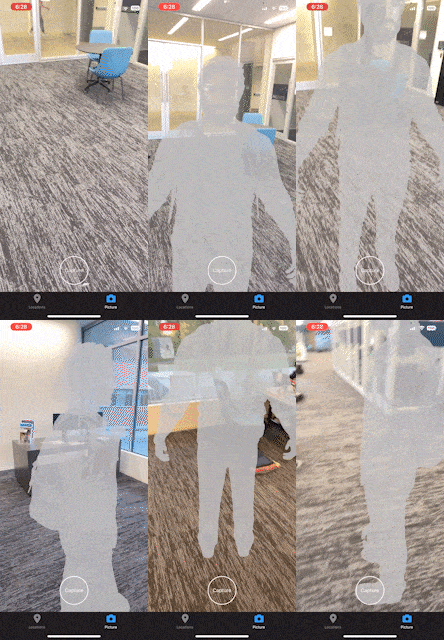
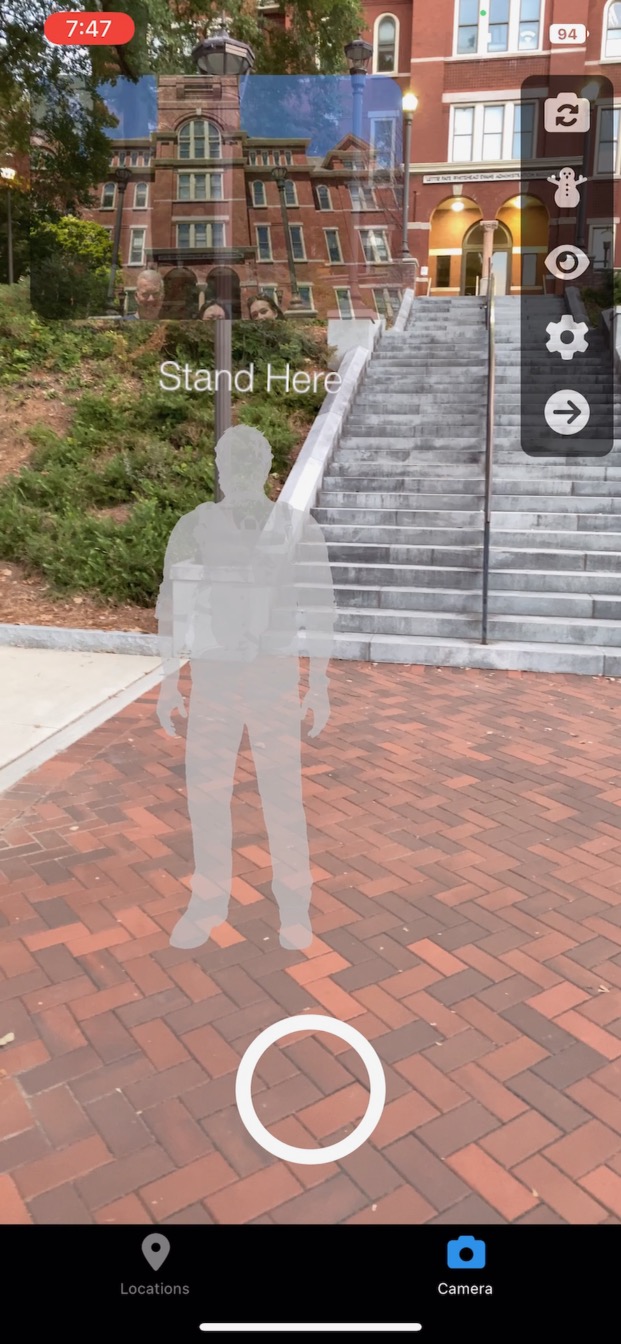
The second part of our app deals with helping the user position the camera in the best way possible for a picture. The primary hurdle with taking outdoor pictures is lighting, which our app solves by using GPS/Compass information to calculate the position of the Sun. With this information, we display an AR human model to indicate where you should stand to take the best possible picture. Our application also has the ability to take pictures to the camera roll
Our application uses the position of the Sun combined with the surroundings in our LiveView in order to generate an AR model that predicts the best possible position for you to stand in order to take the perfect picture. It also generates another model that will allow the picture taker to position himself perfectly. All this is done completely automatically, while also allowing for extensive modifications by the user in order to choose their own settings/their picture preferences.
How we built it
We use React Native to allow compatibility on both iOS and Android mobile devices with AR capabilities. We leverage Apple’s ARKit and Google’s ARCore respectively to power the features AR features behind our app.
Challenges we ran into
The team has never worked with React Native or mobile development at all, so small wins like rendering text on the screen warranted yelps of joy.
Building the AR model was one of the main challenges for our team, as it was completely uncharted territory. Furthermore, the support for AR within React Native is not the best, which led us to work with libraries that are not well maintained, requiring a bunch of debugging. We also had to handle many performance constraints, as we wanted our application to be as robust as possible, but rendering a 3d AR at 30fps in a camera view is pretty compute intensive. We ended up creating a custom way to access live AR data from the camera and render what we call ‘mannequins’ where both the camera taker and poser stand. Fun fact: we spent 5 hours trying to render the first mannequin, and figured out our implementation was right except for the fact we forgot an underscore.
We had to learn to handle both ARKit (iOS) and ARCore (Android) and use both within React Native. In addition, we had to handle geometry-related issues such as the calculations needed for positioning the virtual mannequins.
We also had to learn how to work with 3D animation objects in order to create .fbx files for our AR models.
Accomplishments that we're proud of
- Creating a beautiful user interface that is familiar to normal mobile app users. The camera portion was modeled to slightly mimic snapchat to promote familiarity.
- Rendering live interactable 3D objects in real space and time in the exact position that we wanted it to go in.
- Interacting with device sensors like compass
- Interacting with Flickr API in order to query locations
- Enabling live camera view with the ability to save pictures to the camera roll and interact with camera elements
What we learned
The two main frameworks we gained experience with were React Native and ARKit. We focused on compatibility with iOS for the scope of this hackathon and thus had to learn the capabilities of Apple’s SDK.
Also, though we all had exposure to React in the past, we had to learn the specifics of adapting to React Native and the quirks of development on mobile.
We learned how to create AR related behaviors like scenes and navigators as well as how to render real objects in real 3D Space exactly where we want them to be. We are really proud of this one.
What's next for Picture Perfect
We want to make our model more robust in order to better incorporate all types of lighting, and be able to adjust the AR model to fit the user's body.
Furthermore, we would like to be able to expand our AR system to be able to support group pictures, i.e the user can specify the number of people that will be included in the picture and we can support that.
Last but not least, we want to be able to do the same things but for videos. This will definitely be much more complex and subjective, but I think it is the logical next step for our application.
Built With
- api
- ar
- arcore
- arkit
- flickr
- fluid-ui
- ios
- javascript
- ml
- react-native
- rest
- typescript


Log in or sign up for Devpost to join the conversation.