-
-
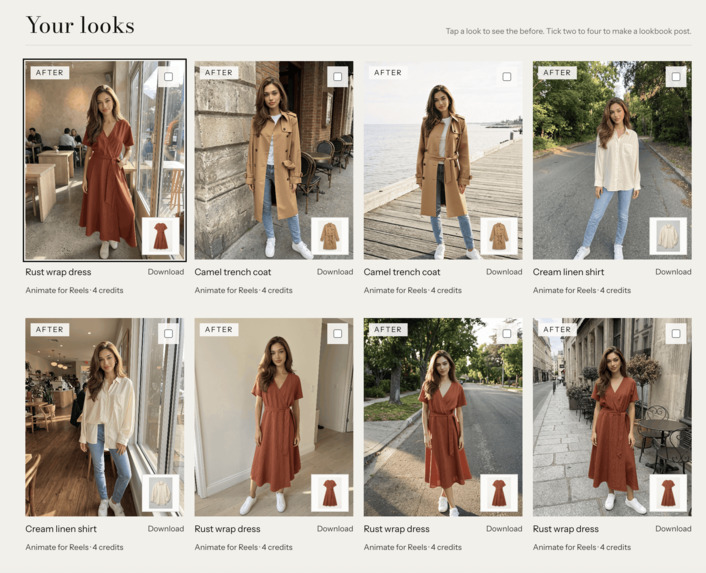
Generated Looks Libary
-
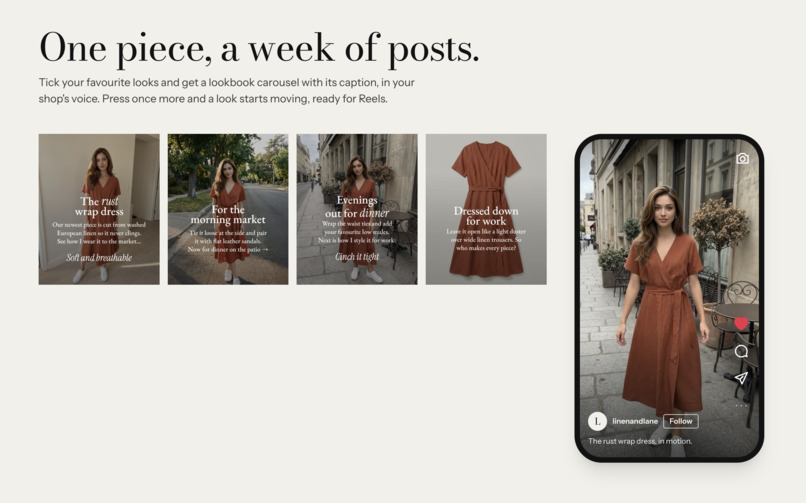
Social media posts created for you
-
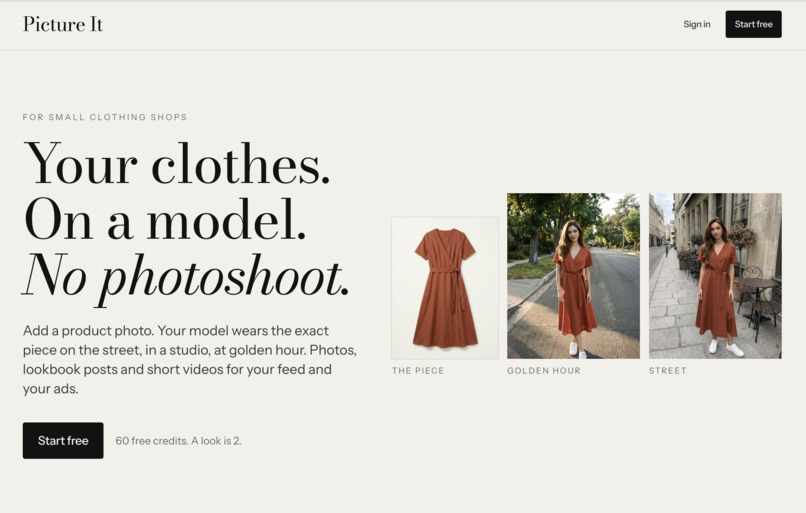
Home page
-
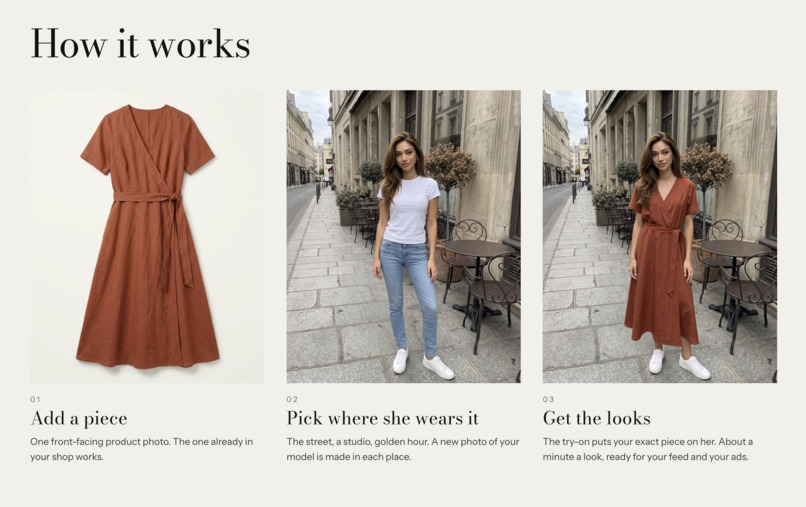
How it Works
-
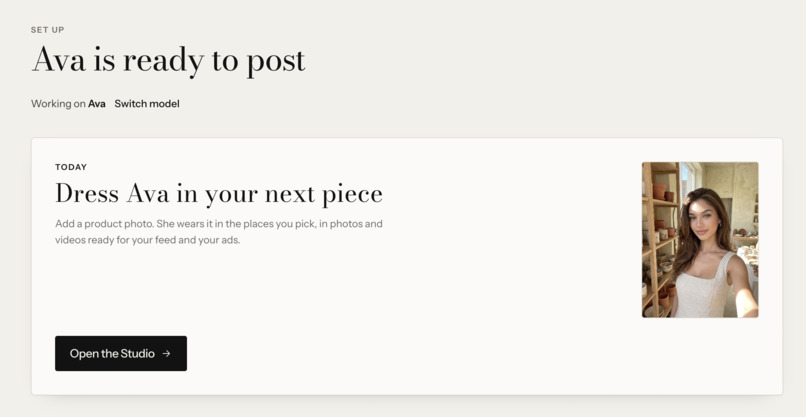
AI model Ava
-
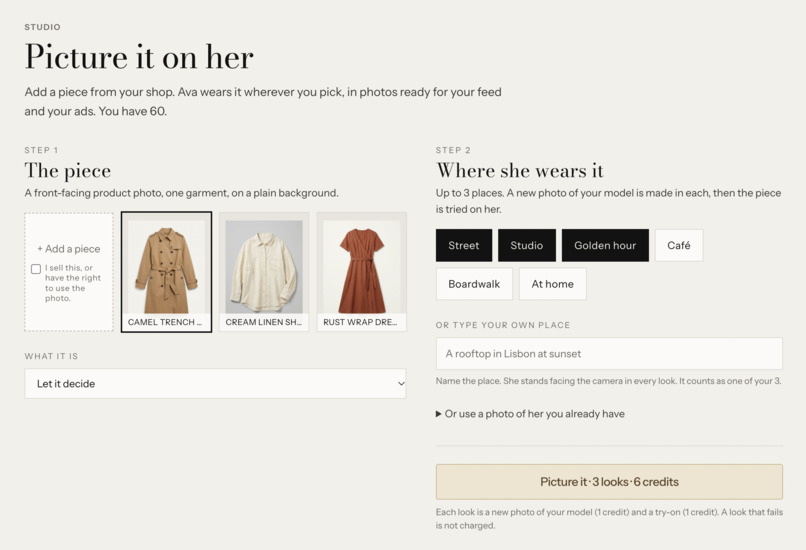
The Picture It generator
Inspiration
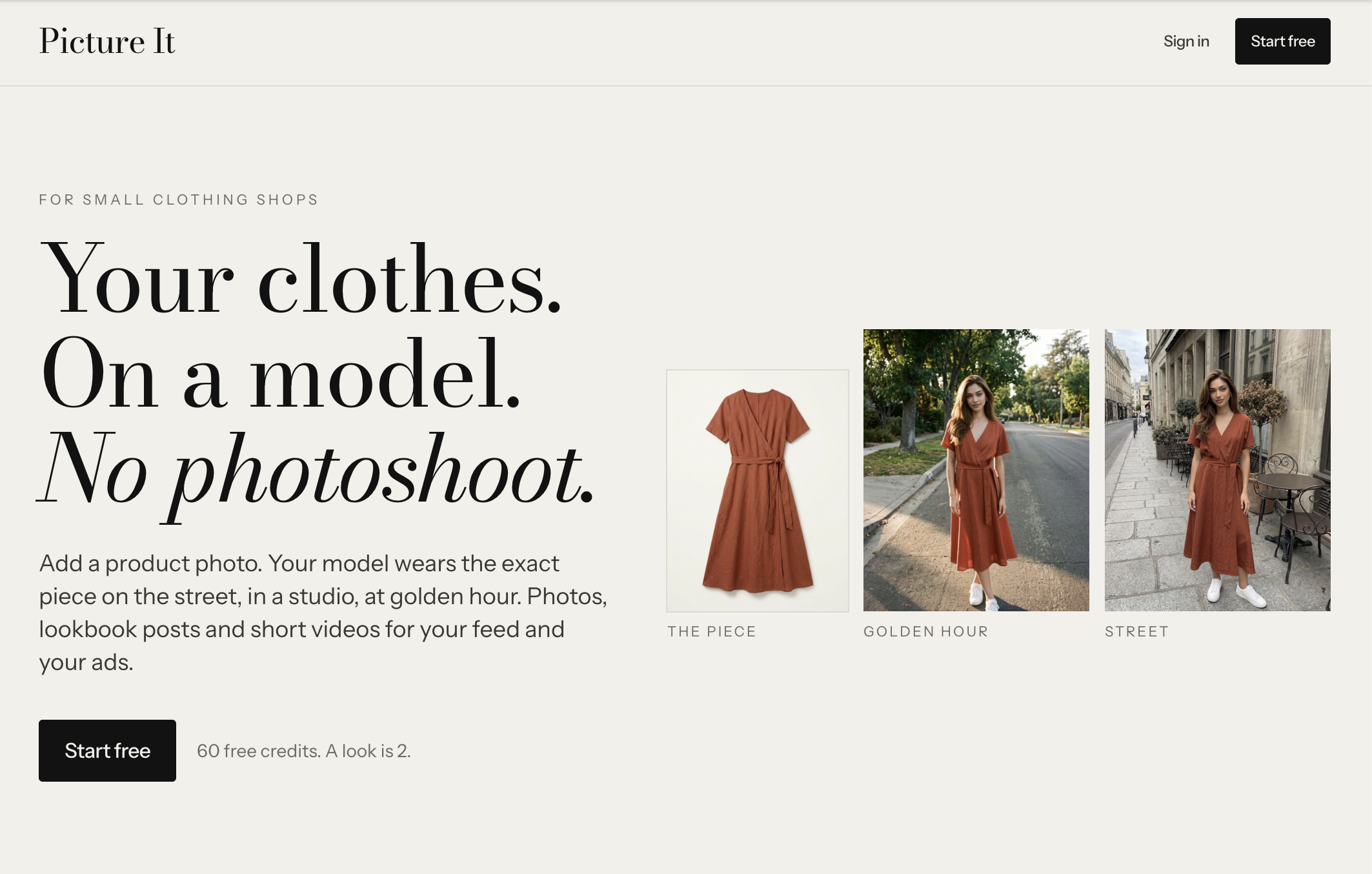
Small clothing shops need to shoot product photos and videos of their clothes being worn. Every new piece needs them, for social media, for ads, and for the website. Yet, small business owners are stretched thin and don't have the time to create content for social media or the budget for an expensive photoshoot for each launch.
Picture It, powered by YouCam Try-on API solves that. Instead of getting a close but not 100% accurate result with generic AI image generators, Picture it takes the seller's real product photo and puts that garment on a person. Small business owners want to get more customers and grow their social media; not spend time manually generating AI images and creating content themselves.
What it does
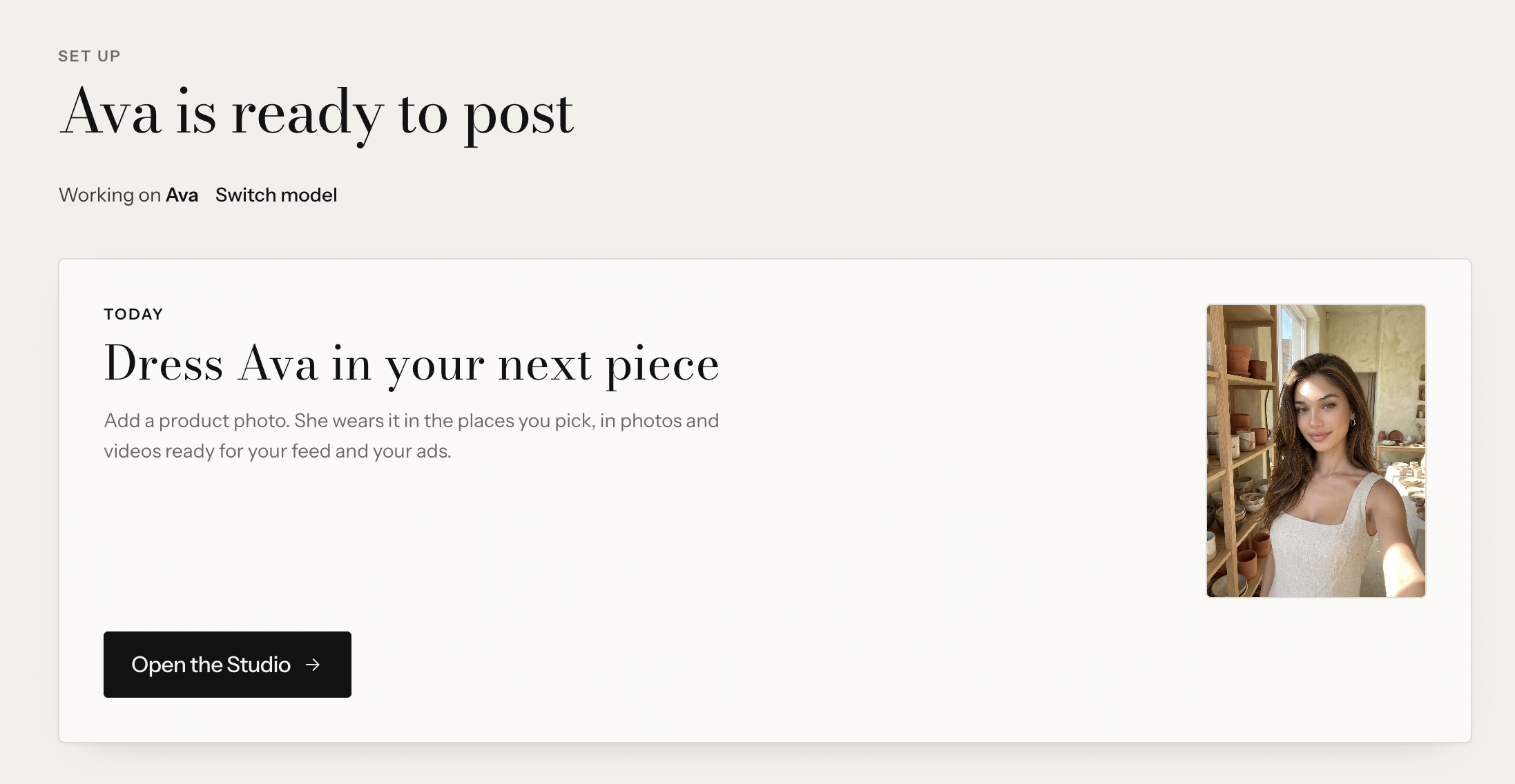
- Set up a model once. Use your own photos, upload photos you have the right to use, or describe a made-up model and get five matching photos in about a minute.
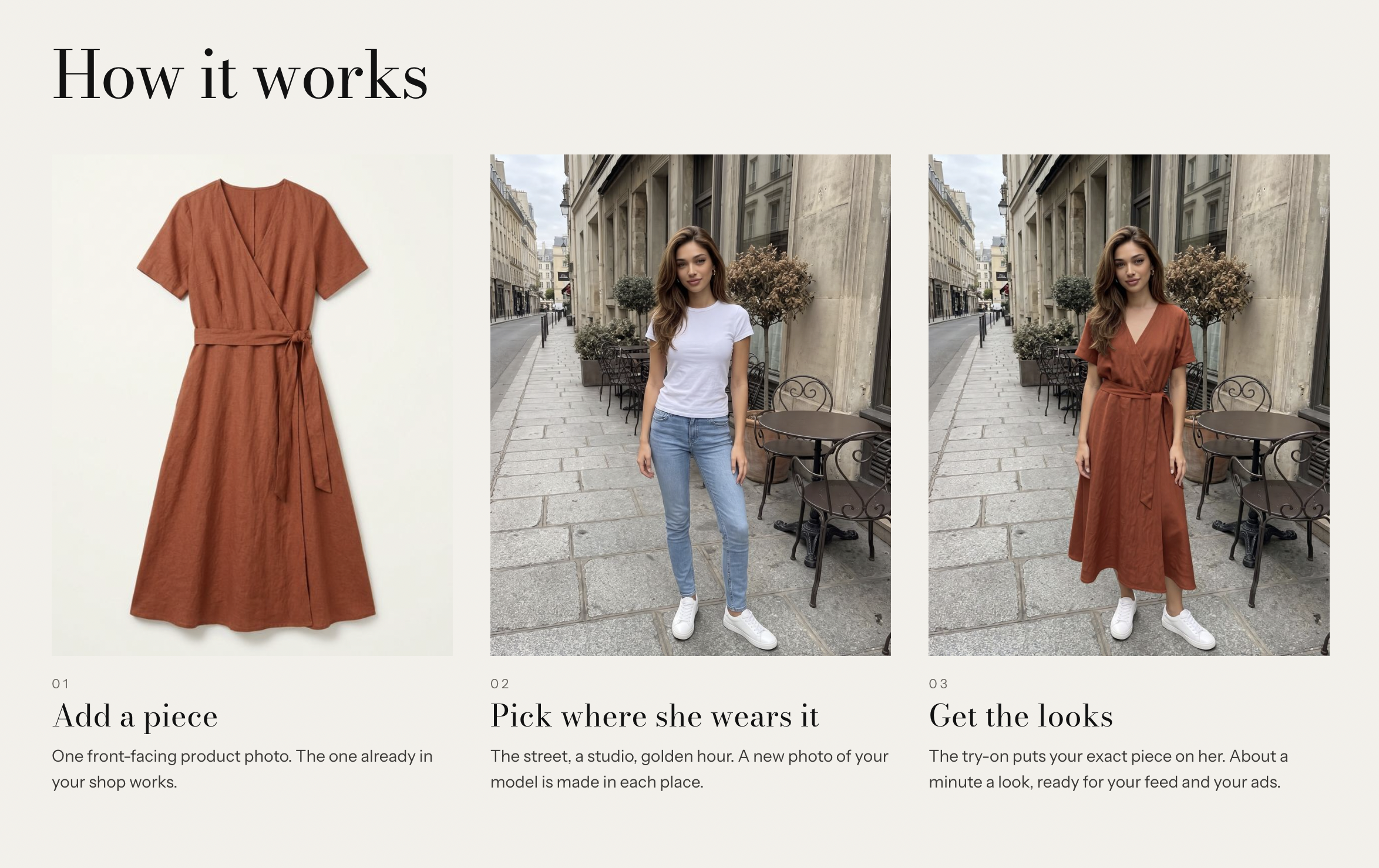
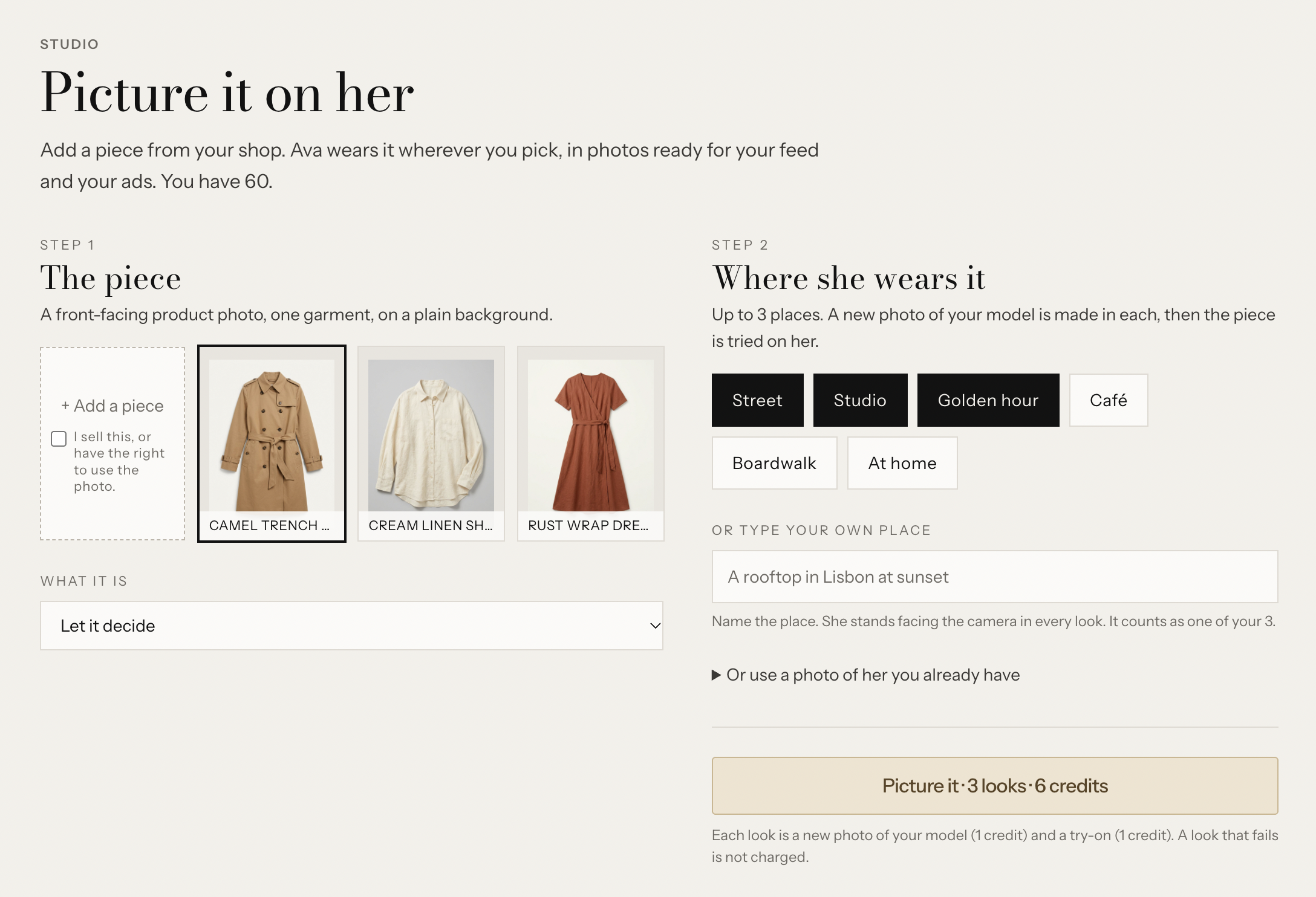
- Add a piece. One front-facing product photo.
- Pick where she wears it. Up to three places: street, studio, golden hour, café, boardwalk, at home, or type your own.
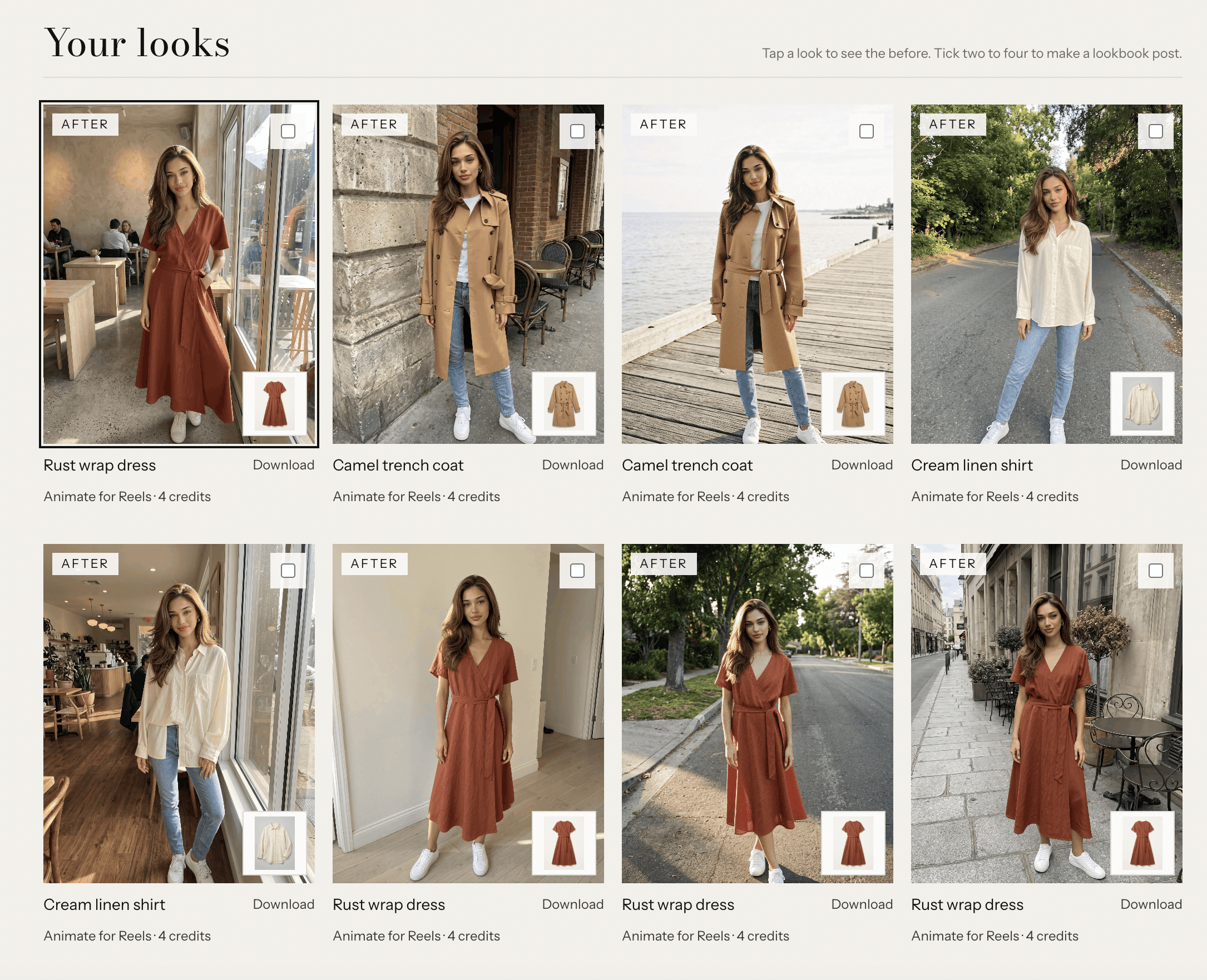
- Get the looks. Generation takes about a minute. Tap any look to see its "before" vs "after.
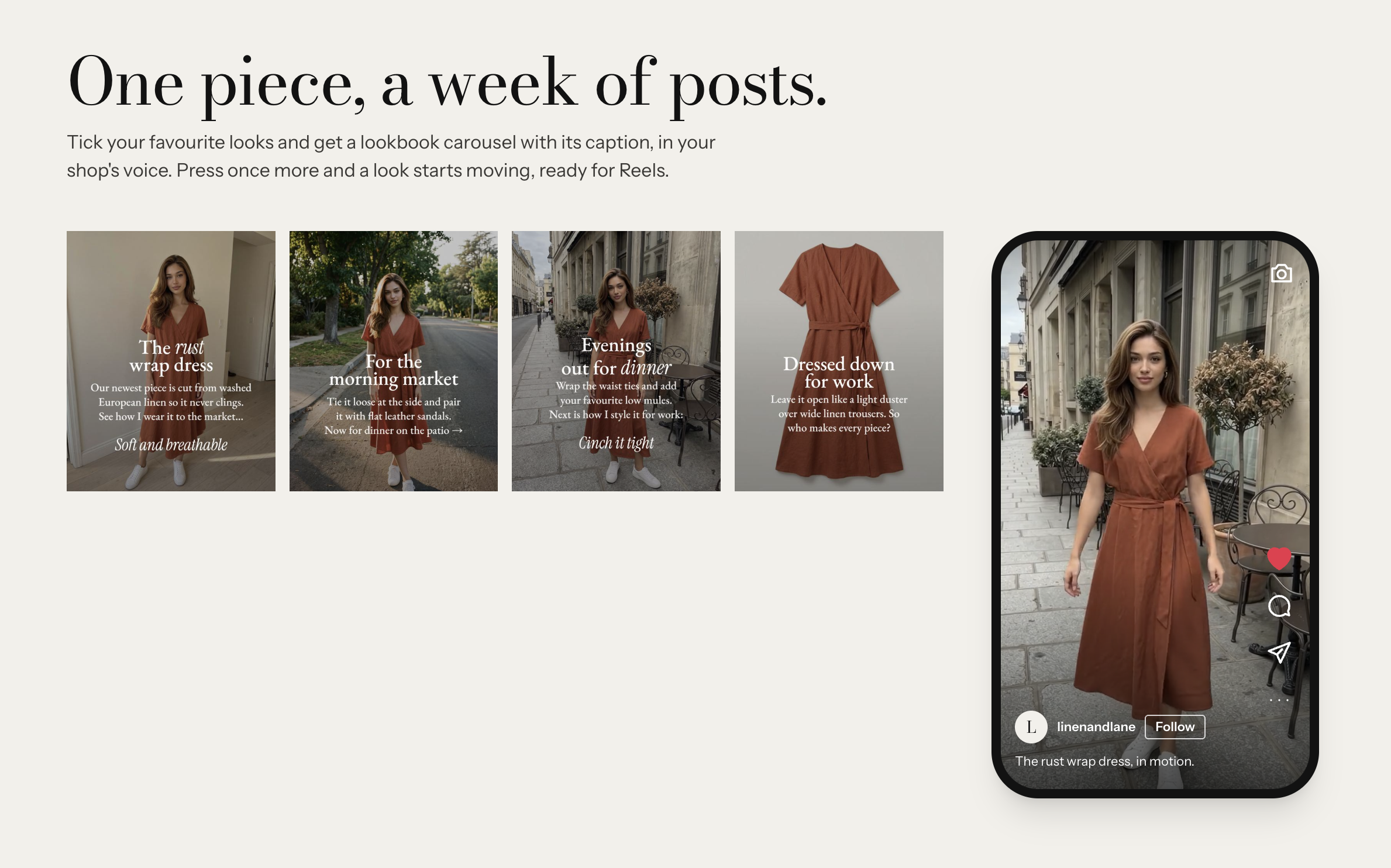
- Turn looks into social media posts. Select two to four looks for a lookbook carousel with a caption in your brand's voice, or animate a look into a stylish video showing off your product.
How the YouCam API is leveraged
The AI Clothes Virtual Try-On V4 API (/s2s/v2.0/task/cloth-v4) does the dressing.
- Pictures go through
/s2s/v2.0/fileto a pre-signed URL and are referred to by file id. - A task starts with the model photo, the garment photo and
garment_category, then is polled until it succeeds or fails. - The result is stored in the seller's private library.
The less obvious part is what we feed it. The API needs one person, standing, facing the camera, with her body in view. Sellers rarely have model photos ready, and they want more than one setting. So Picture It creates different AI Avatars: a new photo of the seller's consistent model in each chosen place, posed the way the API needs, in plain clothes any garment can replace. YouCam then dresses her. One flat product photo becomes a set of on-model photos in different places, with the same face.
YouCam's error codes (error_pose, error_invalid_ref, error_apply_region_mismatch and others) are turned into plain sentences telling the seller what to change.
How Picture It was built
- Each look is its own background job: credits are reserved before it starts and refunded if it fails, and a retried request can't charge twice. One failed look never costs the others.
- Gemini makes the model photos, writes the captions and carousels, and makes the short videos.
- Next.js on Vercel, Clerk, Neon Postgres, private Vercel Blob, TypeScript.
Challenges
- The pose. The try-on needs a clean, front-facing subject, while fashion wants personality. We tuned the prompt to a relaxed stance that still passes, and added the moving look so the post isn't only a standing shot.
- Keeping her face. A described model has no photos, so we make a portrait first and draw every other shot from it.
Accomplishments
- A flat product photo becomes on-model photos in about a minute, with the garment's colour and cut held.
- A complete path: sign-up, model, product, looks, lookbook post, video, ready to post for social media.
Learnings
Try-on and image generation do different jobs. Generation is good at the person and the place. Try-on is what you can trust with the product. Together they do what neither does alone.
What's next
Editing a look's pose, more garment types from YouCam's bag, shoe and hat APIs, and bulk shoots for a whole drop.
Built With
- clerk
- gemini
- neon
- next.js
- typescript
- vercel
- youcam-api
