-
-
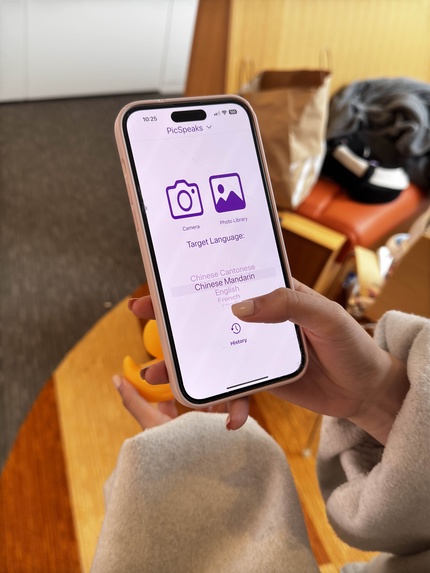
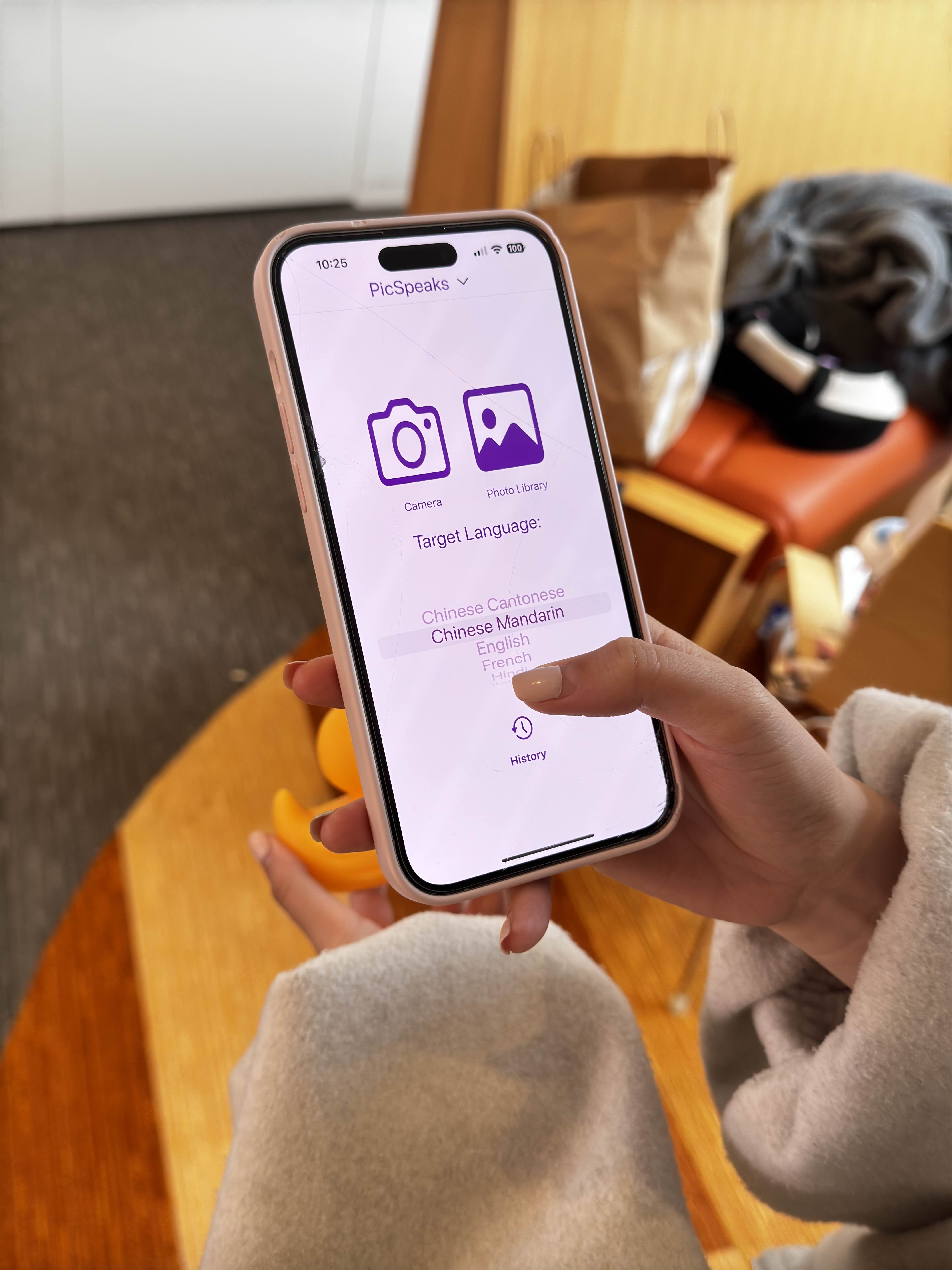
Main View
-
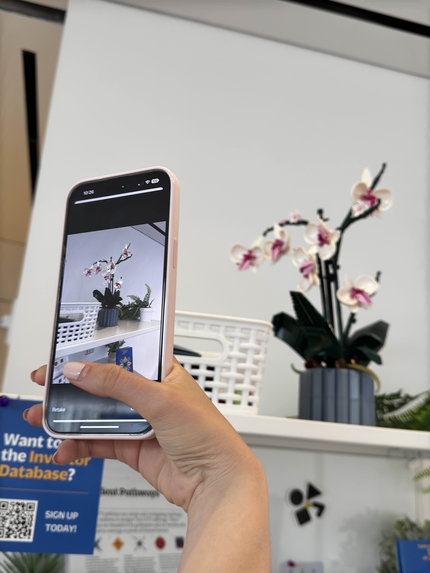
Taking Picture Object 1
-
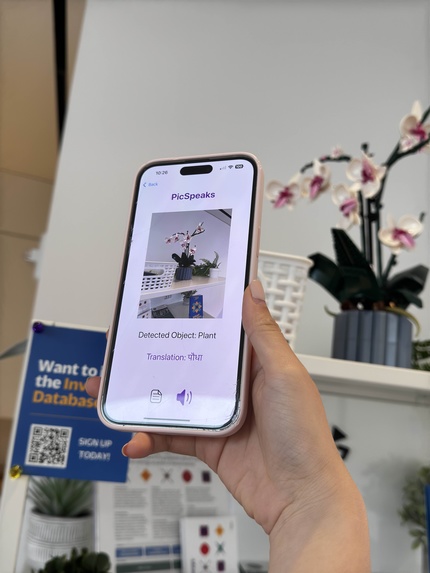
Translation Object 1
-
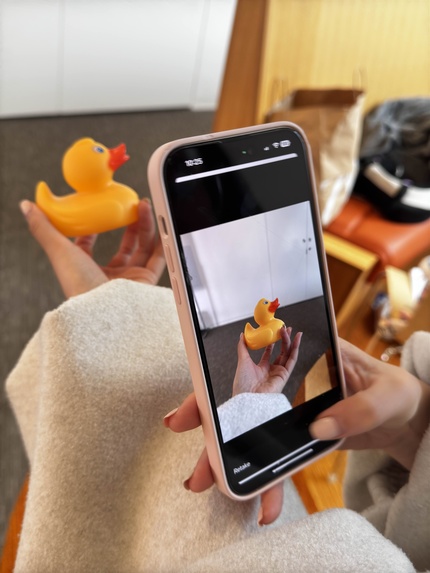
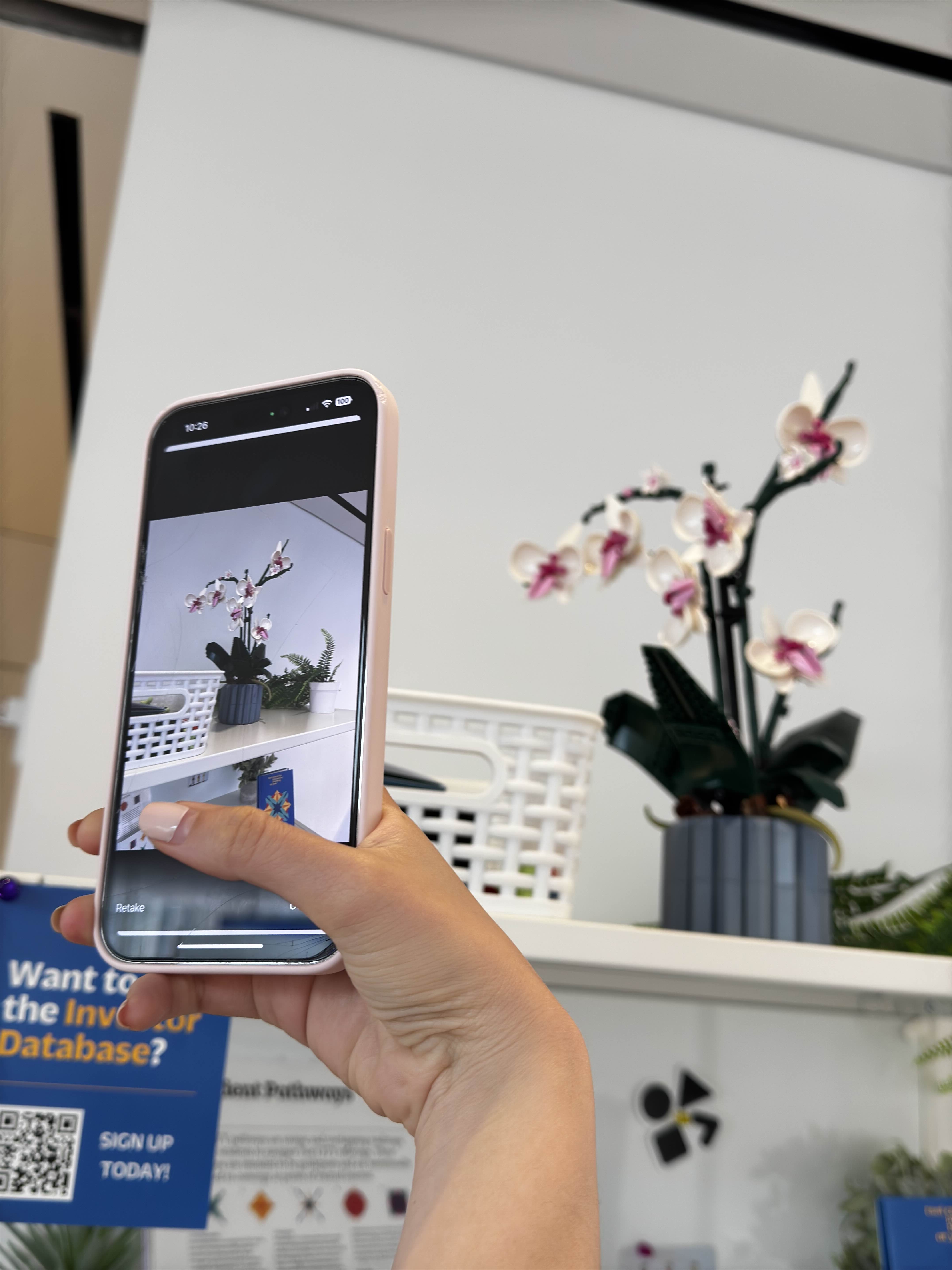
Taking Picture Object 2
-
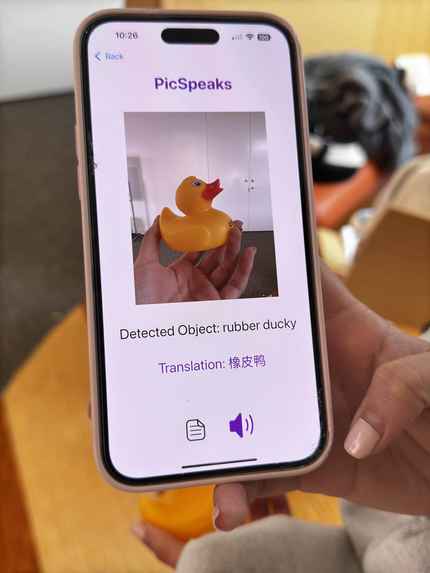
Translation Object 2
-
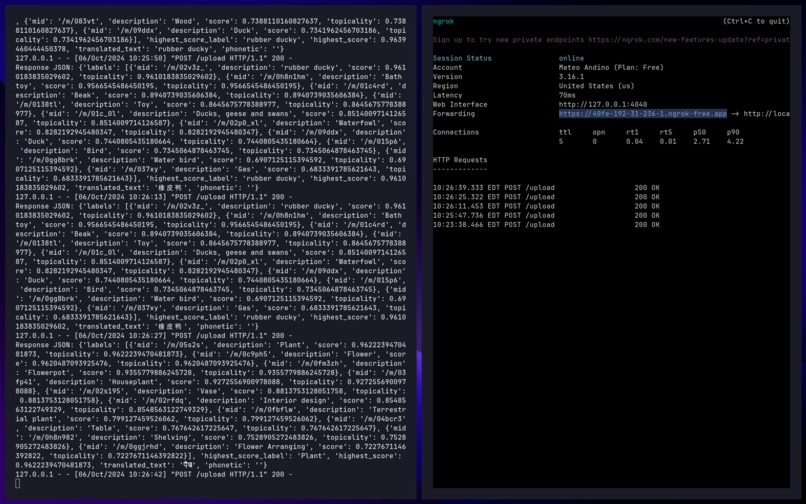
Python Backend

Inspiration
-“A picture is worth a thousand words.” -Learning a second language from the image is much more intuitive and efficient, especially for young kids and the elderly.
What it does
-PicSpeaks is dedicated to improving access to quality language education and enhancing language learning experiences for second language learners of all ages and backgrounds. -Leveraging AI-driven tools allows our users to translate objects directly from what they see instead of plain words, making language learning easier.
How we built it
Our app enhances language learning through an accessible and user-friendly design, utilizing real-world object recognition to aid language learners. Here's a breakdown of how we built the application:
1. Frontend - Swift The front end of the app was developed using Swift to create an intuitive and responsive iOS interface. It consists of two main views:
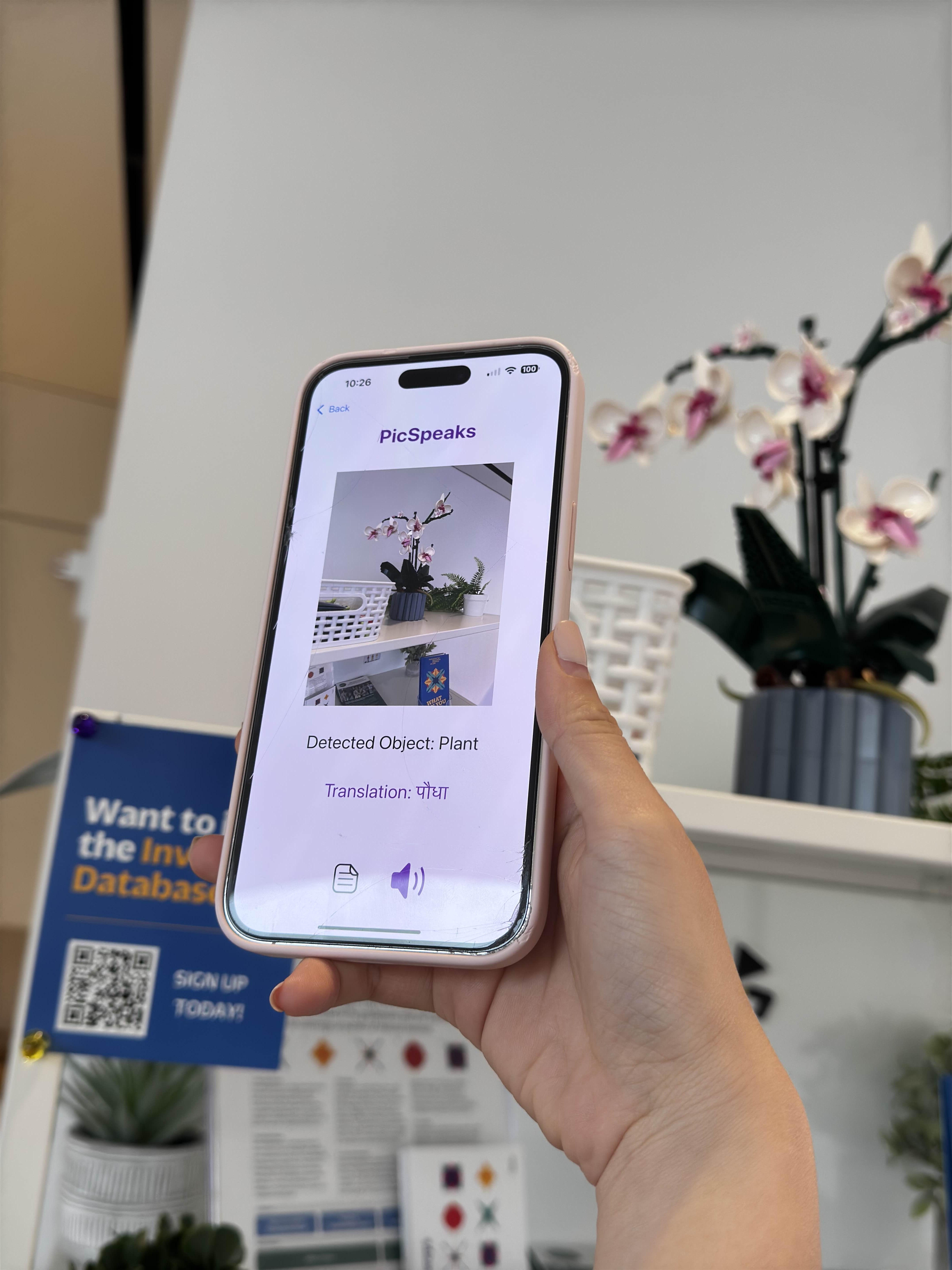
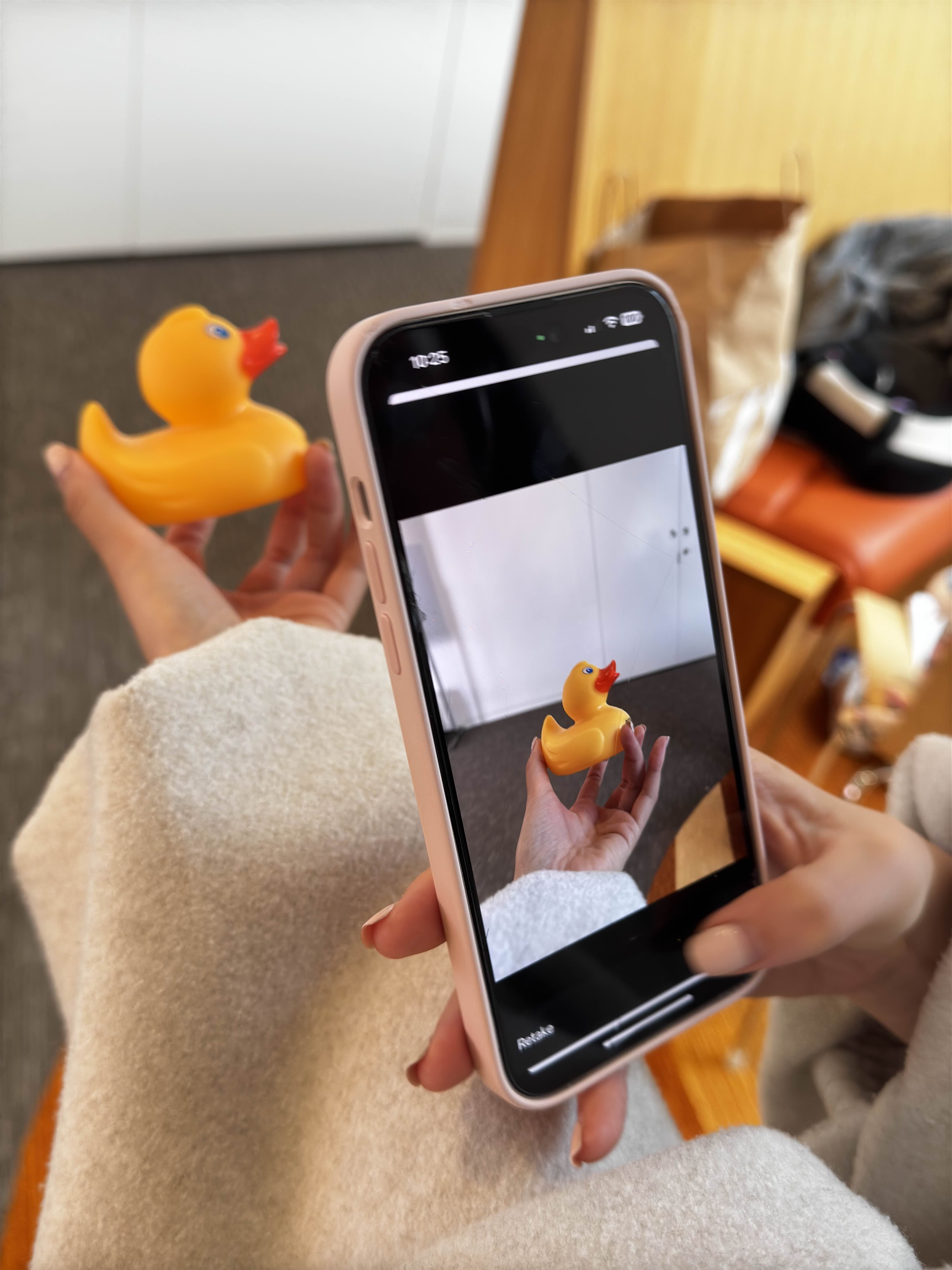
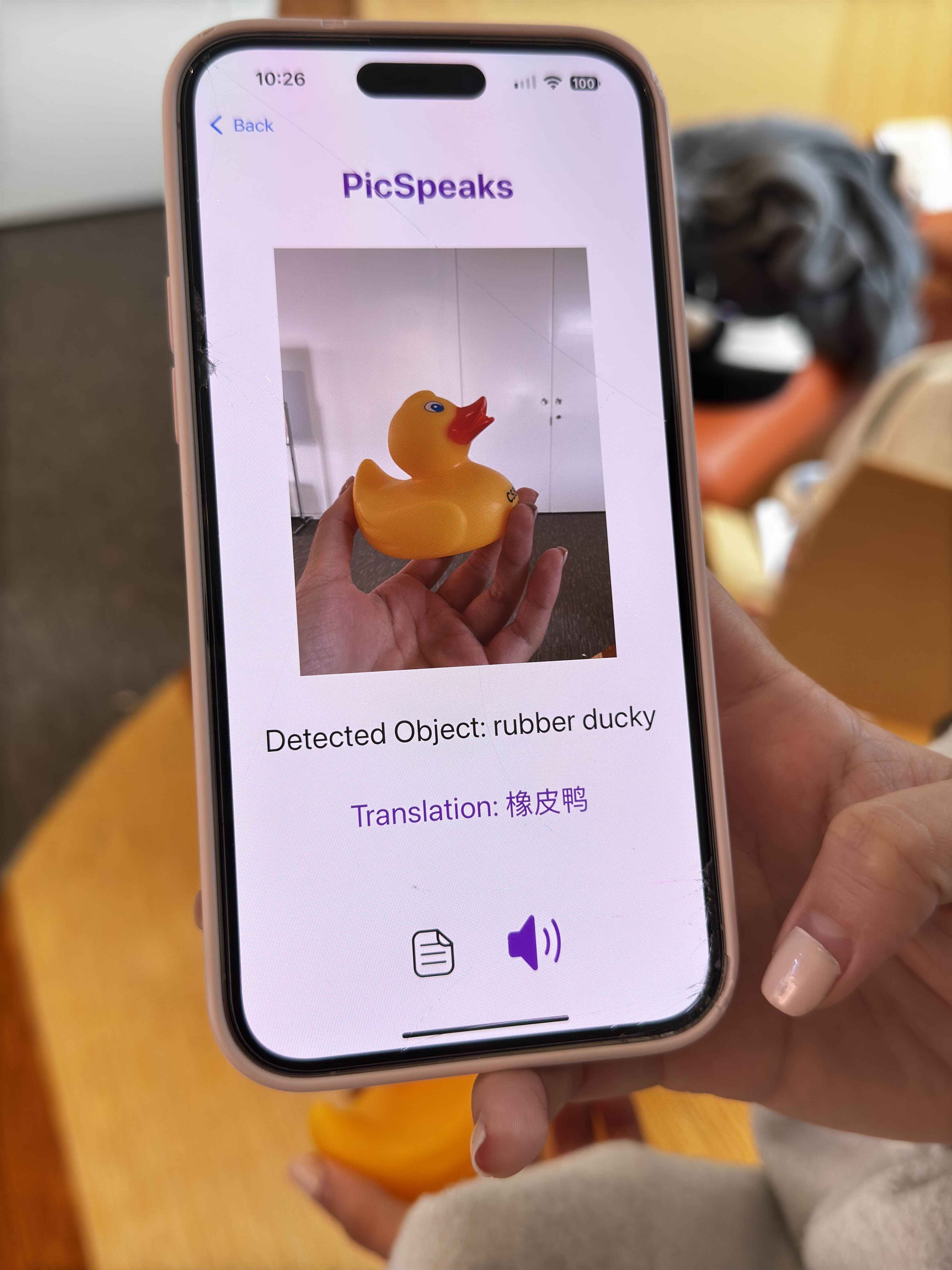
MainView: This is where users can upload an image and select a target language for translation. ResultView: This view displays the detected object from the uploaded image along with its translated label and pronunciation.
2. Backend - Python The backend handles the core processing, connecting various APIs to provide the necessary functionalities. A Python function acts as the central orchestrator, processing the image and interacting with external services:
Google Cloud Vision API: Once an image is uploaded, it's sent to Google Cloud Vision API, which identifies objects in the image and returns labels. These labels include confidence scores and related data such as:JSON
label_annotations { mid: "/m/0bt9lr" description: "Dog" score: 0.952476442 topicality: 0.952476442 } Google Translate API: After receiving the label, the app sends the text to the Google Translate API to translate the object’s name into the user’s target language, along with a phonetic transcription for pronunciation help.
3. API Integration Image Analysis: After the user uploads an image through the frontend, the image is sent to the backend in a file format. The backend communicates with the Google Cloud Vision API to identify the objects in the image and return a label in JSON format. Translation and Pronunciation: The label extracted from the image is passed to the Google Translate API, which returns the translated term and its phonetic representation. The translated data is packaged into a JSON file and sent back to the front end.
4. Output The app returns the recognized object label, its translation into the target language, and the phonetic transcription. This information is then displayed on the ResultView for the user to review and learn from.
Challenges we ran into
- Local IP
- Flask Integrating with Google Translation
- Limited Resources for Language Swift
- Limited Design Flexibility
Accomplishments that we're proud of
- Run the iOS app on our phone successfully.
- Set up a lot of languages
- Integrated the Google Translate API successfully.
- Integrated the Google Cloud Vision API successfully.
- Allow users to take unlimited photos via their phone camera by themselves.
- Allow users to upload unlimited photos from their gallery by themselves.
- Created the amazing flashcard UI for our notebook features.
- Impleted the Text to Speech function successfully.
What we learned
- Started programming in Swift for the first time.
- Used Google Cloud Services like Google Cloud Vision and Google Cloud Translate.
- Used Python for the backend for the first time.
- Learned how to work as a team.
- Learned how companies use API.
What's next for PicSpeaks
- Improve the accuracy of object detection in Google Cloud Vision
- Add new features to enhance the interface like
- User account customization
- Language preferences
- Theme changes (dark mode and light mode, etc)
- Integrate phonetic pronunciation for translations.
- Upgrade the frontend design for a better user experience.
- Expanding language options for more diverse global users.
- Offline functionality: Enabling features to work without internet access for better accessibility. User feedback loop: Incorporating a system for users to provide feedback on accuracy to improve AI learning.
- Improve the history feature by implementing a database.
- Add an email notifications feature to send users emails with our updates.
Built With
- github
- google-cloud
- google-cloud-vision
- google-translate
- image-recognition
- python
- swift
- translate
- xcode


Log in or sign up for Devpost to join the conversation.