-
-
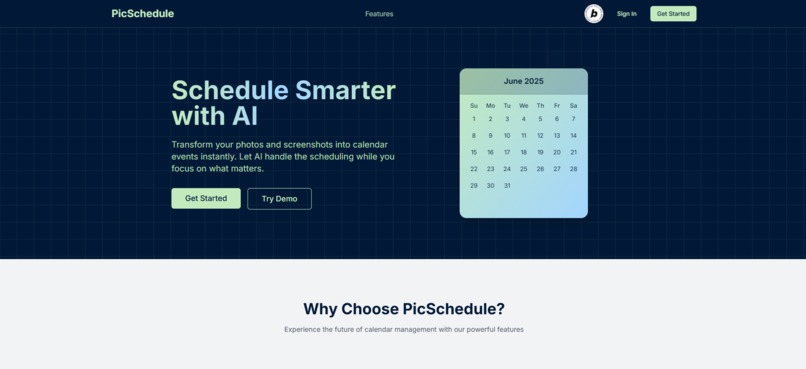
Home Screen Preview
-
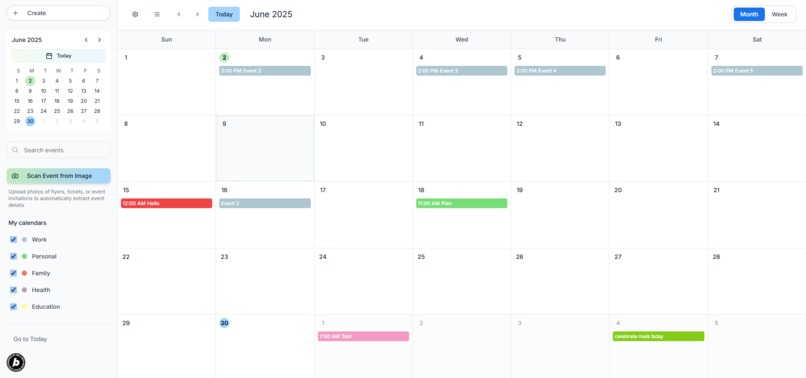
Calendar Preview
Inspiration
I got the inspiration for this project from my girlfriend. We used a scheduling app already but we had to manually input our work schedules which use a completely different format and we found it to be a lot of work. So I thought about building an app that could turn a picture of her work schedule into automatically created events in its own app. As student-athletes juggling classes, work, and sports, we knew firsthand how powerful a visual-first calendar assistant could be.
What it does
PicSchedule is an AI-powered calendar app that lets users upload images containing event details (like schedules, posters, or screenshots). It extracts events using OCR and a large vision-language model and renders them on a weekly calendar. Users can then adjust events and hover over them for quick details.
How we built it
Frontend: Built with Next.js and TypeScript, styled with TailwindCSS, and animated using Framer Motion.
AI Integration: Used OpenRouter Qwen2.5 VL 72B Instruct model to extract structured data from images.
Backend: Leveraged Supabase Edge Functions to securely handle image-to-event extraction.
Deployment: Optimized with output: 'standalone' in next.config.js for Netlify deployment.
Challenges we ran into
Drag-and-Drop in Framer Motion: Framer Motion’s drag system doesn't trigger native drop events. Still trying to implement this.
Date Accuracy: Timezone handling sometimes shifted extracted events by a day. I introduced dynamic prompt injection to ensure consistent model context.
Text Extraction Quality: I needed to clean noisy OCR output and reformat it into structured JSON for calendar compatibility.
Accomplishments that we're proud of
Building a fully interactive weekly calendar.
Successfully integrating image-based AI event parsing using a state-of-the-art open model.
Deploying a polished MVP in under a month, complete with hover tooltips, color-coded events, and mobile responsiveness.
Deploy Challenge – Netlify Team Account Slug Requirement: Use a Netlify Team to deploy your project and include the Team slug.
How I complied:
I deployed your Next.js app (PicSchedule) on Netlify, using output: 'standalone' for optimal serverless compatibility.
My build was completed and hosted successfully through a Netlify Team account, which can be identified via the Team slug.
Startup Challenge – Supabase Organization Slug Requirement: Use a Supabase Organization and submit the organization slug (found in the dashboard URL).
How I complied: I created and used a Supabase project within a Supabase Organization.
I leveraged a Supabase database to securely run backend logic.
This usage of a Database under an organization context satisfies the Startup Challenge requirements.
What I learned
How to effectively use vision-language models for real-world utility.
How to deploy AI-driven apps using serverless functions and optimize for Netlify.
What's next for PicSchedule
Add Google Calendar sync for real-time event updates across platforms.
Add recurring event support and better mobile interactions.
Implement a premium subscription model for higher OCR limits and calendar integrations.
Explore speech-to-schedule features to support voice input events.
Built With
- next.js
- openrouter
- react
- supabase
- tailwindcss
- typescript

Log in or sign up for Devpost to join the conversation.