-
-
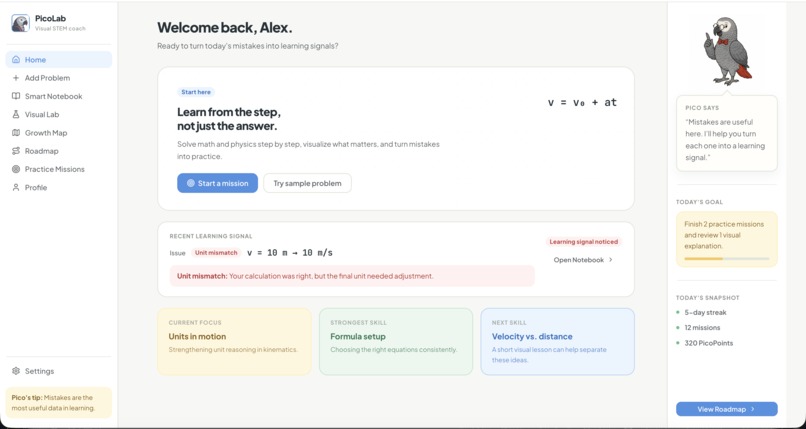
Home
-
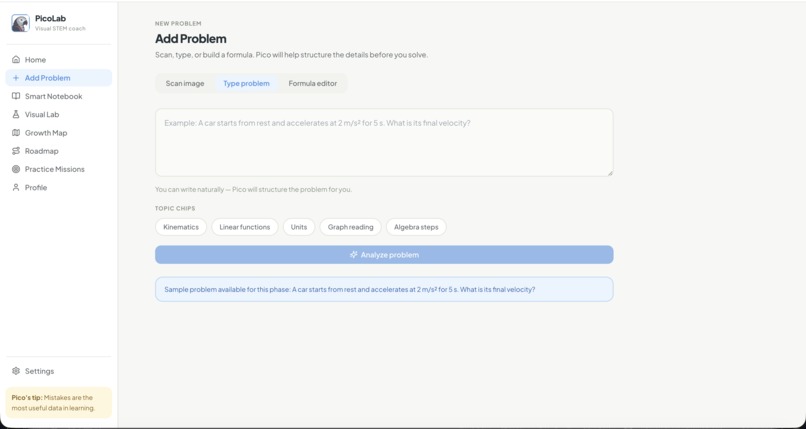
Add a problem
-
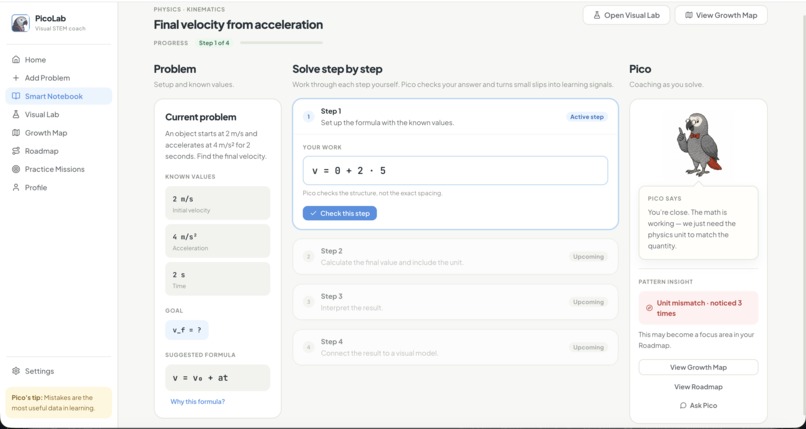
Smart Notebook
-
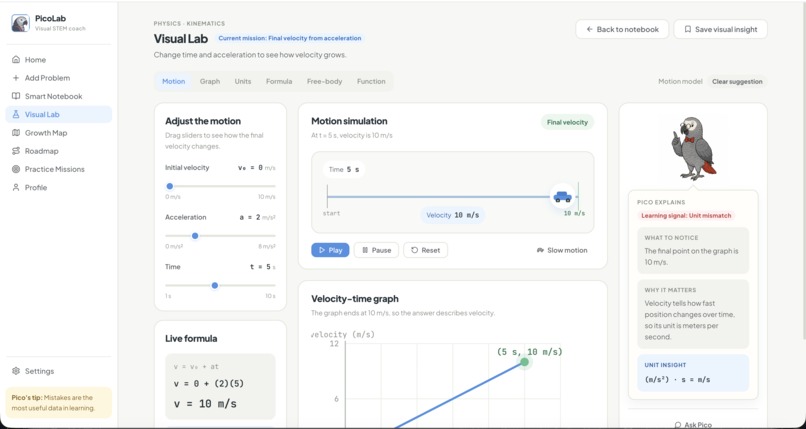
Visual Lab
-
Visual Lab
-
Practice Missions
-
Growth Map
-
Roadmap
-
Profile
-
Profile Quote
Inspiration
PicoLab started from a simple observation: in STEM, students often do not just need the final answer. They need to understand why their reasoning broke down.
A student can get the number almost right, but still miss the unit, choose the wrong formula, misread a graph, or misunderstand what the problem is asking. In many learning tools, that becomes just a wrong answer. I wanted to build something that treats those moments differently: as useful learning signals.
The mascot, Pico, is inspired by the African grey parrot, a species known for fast learning and problem-solving. That idea shaped the project: a small visual coach that helps students stay curious, brave, and willing to keep improving.
This project is also personal. I have been in that situation myself: solving problems without fully understanding the concepts behind them, memorizing formulas without knowing where they came from, or feeling stuck because I thought I was simply "bad" at a subject.
Over time, I realized that many mistakes were not signs of a lack of ability. They were signs of incomplete understanding, missing context, or explanations that never quite connected. Sometimes I was much closer to the correct reasoning than I thought, but traditional grading systems only showed me that I was wrong.
That experience inspired me to build a tool that helps students see what they already understand, identify exactly where their reasoning diverged, and gain confidence from the progress they are making. If there is one lesson I want PicoLab to communicate, it is the most important thing I have learned throughout my STEM journey: you are not bad at math; you may simply not have been taught in the way that helps you understand it. Learning is not about being naturally gifted. It is about finding explanations, feedback, and practice that make concepts click.
What it does
PicoLab is a visual STEM learning coach that guides students through a complete learning loop.
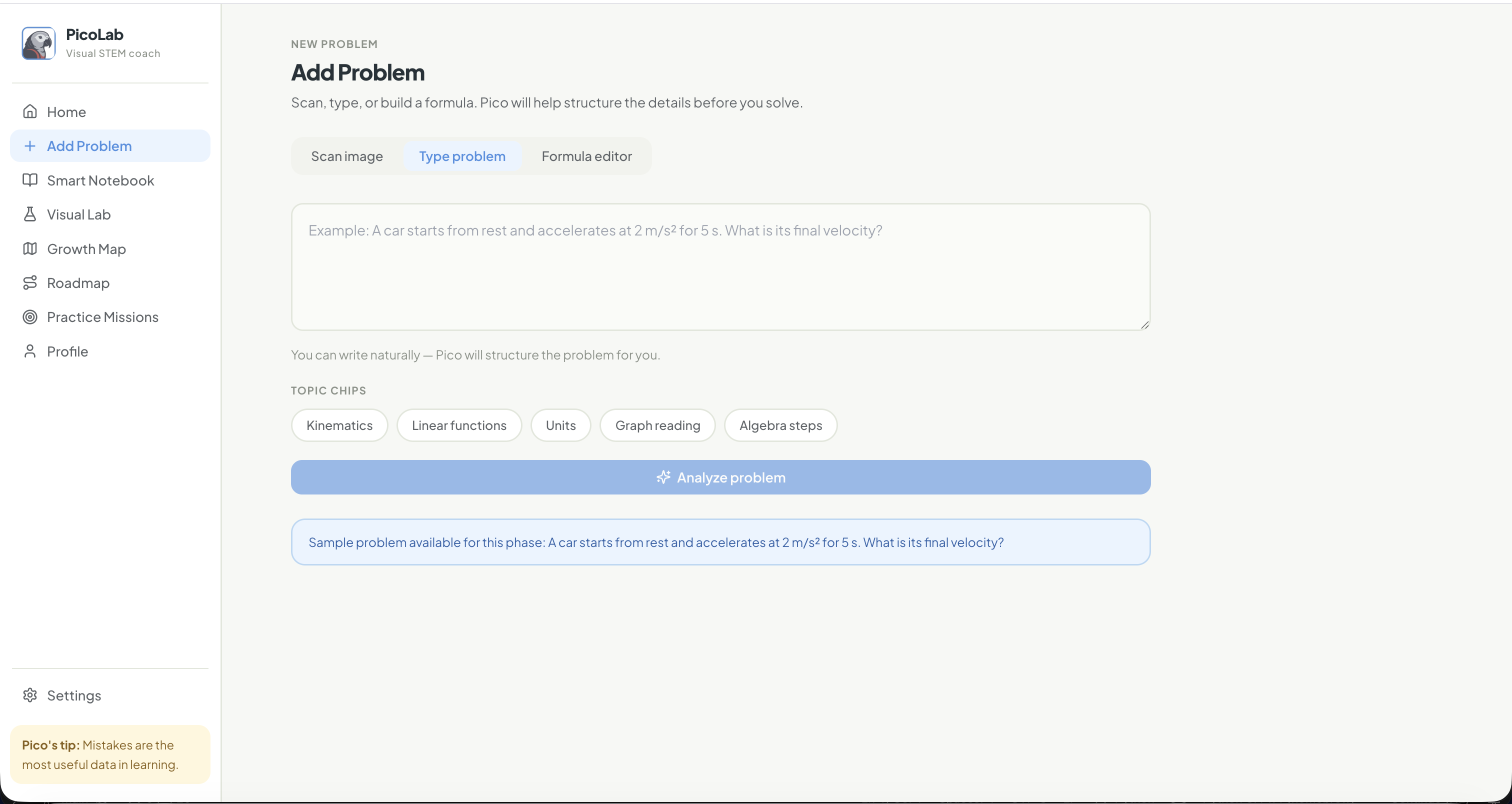
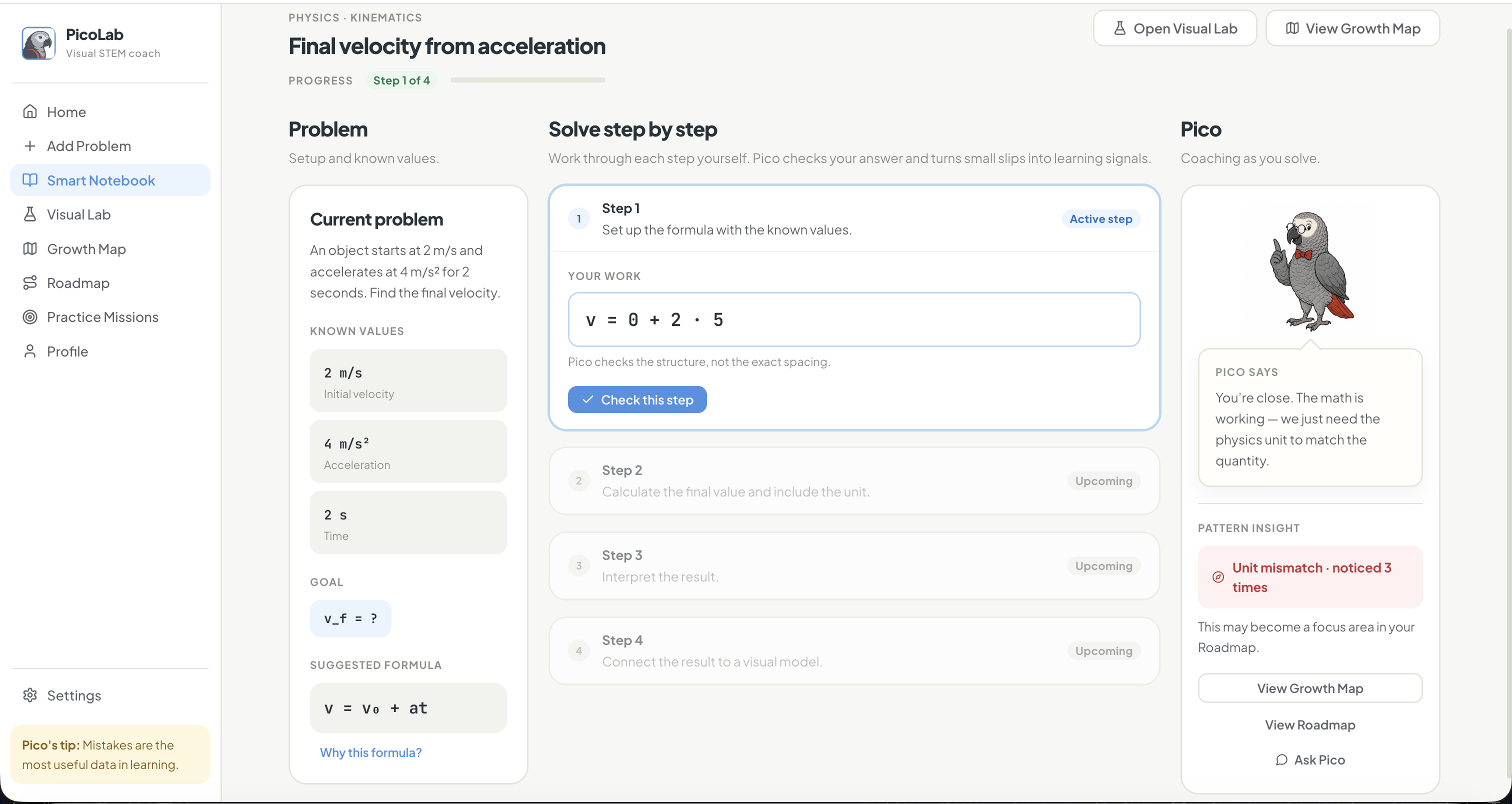
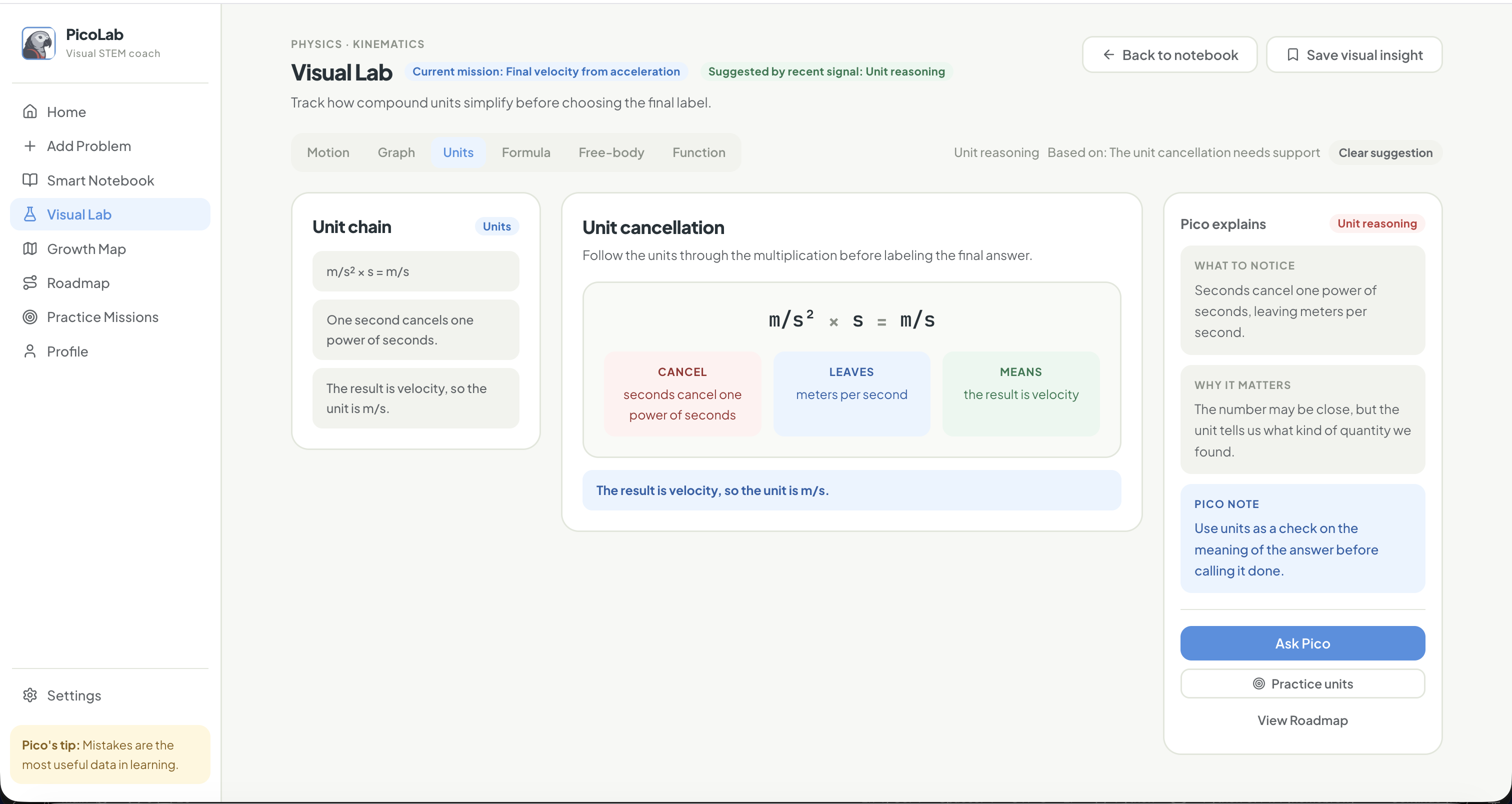
A student can add a problem, confirm the extracted values and units, solve it step by step in the Smart Notebook, and receive feedback when Pico detects a learning signal. For example, if the student calculates the right number but writes the wrong unit, PicoLab identifies that as a unit reasoning signal instead of simply marking the answer wrong.
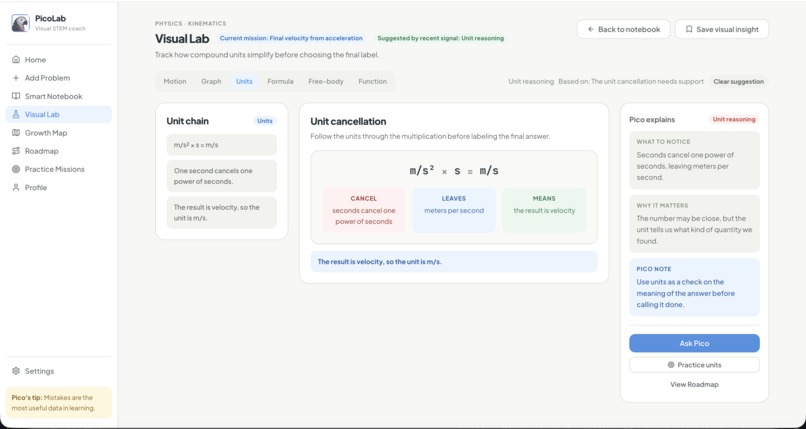
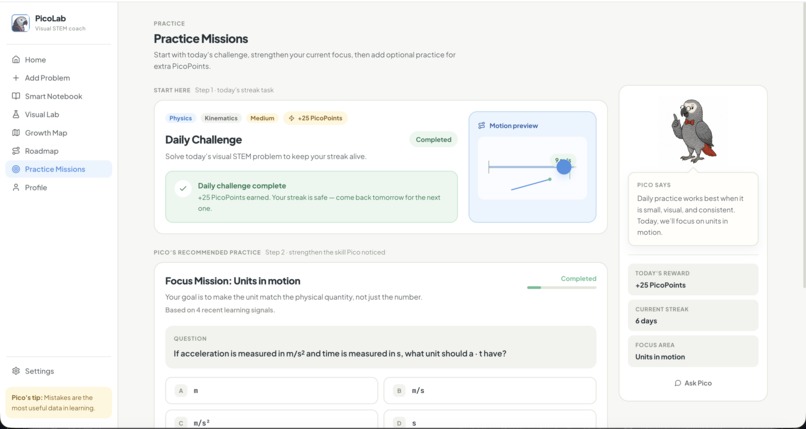
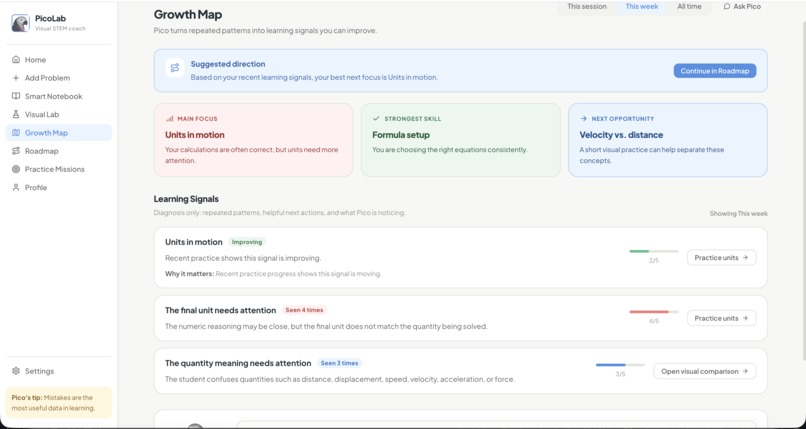
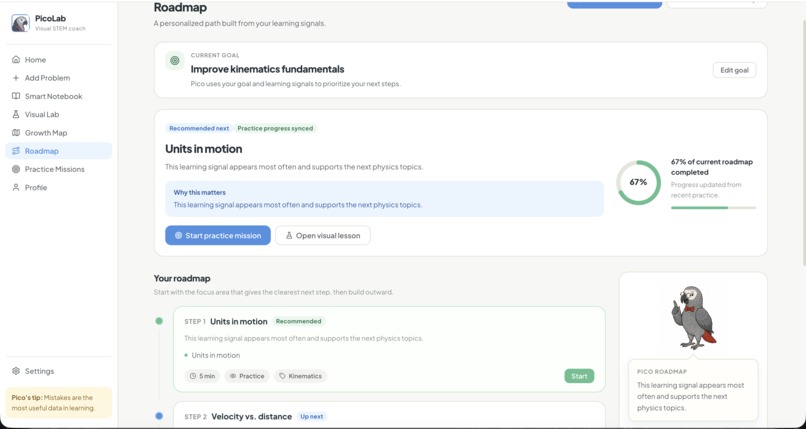
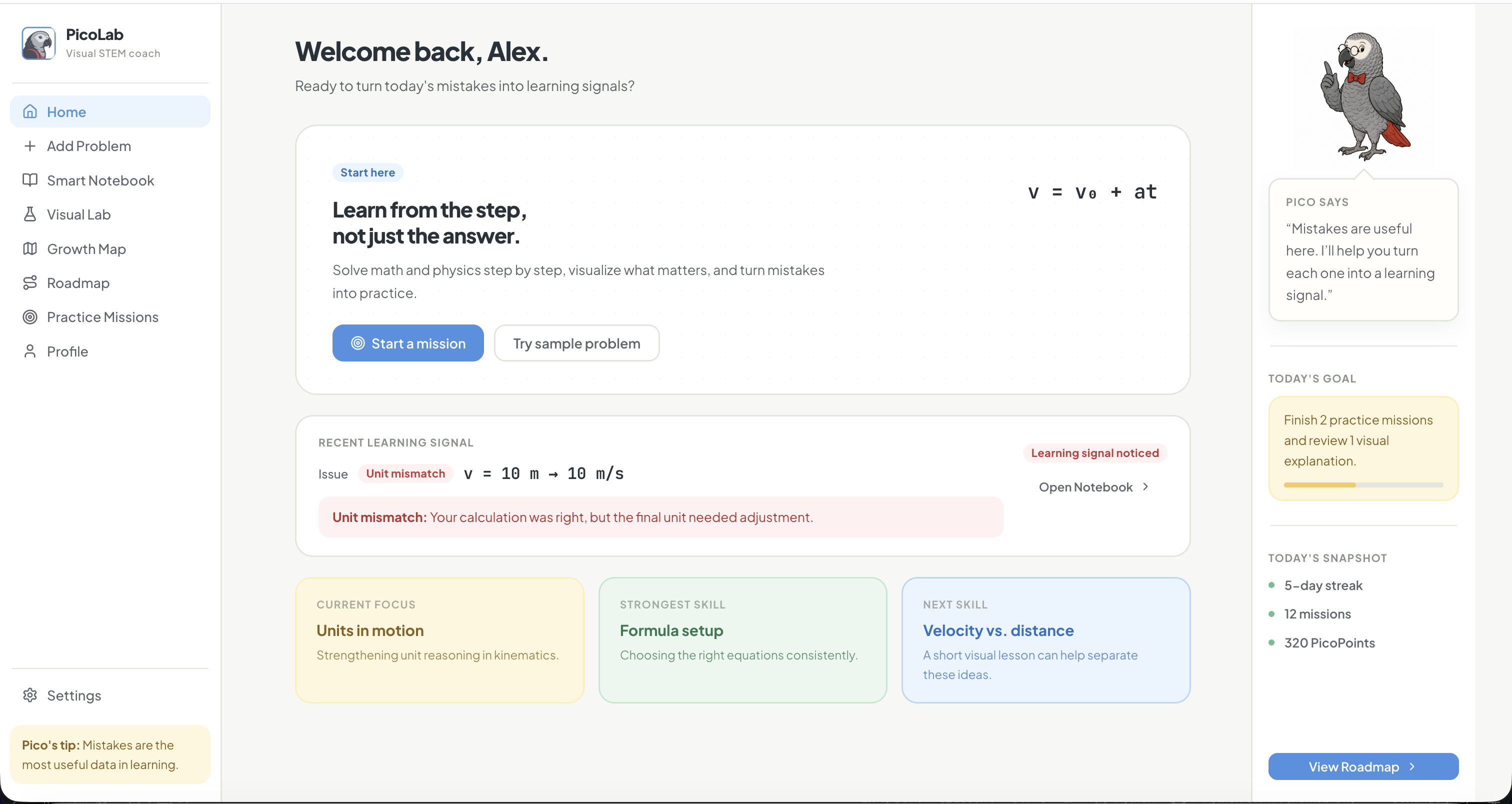
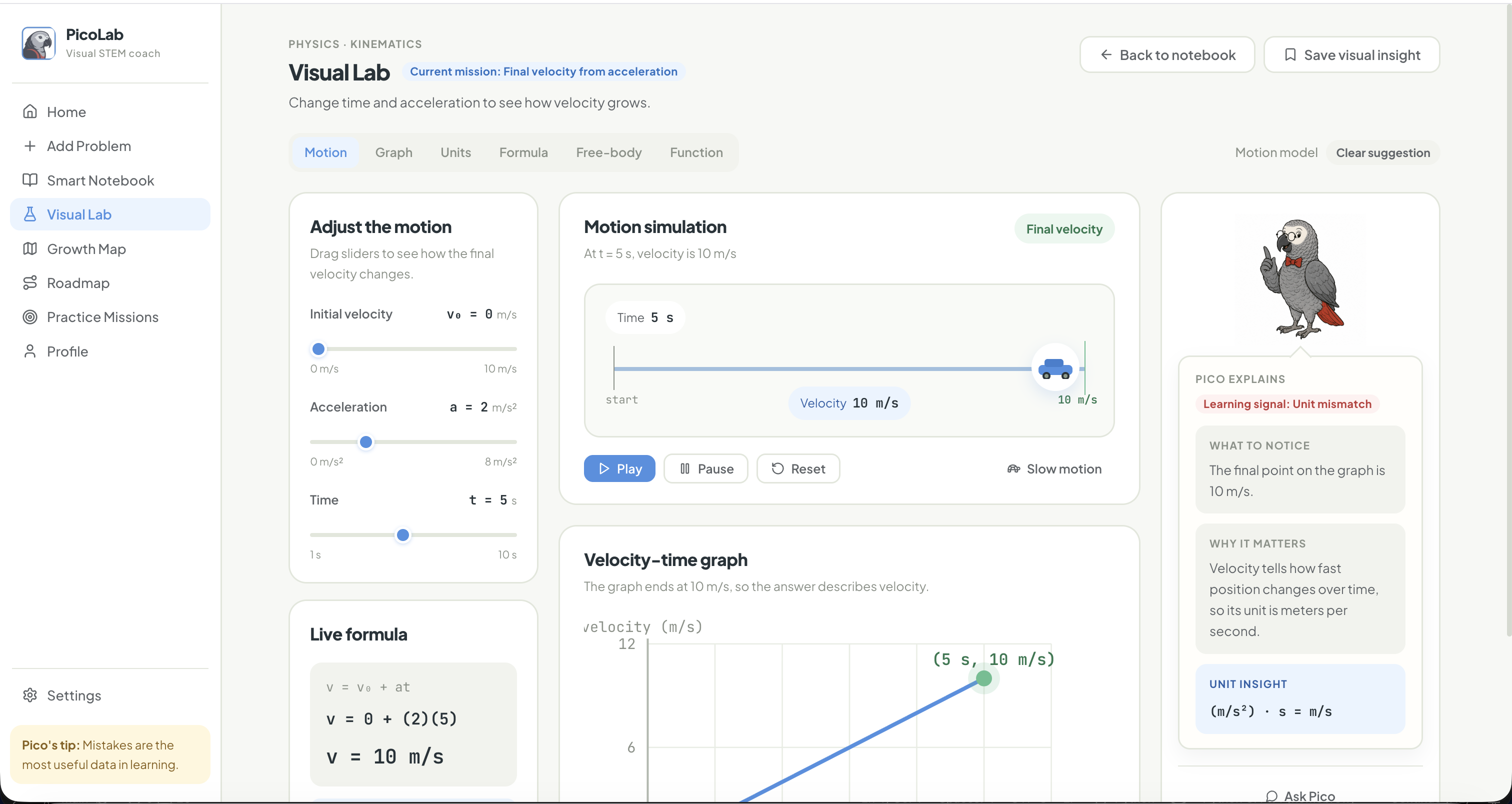
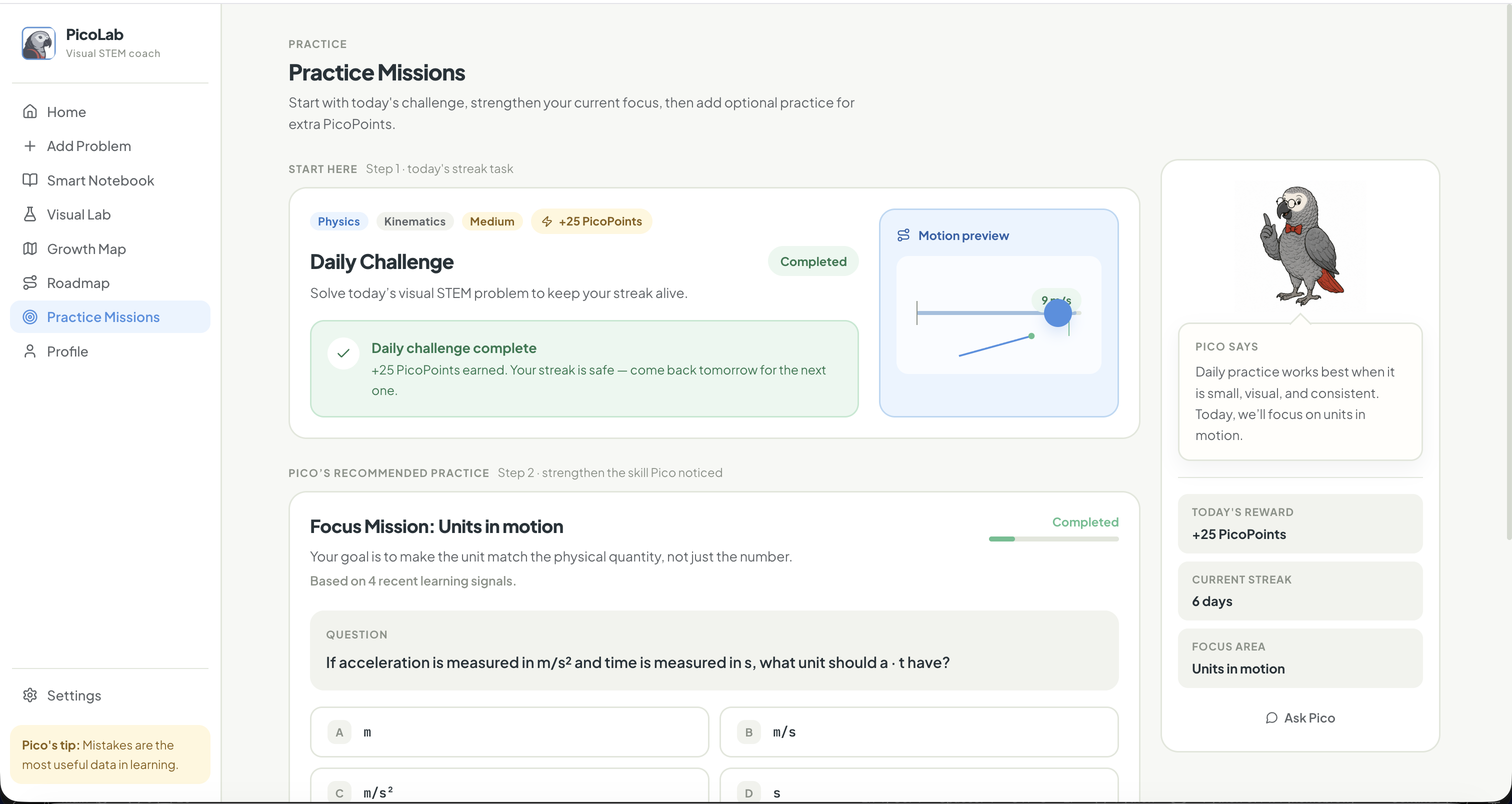
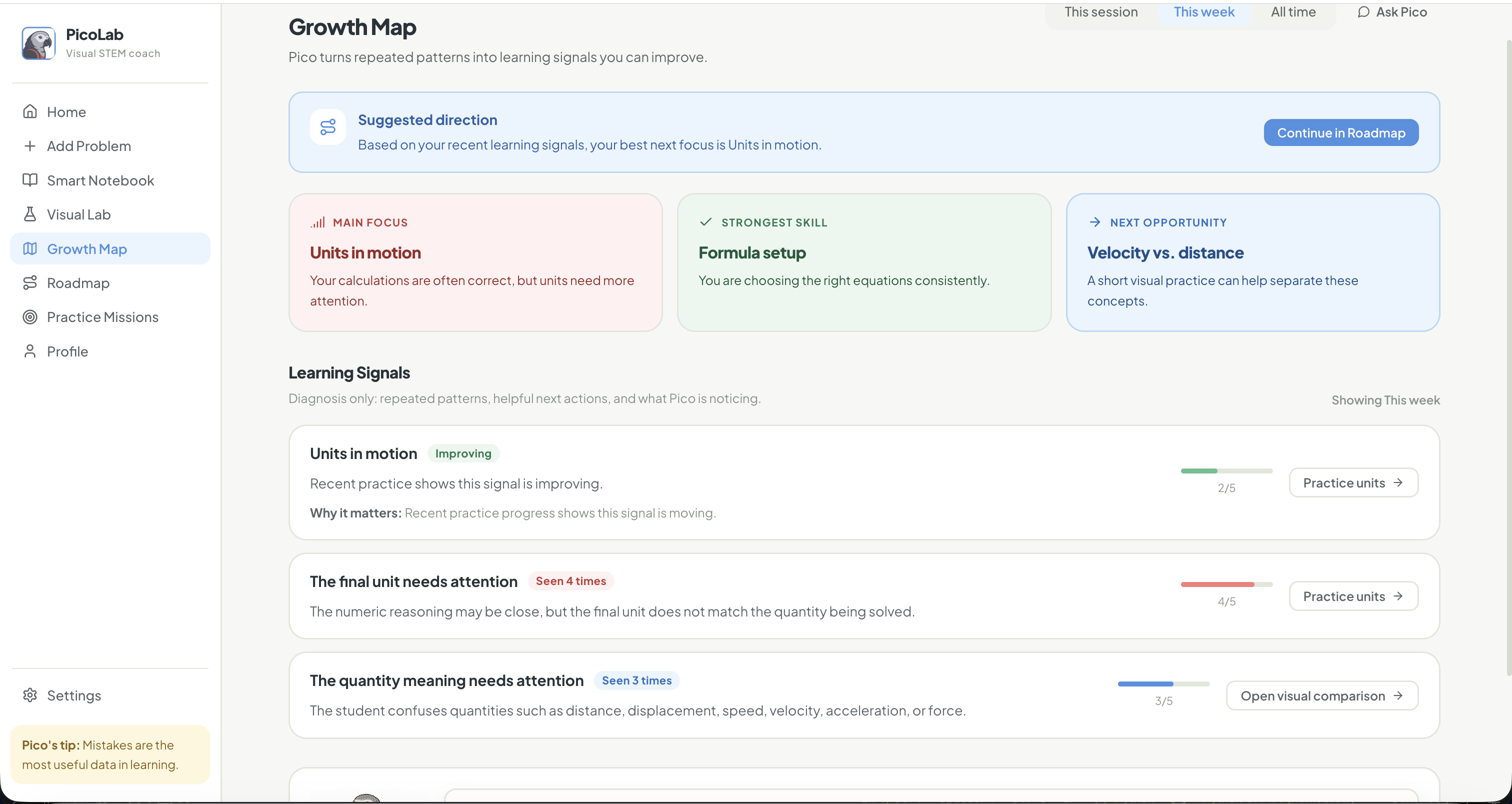
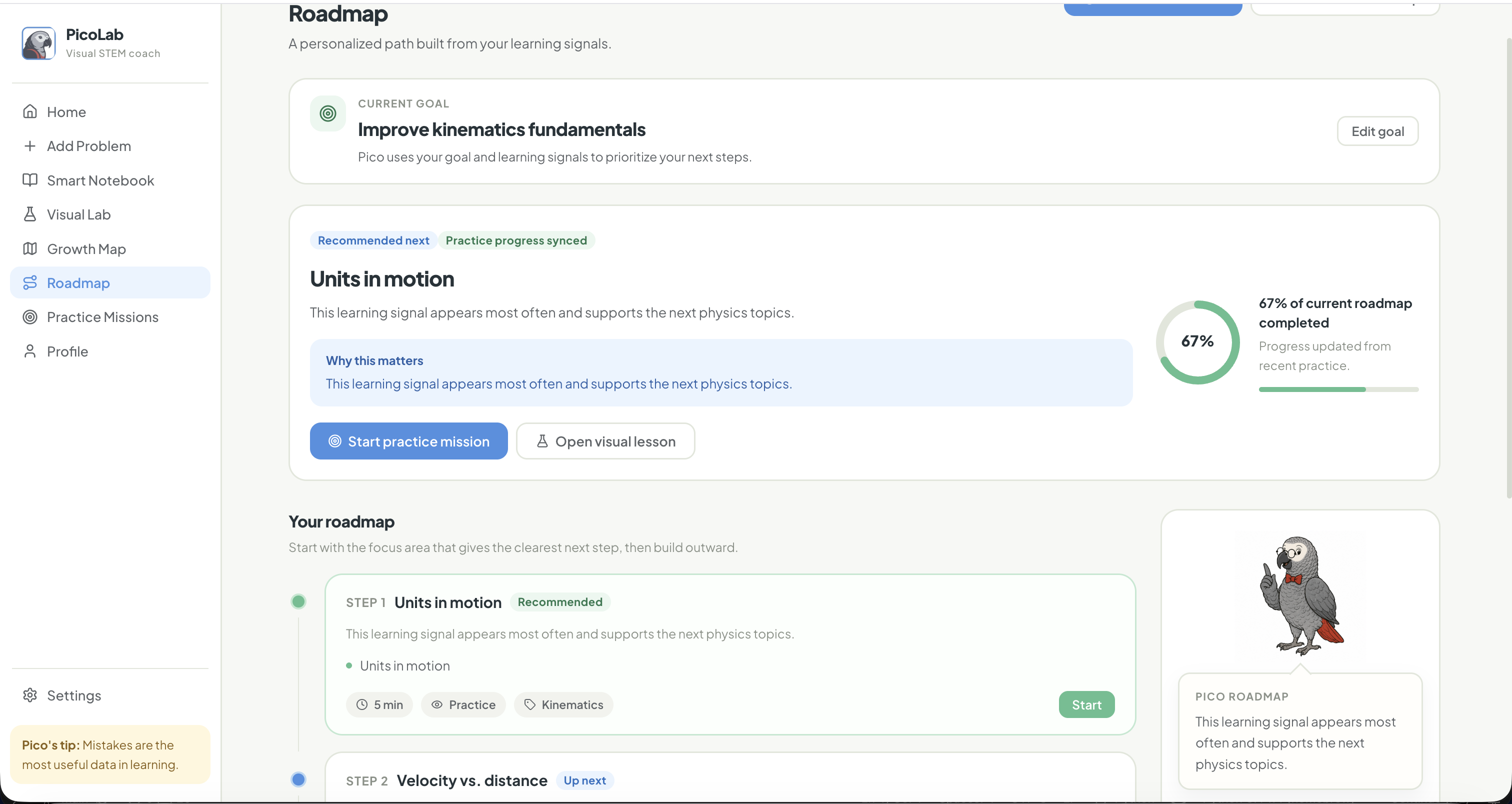
From there, the student can open the Visual Lab to explore the concept interactively, practice through missions, track recurring signals in the Growth Map, and follow a personalized Roadmap for what to work on next.
How I built it
I built PicoLab as a full interactive prototype using React, TypeScript, Vite, Tailwind CSS, and an Express mock backend.
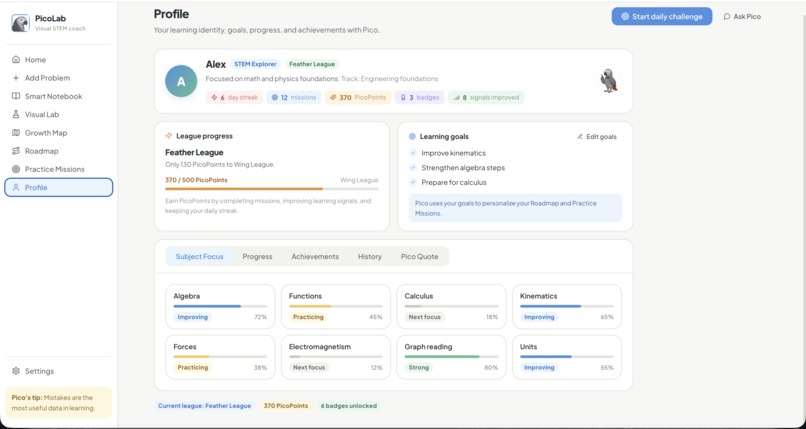
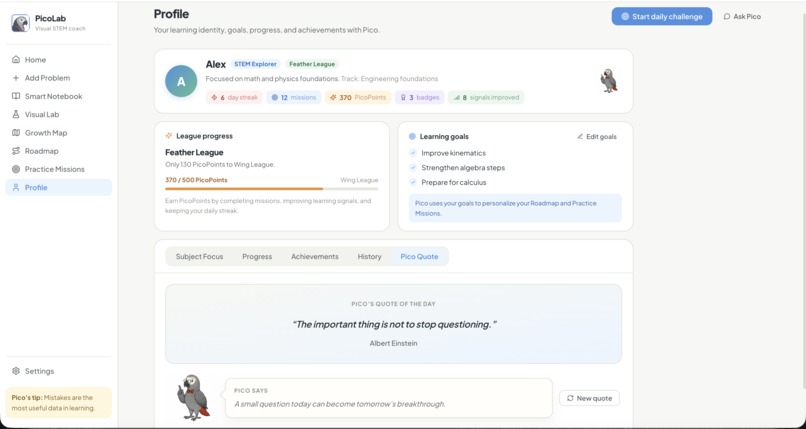
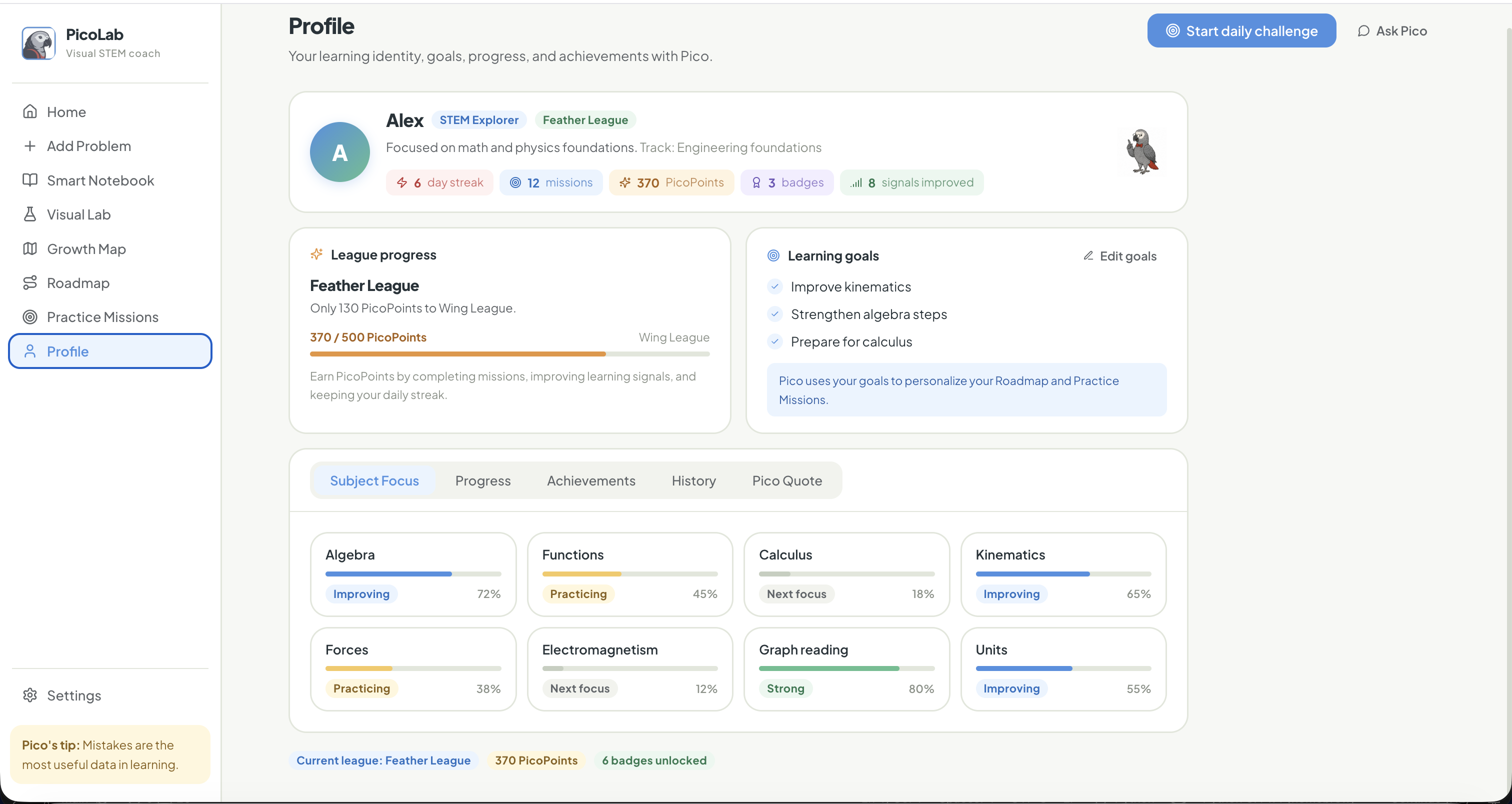
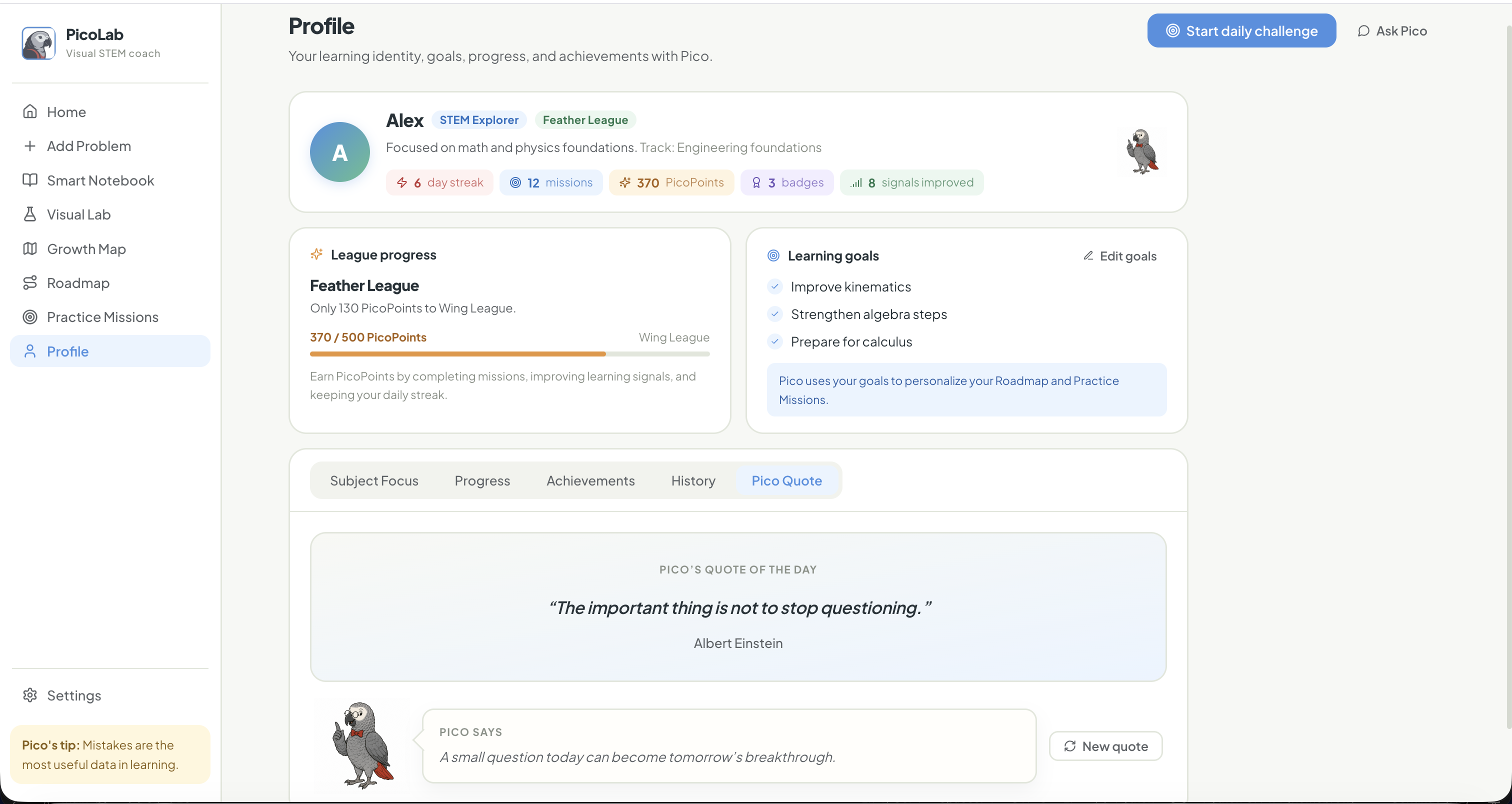
The frontend is organized around the student journey: Add Problem, Scan & Confirm, Smart Notebook, Visual Lab, Practice Missions, Growth Map, Roadmap, Profile, and Ask Pico. The backend exposes mock REST endpoints for the core learning flows, and the frontend uses a backend-first API client with local fallback behavior so the demo remains stable even if the server is unavailable.
One of the most important parts was the diagnostic layer. I built a deterministic learning signal taxonomy that can classify mistakes into categories such as units, formulas, graphs, algebra, concepts, and reading comprehension. This lets the prototype show the core idea clearly: a mistake can become structured feedback, a visual explanation, and a next practice recommendation.
Challenges
The hardest part was making the product feel like a real learning experience instead of a collection of disconnected screens.
I had to refine the flow several times so that each page had a clear purpose: the Smart Notebook detects the signal, the Visual Lab explains it, Practice Missions reinforce it, the Growth Map remembers it, and the Roadmap turns it into a next step.
Another challenge was balancing AI-style coaching with reliability. For the hackathon prototype, I kept the core diagnosis deterministic and mock-backed, while designing Ask Pico and the API layer to be ready for future AI provider integration. That helped keep the demo stable while still showing how AI can support the learning journey.
What I learned
I learned that educational AI products should not only focus on generating answers. The real value is often in helping students understand their own thinking.
Building PicoLab pushed me to think more deeply about feedback design, learning psychology, product flow, and how to make technical systems feel supportive rather than overwhelming.
What’s next
Next, I would expand PicoLab with real OCR, real AI provider integration, more STEM topics, richer simulations, persistent student accounts, and a teacher dashboard.
The long-term goal is to make PicoLab a learning companion that helps students build confidence by turning every mistake into a clearer next step.
Built With
- deterministic-diagnostic-engine
- express.js
- github
- localstorage/sessionstorage
- lucide-icons
- mock-rest-api
- node.js
- react
- tailwind-css
- typescript
- vite

Log in or sign up for Devpost to join the conversation.