-
-
pickje
-
ad
-
(its pickJe)
-
Blicky!
-
-
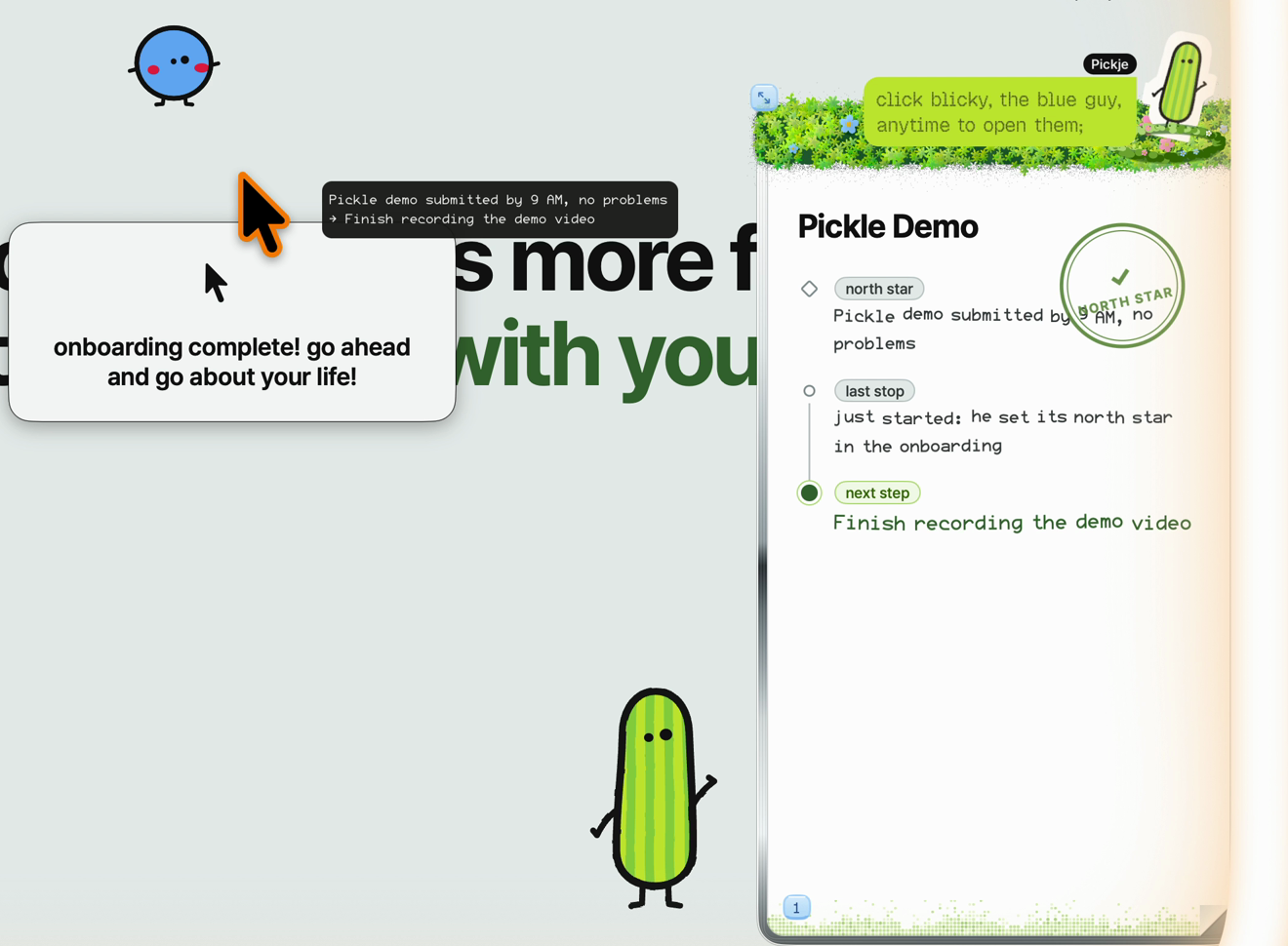
My first actionable step!
-
Context management UI connect directly to claude code
-
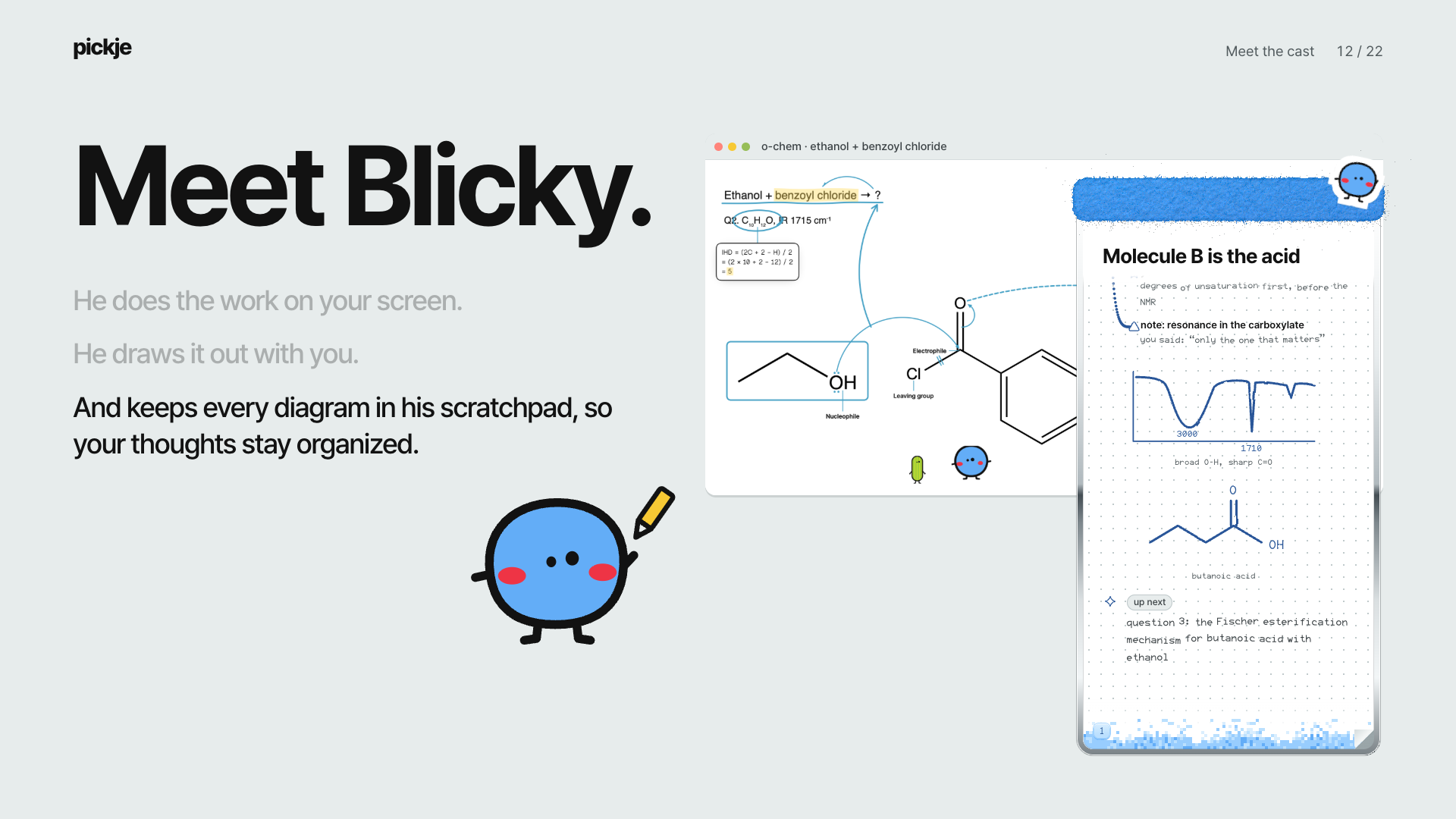
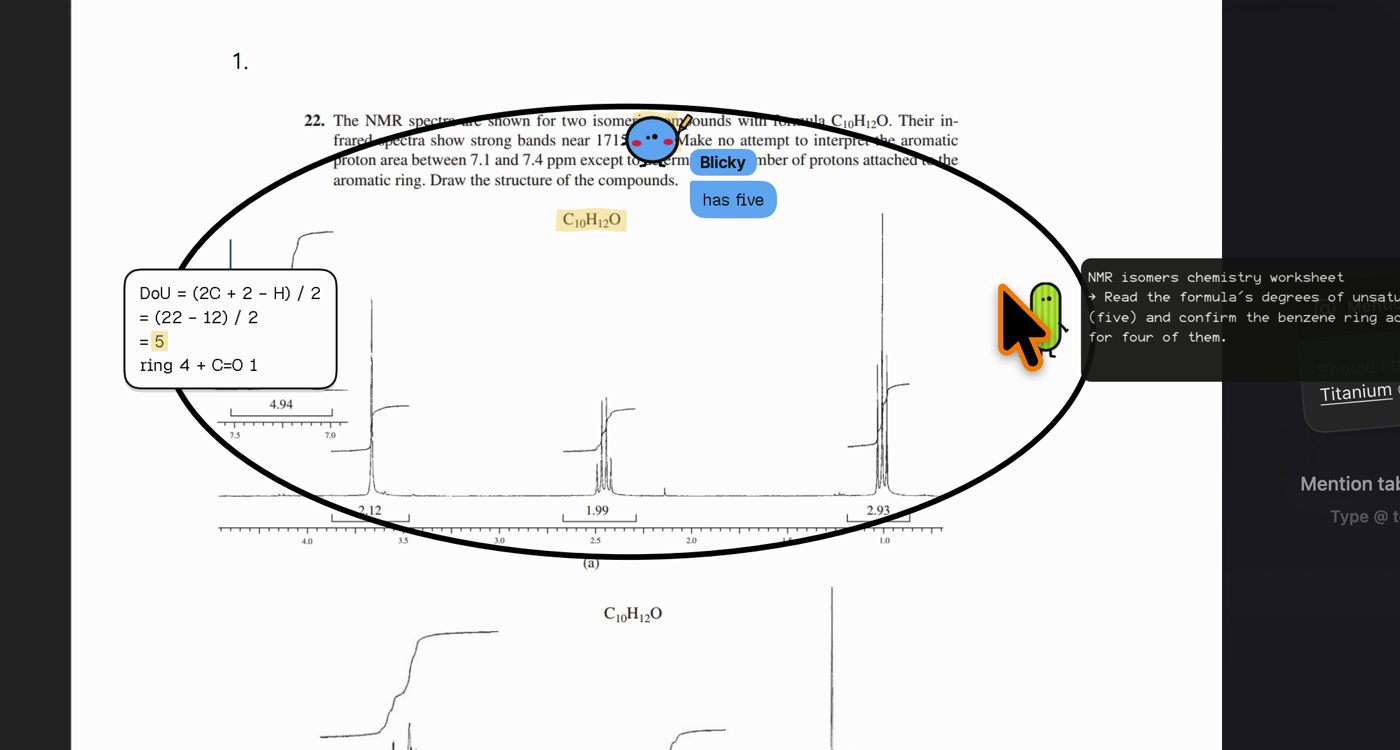
annotating the chem homework!
-
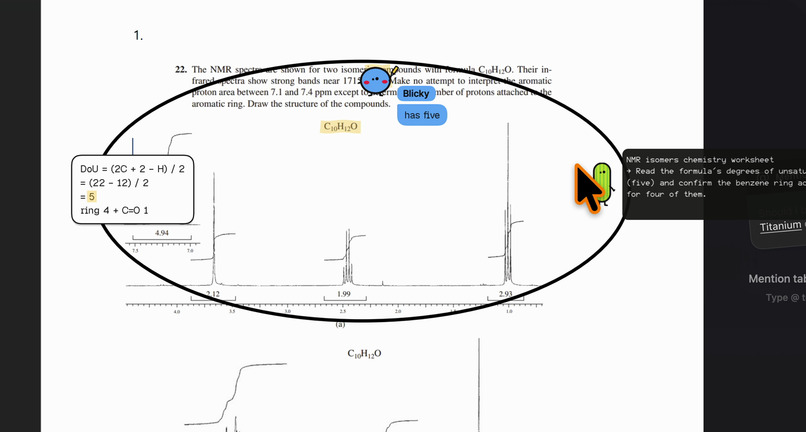
Helping me on my chem pdf
-
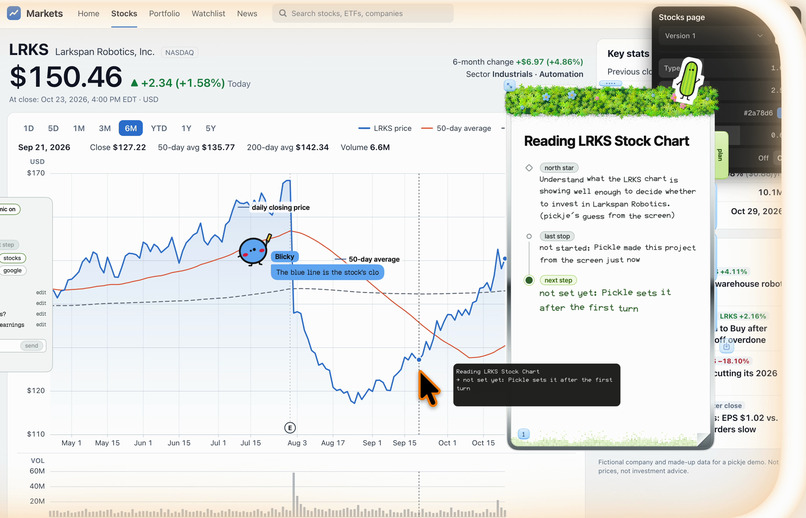
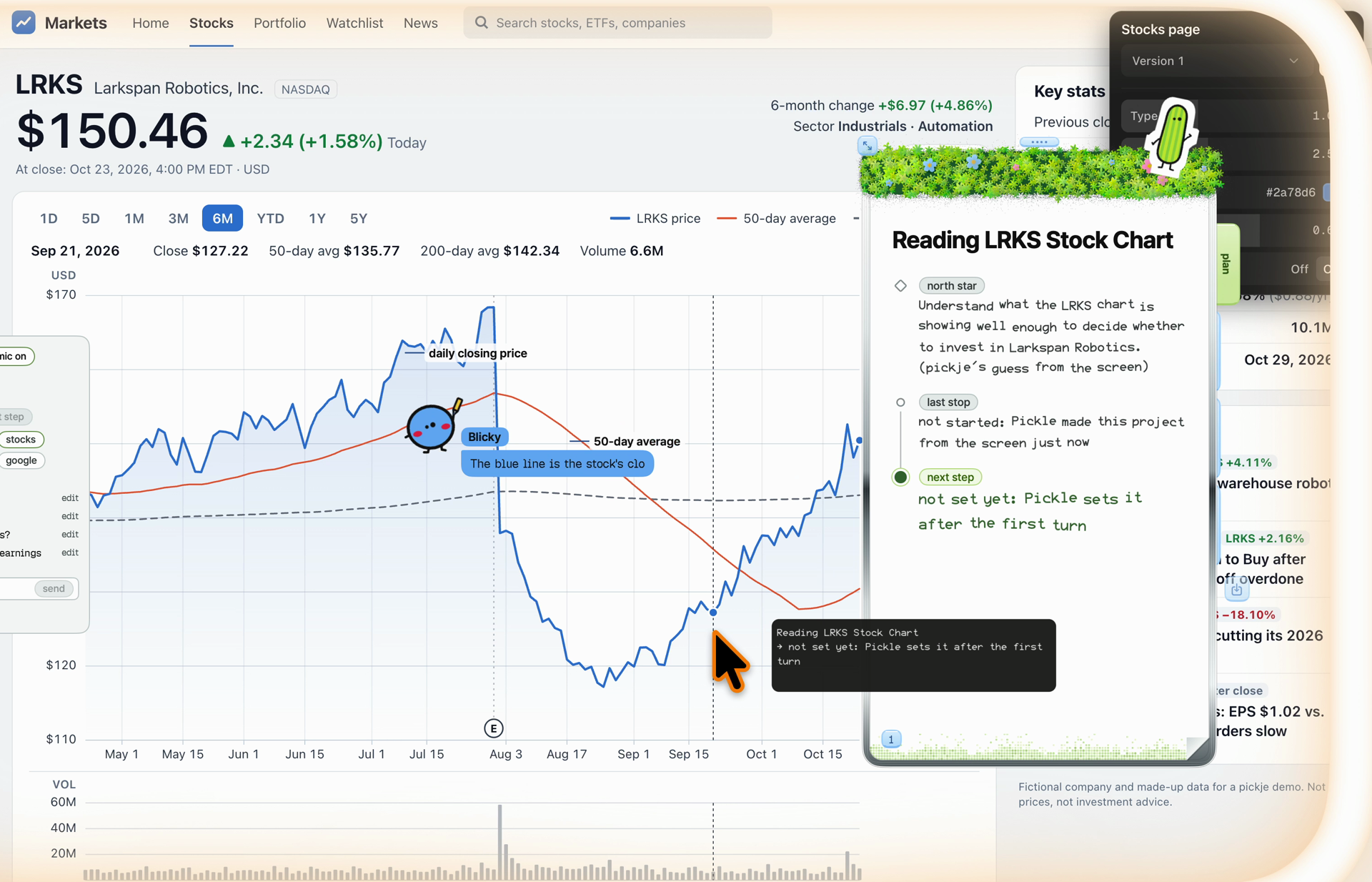
Blicky answering finance?1
-
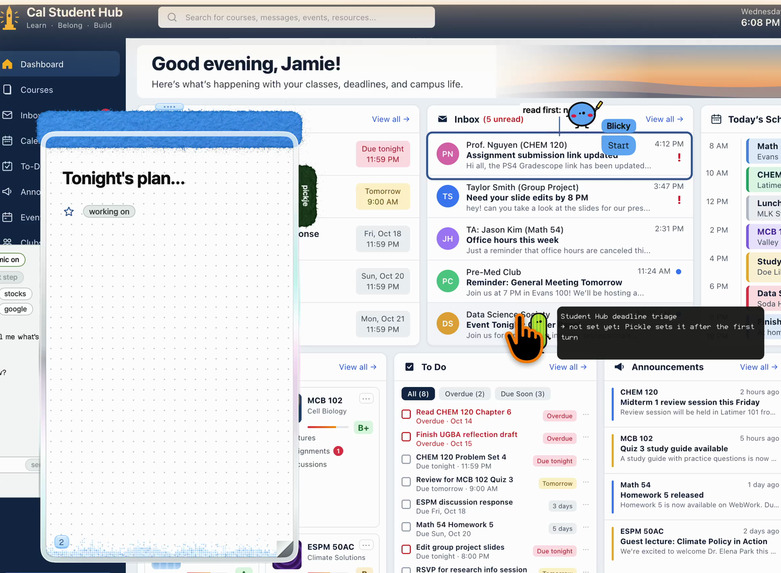
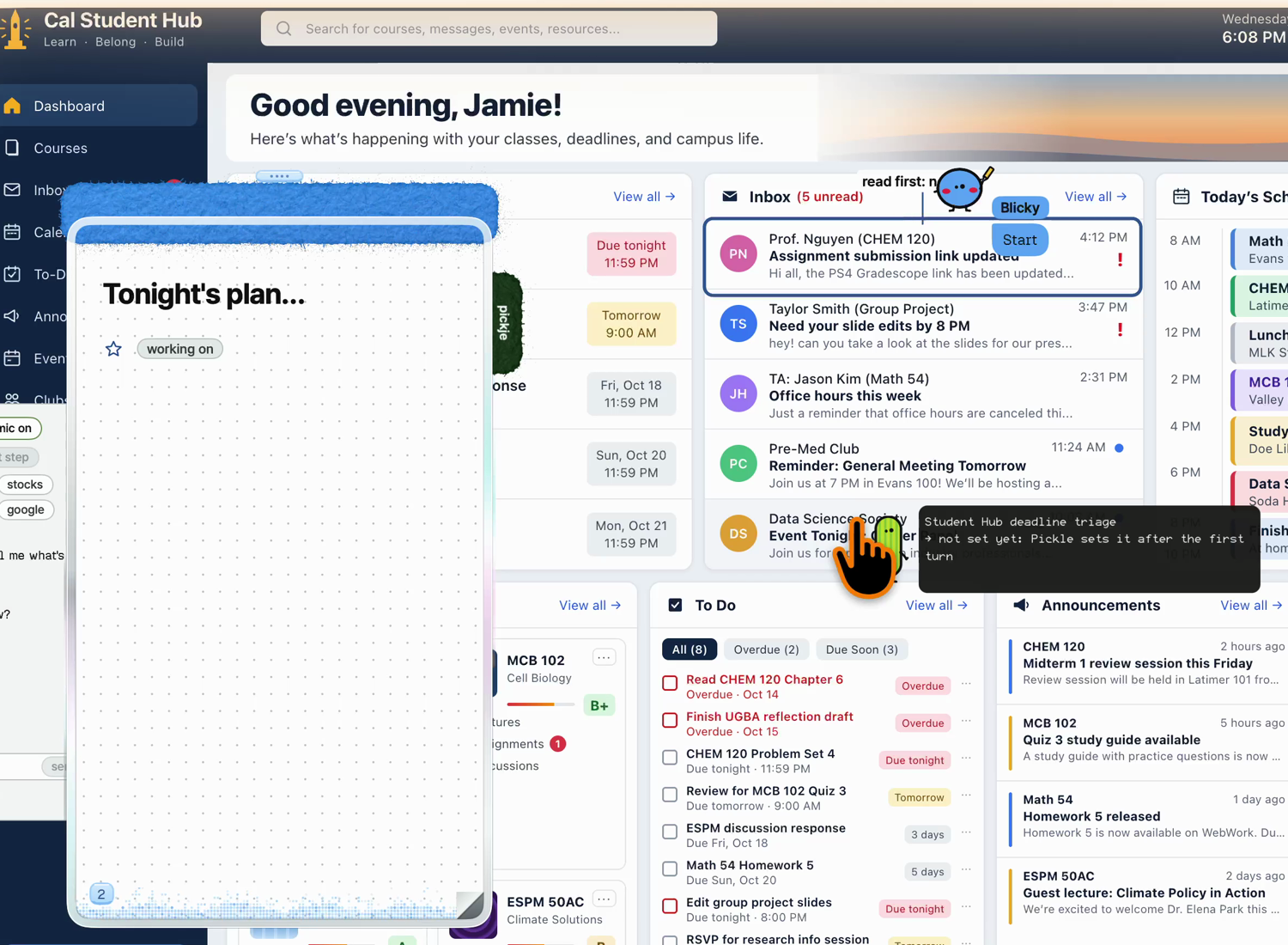
Gave it a mess, helped me find what was a important deadline.
-
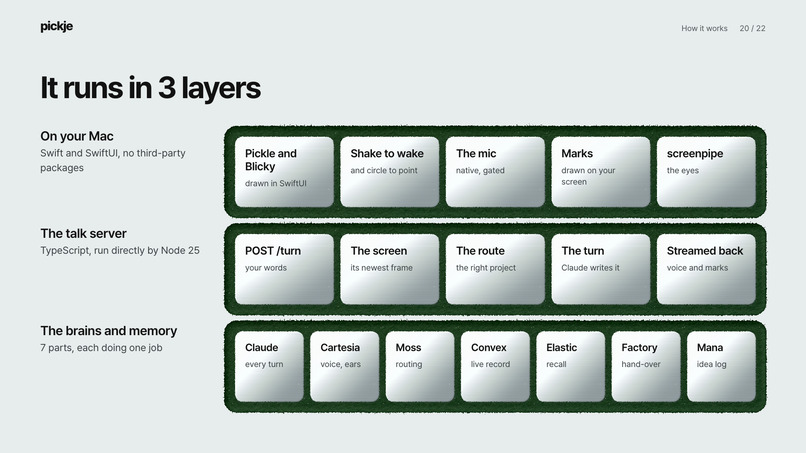
mac native
-
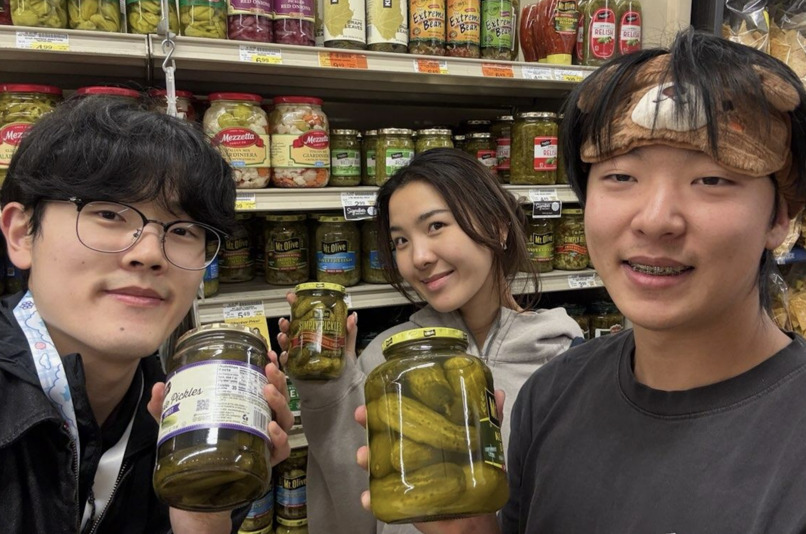
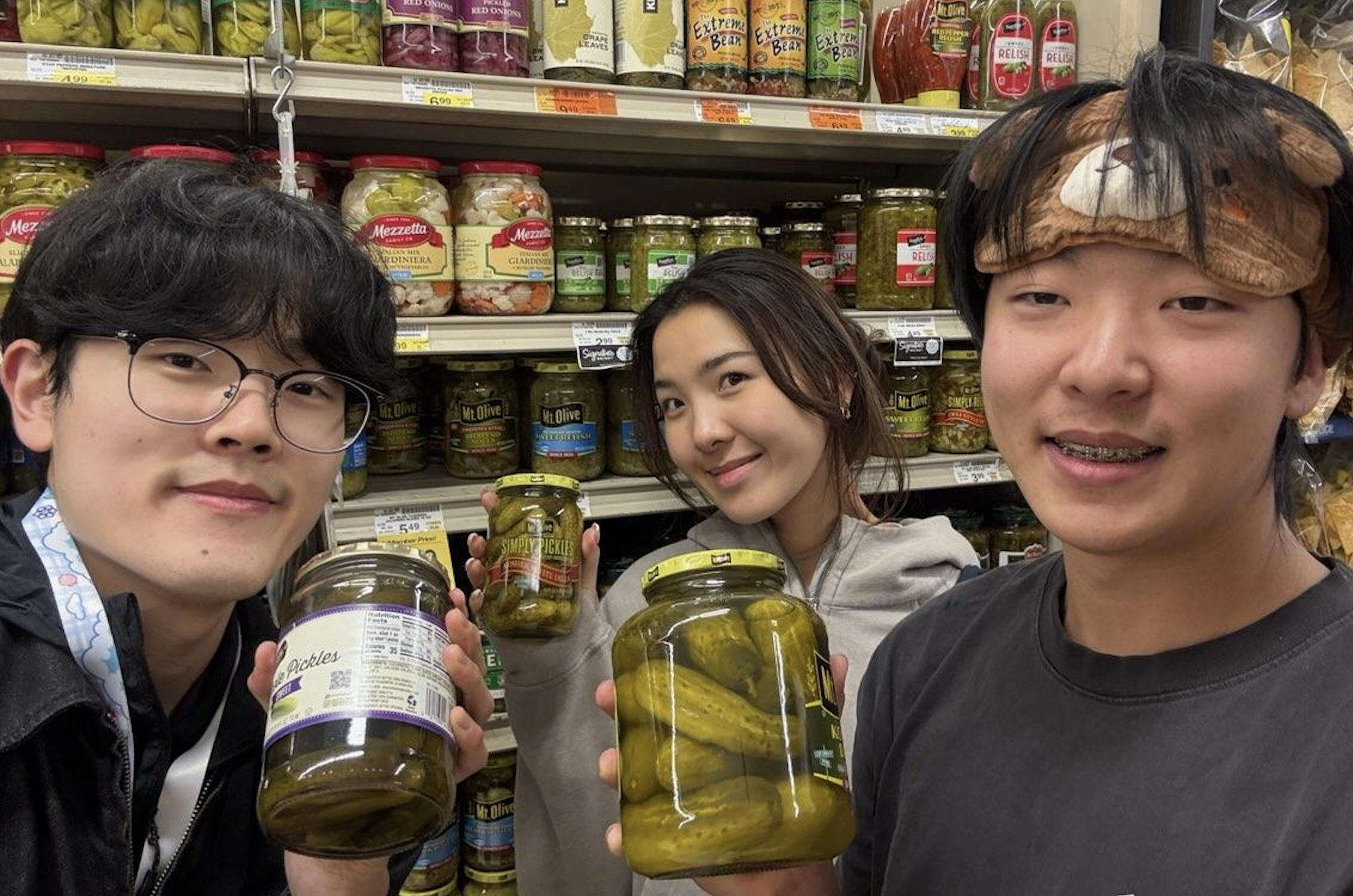
Team Pickje!
Inspiration
My sister Mia has more ambition than she has hours. She's designing a car in 3D CAD for her club, teaching herself to invest, and learning to edit videos, all at once. She also has ADHD.
Watching her work is like watching a train station where twenty trains try to leave the same platform at the same time. Research tabs, code, notes, an AI chat, then another AI chat. Ten minutes in, her screen is a mosaic and she's three rabbit holes deep. Then the cold wave hits: wait, what was I even trying to do?
The ideas were never the problem. Starting was. And every time she got pulled away, coming back cost more than the thing she'd left.
For years we thought she just needed better productivity apps, or more willpower. She didn't. The software we all use assumes your brain can switch contexts for free. Hers can't, and neither can about 15.5 million other adults in the U.S. Her ambition wasn't being held back by her. It was being held back by tools that keep handing her more when what she needs is less.
The problem
Ambitious people with ADHD don't run out of ideas. They run out of threads. Every project lives in a different app, every AI chat starts from zero, and every switch drops a little more of where you were. The more you want to do, the more windows you open, and the more of yourself you spend just finding your place again.
AI was supposed to fix this. Instead it added a new kind of window: a chat that needs you to screenshot, paste and re-explain your context every single time.
The research: context switching and ADHD
We wanted to know if the problem was ADHD or the switching. The honest answer: it's both, and they feed each other.
Secondary research
- It's common, and it's found late. About 15.5 million U.S. adults (6.0%) have a current ADHD diagnosis, and 55.9% of them were diagnosed as adults (CDC, 2024). Among kids it's 11.4%, about 7.1 million (CDC, 2022). Many people spend years building workarounds before they have a name for what's happening.
- Everyone switches, all day. In a study of 137 people at Fortune 500 companies, workers flipped between apps about 1,200 times a day and lost almost 4 hours a week getting reoriented (Harvard Business Review, 2022).
- Switching leaves residue. After an interruption it takes about 23 minutes to get fully back to the original task (Gloria Mark, UC Irvine). Organizational psychologist Sophie Leroy calls the part of your mind that stays stuck on the last task attention residue: you're on the new thing, but part of you is still on the old one.
- With ADHD, the switch itself costs more. In a study of 38 adults with ADHD and 39 without, the ADHD group slowed down when a switch meant moving attention to a different kind of information, and the slowdown grew with symptom severity (Luna-Rodriguez et al., 2018).
- Working memory is the bottleneck. ADHD is closely tied to working memory and time-management difficulties. Psychologist Russell Barkley's advice is to put help at the point of performance: where and when the work happens, not in a separate planner you have to remember to open.
- And constant switching may make it worse. Researchers followed about 2,600 teens with no significant ADHD symptoms for two years; the heaviest digital media users were more likely to develop symptoms (Ra et al., JAMA, 2018). That's a correlation, not proof, but it points the same way.
Put it together and you get a loop: ADHD makes every switch more expensive, modern tools ask for more switches every year, and the newest AI tools add windows on top of windows. The people with the most ideas pay the highest tax.
Primary research
- Watching Mia. She never lacked drive. She lost her place. Each new tab or AI chat felt like progress in the moment and cost her the thread later. The things she abandoned weren't the hard ones; they were the ones where getting restarted felt heavier than the work itself.
- Living it ourselves. We built pickje the many-window way: one AI coding session leading, several running beside it, plus a pitch deck, a design system and a notebook. The work wasn't the hard part. Keeping the context straight across windows was. We were our own first users.
- Testing on real screens. We ran pickje on things a student actually has open (an o-chem worksheet, a cluttered student dashboard, a stock chart) and let what broke change the design.
Mapping the moment you lose the thread. Our team broke down one moment Mia knows well. A student is finishing slide 4 of a group presentation, due at 8 PM. She opens a tab to find a graph, lands on a video called "Why Your Brain Loves Distractions," and partway through asks: wait, what was I supposed to be doing? From that, we wrote down what a helper must and mustn't do:
- Be an outside memory, not a supervisor. In our spec's words: "We are not building an AI that constantly watches students and tells them to stop procrastinating." No watching, no nagging, no blocking.
- Save the intention before you wander: the goal, the very next step, and the doc you were in.
- Treat the distraction as a side quest to save for later, not a failure to shame.
- "Take me back" lands on the exact spot, not a generic reminder.
- A tab closing never means you're done. You decide that.
- It's support, not treatment. pickje doesn't diagnose or treat ADHD.
As the team put it: "Instead of fighting curiosity, Pickle helps students manage it."
The mental model behind the design
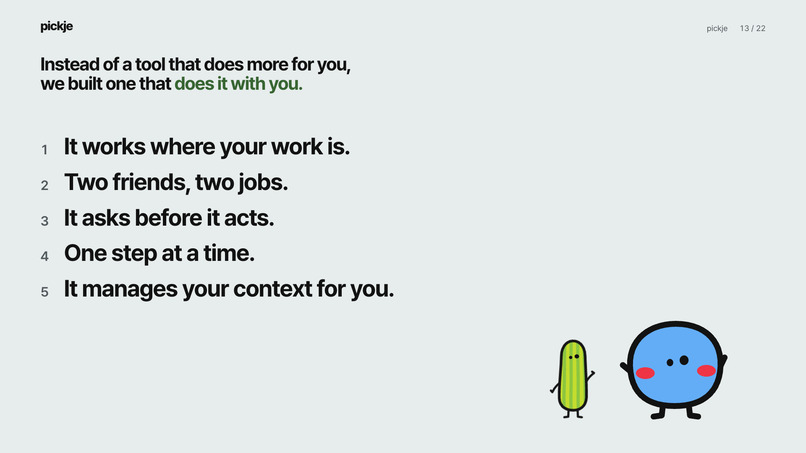
We didn't want an assistant you talk to. We wanted friends you work with. Every UX decision came from the research:
- Help at the point of performance. There's no chat box. Following Barkley, help shows up right on the page you're stuck on, so there's nothing to open, copy, paste or remember.
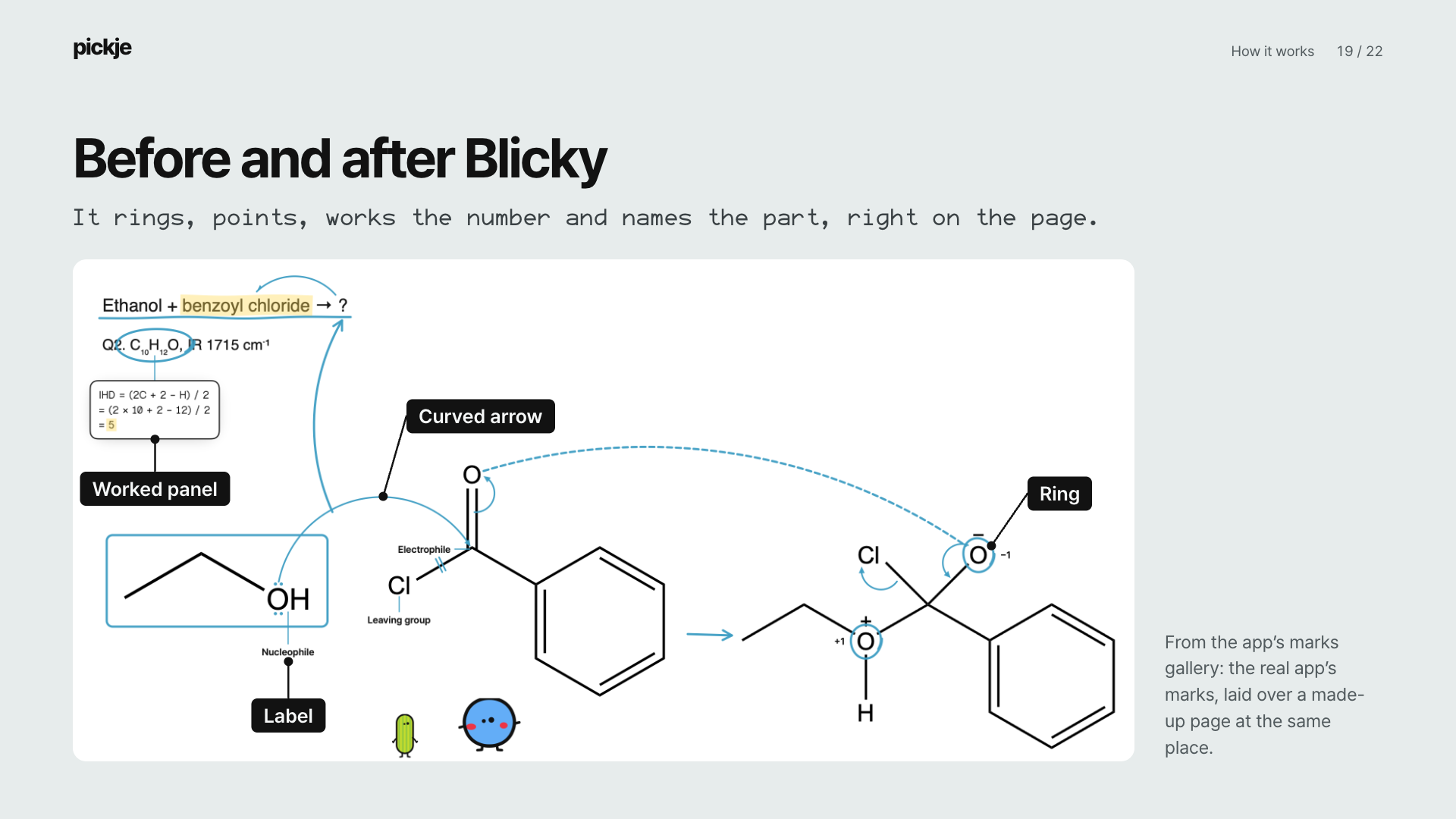
- Point, don't describe. You shake the cursor to wake Pickle, circle the thing you mean, and ask out loud. It's direct manipulation: pointing at "this" beats explaining "the second peak on the left graph" to a chatbot.
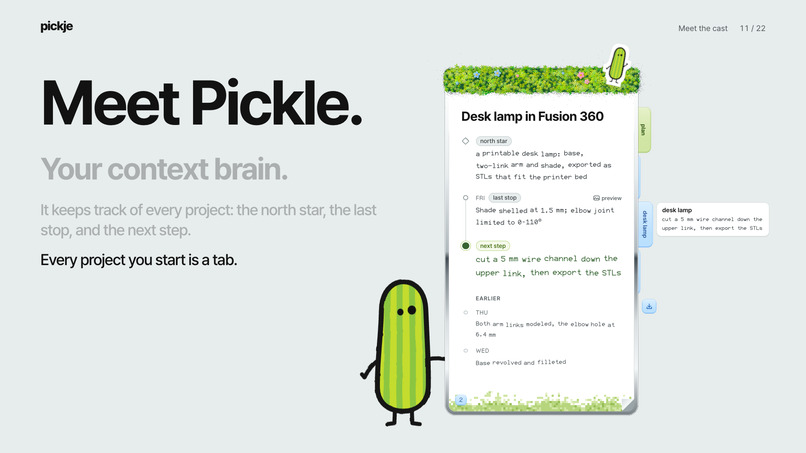
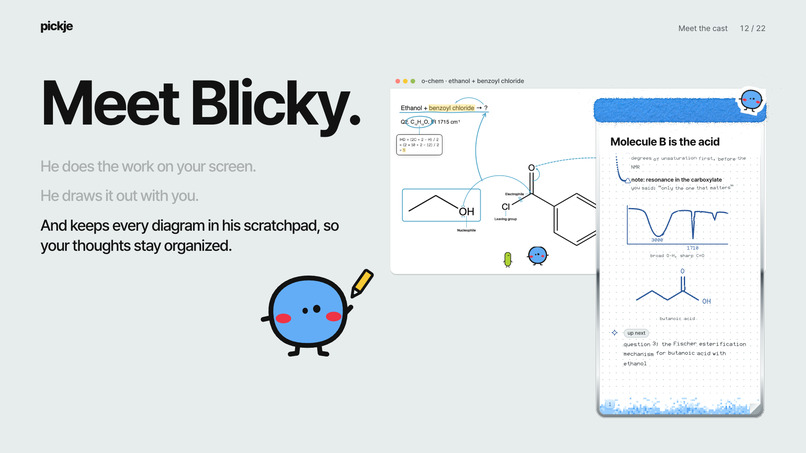
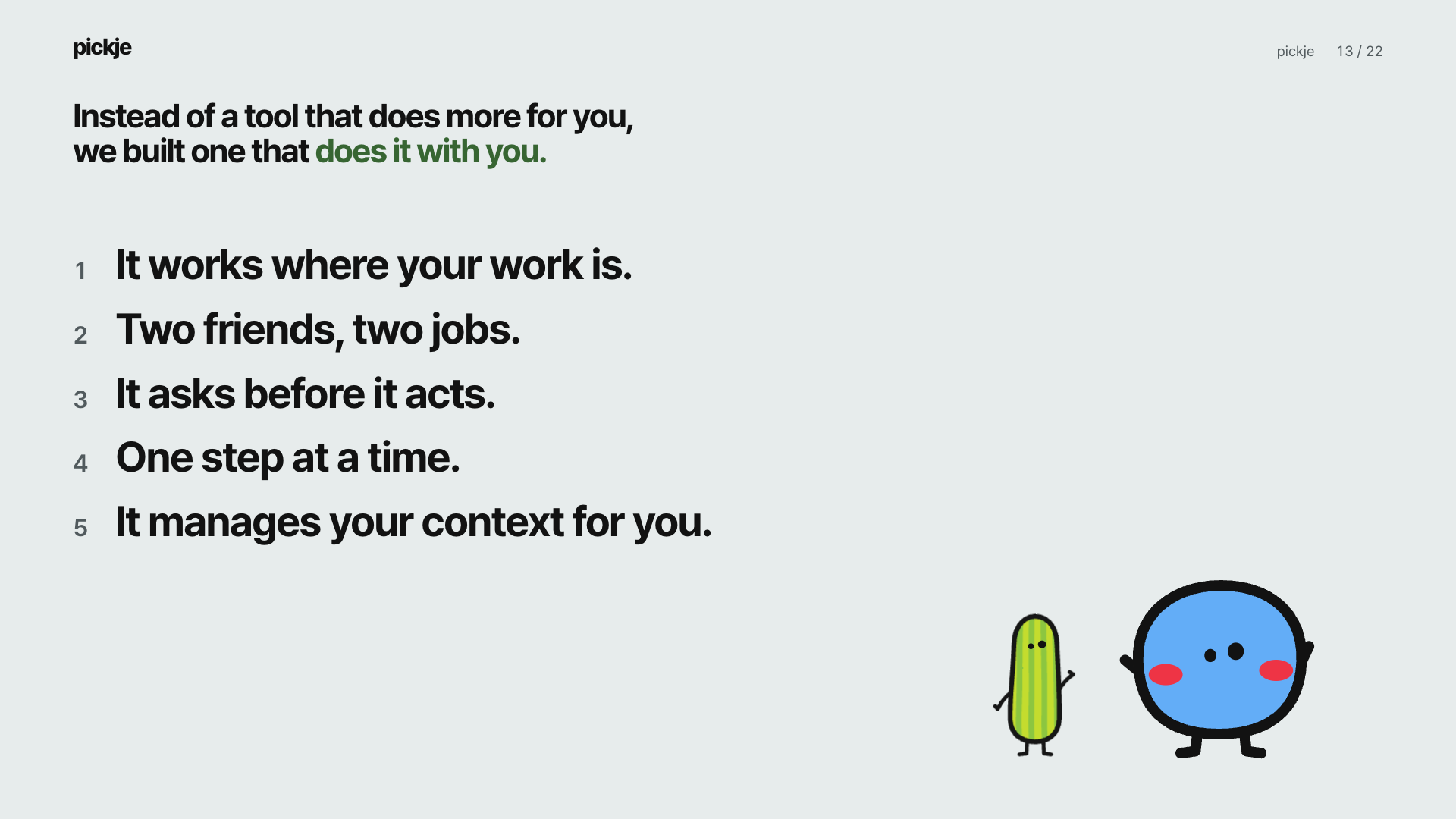
- Two characters, two jobs. One assistant that does everything is hard to read. So we split it: Pickle quietly holds your context, Blicky shows you things. People already know how to work with two friends who each have a role, and the ADHD community has a name for working alongside someone to stay on task: body doubling. Pickle and Blicky are body doubles that live on your screen.
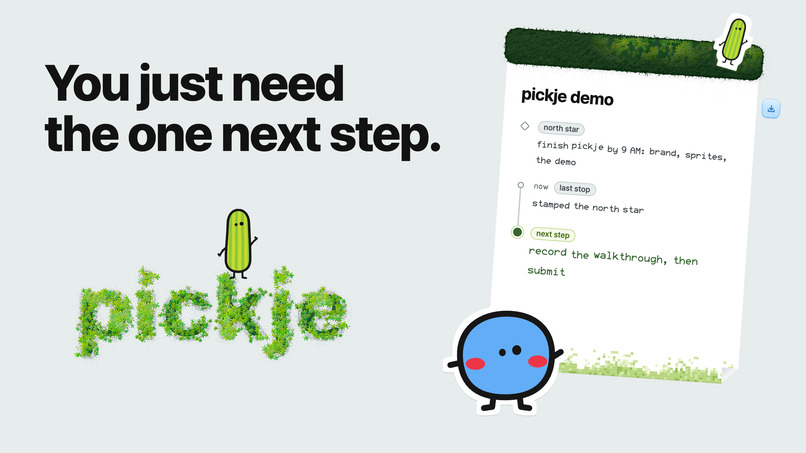
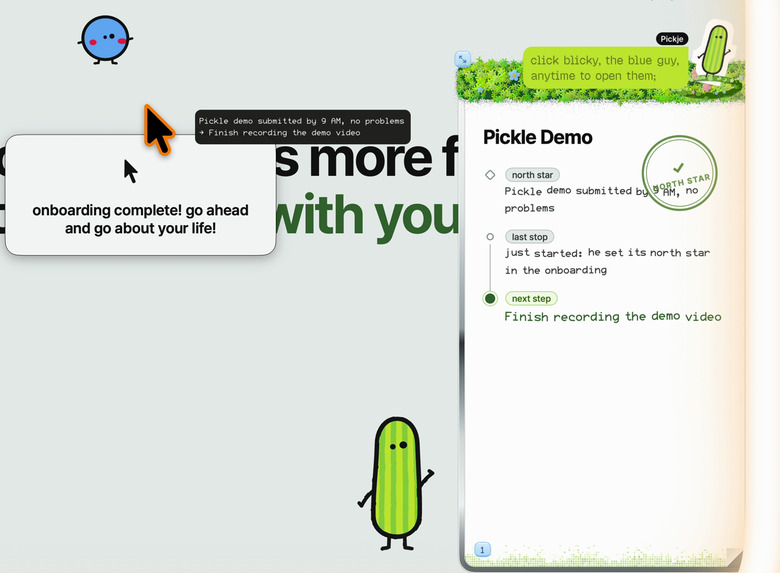
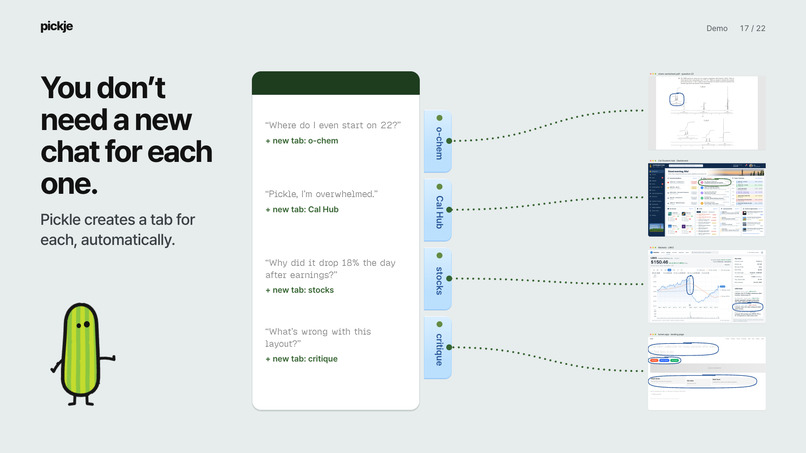
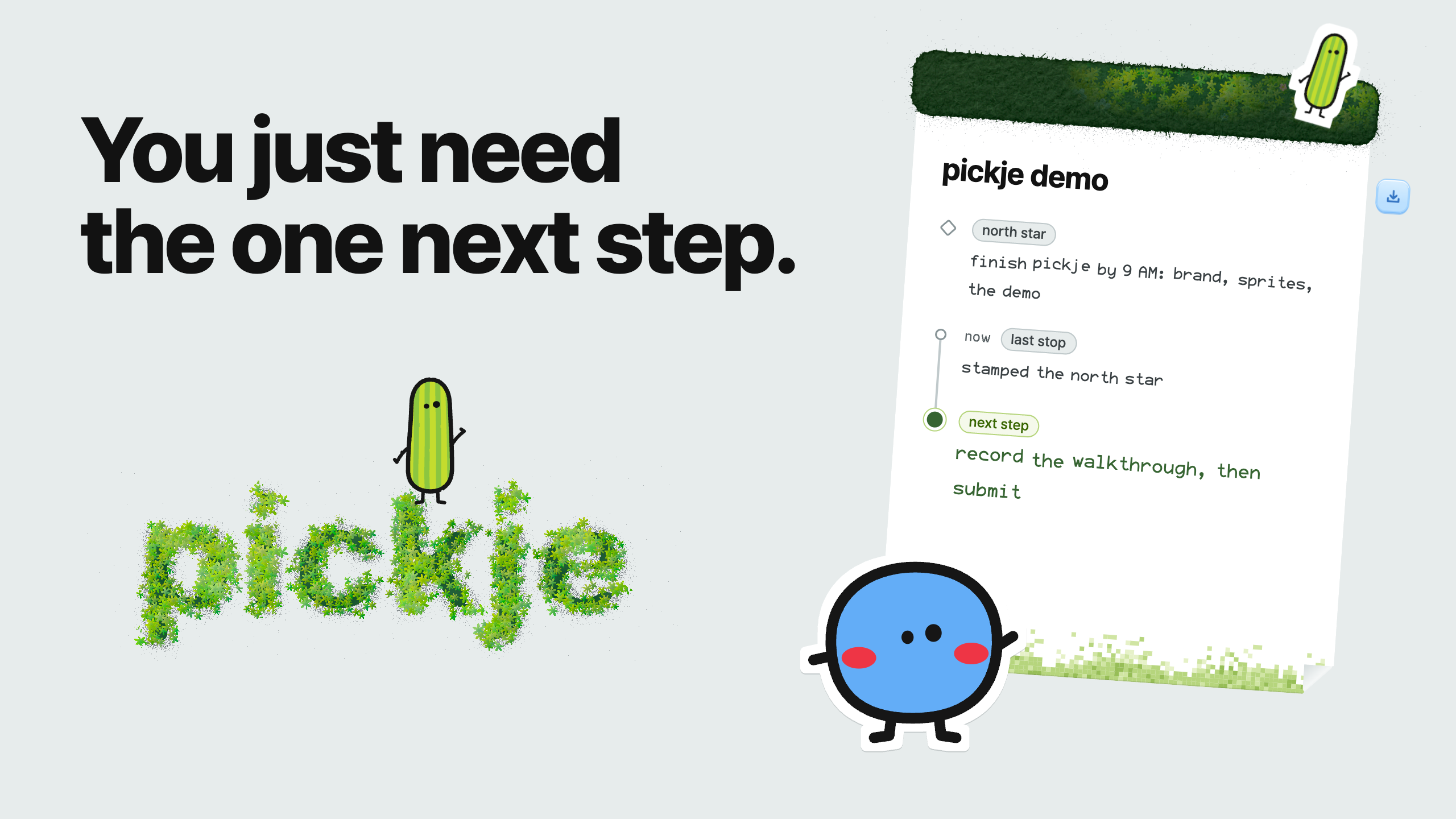
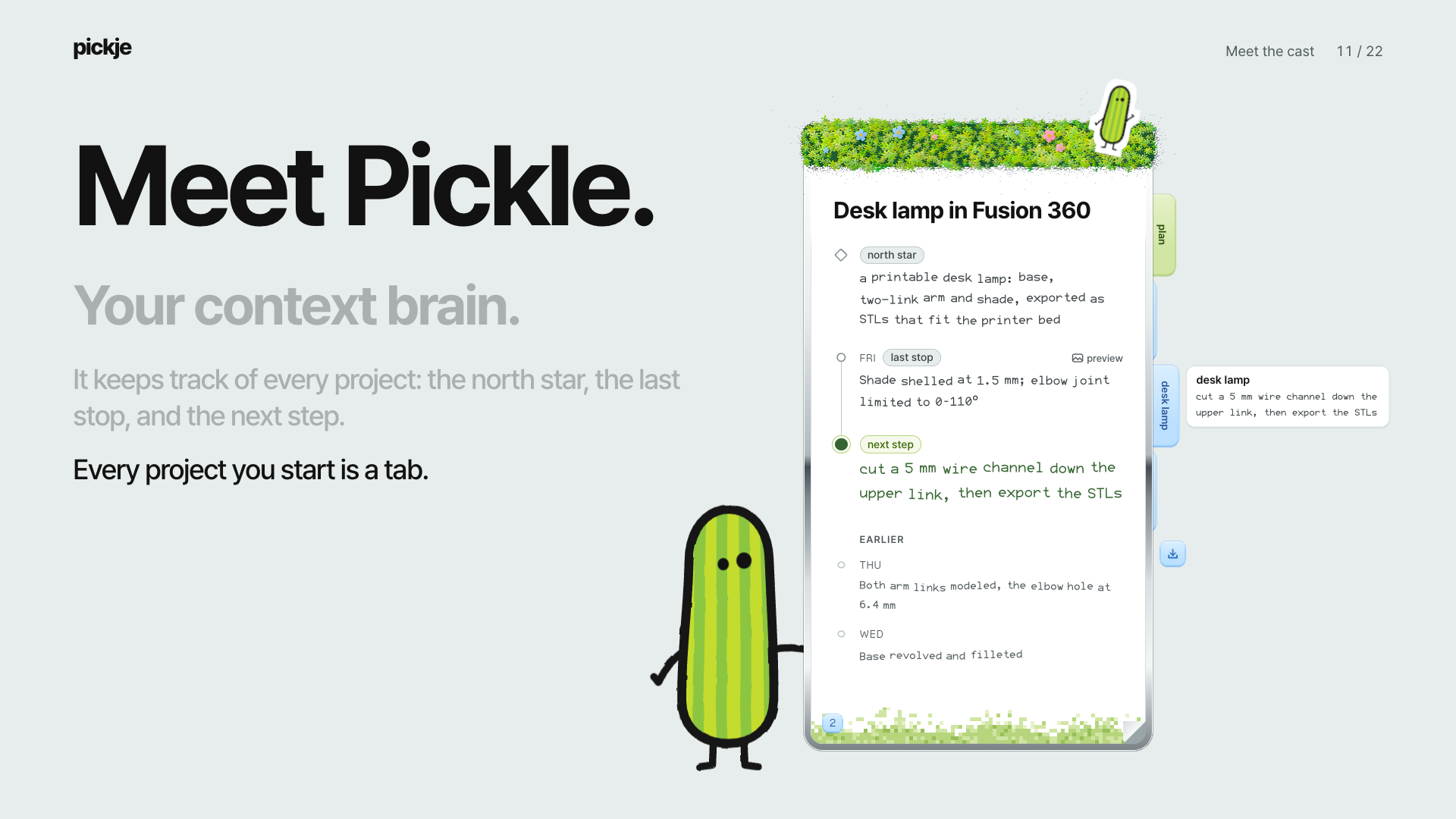
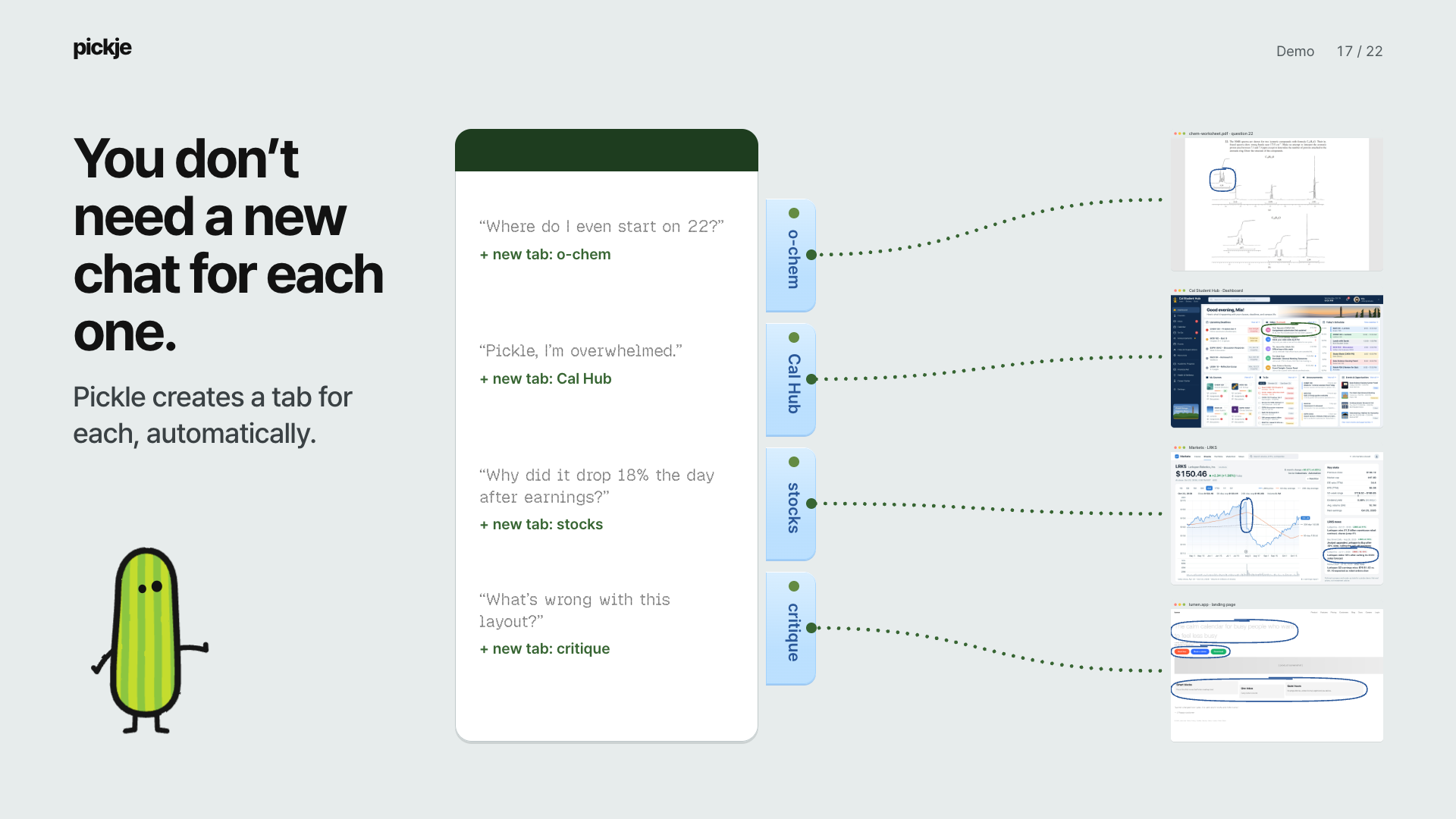
- Memory outside your head. Working memory is the scarce resource, so Pickle keeps it for you: each project's goal, last stop and next step on its own tab in Pickle's notepad. Blicky's scratchpad catches every diagram when the screen gets crowded. You can see your context instead of holding it.
- One next step, not a wall of text. Cognitive load theory says the fastest way to lose someone is to give them everything at once. Blicky gives you the next step, walks you through it, and holds back the answer until you ask.
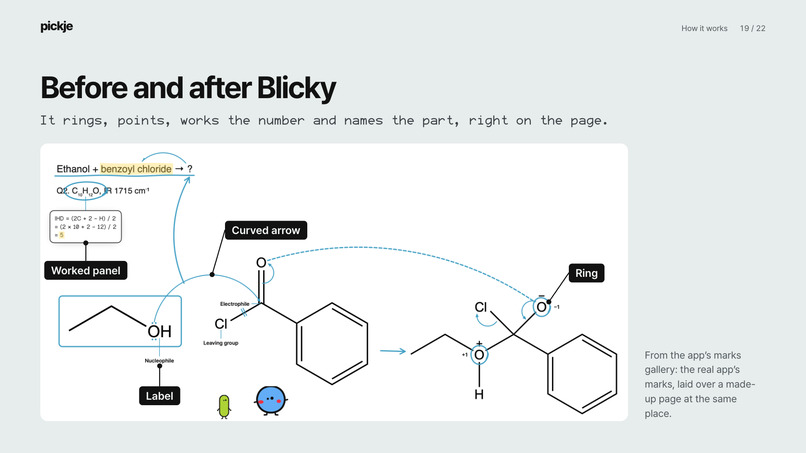
- The voice waits for the pen. Blicky doesn't say "this carbon" until his circle is on that carbon. Hearing and seeing the same thing at the same moment (dual coding) is easier to follow than either one alone.
- Ask, don't interrupt. It's calm technology: it stays at the edge of your screen until you call it, and asks a small yes-or-no before it switches projects or hands off work. You're always the one deciding.
- Shrink the restart. If switching is the expensive part, make coming back cheap. Pickle routes every sentence to the right project on its own, so picking a thread back up takes one sentence instead of ten minutes.
- A look that lowers the stakes. We built a design system on purpose: a calm palette (Pickle's green, Blicky's blue, everything else neutral), handwritten type for anything a character says, and soft textures like felt and moss. It should feel like a friend's notebook, not a productivity dashboard judging you.
- Learn it by doing it. Onboarding takes about a minute: Pickle pops up at your cursor, learns your name, Blicky says hi, you circle a couple of things, and the goal you say out loud becomes your first project.
What it does
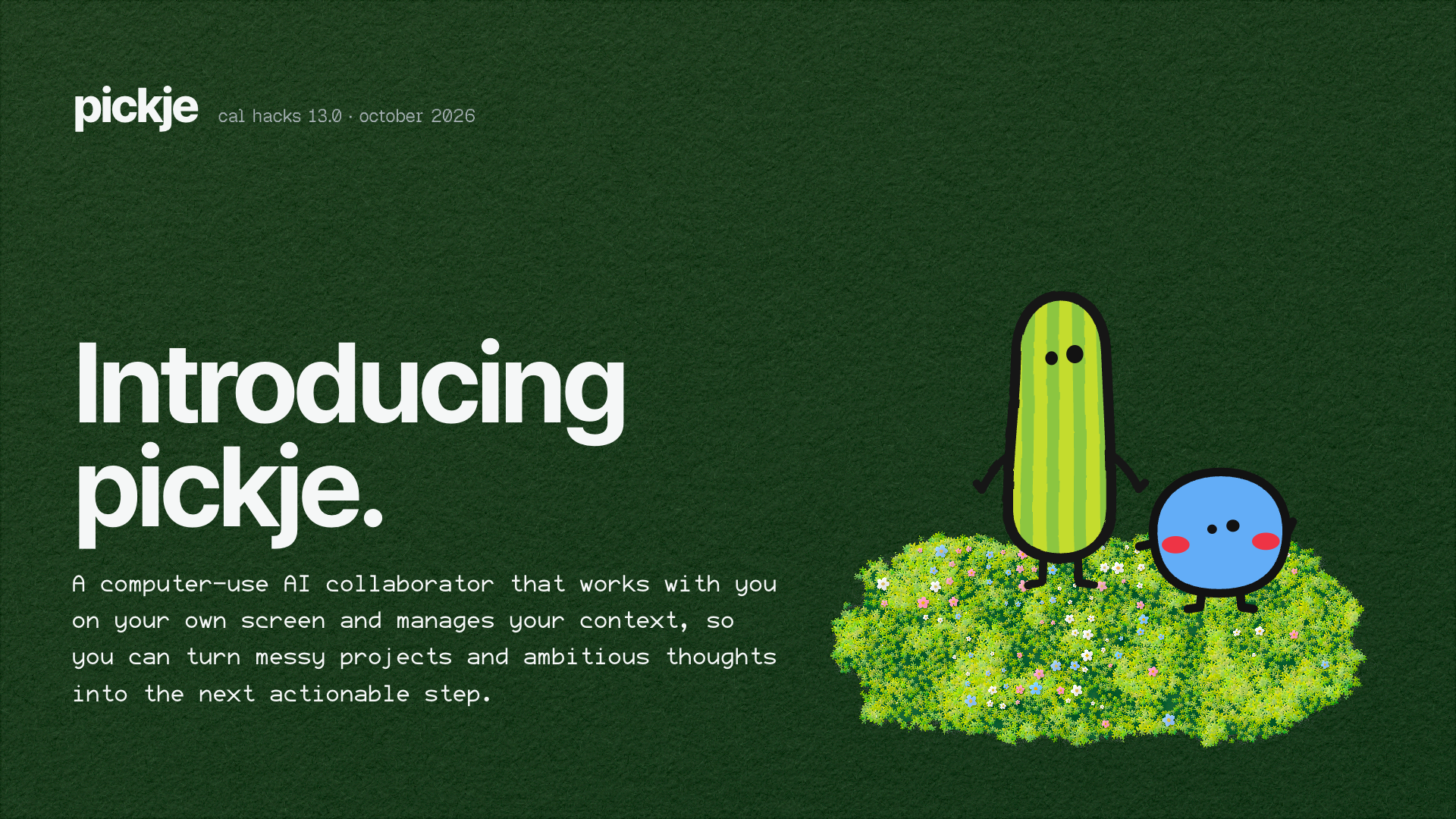
pickje sees what you mean. It's an AI collaborator that works with you on your own screen and keeps track of your context, so messy projects and big ideas turn into one next step you can actually take.
When you're stuck, shake your cursor, circle what you mean and ask out loud. Pickle files it under the right project and remembers where you are. Blicky flies to the spot and draws on it (circles, arrows, labels, even a molecule sketched live) and talks you through one step at a time.
It works on whatever's in front of you: an o-chem worksheet, a cluttered student dashboard ("Pickle, I'm overwhelmed"), a stock chart, a 3D model, a video timeline, a design you want feedback on. Same two friends, any screen. Each project gets its own tab automatically.
How we built it
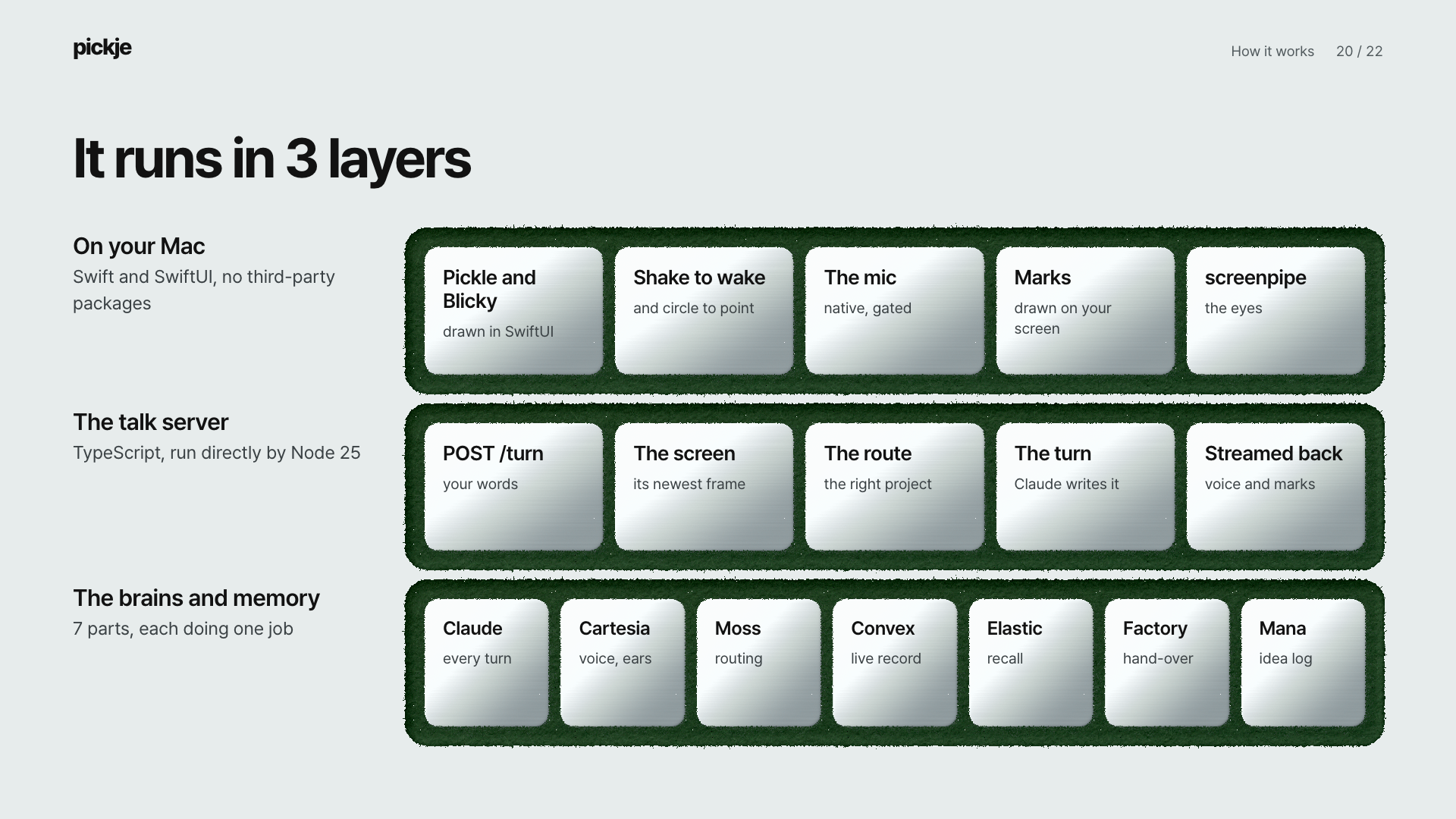
pickje is a native Mac app (Swift and SwiftUI) that draws Pickle and Blicky over your screen, plus a small TypeScript server on your Mac. Each sponsor powers a piece of the experience:
- Anthropic (Claude) is the brain. Claude reads your screen, figures out what you mean, writes what Blicky says, decides what he draws and keeps each project's memory. We built the whole thing in Claude Code, and every project pickje creates is its own Claude Code workspace.
- Cartesia is the voices and the ears. Pickle and Blicky talk in two voices cloned from our teammates and take turns like friends do. Cartesia's Ink knows when you're done talking, even if you pause to think.
- Moss is the quick memory. The moment you speak, it knows which project you mean and what's on your screen, so there's no awkward wait.
- Convex keeps Pickle's notepad live, so every step shows up as it happens.
- Elastic is the long-term library. Come back days later and Blicky knows where you stopped.
- Factory's Droid is Blicky's hands. When something needs real work, like practice problems or notes, Droid does it inside that project, and only after you say yes.
- Mana holds our lab notebook: every idea, decision and dead end from the build, in a public Mana app.
- Microsoft, Built for the Real World: we tested pickje the way a student would actually use it, on a real screen with real homework.
Challenges we ran into
The hardest part was making it feel like a conversation. If you ask a question and sit in silence while an AI thinks, the moment is gone, and for someone whose attention is already pulled five ways, that silence is exactly when they switch away. We spent much of the weekend cutting that wait. Getting Blicky to draw in exactly the right spot on any screen, and to teach one step at a time without rebuilt that experience from scratch.
We're proud that Pickle and Blicky feel like friends rather than software, that the same two characters work on any screen, and that the whole product can be learned in about a minute just by talking and circling. We built it from an empty repo in one weekend and wrote every step down in a public notebook.
What we learned
There was never a shortage of tools. The cost was in switching between them. People with big ambitions and ADHD don't need another app that does more. They need one that holds their place, hands them the next step, and makes coming back cheaper than giving up.
What's next for pickje
- Focus Thread. Straight out of our research: save the exact spot you're working on, follow your curiosity, park the distraction as a side quest, then say "take me back" and land right where you left off. Pickle doesn't stop your mind from wandering. It helps you find your way back.
- Real students. Putting pickje in front of college students with ADHD and measuring whether it shortens the time it takes to get back on track.
Built With
- claude
- computer-use
- human-first
- swift
- swiftui


Log in or sign up for Devpost to join the conversation.