-
-
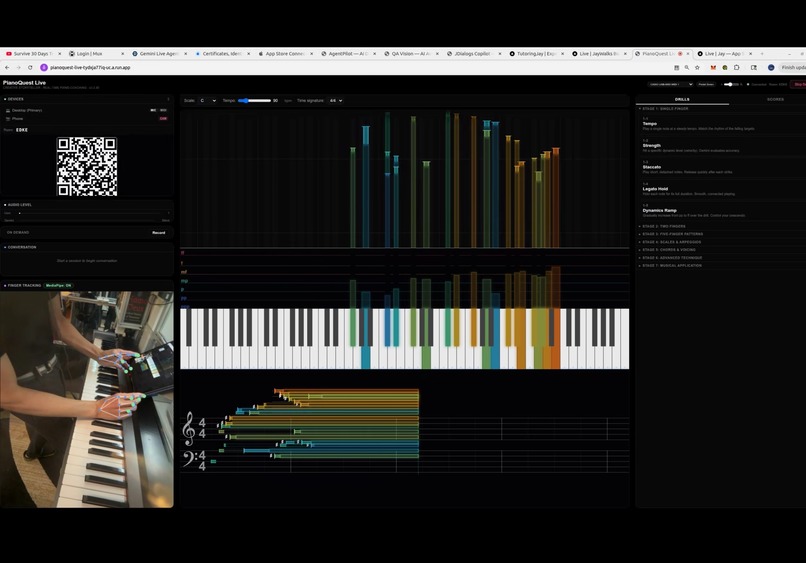
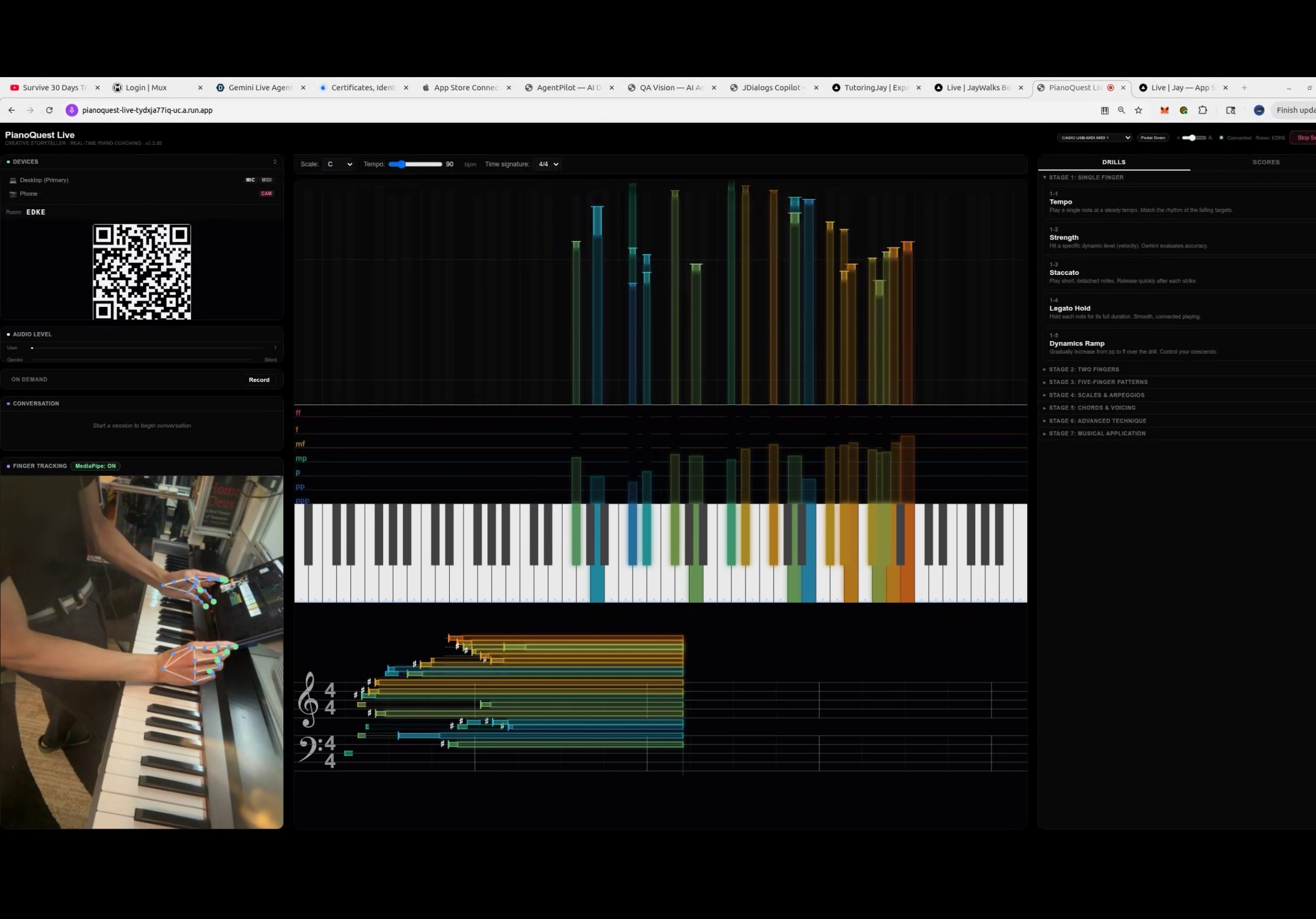
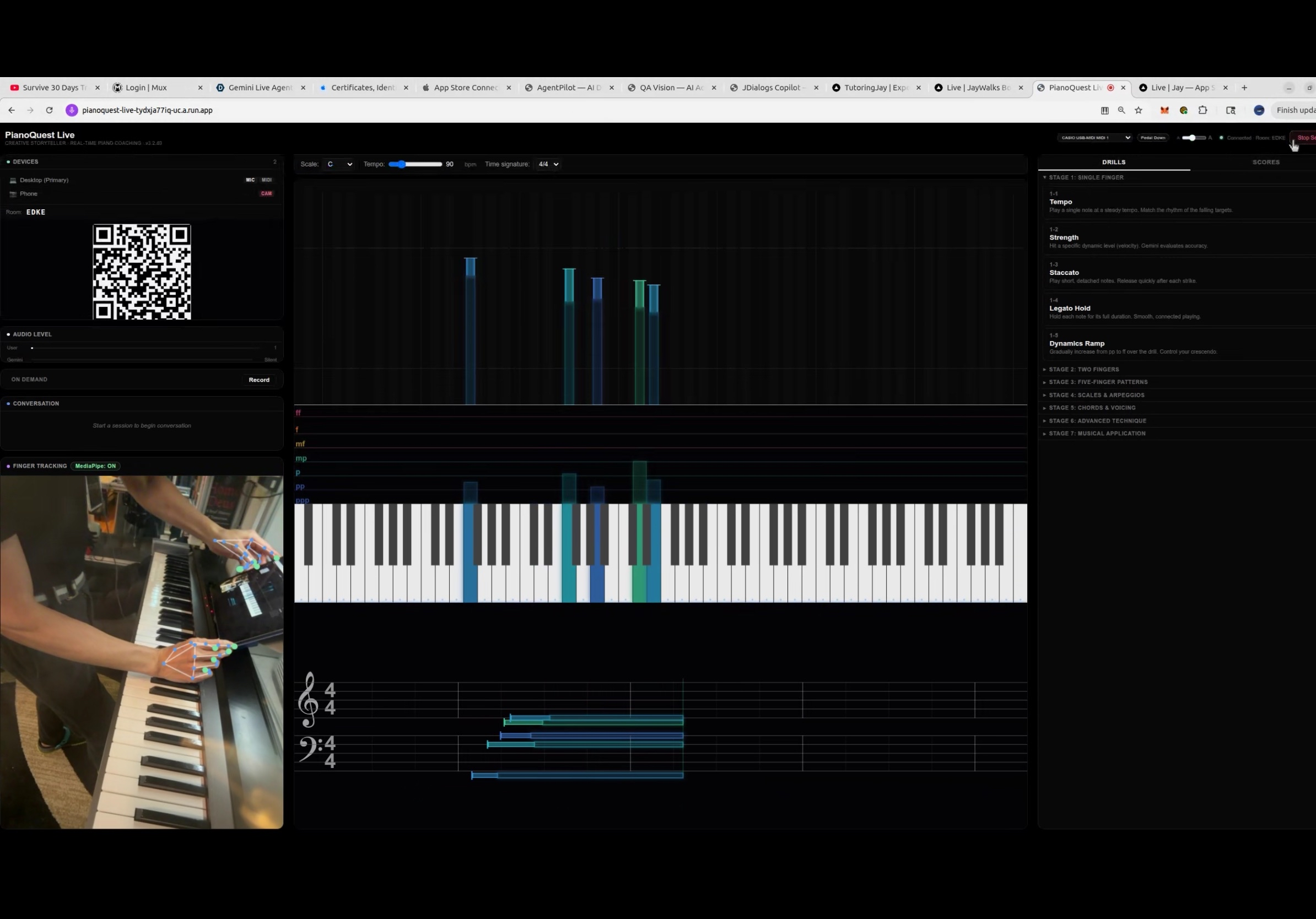
Waterfall (above) showing multiple colors for different strengths of key press
-
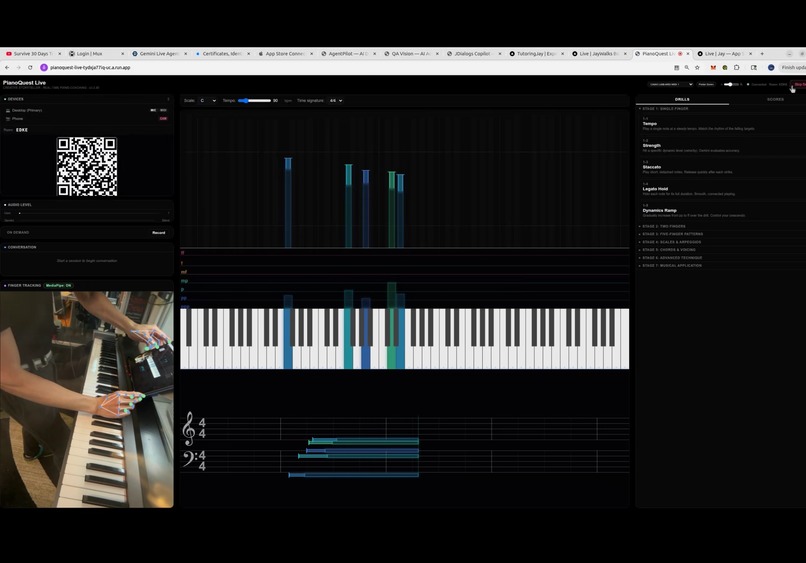
Grand staff below shows the flow of notes in real time. Bottom left panel shows finger tracking
Inspiration
As a pianist, I wanted a coach that could be there every practice session - not just once a week for 30 minutes. Real piano teachers do something remarkable: they simultaneously watch your hands, listen to your playing, and talk you through corrections in real-time. No AI tool does all three at once. When Google announced Gemini's native audio model with real-time streaming, I realized we could build exactly that - a multimodal AI coach that sees, hears, and analyzes simultaneously.
What it does
PianoQuest Live is a real-time multimodal piano coaching agent. It runs three simultaneous input streams into Gemini:
- Voice - Talk to your coach naturally through your microphone. Ask questions about technique, music theory, or request feedback.
- MIDI - Your digital piano sends exact note data (which keys, how hard, precise timing) via Web MIDI API. Gemini sees velocity values, timing gaps, and playing patterns - far more precise than audio alone.
- Camera - Your phone becomes a hand-tracking camera using MediaPipe. Gemini sees your finger positions, wrist angles, and hand shape on the keys.
The magic is the integration: Gemini correlates a tensing wrist (camera) with dropping velocity (MIDI) and tells you your tension is hurting your sound. It notices your left hand is consistently 25 velocity points softer than your right. It catches tempo drift of 15% in a passage you thought was steady.
Additional features: real-time waterfall piano roll visualization, 25 progressive drills across 7 difficulty stages with automated grading, on-demand passage recording with statistical analysis, and a multi-device system where your phone connects via QR code.
How we built it
- Gemini Live API via @google/genai SDK using live.connect() for real-time bidirectional audio streaming with the native audio model (gemini-2.5-flash-native-audio-preview)
- Google ADK (@google/adk) for agent structure and tool declarations (set_coaching_focus, report_technique)
- Google Cloud Run for serverless deployment with WebSocket session affinity and keepalive pings
- TypeScript backend: Express server + multiple WebSocket endpoints (primary session, secondary devices, spectators, MIDI bridge)
- Web MIDI API for real-time piano input - MIDI snapshots converted to structured text descriptions for Gemini
- MediaPipe HandLandmarker running on-device on the phone for hand skeleton tracking
- Web Audio API for PCM audio capture at 16kHz and playback of Gemini's audio responses
- Multi-device architecture: desktop runs the coaching UI, phone connects via room code as the camera, all synchronized through a WebSocket room system
Challenges we ran into
- MIDI-to-Gemini pipeline: The trickiest bug was getting MIDI data to actually reach Gemini. The Web MIDI API captures digital note data in the browser, but Gemini's Live API accepts audio and video - not MIDI. We solved this by converting MIDI snapshots into structured text descriptions (note names, velocity values, timing) and sending them via sendClientContent() as text turns. This gives Gemini precise quantitative data it can cite in feedback.
- Cloud Run WebSocket timeouts: Cloud Run kills idle WebSocket connections. We implemented server-side ping/pong keepalives on all connection types (primary, secondary, spectator) to prevent drops during quiet moments in practice.
- Multi-device synchronization: Getting a phone camera, desktop MIDI keyboard, and Gemini audio all synchronized through a single room session required careful device role management and exclusive role assignment.
- System instruction tuning: Getting Gemini to behave like a real teacher - answering questions naturally, staying silent during playing, then giving data-backed analysis when asked - required multiple iterations of the system instruction.
Accomplishments that we're proud of
- True multimodal integration: three simultaneous input streams (voice + MIDI + camera) feeding into a single Gemini session that cross-references all of them
- Real-time MIDI visualization with waterfall piano roll rendered on HTML5 Canvas
- A complete drill curriculum (25 drills, 7 stages) with automated evaluation and grading
- Multi-device system where any phone becomes a hand-tracking camera with one QR scan
- The whole thing runs in the browser - no native app installation required
What we learned
- Gemini's native audio model is remarkably good at maintaining conversation context while simultaneously processing text data (MIDI) and video frames
- Converting structured data (MIDI) to natural language text is an effective way to give Gemini quantitative information it can reason about and cite back
- System instruction design is critical - the difference between a useful coach and an annoying robot is entirely in how you instruct the model to behave
- WebSocket session management on serverless platforms requires active keepalive strategies
What's next
- Sheet Practice Mode: Load sheet music, notes scroll in the waterfall as a target, player matches them, Gemini silently observes the entire performance and delivers a comprehensive analysis at the end
- iPad tablet mode: Full coaching UI optimized for iPad placed on the piano music stand
- Historical session tracking: Compare performance across practice sessions to show improvement over time
- MediaPipe-MIDI correlation engine: Automated detection of technique issues by correlating hand landmark positions with MIDI timing/velocity anomalies
Built With
- canvas
- docker
- express.js
- google-adk
- google-cloud-run
- google-gemini-live-api
- google-genai-sdk
- javascript
- mediapipe
- next.js
- react
- tailwind-css
- typescript
- web-audio-api
- web-midi-api
- websocket


Log in or sign up for Devpost to join the conversation.