-
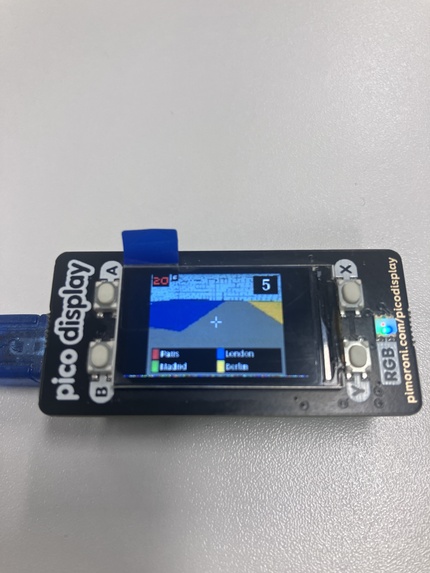
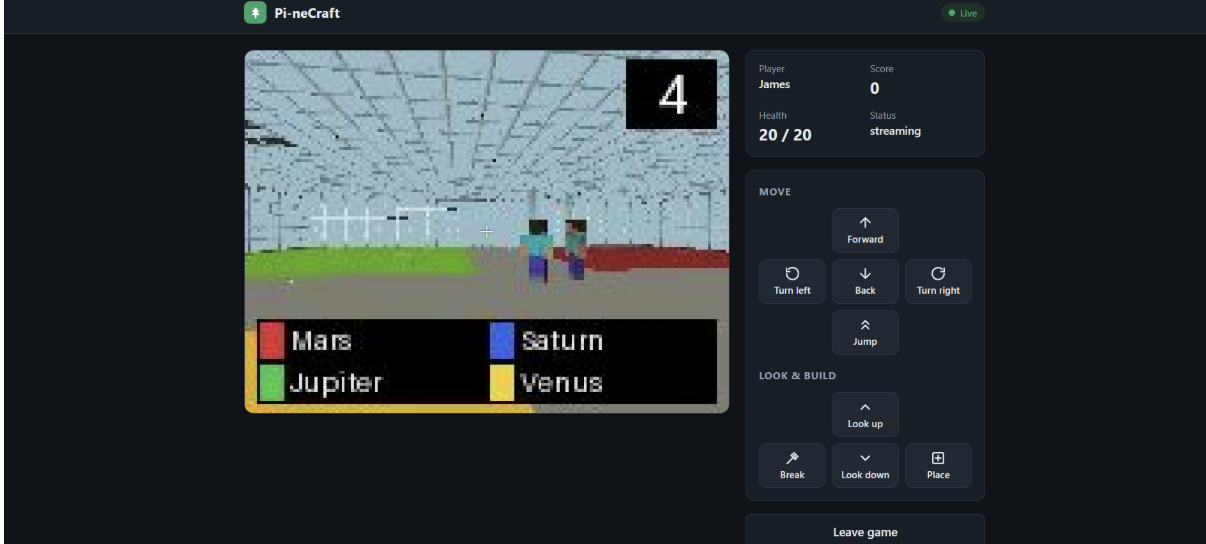
Answering questions on the Pico!
-
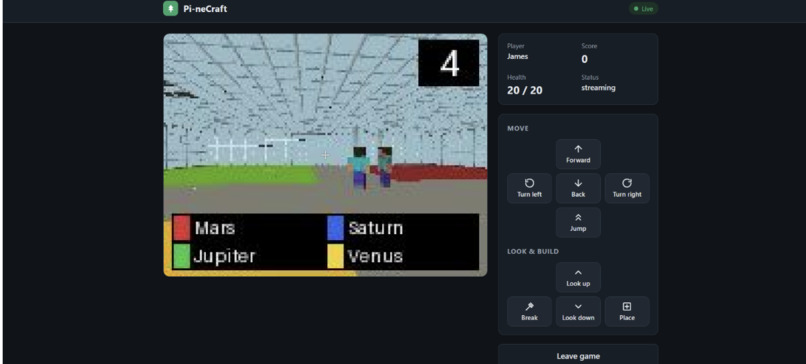
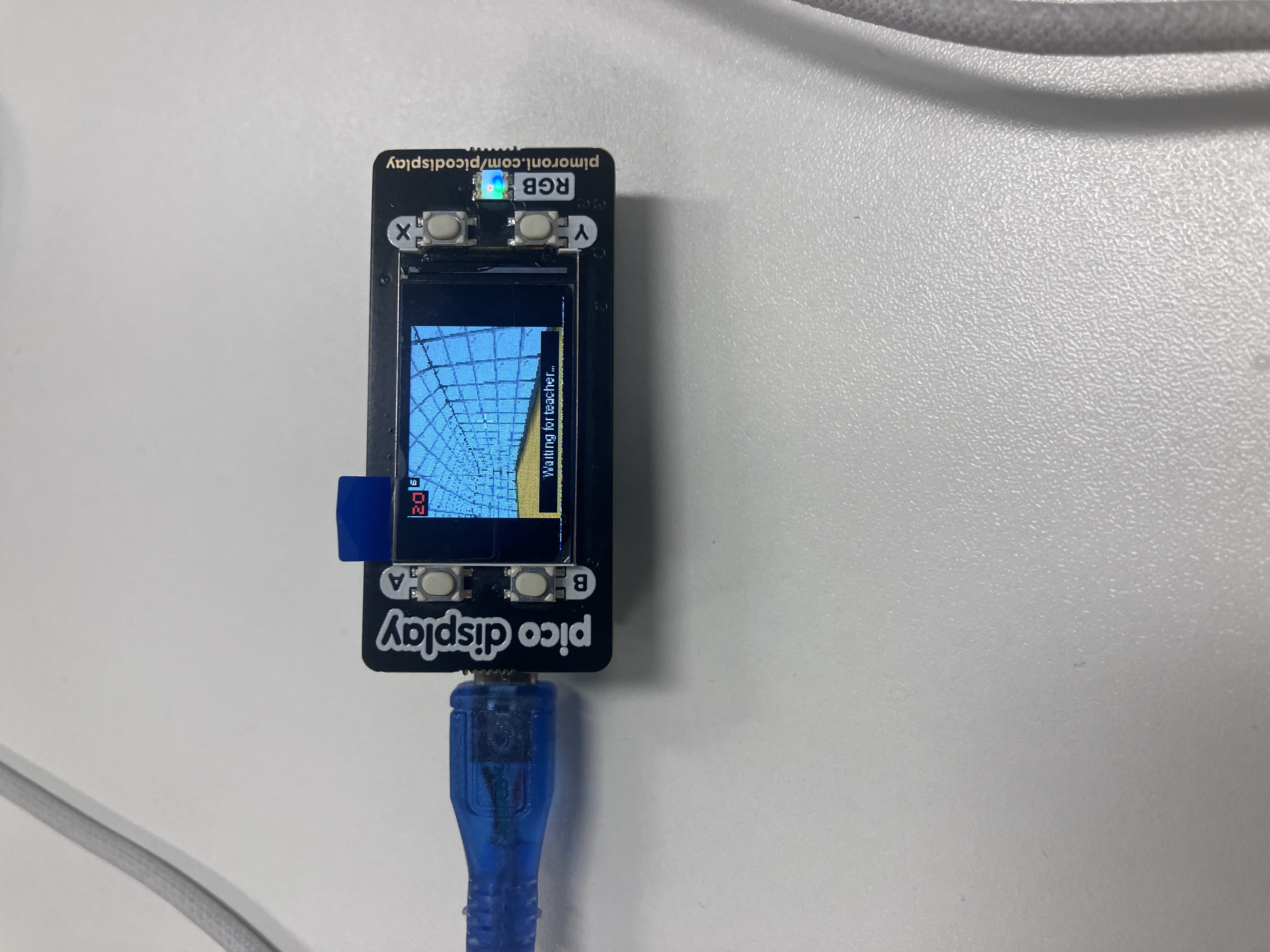
Answering questions on the Pico - multiplayer
-
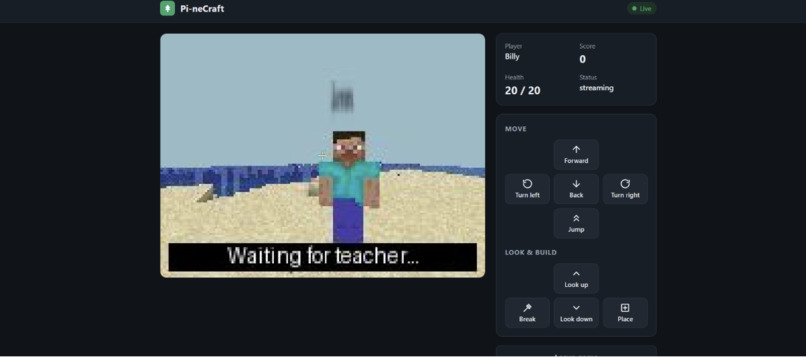
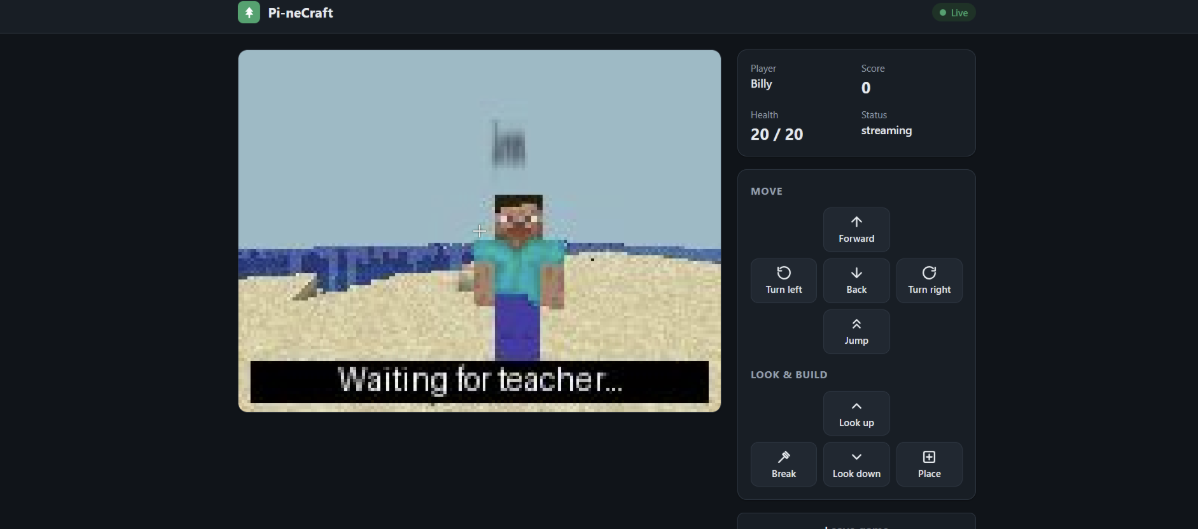
Multiplayer view - lobby
-
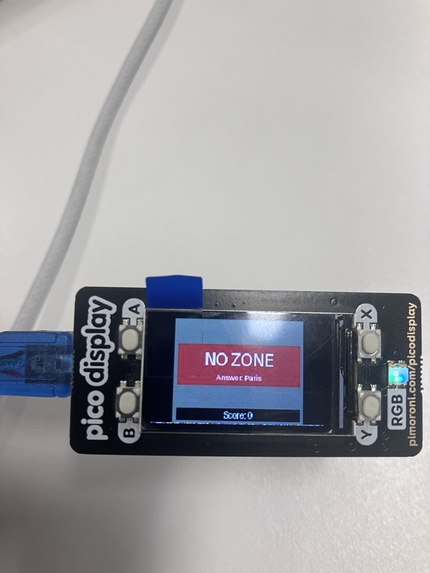
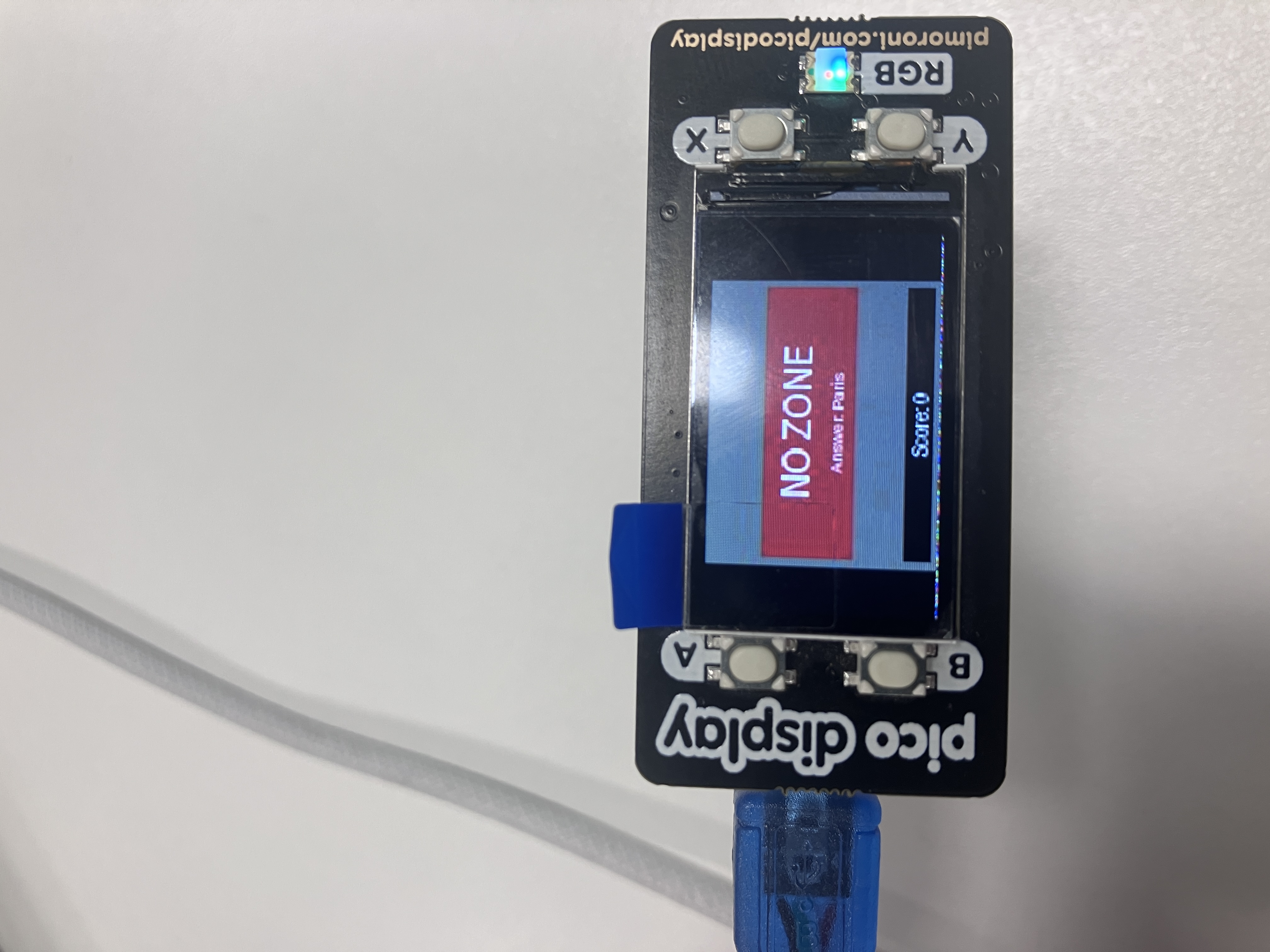
Wrong answer as seen on the Pico
-
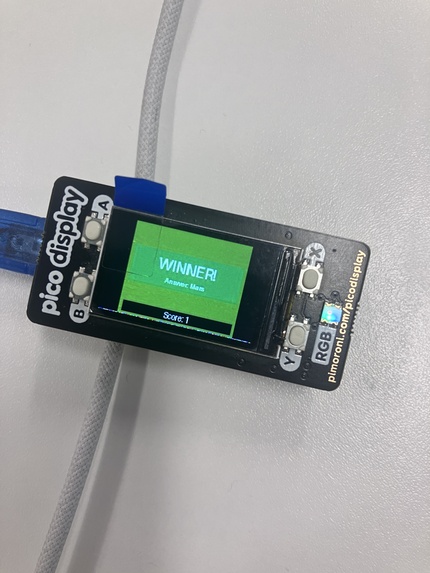
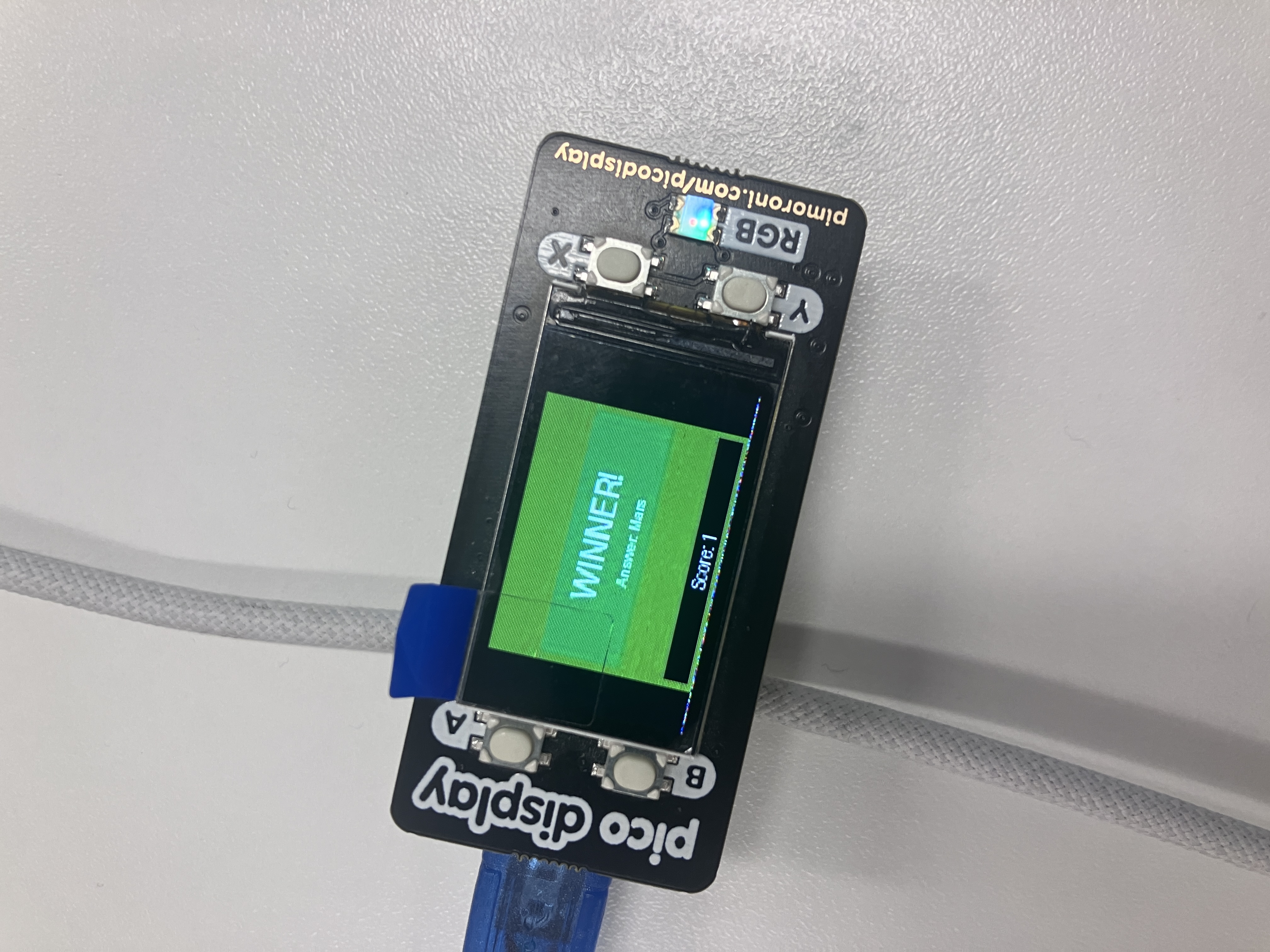
Correct answer as seen on the Pico
-
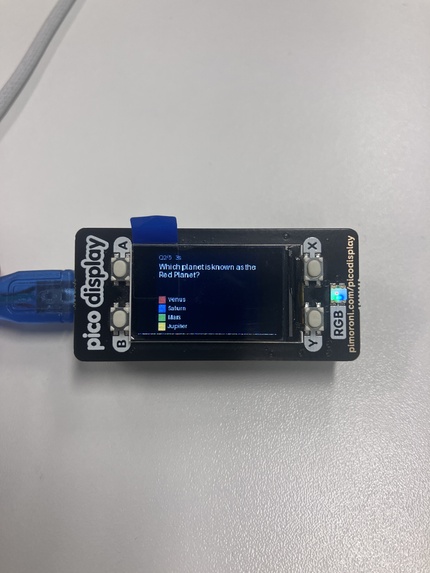
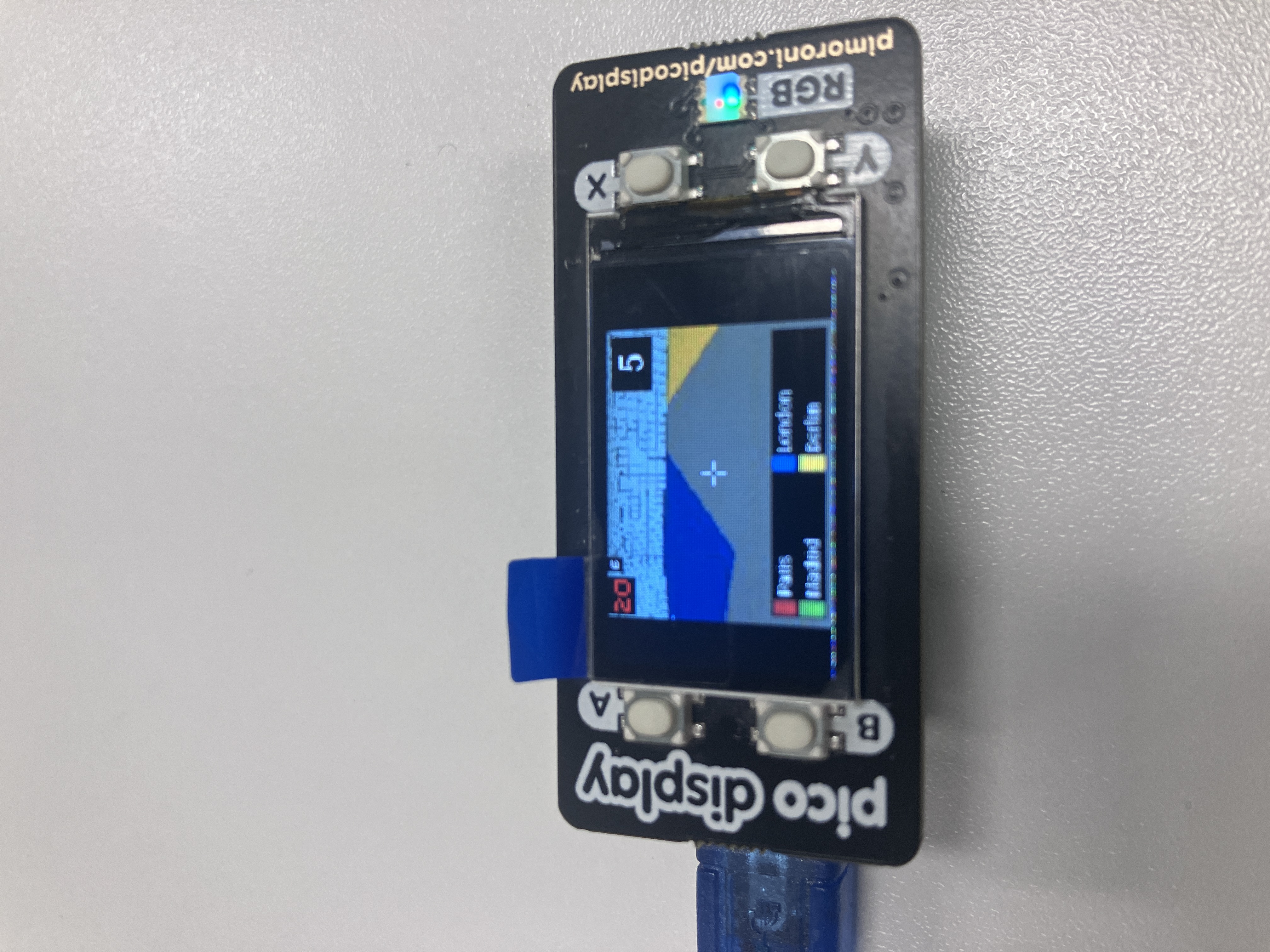
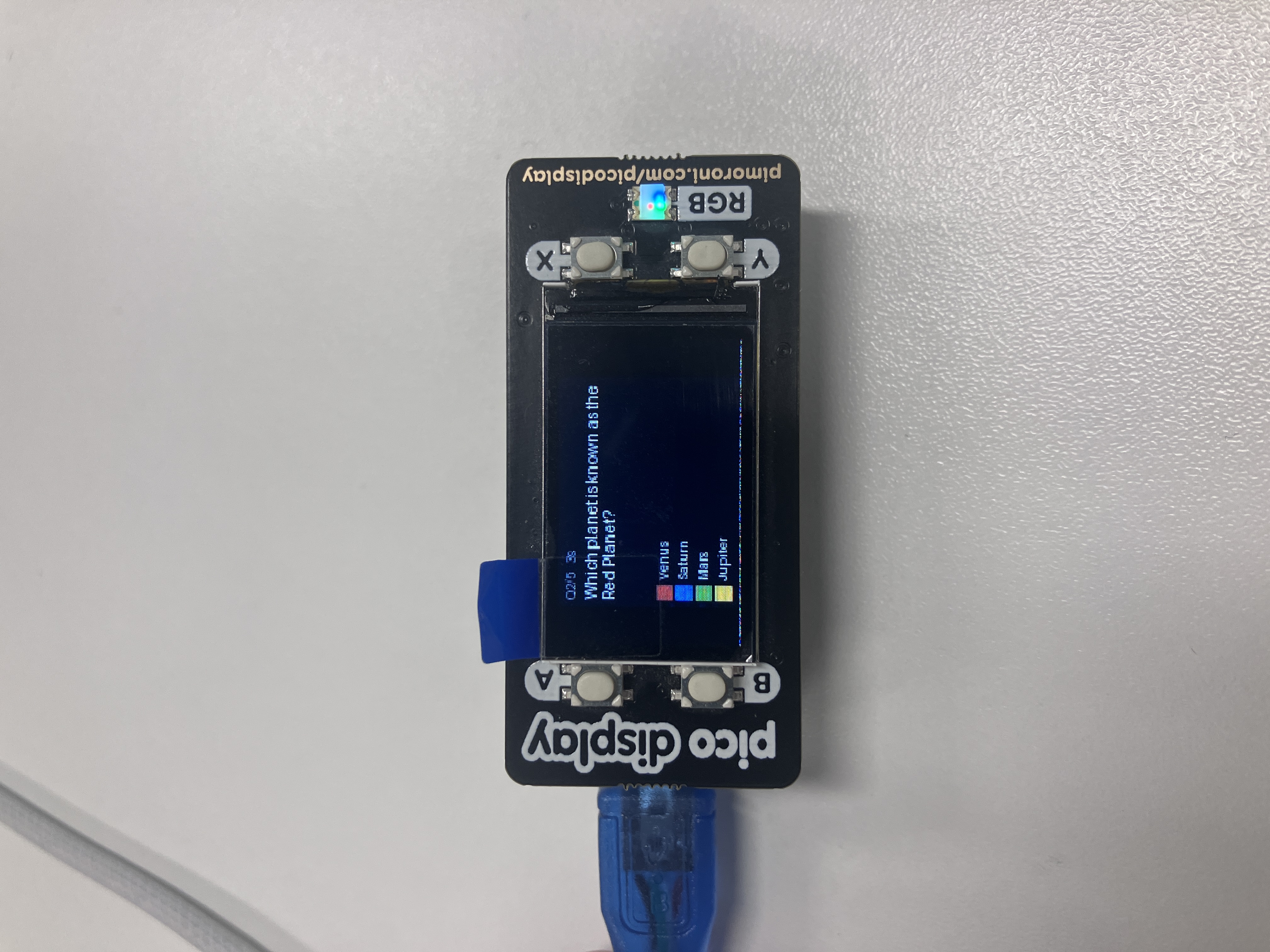
The question as seen on the Pico
-
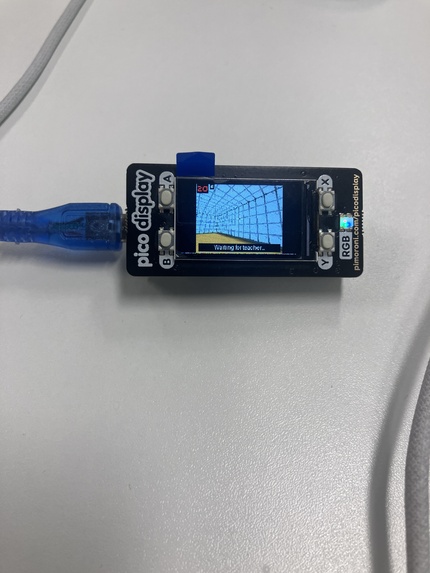
The lobby as seen on the Pico
-
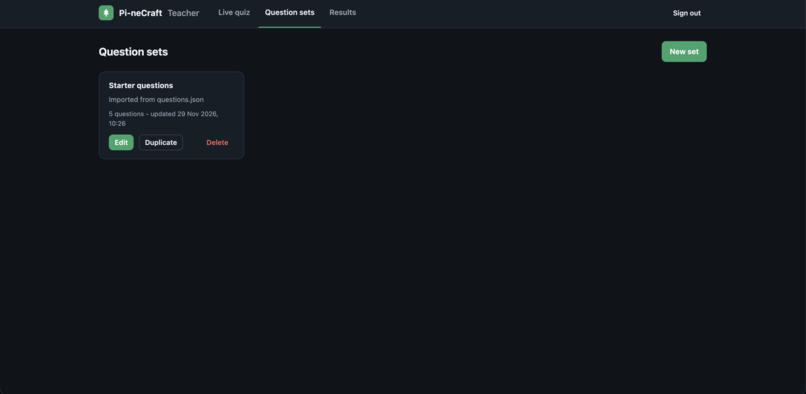
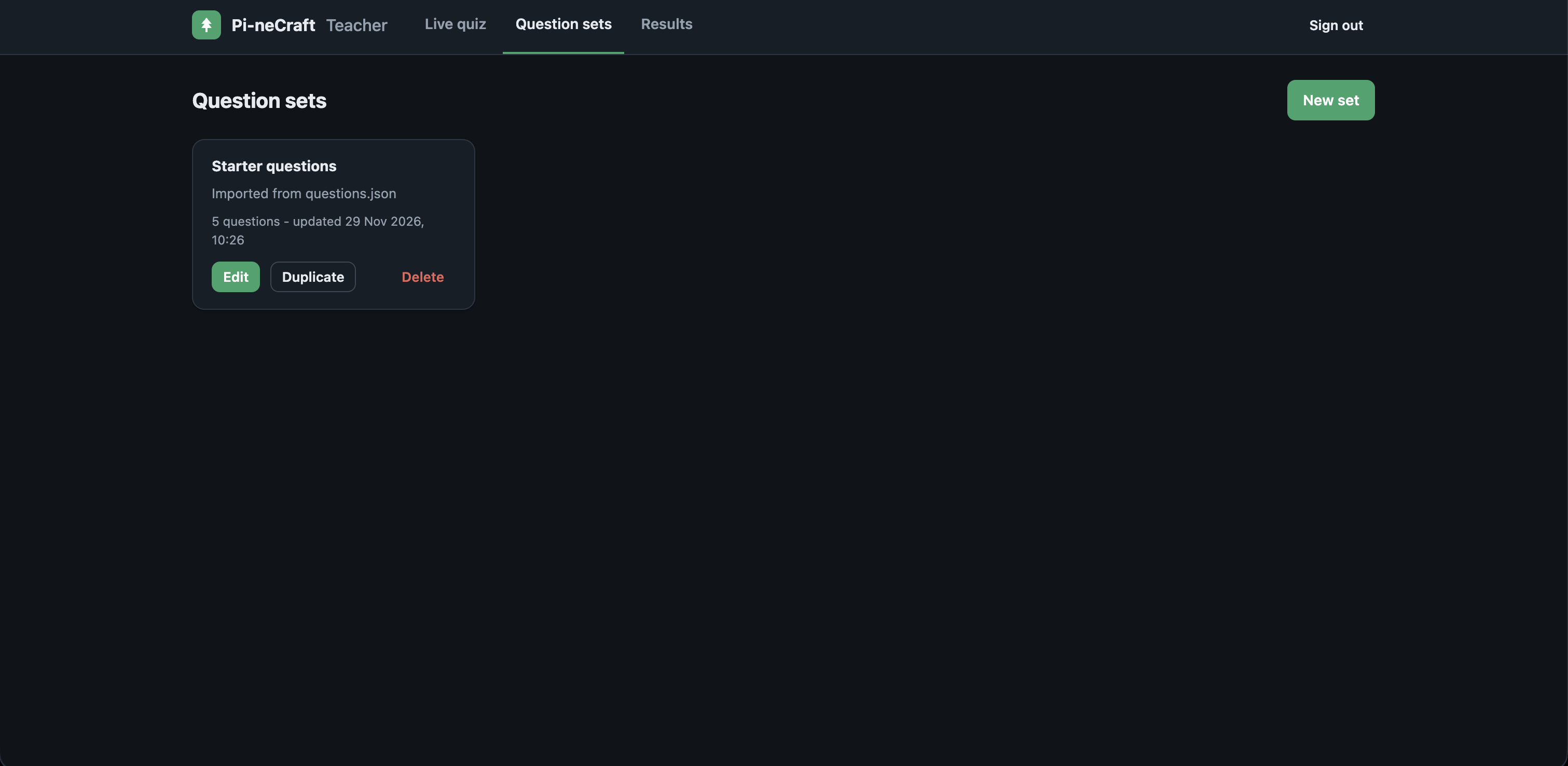
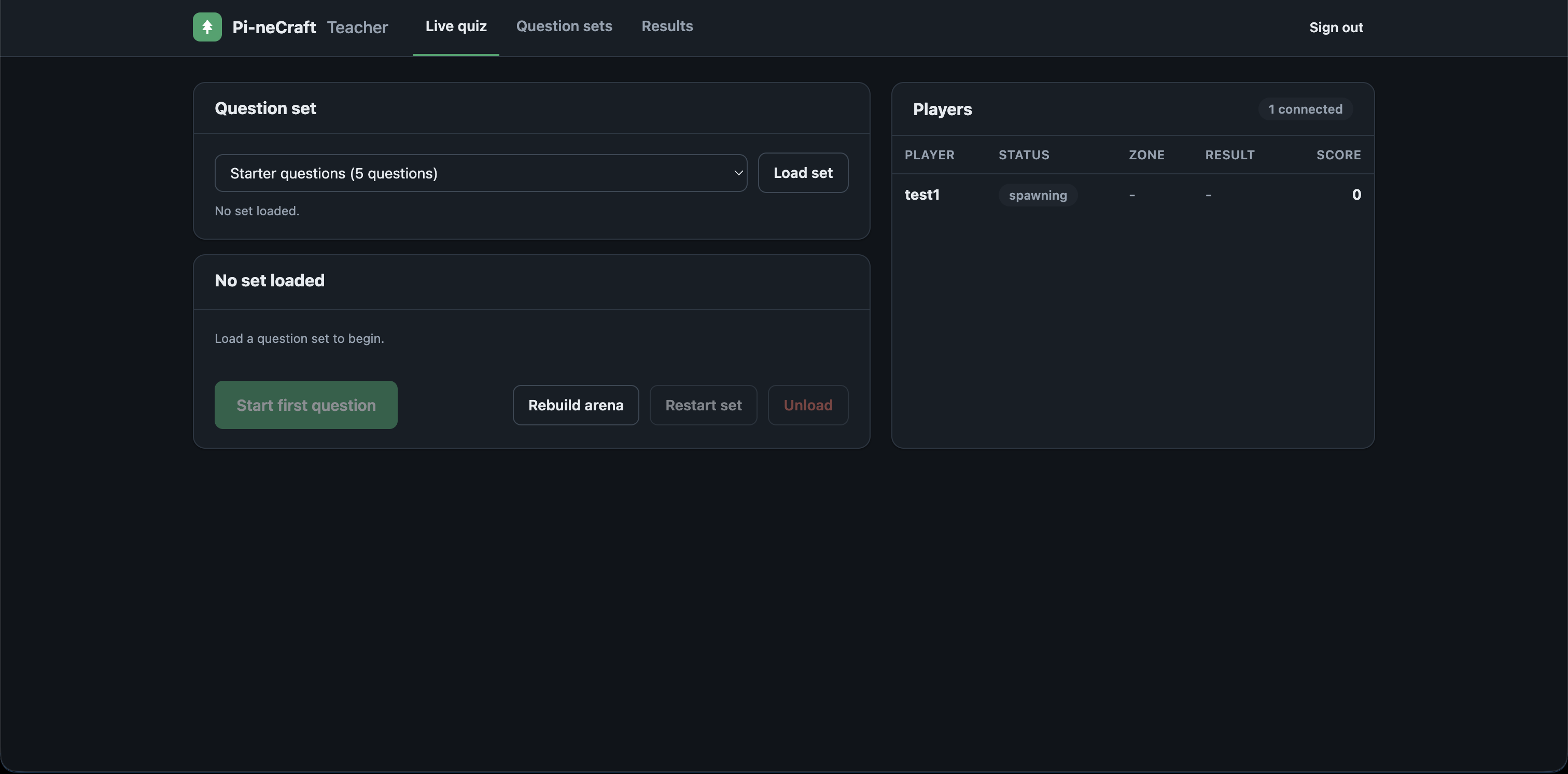
Question set - teacher view
-
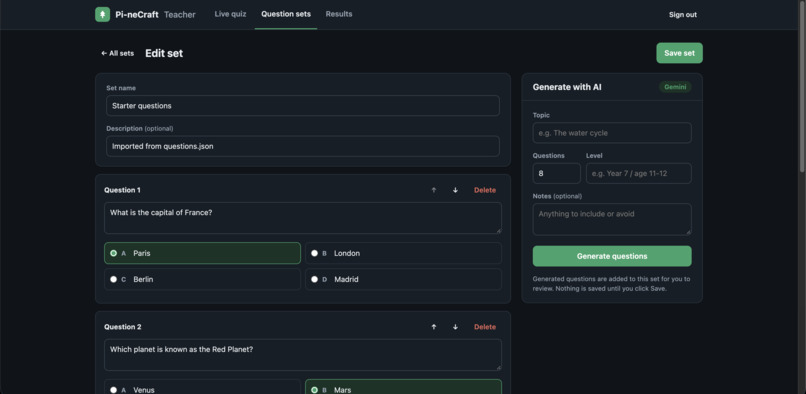
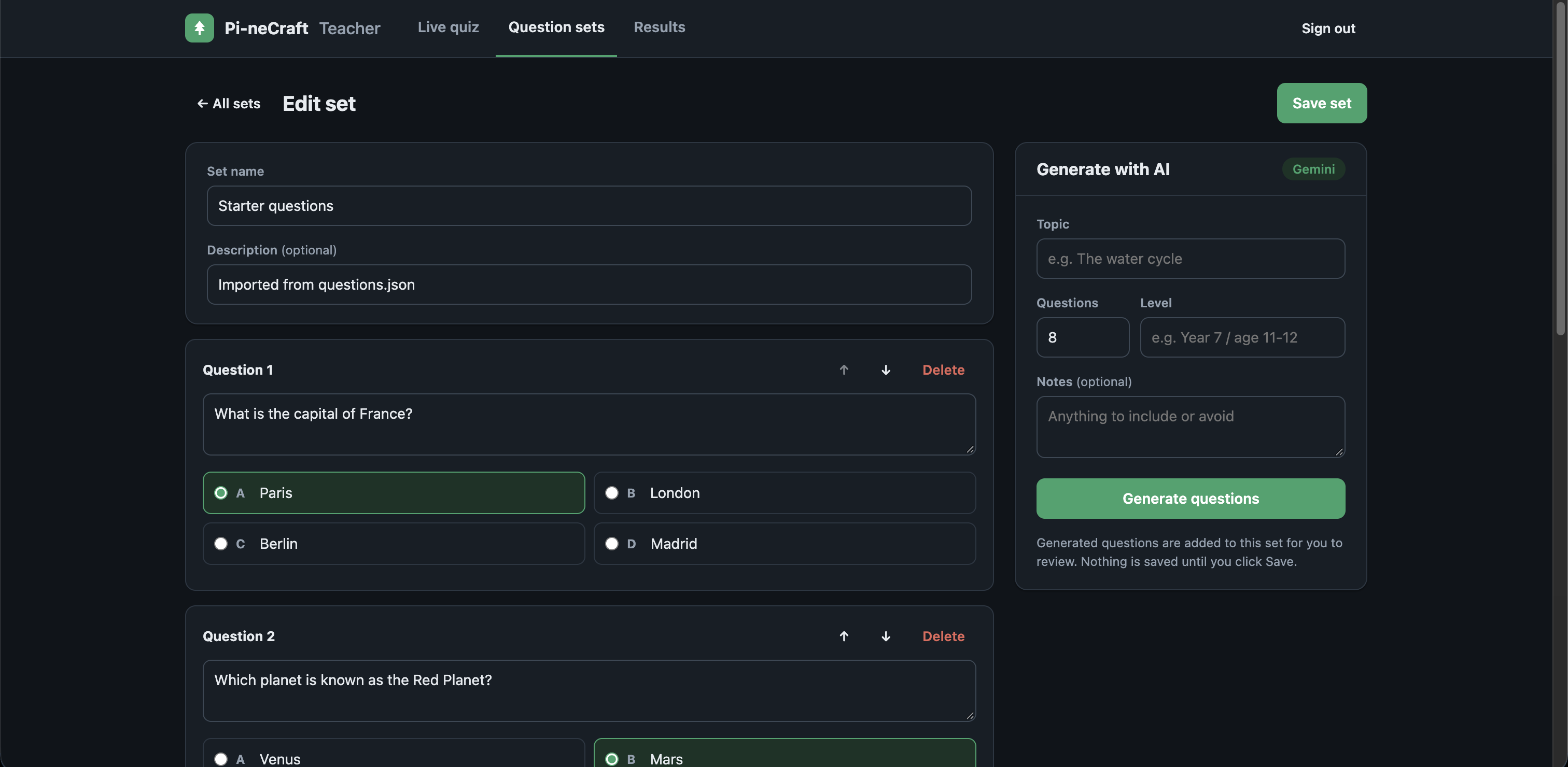
Editing a set - teacher view
-
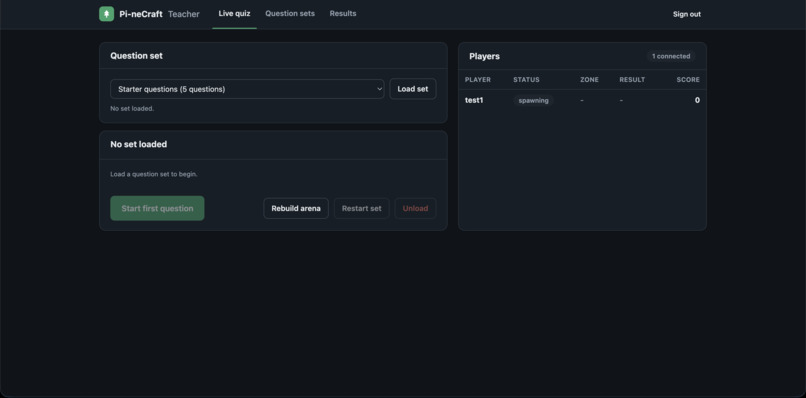
Question set - teacher view
-
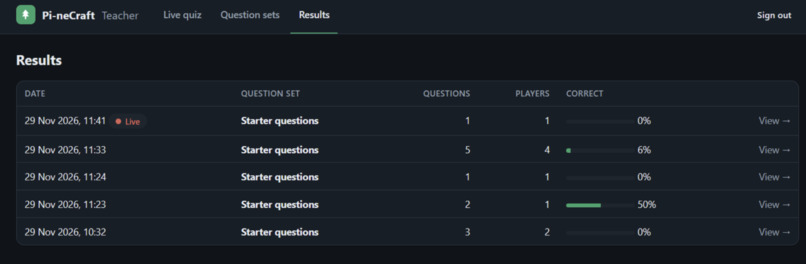
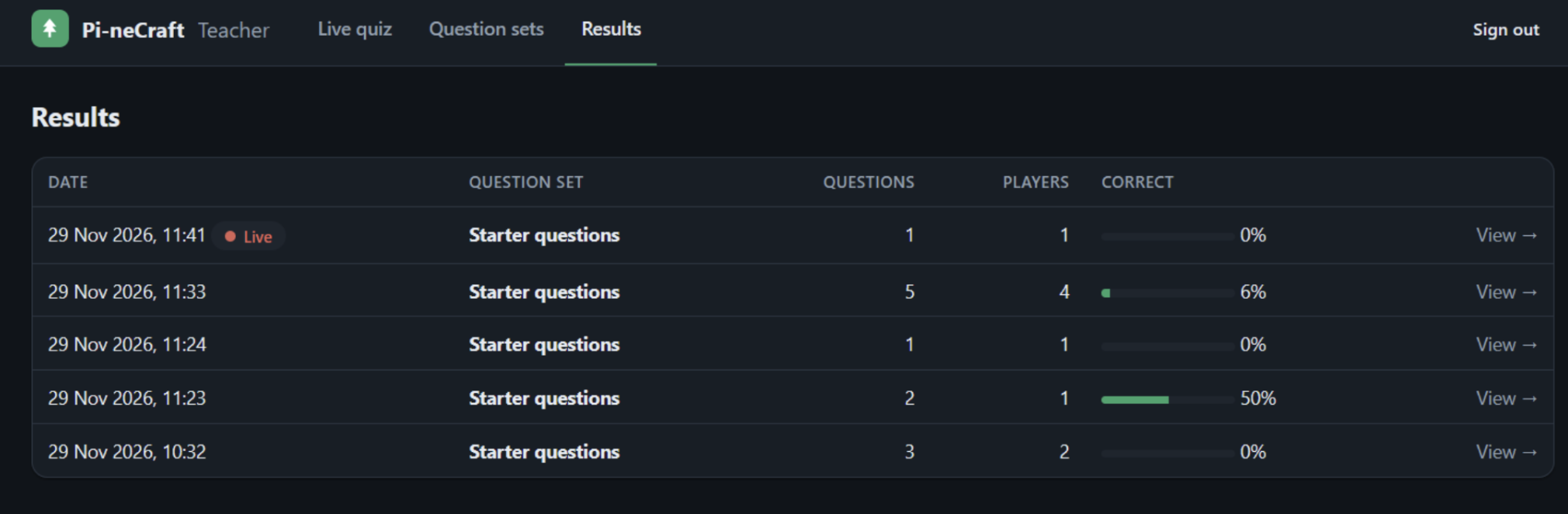
Results of each session - teacher view
Inspiration
We wanted to create a solution that was both unique and educational. As kids, mundane lessons did not sit right with us. It was either listening to teachers drone on, or getting on with worksheets. Testing concepts reliably in class used to rely on teachers picking on students, which can be intimidating. Although solutions such as Kahoot and Minecraft Education exist to provide more fun in learning, those relied on a high-quality internet connection to play, with frequent disconnects being a main problem. You'd be hard pressed to find a kid that didn't love Minecraft growing up! So we decided to run a Minecraft server off our laptop, and create a quiz which everyone (even with a Raspberry Pi Pico with a 1-inch display) with the IP address could access.
So we decided on an off-grid, interactive quiz as it worked well with how we wanted to use low-cost, privacy respecting hardware (for example, students do not have to log in or the handsets do not have cameras/microphones), so it's safer to use with children.
What it does
A Minecraft server runs off our laptop. The user connects giving them a screen where they can play the game. The user is given a question, which has also been assigned a colour, and has to use the buttons on the screen to move their character to the correct coloured square within the time limit.
Multiple people can play at the same time and the host is able to keep track of each player's score.
The host can either create their own questions or use the Gemini API to create them (optional).
How it was built
Python was used for most of the codebase. There was some JSON and HTML used for the server. We had first got Minecraft working on the Pico display including getting the buttons to move the player. Despite it being a cool hack, we found the screen quite small and the frame rate was low, making it quite difficult to play. We used a Python server using only the standard library's HTTP and TCP servers.
To facilitate the Minecraft gameplay, we used Mineflayer and Prismarine Viewer through a Python-JavaScript bridge, plus Playwright for rendering the view. Image rendering is done through Pillow and NumPy to convert frames for the screen. MicroPython on the Pico, with a fast scaling routine for the 240×135 screen. For our database, SQLite for question sets and results and we used Gemini for optional question drafts, but teachers can create questions "off-grid" without AI.
Challenges we ran into
Our original plan using hardware for our project didn't work as expected. We attempted creating an interactive and educational treasure hunt hack using a GPS module, but we were unable to get a signal indoors so we decided to use an inertial measurement unit (IMU). We had problems ensuring the calibration of the IMU, leading to huge inaccuracies in where the 'treasure' was. We ultimately decided to use Minecraft for our implementation as it is a game we and many other people are familiar with and we found the implementation easier to do.
Accomplishments that we're proud of
Despite the setbacks, we continued to keep trying to find a workable solution to our idea. We were also resourceful, where we have a sufficient variety of hardware and sensors to build a formidable entry to the hackathon. We were also creative with our resources, where this project is not merely a hardware or a software project, but a combination of both.
No one really thought that it was even possible to have a playable version of Minecraft streamed to a Pico, much less playing a quiz! There are four inputs on our Pico display, and we were absolutely sure to make the most of it, including being able to have a simple player versus player (PvP) :)
What we learned
Regardless of not ultimately implementing them in our submission, we learnt about how to use a GPS module and IMU with a Raspberry Pi. We have learnt that hardware sensors can be flaky at times and to keep our project options open. We have also learnt about how to use a server to run Minecraft streamed to a Pico with functioning buttons. In addition, we have also learnt how to use the versatile nature of Minecraft to create a quiz game.
What's next for Pi-necraft
Improve resolution of the game. Additionally, we can look into exploring more game varieties, instead of just doing multiple-choice questions on Pi-necraft. A Pico currently is unable to login and self-identify. The project can be ported to a different hardware with a slightly more robust WiFi chip and processor overall. Pi-necraft can also be extended to creating low-cost, privacy-first BYOD alternatives, where instead of each student running an instance of the environment, such as Minecraft Education, schoolchildren can be handed low-cost handsets to participate in a local collaborative learning instance. Although video frames are heavier than Kahoot games, future work can involve compressing data/investigating how can we transmit video frames effectively.


